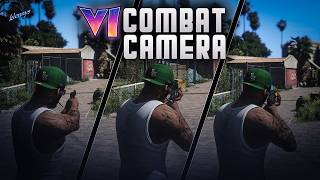
GTA VI Combat Camera [Enhanced] 1.0

![GTA VI Lock Pick System [Enhanced & Legacy]](https://img.gta5-mods.com/q75-w500-h333-cfill/images/gta6-lock-pick-system-enhanced/893ccd-lockpick.jpg "GTA VI Lock Pick System [Enhanced & Legacy]")
![GTA VI Weapon Wheel & HUD [Enhanced & Legacy]](https://img.gta5-mods.com/q75-w500-h333-cfill/images/gta-vi-weapon-wheel-hud-enhanced/f28b64-NEW.jpg "GTA VI Weapon Wheel & HUD [Enhanced & Legacy]")

![Physics-Based Sky [Enhanced]](https://img.gta5-mods.com/q75-w500-h333-cfill/images/physically-based-sky/7d9918-20260928004019_1.jpg "Physics-Based Sky [Enhanced]")


4.421
55
4.421
55
-A GTA VI-inspired third-person combat camera overhaul for GTA V Enhanced-
A GTA VI-style aim camera for GTA V Enhanced, designed to make combat feel more modern, cinematic, and less restrictive.
This mod moves the aiming camera farther behind the character, keeps the crosshair centered, reduces the overly close vanilla over-the-shoulder look, and gives pistols, rifles, SMGs, and shotguns a cleaner third-person combat framing inspired by GTA VI.
Features
• GTA VI-inspired third-person aim camera
• Better over-the-shoulder framing
• More upper body visible while aiming
• Crosshair stays centered
• Improved camera distance for pistols
• Improved camera distance for rifles and SMGs
• Separately tuned shotgun camera
• Built directly through camera metadata editing
• No scripted camera required
• No aerial or sky camera bugs
• Works as a clean cameras.ymt replacement for GTA V Enhanced
Requirements
• GTA V Enhanced
• A compatible Enhanced archive editor such as OpenRPF, RAGEOpen, or another tool capable of editing Enhanced RPF archives
Installation
Make a backup of your original file:
mods/update/update.rpf/x64/data/metadata/cameras.ymt
Open:
mods/update/update.rpf
Navigate to:
x64/data/metadata/
Replace the existing cameras.ymt with the cameras.ymt included in this mod.
Save the archive changes if your tool requires it.
Launch GTA V Enhanced and test the camera with:
• Pistols
• Rifles / SMGs
• Shotguns
Important Notes
• This mod is made specifically for GTA V Enhanced.
• If you previously used a combat camera script, disable or remove it before using this mod. A separate camera script may override the metadata camera behavior.
• Movement and combat animation mods can still be used as long as they do not replace or force the same camera behavior.
Recommended
For best results:
• Use this mod without any separate aim camera script
• Keep your preferred movement and animation mods active if they do not modify cameras.ymt
• Test with multiple weapon types to confirm the intended framing
Compatibility
Compatible with most mods unless they also replace:
cameras.ymt
If another mod edits the same file, the two mods may conflict and a manual merge may be required.
Uninstallation
To uninstall the mod, restore your original backup of:
mods/update/update.rpf/x64/data/metadata/cameras.ymt
A GTA VI-style aim camera for GTA V Enhanced, designed to make combat feel more modern, cinematic, and less restrictive.
This mod moves the aiming camera farther behind the character, keeps the crosshair centered, reduces the overly close vanilla over-the-shoulder look, and gives pistols, rifles, SMGs, and shotguns a cleaner third-person combat framing inspired by GTA VI.
Features
• GTA VI-inspired third-person aim camera
• Better over-the-shoulder framing
• More upper body visible while aiming
• Crosshair stays centered
• Improved camera distance for pistols
• Improved camera distance for rifles and SMGs
• Separately tuned shotgun camera
• Built directly through camera metadata editing
• No scripted camera required
• No aerial or sky camera bugs
• Works as a clean cameras.ymt replacement for GTA V Enhanced
Requirements
• GTA V Enhanced
• A compatible Enhanced archive editor such as OpenRPF, RAGEOpen, or another tool capable of editing Enhanced RPF archives
Installation
Make a backup of your original file:
mods/update/update.rpf/x64/data/metadata/cameras.ymt
Open:
mods/update/update.rpf
Navigate to:
x64/data/metadata/
Replace the existing cameras.ymt with the cameras.ymt included in this mod.
Save the archive changes if your tool requires it.
Launch GTA V Enhanced and test the camera with:
• Pistols
• Rifles / SMGs
• Shotguns
Important Notes
• This mod is made specifically for GTA V Enhanced.
• If you previously used a combat camera script, disable or remove it before using this mod. A separate camera script may override the metadata camera behavior.
• Movement and combat animation mods can still be used as long as they do not replace or force the same camera behavior.
Recommended
For best results:
• Use this mod without any separate aim camera script
• Keep your preferred movement and animation mods active if they do not modify cameras.ymt
• Test with multiple weapon types to confirm the intended framing
Compatibility
Compatible with most mods unless they also replace:
cameras.ymt
If another mod edits the same file, the two mods may conflict and a manual merge may be required.
Uninstallation
To uninstall the mod, restore your original backup of:
mods/update/update.rpf/x64/data/metadata/cameras.ymt
Carregat per primera vegada: 07 de Setembre de 2026
Actualització més recent: 07 de Setembre de 2026
Últim descarregat: Fa 1 hora
39 Comentaris
-A GTA VI-inspired third-person combat camera overhaul for GTA V Enhanced-
A GTA VI-style aim camera for GTA V Enhanced, designed to make combat feel more modern, cinematic, and less restrictive.
This mod moves the aiming camera farther behind the character, keeps the crosshair centered, reduces the overly close vanilla over-the-shoulder look, and gives pistols, rifles, SMGs, and shotguns a cleaner third-person combat framing inspired by GTA VI.
Features
• GTA VI-inspired third-person aim camera
• Better over-the-shoulder framing
• More upper body visible while aiming
• Crosshair stays centered
• Improved camera distance for pistols
• Improved camera distance for rifles and SMGs
• Separately tuned shotgun camera
• Built directly through camera metadata editing
• No scripted camera required
• No aerial or sky camera bugs
• Works as a clean cameras.ymt replacement for GTA V Enhanced
Requirements
• GTA V Enhanced
• A compatible Enhanced archive editor such as OpenRPF, RAGEOpen, or another tool capable of editing Enhanced RPF archives
Installation
Make a backup of your original file:
mods/update/update.rpf/x64/data/metadata/cameras.ymt
Open:
mods/update/update.rpf
Navigate to:
x64/data/metadata/
Replace the existing cameras.ymt with the cameras.ymt included in this mod.
Save the archive changes if your tool requires it.
Launch GTA V Enhanced and test the camera with:
• Pistols
• Rifles / SMGs
• Shotguns
Important Notes
• This mod is made specifically for GTA V Enhanced.
• If you previously used a combat camera script, disable or remove it before using this mod. A separate camera script may override the metadata camera behavior.
• Movement and combat animation mods can still be used as long as they do not replace or force the same camera behavior.
Recommended
For best results:
• Use this mod without any separate aim camera script
• Keep your preferred movement and animation mods active if they do not modify cameras.ymt
• Test with multiple weapon types to confirm the intended framing
Compatibility
Compatible with most mods unless they also replace:
cameras.ymt
If another mod edits the same file, the two mods may conflict and a manual merge may be required.
Uninstallation
To uninstall the mod, restore your original backup of:
mods/update/update.rpf/x64/data/metadata/cameras.ymt
A GTA VI-style aim camera for GTA V Enhanced, designed to make combat feel more modern, cinematic, and less restrictive.
This mod moves the aiming camera farther behind the character, keeps the crosshair centered, reduces the overly close vanilla over-the-shoulder look, and gives pistols, rifles, SMGs, and shotguns a cleaner third-person combat framing inspired by GTA VI.
Features
• GTA VI-inspired third-person aim camera
• Better over-the-shoulder framing
• More upper body visible while aiming
• Crosshair stays centered
• Improved camera distance for pistols
• Improved camera distance for rifles and SMGs
• Separately tuned shotgun camera
• Built directly through camera metadata editing
• No scripted camera required
• No aerial or sky camera bugs
• Works as a clean cameras.ymt replacement for GTA V Enhanced
Requirements
• GTA V Enhanced
• A compatible Enhanced archive editor such as OpenRPF, RAGEOpen, or another tool capable of editing Enhanced RPF archives
Installation
Make a backup of your original file:
mods/update/update.rpf/x64/data/metadata/cameras.ymt
Open:
mods/update/update.rpf
Navigate to:
x64/data/metadata/
Replace the existing cameras.ymt with the cameras.ymt included in this mod.
Save the archive changes if your tool requires it.
Launch GTA V Enhanced and test the camera with:
• Pistols
• Rifles / SMGs
• Shotguns
Important Notes
• This mod is made specifically for GTA V Enhanced.
• If you previously used a combat camera script, disable or remove it before using this mod. A separate camera script may override the metadata camera behavior.
• Movement and combat animation mods can still be used as long as they do not replace or force the same camera behavior.
Recommended
For best results:
• Use this mod without any separate aim camera script
• Keep your preferred movement and animation mods active if they do not modify cameras.ymt
• Test with multiple weapon types to confirm the intended framing
Compatibility
Compatible with most mods unless they also replace:
cameras.ymt
If another mod edits the same file, the two mods may conflict and a manual merge may be required.
Uninstallation
To uninstall the mod, restore your original backup of:
mods/update/update.rpf/x64/data/metadata/cameras.ymt
Carregat per primera vegada: 07 de Setembre de 2026
Actualització més recent: 07 de Setembre de 2026
Últim descarregat: Fa 1 hora
 5mods on Discord

@Reacon "ai slop" ☹️
This is cool, what is the next idea from GTA VI you want to make?
@DeFreeman Thanks! Nothing comes to mind right now. Got any suggestions?
great mod!.. wheres the hat texture from?
@JSC2K1 thx, hat texture = https://www.gta5-mods.com/player/franklin-s-og-fitted-hats-new-era-inspired
Trying to get this work my in enchanced and it just never comes on, same with your other mod, they seem like simple drag and drops but smh they don’t come on. Thanks anyway bro
@gvnn Do you have the requirements files?
@klennys so i did a clean install of gta v enhanced, downloaded the requirements but I don't have a mods folder, also even with the update.rpf file, i see in the instructions you have .rpf as a folder or something you can get into, but on native windows 11, you cant click into it (as if its a fioodler as menitoneed in your instrucitons) What am I missing here?
@gvnn There are installation videos for the mod folder on YouTube you can check them out there.
I believe I got it working...logs seem to be good and i think i notice a difference. thanks bro! awesome mod
@gvnn Nicee bro, glad you got it working!
legacy version please @klennys
@eldrin Users say that it works in legacy version you can give it a try.
@klennys Bullet style gta viTime with please
is this compatible with NVE? Cause I tried installing this with codewalker and now i'm doing a fresh install
could we please get a legacy version
how can I get this to work with nve mate
@rogueify I use it with NVE without doing anything else.
@BoogerRanger67 It works on the Legacy version.
@rogueify place it in onigiri/platform/data/metadata