AddonWeapons 3.0




31.906
294
31.906
294
To turn any Replace weapon into an Add-On, download AddonWeapons Builder.
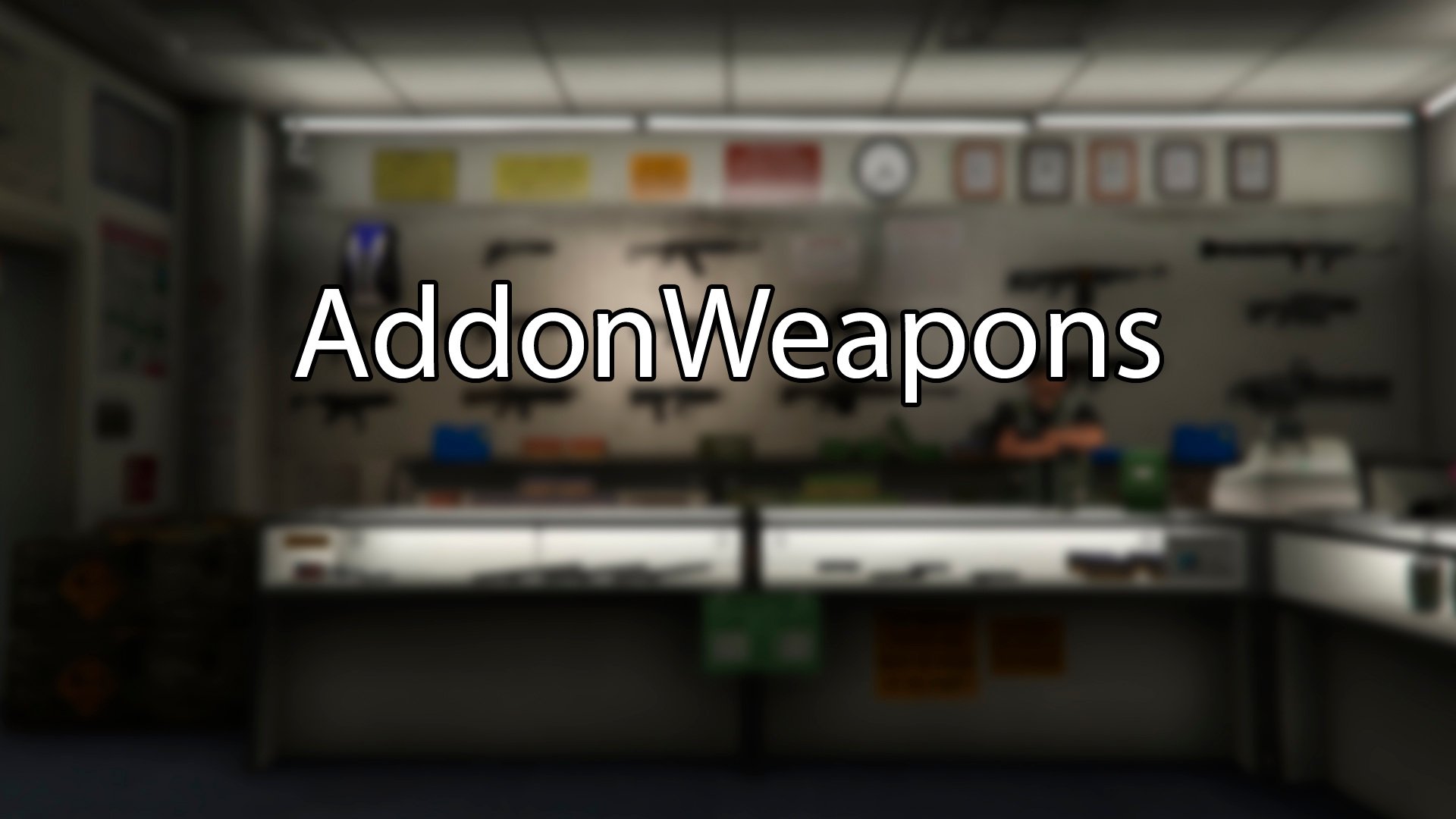
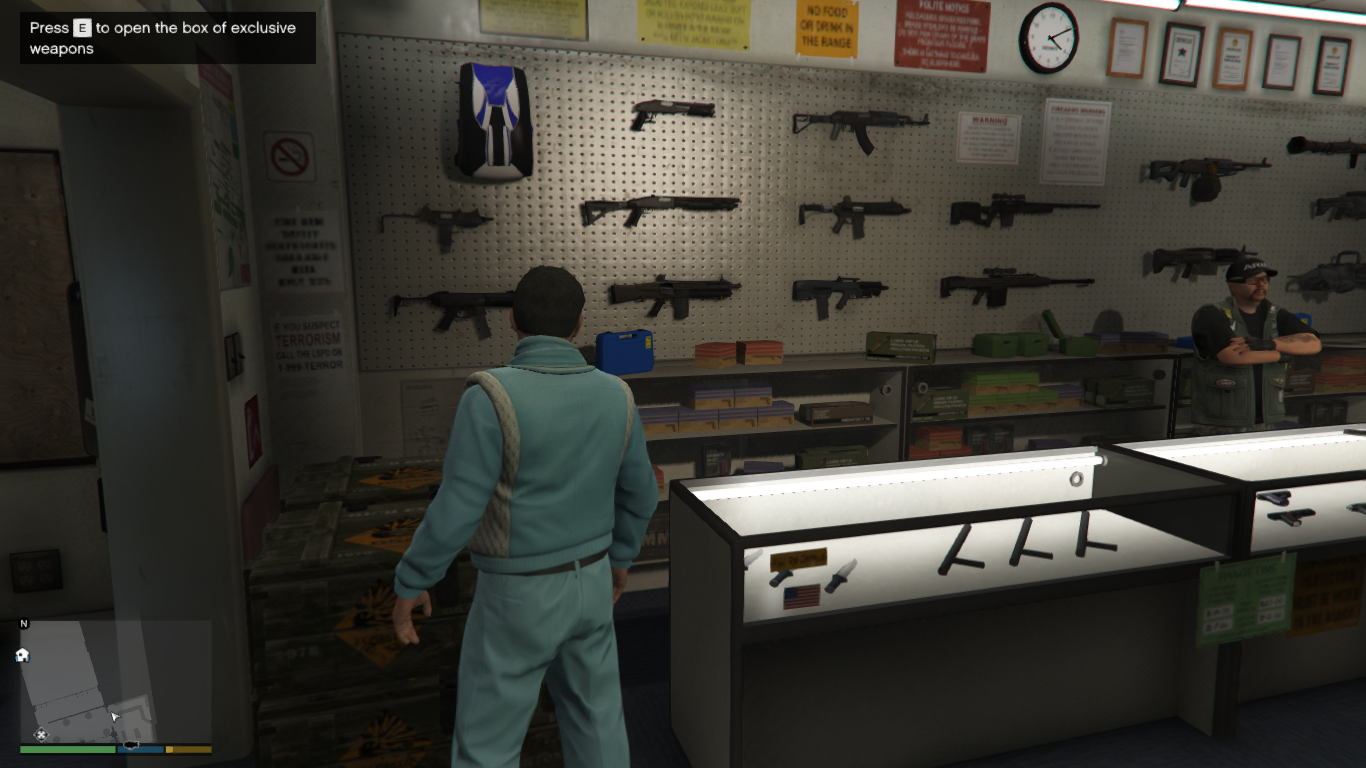
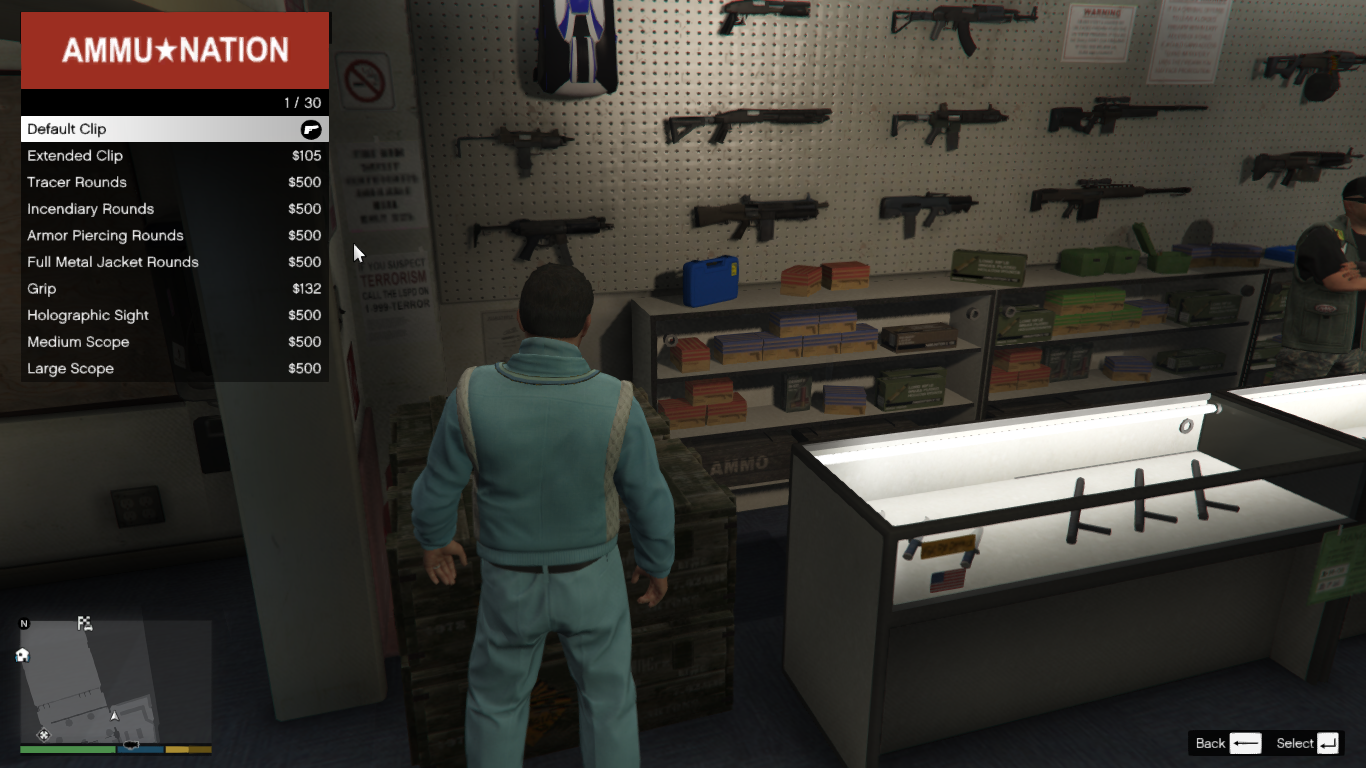
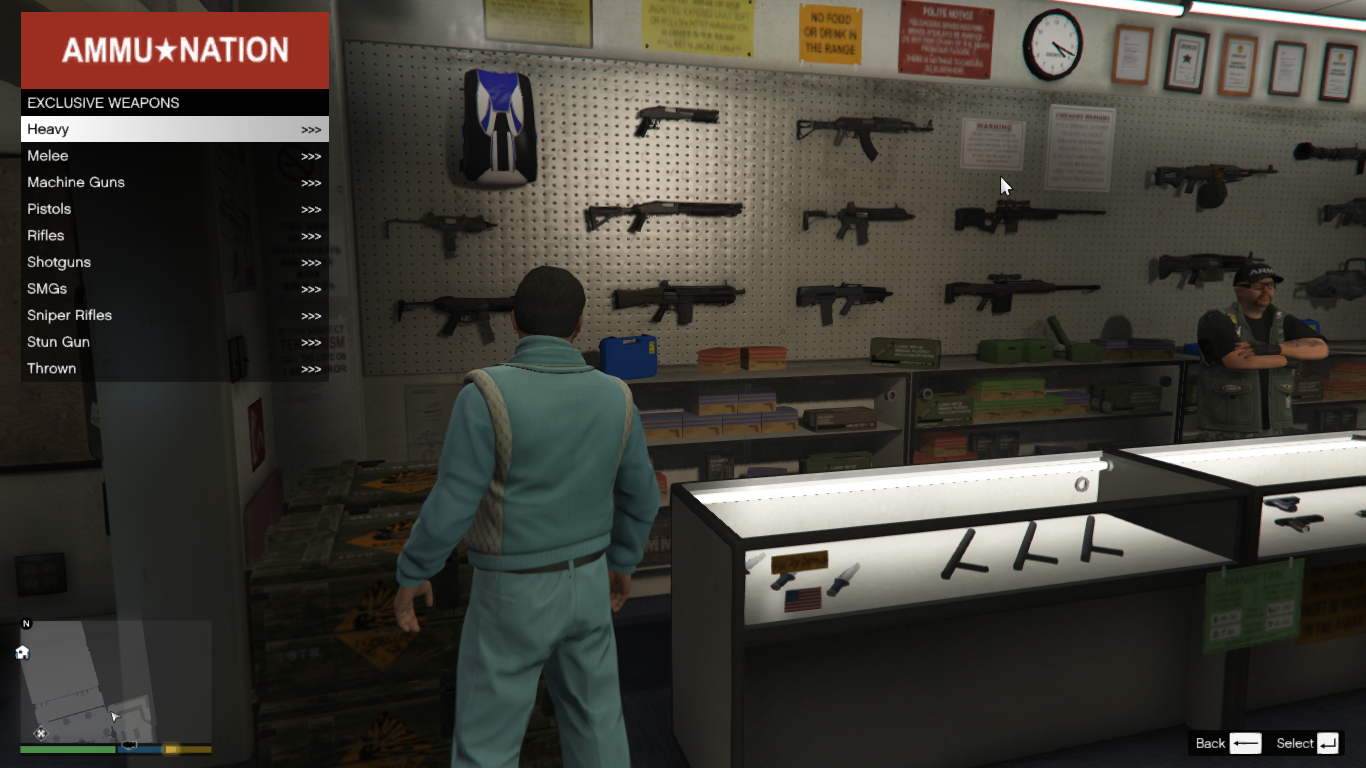
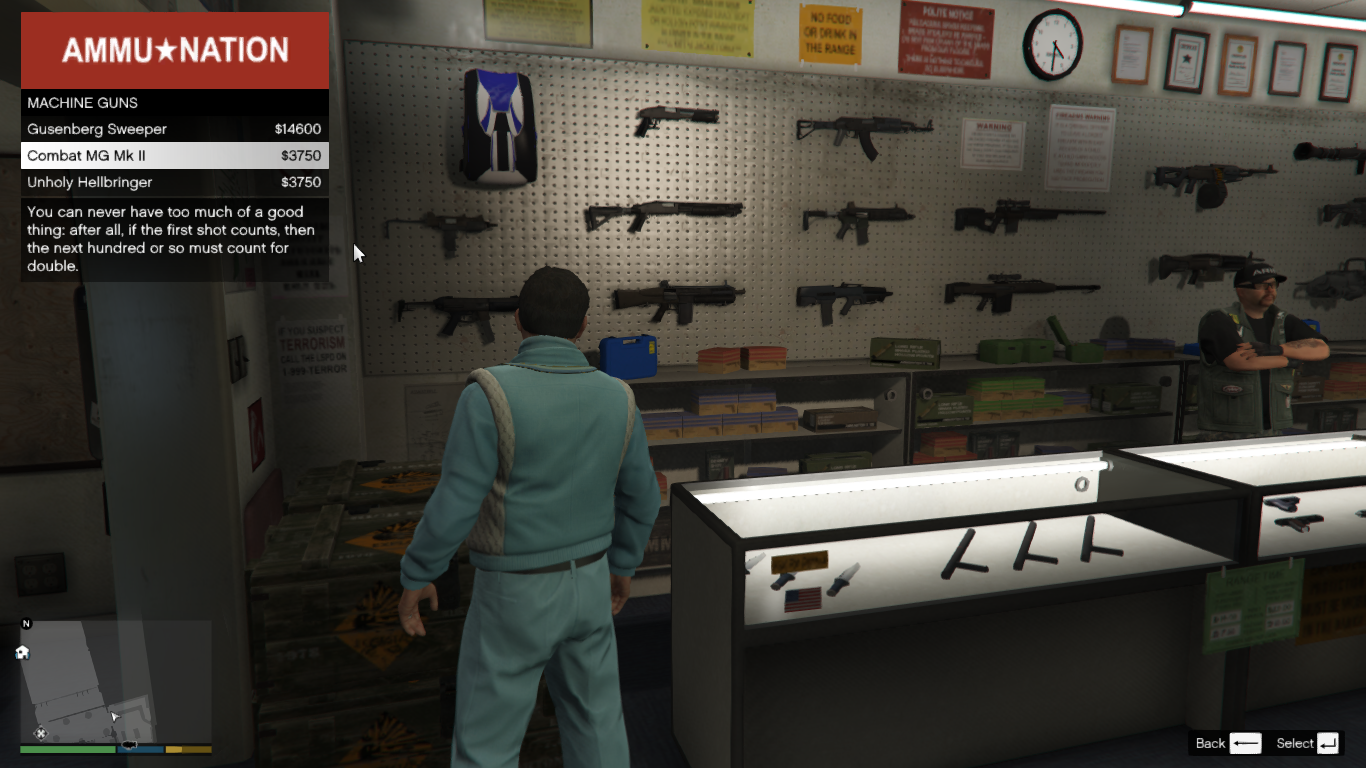
Modders create a lot of cool weapons for GTA 5, but they have to replace the standard models. AddonWeapons allows you to add weapons to the game without replacement and buy them in Ammu-nation in a separate menu. There are also weapons available exclusively in GTA Online.
The box of weapons is located in the two Ammu-nations with a shooting range in Los Santos.
The script finds new weapons automatically, just install them like any addon mod (eg. cars).
IMPORTANT: This mod by itself doesn't bring any new weapons to the game.
Join my Discord server: https://discord.gg/vvxmKP5y5J
Source code: https://github.com/sruckstar/AddonWeapons2
Like the mod? Support me on Patreon. Get new releases three days early, exclusive mods, and the chance to commission a mod just for you.
Installation
1. Install ScriptHookV
2. Install ScriptHookVDotNet
3. Install LemonUI (SHVDN3)
4. Move the scripts folder into your main GTAV folder (press Replace the files in the destination if Windows asks you to).
MP Characters Support
The script saves purchased weapons in the inventory separately for male and female MP characters. But there is an unpleasant bug: all Ammu-nations are closed if you change the skin of the main character to another one. Solution: change the skin directly in the shop before buying weapons, not on the street.
Commandline.txt
Commandline.txt allows you to add new categories to the menu, move weapons from one category to another, and set your own weapon prices. The file can be found in the AddonWeapons folder.
Available commands at this time:
CreateWeaponCategory(Name)
PutWeaponToCategory(ModelName, CategoryName)
SetWeaponCost(ModelName, IntCost)
Read more on GitHub
Trainer Mode (BETA)
You can customize AddonWeapons into trainer mode. In this case, the weapon purchase menu can be opened anywhere. Set the menu activation key in the AddonWeapons\settings.ini file
Weapon components (for mod authors)
To display weapon components in the menu, fill in the weapon shop.meta file correctly.
Weapon tints (for mod authors)
In order for the tints names to be displayed correctly in the purchase menu, you need to adhere to Rockstar standards: either use a set of 8 tints from standard weapons, or a set of 32 tints from MKII weapons. If you are not adding all the tints in your mod, or combining them from different types of weapon, you will need to create a text file in the AddonWeapons/tints folder with the name of the weapon from weapon shop.meta, and write all the tints names line by line. Otherwise, the menu will display tints without names (Tint 1, Tint 2, etc.), or the names will not correspond to the actual weapon tint.
Changelog
3.0
2.9
2.8
2.7
2.6
2.5
Modders create a lot of cool weapons for GTA 5, but they have to replace the standard models. AddonWeapons allows you to add weapons to the game without replacement and buy them in Ammu-nation in a separate menu. There are also weapons available exclusively in GTA Online.
The box of weapons is located in the two Ammu-nations with a shooting range in Los Santos.
The script finds new weapons automatically, just install them like any addon mod (eg. cars).
IMPORTANT: This mod by itself doesn't bring any new weapons to the game.
Join my Discord server: https://discord.gg/vvxmKP5y5J
Source code: https://github.com/sruckstar/AddonWeapons2
Like the mod? Support me on Patreon. Get new releases three days early, exclusive mods, and the chance to commission a mod just for you.
Installation
1. Install ScriptHookV
2. Install ScriptHookVDotNet
3. Install LemonUI (SHVDN3)
4. Move the scripts folder into your main GTAV folder (press Replace the files in the destination if Windows asks you to).
MP Characters Support
The script saves purchased weapons in the inventory separately for male and female MP characters. But there is an unpleasant bug: all Ammu-nations are closed if you change the skin of the main character to another one. Solution: change the skin directly in the shop before buying weapons, not on the street.
Commandline.txt
Commandline.txt allows you to add new categories to the menu, move weapons from one category to another, and set your own weapon prices. The file can be found in the AddonWeapons folder.
Available commands at this time:
CreateWeaponCategory(Name)
PutWeaponToCategory(ModelName, CategoryName)
SetWeaponCost(ModelName, IntCost)
Read more on GitHub
Trainer Mode (BETA)
You can customize AddonWeapons into trainer mode. In this case, the weapon purchase menu can be opened anywhere. Set the menu activation key in the AddonWeapons\settings.ini file
Weapon components (for mod authors)
To display weapon components in the menu, fill in the weapon shop.meta file correctly.
Weapon tints (for mod authors)
In order for the tints names to be displayed correctly in the purchase menu, you need to adhere to Rockstar standards: either use a set of 8 tints from standard weapons, or a set of 32 tints from MKII weapons. If you are not adding all the tints in your mod, or combining them from different types of weapon, you will need to create a text file in the AddonWeapons/tints folder with the name of the weapon from weapon shop.meta, and write all the tints names line by line. Otherwise, the menu will display tints without names (Tint 1, Tint 2, etc.), or the names will not correspond to the actual weapon tint.
Changelog
3.0
- Added a preview of weapons and components before purchase
- Fixed script crashes caused by different builds of ScriptHookDotNet
- Added support for the AddonWeapons Builder program, which can be downloaded separately
2.9
- The script is completely rewritten
- Fixed bugs related to saving tints and components of purchased weapons
- If a weapon was deleted or lost, it will not appear in the inventory after reloading the script.
2.8
- Fixed a critical bug that caused the script to crash when there was a mismatch between the weapon tints and their number in the tints folder.
2.7
- Weapon crates can now be placed anywhere. Open the AddonWeapons/AmmoBoxes.txt file and add a line of X, Y, Z, HEADING format to create a new box.
- New weapon categories added for modders are DIGISCANNER, FIREEXTINGUISHER, HACKINGDEVICE, METALDETECTOR, NIGHTVISION, PARACHUTE, PETROLCAN, TRANQILIZER and RUBBERGUN. By default, these categories do not appear in the menu: to make them appear, the corresponding weapons must be added to the game.
2.6
- Fixed a bug where custom weapon tints were not displayed on add-on weapons.
- Fixed a bug where the script would crash after buying a weapon and switching to another player.
- FPS should no longer drop when protagonists get close to each other.
2.5
- Added a Commandline.txt file that can be used to add new categories, move weapons from one category to another, and set weapon prices.
- Fixed a bug where MP characters couldn't buy components for a weapon.
- Fixed a bug where the component removed from the weapon would reappear when the script was reloaded.
- Fixed bug with drawing multiple menus on the screen.
- Exiting the weapon component menu now opens the previous page instead of closing the menu completely.
- The name of the selected weapon is now displayed in the components menu.
- Weapon tint prices are now consistent with GTA Online prices.
Zuerst hochgeladen: 25. Mai 2024
Letztes Update: 12. Juli 2026
Last Downloaded: vor 7 Minuten
All Versions
294 Kommentare
More mods by andre500:
To turn any Replace weapon into an Add-On, download AddonWeapons Builder.
Modders create a lot of cool weapons for GTA 5, but they have to replace the standard models. AddonWeapons allows you to add weapons to the game without replacement and buy them in Ammu-nation in a separate menu. There are also weapons available exclusively in GTA Online.
The box of weapons is located in the two Ammu-nations with a shooting range in Los Santos.
The script finds new weapons automatically, just install them like any addon mod (eg. cars).
IMPORTANT: This mod by itself doesn't bring any new weapons to the game.
Join my Discord server: https://discord.gg/vvxmKP5y5J
Source code: https://github.com/sruckstar/AddonWeapons2
Like the mod? Support me on Patreon. Get new releases three days early, exclusive mods, and the chance to commission a mod just for you.
Installation
1. Install ScriptHookV
2. Install ScriptHookVDotNet
3. Install LemonUI (SHVDN3)
4. Move the scripts folder into your main GTAV folder (press Replace the files in the destination if Windows asks you to).
MP Characters Support
The script saves purchased weapons in the inventory separately for male and female MP characters. But there is an unpleasant bug: all Ammu-nations are closed if you change the skin of the main character to another one. Solution: change the skin directly in the shop before buying weapons, not on the street.
Commandline.txt
Commandline.txt allows you to add new categories to the menu, move weapons from one category to another, and set your own weapon prices. The file can be found in the AddonWeapons folder.
Available commands at this time:
CreateWeaponCategory(Name)
PutWeaponToCategory(ModelName, CategoryName)
SetWeaponCost(ModelName, IntCost)
Read more on GitHub
Trainer Mode (BETA)
You can customize AddonWeapons into trainer mode. In this case, the weapon purchase menu can be opened anywhere. Set the menu activation key in the AddonWeapons\settings.ini file
Weapon components (for mod authors)
To display weapon components in the menu, fill in the weapon shop.meta file correctly.
Weapon tints (for mod authors)
In order for the tints names to be displayed correctly in the purchase menu, you need to adhere to Rockstar standards: either use a set of 8 tints from standard weapons, or a set of 32 tints from MKII weapons. If you are not adding all the tints in your mod, or combining them from different types of weapon, you will need to create a text file in the AddonWeapons/tints folder with the name of the weapon from weapon shop.meta, and write all the tints names line by line. Otherwise, the menu will display tints without names (Tint 1, Tint 2, etc.), or the names will not correspond to the actual weapon tint.
Changelog
3.0
2.9
2.8
2.7
2.6
2.5
Modders create a lot of cool weapons for GTA 5, but they have to replace the standard models. AddonWeapons allows you to add weapons to the game without replacement and buy them in Ammu-nation in a separate menu. There are also weapons available exclusively in GTA Online.
The box of weapons is located in the two Ammu-nations with a shooting range in Los Santos.
The script finds new weapons automatically, just install them like any addon mod (eg. cars).
IMPORTANT: This mod by itself doesn't bring any new weapons to the game.
Join my Discord server: https://discord.gg/vvxmKP5y5J
Source code: https://github.com/sruckstar/AddonWeapons2
Like the mod? Support me on Patreon. Get new releases three days early, exclusive mods, and the chance to commission a mod just for you.
Installation
1. Install ScriptHookV
2. Install ScriptHookVDotNet
3. Install LemonUI (SHVDN3)
4. Move the scripts folder into your main GTAV folder (press Replace the files in the destination if Windows asks you to).
MP Characters Support
The script saves purchased weapons in the inventory separately for male and female MP characters. But there is an unpleasant bug: all Ammu-nations are closed if you change the skin of the main character to another one. Solution: change the skin directly in the shop before buying weapons, not on the street.
Commandline.txt
Commandline.txt allows you to add new categories to the menu, move weapons from one category to another, and set your own weapon prices. The file can be found in the AddonWeapons folder.
Available commands at this time:
CreateWeaponCategory(Name)
PutWeaponToCategory(ModelName, CategoryName)
SetWeaponCost(ModelName, IntCost)
Read more on GitHub
Trainer Mode (BETA)
You can customize AddonWeapons into trainer mode. In this case, the weapon purchase menu can be opened anywhere. Set the menu activation key in the AddonWeapons\settings.ini file
Weapon components (for mod authors)
To display weapon components in the menu, fill in the weapon shop.meta file correctly.
Weapon tints (for mod authors)
In order for the tints names to be displayed correctly in the purchase menu, you need to adhere to Rockstar standards: either use a set of 8 tints from standard weapons, or a set of 32 tints from MKII weapons. If you are not adding all the tints in your mod, or combining them from different types of weapon, you will need to create a text file in the AddonWeapons/tints folder with the name of the weapon from weapon shop.meta, and write all the tints names line by line. Otherwise, the menu will display tints without names (Tint 1, Tint 2, etc.), or the names will not correspond to the actual weapon tint.
Changelog
3.0
- Added a preview of weapons and components before purchase
- Fixed script crashes caused by different builds of ScriptHookDotNet
- Added support for the AddonWeapons Builder program, which can be downloaded separately
2.9
- The script is completely rewritten
- Fixed bugs related to saving tints and components of purchased weapons
- If a weapon was deleted or lost, it will not appear in the inventory after reloading the script.
2.8
- Fixed a critical bug that caused the script to crash when there was a mismatch between the weapon tints and their number in the tints folder.
2.7
- Weapon crates can now be placed anywhere. Open the AddonWeapons/AmmoBoxes.txt file and add a line of X, Y, Z, HEADING format to create a new box.
- New weapon categories added for modders are DIGISCANNER, FIREEXTINGUISHER, HACKINGDEVICE, METALDETECTOR, NIGHTVISION, PARACHUTE, PETROLCAN, TRANQILIZER and RUBBERGUN. By default, these categories do not appear in the menu: to make them appear, the corresponding weapons must be added to the game.
2.6
- Fixed a bug where custom weapon tints were not displayed on add-on weapons.
- Fixed a bug where the script would crash after buying a weapon and switching to another player.
- FPS should no longer drop when protagonists get close to each other.
2.5
- Added a Commandline.txt file that can be used to add new categories, move weapons from one category to another, and set weapon prices.
- Fixed a bug where MP characters couldn't buy components for a weapon.
- Fixed a bug where the component removed from the weapon would reappear when the script was reloaded.
- Fixed bug with drawing multiple menus on the screen.
- Exiting the weapon component menu now opens the previous page instead of closing the menu completely.
- The name of the selected weapon is now displayed in the components menu.
- Weapon tint prices are now consistent with GTA Online prices.
Zuerst hochgeladen: 25. Mai 2024
Letztes Update: 12. Juli 2026
Last Downloaded: vor 7 Minuten
 5mods on Discord
ammo boxes aint showing gang 🥀🥀
Hello can you please tell me how to open attachments menu or add attachments to the weapon i dont know how to do that pls help me
@andre500 missing ammo weapon when i buy it , any fix ?
I am also having the same problem as @wissgt since the a safehouse in the hills update
I has it, too. New updeate is not compatible with 2.9 version, this is not engage working in the game. Please check this bug. Thank you.
For those having trouble with the 2.9 version. 2.8 works just fine, just download that one, but I do admit I don't know if 2.8 has any bugs that were supposed to be fixed in 2.9.
not working anymore boys!
@DONTCHECKIT yes it is, just use 2.8 version :)
@Quickingasscat alr
I have a problem with this mod. I installed everything correctly in the scripts file, but there is no green crate in the Ammu-nations. Which means it wasn't installed correctly, but I did. I don't know what the problem is
pleas update
The update looks to have addressed non-player models using the script, and I'm all for it. Thanks for updating 👍🏿
The mod has been working nicely. But since the recent Kortz Center Heist update something strange happened: When selecting the Combat MG MK II inside the ammunation, the game crashed to desktop!
And it sadly happened again @andre500
@Nedim95 I'll look into it
Works with dlc weapons but crashes when looking at addon weapons
@ceejay01 Did you find a solution? I've been trying to get it to find the complementary weapons, but they aren't showing up.
When I mod the heavy sniper rifle the game crashes
fucking menu is so buggy, keeps jumping around when trying to select things
Version 3.0 works fine, however, during my testing, the precision rifle and the tactical smg ammo gets stet back to 0 after every character switch.