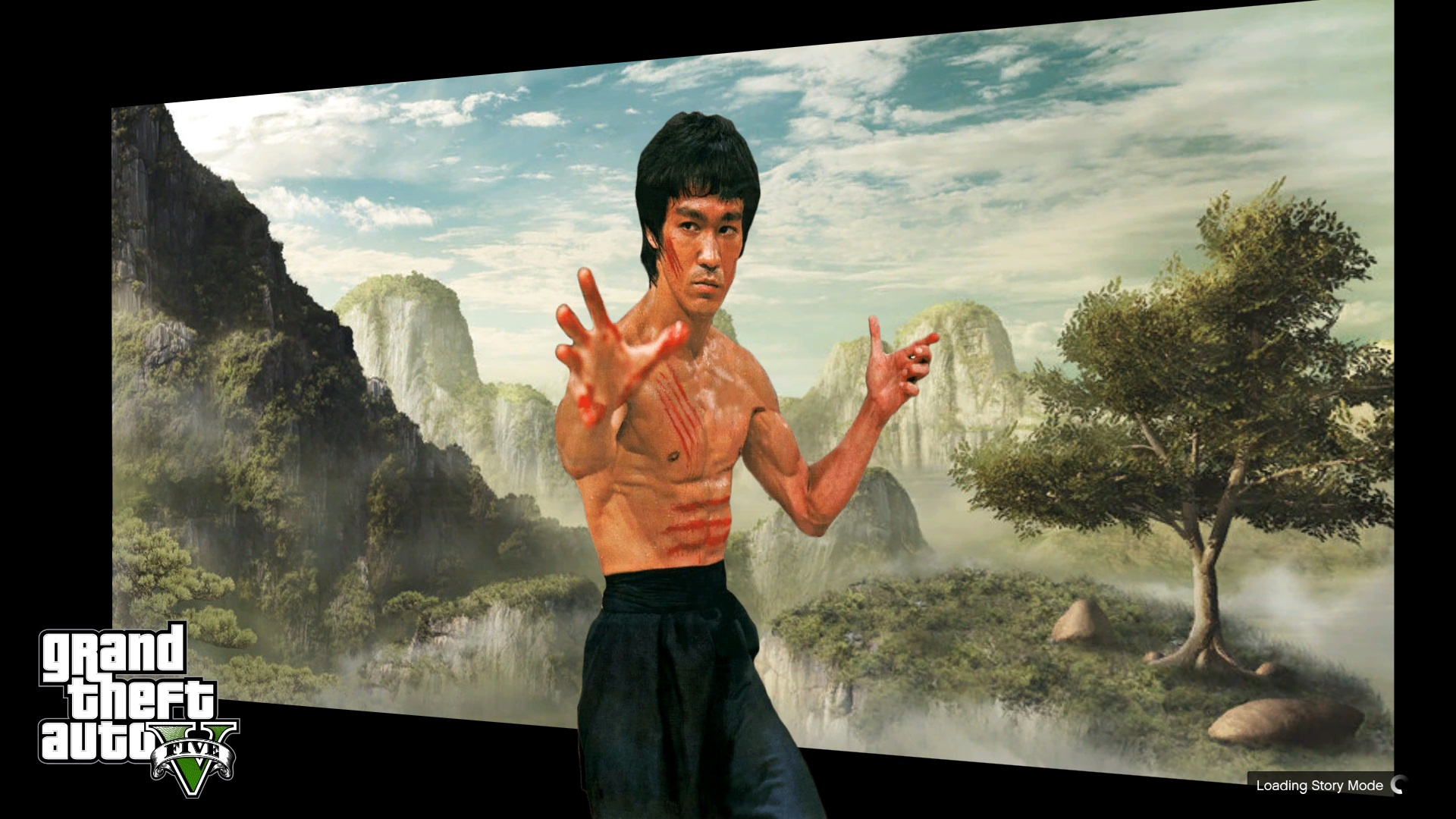
Bruce Lee Loading Screen 1.0

![Peds Pain & Death Sounds Improvements [PP&DSI]](https://img.gta5-mods.com/q75-w500-h333-cfill/images/new-death-sounds-for-peds/fe7077-pp%26dsi.png "Peds Pain & Death Sounds Improvements [PP&DSI]")


635
5
635
5
Bruce Lee on your Loading start up screen.
You need OpenIV
Open OPENIV and enable "edit mode" and replace the file "loadingscreen_startup.ytd in the given path provided in the text file in Winrar.
This mod put Bruce Lee on the start up loading screen.. If you have any problem, you can ask me.
Note=
You have to create a new folder and name it "mod" in GTA V directory and copy the entire "update" folder in the "mod" folder.
Watch the installation video very carefully for successful installation.
You need OpenIV
Open OPENIV and enable "edit mode" and replace the file "loadingscreen_startup.ytd in the given path provided in the text file in Winrar.
This mod put Bruce Lee on the start up loading screen.. If you have any problem, you can ask me.
Note=
You have to create a new folder and name it "mod" in GTA V directory and copy the entire "update" folder in the "mod" folder.
Watch the installation video very carefully for successful installation.
Ensimmäinen lataamiskerta: 05. helmikuuta 2019
Viimeksi ladattu: 07. helmikuuta 2019
Last Downloaded: 9 hours ago
0 kommenttia
Bruce Lee on your Loading start up screen.
You need OpenIV
Open OPENIV and enable "edit mode" and replace the file "loadingscreen_startup.ytd in the given path provided in the text file in Winrar.
This mod put Bruce Lee on the start up loading screen.. If you have any problem, you can ask me.
Note=
You have to create a new folder and name it "mod" in GTA V directory and copy the entire "update" folder in the "mod" folder.
Watch the installation video very carefully for successful installation.
You need OpenIV
Open OPENIV and enable "edit mode" and replace the file "loadingscreen_startup.ytd in the given path provided in the text file in Winrar.
This mod put Bruce Lee on the start up loading screen.. If you have any problem, you can ask me.
Note=
You have to create a new folder and name it "mod" in GTA V directory and copy the entire "update" folder in the "mod" folder.
Watch the installation video very carefully for successful installation.
Ensimmäinen lataamiskerta: 05. helmikuuta 2019
Viimeksi ladattu: 07. helmikuuta 2019
Last Downloaded: 9 hours ago
Liity keskusteluun kirjaudu sisään tai rekisteröidy käyttäjäksi, jotta voit kommentoida.
 5mods on Discord
