GTA VI Lock Pick System [Enhanced & Legacy] 1.4

![GTA VI Combat Camera [Enhanced]](https://img.gta5-mods.com/q75-w500-h333-cfill/images/gta-vi-combat-camera-enhanced/bd8696-Untitled-2.jpg "GTA VI Combat Camera [Enhanced]")
![GTA VI Weapon Wheel & HUD [Enhanced & Legacy]](https://img.gta5-mods.com/q75-w500-h333-cfill/images/gta-vi-weapon-wheel-hud-enhanced/f28b64-NEW.jpg "GTA VI Weapon Wheel & HUD [Enhanced & Legacy]")


5.100
70
5.100
70
GTA6 Lock Pick System brings a GTA VI-inspired vehicle lock-picking system to GTA V Enhanced&Legacy single-player.
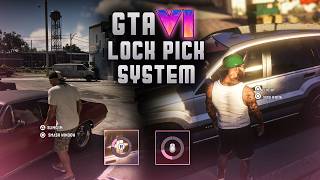
The mod adds a contextual Slim Jim interaction for locked parked vehicles, with custom keyboard/mouse and controller UI, directional lock-pick inputs, radial progress animations, and automatic input switching.
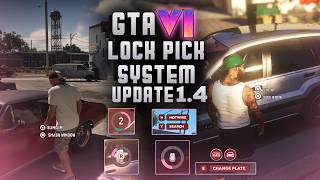
v1.4 – BOLO, Plate Swap & Vehicle Theft Update
– Added a new BOLO system for stolen vehicles.
– Vehicles can now be wanted by License Plate or Vehicle Appearance.
– Added GTA VI-style BOLO HUD icons.
– Police can identify BOLO vehicles and trigger a wanted level.
– BOLO recognition now starts at 1 star.
– Added a new black-market license plate change system.
– Added a dedicated mechanic NPC for plate changes.
– Added a permanent Black Market Mechanic map blip, making the plate-change location easy to find on the map.
– Added custom Change Plate UI, progress bar and completion notification.
– Added full controller support for plate changing.
– Repainting the vehicle can clear the Appearance BOLO.
– Changing the plate clears the Plate BOLO.
– Added new custom UI for Hotwire, Search, Success, Failed, Key Found and Key Not Found.
– Improved Hotwire / Search prompt sizing and alignment.
– BOLO UI now hides correctly during pause and cinematic screens.
– Fixed vehicles previously used by NPCs being incorrectly treated as locked after the NPC exits.
– Police / NPC vehicles that were already accessible no longer show unnecessary Slim Jim / Smash Window prompts.
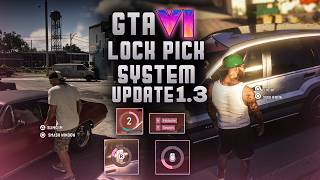
v1.3 – Hotwire & Vehicle Search Update
- Added a new Hotwire system after stealing a vehicle.
- Added a 3-stage timing QTE: complete stages 3 → 2 → 1 to start the engine.
- Missing any Hotwire stage permanently disables Hotwire for that vehicle.
- Added Vehicle Search as a second chance to find the car key.
- Search can either return Key Found or Key Not Found.
- Added new fade notifications for:
Success
Failed
Key Found
Key Not Found
- Added new Hotwire / Search UI prompts.
- Added full controller support:
D-Pad Left → Hotwire
D-Pad Right → Search
X / Square → Hotwire timing input
- Keyboard controls:
H → Hotwire
Y → Search
E → Hotwire timing input
- Improved locked-vehicle F interaction:
- now uses GTA’s native approach behavior
- only tries the locked door
- no window breaking
- no forced door opening
- no entering the vehicle
v1.2 – Story Mode & UI Update
- Added configurable keyboard keybinds for Slim Jim and Smash Window.
- On-screen prompts now automatically show the selected key.
- Added Story Mode Protection to prevent mission vehicles and protagonist personal vehicles from being locked by the mod.
- Ambient vehicle locking is temporarily disabled during story missions and previously modified vehicles are restored.
- Completely redesigned the Lock Pick UI with new GTA VI-style progress animations and directional icons.
- Added new mouse, R-stick, keyboard and controller prompt icons.
- Lock Pick UI is now smaller and repositioned for a cleaner look.
- Interaction prompts now appear closer to the driver-side door handle.
v1.1
- Added animated movement to the center input icon during the lock-pick QTE.
- Mouse icon now visually follows mouse movement.
- Controller R-stick icon now follows the actual analog stick direction.
- Increased controller-only R-icon travel so it moves much closer to the inner ring edge for a more GTA VI-like feel.
- Improved controller visual timing so the movement is clearly visible before the QTE completes.
- Controller QTE success now waits until the R icon reaches the intended area instead of instantly snapping to success.
- Confirmed working on GTA V Legacy during testing.
[Features]
GTA VI-inspired lock-picking system
One random directional input per lock-pick attempt
Custom mouse directional icons
Custom controller R-stick directional icons
Custom cleaned radial progress UI
Automatic keyboard/mouse and controller prompt switching
Interaction prompts only appear when close to and looking at the driver's door
Ambient parked NPC vehicles are automatically locked
[Controls]
[Keyboard / Mouse]
E - Slim Jim
G - Smash Window
F - Check / try the locked door handle
[Controller]
Triangle / Y - Slim Jim
Circle / B - Smash Window
During the Slim Jim minigame, move the mouse or right stick in the direction shown on screen.
[Vanilla Break-In Behavior]
Smash Window uses GTA V's native vehicle break-in system. Depending on the vehicle's layout and entry animation set, GTA may use different break-in behavior.
Some lower vehicles may first use the locked-door / handle-forcing animation, while taller vehicles such as SUVs may break the window immediately.
This behavior is handled by GTA itself and is not a bug in the mod.
[Installation]
Install Script Hook V.
Install ScriptHookVDotNet Enhanced.
Copy the included scripts folder into your GTA V Enhanced main directory.
Merge it with your existing scripts folder if prompted.
[Requirements]
-GTA V Enhanced-
Script Hook V
ScriptHookVDotNet Enhanced
-GTA V Legacy-
Script Hook V
Community Script Hook V .NET / SHVDN
.NET Framework 4.8+
Microsoft Visual C++ Redistributable v14 x64
Recent SHVDN Nightly recommended for newer Legacy builds
No additional mod-specific DLL is required.
Version 1.0
Initial public release.
The mod adds a contextual Slim Jim interaction for locked parked vehicles, with custom keyboard/mouse and controller UI, directional lock-pick inputs, radial progress animations, and automatic input switching.
v1.4 – BOLO, Plate Swap & Vehicle Theft Update
– Added a new BOLO system for stolen vehicles.
– Vehicles can now be wanted by License Plate or Vehicle Appearance.
– Added GTA VI-style BOLO HUD icons.
– Police can identify BOLO vehicles and trigger a wanted level.
– BOLO recognition now starts at 1 star.
– Added a new black-market license plate change system.
– Added a dedicated mechanic NPC for plate changes.
– Added a permanent Black Market Mechanic map blip, making the plate-change location easy to find on the map.
– Added custom Change Plate UI, progress bar and completion notification.
– Added full controller support for plate changing.
– Repainting the vehicle can clear the Appearance BOLO.
– Changing the plate clears the Plate BOLO.
– Added new custom UI for Hotwire, Search, Success, Failed, Key Found and Key Not Found.
– Improved Hotwire / Search prompt sizing and alignment.
– BOLO UI now hides correctly during pause and cinematic screens.
– Fixed vehicles previously used by NPCs being incorrectly treated as locked after the NPC exits.
– Police / NPC vehicles that were already accessible no longer show unnecessary Slim Jim / Smash Window prompts.
v1.3 – Hotwire & Vehicle Search Update
- Added a new Hotwire system after stealing a vehicle.
- Added a 3-stage timing QTE: complete stages 3 → 2 → 1 to start the engine.
- Missing any Hotwire stage permanently disables Hotwire for that vehicle.
- Added Vehicle Search as a second chance to find the car key.
- Search can either return Key Found or Key Not Found.
- Added new fade notifications for:
Success
Failed
Key Found
Key Not Found
- Added new Hotwire / Search UI prompts.
- Added full controller support:
D-Pad Left → Hotwire
D-Pad Right → Search
X / Square → Hotwire timing input
- Keyboard controls:
H → Hotwire
Y → Search
E → Hotwire timing input
- Improved locked-vehicle F interaction:
- now uses GTA’s native approach behavior
- only tries the locked door
- no window breaking
- no forced door opening
- no entering the vehicle
v1.2 – Story Mode & UI Update
- Added configurable keyboard keybinds for Slim Jim and Smash Window.
- On-screen prompts now automatically show the selected key.
- Added Story Mode Protection to prevent mission vehicles and protagonist personal vehicles from being locked by the mod.
- Ambient vehicle locking is temporarily disabled during story missions and previously modified vehicles are restored.
- Completely redesigned the Lock Pick UI with new GTA VI-style progress animations and directional icons.
- Added new mouse, R-stick, keyboard and controller prompt icons.
- Lock Pick UI is now smaller and repositioned for a cleaner look.
- Interaction prompts now appear closer to the driver-side door handle.
v1.1
- Added animated movement to the center input icon during the lock-pick QTE.
- Mouse icon now visually follows mouse movement.
- Controller R-stick icon now follows the actual analog stick direction.
- Increased controller-only R-icon travel so it moves much closer to the inner ring edge for a more GTA VI-like feel.
- Improved controller visual timing so the movement is clearly visible before the QTE completes.
- Controller QTE success now waits until the R icon reaches the intended area instead of instantly snapping to success.
- Confirmed working on GTA V Legacy during testing.
[Features]
GTA VI-inspired lock-picking system
One random directional input per lock-pick attempt
Custom mouse directional icons
Custom controller R-stick directional icons
Custom cleaned radial progress UI
Automatic keyboard/mouse and controller prompt switching
Interaction prompts only appear when close to and looking at the driver's door
Ambient parked NPC vehicles are automatically locked
[Controls]
[Keyboard / Mouse]
E - Slim Jim
G - Smash Window
F - Check / try the locked door handle
[Controller]
Triangle / Y - Slim Jim
Circle / B - Smash Window
During the Slim Jim minigame, move the mouse or right stick in the direction shown on screen.
[Vanilla Break-In Behavior]
Smash Window uses GTA V's native vehicle break-in system. Depending on the vehicle's layout and entry animation set, GTA may use different break-in behavior.
Some lower vehicles may first use the locked-door / handle-forcing animation, while taller vehicles such as SUVs may break the window immediately.
This behavior is handled by GTA itself and is not a bug in the mod.
[Installation]
Install Script Hook V.
Install ScriptHookVDotNet Enhanced.
Copy the included scripts folder into your GTA V Enhanced main directory.
Merge it with your existing scripts folder if prompted.
[Requirements]
-GTA V Enhanced-
Script Hook V
ScriptHookVDotNet Enhanced
-GTA V Legacy-
Script Hook V
Community Script Hook V .NET / SHVDN
.NET Framework 4.8+
Microsoft Visual C++ Redistributable v14 x64
Recent SHVDN Nightly recommended for newer Legacy builds
No additional mod-specific DLL is required.
Version 1.0
Initial public release.
First Uploaded: Mércores 9 de Setembro de 2026
Last Updated: Sábado 12 de Setembro de 2026
Last Downloaded: 11 minuto
All Versions
119 Comments
GTA6 Lock Pick System brings a GTA VI-inspired vehicle lock-picking system to GTA V Enhanced&Legacy single-player.
The mod adds a contextual Slim Jim interaction for locked parked vehicles, with custom keyboard/mouse and controller UI, directional lock-pick inputs, radial progress animations, and automatic input switching.
v1.4 – BOLO, Plate Swap & Vehicle Theft Update
– Added a new BOLO system for stolen vehicles.
– Vehicles can now be wanted by License Plate or Vehicle Appearance.
– Added GTA VI-style BOLO HUD icons.
– Police can identify BOLO vehicles and trigger a wanted level.
– BOLO recognition now starts at 1 star.
– Added a new black-market license plate change system.
– Added a dedicated mechanic NPC for plate changes.
– Added a permanent Black Market Mechanic map blip, making the plate-change location easy to find on the map.
– Added custom Change Plate UI, progress bar and completion notification.
– Added full controller support for plate changing.
– Repainting the vehicle can clear the Appearance BOLO.
– Changing the plate clears the Plate BOLO.
– Added new custom UI for Hotwire, Search, Success, Failed, Key Found and Key Not Found.
– Improved Hotwire / Search prompt sizing and alignment.
– BOLO UI now hides correctly during pause and cinematic screens.
– Fixed vehicles previously used by NPCs being incorrectly treated as locked after the NPC exits.
– Police / NPC vehicles that were already accessible no longer show unnecessary Slim Jim / Smash Window prompts.
v1.3 – Hotwire & Vehicle Search Update
- Added a new Hotwire system after stealing a vehicle.
- Added a 3-stage timing QTE: complete stages 3 → 2 → 1 to start the engine.
- Missing any Hotwire stage permanently disables Hotwire for that vehicle.
- Added Vehicle Search as a second chance to find the car key.
- Search can either return Key Found or Key Not Found.
- Added new fade notifications for:
Success
Failed
Key Found
Key Not Found
- Added new Hotwire / Search UI prompts.
- Added full controller support:
D-Pad Left → Hotwire
D-Pad Right → Search
X / Square → Hotwire timing input
- Keyboard controls:
H → Hotwire
Y → Search
E → Hotwire timing input
- Improved locked-vehicle F interaction:
- now uses GTA’s native approach behavior
- only tries the locked door
- no window breaking
- no forced door opening
- no entering the vehicle
v1.2 – Story Mode & UI Update
- Added configurable keyboard keybinds for Slim Jim and Smash Window.
- On-screen prompts now automatically show the selected key.
- Added Story Mode Protection to prevent mission vehicles and protagonist personal vehicles from being locked by the mod.
- Ambient vehicle locking is temporarily disabled during story missions and previously modified vehicles are restored.
- Completely redesigned the Lock Pick UI with new GTA VI-style progress animations and directional icons.
- Added new mouse, R-stick, keyboard and controller prompt icons.
- Lock Pick UI is now smaller and repositioned for a cleaner look.
- Interaction prompts now appear closer to the driver-side door handle.
v1.1
- Added animated movement to the center input icon during the lock-pick QTE.
- Mouse icon now visually follows mouse movement.
- Controller R-stick icon now follows the actual analog stick direction.
- Increased controller-only R-icon travel so it moves much closer to the inner ring edge for a more GTA VI-like feel.
- Improved controller visual timing so the movement is clearly visible before the QTE completes.
- Controller QTE success now waits until the R icon reaches the intended area instead of instantly snapping to success.
- Confirmed working on GTA V Legacy during testing.
[Features]
GTA VI-inspired lock-picking system
One random directional input per lock-pick attempt
Custom mouse directional icons
Custom controller R-stick directional icons
Custom cleaned radial progress UI
Automatic keyboard/mouse and controller prompt switching
Interaction prompts only appear when close to and looking at the driver's door
Ambient parked NPC vehicles are automatically locked
[Controls]
[Keyboard / Mouse]
E - Slim Jim
G - Smash Window
F - Check / try the locked door handle
[Controller]
Triangle / Y - Slim Jim
Circle / B - Smash Window
During the Slim Jim minigame, move the mouse or right stick in the direction shown on screen.
[Vanilla Break-In Behavior]
Smash Window uses GTA V's native vehicle break-in system. Depending on the vehicle's layout and entry animation set, GTA may use different break-in behavior.
Some lower vehicles may first use the locked-door / handle-forcing animation, while taller vehicles such as SUVs may break the window immediately.
This behavior is handled by GTA itself and is not a bug in the mod.
[Installation]
Install Script Hook V.
Install ScriptHookVDotNet Enhanced.
Copy the included scripts folder into your GTA V Enhanced main directory.
Merge it with your existing scripts folder if prompted.
[Requirements]
-GTA V Enhanced-
Script Hook V
ScriptHookVDotNet Enhanced
-GTA V Legacy-
Script Hook V
Community Script Hook V .NET / SHVDN
.NET Framework 4.8+
Microsoft Visual C++ Redistributable v14 x64
Recent SHVDN Nightly recommended for newer Legacy builds
No additional mod-specific DLL is required.
Version 1.0
Initial public release.
The mod adds a contextual Slim Jim interaction for locked parked vehicles, with custom keyboard/mouse and controller UI, directional lock-pick inputs, radial progress animations, and automatic input switching.
v1.4 – BOLO, Plate Swap & Vehicle Theft Update
– Added a new BOLO system for stolen vehicles.
– Vehicles can now be wanted by License Plate or Vehicle Appearance.
– Added GTA VI-style BOLO HUD icons.
– Police can identify BOLO vehicles and trigger a wanted level.
– BOLO recognition now starts at 1 star.
– Added a new black-market license plate change system.
– Added a dedicated mechanic NPC for plate changes.
– Added a permanent Black Market Mechanic map blip, making the plate-change location easy to find on the map.
– Added custom Change Plate UI, progress bar and completion notification.
– Added full controller support for plate changing.
– Repainting the vehicle can clear the Appearance BOLO.
– Changing the plate clears the Plate BOLO.
– Added new custom UI for Hotwire, Search, Success, Failed, Key Found and Key Not Found.
– Improved Hotwire / Search prompt sizing and alignment.
– BOLO UI now hides correctly during pause and cinematic screens.
– Fixed vehicles previously used by NPCs being incorrectly treated as locked after the NPC exits.
– Police / NPC vehicles that were already accessible no longer show unnecessary Slim Jim / Smash Window prompts.
v1.3 – Hotwire & Vehicle Search Update
- Added a new Hotwire system after stealing a vehicle.
- Added a 3-stage timing QTE: complete stages 3 → 2 → 1 to start the engine.
- Missing any Hotwire stage permanently disables Hotwire for that vehicle.
- Added Vehicle Search as a second chance to find the car key.
- Search can either return Key Found or Key Not Found.
- Added new fade notifications for:
Success
Failed
Key Found
Key Not Found
- Added new Hotwire / Search UI prompts.
- Added full controller support:
D-Pad Left → Hotwire
D-Pad Right → Search
X / Square → Hotwire timing input
- Keyboard controls:
H → Hotwire
Y → Search
E → Hotwire timing input
- Improved locked-vehicle F interaction:
- now uses GTA’s native approach behavior
- only tries the locked door
- no window breaking
- no forced door opening
- no entering the vehicle
v1.2 – Story Mode & UI Update
- Added configurable keyboard keybinds for Slim Jim and Smash Window.
- On-screen prompts now automatically show the selected key.
- Added Story Mode Protection to prevent mission vehicles and protagonist personal vehicles from being locked by the mod.
- Ambient vehicle locking is temporarily disabled during story missions and previously modified vehicles are restored.
- Completely redesigned the Lock Pick UI with new GTA VI-style progress animations and directional icons.
- Added new mouse, R-stick, keyboard and controller prompt icons.
- Lock Pick UI is now smaller and repositioned for a cleaner look.
- Interaction prompts now appear closer to the driver-side door handle.
v1.1
- Added animated movement to the center input icon during the lock-pick QTE.
- Mouse icon now visually follows mouse movement.
- Controller R-stick icon now follows the actual analog stick direction.
- Increased controller-only R-icon travel so it moves much closer to the inner ring edge for a more GTA VI-like feel.
- Improved controller visual timing so the movement is clearly visible before the QTE completes.
- Controller QTE success now waits until the R icon reaches the intended area instead of instantly snapping to success.
- Confirmed working on GTA V Legacy during testing.
[Features]
GTA VI-inspired lock-picking system
One random directional input per lock-pick attempt
Custom mouse directional icons
Custom controller R-stick directional icons
Custom cleaned radial progress UI
Automatic keyboard/mouse and controller prompt switching
Interaction prompts only appear when close to and looking at the driver's door
Ambient parked NPC vehicles are automatically locked
[Controls]
[Keyboard / Mouse]
E - Slim Jim
G - Smash Window
F - Check / try the locked door handle
[Controller]
Triangle / Y - Slim Jim
Circle / B - Smash Window
During the Slim Jim minigame, move the mouse or right stick in the direction shown on screen.
[Vanilla Break-In Behavior]
Smash Window uses GTA V's native vehicle break-in system. Depending on the vehicle's layout and entry animation set, GTA may use different break-in behavior.
Some lower vehicles may first use the locked-door / handle-forcing animation, while taller vehicles such as SUVs may break the window immediately.
This behavior is handled by GTA itself and is not a bug in the mod.
[Installation]
Install Script Hook V.
Install ScriptHookVDotNet Enhanced.
Copy the included scripts folder into your GTA V Enhanced main directory.
Merge it with your existing scripts folder if prompted.
[Requirements]
-GTA V Enhanced-
Script Hook V
ScriptHookVDotNet Enhanced
-GTA V Legacy-
Script Hook V
Community Script Hook V .NET / SHVDN
.NET Framework 4.8+
Microsoft Visual C++ Redistributable v14 x64
Recent SHVDN Nightly recommended for newer Legacy builds
No additional mod-specific DLL is required.
Version 1.0
Initial public release.
First Uploaded: Mércores 9 de Setembro de 2026
Last Updated: Sábado 12 de Setembro de 2026
Last Downloaded: 11 minuto
 5mods on Discord

@klennys ITS BECAUSE of that i found cool vehicule i want to steal but its failing in hotware
it working now i can steal car but u need to update the UI a red one is bad the old one was realy better
yes yes and yes best modder out there, keep up the good work!
Would like to disable BOLO but only for spawned cars, maybe make spawned ones not need to lockpick, not sure
no me funciona muy mal mod cuando doy ala R no responde ni al mando muy dificil de entender solo te hace perder los vehiculos que quieres robar no se encienden muy mal mod
i cant lie instructions are very unclear
when i press G instead of it breaking the window it just opens the door and gets in the car and then it gives the option to hotwire or search
im on gta 5 legacy
Thank you so much for creating this incredible mod!❤️🔥 I truly appreciate all the hard work, creativity, and effort you’ve put into it. Please keep developing and expanding this amazing project — it has so much potential!🙏
I’m really excited to see what new features and improvements you bring in future updates. Please don’t stop updating it; we’re all looking forward to the next versions! Keep up the amazing work!🚀🔥❤️
@klenny you should SO make a fuel system like the one in gta 6
It awesome mod but there no animation for break the window
It just opened the door instead
@Godfather6969 @ybrMCZ I will check the smash window animation.
@SomiVH Thanks for your comment.
@luisfn I will check the issue you mentioned.
@klennys I installed your mod exactly as instructed (Legacy version) but I still cannot get the mod to work, Not sure what I am doing wrong. would you please help me out?
@klennys
Hey mate this works Great , I was just wondering is there meant to be a Physical Slim-jim when performing the Animation or is it meant to be just the character acting as if they're holding one? As I'm unsure.
Thanks!
why its red i don't look like to gta6 show up but its cool like can u mack it more like gta6
@gamerboymuhammadpro I cant get it to work and the author isn't replying. I put it into my scripts folder and downloaded the correct requirements but i cannot get it to run, would you be able to help me out please?
@Pr0_T [Requirements]
-GTA V Enhanced-
Script Hook V
ScriptHookVDotNet Enhanced
-GTA V Legacy-
Script Hook V
Community Script Hook V .NET / SHVDN
.NET Framework 4.8+
Microsoft Visual C++ Redistributable v14 x64
Recent SHVDN Nightly recommended for newer Legacy builds Do you put native ui or lemon ui in script folder?
@gamerboymuhammadpro Lemon UI. is it supposed to be Native UI?
@Pr0_T yes