Instant Screenshot 1.0





19
0
19
0
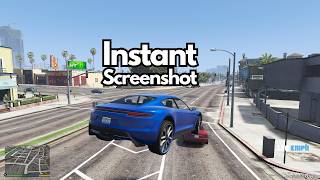
Instant Screenshot is a lightweight tool that lets you capture high-quality frame snapshots instantaneously without relying on slow in-game phone camera menus or social overlays. When I made mods, I needed to take screenshots for demonstration, and it was annoying to open Windows Game Mode to take the picture every time (my keyboard doesnt have the screenshot shortcut keys)
Features
- Instant Capture: Takes high-resolution frame snapshots immediately upon pressing your configured hotkey.
- Automatically saves screenshots to your desired location, configurable in the .ini file. (YOU HAVE TO CONFIGURE!!!)
- Customizable Hotkey: Default key is ] (Close Bracket), but fully rebindable via the .ini file. Find the key name here. Use the Names and insert the Name into the .ini file
- Saves files as PNG with precise millisecond timestamps so no photos are ever overwritten.
Requirements
- ScriptHookV
- SHVDN3
Installation
1) Paste the .dll and .ini into scriptsfolder
2) Open the .ini file, paste your desired file location. Tutorial video here on how to customize your file location
Features
- Instant Capture: Takes high-resolution frame snapshots immediately upon pressing your configured hotkey.
- Automatically saves screenshots to your desired location, configurable in the .ini file. (YOU HAVE TO CONFIGURE!!!)
- Customizable Hotkey: Default key is ] (Close Bracket), but fully rebindable via the .ini file. Find the key name here. Use the Names and insert the Name into the .ini file
- Saves files as PNG with precise millisecond timestamps so no photos are ever overwritten.
Requirements
- ScriptHookV
- SHVDN3
Installation
1) Paste the .dll and .ini into scriptsfolder
2) Open the .ini file, paste your desired file location. Tutorial video here on how to customize your file location
First Uploaded: 15 horas
Last Updated: 10 horas
Last Downloaded: 2 horas
1 Comment
More mods by Eoin Gaming:
Instant Screenshot is a lightweight tool that lets you capture high-quality frame snapshots instantaneously without relying on slow in-game phone camera menus or social overlays. When I made mods, I needed to take screenshots for demonstration, and it was annoying to open Windows Game Mode to take the picture every time (my keyboard doesnt have the screenshot shortcut keys)
Features
- Instant Capture: Takes high-resolution frame snapshots immediately upon pressing your configured hotkey.
- Automatically saves screenshots to your desired location, configurable in the .ini file. (YOU HAVE TO CONFIGURE!!!)
- Customizable Hotkey: Default key is ] (Close Bracket), but fully rebindable via the .ini file. Find the key name here. Use the Names and insert the Name into the .ini file
- Saves files as PNG with precise millisecond timestamps so no photos are ever overwritten.
Requirements
- ScriptHookV
- SHVDN3
Installation
1) Paste the .dll and .ini into scriptsfolder
2) Open the .ini file, paste your desired file location. Tutorial video here on how to customize your file location
Features
- Instant Capture: Takes high-resolution frame snapshots immediately upon pressing your configured hotkey.
- Automatically saves screenshots to your desired location, configurable in the .ini file. (YOU HAVE TO CONFIGURE!!!)
- Customizable Hotkey: Default key is ] (Close Bracket), but fully rebindable via the .ini file. Find the key name here. Use the Names and insert the Name into the .ini file
- Saves files as PNG with precise millisecond timestamps so no photos are ever overwritten.
Requirements
- ScriptHookV
- SHVDN3
Installation
1) Paste the .dll and .ini into scriptsfolder
2) Open the .ini file, paste your desired file location. Tutorial video here on how to customize your file location
First Uploaded: 15 horas
Last Updated: 10 horas
Last Downloaded: 2 horas
 5mods on Discord

If you use QuantV - Press PrintScreen - it does exactly this.