VIEWPOINT Lite (Alternative Third Person and Body Cameras) 0.9.7.3


![Alarm On Explosions [.NET]](https://img.gta5-mods.com/q75-w500-h333-cfill/images/alarm-on-explosions-net/ecadb0-1361484_205.jpg "Alarm On Explosions [.NET]")
![naV [.NET]](https://img.gta5-mods.com/q75-w500-h333-cfill/images/nav-gps-voice-navigation-net/676fd8-nav.jpg "naV [.NET]")
![SlowMoEventsDetector [.NET]](https://img.gta5-mods.com/q75-w500-h333-cfill/images/advancedslowmo-net/d8438c-slow.jpg "SlowMoEventsDetector [.NET]")
![CollisionFX [.NET]](https://img.gta5-mods.com/q75-w500-h333-cfill/images/collisionfx/f68da9-coo.jpg "CollisionFX [.NET]")
![Collisions Detector [.NET]](https://img.gta5-mods.com/q75-w500-h333-cfill/images/deadly-crashes/05d018-Col.jpg "Collisions Detector [.NET]")


55,690
146
55,690
146
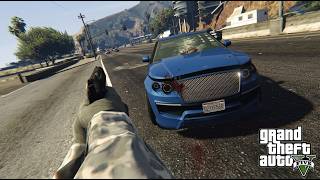
VIEWPOINT Lite is the free version of VIEWPOINT, a camera system that adds deeply customizable, dynamic cameras to GTA V. This is a complete rebuild: rewritten from scratch on the current VIEWPOINT engine over the past year, replacing the old Lite entirely. The issues reported on previous versions (menu crash on open, minimap not restoring, camera flying skyward when aiming) are gone with the rebuild. Overlays, fonts, shaders, and UI are all rendered by the mod itself, no GTA files are modified.
CONTROLS
Tap V - switch view
Hold V - open camera wheel
Tap F5 - open current camera settings
Hold F5 - open main menu
Q/E - switch tabs in the menus
Hold ALT - activate mouse mode, you can drag and drop the menu, and scroll and click settings using your mouse cursor. Double click the header of the menu to restore to default position
CAMERAS
Bodycam - a body-mounted camera you can attach to any ped bone, then freely position and rotate to build your own rigs. Ships with 3 presets: Helmet Cam, Shoulder Cam, and Chest Cam. Works on foot and in vehicles.
Third Person - a rebuilt on-foot third person camera with procedural weapon recoil, animation-driven head bobbing, scroll zoom, and shoulder swap.
FEEL & REALISM
Head bobbing engine - driven by the ped's actual skeleton bones, not canned shake. Tune feel, speed response, limits, and texture, a comfort indicator warns you before a preset gets nauseating.
Per-weapon recoil - recoil reacts to what you're shooting, and you can override it per weapon or per weapon class (pistols, SMGs, rifles, snipers...).
Aim smoothing - configurable input smoothing and mouse acceleration while aiming, tuned per preset.
Bodycam overlay - customizable HUD overlay (logo, timestamp, text elements) you can edit in-game. Drop your custom PNG logos, and they will auto load to the list of availble in the menu.
SWITCHING & UI
Camera Wheel - hold V to open the wheel: move the mouse to pick a camera, scroll to cycle its presets. Tap V to quick-cycle cameras.
In-game menu - tap F5 for the active camera's settings, hold F5 for the main menu. A frosted-glass UI with selectable accent colors (including a dynamic mode that adapts to the scene), drag-to-reposition, and full mouse control (hold Alt to point, click and scroll).
Full controller support - navigate every menu, summon and spin the wheel, and switch cameras from the couch. Every action is rebindable on both keyboard and controller: QWERTY/AZERTY/QWERTZ layouts are auto-detected.
Built-in tutorials - non-blocking checklists teach each camera the first time you use it, plus occasional gameplay tips (both can be turned off).
PRESETS & TECH
Presets - every camera setting lives in JSON preset files that persist across Legacy and Enhanced. Clone a default, tweak it, share the file with other players.
Shaders - built-in shader effects designed for the cameras: motion blur, scanlines, film grain, vignette, chromatic aberration, dynamic borders, speed lines, and more, all tunable per preset. Both DX11 (Legacy) and DX12 (Enhanced) are supported.
Widescreen ready - UI renders correctly on 16:9, ultrawide, and super-ultrawide.
More cameras and features are available in the full version:
Read full description and see it in action on our website
You can try the full version for free, no Patreon needed.
INSTALLATION
Copy VIEWPOINT-Lite.dll and the VIEWPOINT folder into your "scripts" folder
Copy EntropicLibraryLite.asi into your GTA V root directory (next to GTA5.exe)
REQUIREMENTS
ScriptHookV: https://www.dev-c.com/gtav/scripthookv/
Script Hook V .NET Enhanced: https://www.gta5-mods.com/tools/script-hook-v-net-enhanced
CONTROLS
Tap V - switch view
Hold V - open camera wheel
Tap F5 - open current camera settings
Hold F5 - open main menu
Q/E - switch tabs in the menus
Hold ALT - activate mouse mode, you can drag and drop the menu, and scroll and click settings using your mouse cursor. Double click the header of the menu to restore to default position
CAMERAS
FEEL & REALISM
SWITCHING & UI
PRESETS & TECH
More cameras and features are available in the full version:
Read full description and see it in action on our website
You can try the full version for free, no Patreon needed.
INSTALLATION
REQUIREMENTS
पहले अपलोड: 18 जनवरी 2025
आखरी अपडेट: 30 जुलाई 2026
Last Downloaded: 6 कुछ मिनट पहले
137 टिप्पणियाँ
More mods by Entropic State (RusLanParty):
VIEWPOINT Lite is the free version of VIEWPOINT, a camera system that adds deeply customizable, dynamic cameras to GTA V. This is a complete rebuild: rewritten from scratch on the current VIEWPOINT engine over the past year, replacing the old Lite entirely. The issues reported on previous versions (menu crash on open, minimap not restoring, camera flying skyward when aiming) are gone with the rebuild. Overlays, fonts, shaders, and UI are all rendered by the mod itself, no GTA files are modified.
CONTROLS
Tap V - switch view
Hold V - open camera wheel
Tap F5 - open current camera settings
Hold F5 - open main menu
Q/E - switch tabs in the menus
Hold ALT - activate mouse mode, you can drag and drop the menu, and scroll and click settings using your mouse cursor. Double click the header of the menu to restore to default position
CAMERAS
Bodycam - a body-mounted camera you can attach to any ped bone, then freely position and rotate to build your own rigs. Ships with 3 presets: Helmet Cam, Shoulder Cam, and Chest Cam. Works on foot and in vehicles.
Third Person - a rebuilt on-foot third person camera with procedural weapon recoil, animation-driven head bobbing, scroll zoom, and shoulder swap.
FEEL & REALISM
Head bobbing engine - driven by the ped's actual skeleton bones, not canned shake. Tune feel, speed response, limits, and texture, a comfort indicator warns you before a preset gets nauseating.
Per-weapon recoil - recoil reacts to what you're shooting, and you can override it per weapon or per weapon class (pistols, SMGs, rifles, snipers...).
Aim smoothing - configurable input smoothing and mouse acceleration while aiming, tuned per preset.
Bodycam overlay - customizable HUD overlay (logo, timestamp, text elements) you can edit in-game. Drop your custom PNG logos, and they will auto load to the list of availble in the menu.
SWITCHING & UI
Camera Wheel - hold V to open the wheel: move the mouse to pick a camera, scroll to cycle its presets. Tap V to quick-cycle cameras.
In-game menu - tap F5 for the active camera's settings, hold F5 for the main menu. A frosted-glass UI with selectable accent colors (including a dynamic mode that adapts to the scene), drag-to-reposition, and full mouse control (hold Alt to point, click and scroll).
Full controller support - navigate every menu, summon and spin the wheel, and switch cameras from the couch. Every action is rebindable on both keyboard and controller: QWERTY/AZERTY/QWERTZ layouts are auto-detected.
Built-in tutorials - non-blocking checklists teach each camera the first time you use it, plus occasional gameplay tips (both can be turned off).
PRESETS & TECH
Presets - every camera setting lives in JSON preset files that persist across Legacy and Enhanced. Clone a default, tweak it, share the file with other players.
Shaders - built-in shader effects designed for the cameras: motion blur, scanlines, film grain, vignette, chromatic aberration, dynamic borders, speed lines, and more, all tunable per preset. Both DX11 (Legacy) and DX12 (Enhanced) are supported.
Widescreen ready - UI renders correctly on 16:9, ultrawide, and super-ultrawide.
More cameras and features are available in the full version:
Read full description and see it in action on our website
You can try the full version for free, no Patreon needed.
INSTALLATION
Copy VIEWPOINT-Lite.dll and the VIEWPOINT folder into your "scripts" folder
Copy EntropicLibraryLite.asi into your GTA V root directory (next to GTA5.exe)
REQUIREMENTS
ScriptHookV: https://www.dev-c.com/gtav/scripthookv/
Script Hook V .NET Enhanced: https://www.gta5-mods.com/tools/script-hook-v-net-enhanced
CONTROLS
Tap V - switch view
Hold V - open camera wheel
Tap F5 - open current camera settings
Hold F5 - open main menu
Q/E - switch tabs in the menus
Hold ALT - activate mouse mode, you can drag and drop the menu, and scroll and click settings using your mouse cursor. Double click the header of the menu to restore to default position
CAMERAS
FEEL & REALISM
SWITCHING & UI
PRESETS & TECH
More cameras and features are available in the full version:
Read full description and see it in action on our website
You can try the full version for free, no Patreon needed.
INSTALLATION
REQUIREMENTS
पहले अपलोड: 18 जनवरी 2025
आखरी अपडेट: 30 जुलाई 2026
Last Downloaded: 6 कुछ मिनट पहले
 5mods on Discord

Long time no see!
This updated version should fix all crashes and bugs reported in the comments.
If anything new pops up, let me know!
make a version for shvdn nightly not enhanced
bodycam has control bugs in side moves, the player can only move left or right if he is aiming. vanilla doesn't have this limitation.
@WTLS_81 hello, can you elaborate? You should be able to move freely, just like you move with a vanilla camera.
@TheGreatVoice it should work perfectly on both Legacy and Enhanced GTA builds, just make sure you use the SHDNV Enhanced. Don't let it's name confuse you, It works on Legacy too.
@OG_Mods17 thank you for the kind words. Got it, will do in one of the updates.
@RusLanParty everything works fine, except these 5 bugs in first person view (bodycam):
on foot:
- you can't move the player left and right, until you aim or when you press sprint. vanilla and other fps games doesn't have this limitation.
- small vibration when in cover
- the aiming (ads) that switches to iron sight doesn't transit in a smooth way, i see the player character in 3rd person shortly (1fps) before seeing the iron sight
- the weapon and the target are not perfectly aligned, like if the bullets turn in a small angle right after being shot
in vehicles:
- after aiming (drive-by) it aims at 3rd person always, even i have set in the options to be GTA:1st person
i have forwarded this to your discord server, there i can explain more deeply.
@WTLS_81 Thanks for the detailed report. The left and right WASD movement issue is odd, since it works perfectly for me. Previous update had an issue where side movement was slightly diagonal, which was fixed in the latest update (both Lite and full versions). I will check out Discord soon.
I had a fully fresh game and followed all the steps and it just did not work at all, im on the latest version of legacy
@TheGreatVoice do you have ScriptHookV and SHDNV Enhanced, as shown in the requirements? If not, there are links at the end of the description.
I do but pressing V in game still does nothing for me
@TheGreatVoice send me a message on Discord: ruslanparty
Very laggy in first person
[ERROR] Failed to load script assembly VIEWPOINT-Lite.dll when searching for script types because there is an assembly that the script tried to load as a dependency but couldn't. Exception message: Unable to load one or more of the requested types. Retrieve the LoaderExceptions property for more information. First LoaderException message (which tells what assembly is missing): System.IO.FileNotFoundException: Could not load file or assembly 'ScriptHookVDotNet3, Version=3.9.0.0, Culture=neutral, PublicKeyToken=null' or one of its dependencies. The system cannot find the file specified. File name: 'ScriptHookVDotNet3, Version=3.9.0.0, Culture=neutral, PublicKeyToken=null'
Does error message doesn't make any sense, can someone help me
FPV is so laggy even after turning off all the shaders and effects
peak mod
this mod is just simply amazing, but you need to tweak it a lot including disabling the shaders to improve the performance and it does have few issues. when you choose to stabilize the bodycam in the setting (the cam shake while driving is unbearable) it disables the ability see when you reverse and it disables the ability to shoot through the windows. the bodycam also prevents me from interacting with guns stores and barbers and it doesn't work with Ammu-Nation shooting ranges challenges.
doesnt work in legacy ver. 3889.
cant get it to work for me sadness
@RusLanParty doesn't work straight black screen as loading into story mod
@RusLanParty aight got it working but after a few minutes it's crashes