Advanced Turn Signals 2.0.4



![Realistic Weapons Recoil [.NET]](https://img.gta5-mods.com/q75-w500-h333-cfill/images/realistic-weapons-recoil-net/bdfde2-10-%D0%A1%D0%B5%D0%BD%D1%82.-2026-%D0%9A%D0%BB%D0%B8%D0%BF-0001.jpg "Realistic Weapons Recoil [.NET]")
![Working Mk II Ammunation for NPC on Legacy & Enhanced [ .NET Core ]](https://img.gta5-mods.com/q75-w500-h333-cfill/images/working-mk-ii-ammunation-for-npcs-on-legacy-enhanced-wip-net/2b3a88-ap.jpg "Working Mk II Ammunation for NPC on Legacy & Enhanced [ .NET Core ]")

15 035
117
15 035
117
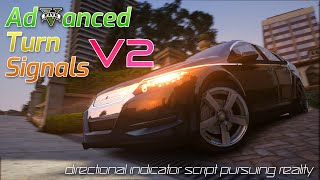
Advanced Turn Signals - v2.0.4 (Created By QuestDragon)
This explanation uses Google Translate.
Please check the GitHub development page for the latest information and to obtain the latest version and versions not uploaded to 5mods.
Description
There are many turn signal mods uploaded today, but most of them are manually turned on and off or have no turn signal sound, so I decided to create one to practice creating scripts.
The game has a turn signal sound, but it is very low pitched and only sounds for a small percentage of vehicles.
Feature
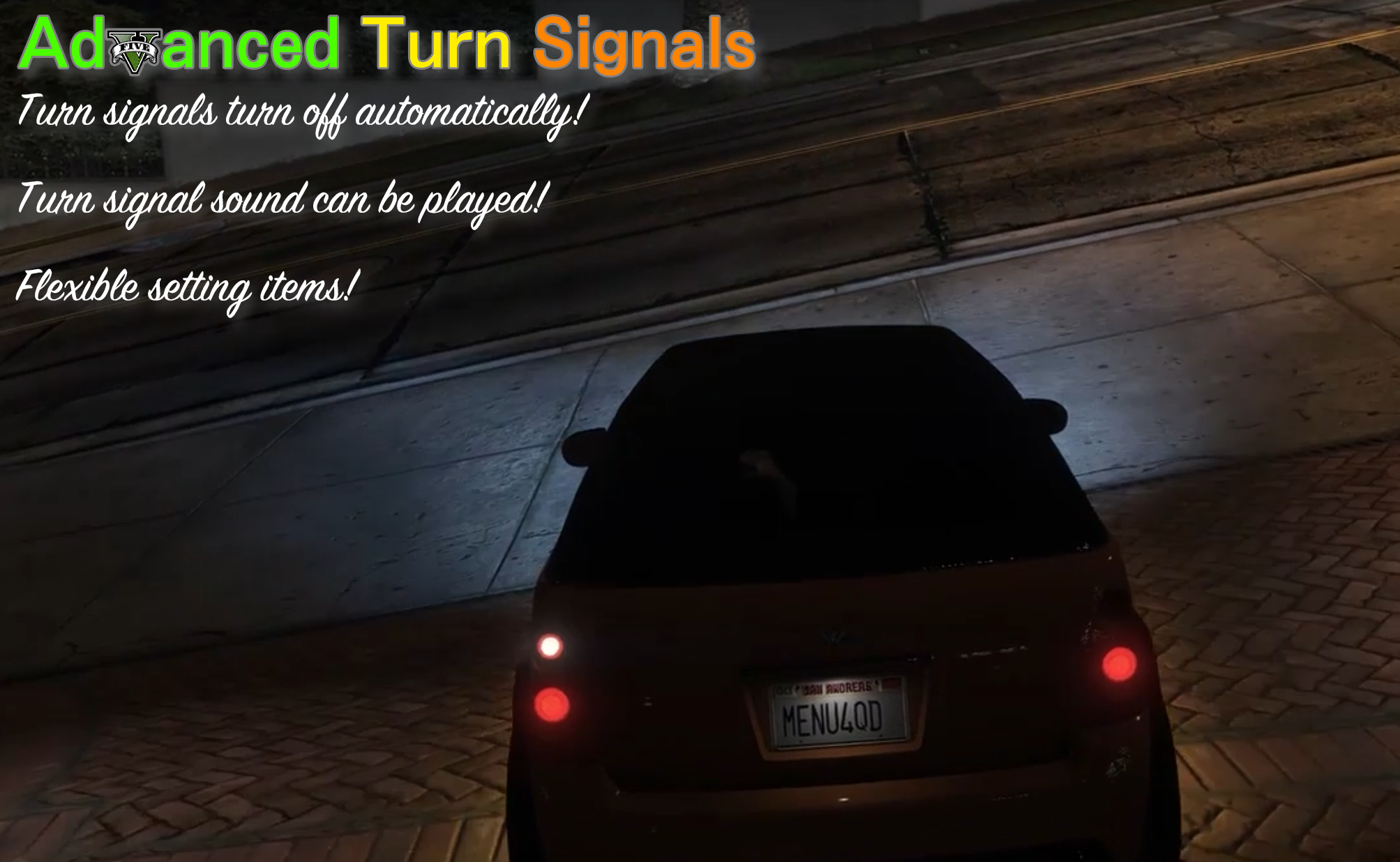
You can operate the turn signals of the car. It is possible to turn left, right, and turn hazard lights on and off.
You can use sound effects related to turn signals. Various sample sound effects are included in the scripts\AdvancedTurnSignals\TurnSignalSounds folder. It is also possible to customize each vehicle using xml files. (Sound effects can be enabled or disabled in the ini file)
The display language of notifications sent from scripts can be translated in scripts\AdvancedTurnSignals\Localization.ini.
It also supports controller operation. In addition, for those who do not operate turn signals with a controller, it is now possible to set whether to use them from the ini file. (Request from stevensonjnr and dustyblues, thank you!)
It is also possible to combine modifier keys or two controller buttons. (Request from Reldam88, thank you!)
The behavior of the turn signals used in real Japanese cars is reproduced as closely as possible, and a function is provided to automatically turn off the turn signals when the steering wheel is turned and returned. (The angle of the steering wheel can be adjusted in the ini file.)
Other details such as turning the steering wheel in the opposite direction of the turn signal will also turn off the turn signals, and the turn signals and hazard lamps are independent of each other.
It also has a function that automatically turns on the direction indicators when you turn the steering wheel when driving at low speeds. (Request from NoRain, thank you!)
Although not recommended, it is also possible to control the vehicle using headlights instead of turn signals. (Request from DiNagano, thank you!)
Installation
Copy the scripts folder to the Grand Theft Auto V folder.
Download ScriptHookV, unzip it, and copy the two dll files in the bin folder to the Grand Theft Auto V folder.
[Important] This script mod requires ScriptHookV DotNet version 3.7.0.
As of now, there is no stable release for 3.7.0, so you need to use the Nightly build.
Download the Nightly build of Script Hook V .NET from the link below, unzip it and copy the seven files containing the string "ScriptHookVDotNet" to the Grand Theft Auto V folder.
ScriptHookVDotNet-v3.7.0-nightly
If you want to use Advanced Turn Signals with Grand Theft Auto V Enhanced, please download Script Hook V .NET Enhanced from the link below:
ScriptHookVDotNet Enhanced
Other requirements must be met for the above two to work. Please check the description section of each download page for details.
How to use
If Enabled is set to True in the ini file, it will be automatically loaded and enabled when the game is loaded.
When you get on the vehicle and press the key set in the ini file, the turn signal will operate. (Excluding some vehicles such as bicycles and helicopters)
If UseSound is set to True and the audio file is properly prepared, the sound effect will be played.
If Autooff is set to True and the settings are correct, the turn signal will automatically turn off when the turn is completed. (Excluding motorcycles)
If KeyboardComp is set to True, the turn signal will automatically turn off after milliseconds specified by AutooffDuration.
If Autoon is set to True and the conditions are met, the turn signals will automatically turn on.
If HeadlightMode is set to True, the headlights will flash instead of the turn signals.
Aside
Since it determines whether to automatically turn off the direction indicators based on the angle of the steering wheel, I thought about making it compatible with ikt's Manual Transmission Mod, but it turned out that it was no longer usable due to the GTA 5 update, so I decided not to implement it. I could not do it….
Disclaimer
I, QuestDragon, cannot be held responsible for any damage caused by using this script mod. Please use at your own risk.
Secondary distribution is prohibited.
Distribution may be stopped without notice. Please note.
Production: QuestDragon
This explanation uses Google Translate.
Please check the GitHub development page for the latest information and to obtain the latest version and versions not uploaded to 5mods.
Description
There are many turn signal mods uploaded today, but most of them are manually turned on and off or have no turn signal sound, so I decided to create one to practice creating scripts.
The game has a turn signal sound, but it is very low pitched and only sounds for a small percentage of vehicles.
Feature
You can operate the turn signals of the car. It is possible to turn left, right, and turn hazard lights on and off.
You can use sound effects related to turn signals. Various sample sound effects are included in the scripts\AdvancedTurnSignals\TurnSignalSounds folder. It is also possible to customize each vehicle using xml files. (Sound effects can be enabled or disabled in the ini file)
The display language of notifications sent from scripts can be translated in scripts\AdvancedTurnSignals\Localization.ini.
It also supports controller operation. In addition, for those who do not operate turn signals with a controller, it is now possible to set whether to use them from the ini file. (Request from stevensonjnr and dustyblues, thank you!)
It is also possible to combine modifier keys or two controller buttons. (Request from Reldam88, thank you!)
The behavior of the turn signals used in real Japanese cars is reproduced as closely as possible, and a function is provided to automatically turn off the turn signals when the steering wheel is turned and returned. (The angle of the steering wheel can be adjusted in the ini file.)
Other details such as turning the steering wheel in the opposite direction of the turn signal will also turn off the turn signals, and the turn signals and hazard lamps are independent of each other.
It also has a function that automatically turns on the direction indicators when you turn the steering wheel when driving at low speeds. (Request from NoRain, thank you!)
Although not recommended, it is also possible to control the vehicle using headlights instead of turn signals. (Request from DiNagano, thank you!)
Installation
Copy the scripts folder to the Grand Theft Auto V folder.
Download ScriptHookV, unzip it, and copy the two dll files in the bin folder to the Grand Theft Auto V folder.
[Important] This script mod requires ScriptHookV DotNet version 3.7.0.
As of now, there is no stable release for 3.7.0, so you need to use the Nightly build.
Download the Nightly build of Script Hook V .NET from the link below, unzip it and copy the seven files containing the string "ScriptHookVDotNet" to the Grand Theft Auto V folder.
ScriptHookVDotNet-v3.7.0-nightly
If you want to use Advanced Turn Signals with Grand Theft Auto V Enhanced, please download Script Hook V .NET Enhanced from the link below:
ScriptHookVDotNet Enhanced
Other requirements must be met for the above two to work. Please check the description section of each download page for details.
How to use
If Enabled is set to True in the ini file, it will be automatically loaded and enabled when the game is loaded.
When you get on the vehicle and press the key set in the ini file, the turn signal will operate. (Excluding some vehicles such as bicycles and helicopters)
If UseSound is set to True and the audio file is properly prepared, the sound effect will be played.
If Autooff is set to True and the settings are correct, the turn signal will automatically turn off when the turn is completed. (Excluding motorcycles)
If KeyboardComp is set to True, the turn signal will automatically turn off after milliseconds specified by AutooffDuration.
If Autoon is set to True and the conditions are met, the turn signals will automatically turn on.
If HeadlightMode is set to True, the headlights will flash instead of the turn signals.
Aside
Since it determines whether to automatically turn off the direction indicators based on the angle of the steering wheel, I thought about making it compatible with ikt's Manual Transmission Mod, but it turned out that it was no longer usable due to the GTA 5 update, so I decided not to implement it. I could not do it….
Disclaimer
I, QuestDragon, cannot be held responsible for any damage caused by using this script mod. Please use at your own risk.
Secondary distribution is prohibited.
Distribution may be stopped without notice. Please note.
Production: QuestDragon
Először Feltöltve: 2024. február 4.
Utoljára Feltöltve: 2026. június 22.
Utoljára Letöltött: 18 perce
All Versions
123 Hozzászólás
More mods by QuestDragon:
Advanced Turn Signals - v2.0.4 (Created By QuestDragon)
This explanation uses Google Translate.
Please check the GitHub development page for the latest information and to obtain the latest version and versions not uploaded to 5mods.
Description
There are many turn signal mods uploaded today, but most of them are manually turned on and off or have no turn signal sound, so I decided to create one to practice creating scripts.
The game has a turn signal sound, but it is very low pitched and only sounds for a small percentage of vehicles.
Feature
You can operate the turn signals of the car. It is possible to turn left, right, and turn hazard lights on and off.
You can use sound effects related to turn signals. Various sample sound effects are included in the scripts\AdvancedTurnSignals\TurnSignalSounds folder. It is also possible to customize each vehicle using xml files. (Sound effects can be enabled or disabled in the ini file)
The display language of notifications sent from scripts can be translated in scripts\AdvancedTurnSignals\Localization.ini.
It also supports controller operation. In addition, for those who do not operate turn signals with a controller, it is now possible to set whether to use them from the ini file. (Request from stevensonjnr and dustyblues, thank you!)
It is also possible to combine modifier keys or two controller buttons. (Request from Reldam88, thank you!)
The behavior of the turn signals used in real Japanese cars is reproduced as closely as possible, and a function is provided to automatically turn off the turn signals when the steering wheel is turned and returned. (The angle of the steering wheel can be adjusted in the ini file.)
Other details such as turning the steering wheel in the opposite direction of the turn signal will also turn off the turn signals, and the turn signals and hazard lamps are independent of each other.
It also has a function that automatically turns on the direction indicators when you turn the steering wheel when driving at low speeds. (Request from NoRain, thank you!)
Although not recommended, it is also possible to control the vehicle using headlights instead of turn signals. (Request from DiNagano, thank you!)
Installation
Copy the scripts folder to the Grand Theft Auto V folder.
Download ScriptHookV, unzip it, and copy the two dll files in the bin folder to the Grand Theft Auto V folder.
[Important] This script mod requires ScriptHookV DotNet version 3.7.0.
As of now, there is no stable release for 3.7.0, so you need to use the Nightly build.
Download the Nightly build of Script Hook V .NET from the link below, unzip it and copy the seven files containing the string "ScriptHookVDotNet" to the Grand Theft Auto V folder.
ScriptHookVDotNet-v3.7.0-nightly
If you want to use Advanced Turn Signals with Grand Theft Auto V Enhanced, please download Script Hook V .NET Enhanced from the link below:
ScriptHookVDotNet Enhanced
Other requirements must be met for the above two to work. Please check the description section of each download page for details.
How to use
If Enabled is set to True in the ini file, it will be automatically loaded and enabled when the game is loaded.
When you get on the vehicle and press the key set in the ini file, the turn signal will operate. (Excluding some vehicles such as bicycles and helicopters)
If UseSound is set to True and the audio file is properly prepared, the sound effect will be played.
If Autooff is set to True and the settings are correct, the turn signal will automatically turn off when the turn is completed. (Excluding motorcycles)
If KeyboardComp is set to True, the turn signal will automatically turn off after milliseconds specified by AutooffDuration.
If Autoon is set to True and the conditions are met, the turn signals will automatically turn on.
If HeadlightMode is set to True, the headlights will flash instead of the turn signals.
Aside
Since it determines whether to automatically turn off the direction indicators based on the angle of the steering wheel, I thought about making it compatible with ikt's Manual Transmission Mod, but it turned out that it was no longer usable due to the GTA 5 update, so I decided not to implement it. I could not do it….
Disclaimer
I, QuestDragon, cannot be held responsible for any damage caused by using this script mod. Please use at your own risk.
Secondary distribution is prohibited.
Distribution may be stopped without notice. Please note.
Production: QuestDragon
This explanation uses Google Translate.
Please check the GitHub development page for the latest information and to obtain the latest version and versions not uploaded to 5mods.
Description
There are many turn signal mods uploaded today, but most of them are manually turned on and off or have no turn signal sound, so I decided to create one to practice creating scripts.
The game has a turn signal sound, but it is very low pitched and only sounds for a small percentage of vehicles.
Feature
You can operate the turn signals of the car. It is possible to turn left, right, and turn hazard lights on and off.
You can use sound effects related to turn signals. Various sample sound effects are included in the scripts\AdvancedTurnSignals\TurnSignalSounds folder. It is also possible to customize each vehicle using xml files. (Sound effects can be enabled or disabled in the ini file)
The display language of notifications sent from scripts can be translated in scripts\AdvancedTurnSignals\Localization.ini.
It also supports controller operation. In addition, for those who do not operate turn signals with a controller, it is now possible to set whether to use them from the ini file. (Request from stevensonjnr and dustyblues, thank you!)
It is also possible to combine modifier keys or two controller buttons. (Request from Reldam88, thank you!)
The behavior of the turn signals used in real Japanese cars is reproduced as closely as possible, and a function is provided to automatically turn off the turn signals when the steering wheel is turned and returned. (The angle of the steering wheel can be adjusted in the ini file.)
Other details such as turning the steering wheel in the opposite direction of the turn signal will also turn off the turn signals, and the turn signals and hazard lamps are independent of each other.
It also has a function that automatically turns on the direction indicators when you turn the steering wheel when driving at low speeds. (Request from NoRain, thank you!)
Although not recommended, it is also possible to control the vehicle using headlights instead of turn signals. (Request from DiNagano, thank you!)
Installation
Copy the scripts folder to the Grand Theft Auto V folder.
Download ScriptHookV, unzip it, and copy the two dll files in the bin folder to the Grand Theft Auto V folder.
[Important] This script mod requires ScriptHookV DotNet version 3.7.0.
As of now, there is no stable release for 3.7.0, so you need to use the Nightly build.
Download the Nightly build of Script Hook V .NET from the link below, unzip it and copy the seven files containing the string "ScriptHookVDotNet" to the Grand Theft Auto V folder.
ScriptHookVDotNet-v3.7.0-nightly
If you want to use Advanced Turn Signals with Grand Theft Auto V Enhanced, please download Script Hook V .NET Enhanced from the link below:
ScriptHookVDotNet Enhanced
Other requirements must be met for the above two to work. Please check the description section of each download page for details.
How to use
If Enabled is set to True in the ini file, it will be automatically loaded and enabled when the game is loaded.
When you get on the vehicle and press the key set in the ini file, the turn signal will operate. (Excluding some vehicles such as bicycles and helicopters)
If UseSound is set to True and the audio file is properly prepared, the sound effect will be played.
If Autooff is set to True and the settings are correct, the turn signal will automatically turn off when the turn is completed. (Excluding motorcycles)
If KeyboardComp is set to True, the turn signal will automatically turn off after milliseconds specified by AutooffDuration.
If Autoon is set to True and the conditions are met, the turn signals will automatically turn on.
If HeadlightMode is set to True, the headlights will flash instead of the turn signals.
Aside
Since it determines whether to automatically turn off the direction indicators based on the angle of the steering wheel, I thought about making it compatible with ikt's Manual Transmission Mod, but it turned out that it was no longer usable due to the GTA 5 update, so I decided not to implement it. I could not do it….
Disclaimer
I, QuestDragon, cannot be held responsible for any damage caused by using this script mod. Please use at your own risk.
Secondary distribution is prohibited.
Distribution may be stopped without notice. Please note.
Production: QuestDragon
Először Feltöltve: 2024. február 4.
Utoljára Feltöltve: 2026. június 22.
Utoljára Letöltött: 18 perce
 5mods on Discord

Tried decompiling the script, it's just incompatible with newer versions of Script hook and GTA5. Crashes depending on the vehicle you drive, if it's DLC or any addon it's prob going to crash at some point. Because the mod does not work without crashing, 2 stars. This is the best turn signal mod out there (That i know of) i tried messing with scripts and got it to work with certain DLC vehicles but it would take me to long to learn scripting to a T and update this mod even for personal use so have to say goodbye to this mod.
@Revrevr1111
Thank you for your comment!
Regarding mouse-based operation, there are currently no plans to implement it.
This is because it is technically difficult to obtain the movement of mouse buttons and the mouse wheel. (The wheel information is obtained as a [movement amount] called Delta, which is not very compatible with turning the turn signal on and off.)
We considered implementing it with side buttons, but for now we will wait and see.
@tonypitony
Thank you for reporting the issue!
We have improved the stability of the application, so please download the latest version and check again.
Thank you!
@AliG_15
Thank you for reporting the issue!
We have fixed the controller-related bug. Please download the latest version and check again.
Thank you!
@That's Schmidty
Thank you for the detailed report and verification!
We also appreciate your consideration regarding redistribution.
As you pointed out, we were able to confirm the issue of crashing when the controller button item is set to None.
This issue arose because the controller button was designed under the assumption that a button would always be specified (one of the settings listed in the ini would be used). Therefore, when None was specified, the Null value assigned during initialization was passed to the processing code, causing the crash.
We have released a version with the above issue fixed starting with v2.0.1.
However, we were unable to confirm any bugs caused by AutoOff or crashes with DLC vehicles in our environment.
If it's not too much trouble, could you please tell us which vehicles are experiencing the crash issue?
Also, we would appreciate it if you could update SHVDT to the latest Nightly version and download the latest version before checking.
We are very pleased that you called it the best turn signal mod. We will continue to pursue greater stability and functionality, so we hope to hear from you again in the future!
@ModernPlebeian314
Thank you for your comment!
Enabling AutoOn in the ini file will automatically activate the turn signals according to the steering wheel angle.
However, this is designed for use with a controller, so it may not work properly with a keyboard.
Very good mod! Please add XButton support (extra buttons on the mouse).
@GTAGamer459
Thank you for your comment!
We were able to confirm in our environment that even though the Microsoft page in the ini file contains mouse button-related values, the script does not respond when those values are set.
We have fixed this issue in v2.0.2, so we would appreciate it if you could re-download and check it!
Thank you!
@QuestDragon it works great! my only complaint, is that the button will only work if there are no other buttons pressed, you have to stop accelerating to turn it on and off, if this could be fixed, it would be perfect!
@GTAGamer459
Thank you for reporting the bug!
The fact that the turn signals don't work properly while accelerating suggests, from a technical standpoint, that the mouse button press status isn't being read correctly because keyboard input is being used simultaneously.
I was able to confirm the unstable operation in my environment as well, so I've fixed it in v2.0.3!
I apologize for asking this again, but I would appreciate it if you could re-download and check the update!
Thank you!
@QuestDragon I'm very grateful for the quick development! Unless I'm wrong, the buttons don't seem to work at all now. I've tried a handful of times. The hazard key for example works fine with multiple inputs. Thanks again!!
@GTAGamer459
Thank you for your repeated updates! It is currently late at night in Japan time, and we will not be able to start the correction work for about 18 hours... We apologize for the inconvenience, but we would appreciate your patience for a little longer! Thank you for your understanding!
@GTAGamer459
I apologize for the delay in fixing the bug!
While I have confirmed that there is still some instability when operating the left and right turn signals, I was unable to reproduce the issue of the buttons not responding at all in my environment.
For now, I have made further improvements to the stability of the keyboard and mouse buttons in v2.0.4, so I would appreciate it if you could check it out.
Thank you!
@QuestDragon it was late at night when I wrote that, I wrote XButton on the wrong line! Works perfectly now, thank you for all the quick changes, this is easily one of my favourite mods!
Sometimes using left indicator my game crashes
@QuestDragon you rock! I had the "48 car pack" mod installed so for example, franklin's car worked fine, Trevor's would crash sometimes, so would Micheals, but any DLC car from that car pack would crash after using turn signal, im starting to think it was just the issue with the buttons you mentioned and not vehicle specific. I will give this mod another shot and see how it goes!
Bro amazing!
Like this is absolutely the best blinkers mod to exist
Personally I'm creating a very immersive but still enjoyable for casual players GTA V
And I was hoping you could add a Auto mode based on navigation.
So you set a way point and then the blinkers will automatically turn left or right based on what the waypoint is telling you.
Let me know if this is possible :)
This works like a charm. As long as the script doesn't break, this will be the best indicator mod out there
created an account just to say this is a really great mod, but for some reason, the previous version was more stable than version 2.0.4.
worked for me in v1.2.4, i got indicators working great and turning off when i finish my turn. But it doesn't work with my controller, and some other options (auto turn on,....) don't work too