Sound Pack Builder Release


![Community Script Hook V .NET Core for Legacy & Enhanced [.NET Core]](https://img.gta5-mods.com/q75-w500-h333-cfill/images/community-script-hook-v-net-core-legacy-enhanced/b29ffa-workshop.jpg "Community Script Hook V .NET Core for Legacy & Enhanced [.NET Core]")


211
16
211
16
CHECK OUT MY DISCORD FOR MORE QUALITY MODS (MUZZLE FLASH CONFIGURATOR, SOUND PACKS, SOUND KITS FOR BUILDER, BLOOD MOD)
https://discord.gg/zipworkshop
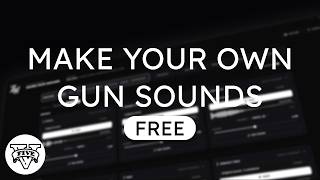
Create your own GTA V sound packs with a visual editor.
Choose your sounds, preview them, adjust their character and build a finished pack. Edit weapon shots, distant gunfire, reloads, sirens and impacts from one interface.
FEATURES
• Drag and drop WAV, OGG, MP3, FLAC and M4A files onto sounds.
• Preview complete shots with accompanying game sound layers.
• Adjust volume, tone, punch, trimming and fades.
• See your changes on the waveform.
• Edit individual recordings and automatic weapon parts.
• Save projects and continue working on them later.
• Export your finished pack or install it through the application.
• Receive update notifications inside the application and install new versions directly from the notification.
SOUND LIBRARY
Keep your sounds organized with categories, search and favorites.
Library cards keep related recordings together, so a weapon with several variations appears as one sound. Drag a card onto a sound in the builder to use it.
Create your own sound kits, choose their contents, add an author and export them to share. You can edit and reorganize your kits later.
REQUIREMENTS
• Windows x64.
• Microsoft .NET 8 Desktop Runtime — select the Windows x64 Desktop Runtime.
• OpenIV for setting up a Story Mode mods folder.
• Discord sign-in is required on first launch to connect your account to community sound sharing and recognize any Pro access you own. Authorizing the application also joins the ziplocker's workshop discord server, where you can get support, follow updates and discover more mods. Your sign-in is remembered for future launches.
INSTALLATION
1. Install the .NET 8 Desktop Runtime.
2. Extract the entire archive into a normal folder.
3. Run SoundPackBuilder.exe.
4. Sign in with Discord when prompted. Your sign-in is remembered for future launches.
Keep the Assets folder beside the executable. Extract the archive before launching the application.
HOW TO USE
1. Choose a sound and add your audio file.
2. Press PLAY to preview it.
3. Open EDIT SOUND to adjust it.
4. Save your project.
5. Press BUILD to export or install your pack.
FULL SHOT previews the selected sound with its accompanying game layers.
THIS SOUND plays the selected sound alone.
For Story Mode, choose the MODS FOLDER installation option.
For a FiveM client sound pack, choose GAME ROOT.
FREE & PRO
The free version includes sound editing, previews, the Library, project saving and pack building.
Optional paid Pro features include importing external sound packs, Auto Enhance, Check Pack, parametric EQ and demo video creation.
VERSION 1.1.0
• New Sound Library with sound kits, categories and favorites.
• Drag and drop organization and sound assignment.
• Create, edit and export your own kits.
• Improved previews, waveform feedback and individual recording controls.
VERSION 1.1.1
• New vector icons across buttons, cards and menus.
CREDITS
Created by ziplocker's workshop.
Audio archive handling: CodeWalker by dexyfex.
Audio processing and playback: NAudio by Mark Heath and contributors.
https://discord.gg/zipworkshop
Create your own GTA V sound packs with a visual editor.
Choose your sounds, preview them, adjust their character and build a finished pack. Edit weapon shots, distant gunfire, reloads, sirens and impacts from one interface.
FEATURES
• Drag and drop WAV, OGG, MP3, FLAC and M4A files onto sounds.
• Preview complete shots with accompanying game sound layers.
• Adjust volume, tone, punch, trimming and fades.
• See your changes on the waveform.
• Edit individual recordings and automatic weapon parts.
• Save projects and continue working on them later.
• Export your finished pack or install it through the application.
• Receive update notifications inside the application and install new versions directly from the notification.
SOUND LIBRARY
Keep your sounds organized with categories, search and favorites.
Library cards keep related recordings together, so a weapon with several variations appears as one sound. Drag a card onto a sound in the builder to use it.
Create your own sound kits, choose their contents, add an author and export them to share. You can edit and reorganize your kits later.
REQUIREMENTS
• Windows x64.
• Microsoft .NET 8 Desktop Runtime — select the Windows x64 Desktop Runtime.
• OpenIV for setting up a Story Mode mods folder.
• Discord sign-in is required on first launch to connect your account to community sound sharing and recognize any Pro access you own. Authorizing the application also joins the ziplocker's workshop discord server, where you can get support, follow updates and discover more mods. Your sign-in is remembered for future launches.
INSTALLATION
1. Install the .NET 8 Desktop Runtime.
2. Extract the entire archive into a normal folder.
3. Run SoundPackBuilder.exe.
4. Sign in with Discord when prompted. Your sign-in is remembered for future launches.
Keep the Assets folder beside the executable. Extract the archive before launching the application.
HOW TO USE
1. Choose a sound and add your audio file.
2. Press PLAY to preview it.
3. Open EDIT SOUND to adjust it.
4. Save your project.
5. Press BUILD to export or install your pack.
FULL SHOT previews the selected sound with its accompanying game layers.
THIS SOUND plays the selected sound alone.
For Story Mode, choose the MODS FOLDER installation option.
For a FiveM client sound pack, choose GAME ROOT.
FREE & PRO
The free version includes sound editing, previews, the Library, project saving and pack building.
Optional paid Pro features include importing external sound packs, Auto Enhance, Check Pack, parametric EQ and demo video creation.
VERSION 1.1.0
• New Sound Library with sound kits, categories and favorites.
• Drag and drop organization and sound assignment.
• Create, edit and export your own kits.
• Improved previews, waveform feedback and individual recording controls.
VERSION 1.1.1
• New vector icons across buttons, cards and menus.
CREDITS
Created by ziplocker's workshop.
Audio archive handling: CodeWalker by dexyfex.
Audio processing and playback: NAudio by Mark Heath and contributors.
Primo Caricamento: 7 giorni fa
Ultimo Aggiornamento: 7 giorni fa
Last Downloaded: 3 hours ago
9 Commenti
More mods by ziplocker:

- Sound
4.75
8.353
45
Variant 2
By ziplocker
CHECK OUT MY DISCORD FOR MORE QUALITY MODS (MUZZLE FLASH CONFIGURATOR, SOUND PACKS, SOUND KITS FOR BUILDER, BLOOD MOD)
https://discord.gg/zipworkshop
Create your own GTA V sound packs with a visual editor.
Choose your sounds, preview them, adjust their character and build a finished pack. Edit weapon shots, distant gunfire, reloads, sirens and impacts from one interface.
FEATURES
• Drag and drop WAV, OGG, MP3, FLAC and M4A files onto sounds.
• Preview complete shots with accompanying game sound layers.
• Adjust volume, tone, punch, trimming and fades.
• See your changes on the waveform.
• Edit individual recordings and automatic weapon parts.
• Save projects and continue working on them later.
• Export your finished pack or install it through the application.
• Receive update notifications inside the application and install new versions directly from the notification.
SOUND LIBRARY
Keep your sounds organized with categories, search and favorites.
Library cards keep related recordings together, so a weapon with several variations appears as one sound. Drag a card onto a sound in the builder to use it.
Create your own sound kits, choose their contents, add an author and export them to share. You can edit and reorganize your kits later.
REQUIREMENTS
• Windows x64.
• Microsoft .NET 8 Desktop Runtime — select the Windows x64 Desktop Runtime.
• OpenIV for setting up a Story Mode mods folder.
• Discord sign-in is required on first launch to connect your account to community sound sharing and recognize any Pro access you own. Authorizing the application also joins the ziplocker's workshop discord server, where you can get support, follow updates and discover more mods. Your sign-in is remembered for future launches.
INSTALLATION
1. Install the .NET 8 Desktop Runtime.
2. Extract the entire archive into a normal folder.
3. Run SoundPackBuilder.exe.
4. Sign in with Discord when prompted. Your sign-in is remembered for future launches.
Keep the Assets folder beside the executable. Extract the archive before launching the application.
HOW TO USE
1. Choose a sound and add your audio file.
2. Press PLAY to preview it.
3. Open EDIT SOUND to adjust it.
4. Save your project.
5. Press BUILD to export or install your pack.
FULL SHOT previews the selected sound with its accompanying game layers.
THIS SOUND plays the selected sound alone.
For Story Mode, choose the MODS FOLDER installation option.
For a FiveM client sound pack, choose GAME ROOT.
FREE & PRO
The free version includes sound editing, previews, the Library, project saving and pack building.
Optional paid Pro features include importing external sound packs, Auto Enhance, Check Pack, parametric EQ and demo video creation.
VERSION 1.1.0
• New Sound Library with sound kits, categories and favorites.
• Drag and drop organization and sound assignment.
• Create, edit and export your own kits.
• Improved previews, waveform feedback and individual recording controls.
VERSION 1.1.1
• New vector icons across buttons, cards and menus.
CREDITS
Created by ziplocker's workshop.
Audio archive handling: CodeWalker by dexyfex.
Audio processing and playback: NAudio by Mark Heath and contributors.
https://discord.gg/zipworkshop
Create your own GTA V sound packs with a visual editor.
Choose your sounds, preview them, adjust their character and build a finished pack. Edit weapon shots, distant gunfire, reloads, sirens and impacts from one interface.
FEATURES
• Drag and drop WAV, OGG, MP3, FLAC and M4A files onto sounds.
• Preview complete shots with accompanying game sound layers.
• Adjust volume, tone, punch, trimming and fades.
• See your changes on the waveform.
• Edit individual recordings and automatic weapon parts.
• Save projects and continue working on them later.
• Export your finished pack or install it through the application.
• Receive update notifications inside the application and install new versions directly from the notification.
SOUND LIBRARY
Keep your sounds organized with categories, search and favorites.
Library cards keep related recordings together, so a weapon with several variations appears as one sound. Drag a card onto a sound in the builder to use it.
Create your own sound kits, choose their contents, add an author and export them to share. You can edit and reorganize your kits later.
REQUIREMENTS
• Windows x64.
• Microsoft .NET 8 Desktop Runtime — select the Windows x64 Desktop Runtime.
• OpenIV for setting up a Story Mode mods folder.
• Discord sign-in is required on first launch to connect your account to community sound sharing and recognize any Pro access you own. Authorizing the application also joins the ziplocker's workshop discord server, where you can get support, follow updates and discover more mods. Your sign-in is remembered for future launches.
INSTALLATION
1. Install the .NET 8 Desktop Runtime.
2. Extract the entire archive into a normal folder.
3. Run SoundPackBuilder.exe.
4. Sign in with Discord when prompted. Your sign-in is remembered for future launches.
Keep the Assets folder beside the executable. Extract the archive before launching the application.
HOW TO USE
1. Choose a sound and add your audio file.
2. Press PLAY to preview it.
3. Open EDIT SOUND to adjust it.
4. Save your project.
5. Press BUILD to export or install your pack.
FULL SHOT previews the selected sound with its accompanying game layers.
THIS SOUND plays the selected sound alone.
For Story Mode, choose the MODS FOLDER installation option.
For a FiveM client sound pack, choose GAME ROOT.
FREE & PRO
The free version includes sound editing, previews, the Library, project saving and pack building.
Optional paid Pro features include importing external sound packs, Auto Enhance, Check Pack, parametric EQ and demo video creation.
VERSION 1.1.0
• New Sound Library with sound kits, categories and favorites.
• Drag and drop organization and sound assignment.
• Create, edit and export your own kits.
• Improved previews, waveform feedback and individual recording controls.
VERSION 1.1.1
• New vector icons across buttons, cards and menus.
CREDITS
Created by ziplocker's workshop.
Audio archive handling: CodeWalker by dexyfex.
Audio processing and playback: NAudio by Mark Heath and contributors.
Primo Caricamento: 7 giorni fa
Ultimo Aggiornamento: 7 giorni fa
Last Downloaded: 3 hours ago
 5mods on Discord

This file has been approved automatically. If you think this file should not be here for any reason please report it.
nice
GOATED
Amazing work from ZipLocker again 🫡🥹
might publish a mod off of this lol
Holy Shitsu bruh!
I gotta see a dem vid on this before I can trust my eyes to believe, but this definitely GOATED status.
Also why there gotta be a specific latest dot NET 8 Runtime, for this to work properly?
Will it not work with older runtime releases?
@nj5050 not sure, i'd just try running it without .net 8 first and see if it works, if something doesn't work then install it
wow this looks clean asf!