Custom Loading Screens 1.0




240
4
240
4
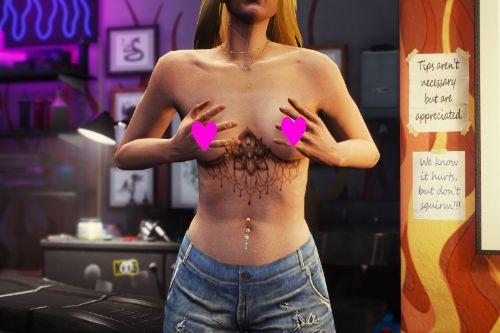
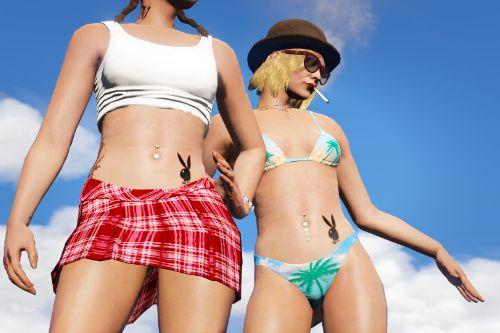
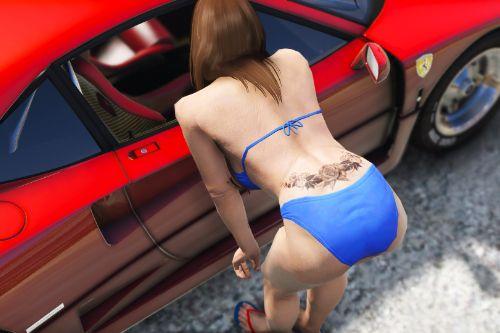
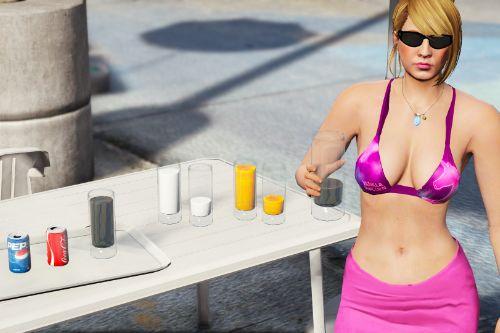
Here's a bunch of fresh new loading screens, something new to look at. These are for LEGACY. I have not tested this on GTA Enhanced. Maybe it works on Enhanced, I simply don't know.
New loading screens to replace the ones we have seen for years now.
All images are created with an AI tool, obviously.
Install :
Start OpenIV in Edit mode.
Drag and drop the files here :
\mods\update\update.rpf\x64\data\cdimages\scaleform_frontend.rpf\
Optionally, backup the files before replacing them with the ones from the archive.
New loading screens to replace the ones we have seen for years now.
All images are created with an AI tool, obviously.
Install :
Start OpenIV in Edit mode.
Drag and drop the files here :
\mods\update\update.rpf\x64\data\cdimages\scaleform_frontend.rpf\
Optionally, backup the files before replacing them with the ones from the archive.
Pertama dimuat naik: 01 Jun, 2026
Tarikh Kemaskini: 15 Jun, 2026
Last Downloaded: 1 hari yang lalu
3 Komen
More mods by Rowena:
Here's a bunch of fresh new loading screens, something new to look at. These are for LEGACY. I have not tested this on GTA Enhanced. Maybe it works on Enhanced, I simply don't know.
New loading screens to replace the ones we have seen for years now.
All images are created with an AI tool, obviously.
Install :
Start OpenIV in Edit mode.
Drag and drop the files here :
\mods\update\update.rpf\x64\data\cdimages\scaleform_frontend.rpf\
Optionally, backup the files before replacing them with the ones from the archive.
New loading screens to replace the ones we have seen for years now.
All images are created with an AI tool, obviously.
Install :
Start OpenIV in Edit mode.
Drag and drop the files here :
\mods\update\update.rpf\x64\data\cdimages\scaleform_frontend.rpf\
Optionally, backup the files before replacing them with the ones from the archive.
Pertama dimuat naik: 01 Jun, 2026
Tarikh Kemaskini: 15 Jun, 2026
Last Downloaded: 1 hari yang lalu
 5mods on Discord

It doesnt show the pictures. only a rainbow backgroud like it doesnt load or something
@wvssuptokyo This only happens when there is a mismatch in file name and texture name. I doublechecked, did you perhaps rename a file ? If you open the YTD file in OpenIV, you can rename the texture inside there, make sure the name matches the file name, otherwise you get the rainbow thing.
@Rowena Yea I fixed thx alot