Car Spawner Menu 2






1.739
9
1.739
9
Ive taken a break after v2 update V3 coming end of sep
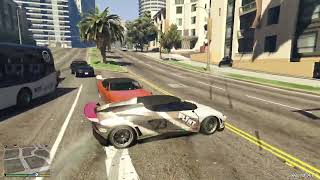
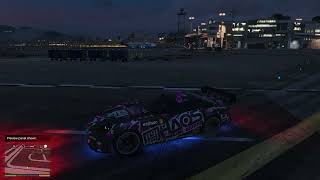
Car Spawner Menu for GTA V Enhanced
Please note run gta v as admin to get the save vehicle function to work if you want it to work
Controls
V2 menu Left D-Pad x2 (Controller) or L (Keyboard) Hide Vehicle Preview and Stats: J or H
Open Menu: V1 L (Keyboard) or Left D-Pad (Controller)
Hide Vehicle Preview and Stats: J or H
Description
Car Spawner Menu is a vehicle spawner for GTA V Enhanced built with LemonUI.
Spawn vehicles by category.
Browse all DLC vehicles and spawn any DLC vehicle
Search for any vehicle instantly.
Save your current vehicle.
Repair and customize your vehicle with upgrades, acceleration, torque, braking, gravity, and speed boost.
Player options include God Mode, Never Wanted, Seatbelt, and Bike Protection.
Vehicle preview images with performance stats.
Installation
Copy menu.dll, VehicleMenu.ini, Custom.ini, Savevehicle.ini, DLC.ini, DLCCARS.ini, and setting.ini into your GTA V Enhanced scripts folder.
Required
Please download for mod to work:
ScriptHookV,
ScriptHookVDotNet,
LemonUI (SHVDN3 version)
thumbnail-generator by me
Special Thanks
Alexander Blade - Creator of ScriptHookV.
Chiheb-Bacha - Developer of ScriptHookVDotNet Enhanced (SHVDN3).
justalemon - Creator of LemonUI.
Vehicle preview images are loaded from:
Documents\GTAModImages
DLC Support
New DLC vehicles can be added without updating the mod.
Simply edit DLC.ini and DLCCARS.ini whenever Rockstar releases new vehicles.
Things to fix in V2 and V3
Fixed Vehicle God Mode so your settings are saved and no longer need to be reapplied every time you enter a vehicle.
Fixed an issue where all DLC vehicle performance stats displayed as 50.
Added a full customization submenu with workshop-style vehicle modifications.
Updated controller controls so the menu opens with Left D-Pad.
More features and improvements are coming soon.
Coming in the Next Update V2 coming August 1st to 4th
All vehicle workshop options available directly in the menu
Main Menu Reorganization
LemonUI Checkbox Conversion
Persistent Vehicle God Mode
Session Vehicles (Last 10)
Vehicle Utilities Menu
Expanded Lighting Menu
Xenon Colour Selection
Neon Colour Selection
Neon Layout Selection
Performance Preset Menus
Workshop Cleanup & Improvements
Improved Vehicle Search
Cleaner Menu Layout
Shared LemonUI ObjectPool
Improved Event Handling
Controller Double-Tap Menu Opening
Startup Help Message
Misc Menu
Weather Menu
Time Menu
Night Mode
Disable Vehicle Radio
Menu Navigation Fixes
ScriptHookVDotNet Compatibility Fixes
Ideas for V3
Vehicle Windowscontrollable
Vehicle doors controllable
Save complete builds (mods, colors, wheels, liveries).
Invisible vehicle.
Ghost mode
Garage will add the 3 mansions in sp and user and save there custom cars
teleport
Language support ini
PLanes and boats added
Fuel System
Manual Transmission
Custom Music Player
Walking on foot radio
M2K Weapons and attachment
And some other player stuff and fun stuff
Fixed an issue where all DLC vehicle performance stats displayed as 50.
Car Spawner Menu for GTA V Enhanced
Please note run gta v as admin to get the save vehicle function to work if you want it to work
Controls
V2 menu Left D-Pad x2 (Controller) or L (Keyboard) Hide Vehicle Preview and Stats: J or H
Open Menu: V1 L (Keyboard) or Left D-Pad (Controller)
Hide Vehicle Preview and Stats: J or H
Description
Car Spawner Menu is a vehicle spawner for GTA V Enhanced built with LemonUI.
Spawn vehicles by category.
Browse all DLC vehicles and spawn any DLC vehicle
Search for any vehicle instantly.
Save your current vehicle.
Repair and customize your vehicle with upgrades, acceleration, torque, braking, gravity, and speed boost.
Player options include God Mode, Never Wanted, Seatbelt, and Bike Protection.
Vehicle preview images with performance stats.
Installation
Copy menu.dll, VehicleMenu.ini, Custom.ini, Savevehicle.ini, DLC.ini, DLCCARS.ini, and setting.ini into your GTA V Enhanced scripts folder.
Required
Please download for mod to work:
ScriptHookV,
ScriptHookVDotNet,
LemonUI (SHVDN3 version)
thumbnail-generator by me
Special Thanks
Alexander Blade - Creator of ScriptHookV.
Chiheb-Bacha - Developer of ScriptHookVDotNet Enhanced (SHVDN3).
justalemon - Creator of LemonUI.
Vehicle preview images are loaded from:
Documents\GTAModImages
DLC Support
New DLC vehicles can be added without updating the mod.
Simply edit DLC.ini and DLCCARS.ini whenever Rockstar releases new vehicles.
Things to fix in V2 and V3
Fixed Vehicle God Mode so your settings are saved and no longer need to be reapplied every time you enter a vehicle.
Fixed an issue where all DLC vehicle performance stats displayed as 50.
Added a full customization submenu with workshop-style vehicle modifications.
Updated controller controls so the menu opens with Left D-Pad.
More features and improvements are coming soon.
Coming in the Next Update V2 coming August 1st to 4th
All vehicle workshop options available directly in the menu
Main Menu Reorganization
LemonUI Checkbox Conversion
Persistent Vehicle God Mode
Session Vehicles (Last 10)
Vehicle Utilities Menu
Expanded Lighting Menu
Xenon Colour Selection
Neon Colour Selection
Neon Layout Selection
Performance Preset Menus
Workshop Cleanup & Improvements
Improved Vehicle Search
Cleaner Menu Layout
Shared LemonUI ObjectPool
Improved Event Handling
Controller Double-Tap Menu Opening
Startup Help Message
Misc Menu
Weather Menu
Time Menu
Night Mode
Disable Vehicle Radio
Menu Navigation Fixes
ScriptHookVDotNet Compatibility Fixes
Ideas for V3
Vehicle Windowscontrollable
Vehicle doors controllable
Save complete builds (mods, colors, wheels, liveries).
Invisible vehicle.
Ghost mode
Garage will add the 3 mansions in sp and user and save there custom cars
teleport
Language support ini
PLanes and boats added
Fuel System
Manual Transmission
Custom Music Player
Walking on foot radio
M2K Weapons and attachment
And some other player stuff and fun stuff
Fixed an issue where all DLC vehicle performance stats displayed as 50.
Eerste Upload: 21 juli 2026
Laatst bijgewerkt: 2 augustus 2026
Laatst Gedownload: 16 uur geleden
3 Reacties
More mods by tom_mods:
Ive taken a break after v2 update V3 coming end of sep
Car Spawner Menu for GTA V Enhanced
Please note run gta v as admin to get the save vehicle function to work if you want it to work
Controls
V2 menu Left D-Pad x2 (Controller) or L (Keyboard) Hide Vehicle Preview and Stats: J or H
Open Menu: V1 L (Keyboard) or Left D-Pad (Controller)
Hide Vehicle Preview and Stats: J or H
Description
Car Spawner Menu is a vehicle spawner for GTA V Enhanced built with LemonUI.
Spawn vehicles by category.
Browse all DLC vehicles and spawn any DLC vehicle
Search for any vehicle instantly.
Save your current vehicle.
Repair and customize your vehicle with upgrades, acceleration, torque, braking, gravity, and speed boost.
Player options include God Mode, Never Wanted, Seatbelt, and Bike Protection.
Vehicle preview images with performance stats.
Installation
Copy menu.dll, VehicleMenu.ini, Custom.ini, Savevehicle.ini, DLC.ini, DLCCARS.ini, and setting.ini into your GTA V Enhanced scripts folder.
Required
Please download for mod to work:
ScriptHookV,
ScriptHookVDotNet,
LemonUI (SHVDN3 version)
thumbnail-generator by me
Special Thanks
Alexander Blade - Creator of ScriptHookV.
Chiheb-Bacha - Developer of ScriptHookVDotNet Enhanced (SHVDN3).
justalemon - Creator of LemonUI.
Vehicle preview images are loaded from:
Documents\GTAModImages
DLC Support
New DLC vehicles can be added without updating the mod.
Simply edit DLC.ini and DLCCARS.ini whenever Rockstar releases new vehicles.
Things to fix in V2 and V3
Fixed Vehicle God Mode so your settings are saved and no longer need to be reapplied every time you enter a vehicle.
Fixed an issue where all DLC vehicle performance stats displayed as 50.
Added a full customization submenu with workshop-style vehicle modifications.
Updated controller controls so the menu opens with Left D-Pad.
More features and improvements are coming soon.
Coming in the Next Update V2 coming August 1st to 4th
All vehicle workshop options available directly in the menu
Main Menu Reorganization
LemonUI Checkbox Conversion
Persistent Vehicle God Mode
Session Vehicles (Last 10)
Vehicle Utilities Menu
Expanded Lighting Menu
Xenon Colour Selection
Neon Colour Selection
Neon Layout Selection
Performance Preset Menus
Workshop Cleanup & Improvements
Improved Vehicle Search
Cleaner Menu Layout
Shared LemonUI ObjectPool
Improved Event Handling
Controller Double-Tap Menu Opening
Startup Help Message
Misc Menu
Weather Menu
Time Menu
Night Mode
Disable Vehicle Radio
Menu Navigation Fixes
ScriptHookVDotNet Compatibility Fixes
Ideas for V3
Vehicle Windowscontrollable
Vehicle doors controllable
Save complete builds (mods, colors, wheels, liveries).
Invisible vehicle.
Ghost mode
Garage will add the 3 mansions in sp and user and save there custom cars
teleport
Language support ini
PLanes and boats added
Fuel System
Manual Transmission
Custom Music Player
Walking on foot radio
M2K Weapons and attachment
And some other player stuff and fun stuff
Fixed an issue where all DLC vehicle performance stats displayed as 50.
Car Spawner Menu for GTA V Enhanced
Please note run gta v as admin to get the save vehicle function to work if you want it to work
Controls
V2 menu Left D-Pad x2 (Controller) or L (Keyboard) Hide Vehicle Preview and Stats: J or H
Open Menu: V1 L (Keyboard) or Left D-Pad (Controller)
Hide Vehicle Preview and Stats: J or H
Description
Car Spawner Menu is a vehicle spawner for GTA V Enhanced built with LemonUI.
Spawn vehicles by category.
Browse all DLC vehicles and spawn any DLC vehicle
Search for any vehicle instantly.
Save your current vehicle.
Repair and customize your vehicle with upgrades, acceleration, torque, braking, gravity, and speed boost.
Player options include God Mode, Never Wanted, Seatbelt, and Bike Protection.
Vehicle preview images with performance stats.
Installation
Copy menu.dll, VehicleMenu.ini, Custom.ini, Savevehicle.ini, DLC.ini, DLCCARS.ini, and setting.ini into your GTA V Enhanced scripts folder.
Required
Please download for mod to work:
ScriptHookV,
ScriptHookVDotNet,
LemonUI (SHVDN3 version)
thumbnail-generator by me
Special Thanks
Alexander Blade - Creator of ScriptHookV.
Chiheb-Bacha - Developer of ScriptHookVDotNet Enhanced (SHVDN3).
justalemon - Creator of LemonUI.
Vehicle preview images are loaded from:
Documents\GTAModImages
DLC Support
New DLC vehicles can be added without updating the mod.
Simply edit DLC.ini and DLCCARS.ini whenever Rockstar releases new vehicles.
Things to fix in V2 and V3
Fixed Vehicle God Mode so your settings are saved and no longer need to be reapplied every time you enter a vehicle.
Fixed an issue where all DLC vehicle performance stats displayed as 50.
Added a full customization submenu with workshop-style vehicle modifications.
Updated controller controls so the menu opens with Left D-Pad.
More features and improvements are coming soon.
Coming in the Next Update V2 coming August 1st to 4th
All vehicle workshop options available directly in the menu
Main Menu Reorganization
LemonUI Checkbox Conversion
Persistent Vehicle God Mode
Session Vehicles (Last 10)
Vehicle Utilities Menu
Expanded Lighting Menu
Xenon Colour Selection
Neon Colour Selection
Neon Layout Selection
Performance Preset Menus
Workshop Cleanup & Improvements
Improved Vehicle Search
Cleaner Menu Layout
Shared LemonUI ObjectPool
Improved Event Handling
Controller Double-Tap Menu Opening
Startup Help Message
Misc Menu
Weather Menu
Time Menu
Night Mode
Disable Vehicle Radio
Menu Navigation Fixes
ScriptHookVDotNet Compatibility Fixes
Ideas for V3
Vehicle Windowscontrollable
Vehicle doors controllable
Save complete builds (mods, colors, wheels, liveries).
Invisible vehicle.
Ghost mode
Garage will add the 3 mansions in sp and user and save there custom cars
teleport
Language support ini
PLanes and boats added
Fuel System
Manual Transmission
Custom Music Player
Walking on foot radio
M2K Weapons and attachment
And some other player stuff and fun stuff
Fixed an issue where all DLC vehicle performance stats displayed as 50.
Eerste Upload: 21 juli 2026
Laatst bijgewerkt: 2 augustus 2026
Laatst Gedownload: 16 uur geleden
 5mods on Discord

This file has been approved automatically. If you think this file should not be here for any reason please report it.
bro could you do a dpemotes type menu with prop animations and able to add custom animations? https://github.com/andristum/dpemotes
@GTA5gamers hi I can look in to that I'm in the middle of making a fun mod menu should be up in a week if it works I will add it to the menu