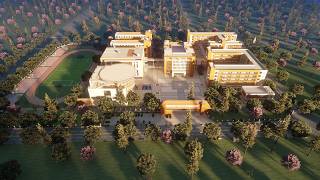
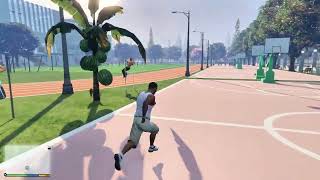
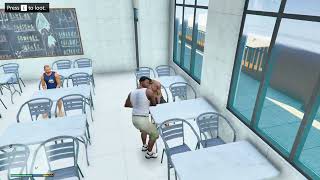
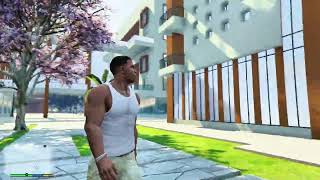
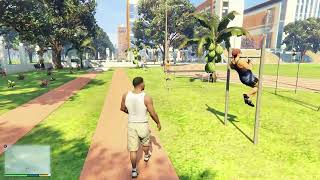
Modern Chinese Campus 2.2 (Add-On SP)


1 129
12
1 129
12
This is a universal installation tutorial for all add on map mods for GTA V Single Player
1 Open OpenIV and enable Edit Mode
2 Navigate to the path mods\update\x64\dlcpacks
3 Drag the map DLC folder into the dlcpacks folder then copy the name of this DLC folder
4 Return to the update folder and double click to open update.rpf
5 Open mods\update\update.rpf\common\data find dlclist.xml right click it and select Edit
6 Scroll to the bottom of the file copy the last line of code press Enter and paste it on a new line
7 Replace the DLC name in the new line with the name of your map DLC folder
8 Save the file Installation is complete launch the game to use the mod
FiveM Server Add on Map Mod Installation Guide
This is a universal installation tutorial for add on map mods on FiveM servers
1 Download the map mod files and extract the entire map folder
2 Open your FiveM server main directory
3 Find and open the resources folder
4 Create a new folder named maps inside the resources folder
5 Move the extracted map folder into the maps folder
6 Open the map folder and check that it contains a fxmanifest lua file
7 Go back to your FiveM server main directory
8 Open the server cfg file with a text editor
9 Scroll down to the bottom of the file
10 Add a new line and write ensure followed by your map folder name
11 Save and close the server cfg file
12 Restart your FiveM server completely
13 Connect to your server and the map will be available
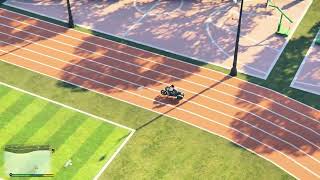
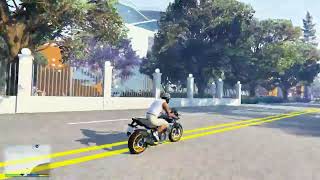
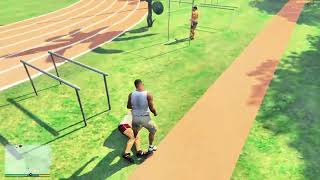
Update 2.2: Added road traffic vehicles. NPC cars will spawn and drive on roads.
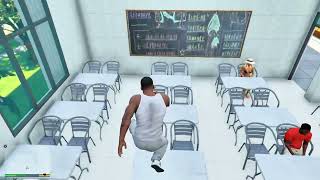
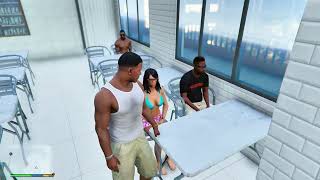
Update 2.1: Added desks, chairs, podiums and blackboards for all classrooms. Teachers and student NPCs spawn randomly in each classroom.
1 Open OpenIV and enable Edit Mode
2 Navigate to the path mods\update\x64\dlcpacks
3 Drag the map DLC folder into the dlcpacks folder then copy the name of this DLC folder
4 Return to the update folder and double click to open update.rpf
5 Open mods\update\update.rpf\common\data find dlclist.xml right click it and select Edit
6 Scroll to the bottom of the file copy the last line of code press Enter and paste it on a new line
7 Replace the DLC name in the new line with the name of your map DLC folder
8 Save the file Installation is complete launch the game to use the mod
FiveM Server Add on Map Mod Installation Guide
This is a universal installation tutorial for add on map mods on FiveM servers
1 Download the map mod files and extract the entire map folder
2 Open your FiveM server main directory
3 Find and open the resources folder
4 Create a new folder named maps inside the resources folder
5 Move the extracted map folder into the maps folder
6 Open the map folder and check that it contains a fxmanifest lua file
7 Go back to your FiveM server main directory
8 Open the server cfg file with a text editor
9 Scroll down to the bottom of the file
10 Add a new line and write ensure followed by your map folder name
11 Save and close the server cfg file
12 Restart your FiveM server completely
13 Connect to your server and the map will be available
Update 2.2: Added road traffic vehicles. NPC cars will spawn and drive on roads.
Update 2.1: Added desks, chairs, podiums and blackboards for all classrooms. Teachers and student NPCs spawn randomly in each classroom.
Dodano: 19 kwietnia 2026
Ostatnia aktualizacja: 21 sierpnia 2026
Last Downloaded: 5 hours ago
16 Komentarzy
More mods by GTAtietumoxing:
This is a universal installation tutorial for all add on map mods for GTA V Single Player
1 Open OpenIV and enable Edit Mode
2 Navigate to the path mods\update\x64\dlcpacks
3 Drag the map DLC folder into the dlcpacks folder then copy the name of this DLC folder
4 Return to the update folder and double click to open update.rpf
5 Open mods\update\update.rpf\common\data find dlclist.xml right click it and select Edit
6 Scroll to the bottom of the file copy the last line of code press Enter and paste it on a new line
7 Replace the DLC name in the new line with the name of your map DLC folder
8 Save the file Installation is complete launch the game to use the mod
FiveM Server Add on Map Mod Installation Guide
This is a universal installation tutorial for add on map mods on FiveM servers
1 Download the map mod files and extract the entire map folder
2 Open your FiveM server main directory
3 Find and open the resources folder
4 Create a new folder named maps inside the resources folder
5 Move the extracted map folder into the maps folder
6 Open the map folder and check that it contains a fxmanifest lua file
7 Go back to your FiveM server main directory
8 Open the server cfg file with a text editor
9 Scroll down to the bottom of the file
10 Add a new line and write ensure followed by your map folder name
11 Save and close the server cfg file
12 Restart your FiveM server completely
13 Connect to your server and the map will be available
Update 2.2: Added road traffic vehicles. NPC cars will spawn and drive on roads.
Update 2.1: Added desks, chairs, podiums and blackboards for all classrooms. Teachers and student NPCs spawn randomly in each classroom.
1 Open OpenIV and enable Edit Mode
2 Navigate to the path mods\update\x64\dlcpacks
3 Drag the map DLC folder into the dlcpacks folder then copy the name of this DLC folder
4 Return to the update folder and double click to open update.rpf
5 Open mods\update\update.rpf\common\data find dlclist.xml right click it and select Edit
6 Scroll to the bottom of the file copy the last line of code press Enter and paste it on a new line
7 Replace the DLC name in the new line with the name of your map DLC folder
8 Save the file Installation is complete launch the game to use the mod
FiveM Server Add on Map Mod Installation Guide
This is a universal installation tutorial for add on map mods on FiveM servers
1 Download the map mod files and extract the entire map folder
2 Open your FiveM server main directory
3 Find and open the resources folder
4 Create a new folder named maps inside the resources folder
5 Move the extracted map folder into the maps folder
6 Open the map folder and check that it contains a fxmanifest lua file
7 Go back to your FiveM server main directory
8 Open the server cfg file with a text editor
9 Scroll down to the bottom of the file
10 Add a new line and write ensure followed by your map folder name
11 Save and close the server cfg file
12 Restart your FiveM server completely
13 Connect to your server and the map will be available
Update 2.2: Added road traffic vehicles. NPC cars will spawn and drive on roads.
Update 2.1: Added desks, chairs, podiums and blackboards for all classrooms. Teachers and student NPCs spawn randomly in each classroom.
Dodano: 19 kwietnia 2026
Ostatnia aktualizacja: 21 sierpnia 2026
Last Downloaded: 5 hours ago
 5mods on Discord

I am constantly creating Chinese-style maps, buildings, landscapes and various original mods for the GTA 5 community. I have been deeply interested in traditional Chinese architecture, cultural scenes and unique oriental style content for a long time, and I will keep releasing more rich and detailed oriental themed works in the future.
I truly know that there are many experienced and skilled mod developers from all over the world in this community. I really admire your production experience, technical ability and unique creativity in making maps, MLO interiors, navmesh, NPC paths, animation, vehicle modification and character production.
Now I sincerely want to send a long-term cooperation invitation.
I hope to meet like-minded partners who also love original creation and cultural style mods. If you are a professional modder, technical researcher, or someone who is interested in Chinese style, traditional architecture and oriental scenes, you are very welcome to communicate and interact with me.
I am willing to share my scene design ideas, original architectural resources and all my creation experience. At the same time, I also hope to learn more production skills, advanced making methods and mature optimization ideas from senior foreign creators.
We can discuss more interesting production ideas together, cooperate to create larger and more complete Chinese style themed mods, enrich scene details, add complete interior spaces, make real navigation paths, add active NPC groups, and create more vivid, playable and distinctive oriental content for the entire GTA 5 player community.
I welcome every sincere communication, technical discussion, rational suggestion and creative idea sharing.
Whether it is simple communication, technical exchange, or long-term joint creation and collaborative production, I am very happy to accept.
Let us respect each other’s creation, learn from each other’s strengths, exchange experience and grow together.
If you are interested in Chinese style creation, or have unique ideas for map production and mod development, please leave a comment or take the initiative to contact me. I will reply to every message carefully.
I love your chinese maps, they are very amazing. Keep them coming, hopfully we can have a whole continent.
@Starfox1993 Thank you so much for your amazing support! I'm really glad you love these Chinese-style custom maps 😊
I have already finished lots more real-life location maps including schools, hospitals, water parks, police stations, countryside residential villages and more.
I will keep uploading and releasing them for free here regularly, stay tuned!
Hi there! This map mod is made specifically for GTA 5 Single Player (SP) only.
It will not work on FiveM servers, GTA Online, or vanilla/clean game installs that don’t support custom DLC packs.
To use it properly:
Open OpenIV and enable "Edit Mode".
Extract the downloaded map DLC folder into mods/update/x64/dlcpacks/.
Open mods/update/update.rpf/common/data/dlcpacks/dlcpacks.xml.
Add the line <Item>dlcpacks:\[YOUR-MAP-FOLDER-NAME]\</Item> at the bottom of the file.
Save the file, launch GTA 5 in Single Player, and the map will load automatically.
If you’re trying to use this on FiveM or GTA Online, that’s why it’s not working. These versions don’t support custom SP DLC packs. You’ll need to use a server-compatible version if you want it to work on a FiveM server.
This map mod is for GTA 5 Single Player (SP) only, and requires custom DLC installation. It will not work on FiveM servers, GTA Online, or vanilla game installs without mod support.
Installation with OpenIV (most common method):
Download and install OpenIV, launch it, and enable Edit Mode.
Navigate to: mods/update/x64/dlcpacks/
Place the extracted map DLC folder into this directory.
Open: mods/update/update.rpf/common/data/dlcpacks/dlcpacks.xml
Add the following line at the bottom of the file:
<Item>dlcpacks:\[YOUR-MAP-FOLDER-NAME]\</Item>
Save the file, then launch GTA 5 in Single Player. The map will load automatically.
Installation with CodeWalker (alternative method):
Download and launch CodeWalker, open your GTA 5 game directory.
Go to the mods/update/x64/dlcpacks/ folder.
Import the map DLC folder into this path.
Open the dlcpacks.xml file in CodeWalker’s text editor.
Add the line <Item>dlcpacks:\[YOUR-MAP-FOLDER-NAME]\</Item> at the end.
Save the changes, close CodeWalker, and launch GTA 5 Single Player.
If you’re trying to use this on FiveM or GTA Online, it will not work due to platform restrictions. You need a server-compatible version for FiveM.
Do the Jilong Castle with full map + outskirts
would be really cool to have a chinese city ma p mod not a boring lame race track map but an actual city even if its small . Also its not chinese but the tokyo map from sleeping dogs would be dope but i'd image that'd be a huge task
@GTA5gamers Thanks for your suggestion! I’ve noted this idea down. I plan to expand this castle map with full buildings and outer suburbs in future updates.
@azzman_01 I totally agree with you. I’m focusing on making real-life Chinese daily buildings/cities rather than race tracks right now. I’m gradually making more domestic urban maps after this school mod.
Sleeping Dogs Hong Kong map is indeed amazing, the workload is crazy huge, so I can’t promise it, but I’ll keep it in mind.
why the buildings are empty how to fix?
@tryspartanhack1337 Hi, the buildings are fully enterable with complete interiors. There are teacher and student NPCs having classes inside. Version 2.2 also adds traffic NPC vehicles on surrounding roads.
This empty‑building issue is not from the mod itself. Please check whether you are using a mod‑ready game build. Make sure you have installed all required game hooks and dependency patches.
Verify all files from the archive are installed and your dlc list is correctly set up. If you have other custom MLO maps, remove them to rule out conflicts. Many players run 2.2 version with everything working correctly.
where are there?
@zhumo Look for that tall mountain in GTA5. There are cable car stations both on the mountain top and at the foot of the mountain. The cable car station at the bottom is next to the logging camp by the sea. The school map is right there on the coast nearby. If you can't see NPCs or traffic cars, please confirm you installed all required hooks and dependencies.
@zhumo There are cable car stations on both the top and foot of this GTA5 mountain. The lower cable station sits next to the logging camp by the sea, and the school map is right on this coastline.
If you arrive at this location but still cannot find the map, you may be using a vanilla game, online version, or an LSPDFR law enforcement pack. These three builds are not suitable for most custom maps. They lack essential hooks, environment patches, limit and memory patches required for mods. The many plugins inside LSPDFR will also conflict and take over game resources, causing most map mods to fail to load properly.
We recommend using the classic mod-ready game build. If you want, we provide free download links for this modded game package.
@GTAtietumoxing thanks for your reply. Since this spot isn’t marked on the minimap, I kept assuming the school is on the main island in the game. I also have a suggestion, that large patch of vivid grassland looks rather out of place in‑game, and I hope you can tweak it
@zhumo Thank you for your feedback! Yeah this map has no minimap marker, so it’s really easy to get lost. I’ve noted your suggestion about the bright grassland, I will check and adjust its texture and color in a future update to make it fit better with the original game atmosphere.