Star Wars Blasters 1.0



100
5
100
5
STAR WARS BLASTERS
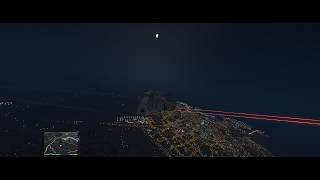
Turn GTA V's existing weapons into laser blasters.
Star Wars Blasters converts normal gunfire into red and green energy bolts, removes shell casings and powder smoke, and adds matching muzzle flashes and impact lighting. Rockets, tank shells, and other heavy projectiles are also converted into glowing energy bolts, while grenades and sticky bombs get a thermal-detonator-style glow.
This is mainly a visual and audio conversion. Damage, weapon range, accuracy, clip size, and explosion types are left alone. A small number of weapons have adjusted fire rates to help different weapon classes feel more like blasters, such as burst-style shotguns and slower charged sniper shots.
Melee weapons are untouched, along with the petrol can, fire extinguisher, parachute, and digiscanner.
IMPORTANT — THIS MOD DOES NOT ADD NEW WEAPONS
I want to make this clear so nobody downloads it expecting something different.
There are:
No new guns
No new weapon models
No new weapons added to the weapon wheel
Your pistol will still look like a GTA V pistol. It will simply fire a laser bolt instead of a normal bullet.
This mod changes the projectiles, effects, and sounds of the weapons already in the game.
That also means it works really well with weapon replacement mods.
If you already have an E-11, DC-15, Clone Wars weapon pack, sci-fi weapon pack, or another blaster model installed, this mod can provide the laser effects to go with it.
Important when using weapon model mods
Many weapon replacement mods include their own weapons.meta.
If you install their weapons.meta after Star Wars Blasters, it can overwrite this mod and turn your lasers back into normal bullets.
For best results, install only the weapon mod's:
.ydr
.ytd
Skip its weapons.meta unless you know how to merge the files yourself.
FEATURES
Red and green laser bolts
Custom RGB bolt colors through the INI
Removed shell casings
Removed normal gun smoke
Colored muzzle flashes
Colored impact lighting
Optional impact particle effects
Energy-style rockets and tank shells
Hidden missile meshes on converted projectiles
Glowing grenades and sticky bombs
Configurable bolt length
Configurable bolt width
Configurable bolt speed
Configurable minimum flight time
Configurable muzzle, flight, and impact lighting
Per-weapon configuration
Per-vehicle configuration
Weapon-group presets
Custom sound support
INI reload while the game is running
Support for many add-on weapons and vehicles
VEHICLE WEAPONS
Vehicle support is currently partial, but add-on vehicles are where this mod works especially well.
Custom add-on vehicles can convert cleanly and work great with Star Wars vehicle mods already available on GTA5-Mods.
TIE Fighters, X-Wings, gunships, speeders, and other custom vehicles can fire proper laser cannon effects instead of normal GTA gunfire.
Flying a TIE Fighter with green laser cannons is honestly one of the main reasons I wanted to make this mod.
Rockstar DLC vehicles
Not every original GTA V vehicle weapon is currently covered.
Many Rockstar DLC vehicles store their weapon definitions inside their own DLC-specific weapons.meta. Those files are separate from the main file this mod replaces.
Because of that, some vanilla and DLC vehicles will convert while others may continue firing their original projectiles.
This does not necessarily mean you installed the mod incorrectly.
KNOWN ISSUES
I'd rather be upfront about the current limitations.
Some weapons may not show a strong visible bolt
Most weapons work well, but not every weapon renders the beam exactly the same way.
Some may:
Show the impact flash but little or no visible bolt
Show a shorter or weaker bolt
Look better at certain distances than others
There are plenty of weapons working properly, but coverage is not 100% perfect yet.
If a weapon's beam looks too weak, try increasing:
MinFlightTime
and/or
BoltLength
for that specific weapon in the INI.
Every weapon can have its own override.
Some impact flashes may look orange
The script can tint GTA V's particle effects at runtime, but some particle textures already have colors baked into them.
Because of that, certain weapons may show an orange-looking impact flash instead of a perfect red or green one.
If this happens, set:
ImpactPtfxEnabled=false
You can disable it globally or only for that specific weapon.
The colored impact light will still appear, which usually gives a cleaner result anyway.
WHAT'S INCLUDED
The mod is split into two parts.
weapons.meta
This handles the base conversion.
It:
Forces visible projectile effects more consistently
Removes shell ejection
Removes normal muzzle smoke
Adjusts muzzle flashes
Converts rockets and heavy projectiles
Changes several projectile visual behaviors
The weapons.meta portion works even without ScriptHookV.
StarWarsBlasters.dll
This is the runtime script.
It handles:
Colored laser beams
Custom RGB colors
Dynamic lighting
Impact colors
Per-weapon overrides
Per-vehicle overrides
Runtime configuration
This is the part that allows true green, red, or custom-colored beams rather than relying only on GTA V's built-in effects.
REQUIREMENTS
ScriptHookV
ScriptHookVDotNet 3.7.x
.NET Framework 4.8
OpenIV
The weapons.meta conversion can work without ScriptHookV, but the custom runtime beams require the DLL.
INSTALLATION
Installation is handled through the included .oiv.
Open the .oiv with OpenIV.
Use OpenIV's Package Installer.
Install to your mods folder if you use one.
Start GTA V.
The installer places:
StarWarsBlasters.dll and StarWarsBlasters.ini
inside:
scripts\
And installs weapons.meta to:
update\update.rpf\common\data\ai\
IF THE MOD DOESN'T WORK
If you install the mod and nothing changes, another weapons.meta is most likely overriding it.
This is especially common with:
Weapon packs
Realistic weapon mods
Patchday weapon replacements
Other gunplay overhauls
Search for weapons.meta in OpenIV.
If another mod loads its own version after this one, that file can override Star Wars Blasters.
This is probably the most common reason the mod appears to do nothing.
CONTROLS
I
Toggles the laser beams on or off.
Pressing the key also reloads the INI.
That means you can:
Alt-tab out of GTA V.
Edit your colors or settings.
Save the INI.
Return to the game.
Press I twice.
Your new settings should load without restarting the game.
O
Shows the exact INI section name for the weapon you're currently holding or the vehicle you're currently using.
It also writes the name to the log.
This is useful when creating custom weapon or vehicle overrides.
Both keys can be changed in the INI.
CONFIGURATION
Almost everything can be customized through:
StarWarsBlasters.ini
Configuration uses three main levels.
Example:
[Weapon.HeavySniper]
Controls one specific weapon.
[Vehicle.oppressor2]
Controls one specific vehicle.
[Group.Sniper]
Controls the entire weapon class unless a more specific override exists.
The most specific setting wins.
You do not need to redefine every setting for an individual weapon. A weapon section only changes the values you include, while everything else continues using the group settings.
For example, you can recolor one weapon without rebuilding its entire configuration.
CONFIGURABLE SETTINGS
Per weapon, vehicle, or group you can adjust:
Red / Green / Blue color values
Bolt length
Bolt speed
Bolt width
Minimum flight time
Muzzle light range
Muzzle light intensity
Flight light range
Flight light intensity
Impact light range
Impact light intensity
Impact particle scale
Impact particle toggle
Custom sound
Enable / disable state
WEAPON GROUPS
The mod currently includes configurations for:
Pistol
SMG
Assault Rifle
MG
Shotgun
Sniper
Heavy
Stungun
Vehicle Gun
Vehicle Cannon
Other
DLC and add-on weapons can also fall back to GTA V's own weapon group information, so weapons the script doesn't specifically recognize can still receive appropriate settings.
IMPORTANT INI NOTE
If you manually create a new:
[Weapon.x]
or
[Vehicle.x]
section, you also need to add its name to:
WeaponOverrides
or:
VehicleOverrides
under [General].
The settings reader cannot automatically scan every section in the INI.
If you create an override but don't add it to the appropriate override list, the section will be ignored.
The included INI has examples you can copy.
COMPATIBILITY
Weapon model replacements
Compatible, and highly recommended.
Install the model and texture files while avoiding their weapons.meta unless you merge the files yourself.
Add-on vehicles
Compatible.
Star Wars and sci-fi vehicle mods are some of the best uses for this mod.
Other weapons.meta mods
Not directly compatible.
Whichever weapons.meta loads last will take priority.
BACK UP YOUR INI
Reinstalling or updating the mod may overwrite your existing:
StarWarsBlasters.ini
If you've spent time tuning your colors and settings, make a backup before reinstalling.
CREDITS
Star Wars belongs to Lucasfilm.
This mod does not contain weapon models, sounds, textures, or assets ripped from any Star Wars game. The effects are created using GTA V's existing systems along with runtime beam drawing.
Free to use and modify.
If you build something using this mod, credit is appreciated but not required.
Have fun and may your GTA arsenal finally shoot like it belongs in a galaxy far, far away.
Turn GTA V's existing weapons into laser blasters.
Star Wars Blasters converts normal gunfire into red and green energy bolts, removes shell casings and powder smoke, and adds matching muzzle flashes and impact lighting. Rockets, tank shells, and other heavy projectiles are also converted into glowing energy bolts, while grenades and sticky bombs get a thermal-detonator-style glow.
This is mainly a visual and audio conversion. Damage, weapon range, accuracy, clip size, and explosion types are left alone. A small number of weapons have adjusted fire rates to help different weapon classes feel more like blasters, such as burst-style shotguns and slower charged sniper shots.
Melee weapons are untouched, along with the petrol can, fire extinguisher, parachute, and digiscanner.
IMPORTANT — THIS MOD DOES NOT ADD NEW WEAPONS
I want to make this clear so nobody downloads it expecting something different.
There are:
No new guns
No new weapon models
No new weapons added to the weapon wheel
Your pistol will still look like a GTA V pistol. It will simply fire a laser bolt instead of a normal bullet.
This mod changes the projectiles, effects, and sounds of the weapons already in the game.
That also means it works really well with weapon replacement mods.
If you already have an E-11, DC-15, Clone Wars weapon pack, sci-fi weapon pack, or another blaster model installed, this mod can provide the laser effects to go with it.
Important when using weapon model mods
Many weapon replacement mods include their own weapons.meta.
If you install their weapons.meta after Star Wars Blasters, it can overwrite this mod and turn your lasers back into normal bullets.
For best results, install only the weapon mod's:
.ydr
.ytd
Skip its weapons.meta unless you know how to merge the files yourself.
FEATURES
Red and green laser bolts
Custom RGB bolt colors through the INI
Removed shell casings
Removed normal gun smoke
Colored muzzle flashes
Colored impact lighting
Optional impact particle effects
Energy-style rockets and tank shells
Hidden missile meshes on converted projectiles
Glowing grenades and sticky bombs
Configurable bolt length
Configurable bolt width
Configurable bolt speed
Configurable minimum flight time
Configurable muzzle, flight, and impact lighting
Per-weapon configuration
Per-vehicle configuration
Weapon-group presets
Custom sound support
INI reload while the game is running
Support for many add-on weapons and vehicles
VEHICLE WEAPONS
Vehicle support is currently partial, but add-on vehicles are where this mod works especially well.
Custom add-on vehicles can convert cleanly and work great with Star Wars vehicle mods already available on GTA5-Mods.
TIE Fighters, X-Wings, gunships, speeders, and other custom vehicles can fire proper laser cannon effects instead of normal GTA gunfire.
Flying a TIE Fighter with green laser cannons is honestly one of the main reasons I wanted to make this mod.
Rockstar DLC vehicles
Not every original GTA V vehicle weapon is currently covered.
Many Rockstar DLC vehicles store their weapon definitions inside their own DLC-specific weapons.meta. Those files are separate from the main file this mod replaces.
Because of that, some vanilla and DLC vehicles will convert while others may continue firing their original projectiles.
This does not necessarily mean you installed the mod incorrectly.
KNOWN ISSUES
I'd rather be upfront about the current limitations.
Some weapons may not show a strong visible bolt
Most weapons work well, but not every weapon renders the beam exactly the same way.
Some may:
Show the impact flash but little or no visible bolt
Show a shorter or weaker bolt
Look better at certain distances than others
There are plenty of weapons working properly, but coverage is not 100% perfect yet.
If a weapon's beam looks too weak, try increasing:
MinFlightTime
and/or
BoltLength
for that specific weapon in the INI.
Every weapon can have its own override.
Some impact flashes may look orange
The script can tint GTA V's particle effects at runtime, but some particle textures already have colors baked into them.
Because of that, certain weapons may show an orange-looking impact flash instead of a perfect red or green one.
If this happens, set:
ImpactPtfxEnabled=false
You can disable it globally or only for that specific weapon.
The colored impact light will still appear, which usually gives a cleaner result anyway.
WHAT'S INCLUDED
The mod is split into two parts.
weapons.meta
This handles the base conversion.
It:
Forces visible projectile effects more consistently
Removes shell ejection
Removes normal muzzle smoke
Adjusts muzzle flashes
Converts rockets and heavy projectiles
Changes several projectile visual behaviors
The weapons.meta portion works even without ScriptHookV.
StarWarsBlasters.dll
This is the runtime script.
It handles:
Colored laser beams
Custom RGB colors
Dynamic lighting
Impact colors
Per-weapon overrides
Per-vehicle overrides
Runtime configuration
This is the part that allows true green, red, or custom-colored beams rather than relying only on GTA V's built-in effects.
REQUIREMENTS
ScriptHookV
ScriptHookVDotNet 3.7.x
.NET Framework 4.8
OpenIV
The weapons.meta conversion can work without ScriptHookV, but the custom runtime beams require the DLL.
INSTALLATION
Installation is handled through the included .oiv.
Open the .oiv with OpenIV.
Use OpenIV's Package Installer.
Install to your mods folder if you use one.
Start GTA V.
The installer places:
StarWarsBlasters.dll and StarWarsBlasters.ini
inside:
scripts\
And installs weapons.meta to:
update\update.rpf\common\data\ai\
IF THE MOD DOESN'T WORK
If you install the mod and nothing changes, another weapons.meta is most likely overriding it.
This is especially common with:
Weapon packs
Realistic weapon mods
Patchday weapon replacements
Other gunplay overhauls
Search for weapons.meta in OpenIV.
If another mod loads its own version after this one, that file can override Star Wars Blasters.
This is probably the most common reason the mod appears to do nothing.
CONTROLS
I
Toggles the laser beams on or off.
Pressing the key also reloads the INI.
That means you can:
Alt-tab out of GTA V.
Edit your colors or settings.
Save the INI.
Return to the game.
Press I twice.
Your new settings should load without restarting the game.
O
Shows the exact INI section name for the weapon you're currently holding or the vehicle you're currently using.
It also writes the name to the log.
This is useful when creating custom weapon or vehicle overrides.
Both keys can be changed in the INI.
CONFIGURATION
Almost everything can be customized through:
StarWarsBlasters.ini
Configuration uses three main levels.
Example:
[Weapon.HeavySniper]
Controls one specific weapon.
[Vehicle.oppressor2]
Controls one specific vehicle.
[Group.Sniper]
Controls the entire weapon class unless a more specific override exists.
The most specific setting wins.
You do not need to redefine every setting for an individual weapon. A weapon section only changes the values you include, while everything else continues using the group settings.
For example, you can recolor one weapon without rebuilding its entire configuration.
CONFIGURABLE SETTINGS
Per weapon, vehicle, or group you can adjust:
Red / Green / Blue color values
Bolt length
Bolt speed
Bolt width
Minimum flight time
Muzzle light range
Muzzle light intensity
Flight light range
Flight light intensity
Impact light range
Impact light intensity
Impact particle scale
Impact particle toggle
Custom sound
Enable / disable state
WEAPON GROUPS
The mod currently includes configurations for:
Pistol
SMG
Assault Rifle
MG
Shotgun
Sniper
Heavy
Stungun
Vehicle Gun
Vehicle Cannon
Other
DLC and add-on weapons can also fall back to GTA V's own weapon group information, so weapons the script doesn't specifically recognize can still receive appropriate settings.
IMPORTANT INI NOTE
If you manually create a new:
[Weapon.x]
or
[Vehicle.x]
section, you also need to add its name to:
WeaponOverrides
or:
VehicleOverrides
under [General].
The settings reader cannot automatically scan every section in the INI.
If you create an override but don't add it to the appropriate override list, the section will be ignored.
The included INI has examples you can copy.
COMPATIBILITY
Weapon model replacements
Compatible, and highly recommended.
Install the model and texture files while avoiding their weapons.meta unless you merge the files yourself.
Add-on vehicles
Compatible.
Star Wars and sci-fi vehicle mods are some of the best uses for this mod.
Other weapons.meta mods
Not directly compatible.
Whichever weapons.meta loads last will take priority.
BACK UP YOUR INI
Reinstalling or updating the mod may overwrite your existing:
StarWarsBlasters.ini
If you've spent time tuning your colors and settings, make a backup before reinstalling.
CREDITS
Star Wars belongs to Lucasfilm.
This mod does not contain weapon models, sounds, textures, or assets ripped from any Star Wars game. The effects are created using GTA V's existing systems along with runtime beam drawing.
Free to use and modify.
If you build something using this mod, credit is appreciated but not required.
Have fun and may your GTA arsenal finally shoot like it belongs in a galaxy far, far away.
Primul incarcat: 12 august 2026
Ultimul incarcat: 14 august 2026
Last Downloaded: 11 hours ago
3 Comentarii
More mods by Craze043:
STAR WARS BLASTERS
Turn GTA V's existing weapons into laser blasters.
Star Wars Blasters converts normal gunfire into red and green energy bolts, removes shell casings and powder smoke, and adds matching muzzle flashes and impact lighting. Rockets, tank shells, and other heavy projectiles are also converted into glowing energy bolts, while grenades and sticky bombs get a thermal-detonator-style glow.
This is mainly a visual and audio conversion. Damage, weapon range, accuracy, clip size, and explosion types are left alone. A small number of weapons have adjusted fire rates to help different weapon classes feel more like blasters, such as burst-style shotguns and slower charged sniper shots.
Melee weapons are untouched, along with the petrol can, fire extinguisher, parachute, and digiscanner.
IMPORTANT — THIS MOD DOES NOT ADD NEW WEAPONS
I want to make this clear so nobody downloads it expecting something different.
There are:
No new guns
No new weapon models
No new weapons added to the weapon wheel
Your pistol will still look like a GTA V pistol. It will simply fire a laser bolt instead of a normal bullet.
This mod changes the projectiles, effects, and sounds of the weapons already in the game.
That also means it works really well with weapon replacement mods.
If you already have an E-11, DC-15, Clone Wars weapon pack, sci-fi weapon pack, or another blaster model installed, this mod can provide the laser effects to go with it.
Important when using weapon model mods
Many weapon replacement mods include their own weapons.meta.
If you install their weapons.meta after Star Wars Blasters, it can overwrite this mod and turn your lasers back into normal bullets.
For best results, install only the weapon mod's:
.ydr
.ytd
Skip its weapons.meta unless you know how to merge the files yourself.
FEATURES
Red and green laser bolts
Custom RGB bolt colors through the INI
Removed shell casings
Removed normal gun smoke
Colored muzzle flashes
Colored impact lighting
Optional impact particle effects
Energy-style rockets and tank shells
Hidden missile meshes on converted projectiles
Glowing grenades and sticky bombs
Configurable bolt length
Configurable bolt width
Configurable bolt speed
Configurable minimum flight time
Configurable muzzle, flight, and impact lighting
Per-weapon configuration
Per-vehicle configuration
Weapon-group presets
Custom sound support
INI reload while the game is running
Support for many add-on weapons and vehicles
VEHICLE WEAPONS
Vehicle support is currently partial, but add-on vehicles are where this mod works especially well.
Custom add-on vehicles can convert cleanly and work great with Star Wars vehicle mods already available on GTA5-Mods.
TIE Fighters, X-Wings, gunships, speeders, and other custom vehicles can fire proper laser cannon effects instead of normal GTA gunfire.
Flying a TIE Fighter with green laser cannons is honestly one of the main reasons I wanted to make this mod.
Rockstar DLC vehicles
Not every original GTA V vehicle weapon is currently covered.
Many Rockstar DLC vehicles store their weapon definitions inside their own DLC-specific weapons.meta. Those files are separate from the main file this mod replaces.
Because of that, some vanilla and DLC vehicles will convert while others may continue firing their original projectiles.
This does not necessarily mean you installed the mod incorrectly.
KNOWN ISSUES
I'd rather be upfront about the current limitations.
Some weapons may not show a strong visible bolt
Most weapons work well, but not every weapon renders the beam exactly the same way.
Some may:
Show the impact flash but little or no visible bolt
Show a shorter or weaker bolt
Look better at certain distances than others
There are plenty of weapons working properly, but coverage is not 100% perfect yet.
If a weapon's beam looks too weak, try increasing:
MinFlightTime
and/or
BoltLength
for that specific weapon in the INI.
Every weapon can have its own override.
Some impact flashes may look orange
The script can tint GTA V's particle effects at runtime, but some particle textures already have colors baked into them.
Because of that, certain weapons may show an orange-looking impact flash instead of a perfect red or green one.
If this happens, set:
ImpactPtfxEnabled=false
You can disable it globally or only for that specific weapon.
The colored impact light will still appear, which usually gives a cleaner result anyway.
WHAT'S INCLUDED
The mod is split into two parts.
weapons.meta
This handles the base conversion.
It:
Forces visible projectile effects more consistently
Removes shell ejection
Removes normal muzzle smoke
Adjusts muzzle flashes
Converts rockets and heavy projectiles
Changes several projectile visual behaviors
The weapons.meta portion works even without ScriptHookV.
StarWarsBlasters.dll
This is the runtime script.
It handles:
Colored laser beams
Custom RGB colors
Dynamic lighting
Impact colors
Per-weapon overrides
Per-vehicle overrides
Runtime configuration
This is the part that allows true green, red, or custom-colored beams rather than relying only on GTA V's built-in effects.
REQUIREMENTS
ScriptHookV
ScriptHookVDotNet 3.7.x
.NET Framework 4.8
OpenIV
The weapons.meta conversion can work without ScriptHookV, but the custom runtime beams require the DLL.
INSTALLATION
Installation is handled through the included .oiv.
Open the .oiv with OpenIV.
Use OpenIV's Package Installer.
Install to your mods folder if you use one.
Start GTA V.
The installer places:
StarWarsBlasters.dll and StarWarsBlasters.ini
inside:
scripts\
And installs weapons.meta to:
update\update.rpf\common\data\ai\
IF THE MOD DOESN'T WORK
If you install the mod and nothing changes, another weapons.meta is most likely overriding it.
This is especially common with:
Weapon packs
Realistic weapon mods
Patchday weapon replacements
Other gunplay overhauls
Search for weapons.meta in OpenIV.
If another mod loads its own version after this one, that file can override Star Wars Blasters.
This is probably the most common reason the mod appears to do nothing.
CONTROLS
I
Toggles the laser beams on or off.
Pressing the key also reloads the INI.
That means you can:
Alt-tab out of GTA V.
Edit your colors or settings.
Save the INI.
Return to the game.
Press I twice.
Your new settings should load without restarting the game.
O
Shows the exact INI section name for the weapon you're currently holding or the vehicle you're currently using.
It also writes the name to the log.
This is useful when creating custom weapon or vehicle overrides.
Both keys can be changed in the INI.
CONFIGURATION
Almost everything can be customized through:
StarWarsBlasters.ini
Configuration uses three main levels.
Example:
[Weapon.HeavySniper]
Controls one specific weapon.
[Vehicle.oppressor2]
Controls one specific vehicle.
[Group.Sniper]
Controls the entire weapon class unless a more specific override exists.
The most specific setting wins.
You do not need to redefine every setting for an individual weapon. A weapon section only changes the values you include, while everything else continues using the group settings.
For example, you can recolor one weapon without rebuilding its entire configuration.
CONFIGURABLE SETTINGS
Per weapon, vehicle, or group you can adjust:
Red / Green / Blue color values
Bolt length
Bolt speed
Bolt width
Minimum flight time
Muzzle light range
Muzzle light intensity
Flight light range
Flight light intensity
Impact light range
Impact light intensity
Impact particle scale
Impact particle toggle
Custom sound
Enable / disable state
WEAPON GROUPS
The mod currently includes configurations for:
Pistol
SMG
Assault Rifle
MG
Shotgun
Sniper
Heavy
Stungun
Vehicle Gun
Vehicle Cannon
Other
DLC and add-on weapons can also fall back to GTA V's own weapon group information, so weapons the script doesn't specifically recognize can still receive appropriate settings.
IMPORTANT INI NOTE
If you manually create a new:
[Weapon.x]
or
[Vehicle.x]
section, you also need to add its name to:
WeaponOverrides
or:
VehicleOverrides
under [General].
The settings reader cannot automatically scan every section in the INI.
If you create an override but don't add it to the appropriate override list, the section will be ignored.
The included INI has examples you can copy.
COMPATIBILITY
Weapon model replacements
Compatible, and highly recommended.
Install the model and texture files while avoiding their weapons.meta unless you merge the files yourself.
Add-on vehicles
Compatible.
Star Wars and sci-fi vehicle mods are some of the best uses for this mod.
Other weapons.meta mods
Not directly compatible.
Whichever weapons.meta loads last will take priority.
BACK UP YOUR INI
Reinstalling or updating the mod may overwrite your existing:
StarWarsBlasters.ini
If you've spent time tuning your colors and settings, make a backup before reinstalling.
CREDITS
Star Wars belongs to Lucasfilm.
This mod does not contain weapon models, sounds, textures, or assets ripped from any Star Wars game. The effects are created using GTA V's existing systems along with runtime beam drawing.
Free to use and modify.
If you build something using this mod, credit is appreciated but not required.
Have fun and may your GTA arsenal finally shoot like it belongs in a galaxy far, far away.
Turn GTA V's existing weapons into laser blasters.
Star Wars Blasters converts normal gunfire into red and green energy bolts, removes shell casings and powder smoke, and adds matching muzzle flashes and impact lighting. Rockets, tank shells, and other heavy projectiles are also converted into glowing energy bolts, while grenades and sticky bombs get a thermal-detonator-style glow.
This is mainly a visual and audio conversion. Damage, weapon range, accuracy, clip size, and explosion types are left alone. A small number of weapons have adjusted fire rates to help different weapon classes feel more like blasters, such as burst-style shotguns and slower charged sniper shots.
Melee weapons are untouched, along with the petrol can, fire extinguisher, parachute, and digiscanner.
IMPORTANT — THIS MOD DOES NOT ADD NEW WEAPONS
I want to make this clear so nobody downloads it expecting something different.
There are:
No new guns
No new weapon models
No new weapons added to the weapon wheel
Your pistol will still look like a GTA V pistol. It will simply fire a laser bolt instead of a normal bullet.
This mod changes the projectiles, effects, and sounds of the weapons already in the game.
That also means it works really well with weapon replacement mods.
If you already have an E-11, DC-15, Clone Wars weapon pack, sci-fi weapon pack, or another blaster model installed, this mod can provide the laser effects to go with it.
Important when using weapon model mods
Many weapon replacement mods include their own weapons.meta.
If you install their weapons.meta after Star Wars Blasters, it can overwrite this mod and turn your lasers back into normal bullets.
For best results, install only the weapon mod's:
.ydr
.ytd
Skip its weapons.meta unless you know how to merge the files yourself.
FEATURES
Red and green laser bolts
Custom RGB bolt colors through the INI
Removed shell casings
Removed normal gun smoke
Colored muzzle flashes
Colored impact lighting
Optional impact particle effects
Energy-style rockets and tank shells
Hidden missile meshes on converted projectiles
Glowing grenades and sticky bombs
Configurable bolt length
Configurable bolt width
Configurable bolt speed
Configurable minimum flight time
Configurable muzzle, flight, and impact lighting
Per-weapon configuration
Per-vehicle configuration
Weapon-group presets
Custom sound support
INI reload while the game is running
Support for many add-on weapons and vehicles
VEHICLE WEAPONS
Vehicle support is currently partial, but add-on vehicles are where this mod works especially well.
Custom add-on vehicles can convert cleanly and work great with Star Wars vehicle mods already available on GTA5-Mods.
TIE Fighters, X-Wings, gunships, speeders, and other custom vehicles can fire proper laser cannon effects instead of normal GTA gunfire.
Flying a TIE Fighter with green laser cannons is honestly one of the main reasons I wanted to make this mod.
Rockstar DLC vehicles
Not every original GTA V vehicle weapon is currently covered.
Many Rockstar DLC vehicles store their weapon definitions inside their own DLC-specific weapons.meta. Those files are separate from the main file this mod replaces.
Because of that, some vanilla and DLC vehicles will convert while others may continue firing their original projectiles.
This does not necessarily mean you installed the mod incorrectly.
KNOWN ISSUES
I'd rather be upfront about the current limitations.
Some weapons may not show a strong visible bolt
Most weapons work well, but not every weapon renders the beam exactly the same way.
Some may:
Show the impact flash but little or no visible bolt
Show a shorter or weaker bolt
Look better at certain distances than others
There are plenty of weapons working properly, but coverage is not 100% perfect yet.
If a weapon's beam looks too weak, try increasing:
MinFlightTime
and/or
BoltLength
for that specific weapon in the INI.
Every weapon can have its own override.
Some impact flashes may look orange
The script can tint GTA V's particle effects at runtime, but some particle textures already have colors baked into them.
Because of that, certain weapons may show an orange-looking impact flash instead of a perfect red or green one.
If this happens, set:
ImpactPtfxEnabled=false
You can disable it globally or only for that specific weapon.
The colored impact light will still appear, which usually gives a cleaner result anyway.
WHAT'S INCLUDED
The mod is split into two parts.
weapons.meta
This handles the base conversion.
It:
Forces visible projectile effects more consistently
Removes shell ejection
Removes normal muzzle smoke
Adjusts muzzle flashes
Converts rockets and heavy projectiles
Changes several projectile visual behaviors
The weapons.meta portion works even without ScriptHookV.
StarWarsBlasters.dll
This is the runtime script.
It handles:
Colored laser beams
Custom RGB colors
Dynamic lighting
Impact colors
Per-weapon overrides
Per-vehicle overrides
Runtime configuration
This is the part that allows true green, red, or custom-colored beams rather than relying only on GTA V's built-in effects.
REQUIREMENTS
ScriptHookV
ScriptHookVDotNet 3.7.x
.NET Framework 4.8
OpenIV
The weapons.meta conversion can work without ScriptHookV, but the custom runtime beams require the DLL.
INSTALLATION
Installation is handled through the included .oiv.
Open the .oiv with OpenIV.
Use OpenIV's Package Installer.
Install to your mods folder if you use one.
Start GTA V.
The installer places:
StarWarsBlasters.dll and StarWarsBlasters.ini
inside:
scripts\
And installs weapons.meta to:
update\update.rpf\common\data\ai\
IF THE MOD DOESN'T WORK
If you install the mod and nothing changes, another weapons.meta is most likely overriding it.
This is especially common with:
Weapon packs
Realistic weapon mods
Patchday weapon replacements
Other gunplay overhauls
Search for weapons.meta in OpenIV.
If another mod loads its own version after this one, that file can override Star Wars Blasters.
This is probably the most common reason the mod appears to do nothing.
CONTROLS
I
Toggles the laser beams on or off.
Pressing the key also reloads the INI.
That means you can:
Alt-tab out of GTA V.
Edit your colors or settings.
Save the INI.
Return to the game.
Press I twice.
Your new settings should load without restarting the game.
O
Shows the exact INI section name for the weapon you're currently holding or the vehicle you're currently using.
It also writes the name to the log.
This is useful when creating custom weapon or vehicle overrides.
Both keys can be changed in the INI.
CONFIGURATION
Almost everything can be customized through:
StarWarsBlasters.ini
Configuration uses three main levels.
Example:
[Weapon.HeavySniper]
Controls one specific weapon.
[Vehicle.oppressor2]
Controls one specific vehicle.
[Group.Sniper]
Controls the entire weapon class unless a more specific override exists.
The most specific setting wins.
You do not need to redefine every setting for an individual weapon. A weapon section only changes the values you include, while everything else continues using the group settings.
For example, you can recolor one weapon without rebuilding its entire configuration.
CONFIGURABLE SETTINGS
Per weapon, vehicle, or group you can adjust:
Red / Green / Blue color values
Bolt length
Bolt speed
Bolt width
Minimum flight time
Muzzle light range
Muzzle light intensity
Flight light range
Flight light intensity
Impact light range
Impact light intensity
Impact particle scale
Impact particle toggle
Custom sound
Enable / disable state
WEAPON GROUPS
The mod currently includes configurations for:
Pistol
SMG
Assault Rifle
MG
Shotgun
Sniper
Heavy
Stungun
Vehicle Gun
Vehicle Cannon
Other
DLC and add-on weapons can also fall back to GTA V's own weapon group information, so weapons the script doesn't specifically recognize can still receive appropriate settings.
IMPORTANT INI NOTE
If you manually create a new:
[Weapon.x]
or
[Vehicle.x]
section, you also need to add its name to:
WeaponOverrides
or:
VehicleOverrides
under [General].
The settings reader cannot automatically scan every section in the INI.
If you create an override but don't add it to the appropriate override list, the section will be ignored.
The included INI has examples you can copy.
COMPATIBILITY
Weapon model replacements
Compatible, and highly recommended.
Install the model and texture files while avoiding their weapons.meta unless you merge the files yourself.
Add-on vehicles
Compatible.
Star Wars and sci-fi vehicle mods are some of the best uses for this mod.
Other weapons.meta mods
Not directly compatible.
Whichever weapons.meta loads last will take priority.
BACK UP YOUR INI
Reinstalling or updating the mod may overwrite your existing:
StarWarsBlasters.ini
If you've spent time tuning your colors and settings, make a backup before reinstalling.
CREDITS
Star Wars belongs to Lucasfilm.
This mod does not contain weapon models, sounds, textures, or assets ripped from any Star Wars game. The effects are created using GTA V's existing systems along with runtime beam drawing.
Free to use and modify.
If you build something using this mod, credit is appreciated but not required.
Have fun and may your GTA arsenal finally shoot like it belongs in a galaxy far, far away.
Primul incarcat: 12 august 2026
Ultimul incarcat: 14 august 2026
Last Downloaded: 11 hours ago
 5mods on Discord

Nice
This is where the fun begins!
Can this just be used for Vehicles? if possible could you make a version that only touches the vehicles please for the tiefighter etc