Native Mod Menu [ASI] (Enhanced) 2.9

![Race Boost For All Vehicles [ASI] (Enhanced)](https://img.gta5-mods.com/q75-w500-h333-cfill/images/race-boost-for-all-vehicles-asi-enhanced/f62301-sssss.png "Race Boost For All Vehicles [ASI] (Enhanced)")

![Recruit Pedestrians [ASI] (Enhanced)](https://img.gta5-mods.com/q75-w500-h333-cfill/images/recruit-pedestrians-asi-enhanced/6c22bb-recruitpeds.png "Recruit Pedestrians [ASI] (Enhanced)")


![Stunt Director 0.2.2 [Legacy & Enhanced]](https://img.gta5-mods.com/q75-w500-h333-cfill/images/stunt-director-beta-multi-actor-animation-sequence-studio-leagcy-enhanced/f447b0-stunt.jpg "Stunt Director 0.2.2 [Legacy & Enhanced]")
60.035
84
60.035
84
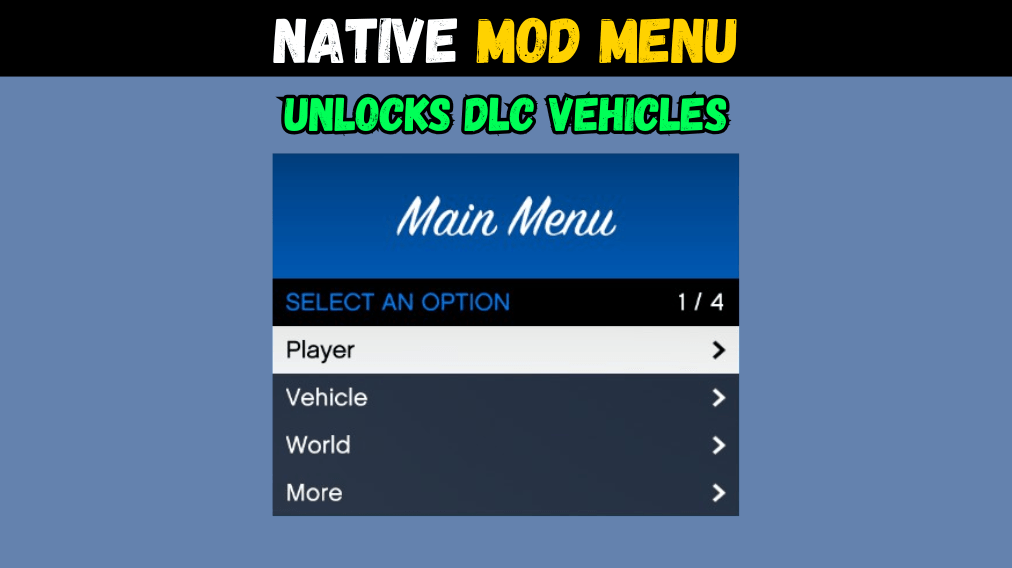
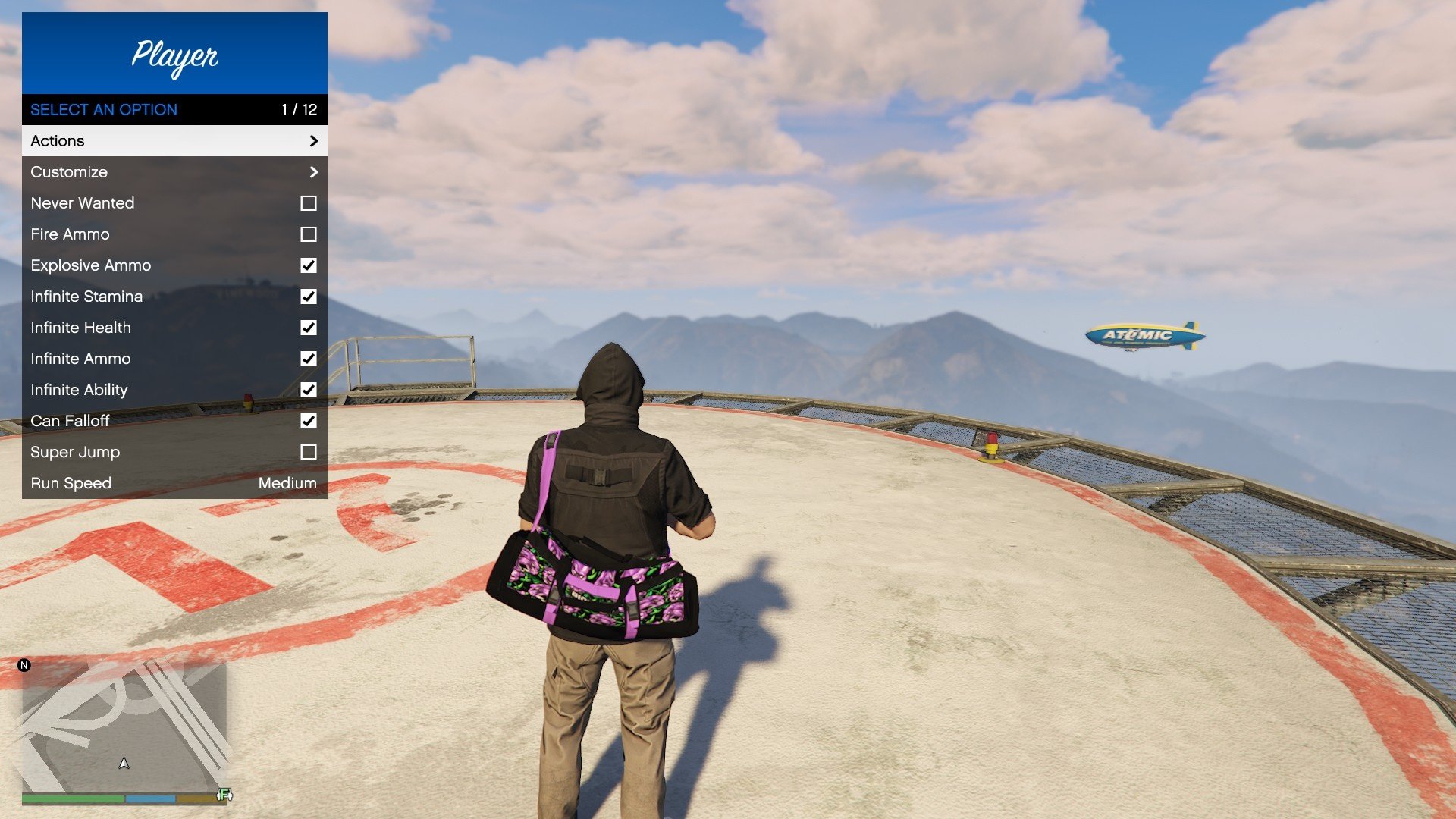
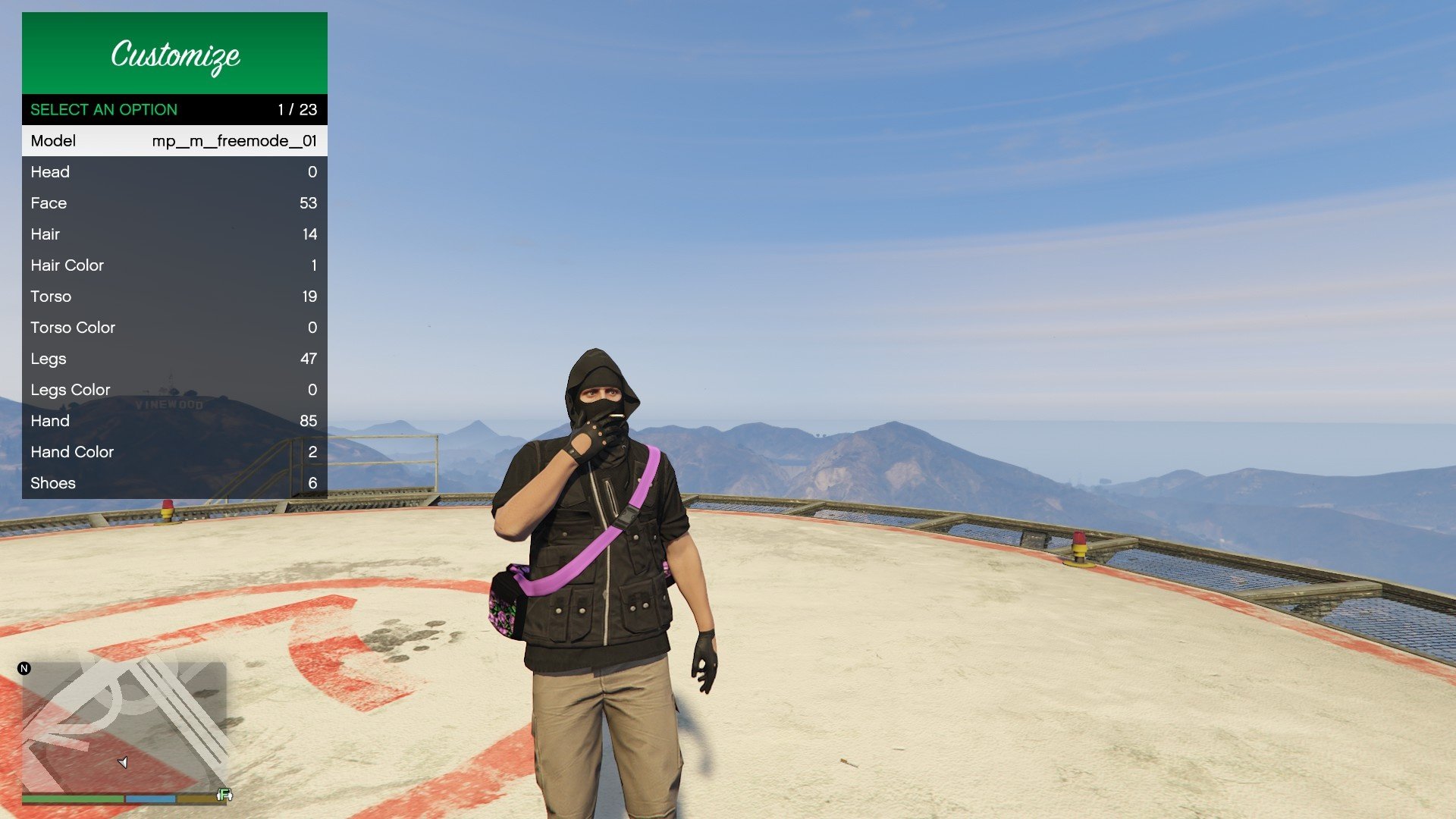
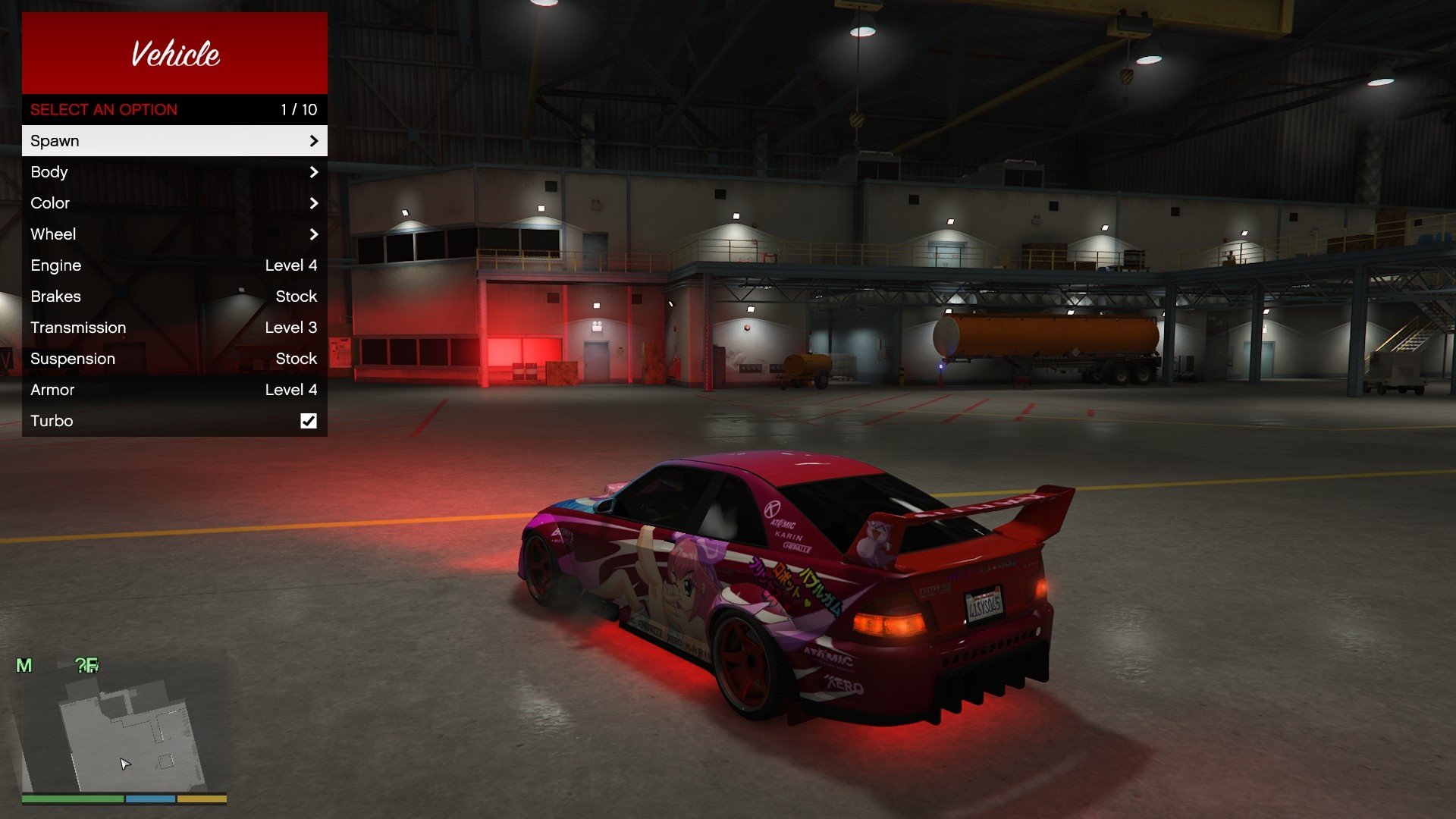
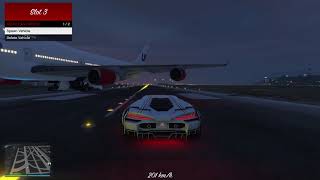
This is a native menu created without any UI libraries, it provides a simple menu with the most essential features.
Open Menu:
- Controller: Double Tap DPAD-RIGHT.
- Keyboard: Press T.
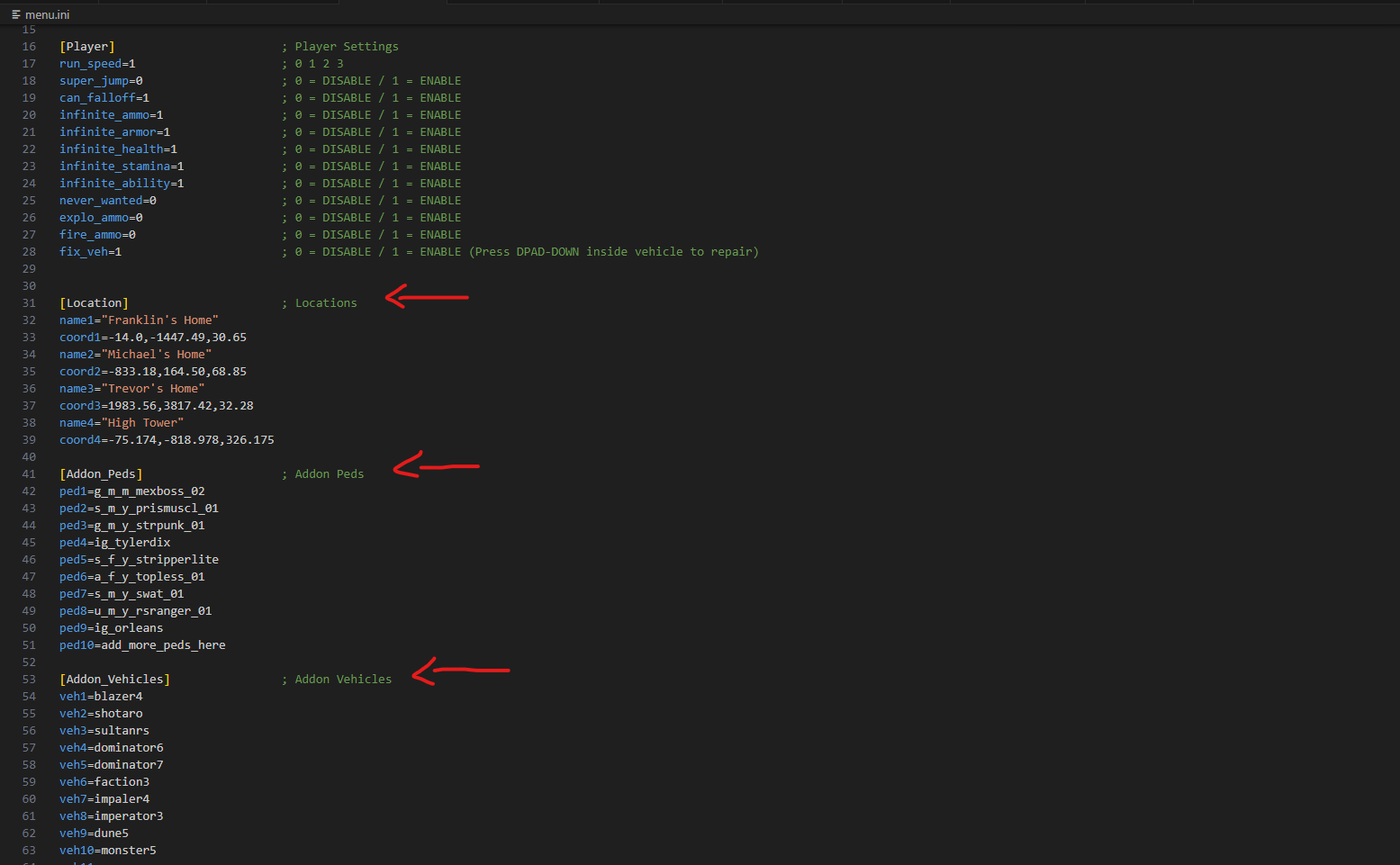
You can customize the menu settings inside the .ini file.
Requirements:
- Script Hook V (Link)
Installation:
- Copy both files into GTA V folder.
Features:
- Unlocks DLC Vehicles.
- Play scenario animations.
- Player customization menu.
- Vehicle customization menu.
- Auto Load/Save player settings.
- Teleport player to saved locations.
- Teleport player to selected waypoint.
- Spawn original, addon or saved vehicles.
- Spawn original, addon or saved characters.
- You can customize all settings including colors.
Addon Peds / Vehicles:
- Open the "Addons" category.
- Click the last item on the list.
- Write the name of the addon.
Change Logs:
- Added feature to toggle no helmet (2.9)
- Fixed bike jump while leaving vehicle (2.9)
- Fixed stuck on flying mode (2.9)
- Added flying mode (2.8)
- Added vehicle jump (2.8)
- Added scale selector (2.8)
- Added mouse navigation. (2.7)
- Added vehicle invincibility. (2.7)
- Fixed vehicle wheel menu. (2.7)
- Fixed infinite ammo and health. (2.7)
- Unlock DLC vehicles. (2.6)
- Added favorite outfits. (2.5)
- Added favorite vehicles. (2.5)
- Added vehicle speedometer. (2.5)
- Fixed customization issues. (2.5)
- Fixed default values. (2.4)
- Fixed traffic selector. (2.3)
- Fixed grayed out colors. (2.2)
- Organized vehicle menu. (2.1)
- Added vehicle horn boost. (2.1)
- Fixed vehicle color issues. (2.1)
- Added vehicle customization. (2.0)
- Added more settings. (2.0)
- Added color system. (2.0)
- Major code cleanup. (2.0)
- Fixed always invincible. (v1.9)
- Added traffic option. (v1.8)
- Fixed invincibility after cutscenes. (v1.8)
- Added all DLC vehicles. (v1.7)
- Sorted vehicles alphabetically. (v1.7)
- Added logic to save addon peds. (v1.6)
- Added logic to save addon vehicles. (v1.6)
- Added under color to player customization. (v1.6)
- Fixed addon models that are not included in dlclist.xml. (v1.6)
- Fixed MP vehicle despawn for latest update. (v1.5)
- Fixed teleport to waypoint falling off map. (v1.5)
- Added option to teleport to waypoint. (v1.4)
- Added option to give money to player. (v1.4)
- Added actions to player menu. (v1.4)
- Added flag to control menu items size. (v1.4)
- Fixed notifications overlapping menu. (v1.4)
- Fixed vehicles not saving in garage. (v1.4)
- Fixed window breaking at high speeds when repairing vehicle. (v1.3)
- Added jacket color to player customization. (v1.3)
- Changed notifications messages. (v1.2)
- Added separated entry for keyboard to ini file. (v1.2)
- Fix building error. (v1.1)
Open Menu:
- Controller: Double Tap DPAD-RIGHT.
- Keyboard: Press T.
You can customize the menu settings inside the .ini file.
Requirements:
- Script Hook V (Link)
Installation:
- Copy both files into GTA V folder.
Features:
- Unlocks DLC Vehicles.
- Play scenario animations.
- Player customization menu.
- Vehicle customization menu.
- Auto Load/Save player settings.
- Teleport player to saved locations.
- Teleport player to selected waypoint.
- Spawn original, addon or saved vehicles.
- Spawn original, addon or saved characters.
- You can customize all settings including colors.
Addon Peds / Vehicles:
- Open the "Addons" category.
- Click the last item on the list.
- Write the name of the addon.
Change Logs:
- Added feature to toggle no helmet (2.9)
- Fixed bike jump while leaving vehicle (2.9)
- Fixed stuck on flying mode (2.9)
- Added flying mode (2.8)
- Added vehicle jump (2.8)
- Added scale selector (2.8)
- Added mouse navigation. (2.7)
- Added vehicle invincibility. (2.7)
- Fixed vehicle wheel menu. (2.7)
- Fixed infinite ammo and health. (2.7)
- Unlock DLC vehicles. (2.6)
- Added favorite outfits. (2.5)
- Added favorite vehicles. (2.5)
- Added vehicle speedometer. (2.5)
- Fixed customization issues. (2.5)
- Fixed default values. (2.4)
- Fixed traffic selector. (2.3)
- Fixed grayed out colors. (2.2)
- Organized vehicle menu. (2.1)
- Added vehicle horn boost. (2.1)
- Fixed vehicle color issues. (2.1)
- Added vehicle customization. (2.0)
- Added more settings. (2.0)
- Added color system. (2.0)
- Major code cleanup. (2.0)
- Fixed always invincible. (v1.9)
- Added traffic option. (v1.8)
- Fixed invincibility after cutscenes. (v1.8)
- Added all DLC vehicles. (v1.7)
- Sorted vehicles alphabetically. (v1.7)
- Added logic to save addon peds. (v1.6)
- Added logic to save addon vehicles. (v1.6)
- Added under color to player customization. (v1.6)
- Fixed addon models that are not included in dlclist.xml. (v1.6)
- Fixed MP vehicle despawn for latest update. (v1.5)
- Fixed teleport to waypoint falling off map. (v1.5)
- Added option to teleport to waypoint. (v1.4)
- Added option to give money to player. (v1.4)
- Added actions to player menu. (v1.4)
- Added flag to control menu items size. (v1.4)
- Fixed notifications overlapping menu. (v1.4)
- Fixed vehicles not saving in garage. (v1.4)
- Fixed window breaking at high speeds when repairing vehicle. (v1.3)
- Added jacket color to player customization. (v1.3)
- Changed notifications messages. (v1.2)
- Added separated entry for keyboard to ini file. (v1.2)
- Fix building error. (v1.1)
First Uploaded: 25. maj 2025
Last Updated: 05. jul 2026
Last Downloaded: 13 minut
All Versions
95 Comments
This is a native menu created without any UI libraries, it provides a simple menu with the most essential features.
Open Menu:
- Controller: Double Tap DPAD-RIGHT.
- Keyboard: Press T.
You can customize the menu settings inside the .ini file.
Requirements:
- Script Hook V (Link)
Installation:
- Copy both files into GTA V folder.
Features:
- Unlocks DLC Vehicles.
- Play scenario animations.
- Player customization menu.
- Vehicle customization menu.
- Auto Load/Save player settings.
- Teleport player to saved locations.
- Teleport player to selected waypoint.
- Spawn original, addon or saved vehicles.
- Spawn original, addon or saved characters.
- You can customize all settings including colors.
Addon Peds / Vehicles:
- Open the "Addons" category.
- Click the last item on the list.
- Write the name of the addon.
Change Logs:
- Added feature to toggle no helmet (2.9)
- Fixed bike jump while leaving vehicle (2.9)
- Fixed stuck on flying mode (2.9)
- Added flying mode (2.8)
- Added vehicle jump (2.8)
- Added scale selector (2.8)
- Added mouse navigation. (2.7)
- Added vehicle invincibility. (2.7)
- Fixed vehicle wheel menu. (2.7)
- Fixed infinite ammo and health. (2.7)
- Unlock DLC vehicles. (2.6)
- Added favorite outfits. (2.5)
- Added favorite vehicles. (2.5)
- Added vehicle speedometer. (2.5)
- Fixed customization issues. (2.5)
- Fixed default values. (2.4)
- Fixed traffic selector. (2.3)
- Fixed grayed out colors. (2.2)
- Organized vehicle menu. (2.1)
- Added vehicle horn boost. (2.1)
- Fixed vehicle color issues. (2.1)
- Added vehicle customization. (2.0)
- Added more settings. (2.0)
- Added color system. (2.0)
- Major code cleanup. (2.0)
- Fixed always invincible. (v1.9)
- Added traffic option. (v1.8)
- Fixed invincibility after cutscenes. (v1.8)
- Added all DLC vehicles. (v1.7)
- Sorted vehicles alphabetically. (v1.7)
- Added logic to save addon peds. (v1.6)
- Added logic to save addon vehicles. (v1.6)
- Added under color to player customization. (v1.6)
- Fixed addon models that are not included in dlclist.xml. (v1.6)
- Fixed MP vehicle despawn for latest update. (v1.5)
- Fixed teleport to waypoint falling off map. (v1.5)
- Added option to teleport to waypoint. (v1.4)
- Added option to give money to player. (v1.4)
- Added actions to player menu. (v1.4)
- Added flag to control menu items size. (v1.4)
- Fixed notifications overlapping menu. (v1.4)
- Fixed vehicles not saving in garage. (v1.4)
- Fixed window breaking at high speeds when repairing vehicle. (v1.3)
- Added jacket color to player customization. (v1.3)
- Changed notifications messages. (v1.2)
- Added separated entry for keyboard to ini file. (v1.2)
- Fix building error. (v1.1)
Open Menu:
- Controller: Double Tap DPAD-RIGHT.
- Keyboard: Press T.
You can customize the menu settings inside the .ini file.
Requirements:
- Script Hook V (Link)
Installation:
- Copy both files into GTA V folder.
Features:
- Unlocks DLC Vehicles.
- Play scenario animations.
- Player customization menu.
- Vehicle customization menu.
- Auto Load/Save player settings.
- Teleport player to saved locations.
- Teleport player to selected waypoint.
- Spawn original, addon or saved vehicles.
- Spawn original, addon or saved characters.
- You can customize all settings including colors.
Addon Peds / Vehicles:
- Open the "Addons" category.
- Click the last item on the list.
- Write the name of the addon.
Change Logs:
- Added feature to toggle no helmet (2.9)
- Fixed bike jump while leaving vehicle (2.9)
- Fixed stuck on flying mode (2.9)
- Added flying mode (2.8)
- Added vehicle jump (2.8)
- Added scale selector (2.8)
- Added mouse navigation. (2.7)
- Added vehicle invincibility. (2.7)
- Fixed vehicle wheel menu. (2.7)
- Fixed infinite ammo and health. (2.7)
- Unlock DLC vehicles. (2.6)
- Added favorite outfits. (2.5)
- Added favorite vehicles. (2.5)
- Added vehicle speedometer. (2.5)
- Fixed customization issues. (2.5)
- Fixed default values. (2.4)
- Fixed traffic selector. (2.3)
- Fixed grayed out colors. (2.2)
- Organized vehicle menu. (2.1)
- Added vehicle horn boost. (2.1)
- Fixed vehicle color issues. (2.1)
- Added vehicle customization. (2.0)
- Added more settings. (2.0)
- Added color system. (2.0)
- Major code cleanup. (2.0)
- Fixed always invincible. (v1.9)
- Added traffic option. (v1.8)
- Fixed invincibility after cutscenes. (v1.8)
- Added all DLC vehicles. (v1.7)
- Sorted vehicles alphabetically. (v1.7)
- Added logic to save addon peds. (v1.6)
- Added logic to save addon vehicles. (v1.6)
- Added under color to player customization. (v1.6)
- Fixed addon models that are not included in dlclist.xml. (v1.6)
- Fixed MP vehicle despawn for latest update. (v1.5)
- Fixed teleport to waypoint falling off map. (v1.5)
- Added option to teleport to waypoint. (v1.4)
- Added option to give money to player. (v1.4)
- Added actions to player menu. (v1.4)
- Added flag to control menu items size. (v1.4)
- Fixed notifications overlapping menu. (v1.4)
- Fixed vehicles not saving in garage. (v1.4)
- Fixed window breaking at high speeds when repairing vehicle. (v1.3)
- Added jacket color to player customization. (v1.3)
- Changed notifications messages. (v1.2)
- Added separated entry for keyboard to ini file. (v1.2)
- Fix building error. (v1.1)
First Uploaded: 25. maj 2025
Last Updated: 05. jul 2026
Last Downloaded: 13 minut
 5mods on Discord

Hey everyone, let me know if you think there's any feature that you'd like to be present, please take in consideration that this is not meant to be a complete trainer, just a simple menu with some essential features for my personal use.
@playerxz5412 I have the same problem, did you solve it?
@dylanvtuber I have the same problem, did you solve it?
@dylanvtuber @playerxz5412 @michaeldi4 Sorry about that, problem is fixed now, thanks!
@syoung777 Hey man, can you please reconsider improving your review? You can change your walk speed in-game and you don't need to change it anymore, everything is saved and loaded next time you open the game.
please add vehicle god mode and max tuned vehicle when spawned
Помогите пж мод работает но когда хочу заспавнить адоны тачки меня выкедает из машины почему чо делать ?
does this trainer have an option to fix the vehicle?
Only problem i have is i cant find a delete for items i spawned is there one? and if so how do i find it
@jagc95 You can press DPAD-DOWN or Z inside any vehicle to repair it.
@NativeCoder Помогите пж мод работает но когда хочу заспавнить адоны тачки меня выкедает из машины почему чо делать ?
@VLAD513 Is your game version updated from Steam or Epic?
@NativeCoder а это как понять он не из стима у меня пиратка
@NativeCoder так поможете или нет?
@VLAD513 The game version you are using is not supported, if cars are disappearing its because the DLC unlock is not being applied in your game. Tell me your game version and I will add support in the future.
i am still getting booted from the cars in the vehicle list. No matter what i choose i still get booted out. Is there a fix by chance?
@NativeCoder вот 1.0.3751.0 / 1.72 (Build 21607660) она от игруха прошу найдите решение если оно есть буду очень признательный
Works fine with the latest update,wish this had vehicle previews like the Enhanced Native Trainer.
@SirDoge27 How did you get it to work? I put the files and the Script Hook V straight into my GTAV.exe folder and can't get it to work. Tried the D pad right twice and even tried pressing T on the keyboard. Thought I'd ask ya since you commented 4h ago.
@K1ngSlayerOG Sorry for late reply,summer work...Well , all I did was install ScriptHook and ScripthookVdotnet (remember to put the files from the "Bin" folder of Scripthook inside the game's main folder ) , then I just copied the 2 files from this inside the main one also.
Can the author make that kind of mod like in PUBG where you can customize and edit the key prompts?