Rockstar Editor+ 1.6.1



6.012
98
6.012
98
Rockstar Editor+ is an overhaul of GTA V's Rockstar Editor. It rewrites how the camera moves, fixes engine behaviour that gets in the way of shooting, and replaces the Export button with its own render pipeline.
Works on Legacy, Enhanced and FiveM from a single build.
1 — CAMERA AND SCENE
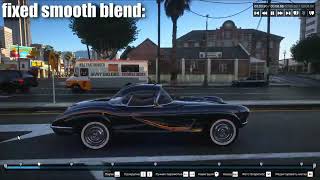
Smooth Blend, rewritten and fixed
Smooth Blend is the transition every moving shot depends on, and stock it is a straight line between markers with a damped spring on top. The path cannot arc, the spring undershoots corners so the camera never quite arrives where you placed the marker, and speed steps at every keyframe.
• Position — a spline that passes exactly through every marker
• Rotation — interpolated across markers, continuous in rate
• Field of view — monotone, so a zoom never overshoots
• Speed — continuous across markers, no kick at a keyframe
• Mounted shots — markers attached to a car or ped curve in that entity's own frame, so they ride along exactly as stock does
• Look-at markers — re-aimed from the splined position, so the subject stays framed
Per-marker overrides for curve tension, ease-in, ease-out, or reverting a single segment to stock. Markers set to None stay hard cuts.
Stage Lights
You are able to add custom stage lights with full control over their appearance and animation, up to 32 lights per-clip.
• Pick between Spot or Point light
• Customize their color, radius, intensity
• Make it move around, animate per-keyframe
• Change it's properties, including volumetric fog, shadows and their quality
• Blackout-resistant, works in any game conditions to create the most unique scenes that were not possible before
In-clip Weather & Time controls
Global RE+ settings allow you to change scene weather and time without recording clips again.
• Weather picker & ability to blend two weathers to get something in between
• Time picker, change between day and night
• Wetness level picker, configure how much puddles you want
Camera shake
Procedural six-axis handheld shake, configured per marker in real units — degrees and hertz, not arbitrary sliders.
• Optional coupling to camera speed, so the rig shakes harder when moving
• Simple mode (amplitude and frequency), or a two-layer sway/jitter model with per-axis weights
• Copy one marker's shake to every marker in the project in one action
2 — ENGINE FIXES
The stall between every action
On a heavily modded install the editor freezes for seconds after every seek, cut and marker move, with the controls locked. Everyone assumes memory — and every heap, pool and VRAM adjuster ever pointed at it has failed to help.
It is not a capacity problem. After every seek the editor precaches, and stock code will not continue until the outstanding streaming requests for the whole game have been zero for ten consecutive frames. A modded game never reaches zero, so the wait always runs out its give-up timer instead. Nothing you can allocate makes an idle requirement true, which is exactly why more memory never fixed it. A high frame rate makes it longer, not shorter, because that timer counts frames rather than milliseconds.
RE+ drops the whole-game idle requirement and puts a ceiling on the wait that actually matters — the replay's own preload. Two smaller waits go with it. All of it is gated on the editor being open, so gameplay, recording and clip loading are untouched.
Detail follows the camera
The world streams around the player, not the camera. Fly the free camera any real distance and you are filming a scene that is still being loaded for someone standing where you took off — low LOD, missing map, and traffic that thins out around the shot. Map data, collision, peds and population now centre on the camera instead, through the same mechanism the game's own player-switch camera uses.
Editor restrictions removed
• Camera distance limit from the player lifted
• Camera collision disabled — the camera passes through geometry instead of being shoved off your authored path
• Social Club profanity check bypassed, so naming and exporting work offline
• Clip Recording Heap Adjuster, allows to record x4 sized clips, tunable
• First person view clips camera restriction disable
• Zoom range extension
Each of these is a single setting and each resolves independently: if a pattern does not match on your build, that one item switches itself off and says so in the log, keeping the rest.
3 — RENDERING
Render pipeline (Requires ReShade & our custom IGCS Connector addon)
Experimental, takes over the Export button. Ships disabled — enable it in Render.ini.
• Video, or a numbered PNG / JPEG sequence
• No watermark
• Two frame accumulation rendering modes: Sliding & Walking
• IGCS Depth Of Field physically accurate bokeh video & photo rendering, extremely time consuming
• Any frame rate, independent of your playback rate
• True accumulated motion blur with a configurable shutter
• Renders a marker's slow or fast motion, with the audio pitched to match
• Project audio captured and muxed into video output
• h264, h265, nvenc_hevc, prores_hq and lossless presets included, with CRF or bitrate targets; arbitrary ffmpeg arguments accepted
• Escape stops a render and keeps what it has already written
Configuration
Everything is in the editor itself — a Rockstar Editor+ row in the marker menus, with global settings on the top-level menu and per-marker settings in the camera submenu. Changes save automatically. Per-marker settings are stored outside the .clip file, so projects stay loadable without the mod installed.
Installation
1. Install an ASI loader.
2. Extract the download into your game folder, beside GTA5.exe or GTA5_Enhanced.exe.
3. (Rendering and depth of field only) Install ReShade — it must be the build with full add-on support, as the ordinary build cannot load add-ons at all.
The capture add-on, its depth-of-field shader and ffmpeg are all included. ReShade itself is not, since it has its own installer and update cycle.
FiveM: the same files go into your FiveM\FiveM.app\plugins folder instead. No separate download, nothing to enable.
Notes
• Smooth Blend, shake and the engine fixes need only the ASI loader. ReShade is required for rendering because an ASI cannot read the GPU frame buffer on its own.
• The renderer ships off because diverting the export bake stops other export tools (EVE, EVER) from running — they do not error, they simply never fire. Everything else the mod does is additive.
Links
• Source code on GitHub
• Join our Discord
• Support on Patreon
Licensed GPL-3.0-only. Bundles MinHook (BSD 2-clause), a GPLv3 build of FFmpeg, and IgcsConnector by Frans Bouma (add-on MIT, IgcsDof.fx BSD 2-clause).
Changelog
1.0 - Initial release.
1.0.1 - Fixed crash on render startup & inverted image colors.
1.0.2 - Added Render Preset maker tool inside RockstarEditorPlus folder & rendering engine bug fixes.
1.1 - Added Clip Recording Heap Adjuster & FPV clips camera restrictions disabled & other fixes.
1.1.1 - Added Sliding (similar to Simple Camera rendering) rendering mode.
1.2 - Weather & time in-clip control via Rockstar Editor+ menu, RE+ render settings inside Rockstar Editor Export menu, FiveM & other minor fixes.
1.2.1 - Fixed Exporting being broken if motion blur is disabled or sample count is too low.
1.3 - Editor buffering between every action fixed, streaming detail now follows the camera, slow motion clips render correctly with matching audio, bitrate & ProRes 4:4:4 options in the preset tool, Escape cancels a running render, UI no longer captured into rendered frames & renderer fixes.
1.4 - IGCS Depth Of Field rendering mode (VERY EXPENSIVE, VERY EXPERIMENTAL, DONT USE IF YOU HAVE NO IDEA WHAT YOU'RE DOING), Camera Weight options to make splines less sensetive & rendering and other fixes.
1.5 - Stage Lights integration inside RE+ Global Native Menu.
1.5.1 - IGCS Depth Of Field as a video exporting modifier & minor fixes.
1.6 - Updated Preset Maker with lots of new codecs & presets, ability to pick encoder preset from RE+ Export Menu, better sidecar marker integration & many more fixes.
1.6.1 - FFmpeg fixes
Works on Legacy, Enhanced and FiveM from a single build.
1 — CAMERA AND SCENE
Smooth Blend, rewritten and fixed
Smooth Blend is the transition every moving shot depends on, and stock it is a straight line between markers with a damped spring on top. The path cannot arc, the spring undershoots corners so the camera never quite arrives where you placed the marker, and speed steps at every keyframe.
• Position — a spline that passes exactly through every marker
• Rotation — interpolated across markers, continuous in rate
• Field of view — monotone, so a zoom never overshoots
• Speed — continuous across markers, no kick at a keyframe
• Mounted shots — markers attached to a car or ped curve in that entity's own frame, so they ride along exactly as stock does
• Look-at markers — re-aimed from the splined position, so the subject stays framed
Per-marker overrides for curve tension, ease-in, ease-out, or reverting a single segment to stock. Markers set to None stay hard cuts.
Stage Lights
You are able to add custom stage lights with full control over their appearance and animation, up to 32 lights per-clip.
• Pick between Spot or Point light
• Customize their color, radius, intensity
• Make it move around, animate per-keyframe
• Change it's properties, including volumetric fog, shadows and their quality
• Blackout-resistant, works in any game conditions to create the most unique scenes that were not possible before
In-clip Weather & Time controls
Global RE+ settings allow you to change scene weather and time without recording clips again.
• Weather picker & ability to blend two weathers to get something in between
• Time picker, change between day and night
• Wetness level picker, configure how much puddles you want
Camera shake
Procedural six-axis handheld shake, configured per marker in real units — degrees and hertz, not arbitrary sliders.
• Optional coupling to camera speed, so the rig shakes harder when moving
• Simple mode (amplitude and frequency), or a two-layer sway/jitter model with per-axis weights
• Copy one marker's shake to every marker in the project in one action
2 — ENGINE FIXES
The stall between every action
On a heavily modded install the editor freezes for seconds after every seek, cut and marker move, with the controls locked. Everyone assumes memory — and every heap, pool and VRAM adjuster ever pointed at it has failed to help.
It is not a capacity problem. After every seek the editor precaches, and stock code will not continue until the outstanding streaming requests for the whole game have been zero for ten consecutive frames. A modded game never reaches zero, so the wait always runs out its give-up timer instead. Nothing you can allocate makes an idle requirement true, which is exactly why more memory never fixed it. A high frame rate makes it longer, not shorter, because that timer counts frames rather than milliseconds.
RE+ drops the whole-game idle requirement and puts a ceiling on the wait that actually matters — the replay's own preload. Two smaller waits go with it. All of it is gated on the editor being open, so gameplay, recording and clip loading are untouched.
Detail follows the camera
The world streams around the player, not the camera. Fly the free camera any real distance and you are filming a scene that is still being loaded for someone standing where you took off — low LOD, missing map, and traffic that thins out around the shot. Map data, collision, peds and population now centre on the camera instead, through the same mechanism the game's own player-switch camera uses.
Editor restrictions removed
• Camera distance limit from the player lifted
• Camera collision disabled — the camera passes through geometry instead of being shoved off your authored path
• Social Club profanity check bypassed, so naming and exporting work offline
• Clip Recording Heap Adjuster, allows to record x4 sized clips, tunable
• First person view clips camera restriction disable
• Zoom range extension
Each of these is a single setting and each resolves independently: if a pattern does not match on your build, that one item switches itself off and says so in the log, keeping the rest.
3 — RENDERING
Render pipeline (Requires ReShade & our custom IGCS Connector addon)
Experimental, takes over the Export button. Ships disabled — enable it in Render.ini.
• Video, or a numbered PNG / JPEG sequence
• No watermark
• Two frame accumulation rendering modes: Sliding & Walking
• IGCS Depth Of Field physically accurate bokeh video & photo rendering, extremely time consuming
• Any frame rate, independent of your playback rate
• True accumulated motion blur with a configurable shutter
• Renders a marker's slow or fast motion, with the audio pitched to match
• Project audio captured and muxed into video output
• h264, h265, nvenc_hevc, prores_hq and lossless presets included, with CRF or bitrate targets; arbitrary ffmpeg arguments accepted
• Escape stops a render and keeps what it has already written
Configuration
Everything is in the editor itself — a Rockstar Editor+ row in the marker menus, with global settings on the top-level menu and per-marker settings in the camera submenu. Changes save automatically. Per-marker settings are stored outside the .clip file, so projects stay loadable without the mod installed.
Installation
1. Install an ASI loader.
2. Extract the download into your game folder, beside GTA5.exe or GTA5_Enhanced.exe.
3. (Rendering and depth of field only) Install ReShade — it must be the build with full add-on support, as the ordinary build cannot load add-ons at all.
The capture add-on, its depth-of-field shader and ffmpeg are all included. ReShade itself is not, since it has its own installer and update cycle.
FiveM: the same files go into your FiveM\FiveM.app\plugins folder instead. No separate download, nothing to enable.
Notes
• Smooth Blend, shake and the engine fixes need only the ASI loader. ReShade is required for rendering because an ASI cannot read the GPU frame buffer on its own.
• The renderer ships off because diverting the export bake stops other export tools (EVE, EVER) from running — they do not error, they simply never fire. Everything else the mod does is additive.
Links
• Source code on GitHub
• Join our Discord
• Support on Patreon
Licensed GPL-3.0-only. Bundles MinHook (BSD 2-clause), a GPLv3 build of FFmpeg, and IgcsConnector by Frans Bouma (add-on MIT, IgcsDof.fx BSD 2-clause).
Changelog
1.0 - Initial release.
1.0.1 - Fixed crash on render startup & inverted image colors.
1.0.2 - Added Render Preset maker tool inside RockstarEditorPlus folder & rendering engine bug fixes.
1.1 - Added Clip Recording Heap Adjuster & FPV clips camera restrictions disabled & other fixes.
1.1.1 - Added Sliding (similar to Simple Camera rendering) rendering mode.
1.2 - Weather & time in-clip control via Rockstar Editor+ menu, RE+ render settings inside Rockstar Editor Export menu, FiveM & other minor fixes.
1.2.1 - Fixed Exporting being broken if motion blur is disabled or sample count is too low.
1.3 - Editor buffering between every action fixed, streaming detail now follows the camera, slow motion clips render correctly with matching audio, bitrate & ProRes 4:4:4 options in the preset tool, Escape cancels a running render, UI no longer captured into rendered frames & renderer fixes.
1.4 - IGCS Depth Of Field rendering mode (VERY EXPENSIVE, VERY EXPERIMENTAL, DONT USE IF YOU HAVE NO IDEA WHAT YOU'RE DOING), Camera Weight options to make splines less sensetive & rendering and other fixes.
1.5 - Stage Lights integration inside RE+ Global Native Menu.
1.5.1 - IGCS Depth Of Field as a video exporting modifier & minor fixes.
1.6 - Updated Preset Maker with lots of new codecs & presets, ability to pick encoder preset from RE+ Export Menu, better sidecar marker integration & many more fixes.
1.6.1 - FFmpeg fixes
Carregat per primera vegada: 01 de Agost de 2026
Actualització més recent: 22 de Agost de 2026
Últim descarregat: Fa 1 hora
87 Comentaris
Rockstar Editor+ is an overhaul of GTA V's Rockstar Editor. It rewrites how the camera moves, fixes engine behaviour that gets in the way of shooting, and replaces the Export button with its own render pipeline.
Works on Legacy, Enhanced and FiveM from a single build.
1 — CAMERA AND SCENE
Smooth Blend, rewritten and fixed
Smooth Blend is the transition every moving shot depends on, and stock it is a straight line between markers with a damped spring on top. The path cannot arc, the spring undershoots corners so the camera never quite arrives where you placed the marker, and speed steps at every keyframe.
• Position — a spline that passes exactly through every marker
• Rotation — interpolated across markers, continuous in rate
• Field of view — monotone, so a zoom never overshoots
• Speed — continuous across markers, no kick at a keyframe
• Mounted shots — markers attached to a car or ped curve in that entity's own frame, so they ride along exactly as stock does
• Look-at markers — re-aimed from the splined position, so the subject stays framed
Per-marker overrides for curve tension, ease-in, ease-out, or reverting a single segment to stock. Markers set to None stay hard cuts.
Stage Lights
You are able to add custom stage lights with full control over their appearance and animation, up to 32 lights per-clip.
• Pick between Spot or Point light
• Customize their color, radius, intensity
• Make it move around, animate per-keyframe
• Change it's properties, including volumetric fog, shadows and their quality
• Blackout-resistant, works in any game conditions to create the most unique scenes that were not possible before
In-clip Weather & Time controls
Global RE+ settings allow you to change scene weather and time without recording clips again.
• Weather picker & ability to blend two weathers to get something in between
• Time picker, change between day and night
• Wetness level picker, configure how much puddles you want
Camera shake
Procedural six-axis handheld shake, configured per marker in real units — degrees and hertz, not arbitrary sliders.
• Optional coupling to camera speed, so the rig shakes harder when moving
• Simple mode (amplitude and frequency), or a two-layer sway/jitter model with per-axis weights
• Copy one marker's shake to every marker in the project in one action
2 — ENGINE FIXES
The stall between every action
On a heavily modded install the editor freezes for seconds after every seek, cut and marker move, with the controls locked. Everyone assumes memory — and every heap, pool and VRAM adjuster ever pointed at it has failed to help.
It is not a capacity problem. After every seek the editor precaches, and stock code will not continue until the outstanding streaming requests for the whole game have been zero for ten consecutive frames. A modded game never reaches zero, so the wait always runs out its give-up timer instead. Nothing you can allocate makes an idle requirement true, which is exactly why more memory never fixed it. A high frame rate makes it longer, not shorter, because that timer counts frames rather than milliseconds.
RE+ drops the whole-game idle requirement and puts a ceiling on the wait that actually matters — the replay's own preload. Two smaller waits go with it. All of it is gated on the editor being open, so gameplay, recording and clip loading are untouched.
Detail follows the camera
The world streams around the player, not the camera. Fly the free camera any real distance and you are filming a scene that is still being loaded for someone standing where you took off — low LOD, missing map, and traffic that thins out around the shot. Map data, collision, peds and population now centre on the camera instead, through the same mechanism the game's own player-switch camera uses.
Editor restrictions removed
• Camera distance limit from the player lifted
• Camera collision disabled — the camera passes through geometry instead of being shoved off your authored path
• Social Club profanity check bypassed, so naming and exporting work offline
• Clip Recording Heap Adjuster, allows to record x4 sized clips, tunable
• First person view clips camera restriction disable
• Zoom range extension
Each of these is a single setting and each resolves independently: if a pattern does not match on your build, that one item switches itself off and says so in the log, keeping the rest.
3 — RENDERING
Render pipeline (Requires ReShade & our custom IGCS Connector addon)
Experimental, takes over the Export button. Ships disabled — enable it in Render.ini.
• Video, or a numbered PNG / JPEG sequence
• No watermark
• Two frame accumulation rendering modes: Sliding & Walking
• IGCS Depth Of Field physically accurate bokeh video & photo rendering, extremely time consuming
• Any frame rate, independent of your playback rate
• True accumulated motion blur with a configurable shutter
• Renders a marker's slow or fast motion, with the audio pitched to match
• Project audio captured and muxed into video output
• h264, h265, nvenc_hevc, prores_hq and lossless presets included, with CRF or bitrate targets; arbitrary ffmpeg arguments accepted
• Escape stops a render and keeps what it has already written
Configuration
Everything is in the editor itself — a Rockstar Editor+ row in the marker menus, with global settings on the top-level menu and per-marker settings in the camera submenu. Changes save automatically. Per-marker settings are stored outside the .clip file, so projects stay loadable without the mod installed.
Installation
1. Install an ASI loader.
2. Extract the download into your game folder, beside GTA5.exe or GTA5_Enhanced.exe.
3. (Rendering and depth of field only) Install ReShade — it must be the build with full add-on support, as the ordinary build cannot load add-ons at all.
The capture add-on, its depth-of-field shader and ffmpeg are all included. ReShade itself is not, since it has its own installer and update cycle.
FiveM: the same files go into your FiveM\FiveM.app\plugins folder instead. No separate download, nothing to enable.
Notes
• Smooth Blend, shake and the engine fixes need only the ASI loader. ReShade is required for rendering because an ASI cannot read the GPU frame buffer on its own.
• The renderer ships off because diverting the export bake stops other export tools (EVE, EVER) from running — they do not error, they simply never fire. Everything else the mod does is additive.
Links
• Source code on GitHub
• Join our Discord
• Support on Patreon
Licensed GPL-3.0-only. Bundles MinHook (BSD 2-clause), a GPLv3 build of FFmpeg, and IgcsConnector by Frans Bouma (add-on MIT, IgcsDof.fx BSD 2-clause).
Changelog
1.0 - Initial release.
1.0.1 - Fixed crash on render startup & inverted image colors.
1.0.2 - Added Render Preset maker tool inside RockstarEditorPlus folder & rendering engine bug fixes.
1.1 - Added Clip Recording Heap Adjuster & FPV clips camera restrictions disabled & other fixes.
1.1.1 - Added Sliding (similar to Simple Camera rendering) rendering mode.
1.2 - Weather & time in-clip control via Rockstar Editor+ menu, RE+ render settings inside Rockstar Editor Export menu, FiveM & other minor fixes.
1.2.1 - Fixed Exporting being broken if motion blur is disabled or sample count is too low.
1.3 - Editor buffering between every action fixed, streaming detail now follows the camera, slow motion clips render correctly with matching audio, bitrate & ProRes 4:4:4 options in the preset tool, Escape cancels a running render, UI no longer captured into rendered frames & renderer fixes.
1.4 - IGCS Depth Of Field rendering mode (VERY EXPENSIVE, VERY EXPERIMENTAL, DONT USE IF YOU HAVE NO IDEA WHAT YOU'RE DOING), Camera Weight options to make splines less sensetive & rendering and other fixes.
1.5 - Stage Lights integration inside RE+ Global Native Menu.
1.5.1 - IGCS Depth Of Field as a video exporting modifier & minor fixes.
1.6 - Updated Preset Maker with lots of new codecs & presets, ability to pick encoder preset from RE+ Export Menu, better sidecar marker integration & many more fixes.
1.6.1 - FFmpeg fixes
Works on Legacy, Enhanced and FiveM from a single build.
1 — CAMERA AND SCENE
Smooth Blend, rewritten and fixed
Smooth Blend is the transition every moving shot depends on, and stock it is a straight line between markers with a damped spring on top. The path cannot arc, the spring undershoots corners so the camera never quite arrives where you placed the marker, and speed steps at every keyframe.
• Position — a spline that passes exactly through every marker
• Rotation — interpolated across markers, continuous in rate
• Field of view — monotone, so a zoom never overshoots
• Speed — continuous across markers, no kick at a keyframe
• Mounted shots — markers attached to a car or ped curve in that entity's own frame, so they ride along exactly as stock does
• Look-at markers — re-aimed from the splined position, so the subject stays framed
Per-marker overrides for curve tension, ease-in, ease-out, or reverting a single segment to stock. Markers set to None stay hard cuts.
Stage Lights
You are able to add custom stage lights with full control over their appearance and animation, up to 32 lights per-clip.
• Pick between Spot or Point light
• Customize their color, radius, intensity
• Make it move around, animate per-keyframe
• Change it's properties, including volumetric fog, shadows and their quality
• Blackout-resistant, works in any game conditions to create the most unique scenes that were not possible before
In-clip Weather & Time controls
Global RE+ settings allow you to change scene weather and time without recording clips again.
• Weather picker & ability to blend two weathers to get something in between
• Time picker, change between day and night
• Wetness level picker, configure how much puddles you want
Camera shake
Procedural six-axis handheld shake, configured per marker in real units — degrees and hertz, not arbitrary sliders.
• Optional coupling to camera speed, so the rig shakes harder when moving
• Simple mode (amplitude and frequency), or a two-layer sway/jitter model with per-axis weights
• Copy one marker's shake to every marker in the project in one action
2 — ENGINE FIXES
The stall between every action
On a heavily modded install the editor freezes for seconds after every seek, cut and marker move, with the controls locked. Everyone assumes memory — and every heap, pool and VRAM adjuster ever pointed at it has failed to help.
It is not a capacity problem. After every seek the editor precaches, and stock code will not continue until the outstanding streaming requests for the whole game have been zero for ten consecutive frames. A modded game never reaches zero, so the wait always runs out its give-up timer instead. Nothing you can allocate makes an idle requirement true, which is exactly why more memory never fixed it. A high frame rate makes it longer, not shorter, because that timer counts frames rather than milliseconds.
RE+ drops the whole-game idle requirement and puts a ceiling on the wait that actually matters — the replay's own preload. Two smaller waits go with it. All of it is gated on the editor being open, so gameplay, recording and clip loading are untouched.
Detail follows the camera
The world streams around the player, not the camera. Fly the free camera any real distance and you are filming a scene that is still being loaded for someone standing where you took off — low LOD, missing map, and traffic that thins out around the shot. Map data, collision, peds and population now centre on the camera instead, through the same mechanism the game's own player-switch camera uses.
Editor restrictions removed
• Camera distance limit from the player lifted
• Camera collision disabled — the camera passes through geometry instead of being shoved off your authored path
• Social Club profanity check bypassed, so naming and exporting work offline
• Clip Recording Heap Adjuster, allows to record x4 sized clips, tunable
• First person view clips camera restriction disable
• Zoom range extension
Each of these is a single setting and each resolves independently: if a pattern does not match on your build, that one item switches itself off and says so in the log, keeping the rest.
3 — RENDERING
Render pipeline (Requires ReShade & our custom IGCS Connector addon)
Experimental, takes over the Export button. Ships disabled — enable it in Render.ini.
• Video, or a numbered PNG / JPEG sequence
• No watermark
• Two frame accumulation rendering modes: Sliding & Walking
• IGCS Depth Of Field physically accurate bokeh video & photo rendering, extremely time consuming
• Any frame rate, independent of your playback rate
• True accumulated motion blur with a configurable shutter
• Renders a marker's slow or fast motion, with the audio pitched to match
• Project audio captured and muxed into video output
• h264, h265, nvenc_hevc, prores_hq and lossless presets included, with CRF or bitrate targets; arbitrary ffmpeg arguments accepted
• Escape stops a render and keeps what it has already written
Configuration
Everything is in the editor itself — a Rockstar Editor+ row in the marker menus, with global settings on the top-level menu and per-marker settings in the camera submenu. Changes save automatically. Per-marker settings are stored outside the .clip file, so projects stay loadable without the mod installed.
Installation
1. Install an ASI loader.
2. Extract the download into your game folder, beside GTA5.exe or GTA5_Enhanced.exe.
3. (Rendering and depth of field only) Install ReShade — it must be the build with full add-on support, as the ordinary build cannot load add-ons at all.
The capture add-on, its depth-of-field shader and ffmpeg are all included. ReShade itself is not, since it has its own installer and update cycle.
FiveM: the same files go into your FiveM\FiveM.app\plugins folder instead. No separate download, nothing to enable.
Notes
• Smooth Blend, shake and the engine fixes need only the ASI loader. ReShade is required for rendering because an ASI cannot read the GPU frame buffer on its own.
• The renderer ships off because diverting the export bake stops other export tools (EVE, EVER) from running — they do not error, they simply never fire. Everything else the mod does is additive.
Links
• Source code on GitHub
• Join our Discord
• Support on Patreon
Licensed GPL-3.0-only. Bundles MinHook (BSD 2-clause), a GPLv3 build of FFmpeg, and IgcsConnector by Frans Bouma (add-on MIT, IgcsDof.fx BSD 2-clause).
Changelog
1.0 - Initial release.
1.0.1 - Fixed crash on render startup & inverted image colors.
1.0.2 - Added Render Preset maker tool inside RockstarEditorPlus folder & rendering engine bug fixes.
1.1 - Added Clip Recording Heap Adjuster & FPV clips camera restrictions disabled & other fixes.
1.1.1 - Added Sliding (similar to Simple Camera rendering) rendering mode.
1.2 - Weather & time in-clip control via Rockstar Editor+ menu, RE+ render settings inside Rockstar Editor Export menu, FiveM & other minor fixes.
1.2.1 - Fixed Exporting being broken if motion blur is disabled or sample count is too low.
1.3 - Editor buffering between every action fixed, streaming detail now follows the camera, slow motion clips render correctly with matching audio, bitrate & ProRes 4:4:4 options in the preset tool, Escape cancels a running render, UI no longer captured into rendered frames & renderer fixes.
1.4 - IGCS Depth Of Field rendering mode (VERY EXPENSIVE, VERY EXPERIMENTAL, DONT USE IF YOU HAVE NO IDEA WHAT YOU'RE DOING), Camera Weight options to make splines less sensetive & rendering and other fixes.
1.5 - Stage Lights integration inside RE+ Global Native Menu.
1.5.1 - IGCS Depth Of Field as a video exporting modifier & minor fixes.
1.6 - Updated Preset Maker with lots of new codecs & presets, ability to pick encoder preset from RE+ Export Menu, better sidecar marker integration & many more fixes.
1.6.1 - FFmpeg fixes
Carregat per primera vegada: 01 de Agost de 2026
Actualització més recent: 22 de Agost de 2026
Últim descarregat: Fa 1 hora
 5mods on Discord

mood gude
Can you add a percentage indicator to the export progress? Otherwise, I really don't know where the export progress is. Also, exporting using NVE+EVE is very slow.
@Jake_GG "exporting using NVE+EVE is very slow"
that is because you use EVE, RE+ comes with its own exporter.
@safari4831 So, if I don't use EVE and instead use the RE that comes with it, will I still have the same dynamic effects as EVE?
Hello, could you please add an update that allows recording from an NPC's first-person perspective? Currently, in the editor's free mode, you can only position the camera for the NPC's third-person view.
@safari4831 so any news why it says "ffmpeg did not exit"?
I got blackscreen exporting with the IGCS DOF option (i got nve)
There's a problem with exporting; I can't switch out of the desktop to do other things during the export process. I have to keep watching the entire export. With EVE or my original Rockstar Editor, I can switch out of the desktop to do other things. Can this be improved in the future? Otherwise, the exporting time is truly agonizing.
I found that you have to watch the screen the whole time to complete the export process. You can't switch out of the desktop or window to do other things during the export process. This means I have to wait for him to finish the export on the export page. If I switch out of the desktop or window, the export process will freeze and won't continue. This is a waste of time and is very frustrating, because EVE and the original Rockstar Editor allow you to export and then switch out of the desktop or window to do other things.
Can someone tell me, how to install these files in GTA V folder?
Phenomenal Mod. Absolute gamechanger
Can you make tutorial video for better understand, Waiting <3
The stall between every action fix isn't working anymore :( My timeline is laggy again
Just letting you know, I've found that I have to keep fully re-installing the mod every so often to fix the timeline lagging/loading when you click around. Idk if there's a better way or what
I tried exporting it today; the video plays, but it never actually exports, and I don't understand why it's not working.
The whole project was 7 minutes long, but nothing—it just won't work. I used the game's standard export function and that works fine, but the mod doesn't. :(
Hi! I tried your mod, and it’s absolutely amazing for recording fights, chases, and other scenes where the camera needs to move quickly and dynamically. But for slower, more cinematic scenes, it seems to work a bit worse - or maybe I just haven’t fully figured out all of its features yet.
For example, if I place the camera in exactly the same position at points A and B, during playback it doesn’t stay still. Instead, it keeps moving forward and slightly downward. Even if I add another point at the end, the camera still continues moving instead of remaining completely static.
I also noticed another issue: if I set the points to ValStockPath and then move the starting or ending point on the timeline to shorten that part of the shot, the ValStockPath setting seems to reset. Maybe I’m doing something wrong.
I think it would be really useful if RockstarEditor+ could be temporarily disabled directly in-game. That way, for regular cinematic scenes I could use the standard Rockstar Editor, which already handles those kinds of shots very well, and then enable the plugin whenever I need more complex or dynamic camera movements.
Sorry if I didn’t explain the issue perfectly - English is not my native language.
While making machinima, I’ve often thought, “I wish someone would make a plugin that fixes the camera lagging behind,” and you actually did it. That’s incredibly cool. Thank you so much for your work!
i'm having a timeline skipping issue when exporting, once a export is done it doesnt at all follow the smooth camera settings and i dont use the built in spline cause it lowk sucks for most scenes but yeah its mildly annoying that i have to just refilm whole scenes because of it
nice work!
is it compatible with build 1180.2
Slow motion speed is not preserved in REPlus render
Hi, I’m having an issue where slow motion works correctly inside Rockstar Editor, but the rendered video from REPlus plays back at normal speed.
Steps to reproduce:
Create/open a Rockstar Editor project.
Set the clip/marker Speed to 5%.
Preview the project in Rockstar Editor — the slow motion works correctly.
Export the project using REPlus.
The exported video plays at normal/near-normal speed instead of the 5% speed shown in the editor.
My current REPlus render settings are:
Output FPS: 60 FPS
Capture Mode: Sliding
Motion Blur: 24 samples
Shutter: 0.50 / 180°
Highlight Boost: 0.60
I also tried changing the output FPS, but the issue remains. It seems like the Rockstar Editor Speed marker/value is being ignored during export, while the camera path and other editor changes are rendered correctly.
Expected behavior:
A clip set to 5% speed should render at the same 5% slow-motion speed as the Rockstar Editor preview.
Actual behavior:
The exported video plays at normal speed.
Is this a known issue, or is there a specific REPlus setting required for rendering Rockstar Editor slow-motion/speed markers correctly?
I can also provide the REPlus log and a short example project if needed.
can we get more speed options/slow mo options