Rockstar Editor+ 1.0.1





156
14
156
14
Rockstar Editor+ is an overhaul of GTA V's Rockstar Editor. It rewrites how the camera moves, removes the editor's built-in restrictions, and replaces the Export button with its own render pipeline.
Works on Legacy, Enhanced and FiveM from a single build.
Smooth Blend, rewritten and fixed
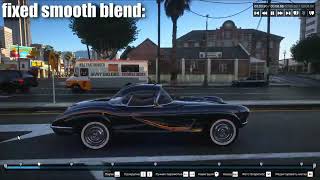
Smooth Blend is the transition every moving shot depends on, and stock it is a straight line between markers with a damped spring on top. The path cannot arc, the spring undershoots corners so the camera never quite arrives where you placed the marker, and speed steps at every keyframe.
• Position — a spline that passes exactly through every marker
• Rotation — interpolated across markers, continuous in rate
• Field of view — monotone, so a zoom never overshoots
• Speed — continuous across markers, no kick at a keyframe
• Mounted shots — markers attached to a car or ped curve in that entity's own frame, so they ride along exactly as stock does
• Look-at markers — re-aimed from the splined position, so the subject stays framed
Per-marker overrides for curve tension, ease-in, ease-out, or reverting a single segment to stock. Markers set to None stay hard cuts.
Camera shake
Procedural six-axis handheld shake, configured per marker in real units — degrees and hertz, not arbitrary sliders.
• Optional coupling to camera speed, so the rig shakes harder when moving
• Simple mode (amplitude and frequency), or a two-layer sway/jitter model with per-axis weights
• Copy one marker's shake to every marker in the project in one action
Rendering (Requires ReShade & our custom IGCS Connector addon)
Takes over the Export button. Ships disabled — enable it in Render.ini.
• Video, or a numbered PNG / JPEG sequence
• No watermark
• Motion blur accumulated from real sub-frame renders — 64 samples at a 360° shutter by default, both configurable
• Any frame rate, independent of your playback rate
• Project audio captured and muxed into video output
• h264, h265, nvenc_hevc, prores_hq and lossless presets included; arbitrary ffmpeg arguments accepted
Editor restrictions removed
• Camera distance limit from the player lifted
• Camera collision disabled — the camera passes through geometry instead of being shoved off your authored path
• Social Club profanity check bypassed, so naming and exporting work offline
• Timeline scrub spinner hidden
• Zoom range extension available (off by default)
Configuration
Everything is in the editor itself — a Rockstar Editor+ row in the marker menus, with global settings on the top-level menu and per-marker settings in the camera submenu. Changes save automatically. Per-marker settings are stored outside the .clip file, so projects stay loadable without the mod installed.
Installation
1. Install an ASI loader.
2. Extract the download into your game folder, beside GTA5.exe or GTA5_Enhanced.exe.
3. (Rendering and depth of field only) Install ReShade — it must be the build with full add-on support, as the ordinary build cannot load add-ons at all.
The capture add-on, its depth-of-field shader and ffmpeg are all included. ReShade itself is not, since it has its own installer and update cycle.
FiveM: the same files go into your FiveM\FiveM.app\plugins folder instead. No separate download, nothing to enable.
Notes
• Smooth Blend and shake need only the ASI loader. ReShade is required for rendering because an ASI cannot read the GPU frame buffer on its own.
• The renderer ships off because diverting the export bake stops other export tools (EVE, EVER) from running — they do not error, they simply never fire. Everything else the mod does is additive.
Links
• Source code on GitHub
• Join our Discord
• Support on Patreon
Licensed GPL-3.0-only. Bundles MinHook (BSD 2-clause), a GPLv3 build of FFmpeg, and IgcsConnector by Frans Bouma (add-on MIT, IgcsDof.fx BSD 2-clause).
Changelog
1.0 - Initial release.
1.0.1 - Fixed crash on render startup & inverted image colors.
Works on Legacy, Enhanced and FiveM from a single build.
Smooth Blend, rewritten and fixed
Smooth Blend is the transition every moving shot depends on, and stock it is a straight line between markers with a damped spring on top. The path cannot arc, the spring undershoots corners so the camera never quite arrives where you placed the marker, and speed steps at every keyframe.
• Position — a spline that passes exactly through every marker
• Rotation — interpolated across markers, continuous in rate
• Field of view — monotone, so a zoom never overshoots
• Speed — continuous across markers, no kick at a keyframe
• Mounted shots — markers attached to a car or ped curve in that entity's own frame, so they ride along exactly as stock does
• Look-at markers — re-aimed from the splined position, so the subject stays framed
Per-marker overrides for curve tension, ease-in, ease-out, or reverting a single segment to stock. Markers set to None stay hard cuts.
Camera shake
Procedural six-axis handheld shake, configured per marker in real units — degrees and hertz, not arbitrary sliders.
• Optional coupling to camera speed, so the rig shakes harder when moving
• Simple mode (amplitude and frequency), or a two-layer sway/jitter model with per-axis weights
• Copy one marker's shake to every marker in the project in one action
Rendering (Requires ReShade & our custom IGCS Connector addon)
Takes over the Export button. Ships disabled — enable it in Render.ini.
• Video, or a numbered PNG / JPEG sequence
• No watermark
• Motion blur accumulated from real sub-frame renders — 64 samples at a 360° shutter by default, both configurable
• Any frame rate, independent of your playback rate
• Project audio captured and muxed into video output
• h264, h265, nvenc_hevc, prores_hq and lossless presets included; arbitrary ffmpeg arguments accepted
Editor restrictions removed
• Camera distance limit from the player lifted
• Camera collision disabled — the camera passes through geometry instead of being shoved off your authored path
• Social Club profanity check bypassed, so naming and exporting work offline
• Timeline scrub spinner hidden
• Zoom range extension available (off by default)
Configuration
Everything is in the editor itself — a Rockstar Editor+ row in the marker menus, with global settings on the top-level menu and per-marker settings in the camera submenu. Changes save automatically. Per-marker settings are stored outside the .clip file, so projects stay loadable without the mod installed.
Installation
1. Install an ASI loader.
2. Extract the download into your game folder, beside GTA5.exe or GTA5_Enhanced.exe.
3. (Rendering and depth of field only) Install ReShade — it must be the build with full add-on support, as the ordinary build cannot load add-ons at all.
The capture add-on, its depth-of-field shader and ffmpeg are all included. ReShade itself is not, since it has its own installer and update cycle.
FiveM: the same files go into your FiveM\FiveM.app\plugins folder instead. No separate download, nothing to enable.
Notes
• Smooth Blend and shake need only the ASI loader. ReShade is required for rendering because an ASI cannot read the GPU frame buffer on its own.
• The renderer ships off because diverting the export bake stops other export tools (EVE, EVER) from running — they do not error, they simply never fire. Everything else the mod does is additive.
Links
• Source code on GitHub
• Join our Discord
• Support on Patreon
Licensed GPL-3.0-only. Bundles MinHook (BSD 2-clause), a GPLv3 build of FFmpeg, and IgcsConnector by Frans Bouma (add-on MIT, IgcsDof.fx BSD 2-clause).
Changelog
1.0 - Initial release.
1.0.1 - Fixed crash on render startup & inverted image colors.
Zuerst hochgeladen: 9 hours ago
Letztes Update: vor 24 Minuten
Last Downloaded: vor 3 Minuten
9 Kommentare
Rockstar Editor+ is an overhaul of GTA V's Rockstar Editor. It rewrites how the camera moves, removes the editor's built-in restrictions, and replaces the Export button with its own render pipeline.
Works on Legacy, Enhanced and FiveM from a single build.
Smooth Blend, rewritten and fixed
Smooth Blend is the transition every moving shot depends on, and stock it is a straight line between markers with a damped spring on top. The path cannot arc, the spring undershoots corners so the camera never quite arrives where you placed the marker, and speed steps at every keyframe.
• Position — a spline that passes exactly through every marker
• Rotation — interpolated across markers, continuous in rate
• Field of view — monotone, so a zoom never overshoots
• Speed — continuous across markers, no kick at a keyframe
• Mounted shots — markers attached to a car or ped curve in that entity's own frame, so they ride along exactly as stock does
• Look-at markers — re-aimed from the splined position, so the subject stays framed
Per-marker overrides for curve tension, ease-in, ease-out, or reverting a single segment to stock. Markers set to None stay hard cuts.
Camera shake
Procedural six-axis handheld shake, configured per marker in real units — degrees and hertz, not arbitrary sliders.
• Optional coupling to camera speed, so the rig shakes harder when moving
• Simple mode (amplitude and frequency), or a two-layer sway/jitter model with per-axis weights
• Copy one marker's shake to every marker in the project in one action
Rendering (Requires ReShade & our custom IGCS Connector addon)
Takes over the Export button. Ships disabled — enable it in Render.ini.
• Video, or a numbered PNG / JPEG sequence
• No watermark
• Motion blur accumulated from real sub-frame renders — 64 samples at a 360° shutter by default, both configurable
• Any frame rate, independent of your playback rate
• Project audio captured and muxed into video output
• h264, h265, nvenc_hevc, prores_hq and lossless presets included; arbitrary ffmpeg arguments accepted
Editor restrictions removed
• Camera distance limit from the player lifted
• Camera collision disabled — the camera passes through geometry instead of being shoved off your authored path
• Social Club profanity check bypassed, so naming and exporting work offline
• Timeline scrub spinner hidden
• Zoom range extension available (off by default)
Configuration
Everything is in the editor itself — a Rockstar Editor+ row in the marker menus, with global settings on the top-level menu and per-marker settings in the camera submenu. Changes save automatically. Per-marker settings are stored outside the .clip file, so projects stay loadable without the mod installed.
Installation
1. Install an ASI loader.
2. Extract the download into your game folder, beside GTA5.exe or GTA5_Enhanced.exe.
3. (Rendering and depth of field only) Install ReShade — it must be the build with full add-on support, as the ordinary build cannot load add-ons at all.
The capture add-on, its depth-of-field shader and ffmpeg are all included. ReShade itself is not, since it has its own installer and update cycle.
FiveM: the same files go into your FiveM\FiveM.app\plugins folder instead. No separate download, nothing to enable.
Notes
• Smooth Blend and shake need only the ASI loader. ReShade is required for rendering because an ASI cannot read the GPU frame buffer on its own.
• The renderer ships off because diverting the export bake stops other export tools (EVE, EVER) from running — they do not error, they simply never fire. Everything else the mod does is additive.
Links
• Source code on GitHub
• Join our Discord
• Support on Patreon
Licensed GPL-3.0-only. Bundles MinHook (BSD 2-clause), a GPLv3 build of FFmpeg, and IgcsConnector by Frans Bouma (add-on MIT, IgcsDof.fx BSD 2-clause).
Changelog
1.0 - Initial release.
1.0.1 - Fixed crash on render startup & inverted image colors.
Works on Legacy, Enhanced and FiveM from a single build.
Smooth Blend, rewritten and fixed
Smooth Blend is the transition every moving shot depends on, and stock it is a straight line between markers with a damped spring on top. The path cannot arc, the spring undershoots corners so the camera never quite arrives where you placed the marker, and speed steps at every keyframe.
• Position — a spline that passes exactly through every marker
• Rotation — interpolated across markers, continuous in rate
• Field of view — monotone, so a zoom never overshoots
• Speed — continuous across markers, no kick at a keyframe
• Mounted shots — markers attached to a car or ped curve in that entity's own frame, so they ride along exactly as stock does
• Look-at markers — re-aimed from the splined position, so the subject stays framed
Per-marker overrides for curve tension, ease-in, ease-out, or reverting a single segment to stock. Markers set to None stay hard cuts.
Camera shake
Procedural six-axis handheld shake, configured per marker in real units — degrees and hertz, not arbitrary sliders.
• Optional coupling to camera speed, so the rig shakes harder when moving
• Simple mode (amplitude and frequency), or a two-layer sway/jitter model with per-axis weights
• Copy one marker's shake to every marker in the project in one action
Rendering (Requires ReShade & our custom IGCS Connector addon)
Takes over the Export button. Ships disabled — enable it in Render.ini.
• Video, or a numbered PNG / JPEG sequence
• No watermark
• Motion blur accumulated from real sub-frame renders — 64 samples at a 360° shutter by default, both configurable
• Any frame rate, independent of your playback rate
• Project audio captured and muxed into video output
• h264, h265, nvenc_hevc, prores_hq and lossless presets included; arbitrary ffmpeg arguments accepted
Editor restrictions removed
• Camera distance limit from the player lifted
• Camera collision disabled — the camera passes through geometry instead of being shoved off your authored path
• Social Club profanity check bypassed, so naming and exporting work offline
• Timeline scrub spinner hidden
• Zoom range extension available (off by default)
Configuration
Everything is in the editor itself — a Rockstar Editor+ row in the marker menus, with global settings on the top-level menu and per-marker settings in the camera submenu. Changes save automatically. Per-marker settings are stored outside the .clip file, so projects stay loadable without the mod installed.
Installation
1. Install an ASI loader.
2. Extract the download into your game folder, beside GTA5.exe or GTA5_Enhanced.exe.
3. (Rendering and depth of field only) Install ReShade — it must be the build with full add-on support, as the ordinary build cannot load add-ons at all.
The capture add-on, its depth-of-field shader and ffmpeg are all included. ReShade itself is not, since it has its own installer and update cycle.
FiveM: the same files go into your FiveM\FiveM.app\plugins folder instead. No separate download, nothing to enable.
Notes
• Smooth Blend and shake need only the ASI loader. ReShade is required for rendering because an ASI cannot read the GPU frame buffer on its own.
• The renderer ships off because diverting the export bake stops other export tools (EVE, EVER) from running — they do not error, they simply never fire. Everything else the mod does is additive.
Links
• Source code on GitHub
• Join our Discord
• Support on Patreon
Licensed GPL-3.0-only. Bundles MinHook (BSD 2-clause), a GPLv3 build of FFmpeg, and IgcsConnector by Frans Bouma (add-on MIT, IgcsDof.fx BSD 2-clause).
Changelog
1.0 - Initial release.
1.0.1 - Fixed crash on render startup & inverted image colors.
Zuerst hochgeladen: 9 hours ago
Letztes Update: vor 24 Minuten
Last Downloaded: vor 3 Minuten
 5mods on Discord

This file has been approved automatically. If you think this file should not be here for any reason please report it.
absolute legendary fix
Happy to have given you feedback on it <3 Works amazing!
Life saver 🥀🥀
YES ! YES !
Even from just messing around "button mashing", I can already tell how dope this is. Definitely gonna need a comprehensive tutorial though.
This could be very useful for some film projects I'm currently working on. looking forward to this one. :)
corefx did it again. and again. and again. and again.
Crazy