Realistic Damage HUD 1.0.0


299
12
299
12
REALISTIC DAMAGE EFFECT HUD
Content
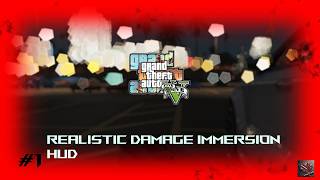
This mod enhances the immersion and flow of gunplay in Grand Theft Auto V by adding new damage effects to your HUD and audio, making combat and damage feel real and painful.
It is still a game, but the overhaul loosely mimics real-world pain and injury effects on your field of view and hearing.
All values, such as intensity, duration and which features are enabled, can be safely changed in the `.ini` file.
HUD
When you are hit by an enemy or take other kinds of damage, the effects scale with the severity of the damage: your ears go numb for a short moment, your field of view narrows (tunnel vision), your vision blurs, and blood effects appear. The effects differ between third person and first person.
Mechanics
- Displays blood effects when you are hit.
- Starts a blood vignette whose duration and intensity increase the more damage you take.
- While fading out, the vignette pulses at around 160 BPM, resembling your heartbeat.
- Blurs your vision for a short moment after a hit. The stronger the hit, the stronger and longer the blur.
- Keeps your vision slightly blurred while your health is low. The lower your health, the stronger the blur.
- Blurs your vision briefly after a hit. Stronger hits cause a stronger and longer blur.
- At low health (below about 37 %), your vision stays blurred and gets stronger the lower your health drops.
Audio
- Numbs and suppresses the audio you hear for a brief moment after taking damage.
- Optionally repeats this for a few seconds afterwards in an up-and-down cycle at around 160 BPM. Music is not affected.
Showcase
Showcase on YouTube (VenatorMods):
Links
- GTA5-Mods.com:
- Discord(personal support, help, instructions, feedback): https://discord.gg/UYhW4sepHM
- YouTube Showcase: VenatorMods
Installation
Requirements:
- [OpenIV](https://openiv.com/)
- [Script Hook V](https://www.dev-c.com/gtav/scripthookv/)
- [Script Hook V .NET](https://github.com/scripthookvdotnet/scripthookvdotnet-nightly/releases) (v3, Nightly Build recommended)
Before installing:
- Install OpenIV on your computer, if you have not done so already.
- Place the Script Hook V and Script Hook V .NET files into your GTA V root folder, next to `GTA5.exe` or `GTA5_Enhanced.exe`, if you have not done so already.
- Both tools usually write a log file when they run properly.
Both automatic installation via OIV package as well as Manual installation is possible.
Instructions are in the readme file.
Changelog
v1.0.0.2026.10.27.1.73
- Initial release
- Tested on: Grand Theft Auto V (Legacy), v1.73 / Build 1.0.3889 (PC)
- Tested with: Script Hook V .NET v3
By: VenatorMods
Release: 2026-10-27
For: Grand Theft Auto V
Artifical Intelligence:
Generation: There is no AI generated assets and or elements being used in this mod, or being created while playing the game.
Assistance: AI assistend clearly and majorly in coding, coding assistance, documentation, information retrieval and project organisation. The mod was tested.
Content
This mod enhances the immersion and flow of gunplay in Grand Theft Auto V by adding new damage effects to your HUD and audio, making combat and damage feel real and painful.
It is still a game, but the overhaul loosely mimics real-world pain and injury effects on your field of view and hearing.
All values, such as intensity, duration and which features are enabled, can be safely changed in the `.ini` file.
HUD
When you are hit by an enemy or take other kinds of damage, the effects scale with the severity of the damage: your ears go numb for a short moment, your field of view narrows (tunnel vision), your vision blurs, and blood effects appear. The effects differ between third person and first person.
Mechanics
- Displays blood effects when you are hit.
- Starts a blood vignette whose duration and intensity increase the more damage you take.
- While fading out, the vignette pulses at around 160 BPM, resembling your heartbeat.
- Blurs your vision for a short moment after a hit. The stronger the hit, the stronger and longer the blur.
- Keeps your vision slightly blurred while your health is low. The lower your health, the stronger the blur.
- Blurs your vision briefly after a hit. Stronger hits cause a stronger and longer blur.
- At low health (below about 37 %), your vision stays blurred and gets stronger the lower your health drops.
Audio
- Numbs and suppresses the audio you hear for a brief moment after taking damage.
- Optionally repeats this for a few seconds afterwards in an up-and-down cycle at around 160 BPM. Music is not affected.
Showcase
Showcase on YouTube (VenatorMods):
Links
- GTA5-Mods.com:
- Discord(personal support, help, instructions, feedback): https://discord.gg/UYhW4sepHM
- YouTube Showcase: VenatorMods
Installation
Requirements:
- [OpenIV](https://openiv.com/)
- [Script Hook V](https://www.dev-c.com/gtav/scripthookv/)
- [Script Hook V .NET](https://github.com/scripthookvdotnet/scripthookvdotnet-nightly/releases) (v3, Nightly Build recommended)
Before installing:
- Install OpenIV on your computer, if you have not done so already.
- Place the Script Hook V and Script Hook V .NET files into your GTA V root folder, next to `GTA5.exe` or `GTA5_Enhanced.exe`, if you have not done so already.
- Both tools usually write a log file when they run properly.
Both automatic installation via OIV package as well as Manual installation is possible.
Instructions are in the readme file.
Changelog
v1.0.0.2026.10.27.1.73
- Initial release
- Tested on: Grand Theft Auto V (Legacy), v1.73 / Build 1.0.3889 (PC)
- Tested with: Script Hook V .NET v3
By: VenatorMods
Release: 2026-10-27
For: Grand Theft Auto V
Artifical Intelligence:
Generation: There is no AI generated assets and or elements being used in this mod, or being created while playing the game.
Assistance: AI assistend clearly and majorly in coding, coding assistance, documentation, information retrieval and project organisation. The mod was tested.
최초 업로드: 2026년 10월 27일
마지막 업로드: 2026년 10월 27일
마지막 다운로드: 3분 전
댓글 4
More mods by Venator:

- 게임플레이
5.0
899
7
1.0.0.3.25.11.17.3586
By Venator

- 설정
5.0
2,075
22
1.0.0
By Venator
REALISTIC DAMAGE EFFECT HUD
Content
This mod enhances the immersion and flow of gunplay in Grand Theft Auto V by adding new damage effects to your HUD and audio, making combat and damage feel real and painful.
It is still a game, but the overhaul loosely mimics real-world pain and injury effects on your field of view and hearing.
All values, such as intensity, duration and which features are enabled, can be safely changed in the `.ini` file.
HUD
When you are hit by an enemy or take other kinds of damage, the effects scale with the severity of the damage: your ears go numb for a short moment, your field of view narrows (tunnel vision), your vision blurs, and blood effects appear. The effects differ between third person and first person.
Mechanics
- Displays blood effects when you are hit.
- Starts a blood vignette whose duration and intensity increase the more damage you take.
- While fading out, the vignette pulses at around 160 BPM, resembling your heartbeat.
- Blurs your vision for a short moment after a hit. The stronger the hit, the stronger and longer the blur.
- Keeps your vision slightly blurred while your health is low. The lower your health, the stronger the blur.
- Blurs your vision briefly after a hit. Stronger hits cause a stronger and longer blur.
- At low health (below about 37 %), your vision stays blurred and gets stronger the lower your health drops.
Audio
- Numbs and suppresses the audio you hear for a brief moment after taking damage.
- Optionally repeats this for a few seconds afterwards in an up-and-down cycle at around 160 BPM. Music is not affected.
Showcase
Showcase on YouTube (VenatorMods):
Links
- GTA5-Mods.com:
- Discord(personal support, help, instructions, feedback): https://discord.gg/UYhW4sepHM
- YouTube Showcase: VenatorMods
Installation
Requirements:
- [OpenIV](https://openiv.com/)
- [Script Hook V](https://www.dev-c.com/gtav/scripthookv/)
- [Script Hook V .NET](https://github.com/scripthookvdotnet/scripthookvdotnet-nightly/releases) (v3, Nightly Build recommended)
Before installing:
- Install OpenIV on your computer, if you have not done so already.
- Place the Script Hook V and Script Hook V .NET files into your GTA V root folder, next to `GTA5.exe` or `GTA5_Enhanced.exe`, if you have not done so already.
- Both tools usually write a log file when they run properly.
Both automatic installation via OIV package as well as Manual installation is possible.
Instructions are in the readme file.
Changelog
v1.0.0.2026.10.27.1.73
- Initial release
- Tested on: Grand Theft Auto V (Legacy), v1.73 / Build 1.0.3889 (PC)
- Tested with: Script Hook V .NET v3
By: VenatorMods
Release: 2026-10-27
For: Grand Theft Auto V
Artifical Intelligence:
Generation: There is no AI generated assets and or elements being used in this mod, or being created while playing the game.
Assistance: AI assistend clearly and majorly in coding, coding assistance, documentation, information retrieval and project organisation. The mod was tested.
Content
This mod enhances the immersion and flow of gunplay in Grand Theft Auto V by adding new damage effects to your HUD and audio, making combat and damage feel real and painful.
It is still a game, but the overhaul loosely mimics real-world pain and injury effects on your field of view and hearing.
All values, such as intensity, duration and which features are enabled, can be safely changed in the `.ini` file.
HUD
When you are hit by an enemy or take other kinds of damage, the effects scale with the severity of the damage: your ears go numb for a short moment, your field of view narrows (tunnel vision), your vision blurs, and blood effects appear. The effects differ between third person and first person.
Mechanics
- Displays blood effects when you are hit.
- Starts a blood vignette whose duration and intensity increase the more damage you take.
- While fading out, the vignette pulses at around 160 BPM, resembling your heartbeat.
- Blurs your vision for a short moment after a hit. The stronger the hit, the stronger and longer the blur.
- Keeps your vision slightly blurred while your health is low. The lower your health, the stronger the blur.
- Blurs your vision briefly after a hit. Stronger hits cause a stronger and longer blur.
- At low health (below about 37 %), your vision stays blurred and gets stronger the lower your health drops.
Audio
- Numbs and suppresses the audio you hear for a brief moment after taking damage.
- Optionally repeats this for a few seconds afterwards in an up-and-down cycle at around 160 BPM. Music is not affected.
Showcase
Showcase on YouTube (VenatorMods):
Links
- GTA5-Mods.com:
- Discord(personal support, help, instructions, feedback): https://discord.gg/UYhW4sepHM
- YouTube Showcase: VenatorMods
Installation
Requirements:
- [OpenIV](https://openiv.com/)
- [Script Hook V](https://www.dev-c.com/gtav/scripthookv/)
- [Script Hook V .NET](https://github.com/scripthookvdotnet/scripthookvdotnet-nightly/releases) (v3, Nightly Build recommended)
Before installing:
- Install OpenIV on your computer, if you have not done so already.
- Place the Script Hook V and Script Hook V .NET files into your GTA V root folder, next to `GTA5.exe` or `GTA5_Enhanced.exe`, if you have not done so already.
- Both tools usually write a log file when they run properly.
Both automatic installation via OIV package as well as Manual installation is possible.
Instructions are in the readme file.
Changelog
v1.0.0.2026.10.27.1.73
- Initial release
- Tested on: Grand Theft Auto V (Legacy), v1.73 / Build 1.0.3889 (PC)
- Tested with: Script Hook V .NET v3
By: VenatorMods
Release: 2026-10-27
For: Grand Theft Auto V
Artifical Intelligence:
Generation: There is no AI generated assets and or elements being used in this mod, or being created while playing the game.
Assistance: AI assistend clearly and majorly in coding, coding assistance, documentation, information retrieval and project organisation. The mod was tested.
최초 업로드: 2026년 10월 27일
마지막 업로드: 2026년 10월 27일
마지막 다운로드: 3분 전
 5mods on Discord

This file has been approved automatically. If you think this file should not be here for any reason please report it.
This mod is absolutely amazing, and I really love it🔥🌹
Please consider making the blood splatter effect on the screen more realistic in the next update.
Keep up the fantastic work, and thank you for this wonderful mod!❤️🔥
@Venator Make Directional Damage Indicator like FPS Games please!
@PabloHenriFDS There is already one ingame. One could make that one way bigger via visualsettings.dat. I could maybe include that in the next update yes, if. Alternatively, you can go to update - update.rpf - common - data - visualsettings.dat and increase the Damage HUD scale and alpha and duration via OpenIV. (Maybe its also in common.rpf, depending on your exact modded state)