Uber Driver [Legacy / Enhanced] 4.0

 으로 지원하기





1,970
15
1,970
15
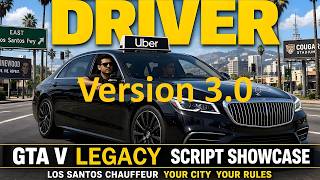
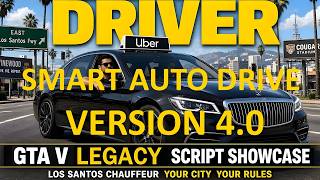
A full featured single player Uber style taxi job for GTA V Enhanced and GTA V Legacy. Drive any suitable vehicle, pick up passengers across the map, earn fares with a live taximeter, and deal with realistic passenger reactions.
Reviewed and tested many times. Tested on GTA V Enhanced and GTA V Legacy (Story Mode only).
If you find an issue, report it in the comments. Fixes may be released if real bugs are confirmed after a game patch.
Requirements (Legacy)
- Grand Theft Auto V Legacy (Story Mode)
- Script Hook V (Alexander Blade) for your game build
- ScriptHookVDotNet v3 or Script Hook V .NET Enhanced (recommended: Script Hook V .NET Enhanced v1.1.0.6 / API 3.9.0.0)
- Script file + .ini in the game scripts folder
- No GTA Online support — Story Mode only
Legacy install: install Script Hook V and ScriptHookVDotNet (or SHVDN Enhanced), then place uberdriver.cs and uberdriver.ini in the scripts folder. Remove any older uberdriver files first.
Requirements (GTA V Enhanced)
- Script Hook V (Alexander Blade) — https://www.dev-c.com/gtav/scripthookv/
- Script Hook V .NET Enhanced v1.1.0.6 — https://github.com/Chiheb-Bacha/ScriptHookVDotNetEnhanced/releases/tag/v1.1.0.6
- Microsoft .NET Framework 4.8 or higher
- Microsoft Visual C++ Redistributable 2015-2022 (x64)
Install order: Script Hook V → Script Hook V .NET Enhanced → script + .ini in the scripts folder. Story Mode only.
How to start:
Get in a suitable vehicle. Press L (default) to start or stop Uber work. Press K (default) to toggle Auto Drive when Uber is active.
Features (job on):
- Toggle job with L
- Auto Drive (K): drives to pickup and destination markers; manual override with W A S D Space; resumes when you release the keys
- Auto Drive only works while Uber is active; turning Uber off also turns Auto Drive off
- Any 2-door or 4-door car, and motorcycles with a passenger seat
- 2-door + 2 passengers: nearest boards first, the other may leave and insult; trip continues with one
- 4-door: one or two passengers, passenger seats only
- Motorcycle: passenger sits behind you
- Random pickups and destinations; same full route is not repeated in the same session
- Locations across the map (city, countryside, beach, airport, etc.)
- Moderate empty-drive distance between drop-off and next pickup
- Time of day affects trip types
- GPS route to pickup, then to destination
- Passengers wait near the marker (smoke, phone, drink, hang out)
- Boarding through normal doors
- Customer ID card at pickup (headshot, name, age, job)
- Short in-car conversation with the passenger during the trip
- Too dirty or heavily damaged vehicle: customers may refuse
- Damage during the trip can reduce tip; extreme damage can cancel the fare
- Live taximeter (billable trips and empty charges)
- Deadhead: first 1 km toward pickup free, then reduced rate until boarding
- Base fare plus distance; session totals while the job stays on
- Tip timer on HUD
- Fare dodgers (solo): may flee; chase and claim the unpaid fare
- Cancel current fare with O (default)
- Crash and aim reactions; killing a passenger cancels that fare
- Convertible roof down in rain: passenger may complain
- Rear seat interaction (T); optional hazard lights at pickup via ini
- Repair vehicle (N), front windows toggle (I), Self Radio track skip (U), coffee on foot (Y)
- Auto Drive options in ini: max speed, style, forcefield, auto flip
Features (job off)No Uber jobs, HUD, taximeter, or script passenger spawns. Coffee at 24/7 and LTD-style stores still available. Key T uses normal rear seat entry.
Ini
Edit the .ini, then reload the game (or reload scripts). Keys and fares are configurable (toggle, cancel, windows, repair, coffee, radio skip, Auto Drive key, max speed, forcefield, auto flip, units, rating, etc.).
Notes: This download may include Enhanced and/or Legacy packages. Remove previous uberdriver.cs / .ini before installing. Story Mode only — do not use in GTA Online.
Update 4.0
- Full Auto Drive integrated (toggle K, only while Uber is on)
- Manual / Auto Drive fusion (W A S D Space take control; release to resume AI)
- Auto Drive stops at pickup and destination markers
- Auto flip when the vehicle lands upside down (ini on/off)
- In-car passenger conversation during the fare
- Targets Script Hook V .NET Enhanced v1.1.0.6 (API 3.9)
- Cleanup and stability pass on controls and mission flow
Update 3.1
- Same as 3.0, without the Never Wanted feature.
Update 3.0
- Rebuild of pickup/destination location system
- Fixed customer spawn
- Repair vehicle (N), front windows (I), Self Radio skip (U), coffee on foot (Y)
- Cancel key (O); all keys configurable in ini
Update 2.0
- Clean compile on ScriptHookVDotNet API 3.7
- Much larger location pool; shorter deadhead between fares
- No repeated origin–destination routes in the same session
- Improved customer spawn on the ground near the marker
- Customer ID card (headshot, name, age, job)
- With 2 passengers and only 1 seat: the fare contractor always boards
CreditsDeveloped and heavily tested for personal use, released as is for the community.
Reviewed and tested many times. Tested on GTA V Enhanced and GTA V Legacy (Story Mode only).
If you find an issue, report it in the comments. Fixes may be released if real bugs are confirmed after a game patch.
Requirements (Legacy)
- Grand Theft Auto V Legacy (Story Mode)
- Script Hook V (Alexander Blade) for your game build
- ScriptHookVDotNet v3 or Script Hook V .NET Enhanced (recommended: Script Hook V .NET Enhanced v1.1.0.6 / API 3.9.0.0)
- Script file + .ini in the game scripts folder
- No GTA Online support — Story Mode only
Legacy install: install Script Hook V and ScriptHookVDotNet (or SHVDN Enhanced), then place uberdriver.cs and uberdriver.ini in the scripts folder. Remove any older uberdriver files first.
Requirements (GTA V Enhanced)
- Script Hook V (Alexander Blade) — https://www.dev-c.com/gtav/scripthookv/
- Script Hook V .NET Enhanced v1.1.0.6 — https://github.com/Chiheb-Bacha/ScriptHookVDotNetEnhanced/releases/tag/v1.1.0.6
- Microsoft .NET Framework 4.8 or higher
- Microsoft Visual C++ Redistributable 2015-2022 (x64)
Install order: Script Hook V → Script Hook V .NET Enhanced → script + .ini in the scripts folder. Story Mode only.
How to start:
Get in a suitable vehicle. Press L (default) to start or stop Uber work. Press K (default) to toggle Auto Drive when Uber is active.
Features (job on):
- Toggle job with L
- Auto Drive (K): drives to pickup and destination markers; manual override with W A S D Space; resumes when you release the keys
- Auto Drive only works while Uber is active; turning Uber off also turns Auto Drive off
- Any 2-door or 4-door car, and motorcycles with a passenger seat
- 2-door + 2 passengers: nearest boards first, the other may leave and insult; trip continues with one
- 4-door: one or two passengers, passenger seats only
- Motorcycle: passenger sits behind you
- Random pickups and destinations; same full route is not repeated in the same session
- Locations across the map (city, countryside, beach, airport, etc.)
- Moderate empty-drive distance between drop-off and next pickup
- Time of day affects trip types
- GPS route to pickup, then to destination
- Passengers wait near the marker (smoke, phone, drink, hang out)
- Boarding through normal doors
- Customer ID card at pickup (headshot, name, age, job)
- Short in-car conversation with the passenger during the trip
- Too dirty or heavily damaged vehicle: customers may refuse
- Damage during the trip can reduce tip; extreme damage can cancel the fare
- Live taximeter (billable trips and empty charges)
- Deadhead: first 1 km toward pickup free, then reduced rate until boarding
- Base fare plus distance; session totals while the job stays on
- Tip timer on HUD
- Fare dodgers (solo): may flee; chase and claim the unpaid fare
- Cancel current fare with O (default)
- Crash and aim reactions; killing a passenger cancels that fare
- Convertible roof down in rain: passenger may complain
- Rear seat interaction (T); optional hazard lights at pickup via ini
- Repair vehicle (N), front windows toggle (I), Self Radio track skip (U), coffee on foot (Y)
- Auto Drive options in ini: max speed, style, forcefield, auto flip
Features (job off)No Uber jobs, HUD, taximeter, or script passenger spawns. Coffee at 24/7 and LTD-style stores still available. Key T uses normal rear seat entry.
Ini
Edit the .ini, then reload the game (or reload scripts). Keys and fares are configurable (toggle, cancel, windows, repair, coffee, radio skip, Auto Drive key, max speed, forcefield, auto flip, units, rating, etc.).
Notes: This download may include Enhanced and/or Legacy packages. Remove previous uberdriver.cs / .ini before installing. Story Mode only — do not use in GTA Online.
Update 4.0
- Full Auto Drive integrated (toggle K, only while Uber is on)
- Manual / Auto Drive fusion (W A S D Space take control; release to resume AI)
- Auto Drive stops at pickup and destination markers
- Auto flip when the vehicle lands upside down (ini on/off)
- In-car passenger conversation during the fare
- Targets Script Hook V .NET Enhanced v1.1.0.6 (API 3.9)
- Cleanup and stability pass on controls and mission flow
Update 3.1
- Same as 3.0, without the Never Wanted feature.
Update 3.0
- Rebuild of pickup/destination location system
- Fixed customer spawn
- Repair vehicle (N), front windows (I), Self Radio skip (U), coffee on foot (Y)
- Cancel key (O); all keys configurable in ini
Update 2.0
- Clean compile on ScriptHookVDotNet API 3.7
- Much larger location pool; shorter deadhead between fares
- No repeated origin–destination routes in the same session
- Improved customer spawn on the ground near the marker
- Customer ID card (headshot, name, age, job)
- With 2 passengers and only 1 seat: the fare contractor always boards
CreditsDeveloped and heavily tested for personal use, released as is for the community.
최초 업로드: 2026년 09월 28일
마지막 업로드: 7일 전
마지막 다운로드: 34분 전
댓글 38
More mods by FPVSKY:
A full featured single player Uber style taxi job for GTA V Enhanced and GTA V Legacy. Drive any suitable vehicle, pick up passengers across the map, earn fares with a live taximeter, and deal with realistic passenger reactions.
Reviewed and tested many times. Tested on GTA V Enhanced and GTA V Legacy (Story Mode only).
If you find an issue, report it in the comments. Fixes may be released if real bugs are confirmed after a game patch.
Requirements (Legacy)
- Grand Theft Auto V Legacy (Story Mode)
- Script Hook V (Alexander Blade) for your game build
- ScriptHookVDotNet v3 or Script Hook V .NET Enhanced (recommended: Script Hook V .NET Enhanced v1.1.0.6 / API 3.9.0.0)
- Script file + .ini in the game scripts folder
- No GTA Online support — Story Mode only
Legacy install: install Script Hook V and ScriptHookVDotNet (or SHVDN Enhanced), then place uberdriver.cs and uberdriver.ini in the scripts folder. Remove any older uberdriver files first.
Requirements (GTA V Enhanced)
- Script Hook V (Alexander Blade) — https://www.dev-c.com/gtav/scripthookv/
- Script Hook V .NET Enhanced v1.1.0.6 — https://github.com/Chiheb-Bacha/ScriptHookVDotNetEnhanced/releases/tag/v1.1.0.6
- Microsoft .NET Framework 4.8 or higher
- Microsoft Visual C++ Redistributable 2015-2022 (x64)
Install order: Script Hook V → Script Hook V .NET Enhanced → script + .ini in the scripts folder. Story Mode only.
How to start:
Get in a suitable vehicle. Press L (default) to start or stop Uber work. Press K (default) to toggle Auto Drive when Uber is active.
Features (job on):
- Toggle job with L
- Auto Drive (K): drives to pickup and destination markers; manual override with W A S D Space; resumes when you release the keys
- Auto Drive only works while Uber is active; turning Uber off also turns Auto Drive off
- Any 2-door or 4-door car, and motorcycles with a passenger seat
- 2-door + 2 passengers: nearest boards first, the other may leave and insult; trip continues with one
- 4-door: one or two passengers, passenger seats only
- Motorcycle: passenger sits behind you
- Random pickups and destinations; same full route is not repeated in the same session
- Locations across the map (city, countryside, beach, airport, etc.)
- Moderate empty-drive distance between drop-off and next pickup
- Time of day affects trip types
- GPS route to pickup, then to destination
- Passengers wait near the marker (smoke, phone, drink, hang out)
- Boarding through normal doors
- Customer ID card at pickup (headshot, name, age, job)
- Short in-car conversation with the passenger during the trip
- Too dirty or heavily damaged vehicle: customers may refuse
- Damage during the trip can reduce tip; extreme damage can cancel the fare
- Live taximeter (billable trips and empty charges)
- Deadhead: first 1 km toward pickup free, then reduced rate until boarding
- Base fare plus distance; session totals while the job stays on
- Tip timer on HUD
- Fare dodgers (solo): may flee; chase and claim the unpaid fare
- Cancel current fare with O (default)
- Crash and aim reactions; killing a passenger cancels that fare
- Convertible roof down in rain: passenger may complain
- Rear seat interaction (T); optional hazard lights at pickup via ini
- Repair vehicle (N), front windows toggle (I), Self Radio track skip (U), coffee on foot (Y)
- Auto Drive options in ini: max speed, style, forcefield, auto flip
Features (job off)No Uber jobs, HUD, taximeter, or script passenger spawns. Coffee at 24/7 and LTD-style stores still available. Key T uses normal rear seat entry.
Ini
Edit the .ini, then reload the game (or reload scripts). Keys and fares are configurable (toggle, cancel, windows, repair, coffee, radio skip, Auto Drive key, max speed, forcefield, auto flip, units, rating, etc.).
Notes: This download may include Enhanced and/or Legacy packages. Remove previous uberdriver.cs / .ini before installing. Story Mode only — do not use in GTA Online.
Update 4.0
- Full Auto Drive integrated (toggle K, only while Uber is on)
- Manual / Auto Drive fusion (W A S D Space take control; release to resume AI)
- Auto Drive stops at pickup and destination markers
- Auto flip when the vehicle lands upside down (ini on/off)
- In-car passenger conversation during the fare
- Targets Script Hook V .NET Enhanced v1.1.0.6 (API 3.9)
- Cleanup and stability pass on controls and mission flow
Update 3.1
- Same as 3.0, without the Never Wanted feature.
Update 3.0
- Rebuild of pickup/destination location system
- Fixed customer spawn
- Repair vehicle (N), front windows (I), Self Radio skip (U), coffee on foot (Y)
- Cancel key (O); all keys configurable in ini
Update 2.0
- Clean compile on ScriptHookVDotNet API 3.7
- Much larger location pool; shorter deadhead between fares
- No repeated origin–destination routes in the same session
- Improved customer spawn on the ground near the marker
- Customer ID card (headshot, name, age, job)
- With 2 passengers and only 1 seat: the fare contractor always boards
CreditsDeveloped and heavily tested for personal use, released as is for the community.
Reviewed and tested many times. Tested on GTA V Enhanced and GTA V Legacy (Story Mode only).
If you find an issue, report it in the comments. Fixes may be released if real bugs are confirmed after a game patch.
Requirements (Legacy)
- Grand Theft Auto V Legacy (Story Mode)
- Script Hook V (Alexander Blade) for your game build
- ScriptHookVDotNet v3 or Script Hook V .NET Enhanced (recommended: Script Hook V .NET Enhanced v1.1.0.6 / API 3.9.0.0)
- Script file + .ini in the game scripts folder
- No GTA Online support — Story Mode only
Legacy install: install Script Hook V and ScriptHookVDotNet (or SHVDN Enhanced), then place uberdriver.cs and uberdriver.ini in the scripts folder. Remove any older uberdriver files first.
Requirements (GTA V Enhanced)
- Script Hook V (Alexander Blade) — https://www.dev-c.com/gtav/scripthookv/
- Script Hook V .NET Enhanced v1.1.0.6 — https://github.com/Chiheb-Bacha/ScriptHookVDotNetEnhanced/releases/tag/v1.1.0.6
- Microsoft .NET Framework 4.8 or higher
- Microsoft Visual C++ Redistributable 2015-2022 (x64)
Install order: Script Hook V → Script Hook V .NET Enhanced → script + .ini in the scripts folder. Story Mode only.
How to start:
Get in a suitable vehicle. Press L (default) to start or stop Uber work. Press K (default) to toggle Auto Drive when Uber is active.
Features (job on):
- Toggle job with L
- Auto Drive (K): drives to pickup and destination markers; manual override with W A S D Space; resumes when you release the keys
- Auto Drive only works while Uber is active; turning Uber off also turns Auto Drive off
- Any 2-door or 4-door car, and motorcycles with a passenger seat
- 2-door + 2 passengers: nearest boards first, the other may leave and insult; trip continues with one
- 4-door: one or two passengers, passenger seats only
- Motorcycle: passenger sits behind you
- Random pickups and destinations; same full route is not repeated in the same session
- Locations across the map (city, countryside, beach, airport, etc.)
- Moderate empty-drive distance between drop-off and next pickup
- Time of day affects trip types
- GPS route to pickup, then to destination
- Passengers wait near the marker (smoke, phone, drink, hang out)
- Boarding through normal doors
- Customer ID card at pickup (headshot, name, age, job)
- Short in-car conversation with the passenger during the trip
- Too dirty or heavily damaged vehicle: customers may refuse
- Damage during the trip can reduce tip; extreme damage can cancel the fare
- Live taximeter (billable trips and empty charges)
- Deadhead: first 1 km toward pickup free, then reduced rate until boarding
- Base fare plus distance; session totals while the job stays on
- Tip timer on HUD
- Fare dodgers (solo): may flee; chase and claim the unpaid fare
- Cancel current fare with O (default)
- Crash and aim reactions; killing a passenger cancels that fare
- Convertible roof down in rain: passenger may complain
- Rear seat interaction (T); optional hazard lights at pickup via ini
- Repair vehicle (N), front windows toggle (I), Self Radio track skip (U), coffee on foot (Y)
- Auto Drive options in ini: max speed, style, forcefield, auto flip
Features (job off)No Uber jobs, HUD, taximeter, or script passenger spawns. Coffee at 24/7 and LTD-style stores still available. Key T uses normal rear seat entry.
Ini
Edit the .ini, then reload the game (or reload scripts). Keys and fares are configurable (toggle, cancel, windows, repair, coffee, radio skip, Auto Drive key, max speed, forcefield, auto flip, units, rating, etc.).
Notes: This download may include Enhanced and/or Legacy packages. Remove previous uberdriver.cs / .ini before installing. Story Mode only — do not use in GTA Online.
Update 4.0
- Full Auto Drive integrated (toggle K, only while Uber is on)
- Manual / Auto Drive fusion (W A S D Space take control; release to resume AI)
- Auto Drive stops at pickup and destination markers
- Auto flip when the vehicle lands upside down (ini on/off)
- In-car passenger conversation during the fare
- Targets Script Hook V .NET Enhanced v1.1.0.6 (API 3.9)
- Cleanup and stability pass on controls and mission flow
Update 3.1
- Same as 3.0, without the Never Wanted feature.
Update 3.0
- Rebuild of pickup/destination location system
- Fixed customer spawn
- Repair vehicle (N), front windows (I), Self Radio skip (U), coffee on foot (Y)
- Cancel key (O); all keys configurable in ini
Update 2.0
- Clean compile on ScriptHookVDotNet API 3.7
- Much larger location pool; shorter deadhead between fares
- No repeated origin–destination routes in the same session
- Improved customer spawn on the ground near the marker
- Customer ID card (headshot, name, age, job)
- With 2 passengers and only 1 seat: the fare contractor always boards
CreditsDeveloped and heavily tested for personal use, released as is for the community.
최초 업로드: 2026년 09월 28일
마지막 업로드: 7일 전
마지막 다운로드: 34분 전
 5mods on Discord

Update 4.0 Legacy - Full Auto Drive integrated (toggle K, only while Uber is on)
@comandante_biwo Read full description... you already have 2 for Legacy ...version 2.0 (update) is for Legacy.
followed steps for the legacy and when pressing "L" in game nothing happens, i do have NVE graphics mod installed, dont know if thats an issue
@comandante_biwo no worries about the NVE graphics. Inside of your gta 5 folder look for the scripthoovdotnet.log - open it and see the errors ... if you have errors you need to read the UberDriver full description - you need the to install the Requirements - new update legacy version 2:
- GTA V Legacy (Story Mode; not Online).
- ScriptHookV + ScriptHookVDotNet (v3 recommended; targets 3.7.0).
- scripts folder - uberdriver.cs + uberdriver.ini
- BattlEye not required (Story Mode).
dont see any error in the log
@3DIYOriginal
[17:10:44] [INFO] ScriptHookV .Net Enhanced 3.9.0.6 (1.1.0.6)
[17:10:44] [DEBUG] Loading API from .\ScriptHookVDotNet2.dll ...
[17:10:44] [DEBUG] Loading API from .\ScriptHookVDotNet3.dll ...
[17:10:44] [DEBUG] Initializing NativeMemory members...
[17:10:45] [INFO] CreateHook: SHVNDE created the hook GxtMinHooked, of type MinHook, at 0x7FF798C773BC, with OriginalTarget at 0x7FF797E50FC0.
[17:10:45] [INFO] CreateHook: SHVNDE created the hook UpdateSpecialFlightVehicleBonesCallHooked, of type CallHook, at 0x7FF798E52BC6, with OriginalTarget at 0x7FF798EBC45C, Stub at 0x7FF797E40000.
[17:10:46] [DEBUG] NativeMemory took 1761 milliseconds
[17:10:46] [DEBUG] Loading scripts from Z:\Program Files\steamapps\common\Grand Theft Auto V\scripts ...
@FPVSKY I only changed the toggle key to "P" and unit to "KM" in the ini, but I can't toggle this mod at all! ⚠
I'm on 1.0.2845.0 downgraded game version.
@FPVSKY Ah okay, thank you for the response
@Zsombor_99 P is Pause for the game. It doesn't matter where you put the key..the scrit needs to compile with the specified requirements..you need ScriptHookV + ScriptHookVDotNet (v3 recommended; targets 3.7.0). for Legacy - and the version2.0 Legacy, If you have GTA 5 Enhanced you need the enhanced version 1.0 y Script Hook V (Alexander Blade) for your game build
- ScriptHookVDotNet (v2 or v3; API 2.11.6 class scripts) - just do a google search..o ask chatgpt. is simple.
@comandante_biwo If you have GTA 5 Enhanced you need the enhanced version 1.0 y Script Hook V (Alexander Blade) for your game build
- ScriptHookVDotNet (v2 or v3; API 2.11.6 class scripts)
READ FULL DESCRIPTION
@FPVSKY im trying to use it on GTAV legacy
@FPVSKY i found the error, for some reason i had scripthookvdotnetenhanced instead of the regular scripthookvdotnet, works now
@comandante_biwo I'm also FPVSKY.. This is my other account. Yeah I saw that you had a different scripthook version. There will be a big UPDATE of this script fot the Legacy version. New features: Smart Auto Drive & Manual, new locations and much more.
@3DIYOriginal thank you, can't wait for the update, be nice if you removed wanted while the script is working
@comandante_biwo If you have Menyoo, just use the Option Never Wanted :)
@FPVSKY I changed the toggle key to "9", but the mod still won't toggle! ⚠
※ The thing is, I have bunch of mods, so finding unused key which is convenient to use is not easy, you know.
New Update Legacy Version 3.0: Complete rebuild of the Uber/taxi location system (pickups + destinations) | New Locations | Fixed customer spawn | Repair vehicle (N) – keeps window state | Front windows toggle (I) | Self Radio skip (U) – requires Pause Menu → Settings → Audio → Self Radio Mode → Sequential | Coffee animation on foot (Y) anywhere | Never Wanted while on duty (J) | Cancel key (O) | GTA V Legacy (tested build 3725), Script Hook V, ScriptHookVDotNet 3.x (e.g. 3.7.0). Story Mode only.
What graphics mod u using dat mf look crazy real u got gta6 already 🤔 😂
Update UberDriver Version 3.1 - Same as version 3.0 - but without "Never Wanted" feature / Read full description