Hearsay 1.1 updated readme


604
5
604
5
Talk to every NPC in Los Santos with your microphone.
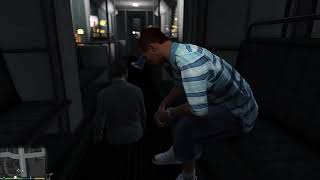
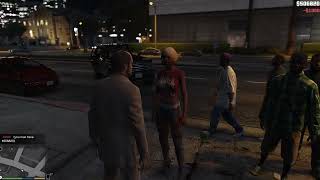
Hearsay gives every pedestrian in the game a voice and a brain. Walk up to anyone, hold a button, and say anything. They hear your mic, they think, and they answer out loud in a voice that fits who they are. Nothing is scripted. Every conversation is generated live.
FEATURES
- Every NPC can talk. Gang members, cops, tourists, old ladies. Each type has its own personality and attitude.
- A 200-voice cast, assigned automatically based on who the ped is. If you don't like a voice, change it to any voice you want with the built-in trainer.
- NPCs act on what you say. Ask someone to follow you and they follow. Tell them to get in the car and they take a seat. Pay them and real money leaves your wallet. Rob, recruit, flirt, threaten, they react.
- Animations trigger straight from conversation. Mention a cigarette and they light one. Say you're grabbing your clipboard and your character pulls out a clipboard. Drinks get people actually drunk, slurring and stumbling, and coffee sobers them up.
- NPCs can talk to each other. Point somebody at a stranger and send them over to chat.
- Full trainer and animation browser for voices, names, relationships and favorites.
REQUIREMENTS
- Script Hook V by Alexander Blade: http://dev-c.com/gtav/scripthookv/
- ScriptHookVDotNet version 3: https://github.com/scripthookvdotnet/scripthookvdotnet/releases
- A working microphone set as your default Windows recording device
- A free Google Gemini API key
- An ElevenLabs API key. Their free tier is only a few minutes per month, see Step 5.
INSTALLATION
Four parts, in order. About 15 minutes.
Step 1: Find your GTA V folder
Everything gets copied into the folder where GTA V is installed, the one with GTA5.exe inside it.
- Steam: open Steam, right-click Grand Theft Auto V in your library, click Manage, then Browse local files. A window opens. That is your GTA V folder. Keep it open.
- Epic: click the three dots next to the game, then Manage, then the folder icon.
- Rockstar Launcher: usually on your C drive, inside Program Files, then Rockstar Games, then Grand Theft Auto V
Step 2: Install Script Hook V
1. Go to http://dev-c.com/gtav/scripthookv/
2. Click Download, agree, and save the zip file.
3. Double-click the downloaded zip to open it. Inside is a folder called bin. Open it.
4. Copy ScriptHookV.dll and dinput8.dll into your GTA V folder from Step 1. You can ignore the NativeTrainer file.
Step 3: Install ScriptHookVDotNet
1. Go to https://github.com/scripthookvdotnet/scripthookvdotnet/releases
2. On the newest release, download the zip file, the one named like ScriptHookVDotNet.zip, not Source code.
3. Open the zip and copy everything whose name starts with ScriptHookVDotNet into your GTA V folder, same place as before.
Step 4: Install Hearsay
1. Open the Hearsay zip you downloaded from this page.
2. Inside is a folder called scripts. Drag that folder into your GTA V folder.
3. If Windows asks about merging or replacing, say yes to all.
Step 5: Get your two keys
This is what makes the NPCs alive. The talking runs on two services and both take a couple of minutes to sign up for. The mod itself is free. The voices are the real cost, which is exactly why I don't charge for the mod.
Gemini, the NPC's brain, free:
1. Go to https://aistudio.google.com and sign in with any Google account.
2. Click Get API key, then Create API key.
3. A long code appears. Click copy. That code is your key.
ElevenLabs, the NPC's voice and your speech recognition:
1. Go to https://elevenlabs.io and make an account.
2. In the left sidebar, scroll all the way down and click Developers, then API Keys. It is not under Settings, it has its own section.
3. Click Create API Key and give it any name.
4. Permissions. Do not skip this part. In the permissions list of that key, set these four. Text to Speech set to Access. Speech to Text set to Access. Voices set to Write, and it must be Write, not Read. Voice Generation set to Access. Everything else can stay on No Access. If any of those four is off, the mod loads fine but the NPCs never get their voices. This is the number one setup mistake.
5. Create it and copy the key immediately. It is only shown once. Paste it into Notepad somewhere safe before you close anything.
6. If you already made a key without those permissions, you do not need a new one. Go to Developers, then API Keys, click your key, switch the same four on, and save. Then restart the game.
7. Money truth: the free tier only gives you a few minutes of speech per month. Enough to see the magic, not enough to play. For real play get their 6 dollar a month plan. When credits run out, NPCs go quiet and the mod stops hearing you until next month.
Step 6: Put the keys in
1. In your GTA V folder, open the scripts folder, then the Hearsay folder inside it.
2. Double-click the file called keys.env. If Windows asks what to open it with, pick Notepad.
3. You'll see two lines, each ending with an equals sign. One line starts with GEMINI, the other starts with ELEVENLABS. Paste your Gemini key directly after the equals sign on the GEMINI line, and your ElevenLabs key directly after the equals sign on the ELEVENLABS line. No spaces, and keep each key on its own line.
4. Save the file and close Notepad.
Step 7: Play
1. Make sure your microphone is plugged in and set as the default recording device in Windows.
2. Start GTA V and load into story mode. This mod never touches GTA Online, Script Hook automatically stays off there.
3. Walk up to any pedestrian, hold SPACE, say hello, let go.
4. First launch only: the mod spends 10 to 15 minutes building its 200-voice cast inside your ElevenLabs account, automatically. Some people use stand-in voices until it finishes. Leave the game running and let it work. Restarting the game makes the build start over.
5. On a free ElevenLabs account you will see some red messages during the build saying a voice needs a paid plan. That is normal. A few voices in the cast are premium only. The mod skips them, gives those people stand-in voices, and keeps going. Nothing is broken.
If nothing happens
The usual cause is Script Hook V being older than the game. After a GTA update, check dev-c.com for the new version. If NPCs don't answer, re-open keys.env and make sure each key sits directly after its equals sign with no spaces. If the log says missing the permission, your ElevenLabs key permissions are wrong, see Step 5. If you get a red script error the moment the game loads and none of the mod keys do anything, not even Space or F7, your ScriptHookVDotNet version does not match the mod. Check the comments on this page for the version that works. Everything the mod does is logged in the scripts folder, then the Hearsay folder, in a file called hearsay.log
CONTROLS
- SPACE, hold: Talk to the nearest person. Release to send.
- ALT, tap: Toggle who you're talking to. Cycles through crew members, then strangers-only, then back to nearest-person.
- CTRL, tap: Broadcast. The next thing you say goes to your whole crew. One of them answers, all of them heard it.
- F7: Voice trainer for whoever you're looking at.
- F8: Animation browser.
- BACKSPACE: Instantly ends any animation that started and resets walk styles. Does not end the conversation.
- INSERT: Reload all config files without restarting the game.
Every button can be changed in config.json. I play on a controller, so if any default key conflicts with your keyboard setup, open config.json, change the key name, press Insert in game, done.
WHAT'S WORKING
- Full voice conversations with any pedestrian, a few seconds per reply
- 200-voice cast auto-assigned by gender, age and type, built inside your own ElevenLabs account on first launch
- Voice trainer: pick voices, save favorites, name NPCs, set relationships such as friend, crew, partner, enemy
- Crew system: recruits follow you, take seats in your vehicle, fight for you, obey broadcast orders, show up as map blips
- Real money handoffs with a two-person animation
- Conversation animations: smoking, joints, drinks, coffee, phone, filming, clipboard, jackhammer, flexing, yoga, busking, dancing, lying down, picnic and more
- Drunk system: every drink makes them drunker, coffee snaps them out of it, walk style changes to match
- Weapon awareness: they see a gun in your hand, not the one in your pocket. Concealed means concealed
- Directions with real GPS waypoints, only when you ask, in a vehicle
- World gossip: NPCs hear about nearby crimes and talk about them
- NPC-to-NPC conversations on command
- Robbery flow, drive-by orders, surrender, and police-chase escapes
KNOWN BUGS
- Joints. The pass-it-back-and-forth animation has always been temperamental. Sometimes it plays, sometimes it doesn't. Being worked on.
- Handshake and hug are temporarily disabled. The two-person animation grounding isn't reliable yet.
- Money handoffs only work while playing Michael, Franklin or Trevor. Custom player models read a different cash stat.
- Rarely, a handoff animation skips, though the money still moves. Talking again usually clears it.
CREDITS
- Script Hook V by Alexander Blade: http://dev-c.com/gtav/scripthookv/
- ScriptHookVDotNet by crosire and contributors: https://github.com/scripthookvdotnet/scripthookvdotnet
- LemonUI by Lemon, used for the in-game menus: https://github.com/justalemon/LemonUI
- NAudio by Mark Heath, used for audio capture and playback: https://github.com/naudio/NAudio
- Google Gemini for NPC dialogue: https://ai.google.dev/
- ElevenLabs for speech recognition and voices: https://elevenlabs.io
Hearsay gives every pedestrian in the game a voice and a brain. Walk up to anyone, hold a button, and say anything. They hear your mic, they think, and they answer out loud in a voice that fits who they are. Nothing is scripted. Every conversation is generated live.
FEATURES
- Every NPC can talk. Gang members, cops, tourists, old ladies. Each type has its own personality and attitude.
- A 200-voice cast, assigned automatically based on who the ped is. If you don't like a voice, change it to any voice you want with the built-in trainer.
- NPCs act on what you say. Ask someone to follow you and they follow. Tell them to get in the car and they take a seat. Pay them and real money leaves your wallet. Rob, recruit, flirt, threaten, they react.
- Animations trigger straight from conversation. Mention a cigarette and they light one. Say you're grabbing your clipboard and your character pulls out a clipboard. Drinks get people actually drunk, slurring and stumbling, and coffee sobers them up.
- NPCs can talk to each other. Point somebody at a stranger and send them over to chat.
- Full trainer and animation browser for voices, names, relationships and favorites.
REQUIREMENTS
- Script Hook V by Alexander Blade: http://dev-c.com/gtav/scripthookv/
- ScriptHookVDotNet version 3: https://github.com/scripthookvdotnet/scripthookvdotnet/releases
- A working microphone set as your default Windows recording device
- A free Google Gemini API key
- An ElevenLabs API key. Their free tier is only a few minutes per month, see Step 5.
INSTALLATION
Four parts, in order. About 15 minutes.
Step 1: Find your GTA V folder
Everything gets copied into the folder where GTA V is installed, the one with GTA5.exe inside it.
- Steam: open Steam, right-click Grand Theft Auto V in your library, click Manage, then Browse local files. A window opens. That is your GTA V folder. Keep it open.
- Epic: click the three dots next to the game, then Manage, then the folder icon.
- Rockstar Launcher: usually on your C drive, inside Program Files, then Rockstar Games, then Grand Theft Auto V
Step 2: Install Script Hook V
1. Go to http://dev-c.com/gtav/scripthookv/
2. Click Download, agree, and save the zip file.
3. Double-click the downloaded zip to open it. Inside is a folder called bin. Open it.
4. Copy ScriptHookV.dll and dinput8.dll into your GTA V folder from Step 1. You can ignore the NativeTrainer file.
Step 3: Install ScriptHookVDotNet
1. Go to https://github.com/scripthookvdotnet/scripthookvdotnet/releases
2. On the newest release, download the zip file, the one named like ScriptHookVDotNet.zip, not Source code.
3. Open the zip and copy everything whose name starts with ScriptHookVDotNet into your GTA V folder, same place as before.
Step 4: Install Hearsay
1. Open the Hearsay zip you downloaded from this page.
2. Inside is a folder called scripts. Drag that folder into your GTA V folder.
3. If Windows asks about merging or replacing, say yes to all.
Step 5: Get your two keys
This is what makes the NPCs alive. The talking runs on two services and both take a couple of minutes to sign up for. The mod itself is free. The voices are the real cost, which is exactly why I don't charge for the mod.
Gemini, the NPC's brain, free:
1. Go to https://aistudio.google.com and sign in with any Google account.
2. Click Get API key, then Create API key.
3. A long code appears. Click copy. That code is your key.
ElevenLabs, the NPC's voice and your speech recognition:
1. Go to https://elevenlabs.io and make an account.
2. In the left sidebar, scroll all the way down and click Developers, then API Keys. It is not under Settings, it has its own section.
3. Click Create API Key and give it any name.
4. Permissions. Do not skip this part. In the permissions list of that key, set these four. Text to Speech set to Access. Speech to Text set to Access. Voices set to Write, and it must be Write, not Read. Voice Generation set to Access. Everything else can stay on No Access. If any of those four is off, the mod loads fine but the NPCs never get their voices. This is the number one setup mistake.
5. Create it and copy the key immediately. It is only shown once. Paste it into Notepad somewhere safe before you close anything.
6. If you already made a key without those permissions, you do not need a new one. Go to Developers, then API Keys, click your key, switch the same four on, and save. Then restart the game.
7. Money truth: the free tier only gives you a few minutes of speech per month. Enough to see the magic, not enough to play. For real play get their 6 dollar a month plan. When credits run out, NPCs go quiet and the mod stops hearing you until next month.
Step 6: Put the keys in
1. In your GTA V folder, open the scripts folder, then the Hearsay folder inside it.
2. Double-click the file called keys.env. If Windows asks what to open it with, pick Notepad.
3. You'll see two lines, each ending with an equals sign. One line starts with GEMINI, the other starts with ELEVENLABS. Paste your Gemini key directly after the equals sign on the GEMINI line, and your ElevenLabs key directly after the equals sign on the ELEVENLABS line. No spaces, and keep each key on its own line.
4. Save the file and close Notepad.
Step 7: Play
1. Make sure your microphone is plugged in and set as the default recording device in Windows.
2. Start GTA V and load into story mode. This mod never touches GTA Online, Script Hook automatically stays off there.
3. Walk up to any pedestrian, hold SPACE, say hello, let go.
4. First launch only: the mod spends 10 to 15 minutes building its 200-voice cast inside your ElevenLabs account, automatically. Some people use stand-in voices until it finishes. Leave the game running and let it work. Restarting the game makes the build start over.
5. On a free ElevenLabs account you will see some red messages during the build saying a voice needs a paid plan. That is normal. A few voices in the cast are premium only. The mod skips them, gives those people stand-in voices, and keeps going. Nothing is broken.
If nothing happens
The usual cause is Script Hook V being older than the game. After a GTA update, check dev-c.com for the new version. If NPCs don't answer, re-open keys.env and make sure each key sits directly after its equals sign with no spaces. If the log says missing the permission, your ElevenLabs key permissions are wrong, see Step 5. If you get a red script error the moment the game loads and none of the mod keys do anything, not even Space or F7, your ScriptHookVDotNet version does not match the mod. Check the comments on this page for the version that works. Everything the mod does is logged in the scripts folder, then the Hearsay folder, in a file called hearsay.log
CONTROLS
- SPACE, hold: Talk to the nearest person. Release to send.
- ALT, tap: Toggle who you're talking to. Cycles through crew members, then strangers-only, then back to nearest-person.
- CTRL, tap: Broadcast. The next thing you say goes to your whole crew. One of them answers, all of them heard it.
- F7: Voice trainer for whoever you're looking at.
- F8: Animation browser.
- BACKSPACE: Instantly ends any animation that started and resets walk styles. Does not end the conversation.
- INSERT: Reload all config files without restarting the game.
Every button can be changed in config.json. I play on a controller, so if any default key conflicts with your keyboard setup, open config.json, change the key name, press Insert in game, done.
WHAT'S WORKING
- Full voice conversations with any pedestrian, a few seconds per reply
- 200-voice cast auto-assigned by gender, age and type, built inside your own ElevenLabs account on first launch
- Voice trainer: pick voices, save favorites, name NPCs, set relationships such as friend, crew, partner, enemy
- Crew system: recruits follow you, take seats in your vehicle, fight for you, obey broadcast orders, show up as map blips
- Real money handoffs with a two-person animation
- Conversation animations: smoking, joints, drinks, coffee, phone, filming, clipboard, jackhammer, flexing, yoga, busking, dancing, lying down, picnic and more
- Drunk system: every drink makes them drunker, coffee snaps them out of it, walk style changes to match
- Weapon awareness: they see a gun in your hand, not the one in your pocket. Concealed means concealed
- Directions with real GPS waypoints, only when you ask, in a vehicle
- World gossip: NPCs hear about nearby crimes and talk about them
- NPC-to-NPC conversations on command
- Robbery flow, drive-by orders, surrender, and police-chase escapes
KNOWN BUGS
- Joints. The pass-it-back-and-forth animation has always been temperamental. Sometimes it plays, sometimes it doesn't. Being worked on.
- Handshake and hug are temporarily disabled. The two-person animation grounding isn't reliable yet.
- Money handoffs only work while playing Michael, Franklin or Trevor. Custom player models read a different cash stat.
- Rarely, a handoff animation skips, though the money still moves. Talking again usually clears it.
CREDITS
- Script Hook V by Alexander Blade: http://dev-c.com/gtav/scripthookv/
- ScriptHookVDotNet by crosire and contributors: https://github.com/scripthookvdotnet/scripthookvdotnet
- LemonUI by Lemon, used for the in-game menus: https://github.com/justalemon/LemonUI
- NAudio by Mark Heath, used for audio capture and playback: https://github.com/naudio/NAudio
- Google Gemini for NPC dialogue: https://ai.google.dev/
- ElevenLabs for speech recognition and voices: https://elevenlabs.io
Првпат Додадено: Август 24, 2026
Последно Ажурирање: Август 27, 2026
Последно Симнување: пред 1 саат
11 Коментари
More mods by BuBBaKUSH1911:
Talk to every NPC in Los Santos with your microphone.
Hearsay gives every pedestrian in the game a voice and a brain. Walk up to anyone, hold a button, and say anything. They hear your mic, they think, and they answer out loud in a voice that fits who they are. Nothing is scripted. Every conversation is generated live.
FEATURES
- Every NPC can talk. Gang members, cops, tourists, old ladies. Each type has its own personality and attitude.
- A 200-voice cast, assigned automatically based on who the ped is. If you don't like a voice, change it to any voice you want with the built-in trainer.
- NPCs act on what you say. Ask someone to follow you and they follow. Tell them to get in the car and they take a seat. Pay them and real money leaves your wallet. Rob, recruit, flirt, threaten, they react.
- Animations trigger straight from conversation. Mention a cigarette and they light one. Say you're grabbing your clipboard and your character pulls out a clipboard. Drinks get people actually drunk, slurring and stumbling, and coffee sobers them up.
- NPCs can talk to each other. Point somebody at a stranger and send them over to chat.
- Full trainer and animation browser for voices, names, relationships and favorites.
REQUIREMENTS
- Script Hook V by Alexander Blade: http://dev-c.com/gtav/scripthookv/
- ScriptHookVDotNet version 3: https://github.com/scripthookvdotnet/scripthookvdotnet/releases
- A working microphone set as your default Windows recording device
- A free Google Gemini API key
- An ElevenLabs API key. Their free tier is only a few minutes per month, see Step 5.
INSTALLATION
Four parts, in order. About 15 minutes.
Step 1: Find your GTA V folder
Everything gets copied into the folder where GTA V is installed, the one with GTA5.exe inside it.
- Steam: open Steam, right-click Grand Theft Auto V in your library, click Manage, then Browse local files. A window opens. That is your GTA V folder. Keep it open.
- Epic: click the three dots next to the game, then Manage, then the folder icon.
- Rockstar Launcher: usually on your C drive, inside Program Files, then Rockstar Games, then Grand Theft Auto V
Step 2: Install Script Hook V
1. Go to http://dev-c.com/gtav/scripthookv/
2. Click Download, agree, and save the zip file.
3. Double-click the downloaded zip to open it. Inside is a folder called bin. Open it.
4. Copy ScriptHookV.dll and dinput8.dll into your GTA V folder from Step 1. You can ignore the NativeTrainer file.
Step 3: Install ScriptHookVDotNet
1. Go to https://github.com/scripthookvdotnet/scripthookvdotnet/releases
2. On the newest release, download the zip file, the one named like ScriptHookVDotNet.zip, not Source code.
3. Open the zip and copy everything whose name starts with ScriptHookVDotNet into your GTA V folder, same place as before.
Step 4: Install Hearsay
1. Open the Hearsay zip you downloaded from this page.
2. Inside is a folder called scripts. Drag that folder into your GTA V folder.
3. If Windows asks about merging or replacing, say yes to all.
Step 5: Get your two keys
This is what makes the NPCs alive. The talking runs on two services and both take a couple of minutes to sign up for. The mod itself is free. The voices are the real cost, which is exactly why I don't charge for the mod.
Gemini, the NPC's brain, free:
1. Go to https://aistudio.google.com and sign in with any Google account.
2. Click Get API key, then Create API key.
3. A long code appears. Click copy. That code is your key.
ElevenLabs, the NPC's voice and your speech recognition:
1. Go to https://elevenlabs.io and make an account.
2. In the left sidebar, scroll all the way down and click Developers, then API Keys. It is not under Settings, it has its own section.
3. Click Create API Key and give it any name.
4. Permissions. Do not skip this part. In the permissions list of that key, set these four. Text to Speech set to Access. Speech to Text set to Access. Voices set to Write, and it must be Write, not Read. Voice Generation set to Access. Everything else can stay on No Access. If any of those four is off, the mod loads fine but the NPCs never get their voices. This is the number one setup mistake.
5. Create it and copy the key immediately. It is only shown once. Paste it into Notepad somewhere safe before you close anything.
6. If you already made a key without those permissions, you do not need a new one. Go to Developers, then API Keys, click your key, switch the same four on, and save. Then restart the game.
7. Money truth: the free tier only gives you a few minutes of speech per month. Enough to see the magic, not enough to play. For real play get their 6 dollar a month plan. When credits run out, NPCs go quiet and the mod stops hearing you until next month.
Step 6: Put the keys in
1. In your GTA V folder, open the scripts folder, then the Hearsay folder inside it.
2. Double-click the file called keys.env. If Windows asks what to open it with, pick Notepad.
3. You'll see two lines, each ending with an equals sign. One line starts with GEMINI, the other starts with ELEVENLABS. Paste your Gemini key directly after the equals sign on the GEMINI line, and your ElevenLabs key directly after the equals sign on the ELEVENLABS line. No spaces, and keep each key on its own line.
4. Save the file and close Notepad.
Step 7: Play
1. Make sure your microphone is plugged in and set as the default recording device in Windows.
2. Start GTA V and load into story mode. This mod never touches GTA Online, Script Hook automatically stays off there.
3. Walk up to any pedestrian, hold SPACE, say hello, let go.
4. First launch only: the mod spends 10 to 15 minutes building its 200-voice cast inside your ElevenLabs account, automatically. Some people use stand-in voices until it finishes. Leave the game running and let it work. Restarting the game makes the build start over.
5. On a free ElevenLabs account you will see some red messages during the build saying a voice needs a paid plan. That is normal. A few voices in the cast are premium only. The mod skips them, gives those people stand-in voices, and keeps going. Nothing is broken.
If nothing happens
The usual cause is Script Hook V being older than the game. After a GTA update, check dev-c.com for the new version. If NPCs don't answer, re-open keys.env and make sure each key sits directly after its equals sign with no spaces. If the log says missing the permission, your ElevenLabs key permissions are wrong, see Step 5. If you get a red script error the moment the game loads and none of the mod keys do anything, not even Space or F7, your ScriptHookVDotNet version does not match the mod. Check the comments on this page for the version that works. Everything the mod does is logged in the scripts folder, then the Hearsay folder, in a file called hearsay.log
CONTROLS
- SPACE, hold: Talk to the nearest person. Release to send.
- ALT, tap: Toggle who you're talking to. Cycles through crew members, then strangers-only, then back to nearest-person.
- CTRL, tap: Broadcast. The next thing you say goes to your whole crew. One of them answers, all of them heard it.
- F7: Voice trainer for whoever you're looking at.
- F8: Animation browser.
- BACKSPACE: Instantly ends any animation that started and resets walk styles. Does not end the conversation.
- INSERT: Reload all config files without restarting the game.
Every button can be changed in config.json. I play on a controller, so if any default key conflicts with your keyboard setup, open config.json, change the key name, press Insert in game, done.
WHAT'S WORKING
- Full voice conversations with any pedestrian, a few seconds per reply
- 200-voice cast auto-assigned by gender, age and type, built inside your own ElevenLabs account on first launch
- Voice trainer: pick voices, save favorites, name NPCs, set relationships such as friend, crew, partner, enemy
- Crew system: recruits follow you, take seats in your vehicle, fight for you, obey broadcast orders, show up as map blips
- Real money handoffs with a two-person animation
- Conversation animations: smoking, joints, drinks, coffee, phone, filming, clipboard, jackhammer, flexing, yoga, busking, dancing, lying down, picnic and more
- Drunk system: every drink makes them drunker, coffee snaps them out of it, walk style changes to match
- Weapon awareness: they see a gun in your hand, not the one in your pocket. Concealed means concealed
- Directions with real GPS waypoints, only when you ask, in a vehicle
- World gossip: NPCs hear about nearby crimes and talk about them
- NPC-to-NPC conversations on command
- Robbery flow, drive-by orders, surrender, and police-chase escapes
KNOWN BUGS
- Joints. The pass-it-back-and-forth animation has always been temperamental. Sometimes it plays, sometimes it doesn't. Being worked on.
- Handshake and hug are temporarily disabled. The two-person animation grounding isn't reliable yet.
- Money handoffs only work while playing Michael, Franklin or Trevor. Custom player models read a different cash stat.
- Rarely, a handoff animation skips, though the money still moves. Talking again usually clears it.
CREDITS
- Script Hook V by Alexander Blade: http://dev-c.com/gtav/scripthookv/
- ScriptHookVDotNet by crosire and contributors: https://github.com/scripthookvdotnet/scripthookvdotnet
- LemonUI by Lemon, used for the in-game menus: https://github.com/justalemon/LemonUI
- NAudio by Mark Heath, used for audio capture and playback: https://github.com/naudio/NAudio
- Google Gemini for NPC dialogue: https://ai.google.dev/
- ElevenLabs for speech recognition and voices: https://elevenlabs.io
Hearsay gives every pedestrian in the game a voice and a brain. Walk up to anyone, hold a button, and say anything. They hear your mic, they think, and they answer out loud in a voice that fits who they are. Nothing is scripted. Every conversation is generated live.
FEATURES
- Every NPC can talk. Gang members, cops, tourists, old ladies. Each type has its own personality and attitude.
- A 200-voice cast, assigned automatically based on who the ped is. If you don't like a voice, change it to any voice you want with the built-in trainer.
- NPCs act on what you say. Ask someone to follow you and they follow. Tell them to get in the car and they take a seat. Pay them and real money leaves your wallet. Rob, recruit, flirt, threaten, they react.
- Animations trigger straight from conversation. Mention a cigarette and they light one. Say you're grabbing your clipboard and your character pulls out a clipboard. Drinks get people actually drunk, slurring and stumbling, and coffee sobers them up.
- NPCs can talk to each other. Point somebody at a stranger and send them over to chat.
- Full trainer and animation browser for voices, names, relationships and favorites.
REQUIREMENTS
- Script Hook V by Alexander Blade: http://dev-c.com/gtav/scripthookv/
- ScriptHookVDotNet version 3: https://github.com/scripthookvdotnet/scripthookvdotnet/releases
- A working microphone set as your default Windows recording device
- A free Google Gemini API key
- An ElevenLabs API key. Their free tier is only a few minutes per month, see Step 5.
INSTALLATION
Four parts, in order. About 15 minutes.
Step 1: Find your GTA V folder
Everything gets copied into the folder where GTA V is installed, the one with GTA5.exe inside it.
- Steam: open Steam, right-click Grand Theft Auto V in your library, click Manage, then Browse local files. A window opens. That is your GTA V folder. Keep it open.
- Epic: click the three dots next to the game, then Manage, then the folder icon.
- Rockstar Launcher: usually on your C drive, inside Program Files, then Rockstar Games, then Grand Theft Auto V
Step 2: Install Script Hook V
1. Go to http://dev-c.com/gtav/scripthookv/
2. Click Download, agree, and save the zip file.
3. Double-click the downloaded zip to open it. Inside is a folder called bin. Open it.
4. Copy ScriptHookV.dll and dinput8.dll into your GTA V folder from Step 1. You can ignore the NativeTrainer file.
Step 3: Install ScriptHookVDotNet
1. Go to https://github.com/scripthookvdotnet/scripthookvdotnet/releases
2. On the newest release, download the zip file, the one named like ScriptHookVDotNet.zip, not Source code.
3. Open the zip and copy everything whose name starts with ScriptHookVDotNet into your GTA V folder, same place as before.
Step 4: Install Hearsay
1. Open the Hearsay zip you downloaded from this page.
2. Inside is a folder called scripts. Drag that folder into your GTA V folder.
3. If Windows asks about merging or replacing, say yes to all.
Step 5: Get your two keys
This is what makes the NPCs alive. The talking runs on two services and both take a couple of minutes to sign up for. The mod itself is free. The voices are the real cost, which is exactly why I don't charge for the mod.
Gemini, the NPC's brain, free:
1. Go to https://aistudio.google.com and sign in with any Google account.
2. Click Get API key, then Create API key.
3. A long code appears. Click copy. That code is your key.
ElevenLabs, the NPC's voice and your speech recognition:
1. Go to https://elevenlabs.io and make an account.
2. In the left sidebar, scroll all the way down and click Developers, then API Keys. It is not under Settings, it has its own section.
3. Click Create API Key and give it any name.
4. Permissions. Do not skip this part. In the permissions list of that key, set these four. Text to Speech set to Access. Speech to Text set to Access. Voices set to Write, and it must be Write, not Read. Voice Generation set to Access. Everything else can stay on No Access. If any of those four is off, the mod loads fine but the NPCs never get their voices. This is the number one setup mistake.
5. Create it and copy the key immediately. It is only shown once. Paste it into Notepad somewhere safe before you close anything.
6. If you already made a key without those permissions, you do not need a new one. Go to Developers, then API Keys, click your key, switch the same four on, and save. Then restart the game.
7. Money truth: the free tier only gives you a few minutes of speech per month. Enough to see the magic, not enough to play. For real play get their 6 dollar a month plan. When credits run out, NPCs go quiet and the mod stops hearing you until next month.
Step 6: Put the keys in
1. In your GTA V folder, open the scripts folder, then the Hearsay folder inside it.
2. Double-click the file called keys.env. If Windows asks what to open it with, pick Notepad.
3. You'll see two lines, each ending with an equals sign. One line starts with GEMINI, the other starts with ELEVENLABS. Paste your Gemini key directly after the equals sign on the GEMINI line, and your ElevenLabs key directly after the equals sign on the ELEVENLABS line. No spaces, and keep each key on its own line.
4. Save the file and close Notepad.
Step 7: Play
1. Make sure your microphone is plugged in and set as the default recording device in Windows.
2. Start GTA V and load into story mode. This mod never touches GTA Online, Script Hook automatically stays off there.
3. Walk up to any pedestrian, hold SPACE, say hello, let go.
4. First launch only: the mod spends 10 to 15 minutes building its 200-voice cast inside your ElevenLabs account, automatically. Some people use stand-in voices until it finishes. Leave the game running and let it work. Restarting the game makes the build start over.
5. On a free ElevenLabs account you will see some red messages during the build saying a voice needs a paid plan. That is normal. A few voices in the cast are premium only. The mod skips them, gives those people stand-in voices, and keeps going. Nothing is broken.
If nothing happens
The usual cause is Script Hook V being older than the game. After a GTA update, check dev-c.com for the new version. If NPCs don't answer, re-open keys.env and make sure each key sits directly after its equals sign with no spaces. If the log says missing the permission, your ElevenLabs key permissions are wrong, see Step 5. If you get a red script error the moment the game loads and none of the mod keys do anything, not even Space or F7, your ScriptHookVDotNet version does not match the mod. Check the comments on this page for the version that works. Everything the mod does is logged in the scripts folder, then the Hearsay folder, in a file called hearsay.log
CONTROLS
- SPACE, hold: Talk to the nearest person. Release to send.
- ALT, tap: Toggle who you're talking to. Cycles through crew members, then strangers-only, then back to nearest-person.
- CTRL, tap: Broadcast. The next thing you say goes to your whole crew. One of them answers, all of them heard it.
- F7: Voice trainer for whoever you're looking at.
- F8: Animation browser.
- BACKSPACE: Instantly ends any animation that started and resets walk styles. Does not end the conversation.
- INSERT: Reload all config files without restarting the game.
Every button can be changed in config.json. I play on a controller, so if any default key conflicts with your keyboard setup, open config.json, change the key name, press Insert in game, done.
WHAT'S WORKING
- Full voice conversations with any pedestrian, a few seconds per reply
- 200-voice cast auto-assigned by gender, age and type, built inside your own ElevenLabs account on first launch
- Voice trainer: pick voices, save favorites, name NPCs, set relationships such as friend, crew, partner, enemy
- Crew system: recruits follow you, take seats in your vehicle, fight for you, obey broadcast orders, show up as map blips
- Real money handoffs with a two-person animation
- Conversation animations: smoking, joints, drinks, coffee, phone, filming, clipboard, jackhammer, flexing, yoga, busking, dancing, lying down, picnic and more
- Drunk system: every drink makes them drunker, coffee snaps them out of it, walk style changes to match
- Weapon awareness: they see a gun in your hand, not the one in your pocket. Concealed means concealed
- Directions with real GPS waypoints, only when you ask, in a vehicle
- World gossip: NPCs hear about nearby crimes and talk about them
- NPC-to-NPC conversations on command
- Robbery flow, drive-by orders, surrender, and police-chase escapes
KNOWN BUGS
- Joints. The pass-it-back-and-forth animation has always been temperamental. Sometimes it plays, sometimes it doesn't. Being worked on.
- Handshake and hug are temporarily disabled. The two-person animation grounding isn't reliable yet.
- Money handoffs only work while playing Michael, Franklin or Trevor. Custom player models read a different cash stat.
- Rarely, a handoff animation skips, though the money still moves. Talking again usually clears it.
CREDITS
- Script Hook V by Alexander Blade: http://dev-c.com/gtav/scripthookv/
- ScriptHookVDotNet by crosire and contributors: https://github.com/scripthookvdotnet/scripthookvdotnet
- LemonUI by Lemon, used for the in-game menus: https://github.com/justalemon/LemonUI
- NAudio by Mark Heath, used for audio capture and playback: https://github.com/naudio/NAudio
- Google Gemini for NPC dialogue: https://ai.google.dev/
- ElevenLabs for speech recognition and voices: https://elevenlabs.io
Првпат Додадено: Август 24, 2026
Последно Ажурирање: Август 27, 2026
Последно Симнување: пред 1 саат
 5mods on Discord

This looks very similar to Inworld ai/NPCAI v3.0 for LSPDFR. The problem with Google, one of the most unethical companies in the world, is that their AI is heavily censored. Why not go local. Also, why pay $60 a year for the lowest tier of Elevenlabs when you can run your TTS locally with the dozens of free open source offerings. Pocket even allows you to clone voices and all can stream - so you skip the step of creating a wav and playing it back. Check out Ollama, 100 times better than Google, uncensored, and no need to be online and Google record all your activities. And Ollama allows you to do Hot Coffee dialog because its uncensored.
@BuBBaKUSH1911
You need to find a cheaper solution of the voice. How many peeps will pay $6 per month for a "Starter" package. If you want the Pro version, for long gameplay, it's almost $100 bucks. Ripoff, no?
I DELETE MOD BRUH I ADD GEMINI AND ELEVENLABS KEY AND ALL OF THE TIME NOT WORKING MOD I DELETE THIS
Hold up, you have to pay some sort of subscription for this mod? Yeah, take this shii down bro.
Not saying names but the top two AI mods are asking money for their subscriptions, one is 6/month, and 5/month. I'm not asking for money just to use a subscription that costs 6 so that you can use better tools. If you don't wanna pay money for a mod than your looking at the wrong type of mod. Also I updated the readme I forgot about the things you need to enable in elevenlabs to make it work. Thanks for the feedback, this is my first mod and I need it. I pay for this mod because I was already paying for someone else's and realized I can make it better.
@GTAV Visual Menu
I realize that a local LLM is the better route, I'll look into Ollama more I did a little when I first started this mod. The reason I went with Gemni is it's easier to set up. Plus hot coffee talk does work my mod blocks safety protocols so that you can say whatever to it and same back. Using elevenlabs because it's the best voices I found so far. I appreciate your genuine feedback.
@BuBBaKUSH1911
The Ollama setup, contrary to python open source AI, is a breeze. Could not be easier.
!. Download and install as you would any Windows apps/software (approximately 1 minute)
2. Run bat file from anywhere (it's in path). Model you select is automatically installed and loaded.
ollama run llama2-uncensored:7b
That's the setup part. Code will be similar to an API. This is where programming comes in.
Gemini is censored. Much more than ChatGPT. Ollama has 100% uncenored models.
Gemini free, like all "free" cloud services is very limited. Ollama does not have any limitations.
Elevenlabs has excellent voices but their prices are high. KoKoro has excellent voices, so does Piper.
Pocket however, also allows you to clone any voice from an audio sample. No training required.
Once you have that voice you use it like any other non cloned voice.
@BuBBaKUSH1911
LOL. When i wrote "no training required". I don't mean for the dev.
I mean the cloned voice doesn't need training as you would with a generative AI checkpoint model for ComyUI, A1111, ForgeWebUI or a LoRA.
IF YOUR NPCS HAVE NO VOICES: your ElevenLabs API key needs four permissions switched on. On elevenlabs.io go to Developers, then API Keys, click your key, and set Text to Speech to Access, Speech to Text to Access, Voices to Write, and Voice Generation to Access. Save and restart the game. You do not need a new key. The description and README now have full steps.
So basically I have to pay to use this mod? Is that what I’m seeing?
this mod not working.