Suppressor For Everyone 1.1


![Mechanic On Call [+ Persistence + Garages + Insurance]](https://img.gta5-mods.com/q75-w500-h333-cfill/images/mechanic-on-call/886878-MechanicOnCall-1.6.png "Mechanic On Call [+ Persistence + Garages + Insurance]")



53
3
53
3
Suppressor For Everyone (1.1)
One thing that has always bothered me is how quickly the world empties out after a firefight begins. As soon as shots are fired, nearby NPCs panic and run away, making the city feel strangely empty and less immersive.
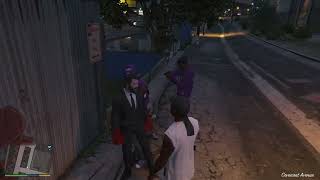
That's exactly what this mod is for. By automatically equipping nearby NPCs with suppressors whenever their weapons support them, firefights generate much less noise, allowing the world to feel more alive and natural while reducing the chance of nearby NPCs fleeing in panic.
Every 0.5 seconds, the mod scans nearby NPCs within a 100-meter radius. If an NPC is holding a weapon that supports a suppressor, the attachment is added automatically. Weapons that do not support suppressors are ignored.
Features
Requirements
This mod is lightweight, easy to use, and designed to integrate seamlessly into the game's vanilla experience.
Compatibility
Suppressor For Everyone is designed to be lightweight and highly compatible.
As long as ScriptHookV, ScriptHookVDotNet, and LemonUI are installed correctly, the mod should work seamlessly with your game.
Installation
That's it! Launch the game and press M (default) to open the configuration menu.
Important
The M key is also used by GTA V's Interaction Menu, which may conflict with this mod's default activation key.
To resolve this, simply reassign the Interaction Menu to a different key in the game's settings.
Sorry for the inconvenience. If pressing M opens the Interaction Menu instead of this mod's menu, this key conflict is the reason.
One thing that has always bothered me is how quickly the world empties out after a firefight begins. As soon as shots are fired, nearby NPCs panic and run away, making the city feel strangely empty and less immersive.
That's exactly what this mod is for. By automatically equipping nearby NPCs with suppressors whenever their weapons support them, firefights generate much less noise, allowing the world to feel more alive and natural while reducing the chance of nearby NPCs fleeing in panic.
Every 0.5 seconds, the mod scans nearby NPCs within a 100-meter radius. If an NPC is holding a weapon that supports a suppressor, the attachment is added automatically. Weapons that do not support suppressors are ignored.
Features
- Automatically equips suppressors on compatible NPC weapons.
- Supports pistols, SMGs, and rifles.
- Ignores weapons that do not support suppressors.
- New in v1.1: Built-in configuration menu powered by LemonUI.
- Enable or disable the mod directly from the in-game menu.
- Customize the menu hotkey without editing any files.
- Supports both English and Portuguese.
- Displays in-game notifications with confirmation sounds.
Requirements
- GTA V Legacy
- ScriptHookV
- ScriptHookVDotNet 3 (Nightly)
- LemonUI
This mod is lightweight, easy to use, and designed to integrate seamlessly into the game's vanilla experience.
Compatibility
Suppressor For Everyone is designed to be lightweight and highly compatible.
- Compatible with GTA V Legacy.
- Compatible with other ScriptHookVDotNet mods.
- Designed to work alongside other mods without conflicts.
As long as ScriptHookV, ScriptHookVDotNet, and LemonUI are installed correctly, the mod should work seamlessly with your game.
Installation
- Extract the downloaded archive.
- Copy SuppressorForEveryone.dll and LemonUI.SHVDN3.dll to your GTA V scripts folder.
- Copy ScriptHookVDotNet3.dll and ScriptHookV.dll to your GTA V root directory (the folder containing GTA5.exe).
That's it! Launch the game and press M (default) to open the configuration menu.
Important
The M key is also used by GTA V's Interaction Menu, which may conflict with this mod's default activation key.
To resolve this, simply reassign the Interaction Menu to a different key in the game's settings.
Sorry for the inconvenience. If pressing M opens the Interaction Menu instead of this mod's menu, this key conflict is the reason.
Eerste Upload: 4 dagen geleden
Laatst bijgewerkt: 3 dagen geleden
Laatst Gedownload: 4 uur geleden
2 Reacties
Suppressor For Everyone (1.1)
One thing that has always bothered me is how quickly the world empties out after a firefight begins. As soon as shots are fired, nearby NPCs panic and run away, making the city feel strangely empty and less immersive.
That's exactly what this mod is for. By automatically equipping nearby NPCs with suppressors whenever their weapons support them, firefights generate much less noise, allowing the world to feel more alive and natural while reducing the chance of nearby NPCs fleeing in panic.
Every 0.5 seconds, the mod scans nearby NPCs within a 100-meter radius. If an NPC is holding a weapon that supports a suppressor, the attachment is added automatically. Weapons that do not support suppressors are ignored.
Features
Requirements
This mod is lightweight, easy to use, and designed to integrate seamlessly into the game's vanilla experience.
Compatibility
Suppressor For Everyone is designed to be lightweight and highly compatible.
As long as ScriptHookV, ScriptHookVDotNet, and LemonUI are installed correctly, the mod should work seamlessly with your game.
Installation
That's it! Launch the game and press M (default) to open the configuration menu.
Important
The M key is also used by GTA V's Interaction Menu, which may conflict with this mod's default activation key.
To resolve this, simply reassign the Interaction Menu to a different key in the game's settings.
Sorry for the inconvenience. If pressing M opens the Interaction Menu instead of this mod's menu, this key conflict is the reason.
One thing that has always bothered me is how quickly the world empties out after a firefight begins. As soon as shots are fired, nearby NPCs panic and run away, making the city feel strangely empty and less immersive.
That's exactly what this mod is for. By automatically equipping nearby NPCs with suppressors whenever their weapons support them, firefights generate much less noise, allowing the world to feel more alive and natural while reducing the chance of nearby NPCs fleeing in panic.
Every 0.5 seconds, the mod scans nearby NPCs within a 100-meter radius. If an NPC is holding a weapon that supports a suppressor, the attachment is added automatically. Weapons that do not support suppressors are ignored.
Features
- Automatically equips suppressors on compatible NPC weapons.
- Supports pistols, SMGs, and rifles.
- Ignores weapons that do not support suppressors.
- New in v1.1: Built-in configuration menu powered by LemonUI.
- Enable or disable the mod directly from the in-game menu.
- Customize the menu hotkey without editing any files.
- Supports both English and Portuguese.
- Displays in-game notifications with confirmation sounds.
Requirements
- GTA V Legacy
- ScriptHookV
- ScriptHookVDotNet 3 (Nightly)
- LemonUI
This mod is lightweight, easy to use, and designed to integrate seamlessly into the game's vanilla experience.
Compatibility
Suppressor For Everyone is designed to be lightweight and highly compatible.
- Compatible with GTA V Legacy.
- Compatible with other ScriptHookVDotNet mods.
- Designed to work alongside other mods without conflicts.
As long as ScriptHookV, ScriptHookVDotNet, and LemonUI are installed correctly, the mod should work seamlessly with your game.
Installation
- Extract the downloaded archive.
- Copy SuppressorForEveryone.dll and LemonUI.SHVDN3.dll to your GTA V scripts folder.
- Copy ScriptHookVDotNet3.dll and ScriptHookV.dll to your GTA V root directory (the folder containing GTA5.exe).
That's it! Launch the game and press M (default) to open the configuration menu.
Important
The M key is also used by GTA V's Interaction Menu, which may conflict with this mod's default activation key.
To resolve this, simply reassign the Interaction Menu to a different key in the game's settings.
Sorry for the inconvenience. If pressing M opens the Interaction Menu instead of this mod's menu, this key conflict is the reason.
Eerste Upload: 4 dagen geleden
Laatst bijgewerkt: 3 dagen geleden
Laatst Gedownload: 4 uur geleden
 5mods on Discord

@Thirsty_edits It doesn't work with the Enhanced version.
It's true that the mod equips suppressors on all NPCs carrying compatible weapons, and I did mention in the description that it makes combat feel more tactical and immersive. However, its real purpose is to let you have shootouts with the police or gangs without scaring away every other NPC.
The problem is that, once combat starts, the game world quickly feels too empty, which I find pretty annoying. So that's what the mod is really for: allowing gunfights without drawing so much attention.
(I forgot to mention this in the description, but the M key is already used by GTA V's Interaction Menu, which can conflict with the mod's activation key.
To fix this, simply rebind the Interaction Menu to a different key in the game's settings.
Sorry for the inconvenience. If pressing M opens the Interaction Menu instead of activating the mod, this key conflict is the reason.
)
does it work for enhanced or not
does it apply suppresor randomly or for everyone? every npc having a suppresor who has an smg etc doesnt seem that realistic