Weapon & Vehicle Saving System (with Online Weapon Customization & Vehicle Persistent Save) 2.0.0



909
15
909
15
Note: Many functions cost a necessary amount of in-game money.
About This Mod
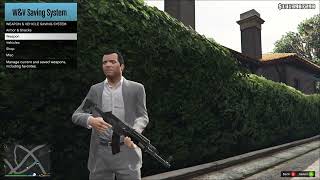
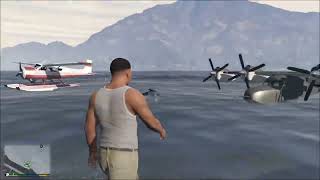
Weapon & Vehicle Saving System is a lightweight GTA V weapons and vehicle saving script menu without any interior or showroom, with extra survival and utility features.
Key Features
Weapons
Vehicles
Extra Features
Difference Between Weapon Profile And Special Loadout
About Weapon Customization Auto-Saving
Few Things To Keep In Mind About Persistent Personal Vehicles
Requirements
How To Install
Usage Guide (v2)
Configuration File
You can configure the mod with the Config.ini file inside the WeaponVehicleSavingSystem folder (which you extracted into the scripts folder).
From Version 2.0.0: New values have been added. Please check the Cangelog or the Usage Guide (v2) for more details.
From Version 1.1.0: New values have been added, including MaxPersistentVehiclesPerPed, RandomAndSharedHudColorID, and RandomAndSharedBlipColorID.
Changelog
v2.0.0
v1.2.1
v1.2.0
v1.1.0
v1.0.1
v1.0
Credits
Important Notice: Reuploading this mod elsewhere is not allowed. Video showcases and reviews are welcome!
About This Mod
Weapon & Vehicle Saving System is a lightweight GTA V weapons and vehicle saving script menu without any interior or showroom, with extra survival and utility features.
Key Features
Weapons
- Saving and giving weapons for each character
- Managing saved weapons, including special loadouts (formerly called favorite weapons)
- Up to 10 weapon profiles for each character
- Functions: Ammo refill and more...
Vehicles
- Saving and spawning vehicles for each character
- Managing saved vehicles, including personal vehicles
- Categorized vehicle storage including Garage, Helipad, Hangar, and Dock
- Separate shared vehicle storage for easy access by any character
- From Version 1.1.0: You can add a vehicle to a persistent file as a personal vehicle to restore on game restart, featuring two different modes: 'Fixed Location' and 'Track Location'. Unlike session-only personal vehicles, the blip is hidden from the radar/minimap when you are inside a persistent vehicle. If you still prefer session-only personal vehicles, you can change personal vehicle mode from the Vehicle->Manage menu.
- Functions: Ownership and persistence, vehicle restore, auto warping, and more...
Extra Features
- Quick snack eating and armor using for survival
- Buy weapons
- Customize weapons
Difference Between Weapon Profile And Special Loadout
- Weapon Profile: A weapon profile contains all of your saved weapons. Each profile can store only one unique weapon hash and one unique set of customizations per weapon. If you want to customize the same weapon with a different look, you need separate profiles. You can view all saved weapons in the active profile from 'Weapon -> My Weapons' menu. The currently active profile can be changed via the 'Weapon -> Mange -> Profile' menu.
- Special Loadout: Unlike a Weapon Profile, a special loadout is a subset or grouping of weapons within that same Weapon Profile. Any changes or customizations made to a saved weapon in the Weapon Profile will also affect that weapon in the Special Loadouts. It helps you group weapons from the same profile into different loadouts with custom loadout names of your choice (e.g., Stealth, Combat, Explosive, or whatever you name it) without needing a separate profile. To add a saved weapon to a Special Loadout, use the individual weapon menu from 'Weapon -> My Weapons' menu. Each Weapon Profile currently supports up to 5 different Special Loadouts. Giving a Special Loadout replaces your entire weapon wheel. Deleting a weapon from the Weapon Profile also removes it from its Special Loadouts.
About Weapon Customization Auto-Saving
- Auto-saving automatically triggers when you switch the weapon you are currently customizing, when you exit the 'Customize Weapon' menu, or when you close the entire menu.
Few Things To Keep In Mind About Persistent Personal Vehicles
- When you exit a 'Track Location' vehicle, its location and mods/appearance are updated in the persistent file.
- When you exit a 'Fixed Location' vehicle, only its mods/appearance will be updated in the persistent file.
- 'Track Location' vehicles may anchor automatically when you exit at sea, but the game will automatically release the anchor when you enter, unlike a manual anchor.
- Sea vehicles always respawn with an auto-release anchor, whether it was set automatically or manually, unless no anchor was set.
- Version 2.0.0 Note: Always exit your vehicle after customization to update its new appearance before saving the game so adoption works properly on restart.
- Try not to let two vehicles end up in the same spot (e.g., parking a 'Track Location' vehicle on the same spot where a 'Fixed Location' vehicle will respawn).
- When moving while the menu is open, the menu may flicker when you are getting close to a persistent vehicle, or even disappear briefly for the first time after restarting the game, especially with some DLC vehicles.
Requirements
- Script Hook V Latest: [Download]
- Script Hook V .NET [Legacy & Enhanced] Latest (Recommended): [Download] (Supports both GTA V Legacy and Enhanced)
- Script Hook V .NET Nightly Build 3.7.0-nightly.202 or latest: [Download] (For Legacy GTA V only, skip if using the recommended option above)
- LemonUI (SHVDN3) Latest: [Download]
- The newest version of the game
How To Install
- Ensure all requirements are installed. Check their official download pages for complete installation instructions.
- Download the current version of the mod.
- Open the .zip file and navigate to the folder corresponding to your Script Hook V .NET version (either the [Legacy & Enhanced] folder or the Nightly Build folder).
- Extract the contents of the folder into your main scripts folder (located inside your main Grand Theft Auto V folder).
- Launch the game, press the menu key (default is F10), and enjoy!
Usage Guide (v2)
- Saving Weapons From 'Weapon -> Current Weapons' Menu
- Use "Save Current Weapon" to save the current weapon to the active profile. (Note: This overwrites if already saved).
- Use "Save All Weapons" to save all weapons to the active profile. (Note: This overwrites any saved weapon).
- Use "Add All To Special Loadout" as a shortcut for "Save All Weapons", which then uses all weapon(s) on wheel as a reference to add saved weapons in the active profile to the selected special loadout. (Important: Please read "Difference Between Weapon Profile And Special Loadout" above in the description).
- Giving Individual Weapon From 'Weapon -> My Weapons' Menu
- Use "Give" to give the weapon to the current ped with any saved customizations in the active profile.
- Switching Your Entire Wheel To Special Loadouts From 'Weapon -> Special Loadouts' Menu
- Use "Give Loadout" to give all weapons in the selected special loadout to the current ped with all saved customizations in the active profile. (Warning: This replaces your entire wheel with only the weapon(s) in the selected special loadout).
- Important: Please read "Difference Between Weapon Profile And Special Loadout" above.
- Giving All Weapons In The Active Profile From 'Weapon -> Manage' Menu
- Use "Give All Weapons" to give all saved weapons in the active profile to the current ped with all saved customizations. (Note: This does NOT replace your entire wheel).
- Important: Please read "Difference Between Weapon Profile And Special Loadout" above.
- Advanced Weapon System Features (Optional Since v2.0.0, Configurable via the .ini file)
- To enable these features (such as UseAdvancedWeaponSavingOptions and EnableAdvancedWeaponGivingOptions) and the Ammo Reservation System, please check the comments and settings directly inside the .ini file.
- Personal Vehicle Modes: Session Only vs. Persistent File
- Session Only Persistence: Allows you to set a maximum of 10 saved vehicles as personal vehicles, then use "Drop Nearby" in the Personal Vehicles menu to keep the vehicle temporary until the game is closed or the script unloads.
- Persistent File: Saves vehicle permanently to persistent file across game restarts by toggling it in the Current Vehicle menu.
- You can change personal vehicle mode from Vehicle -> Manage menu.
- Spawning Vehicle (Any Vehicle)
- Use "Summon" to spawn the vehicle instantly in front of the player.
- Session Only Persistence (Using Drop Nearby)
- Cars and Boats: Vehicle will spawn on the nearest vehicle or sea node.
- Helicopter: Vehicle will spawn on some of the in-game helipads if the player is close to any, otherwise it acts like a car with a basic collision check.
- Plane: Vehicle will only spawn if the player is inside any of the in-game airfields.
- Session Only Persistence (Random/Ambient Vehicle)
- Get to the driver's seat of any ambient vehicle and use "Owner" from the Current Vehicle menu to claim the vehicle as your own for the session.
- Select "Owner" again to unclaim it and revert it to an ambient vehicle.
- Claimed or Dropped Non-Personal Vehicle
- Shows a default blip named "My Vehicle" or "Shared Vehicle" (if dropped from shared storage).
- Each character has 1 owned vehicle for claimed or dropped vehicles. Claiming or dropping another one will remove the oldest one.
- Personal Vehicle - Session Only (Using Drop Nearby)
- Shows a vehicle type blip named "Personal Vehicle".
- Each character can drop 3 personal vehicles. Dropping another one will remove the oldest one.
- If you need more personal vehicles per character, you can change the personal vehicle mode to Persistent file.
- Personal Vehicle - Persistent File
- Use "Persistent" from the Current Vehicle menu to add any vehicle you own to the persistent file.
- Shows a vehicle type blip named "Personal Vehicle" or "Shared Vehicle" depending on the current ownership.
- Note: Please read 'Few Things To Keep In Mind About Persistent Personal Vehicles' above for more information about persistent personal vehicles.
- If you prefer session-only personal vehicles instead, you can change the personal vehicle mode to Session Only.
Configuration File
You can configure the mod with the Config.ini file inside the WeaponVehicleSavingSystem folder (which you extracted into the scripts folder).
From Version 2.0.0: New values have been added. Please check the Cangelog or the Usage Guide (v2) for more details.
From Version 1.1.0: New values have been added, including MaxPersistentVehiclesPerPed, RandomAndSharedHudColorID, and RandomAndSharedBlipColorID.
Changelog
v2.0.0
- Changes in Weapon System:
- Added auto-save to the weapon shop to automatically save weapon customization when you leave the customization menu. (Note: Please read "About Weapon Customization Auto-Saving" above in the description for more details on when saves are triggered).
- Improved weapon attachment names in the shop for both Story Mode and Online weapons.
- Added a "Buy Ammo" option to the weapon customization menu for fast refilling while customizing weapons.
- Renamed "Favorite Weapons" to "Special Loadouts". (Important: Please read "Difference Between Weapon Profile And Special Loadout" above in the description).
- You can now set a custom name for "Special Loadout". (Note: Setting a custom name for any special loadout upgrades the weapon profile file format, which breaks compatibility with older versions of the mod).
- Added "Add All To Special Loadout" option as a shortcut to save current weapons on the wheel to the active profile, then add them to the selected special loadout. (Note: The saving behavior is affected by "UseAdvancedWeaponSavingOptions" in the .ini file).
- Quick Refill toggle now stays remembered between game restarts.
- Removed El Strickler weapon from the shop. I noticed it does not have a physical weapon model, and can cause a game crash when you attempt to fire it. Apologies to anyone who experienced a crash because of this weapon in my mod. If you still need it for some reason, here is the weapon hash: (2378080583 or 0x8DBEA147).
- Changes in Vehicle System:
- Added simple vehicle adoption for persistent vehicles on game start. (Note: Always exit your vehicle after customization to update its new appearance before saving the game so adoption works properly on restart).
- You can now restore damaged personal or shared persistence vehicles (Note: Mission vehicles or vehicles owned by other peds/characters cannot be restored by another).
- Changes in Configuration & Settings:
- Added options to the configuration .ini file to customize how simple or controlled you want the weapon saving system to be, including "NoAmmoReservation" (Default: True), "UseAdvancedWeaponSavingOptions" (Default: False), and "EnableAdvancedWeaponGivingOptions" (Default: False). To use or configure these options, check the comments for these options in the updated .ini file in the downloaded .zip file).
- Renamed "HideMenuOnPause" to "CloseMenuOnPause" in the configuration .ini with the exact same behavior. (Note: Using "HideMenuOnPause" will no longer have any effect).
- Other Changes:
- "Change Character" option is Hidden from the Misc menu because it is an experimental feature I use myself. If you still wish to use any experimental features, you can enable them via the .ini file with "EnableHiddenExperimentalFeatures".
- Bug Fixes & General Changes:
- Fixed a bug where weapon base tints were not restoring correctly when a weapon has a certain luxury finish attachment.
- Made a few changes to general menu, description, help, and notification text.
- Fixed any bugs I found while testing.
- Tested with:
- Grand Theft Auto V Legacy latest
- Script Hook V .Net Enhanced [Legacy and Enhanced] (1.1.0.6 / 3.9.0)
- Script Hook V .NET Nightly Build 3.7.0-nightly.202
- LemonUI (SHVDN3) (v2.2)
v1.2.1
- Release Notes:
- Optimized persistent vehicle tracking: Updates now only trigger when the vehicle actually moves (about 0.22 meters) or changes appearance, avoiding unnecessary disk I/O every time you exit, especially for 'Fixed Location' vehicles. Since the chances of a vehicle getting modified every time you enter are very less, this optimization was necessary.
- Improved menu navigation by blocking Recording and Action Replay to prevent unintended recording while you are just fast-scrolling down the menu using D-Pad Down.
v1.2.0
- Release Notes:
- Added help text when you exit persistent vehicle (note: may be suppressed if a menu or another help text displays).
- Fixed important bug with ammo reserving.
- Other minor bugs have been fixed.
v1.1.0
- Release Notes:
- Added a vehicle persistent file thanks to @ComeFlyWithMe 's suggestion. You can now place a vehicle you own anywhere on the map as a personal vehicle, and it will never disappear even after closing the game. You can choose to either fix its location or auto-track its location. The blip is now hidden from the minimap when you are inside a persistent vehicle, unlike session-only vehicles.
- Added the ability to set the vehicle radio station to Radio Off by default when spawning.
- A few new values have been added to the configuration file.
- Few known bugs have been fixed.
v1.0.1
- Release Note:
- Updated the mod to work with Script Hook V .Net Enhanced [Legacy and Enhanced].
v1.0
- Release Note:
- First release.
Credits
- Alexander Blade: For ScriptHookV.
- crosire & kagikn & Chiheb-Bacha & Community: For ScriptHookVDotNet.
- LemonNeko: For the LemonUI framework.
Important Notice: Reuploading this mod elsewhere is not allowed. Video showcases and reviews are welcome!
Primul incarcat: 25 septembrie 2026
Ultimul incarcat: 16 hours ago
Last Downloaded: in urma cu 18 minute
19 Comentarii
Note: Many functions cost a necessary amount of in-game money.
About This Mod
Weapon & Vehicle Saving System is a lightweight GTA V weapons and vehicle saving script menu without any interior or showroom, with extra survival and utility features.
Key Features
Weapons
Vehicles
Extra Features
Difference Between Weapon Profile And Special Loadout
About Weapon Customization Auto-Saving
Few Things To Keep In Mind About Persistent Personal Vehicles
Requirements
How To Install
Usage Guide (v2)
Configuration File
You can configure the mod with the Config.ini file inside the WeaponVehicleSavingSystem folder (which you extracted into the scripts folder).
From Version 2.0.0: New values have been added. Please check the Cangelog or the Usage Guide (v2) for more details.
From Version 1.1.0: New values have been added, including MaxPersistentVehiclesPerPed, RandomAndSharedHudColorID, and RandomAndSharedBlipColorID.
Changelog
v2.0.0
v1.2.1
v1.2.0
v1.1.0
v1.0.1
v1.0
Credits
Important Notice: Reuploading this mod elsewhere is not allowed. Video showcases and reviews are welcome!
About This Mod
Weapon & Vehicle Saving System is a lightweight GTA V weapons and vehicle saving script menu without any interior or showroom, with extra survival and utility features.
Key Features
Weapons
- Saving and giving weapons for each character
- Managing saved weapons, including special loadouts (formerly called favorite weapons)
- Up to 10 weapon profiles for each character
- Functions: Ammo refill and more...
Vehicles
- Saving and spawning vehicles for each character
- Managing saved vehicles, including personal vehicles
- Categorized vehicle storage including Garage, Helipad, Hangar, and Dock
- Separate shared vehicle storage for easy access by any character
- From Version 1.1.0: You can add a vehicle to a persistent file as a personal vehicle to restore on game restart, featuring two different modes: 'Fixed Location' and 'Track Location'. Unlike session-only personal vehicles, the blip is hidden from the radar/minimap when you are inside a persistent vehicle. If you still prefer session-only personal vehicles, you can change personal vehicle mode from the Vehicle->Manage menu.
- Functions: Ownership and persistence, vehicle restore, auto warping, and more...
Extra Features
- Quick snack eating and armor using for survival
- Buy weapons
- Customize weapons
Difference Between Weapon Profile And Special Loadout
- Weapon Profile: A weapon profile contains all of your saved weapons. Each profile can store only one unique weapon hash and one unique set of customizations per weapon. If you want to customize the same weapon with a different look, you need separate profiles. You can view all saved weapons in the active profile from 'Weapon -> My Weapons' menu. The currently active profile can be changed via the 'Weapon -> Mange -> Profile' menu.
- Special Loadout: Unlike a Weapon Profile, a special loadout is a subset or grouping of weapons within that same Weapon Profile. Any changes or customizations made to a saved weapon in the Weapon Profile will also affect that weapon in the Special Loadouts. It helps you group weapons from the same profile into different loadouts with custom loadout names of your choice (e.g., Stealth, Combat, Explosive, or whatever you name it) without needing a separate profile. To add a saved weapon to a Special Loadout, use the individual weapon menu from 'Weapon -> My Weapons' menu. Each Weapon Profile currently supports up to 5 different Special Loadouts. Giving a Special Loadout replaces your entire weapon wheel. Deleting a weapon from the Weapon Profile also removes it from its Special Loadouts.
About Weapon Customization Auto-Saving
- Auto-saving automatically triggers when you switch the weapon you are currently customizing, when you exit the 'Customize Weapon' menu, or when you close the entire menu.
Few Things To Keep In Mind About Persistent Personal Vehicles
- When you exit a 'Track Location' vehicle, its location and mods/appearance are updated in the persistent file.
- When you exit a 'Fixed Location' vehicle, only its mods/appearance will be updated in the persistent file.
- 'Track Location' vehicles may anchor automatically when you exit at sea, but the game will automatically release the anchor when you enter, unlike a manual anchor.
- Sea vehicles always respawn with an auto-release anchor, whether it was set automatically or manually, unless no anchor was set.
- Version 2.0.0 Note: Always exit your vehicle after customization to update its new appearance before saving the game so adoption works properly on restart.
- Try not to let two vehicles end up in the same spot (e.g., parking a 'Track Location' vehicle on the same spot where a 'Fixed Location' vehicle will respawn).
- When moving while the menu is open, the menu may flicker when you are getting close to a persistent vehicle, or even disappear briefly for the first time after restarting the game, especially with some DLC vehicles.
Requirements
- Script Hook V Latest: [Download]
- Script Hook V .NET [Legacy & Enhanced] Latest (Recommended): [Download] (Supports both GTA V Legacy and Enhanced)
- Script Hook V .NET Nightly Build 3.7.0-nightly.202 or latest: [Download] (For Legacy GTA V only, skip if using the recommended option above)
- LemonUI (SHVDN3) Latest: [Download]
- The newest version of the game
How To Install
- Ensure all requirements are installed. Check their official download pages for complete installation instructions.
- Download the current version of the mod.
- Open the .zip file and navigate to the folder corresponding to your Script Hook V .NET version (either the [Legacy & Enhanced] folder or the Nightly Build folder).
- Extract the contents of the folder into your main scripts folder (located inside your main Grand Theft Auto V folder).
- Launch the game, press the menu key (default is F10), and enjoy!
Usage Guide (v2)
- Saving Weapons From 'Weapon -> Current Weapons' Menu
- Use "Save Current Weapon" to save the current weapon to the active profile. (Note: This overwrites if already saved).
- Use "Save All Weapons" to save all weapons to the active profile. (Note: This overwrites any saved weapon).
- Use "Add All To Special Loadout" as a shortcut for "Save All Weapons", which then uses all weapon(s) on wheel as a reference to add saved weapons in the active profile to the selected special loadout. (Important: Please read "Difference Between Weapon Profile And Special Loadout" above in the description).
- Giving Individual Weapon From 'Weapon -> My Weapons' Menu
- Use "Give" to give the weapon to the current ped with any saved customizations in the active profile.
- Switching Your Entire Wheel To Special Loadouts From 'Weapon -> Special Loadouts' Menu
- Use "Give Loadout" to give all weapons in the selected special loadout to the current ped with all saved customizations in the active profile. (Warning: This replaces your entire wheel with only the weapon(s) in the selected special loadout).
- Important: Please read "Difference Between Weapon Profile And Special Loadout" above.
- Giving All Weapons In The Active Profile From 'Weapon -> Manage' Menu
- Use "Give All Weapons" to give all saved weapons in the active profile to the current ped with all saved customizations. (Note: This does NOT replace your entire wheel).
- Important: Please read "Difference Between Weapon Profile And Special Loadout" above.
- Advanced Weapon System Features (Optional Since v2.0.0, Configurable via the .ini file)
- To enable these features (such as UseAdvancedWeaponSavingOptions and EnableAdvancedWeaponGivingOptions) and the Ammo Reservation System, please check the comments and settings directly inside the .ini file.
- Personal Vehicle Modes: Session Only vs. Persistent File
- Session Only Persistence: Allows you to set a maximum of 10 saved vehicles as personal vehicles, then use "Drop Nearby" in the Personal Vehicles menu to keep the vehicle temporary until the game is closed or the script unloads.
- Persistent File: Saves vehicle permanently to persistent file across game restarts by toggling it in the Current Vehicle menu.
- You can change personal vehicle mode from Vehicle -> Manage menu.
- Spawning Vehicle (Any Vehicle)
- Use "Summon" to spawn the vehicle instantly in front of the player.
- Session Only Persistence (Using Drop Nearby)
- Cars and Boats: Vehicle will spawn on the nearest vehicle or sea node.
- Helicopter: Vehicle will spawn on some of the in-game helipads if the player is close to any, otherwise it acts like a car with a basic collision check.
- Plane: Vehicle will only spawn if the player is inside any of the in-game airfields.
- Session Only Persistence (Random/Ambient Vehicle)
- Get to the driver's seat of any ambient vehicle and use "Owner" from the Current Vehicle menu to claim the vehicle as your own for the session.
- Select "Owner" again to unclaim it and revert it to an ambient vehicle.
- Claimed or Dropped Non-Personal Vehicle
- Shows a default blip named "My Vehicle" or "Shared Vehicle" (if dropped from shared storage).
- Each character has 1 owned vehicle for claimed or dropped vehicles. Claiming or dropping another one will remove the oldest one.
- Personal Vehicle - Session Only (Using Drop Nearby)
- Shows a vehicle type blip named "Personal Vehicle".
- Each character can drop 3 personal vehicles. Dropping another one will remove the oldest one.
- If you need more personal vehicles per character, you can change the personal vehicle mode to Persistent file.
- Personal Vehicle - Persistent File
- Use "Persistent" from the Current Vehicle menu to add any vehicle you own to the persistent file.
- Shows a vehicle type blip named "Personal Vehicle" or "Shared Vehicle" depending on the current ownership.
- Note: Please read 'Few Things To Keep In Mind About Persistent Personal Vehicles' above for more information about persistent personal vehicles.
- If you prefer session-only personal vehicles instead, you can change the personal vehicle mode to Session Only.
Configuration File
You can configure the mod with the Config.ini file inside the WeaponVehicleSavingSystem folder (which you extracted into the scripts folder).
From Version 2.0.0: New values have been added. Please check the Cangelog or the Usage Guide (v2) for more details.
From Version 1.1.0: New values have been added, including MaxPersistentVehiclesPerPed, RandomAndSharedHudColorID, and RandomAndSharedBlipColorID.
Changelog
v2.0.0
- Changes in Weapon System:
- Added auto-save to the weapon shop to automatically save weapon customization when you leave the customization menu. (Note: Please read "About Weapon Customization Auto-Saving" above in the description for more details on when saves are triggered).
- Improved weapon attachment names in the shop for both Story Mode and Online weapons.
- Added a "Buy Ammo" option to the weapon customization menu for fast refilling while customizing weapons.
- Renamed "Favorite Weapons" to "Special Loadouts". (Important: Please read "Difference Between Weapon Profile And Special Loadout" above in the description).
- You can now set a custom name for "Special Loadout". (Note: Setting a custom name for any special loadout upgrades the weapon profile file format, which breaks compatibility with older versions of the mod).
- Added "Add All To Special Loadout" option as a shortcut to save current weapons on the wheel to the active profile, then add them to the selected special loadout. (Note: The saving behavior is affected by "UseAdvancedWeaponSavingOptions" in the .ini file).
- Quick Refill toggle now stays remembered between game restarts.
- Removed El Strickler weapon from the shop. I noticed it does not have a physical weapon model, and can cause a game crash when you attempt to fire it. Apologies to anyone who experienced a crash because of this weapon in my mod. If you still need it for some reason, here is the weapon hash: (2378080583 or 0x8DBEA147).
- Changes in Vehicle System:
- Added simple vehicle adoption for persistent vehicles on game start. (Note: Always exit your vehicle after customization to update its new appearance before saving the game so adoption works properly on restart).
- You can now restore damaged personal or shared persistence vehicles (Note: Mission vehicles or vehicles owned by other peds/characters cannot be restored by another).
- Changes in Configuration & Settings:
- Added options to the configuration .ini file to customize how simple or controlled you want the weapon saving system to be, including "NoAmmoReservation" (Default: True), "UseAdvancedWeaponSavingOptions" (Default: False), and "EnableAdvancedWeaponGivingOptions" (Default: False). To use or configure these options, check the comments for these options in the updated .ini file in the downloaded .zip file).
- Renamed "HideMenuOnPause" to "CloseMenuOnPause" in the configuration .ini with the exact same behavior. (Note: Using "HideMenuOnPause" will no longer have any effect).
- Other Changes:
- "Change Character" option is Hidden from the Misc menu because it is an experimental feature I use myself. If you still wish to use any experimental features, you can enable them via the .ini file with "EnableHiddenExperimentalFeatures".
- Bug Fixes & General Changes:
- Fixed a bug where weapon base tints were not restoring correctly when a weapon has a certain luxury finish attachment.
- Made a few changes to general menu, description, help, and notification text.
- Fixed any bugs I found while testing.
- Tested with:
- Grand Theft Auto V Legacy latest
- Script Hook V .Net Enhanced [Legacy and Enhanced] (1.1.0.6 / 3.9.0)
- Script Hook V .NET Nightly Build 3.7.0-nightly.202
- LemonUI (SHVDN3) (v2.2)
v1.2.1
- Release Notes:
- Optimized persistent vehicle tracking: Updates now only trigger when the vehicle actually moves (about 0.22 meters) or changes appearance, avoiding unnecessary disk I/O every time you exit, especially for 'Fixed Location' vehicles. Since the chances of a vehicle getting modified every time you enter are very less, this optimization was necessary.
- Improved menu navigation by blocking Recording and Action Replay to prevent unintended recording while you are just fast-scrolling down the menu using D-Pad Down.
v1.2.0
- Release Notes:
- Added help text when you exit persistent vehicle (note: may be suppressed if a menu or another help text displays).
- Fixed important bug with ammo reserving.
- Other minor bugs have been fixed.
v1.1.0
- Release Notes:
- Added a vehicle persistent file thanks to @ComeFlyWithMe 's suggestion. You can now place a vehicle you own anywhere on the map as a personal vehicle, and it will never disappear even after closing the game. You can choose to either fix its location or auto-track its location. The blip is now hidden from the minimap when you are inside a persistent vehicle, unlike session-only vehicles.
- Added the ability to set the vehicle radio station to Radio Off by default when spawning.
- A few new values have been added to the configuration file.
- Few known bugs have been fixed.
v1.0.1
- Release Note:
- Updated the mod to work with Script Hook V .Net Enhanced [Legacy and Enhanced].
v1.0
- Release Note:
- First release.
Credits
- Alexander Blade: For ScriptHookV.
- crosire & kagikn & Chiheb-Bacha & Community: For ScriptHookVDotNet.
- LemonNeko: For the LemonUI framework.
Important Notice: Reuploading this mod elsewhere is not allowed. Video showcases and reviews are welcome!
Primul incarcat: 25 septembrie 2026
Ultimul incarcat: 16 hours ago
Last Downloaded: in urma cu 18 minute
 5mods on Discord

v2.0.0 Update is here!
Version 2.0.0 brings major improvements to the system (more focused on making the weapon system simpler for everyone).
New improvements include:
- Weapon Customization Auto-Saving
- Improved weapon attachment names in the shop for both Story Mode and Online weapons
- Simple vehicle adoption for Persistent vehicles on game start
- Bug fixes
- And more...
Please check the latest changelog and the updated Usage Guide (v2) in the description for all the changes you need to know.
Hi mod lovers! Welcome to my first release of Weapon & Vehicle Saving System! Let me know if you run into any bugs. Enjoy the mod!
Looks awesome! By the way, which hotkey does it use?
@ComeFlyWithMe F10 is the default hotkey, but you can customize it via the Config.ini file.
I tested the mod but it doesn't work. I use SHVDN Enhanced for my scripts, maybe that's why.
@ComeFlyWithMe Thank you for letting me know. I tested it with Script Hook V .NET Enhanced [Legacy and Enhanced], and it wasn't working for me either. I have now updated the mod to v1.0.1 to work with Script Hook V .NET Enhanced [Legacy and Enhanced], but I still cannot test it on the enhanced version of the game since I only have the legacy version. I hope it works for Enhanced users now.
@iCoTech thanks a lot for updating the mod in such a short time. I’m using the legacy version as well, so I can’t confirm about the enhanced version. But I’m kinda sure that it’ll work just as fine.fingers 🤞🏻
@iCoTech I tested the mod and it works...BUT is there any way you can add a feature that can save all my current loadout with one command without needing to save each weapon individually? ALSO, if possible, add vehicle persistence with blip support. It's cool to have vehicles in the yard for RP and decoration purposes.
@ComeFlyWithMe "Save New Weapons" saves all new weapons.
"Update Saved Weapons" re-saves all your saved weapons in case you customized weapons after saving.
Check out the pinned comment for usage guide on the vehicle persistence and more...
Few Mod Usage Guide
Saving All Weapons
* Use "Save New Weapons" to save all new weapons to the current active profile.
* Use "Update Saved Weapons" to re-save all your saved weapons. *(Very important if you customized any of your saved weapons, as it will not be automatically saved).*
Saving Current Weapon (Single Weapon)
* use "Save Selected Weapon" to save the currently active weapon if it hasn't been saved already.
* use "Update Selected Weapon" to save or update the currently active weapon *(important after customizing the weapons)*.
Giving Weapons
* Use "Select" to select the weapon or give it if the player does not already have it.
* Use "Give" to give or replace the weapons even if the player already has it.
* To have your loadout replace your current weapons, add weapons to a "Favorite Weapons" group, then give them from the "Favorite Weapons" menu.
Ammo Reserving (Note: this feature will seem to behave unexpectedly at first until you get used to it)
* Use "Save Weapons Ammo" to save all saved weapons' ammo to reserve. *(Note: All weapons within all profiles share the same ammo pool)*
* You can use the "Manage" menu to change how much percentage of ammo to give based on the weapons' full capacity while giving weapons.
* Ammo reserving is supposed to prevent having free unlimited ammo.
* Feel free to let me know if there is a better way to implement/manage ammo without breaking the game economy.
Spawning Vehicle (Any Vehicle)
* Use "Summon" to spawn the vehicle instantly in front of the player.
Persistent Vehicles (Note: vehicle persistence is only temporary until the game is closed or the script is unloaded)
Persistent Vehicle (Cars and Boats)
* Use "Drop Nearby" to spawn the vehicle on the nearest vehicle node.
Persistent Vehicle (Helicopter)
* "Drop Nearby" will spawn the helicopter on some of the in-game helipads if the player is close to any; otherwise, it works like a car with a slight safety check.
Persistent Vehicle (Plane)
* "Drop Nearby" only works if you are inside any of the in-game airfields.
Persistent Vehicle (Random/Ambient Vehicle)
* Get to the driver's seat of any ambient vehicle and use "Owner" to claim the vehicle as your own to make it persistent.
Claimed Or Non-Personal Vehicle Drop (Shows default blip named "My Vehicle")
* Each character has 1 vehicle persistence for vehicles you claim or drop nearby; claiming or dropping another one will remove the oldest one.
Personal Vehicle Drop (Shows vehicle type blip named "Personal Vehicle")
* Each character can drop 3 personal vehicles; dropping another one will remove the oldest one.
* Feel free to let me know if there should be more persistent vehicles allowed.*
@iCoTech Got it, but can you make vehicle persistence permanent? It’s the only reason that’s stopping me from letting go PersonalVehicleSaver by lisztdreams.
enhanced wont work i pressed F10
@ComeFlyWithMe I appreciate the suggestion. The reason I choose temporary persistence is the flexibility to drop a saved vehicle anywhere at any time. However, adding permanent persistence as a configurable option in a future update is a great idea, and I can definitely do that.
@rzishhh Thanks for the feedback!
If you are using the Enhanced version of the game, you should install Script Hook V .NET Enhanced [Legacy and Enhanced] latest (1.1.0.6) along with mod version 1.0.1. Also, make sure to install the latest version of LemonUI (SHVDN3).
If you are already set up correctly, then I'm afraid the mod might not currently work for the Enhanced version of the game, as I haven't tested it on that version myself.
@iCoTech thanks for considering, can't wait to switch this mod!
Hello does this mod support controller? I can see in the demo video it does but how to change it? Thanks for this awesome mod.
@Mrhaqqim2 Thank you for your rating! To answer your question: yes, the mod uses LumonUI which fully supports both keyboard and controllers for navigating the menus once it is open, but the menu open key can only be configured for keyboard (default is F10, but you can change it from the Config.ini file inside the WeaponVehicleSavingSystem folder).
Quick update! I've updated the Usage Guide in the description right below 'How To Install', including the new Persistent File personal vehicles update added in v1.1 thanks to @ComeFlyWithMe for the suggestion.
Thank you for trying out the mod! Your feedback is always appreciated.
@iCoTech Thanks a lot for making this mod even amazing, bro. You;ve done a great job. Love it!