Enhanced Camera 2.0.0


7,586
54
-
 March 27, 2026
////////////////UPDATE VERSION 2.0.0/////////////
Fixed keyboard menu spam/glitching for Up / Down / Enter / Back
Kept Left / Right fast for slider tuning
Added CAMERAS ON/OFF submenu
Added per-camera toggles for 1P, 3P, vehicle, aim, and scene cam
Added global mod toggle on F3
Added Camera Switch Popups ON/OFF toggle
Added INI support for new toggles
Fixed 3P horizontal X sliders so shoulder side no longer blocks them
Added 3P on-foot wall/object hard-stop collision
Added 3P on-foot ceiling avoidance
Added 3P vehicle wall/object hard-stop collision
Added 3P vehicle ceiling avoidance
Vehicle collision ignores the players own vehicle
compatibility with :
Dynamic Vehicle First Person Camera (make sure to check it out if you havent already)
https://www.gta5-mods.com/scripts/dynamic-vehicle-first-person
turn off first person vehicle and vehicle aiming in the cameras toggle menu
///////////////////////////////////////////////////////////
Take full control of your perspective.
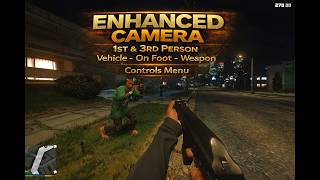
Enhanced Camera completely rebuilds the way first person and third person camera systems behave in GTA V. Designed for players who want precision, immersion, and total customization, this mod gives you full authority over how the game feels on foot, in vehicles, during cutscenes, and while aiming.
No gimmicks. No PAY wall. Just control.
FEATURES:
///Menu & Controls//// (press F7 in game to open menu) (aiming adjustments cant be made while aiming unfortunatly)
Enhanced Camera features a clean, responsive in-game mod menu designed for quick access and full control.
The menu allows you to:
Adjust camera position and FOV in real-time
Tune crosshair size, thickness, and transparency
Toggle scope view and special camera modes
Modify smoothing, offsets, and vehicle settings
Enable or disable features instantly
All settings update live no restart required.
Controls are fully integrated for both keyboard and controller users, with intuitive navigation and smooth input response. Adjustments are precise, allowing you to fine-tune your experience exactly how you want it, and save it directly to your ini.
////Weapon Camera Controls////
Custom aim positioning
Adjustable crosshair size, thickness & transparency
Scope toggle system
Dynamic red-on-ped detection
Clean reticle behavior in vehicles and on foot
////Vehicle Camera Controls////:
Fully customizable vehicle FOV
Smooth rotation tuning
Adjustable camera offsets
Free-orbit tuning
Natural transition between states
////On-Foot Camera Controls////
Adjustable head position
Arm positioning refinements
FOV control
Rotation smoothing for cinematic movement
True immersion without the wrist zoom effect
/// Cutscene Camera Controls///:
Seamless integration during strip scenes & scripted moments
Custom camera logic applied consistently
No snapping or broken transitions
///////////////////////////////////////////////Requirements//////////////////////////////////////////////////////
Ensure the following are installed:
- ScriptHookV INSTALL THE CORECT VERSION FOR YOUR VERSION OF GTA 5
https://www.dev-c.com/gtav/scripthookv/
- ScriptHookVDotNetEnhanced ---ABSOLUTEY REQUIRED --DESPITE THE NAME WILL WORK ON BOTH LEGACY AND ENHANCED VERSIONS -----
https://www.gta5-mods.com/tools/script-hook-v-net-enhanced
--GITHUB--
https://github.com/Chiheb-Bacha/ScriptHookVDotNetEnhanced
////////////////////////////////////////////////////Installation ////////////////////////////////////////////////////
Locate Your GTA V Root Folder
1. Go to:
C: Program Files (x86) Steam steamapps common Grand Theft Auto V
(Or wherever your Steam library is installed.)
2.Open the scripts Folder
Inside the GTA V folder, open the scripts folder.
If it doesnt exist, create a new folder and name it exactly: scripts
3. Drag & Drop the Files
Place the mod .dll file into the scripts folder.
4. Launch GTA V (Story Mode), and the mod will load automatically and generate your ini file within your scripts folder
If you screw up your ini to crazy , delete the INI file and restart the game to restore defaults.
/////////suggestions//////
leave a comment if theres something you think is missing or want to see and maybe itll be implemented in the future, be respectful and kind to better your chances
///////////////UPDATE VERSION 1.0.1//////////////////
ADDED FULL 3RD PERSON CAMERA CONTROLS - VEHICLE-ON FOOT- WEAPONS -
Cleaner menu overall put 1st 3rd cutscenes and toggles in their own submenus
Weapon position adjustment system so the player can fine-tune where guns while in the mod menu
Per-weapon offset saving so different weapon types can have their own placement.
Vehicle camera support with separate behavior while driving or riding in vehicles.
Each vehicle can be saved individually within the menu, and will be saved to ini --next time you enter that vehicle the saved settings will be applied
--the script does not have control in story cutscenes, only for lapdances, robberys, ect, will be cutscene controls --
toggle mod on and off with f3 for compatibility with other mods (accessing menus, ect)
--------------------------------------------------
Permissions
--------------------------------------------------
This mod is released for PERSONAL USE ONLY.
Reuploading, redistributing, modifying, reverse engineering,
or including this mod in mod packs is NOT permitted without
explicit written permission from:
DonDonny / hanks905
First Uploaded: February 18, 2026
Last Updated: March 27, 2026
Last Downloaded: 1 hour ago
104 Comments
More mods by DonDonny:
////////////////UPDATE VERSION 2.0.0/////////////
Fixed keyboard menu spam/glitching for Up / Down / Enter / Back
Kept Left / Right fast for slider tuning
Added CAMERAS ON/OFF submenu
Added per-camera toggles for 1P, 3P, vehicle, aim, and scene cam
Added global mod toggle on F3
Added Camera Switch Popups ON/OFF toggle
Added INI support for new toggles
Fixed 3P horizontal X sliders so shoulder side no longer blocks them
Added 3P on-foot wall/object hard-stop collision
Added 3P on-foot ceiling avoidance
Added 3P vehicle wall/object hard-stop collision
Added 3P vehicle ceiling avoidance
Vehicle collision ignores the players own vehicle
compatibility with :
Dynamic Vehicle First Person Camera (make sure to check it out if you havent already)
https://www.gta5-mods.com/scripts/dynamic-vehicle-first-person
turn off first person vehicle and vehicle aiming in the cameras toggle menu
///////////////////////////////////////////////////////////
Take full control of your perspective.
Enhanced Camera completely rebuilds the way first person and third person camera systems behave in GTA V. Designed for players who want precision, immersion, and total customization, this mod gives you full authority over how the game feels on foot, in vehicles, during cutscenes, and while aiming.
No gimmicks. No PAY wall. Just control.
FEATURES:
///Menu & Controls//// (press F7 in game to open menu) (aiming adjustments cant be made while aiming unfortunatly)
Enhanced Camera features a clean, responsive in-game mod menu designed for quick access and full control.
The menu allows you to:
Adjust camera position and FOV in real-time
Tune crosshair size, thickness, and transparency
Toggle scope view and special camera modes
Modify smoothing, offsets, and vehicle settings
Enable or disable features instantly
All settings update live no restart required.
Controls are fully integrated for both keyboard and controller users, with intuitive navigation and smooth input response. Adjustments are precise, allowing you to fine-tune your experience exactly how you want it, and save it directly to your ini.
////Weapon Camera Controls////
Custom aim positioning
Adjustable crosshair size, thickness & transparency
Scope toggle system
Dynamic red-on-ped detection
Clean reticle behavior in vehicles and on foot
////Vehicle Camera Controls////:
Fully customizable vehicle FOV
Smooth rotation tuning
Adjustable camera offsets
Free-orbit tuning
Natural transition between states
////On-Foot Camera Controls////
Adjustable head position
Arm positioning refinements
FOV control
Rotation smoothing for cinematic movement
True immersion without the wrist zoom effect
/// Cutscene Camera Controls///:
Seamless integration during strip scenes & scripted moments
Custom camera logic applied consistently
No snapping or broken transitions
///////////////////////////////////////////////Requirements//////////////////////////////////////////////////////
Ensure the following are installed:
- ScriptHookV INSTALL THE CORECT VERSION FOR YOUR VERSION OF GTA 5
https://www.dev-c.com/gtav/scripthookv/
- ScriptHookVDotNetEnhanced ---ABSOLUTEY REQUIRED --DESPITE THE NAME WILL WORK ON BOTH LEGACY AND ENHANCED VERSIONS -----
https://www.gta5-mods.com/tools/script-hook-v-net-enhanced
--GITHUB--
https://github.com/Chiheb-Bacha/ScriptHookVDotNetEnhanced
////////////////////////////////////////////////////Installation ////////////////////////////////////////////////////
Locate Your GTA V Root Folder
1. Go to:
C: Program Files (x86) Steam steamapps common Grand Theft Auto V
(Or wherever your Steam library is installed.)
2.Open the scripts Folder
Inside the GTA V folder, open the scripts folder.
If it doesnt exist, create a new folder and name it exactly: scripts
3. Drag & Drop the Files
Place the mod .dll file into the scripts folder.
4. Launch GTA V (Story Mode), and the mod will load automatically and generate your ini file within your scripts folder
If you screw up your ini to crazy , delete the INI file and restart the game to restore defaults.
/////////suggestions//////
leave a comment if theres something you think is missing or want to see and maybe itll be implemented in the future, be respectful and kind to better your chances
///////////////UPDATE VERSION 1.0.1//////////////////
ADDED FULL 3RD PERSON CAMERA CONTROLS - VEHICLE-ON FOOT- WEAPONS -
Cleaner menu overall put 1st 3rd cutscenes and toggles in their own submenus
Weapon position adjustment system so the player can fine-tune where guns while in the mod menu
Per-weapon offset saving so different weapon types can have their own placement.
Vehicle camera support with separate behavior while driving or riding in vehicles.
Each vehicle can be saved individually within the menu, and will be saved to ini --next time you enter that vehicle the saved settings will be applied
--the script does not have control in story cutscenes, only for lapdances, robberys, ect, will be cutscene controls --
toggle mod on and off with f3 for compatibility with other mods (accessing menus, ect)
--------------------------------------------------
Permissions
--------------------------------------------------
This mod is released for PERSONAL USE ONLY.
Reuploading, redistributing, modifying, reverse engineering,
or including this mod in mod packs is NOT permitted without
explicit written permission from:
DonDonny / hanks905
First Uploaded: February 18, 2026
Last Updated: March 27, 2026
Last Downloaded: 1 hour ago
-

@DonDonny yes like the outdated mod it was integrated so flawless works perfect on my non steam version. btw i m someone who hates keyboards CONTROLLER ONLY. cannont beat that seamless ui. hope yu do one day. this interferes with my heavly modded game keybinds. thats another reason. good work for others tho who ok with that
April 01, 2026 -

@Southsde i agree w u gng the older extended camera settings mod's ui was lwkenuinly seamless and really userfriendly. @DonDonny hope you'll update this mod's ui/interface similarly to the og mod that would be a big win also u should make it so that the changes applied effect the default 3rd person and 1st person in game rather than having a "new/diff" mode for it cz the game get's very glitchy and sluggish when switching between camera modes. on enhanced btw so no my game isnt bugging out, i js think the mod needs to be fixed a bit
April 19, 2026 -

@dondonny does this have a camera lock function when driving a vehicle? Like it locks the camera relative to the vehicle so it doesn't auto center in 3rd person
April 26, 2026 -

-
@DonDonny hi im struggling to use your mod cuz its not working and i heard u use enhanced gta so is there a way to make it work on legacy and i tried to go in your discord link and it didnt workso could i have some help
May 11, 2026 -
It feels very janky rn, I love the concept of the mod but the execution of it just lacks, at times when changing camera prespective it feels like the vanilla cam is trying to overlap the enhanced cam mod and they fight over each other making it annoying as hell and when it is functioning it tends to have a wierd smoothness effect and makes the mouse input feel sluggish.
May 13, 2026 -
-
-

@TJM08 yeah i agree, it is pretty janky. for some reason when i'm moving while aiming with a gun the camera snpas downward all the time
May 25, 2026 -

Hello! This mod is amazing and i love it! I used to play with ViewPointV lite but when i learned about this mod i insta-deleted it and replaced it with our beloved Enhanced Camera. Keep the work going! But could you please help me with the 1 issue i have? I have been struggling to find a fix these past few days, but unfortunately i couldnt. I didnt come here because i didnt want to be a burden, but could you please tell me why when i have the script (with all the requirements) player props (hats/helmets, glasses and earpieces) dont exist? Like they are not invisible but menyooo shows -1 on all off them, its not only mp_male but also franklin, michael and trevor. Thank you in advance.
May 26, 2026 -
-
-

-
-
@TJM08 @Thirsty_edits @jazzysoggy12 @notexpired i use https://www.gta5-mods.com/scripts/dynamic-vehicle-first-person shvt works perfect on legacy like extended camera setings best we will get
June 09, 2026 -
@Southsde yeah but as far as i saw it, it doesnt work for third person right? atleast for me its not it since i only play in third person.. man its genuinely sad cz ts is one of those mods thats actually very easy to remake for a modder who actually knows basic stuff abt modding.. well wtv :(
June 10, 2026 -
@phrenesis I'm asking the same thing. I use this mod and i love it, i would like to add speed shake to my camera, so the sense of speed could be epic! Thank you
June 19, 2026 -
doesn't work anymore, I suppose. dotnet, dotnet nigthly (even newest) can't load this script. New .ini doesn't generate with game lauch.
July 21, 2026 -
@sanelimity did you find a fix or any workaroud? also if you could check my comment from may the 26th it would be great
July 28, 2026 -

 5mods on Discord

////////////////UPDATE VERSION 2.0.0/////////////
Fixed keyboard menu spam/glitching for Up / Down / Enter / Back
Kept Left / Right fast for slider tuning
Added CAMERAS ON/OFF submenu
Added per-camera toggles for 1P, 3P, vehicle, aim, and scene cam
Added global mod toggle on F3
Added Camera Switch Popups ON/OFF toggle
Added INI support for new toggles
Fixed 3P horizontal X sliders so shoulder side no longer blocks them
Added 3P on-foot wall/object hard-stop collision
Added 3P on-foot ceiling avoidance
Added 3P vehicle wall/object hard-stop collision
Added 3P vehicle ceiling avoidance
Vehicle collision ignores the player’s own vehicle
MAKE SURE TO LIKE AND SUBSCRIBE IT MEANS ALOT -- CHECK OUT MY OTHER MODS --