Freeze Time 1.3

![Essential Menu - [LEGACY & ENHANCED]](https://img.gta5-mods.com/q75-w500-h333-cfill/images/anonik-mod-menu/8af37b-menu1.jpg "Essential Menu - [LEGACY & ENHANCED]")


201
12
201
12
Description:
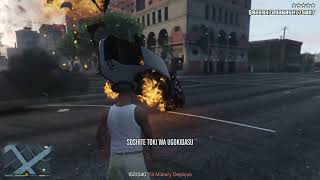
This mod lets you completely freeze time in GTA V Singleplayer (works on both GTA V Legacy and GTA V Enhanced). When you stop time, everything around you freezes in place (people, cars, helicopters, trains, and rockets), while you can still walk around and shoot normally.
Anything you do while time is frozen will happen as soon as time starts moving again. For example, if you shoot an NPC or ram them with a car while time is stopped, they stay frozen in place and only fly away or fall down with full force once you unfreeze time. When time resumes, all cars and NPCs continue moving just like before.
Features:
- Works on both GTA V Legacy and GTA V Enhanced
- Freeze and unfreeze the entire game world at any time
- Safe script reload (INSERT key): cleanly restores all traffic, pedestrian spawning, and world settings
- Your character can move and use weapons normally while time is stopped
- Delayed damage & vehicle ramming: NPCs and cars you shoot or hit with a vehicle during the time stop keep all built-up impact momentum and fly away when time resumes
- Toggleable Player Vehicle Freeze (press X while time is frozen to freeze/unfreeze your own car and keep its speed afterwards)
- Option to keep player-held items and throwable weapons (like custom script weapons or superhero hammers) unfrozen so ranged attacks work normally during time stop
- Cars, helicopters, and trains freeze in place and keep their speed afterwards
- Rockets and grenades freeze mid-air
- Custom sound effects and screen filter during time stop
- All settings (keys, duration, cooldown, volume, vehicle & weapon options) can be changed in the ZaWarudo.ini file
Controls:
- Press Z to start and stop the time freeze
- Press X (while time is frozen) to freeze or unfreeze your current player vehicle
Requirements:
- Script Hook V
- ScriptHookVDotNet v3 (or SHVDN Enhanced for GTA V Enhanced)
Installation:
1. Install Script Hook V and ScriptHookVDotNet v3.
2. Open the downloaded ZIP file.
3. Drag and drop the "scripts" folder into your main GTA V game folder.
Changelog:
v1.3:
- Fixed a critical issue on GTA V Enhanced (v1013.34) where traffic and pedestrians could disappear when getting close to them or after reloading scripts with INSERT.
- Fixed the "orange traffic cars" glitch on GTA V Enhanced by removing all Legacy-specific raw memory writes and switching to 100 procent version-safe game functions.
- Added automatic traffic and pedestrian pool recovery whenever the script starts, reloads, or stops.
v1.2:
- Fixed an issue where NPCs hit by the player's car during time stop stayed stuck in the air after unfreezing. They now fly away with the exact impact speed and direction when time resumes.
- Added a toggle (X key by default, or in ZaWarudo.ini) to also freeze the player's own vehicle and keep its momentum after unfreezing.
- Added an option in ZaWarudo.ini (FreezePlayerProjectiles = false by default) so throwable weapons and custom script items (like Thor's hammer) can be thrown normally while time is frozen.
v1.1:
- Added full support for both GTA V Legacy and GTA V Enhanced (fixed the projectile pool crash on SHVDN Enhanced).
- Fixed a bug where aiming at NPCs during time stop caused them to get thrown backwards when time resumed.
Bugs and Fixes:
- Fixed in v1.3: Disappearing traffic/pedestrians when approaching them and the orange traffic car glitch on GTA V Enhanced (v1013.34) have been completely resolved.
- Fixed in v1.2: NPCs hit by a car during time freeze no longer stay floating in the air after unfreezing, and custom throwable weapons no longer get stuck in the player's hand.
- Fixed in v1.1: The crash when freezing time on SHVDN Enhanced ("ArgumentOutOfRangeException" in projectile pool) and the issue where aimed-at NPCs flew backwards after unfreezing are completely fixed.
- No other known bugs. If you find any other issues, please report them in the comments and let me know!
Credits:
- Created by GTAJoddy
Enjoy the mod and let me know what specific changes you'd like to see next.
This mod lets you completely freeze time in GTA V Singleplayer (works on both GTA V Legacy and GTA V Enhanced). When you stop time, everything around you freezes in place (people, cars, helicopters, trains, and rockets), while you can still walk around and shoot normally.
Anything you do while time is frozen will happen as soon as time starts moving again. For example, if you shoot an NPC or ram them with a car while time is stopped, they stay frozen in place and only fly away or fall down with full force once you unfreeze time. When time resumes, all cars and NPCs continue moving just like before.
Features:
- Works on both GTA V Legacy and GTA V Enhanced
- Freeze and unfreeze the entire game world at any time
- Safe script reload (INSERT key): cleanly restores all traffic, pedestrian spawning, and world settings
- Your character can move and use weapons normally while time is stopped
- Delayed damage & vehicle ramming: NPCs and cars you shoot or hit with a vehicle during the time stop keep all built-up impact momentum and fly away when time resumes
- Toggleable Player Vehicle Freeze (press X while time is frozen to freeze/unfreeze your own car and keep its speed afterwards)
- Option to keep player-held items and throwable weapons (like custom script weapons or superhero hammers) unfrozen so ranged attacks work normally during time stop
- Cars, helicopters, and trains freeze in place and keep their speed afterwards
- Rockets and grenades freeze mid-air
- Custom sound effects and screen filter during time stop
- All settings (keys, duration, cooldown, volume, vehicle & weapon options) can be changed in the ZaWarudo.ini file
Controls:
- Press Z to start and stop the time freeze
- Press X (while time is frozen) to freeze or unfreeze your current player vehicle
Requirements:
- Script Hook V
- ScriptHookVDotNet v3 (or SHVDN Enhanced for GTA V Enhanced)
Installation:
1. Install Script Hook V and ScriptHookVDotNet v3.
2. Open the downloaded ZIP file.
3. Drag and drop the "scripts" folder into your main GTA V game folder.
Changelog:
v1.3:
- Fixed a critical issue on GTA V Enhanced (v1013.34) where traffic and pedestrians could disappear when getting close to them or after reloading scripts with INSERT.
- Fixed the "orange traffic cars" glitch on GTA V Enhanced by removing all Legacy-specific raw memory writes and switching to 100 procent version-safe game functions.
- Added automatic traffic and pedestrian pool recovery whenever the script starts, reloads, or stops.
v1.2:
- Fixed an issue where NPCs hit by the player's car during time stop stayed stuck in the air after unfreezing. They now fly away with the exact impact speed and direction when time resumes.
- Added a toggle (X key by default, or in ZaWarudo.ini) to also freeze the player's own vehicle and keep its momentum after unfreezing.
- Added an option in ZaWarudo.ini (FreezePlayerProjectiles = false by default) so throwable weapons and custom script items (like Thor's hammer) can be thrown normally while time is frozen.
v1.1:
- Added full support for both GTA V Legacy and GTA V Enhanced (fixed the projectile pool crash on SHVDN Enhanced).
- Fixed a bug where aiming at NPCs during time stop caused them to get thrown backwards when time resumed.
Bugs and Fixes:
- Fixed in v1.3: Disappearing traffic/pedestrians when approaching them and the orange traffic car glitch on GTA V Enhanced (v1013.34) have been completely resolved.
- Fixed in v1.2: NPCs hit by a car during time freeze no longer stay floating in the air after unfreezing, and custom throwable weapons no longer get stuck in the player's hand.
- Fixed in v1.1: The crash when freezing time on SHVDN Enhanced ("ArgumentOutOfRangeException" in projectile pool) and the issue where aimed-at NPCs flew backwards after unfreezing are completely fixed.
- No other known bugs. If you find any other issues, please report them in the comments and let me know!
Credits:
- Created by GTAJoddy
Enjoy the mod and let me know what specific changes you'd like to see next.
Først uploadet: 3 dage siden
Sidst opdateret: 5 hours ago
Last Downloaded: 1 hour ago
15 Kommentarer
Description:
This mod lets you completely freeze time in GTA V Singleplayer (works on both GTA V Legacy and GTA V Enhanced). When you stop time, everything around you freezes in place (people, cars, helicopters, trains, and rockets), while you can still walk around and shoot normally.
Anything you do while time is frozen will happen as soon as time starts moving again. For example, if you shoot an NPC or ram them with a car while time is stopped, they stay frozen in place and only fly away or fall down with full force once you unfreeze time. When time resumes, all cars and NPCs continue moving just like before.
Features:
- Works on both GTA V Legacy and GTA V Enhanced
- Freeze and unfreeze the entire game world at any time
- Safe script reload (INSERT key): cleanly restores all traffic, pedestrian spawning, and world settings
- Your character can move and use weapons normally while time is stopped
- Delayed damage & vehicle ramming: NPCs and cars you shoot or hit with a vehicle during the time stop keep all built-up impact momentum and fly away when time resumes
- Toggleable Player Vehicle Freeze (press X while time is frozen to freeze/unfreeze your own car and keep its speed afterwards)
- Option to keep player-held items and throwable weapons (like custom script weapons or superhero hammers) unfrozen so ranged attacks work normally during time stop
- Cars, helicopters, and trains freeze in place and keep their speed afterwards
- Rockets and grenades freeze mid-air
- Custom sound effects and screen filter during time stop
- All settings (keys, duration, cooldown, volume, vehicle & weapon options) can be changed in the ZaWarudo.ini file
Controls:
- Press Z to start and stop the time freeze
- Press X (while time is frozen) to freeze or unfreeze your current player vehicle
Requirements:
- Script Hook V
- ScriptHookVDotNet v3 (or SHVDN Enhanced for GTA V Enhanced)
Installation:
1. Install Script Hook V and ScriptHookVDotNet v3.
2. Open the downloaded ZIP file.
3. Drag and drop the "scripts" folder into your main GTA V game folder.
Changelog:
v1.3:
- Fixed a critical issue on GTA V Enhanced (v1013.34) where traffic and pedestrians could disappear when getting close to them or after reloading scripts with INSERT.
- Fixed the "orange traffic cars" glitch on GTA V Enhanced by removing all Legacy-specific raw memory writes and switching to 100 procent version-safe game functions.
- Added automatic traffic and pedestrian pool recovery whenever the script starts, reloads, or stops.
v1.2:
- Fixed an issue where NPCs hit by the player's car during time stop stayed stuck in the air after unfreezing. They now fly away with the exact impact speed and direction when time resumes.
- Added a toggle (X key by default, or in ZaWarudo.ini) to also freeze the player's own vehicle and keep its momentum after unfreezing.
- Added an option in ZaWarudo.ini (FreezePlayerProjectiles = false by default) so throwable weapons and custom script items (like Thor's hammer) can be thrown normally while time is frozen.
v1.1:
- Added full support for both GTA V Legacy and GTA V Enhanced (fixed the projectile pool crash on SHVDN Enhanced).
- Fixed a bug where aiming at NPCs during time stop caused them to get thrown backwards when time resumed.
Bugs and Fixes:
- Fixed in v1.3: Disappearing traffic/pedestrians when approaching them and the orange traffic car glitch on GTA V Enhanced (v1013.34) have been completely resolved.
- Fixed in v1.2: NPCs hit by a car during time freeze no longer stay floating in the air after unfreezing, and custom throwable weapons no longer get stuck in the player's hand.
- Fixed in v1.1: The crash when freezing time on SHVDN Enhanced ("ArgumentOutOfRangeException" in projectile pool) and the issue where aimed-at NPCs flew backwards after unfreezing are completely fixed.
- No other known bugs. If you find any other issues, please report them in the comments and let me know!
Credits:
- Created by GTAJoddy
Enjoy the mod and let me know what specific changes you'd like to see next.
This mod lets you completely freeze time in GTA V Singleplayer (works on both GTA V Legacy and GTA V Enhanced). When you stop time, everything around you freezes in place (people, cars, helicopters, trains, and rockets), while you can still walk around and shoot normally.
Anything you do while time is frozen will happen as soon as time starts moving again. For example, if you shoot an NPC or ram them with a car while time is stopped, they stay frozen in place and only fly away or fall down with full force once you unfreeze time. When time resumes, all cars and NPCs continue moving just like before.
Features:
- Works on both GTA V Legacy and GTA V Enhanced
- Freeze and unfreeze the entire game world at any time
- Safe script reload (INSERT key): cleanly restores all traffic, pedestrian spawning, and world settings
- Your character can move and use weapons normally while time is stopped
- Delayed damage & vehicle ramming: NPCs and cars you shoot or hit with a vehicle during the time stop keep all built-up impact momentum and fly away when time resumes
- Toggleable Player Vehicle Freeze (press X while time is frozen to freeze/unfreeze your own car and keep its speed afterwards)
- Option to keep player-held items and throwable weapons (like custom script weapons or superhero hammers) unfrozen so ranged attacks work normally during time stop
- Cars, helicopters, and trains freeze in place and keep their speed afterwards
- Rockets and grenades freeze mid-air
- Custom sound effects and screen filter during time stop
- All settings (keys, duration, cooldown, volume, vehicle & weapon options) can be changed in the ZaWarudo.ini file
Controls:
- Press Z to start and stop the time freeze
- Press X (while time is frozen) to freeze or unfreeze your current player vehicle
Requirements:
- Script Hook V
- ScriptHookVDotNet v3 (or SHVDN Enhanced for GTA V Enhanced)
Installation:
1. Install Script Hook V and ScriptHookVDotNet v3.
2. Open the downloaded ZIP file.
3. Drag and drop the "scripts" folder into your main GTA V game folder.
Changelog:
v1.3:
- Fixed a critical issue on GTA V Enhanced (v1013.34) where traffic and pedestrians could disappear when getting close to them or after reloading scripts with INSERT.
- Fixed the "orange traffic cars" glitch on GTA V Enhanced by removing all Legacy-specific raw memory writes and switching to 100 procent version-safe game functions.
- Added automatic traffic and pedestrian pool recovery whenever the script starts, reloads, or stops.
v1.2:
- Fixed an issue where NPCs hit by the player's car during time stop stayed stuck in the air after unfreezing. They now fly away with the exact impact speed and direction when time resumes.
- Added a toggle (X key by default, or in ZaWarudo.ini) to also freeze the player's own vehicle and keep its momentum after unfreezing.
- Added an option in ZaWarudo.ini (FreezePlayerProjectiles = false by default) so throwable weapons and custom script items (like Thor's hammer) can be thrown normally while time is frozen.
v1.1:
- Added full support for both GTA V Legacy and GTA V Enhanced (fixed the projectile pool crash on SHVDN Enhanced).
- Fixed a bug where aiming at NPCs during time stop caused them to get thrown backwards when time resumed.
Bugs and Fixes:
- Fixed in v1.3: Disappearing traffic/pedestrians when approaching them and the orange traffic car glitch on GTA V Enhanced (v1013.34) have been completely resolved.
- Fixed in v1.2: NPCs hit by a car during time freeze no longer stay floating in the air after unfreezing, and custom throwable weapons no longer get stuck in the player's hand.
- Fixed in v1.1: The crash when freezing time on SHVDN Enhanced ("ArgumentOutOfRangeException" in projectile pool) and the issue where aimed-at NPCs flew backwards after unfreezing are completely fixed.
- No other known bugs. If you find any other issues, please report them in the comments and let me know!
Credits:
- Created by GTAJoddy
Enjoy the mod and let me know what specific changes you'd like to see next.
Først uploadet: 3 dage siden
Sidst opdateret: 5 hours ago
Last Downloaded: 1 hour ago
 5mods on Discord

I've added both file and folder from Freezetime to scripts, where i do have NativeUI, when clicked on z, its not working time is not freezed.
great,Does this use the same method as https://www.gta5-mods.com/scripts/freeze-time-beta? Could you add a feature later to freeze the entity being aimed at while excluding other entities from being frozen?
@sriram_19 Make sure you have **ScriptHookVDotNet v3** installed (ScriptHookVDotNet3.dllmust be in your main GTA V folder — older SHVDN v2 will not load the script). Also check thatZaWarudo.dllis directly insideGTA V/scripts/ZaWarudo.dll(notscripts/scripts/) and check ifGTA V/scripts/ZaWarudo/ZaWarudo.logis created when you launch the game. You can also press **X** (secondary key) or changeKey=inscripts/ZaWarudo/ZaWarudo.ini.
@JoyLucien Thanks! No, this mod is built from scratch with a completely different engine-level approach (NoScriptThread + direct memory/skeleton matrix locking and a deferred damage/impulse buffer), so animations, ragdolls, vehicles, helicopters, projectiles, and delayed gunshots freeze and resume cleanly without the 2017 beta's animation/crash bugs. Freezing only the aimed-at entity (single-target freeze while the rest of the world keeps moving) is a great idea — I'll add that in the next update!
@GTAJoddy it is not work ,i use shvdnenh。
01:03:57.866 ERROR in Tick: System.ArgumentOutOfRangeException: Non-negative number required.
Parameter name: capacity
at System.ThrowHelper.ThrowArgumentOutOfRangeException(ExceptionArgument argument, ExceptionResource resource)
at System.Collections.Generic.List`1..ctor(Int32 capacity)
at SHVDN.NativeMemory.FwScriptGuidPoolTask.GetGuidHandlesFromProjectilePool(Void* fwScriptGuidPool, UInt64* projectilePool, Int32 itemCount, Int32 maxItemCount, Func`2 predicate)
at SHVDN.NativeMemory.FwScriptGuidPoolTask.Run()
at SHVDN.ScriptDomain.ExecuteTaskWithGameThreadTlsContext(IScriptTask task, Boolean forceResetTimeoutStopwatch)
at SHVDN.NativeMemory.GetProjectileHandles()
at GTA.World.GetAllProjectiles()
at ZaWarudoMod.ZaWarudo.ScanAndFreezeWorld(Ped player, Int32 now)
at ZaWarudoMod.ZaWarudo.BeginFreeze(Int32 now, Ped player)
at ZaWarudoMod.ZaWarudo.HandleToggleKey(Int32 now, Ped player)
at ZaWarudoMod.ZaWarudo.OnTick(Object sender, EventArgs e)
@JoyLucien Try to start the Game with Admin rights. I will check it
@JoyLucien Do play on Legacy oder Enhanced?
@GTAJoddy how did you bypass the $2.147.683.487 money limit?
@lukas10 GTA V's native stat system uses a 32-bit integer (max $2,147,483,647), but the game's C++ HUD and Pause Menu UI actually support 64-bit numbers. The mod patches the cash-reading functions in memory (CHudCash, Pause Header, and Stats Tab) to read a full 64-bit balance directly instead of calling the 32-bit CStatsMgr::GetInt, while keeping the 32-bit stat at a safe $1B proxy buffer to track purchases and earnings without overflowing.
@GTAJoddy legacy
1.1 works, but there is an issue. When the player drives a vehicle into another NPC, the NPC freezes after being lifted off the ground. After unfreezing, the NPC will not resume moving in the direction of the impact with its original momentum; instead, it stays suspended in the air.
Also, it does not freeze the player's vehicle. A toggle option could be added so that the player vehicle is also frozen when freezing occurs, and the vehicle retains its previous momentum upon unfreezing.
@JoyLucien Thanks. I will add These soon too
@GTAJoddy Could also add an option to freeze or not freeze items and throwable weapons held by the player? For example, with julionib's superhero script, Thor's throwable hammer for ranged attacks cannot be thrown remotely when frozen right now and gets stuck in place.
@GTAJoddy Hi, Man! useful script, but
Bug Report: Empty world & persistent orange traffic glitch (GTA V Enhanced)
Hi! Found a critical issue on official GTA V Enhanced v1013.34.
1. Empty World: I alt-tabbed, deleted the mod files from scripts folder, and reloaded scripts in game by pressing INSERT. Immediately, all traffic and pedestrians completely disappeared. They actually spawn in the distance, but as soon as I get close to them, they vanish.
2. Orange Cars Spam: After a full game restart, traffic returned but it is now broken. The map is flooded with bright orange cars. Models vary (including DLC), but they all spawn in the exact same orange color at every intersection and curb.
This glitch persists even after restarting the game and completely removing the mod. It seems the script permanently messed up ambient vehicle color pools in memory or cache. Please check it out!
@Tagget Z real Thank you very much for this detailed bug report! Both issues are now completely fixed in v1.3:
Earlier versions set persistent collision-loading flags and spawned script driver peds for frozen cars, which exhausted RAGE's entity/streaming pool on GTA V Enhanced after reloading scripts with INSERT. Distant LOD cars still rendered far away, but vanished as soon as the game tried to stream their real physics close to you. v1.3 removes those flags completely and automatically resets all vehicle/pedestrian population budgets on startup and reload.
Why the orange cars happened: Earlier versions used raw memory offsets designed for GTA V Legacy (1.0.3889.0) to lock entity matrices. On GTA V Enhanced (v1013.34), the memory layout is different, so those raw writes accidentally overwrote the ambient vehicle color/shader variation pool in RAM (causing cars to fall back to default orange). v1.3 removes all raw memory writes and uses 100% official RAGE natives.
How to clear the orange cars if they persisted on your save:
If GTA V created an Autosave while the color pool in RAM was glitched, the game reloads that cached vehicle state from your autosave file. To clear it once:
1. Install v1.3 (or launch the game), load into Story Mode, and either load an older manual save from before the glitch OR switch characters (e.g. Michael -> Franklin -> Trevor) / sleep in a bed once so the game flushes the ambient vehicle pool, then save the game manually.
2. You can also delete "cfg.dat" and "pc_settings.bin" inside "Documents\Rockstar Games\GTA V Enhanced\Profiles\<YourProfile>\" if the shader cache cached it.
Please try v1.3 and let me know how it works for you!