The SHIELD Helicarrier Project [YMAP][ADDON] v1

![SHIELD Lola [ADDON]](https://img.gta5-mods.com/q75-w500-h333-cfill/images/shield-lola-addon/90b0d2-shieldteamPROJECT.png "SHIELD Lola [ADDON]")

![1969 Camaro ss Drag - Collin/Stuart Morrice version [Add-On | Tuning]](https://img.gta5-mods.com/q75-w500-h333-cfill/images/1969-camaro-ss-drag-collin-stuart-morrice-version/9553d3-20180113144746_1.jpg "1969 Camaro ss Drag - Collin/Stuart Morrice version [Add-On | Tuning]")

5,538
78
5,538
78
SHIELD Helicarrier
By JDeezNutz
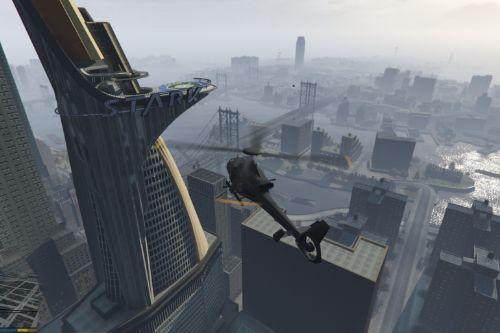
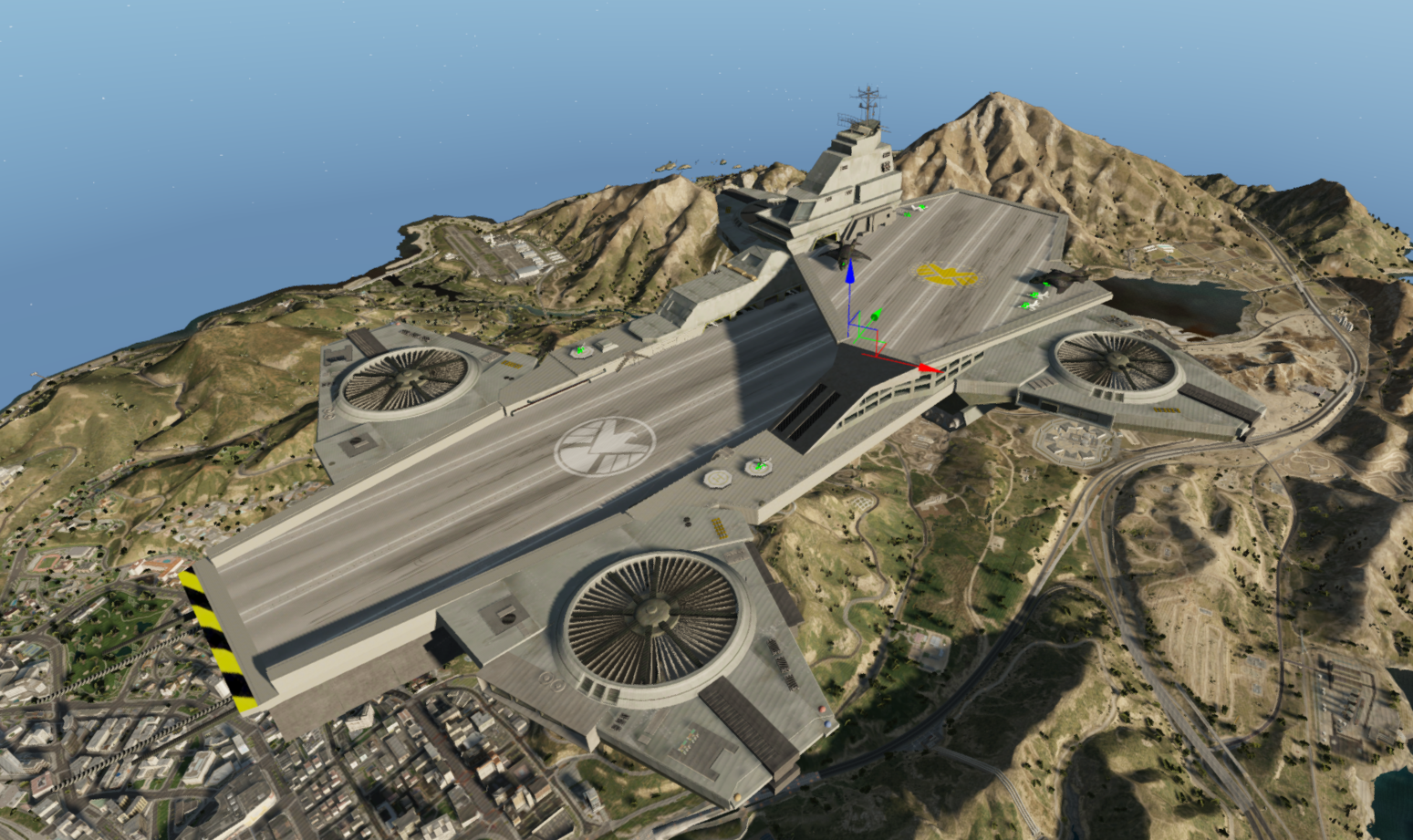
It is with huge delight I present to you the Build #1 of The S.H.I.E.L.D Helicarrier.
This project has undergone many stages through out the last couple of years.
From attempting a usable vehicle to introducing a stationary map with interiors.
I hope you like and appreciate all the work over the past year that has gone in to this project. It has been a fun journey.
I am at a stage where I am happy to release the first build of The S.H.I.E.L.D Helcarrier.
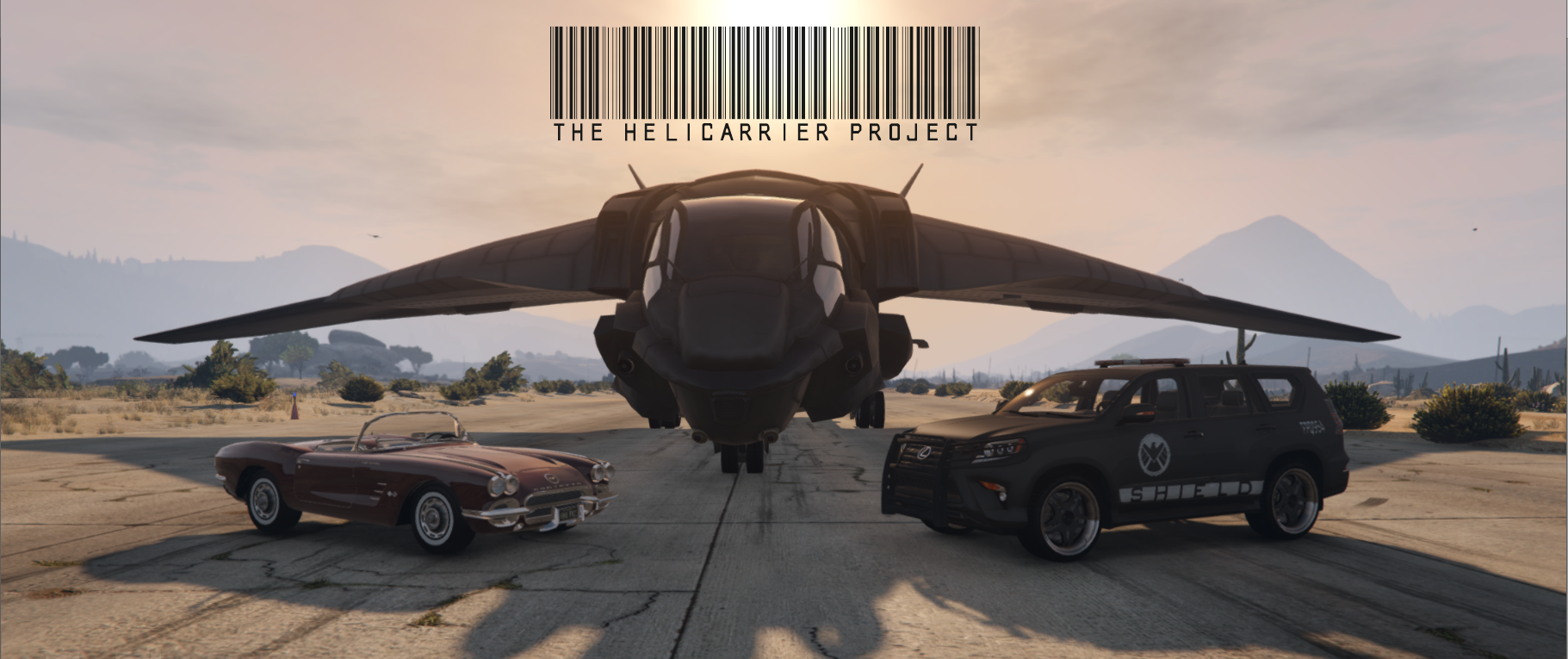
PLEASE NOTE: I have placed usable vehicles around the Helicarrier. 3 of Which Includes Phil Coulson's 'Lola', SH.I.E.L.D's Lexus GX and The new and improved Quinjet.
Without these vehicles installed, they will NOT spawn on the helicarrier.
As default, The Quinjet, Lexus GX & Lola will come with The S.H.I.E.L.D Helicarrier.
TO DO/ Known Issues:
- Add sfx to rotors
- Add scenarios (PEDS)
- Polish
- Fans do not have collision - unable to add collision
- Fix vert colours - models glow at night
- Some stairs can be a bit jittery when running up or down - need to widen model/path
- Vehicles onboard spawn randomly
Location: Look Up!
Features
- Command Center!
- Top Runway
- Bottom Runway
- Under Runway
- Runway Lights
- Locker Room
- Cafetieria
- Lounge Room
- Game Room
- 2 Reception Rooms
- Luxury Suite/ Bar
- Spa Rooms/ Viewing Area
- Vehicle Garages
- Usable Vehicles - including Lola, Lexus GX and Quinjet
- Easter Eggs/Room
- Floor Bridge
- Medical Rooms
- Drop Zone
- Rear Offices
- Warehouse Room
- Rotating Fans (No collision)
- Top Command Area
Install
(Please make sure scripthook and scripthookdotnet are installed with a Gameconfig relevant to your mod usage)
1. Open OpenIV
2. Travel to '...\Grand Theft Auto V\mods\update\x64\dlcpacks'
3. Make a new folder and call it 'helicarrier'
4. Drop the dlc.rpf file from my download in to the helicarrier folder you just created
5. Next, travel to '...\Grand Theft Auto V\mods\update\update.rpf\common\data'
6. Make sure 'Edit Mode' is active, right click on the 'dlclist.xml' and click 'Edit'
7. Copy the last line from the dlclist that shows an added dlc - paste underneath and replace the relevant section with this dlcpacks:/helicarrier
8. Save & Close 'dlclist.xml'.
9. Great Job, you're all set.
Models used by other creators:
- Original Helicarrier shell by rogue68
- Web shooters by HunterWalkow1
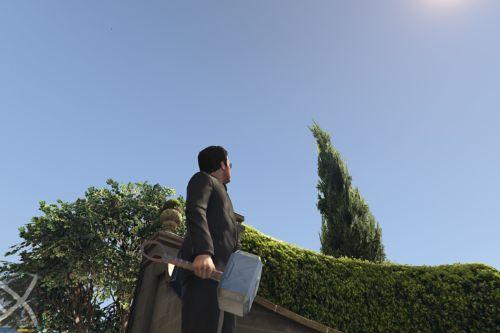
- Mjolnir by arn204
- Thanos sword by Clement.Paul
- Cap shield by Khwee2037
- Iron man helmet by The 12.99 Store
- Infinity stones by Anthony Yanez
- Original Card Deck by mcnubbin
- Modified Card deck by JDeezNutz
- Fury's Box by bh1138
- Massage tables by Jull
- Jet blaster deflectors by dominic_97
DISCLAIMER
By downloading this download you are agreeing to NOT Edit/Modify these files in any way possible, the only exception is during Installation of the Mod to OpenIV!
Also if you are a Youtuber or upload a video containing this mod you must mention my name as the creator, why? Because it sounds funny.
Peace.
By JDeezNutz
It is with huge delight I present to you the Build #1 of The S.H.I.E.L.D Helicarrier.
This project has undergone many stages through out the last couple of years.
From attempting a usable vehicle to introducing a stationary map with interiors.
I hope you like and appreciate all the work over the past year that has gone in to this project. It has been a fun journey.
I am at a stage where I am happy to release the first build of The S.H.I.E.L.D Helcarrier.
PLEASE NOTE: I have placed usable vehicles around the Helicarrier. 3 of Which Includes Phil Coulson's 'Lola', SH.I.E.L.D's Lexus GX and The new and improved Quinjet.
Without these vehicles installed, they will NOT spawn on the helicarrier.
As default, The Quinjet, Lexus GX & Lola will come with The S.H.I.E.L.D Helicarrier.
TO DO/ Known Issues:
- Add sfx to rotors
- Add scenarios (PEDS)
- Polish
- Fans do not have collision - unable to add collision
- Fix vert colours - models glow at night
- Some stairs can be a bit jittery when running up or down - need to widen model/path
- Vehicles onboard spawn randomly
Location: Look Up!
Features
- Command Center!
- Top Runway
- Bottom Runway
- Under Runway
- Runway Lights
- Locker Room
- Cafetieria
- Lounge Room
- Game Room
- 2 Reception Rooms
- Luxury Suite/ Bar
- Spa Rooms/ Viewing Area
- Vehicle Garages
- Usable Vehicles - including Lola, Lexus GX and Quinjet
- Easter Eggs/Room
- Floor Bridge
- Medical Rooms
- Drop Zone
- Rear Offices
- Warehouse Room
- Rotating Fans (No collision)
- Top Command Area
Install
(Please make sure scripthook and scripthookdotnet are installed with a Gameconfig relevant to your mod usage)
1. Open OpenIV
2. Travel to '...\Grand Theft Auto V\mods\update\x64\dlcpacks'
3. Make a new folder and call it 'helicarrier'
4. Drop the dlc.rpf file from my download in to the helicarrier folder you just created
5. Next, travel to '...\Grand Theft Auto V\mods\update\update.rpf\common\data'
6. Make sure 'Edit Mode' is active, right click on the 'dlclist.xml' and click 'Edit'
7. Copy the last line from the dlclist that shows an added dlc - paste underneath and replace the relevant section with this dlcpacks:/helicarrier
8. Save & Close 'dlclist.xml'.
9. Great Job, you're all set.
Models used by other creators:
- Original Helicarrier shell by rogue68
- Web shooters by HunterWalkow1
- Mjolnir by arn204
- Thanos sword by Clement.Paul
- Cap shield by Khwee2037
- Iron man helmet by The 12.99 Store
- Infinity stones by Anthony Yanez
- Original Card Deck by mcnubbin
- Modified Card deck by JDeezNutz
- Fury's Box by bh1138
- Massage tables by Jull
- Jet blaster deflectors by dominic_97
DISCLAIMER
By downloading this download you are agreeing to NOT Edit/Modify these files in any way possible, the only exception is during Installation of the Mod to OpenIV!
Also if you are a Youtuber or upload a video containing this mod you must mention my name as the creator, why? Because it sounds funny.
Peace.
First Uploaded: August 29, 2020
Last Updated: August 29, 2020
Last Downloaded: 11 hours ago
63 Comments
More mods by JDeezNutz:
SHIELD Helicarrier
By JDeezNutz
It is with huge delight I present to you the Build #1 of The S.H.I.E.L.D Helicarrier.
This project has undergone many stages through out the last couple of years.
From attempting a usable vehicle to introducing a stationary map with interiors.
I hope you like and appreciate all the work over the past year that has gone in to this project. It has been a fun journey.
I am at a stage where I am happy to release the first build of The S.H.I.E.L.D Helcarrier.
PLEASE NOTE: I have placed usable vehicles around the Helicarrier. 3 of Which Includes Phil Coulson's 'Lola', SH.I.E.L.D's Lexus GX and The new and improved Quinjet.
Without these vehicles installed, they will NOT spawn on the helicarrier.
As default, The Quinjet, Lexus GX & Lola will come with The S.H.I.E.L.D Helicarrier.
TO DO/ Known Issues:
- Add sfx to rotors
- Add scenarios (PEDS)
- Polish
- Fans do not have collision - unable to add collision
- Fix vert colours - models glow at night
- Some stairs can be a bit jittery when running up or down - need to widen model/path
- Vehicles onboard spawn randomly
Location: Look Up!
Features
- Command Center!
- Top Runway
- Bottom Runway
- Under Runway
- Runway Lights
- Locker Room
- Cafetieria
- Lounge Room
- Game Room
- 2 Reception Rooms
- Luxury Suite/ Bar
- Spa Rooms/ Viewing Area
- Vehicle Garages
- Usable Vehicles - including Lola, Lexus GX and Quinjet
- Easter Eggs/Room
- Floor Bridge
- Medical Rooms
- Drop Zone
- Rear Offices
- Warehouse Room
- Rotating Fans (No collision)
- Top Command Area
Install
(Please make sure scripthook and scripthookdotnet are installed with a Gameconfig relevant to your mod usage)
1. Open OpenIV
2. Travel to '...\Grand Theft Auto V\mods\update\x64\dlcpacks'
3. Make a new folder and call it 'helicarrier'
4. Drop the dlc.rpf file from my download in to the helicarrier folder you just created
5. Next, travel to '...\Grand Theft Auto V\mods\update\update.rpf\common\data'
6. Make sure 'Edit Mode' is active, right click on the 'dlclist.xml' and click 'Edit'
7. Copy the last line from the dlclist that shows an added dlc - paste underneath and replace the relevant section with this dlcpacks:/helicarrier
8. Save & Close 'dlclist.xml'.
9. Great Job, you're all set.
Models used by other creators:
- Original Helicarrier shell by rogue68
- Web shooters by HunterWalkow1
- Mjolnir by arn204
- Thanos sword by Clement.Paul
- Cap shield by Khwee2037
- Iron man helmet by The 12.99 Store
- Infinity stones by Anthony Yanez
- Original Card Deck by mcnubbin
- Modified Card deck by JDeezNutz
- Fury's Box by bh1138
- Massage tables by Jull
- Jet blaster deflectors by dominic_97
DISCLAIMER
By downloading this download you are agreeing to NOT Edit/Modify these files in any way possible, the only exception is during Installation of the Mod to OpenIV!
Also if you are a Youtuber or upload a video containing this mod you must mention my name as the creator, why? Because it sounds funny.
Peace.
By JDeezNutz
It is with huge delight I present to you the Build #1 of The S.H.I.E.L.D Helicarrier.
This project has undergone many stages through out the last couple of years.
From attempting a usable vehicle to introducing a stationary map with interiors.
I hope you like and appreciate all the work over the past year that has gone in to this project. It has been a fun journey.
I am at a stage where I am happy to release the first build of The S.H.I.E.L.D Helcarrier.
PLEASE NOTE: I have placed usable vehicles around the Helicarrier. 3 of Which Includes Phil Coulson's 'Lola', SH.I.E.L.D's Lexus GX and The new and improved Quinjet.
Without these vehicles installed, they will NOT spawn on the helicarrier.
As default, The Quinjet, Lexus GX & Lola will come with The S.H.I.E.L.D Helicarrier.
TO DO/ Known Issues:
- Add sfx to rotors
- Add scenarios (PEDS)
- Polish
- Fans do not have collision - unable to add collision
- Fix vert colours - models glow at night
- Some stairs can be a bit jittery when running up or down - need to widen model/path
- Vehicles onboard spawn randomly
Location: Look Up!
Features
- Command Center!
- Top Runway
- Bottom Runway
- Under Runway
- Runway Lights
- Locker Room
- Cafetieria
- Lounge Room
- Game Room
- 2 Reception Rooms
- Luxury Suite/ Bar
- Spa Rooms/ Viewing Area
- Vehicle Garages
- Usable Vehicles - including Lola, Lexus GX and Quinjet
- Easter Eggs/Room
- Floor Bridge
- Medical Rooms
- Drop Zone
- Rear Offices
- Warehouse Room
- Rotating Fans (No collision)
- Top Command Area
Install
(Please make sure scripthook and scripthookdotnet are installed with a Gameconfig relevant to your mod usage)
1. Open OpenIV
2. Travel to '...\Grand Theft Auto V\mods\update\x64\dlcpacks'
3. Make a new folder and call it 'helicarrier'
4. Drop the dlc.rpf file from my download in to the helicarrier folder you just created
5. Next, travel to '...\Grand Theft Auto V\mods\update\update.rpf\common\data'
6. Make sure 'Edit Mode' is active, right click on the 'dlclist.xml' and click 'Edit'
7. Copy the last line from the dlclist that shows an added dlc - paste underneath and replace the relevant section with this dlcpacks:/helicarrier
8. Save & Close 'dlclist.xml'.
9. Great Job, you're all set.
Models used by other creators:
- Original Helicarrier shell by rogue68
- Web shooters by HunterWalkow1
- Mjolnir by arn204
- Thanos sword by Clement.Paul
- Cap shield by Khwee2037
- Iron man helmet by The 12.99 Store
- Infinity stones by Anthony Yanez
- Original Card Deck by mcnubbin
- Modified Card deck by JDeezNutz
- Fury's Box by bh1138
- Massage tables by Jull
- Jet blaster deflectors by dominic_97
DISCLAIMER
By downloading this download you are agreeing to NOT Edit/Modify these files in any way possible, the only exception is during Installation of the Mod to OpenIV!
Also if you are a Youtuber or upload a video containing this mod you must mention my name as the creator, why? Because it sounds funny.
Peace.
First Uploaded: August 29, 2020
Last Updated: August 29, 2020
Last Downloaded: 11 hours ago
 5mods on Discord

please update
@JDeezNutz Still wondering if you could lower the dpi or something for the commandunder.ydr and commandcenter.ydr or really just anything thats 2048 works better for me at 1280 or less if you would please.
I can’t seem to get out of the Quinjet model. Am I missing something?
@killit you need open iv for it to work.So first,you need to go to tools,then to asi manger,and then download all of the stuff that pops up.And then you can install it correctly by using the tutorial thats in the description.
@BeastXRebel its over the casino(mirror park)
the best map mod i have ever seen. The Tutorial is pretty simple tho.
@BeastXRebel or it can be that you did something wrong in open iv
@djeroc did you do anything right in the tutorial? And do you have open iv installed?
the hellcarrier crash my game because it too big =))
@JDeezNutz man mod is working flawlessly but just one problem the other normal gta objects start disappearing ang I see every thing blank, any solution for this ??
Please make it ADDON in quinjet 2nd edition. Please. I've been waiting for this. Please.
@JDeezNutz Hey, I am looking forward to the Stark Mansion V2. And I know you gotta lot to do. But it would be amazing if your next project would be the S.H.I.E.L.D. Bus.
https://forums.gta5-mods.com/topic/18436/w-i-p-vehicle-s-h-i-e-l-d-bus-w-3-floors
Or could you release the unfinished one? :)
Would also support you on Patreon. Keep up the great work!
@Destiny2 Hey! I plan on releasing my 'SHIELD Bus' addon after the release of SM 2.0! I will probably release the latest build I have of the bus and leave it open for other creators to finish/add their implementation etc - I have the current bus saved on drive but atm focus is SM :)
Thank you for the kind words and any support, it is greatly appreciated!
@JDeezNutz Great news man! I've been waiting for the bus for quite some time. I'm sure its amazing as it is! Looking forward for both mods!
please update
Greate Mod I Like But i have 1 problem i cant control the SHIELD Helicarrier thats my only one problem but a great mod i like i give like a 5 star but i give 5 cuz greate mod but please fix that you can enter the SHIELD Helicarrier
@JDeezNutz is there any new update will come if it will then please add peds in this mod
i can't describe how many time it took to create and fixing, and it's still in progress, i wish if i could help you, i would help, but i cannot
Love this mod but when combined with all the other garbage I have put in the game it is too much to keep loaded at all times and does crash my game. Anyone have any advice on how to fix this? (besides removing other garbage)
@JDeezNutz how I wish someone would take over... Huge potential here! What has already been made is incredible, but like most of your creations this needs an update and refresh. Collision problems, outdated textures and no scenarios inside just to name a few. It's a shame because the project overall is amazing.