OMNIA V 1.0


11
0
11
0
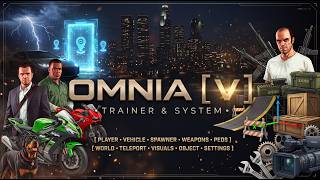
OMNIA V - All-in-One System Trainer & Object Spooner
Compatible with Grand Theft Auto V (Legacy Editions)
Author : DaveMods
Framework : ScriptHookVDotNet3 / LemonUI
Version : 1.0
=====================================================================
*DESCRIPTION:
Omnia V is a comprehensive, lightweight, and modular system trainer and map-building suite built from the ground up for Grand Theft Auto V. Engineered with a clean LemonUI interface, custom per-category DLC menu headers, full Gamepad/Controller support, and a Free-Cam Object Spooner, Omnia V gives you complete control over your player, vehicles, weapons, peds, world atmosphere, audio, and custom prop placements—all inside a single, rock-solid .dll script.
Every single system has been carefully tested in-game for stability, non-destructive .ini configuration persistence, and smooth frame rates without bloated dependencies.
---------------------------------------------------------------------
*KEY FEATURES:
1. PLAYER OPTIONS
- Instant Health & Armor restore, Invincibility (God Mode), Never Wanted, Invisibility, Never Ragdoll, Super Jump, Fast Sprint, and Fast Swim.
2. CURRENT VEHICLE CONTROL & LIVE TUNING
- Instant Repair & Wash, Vehicle God Mode, Max Performance Tuning (Engine, Brakes, Transmission, Suspension, Turbo), Flip/Upright, Keep Engine Running, Door Locks, Open/Close All Doors, Roll Up/Down Windows, and Custom License Plate text (up to 8 characters).
- Live Color Preview: Browse Primary, Secondary, Pearlescent, and Fluorescent/Neon-Match paint palettes with real-time preview on your vehicle.
- Lights & Neon Underglow: Force Headlights ON/OFF, High Beams, full 4-side Neon Underglow control, and an automatic Vehicle Extras Scanner (IDs 0-14).
3. VEHICLE SPAWNER
- Organized into 19 dedicated vehicle categories (Supercars Base & DLC, Sports Base & DLC, Classics, Coupes & Sedans, Muscle, Off-Road, SUVs, Compacts & Vans, Motorcycles, Emergency, Military, Commercial, Service & Utility, Helicopters, Planes, Boats, and Cycles) plus Spawn by Raw Model Name.
4. WEAPONS & COMBAT ARSENAL
- Give All Weapons, Max Ammo, Infinite Ammo & No Reload, Max Weapon Attachments/Upgrades, Rapid Fire, Explosive Ammo, Fire Ammo, Explosive Melee/Punches, and Remove All Weapons.
5. PED & COMPANIONS SUITE
- Spawn Peds by model name, recruit nearby pedestrians, spawn armed Bodyguards (on foot or directly inside your vehicle), dedicated Girlfriends / Companions selector, Clean Nearby Peds, and Chaos Mode.
6. WORLD, WEATHER & TIME CONTROL
- Full Weather selector, Clock & Time progression control, Freeze Time, Hour +1 / -1 steps, and instant presets (Dawn 06:00, Noon 12:00, Dusk 20:00, Midnight 00:00).
7. NAVIGATION & TELEPORTATION
- Instant Teleport to Map Waypoint (with automatic ground detection), Character Safehouses (Michael, Franklin, Trevor), and iconic Los Santos & Blaine County landmarks (Maze Bank Roof, FIB Roof, Mount Chiliad, LSIA, Sandy Shores Airfield, Del Perro Pier, Paleto Bay).
8. VISUALS & CINEMATIC CAMERA SUITE
- Screen Post-FX Filters, Night Vision, Thermal Vision, Rain Drops Lens FX, Drunk Walk/Drive FX, Bumpy Road Shake, customizable Camera Shake Type & Amplitude, and Hide HUD & Radar (Cinema Mode) for clean screenshots and showcase videos.
9. NATIVE RADIO & LOCAL SELF RADIO PLAYER
- Toggle native game radio on/off, browse stations, or enable Self Radio to play your own local audio tracks directly from "scripts\OmniaV_SelfRadio\".
10. FREE-CAM OBJECT SPOONER
- Detached Free-Cam Mode with precision crosshair and Live Ghost Preview (rotate heading +/- 15 deg, toggle wireframe bounding box, and automatic ground snapping before placing).
- Supports both "FavouriteProps.xml" (XML favorite lists, including custom add-on props) and "OmniaVProps.txt" (full prop catalog), plus raw model name / hex hash (0x...) spawning.
- Placed Props Manager & Transform Suite: Select any placed prop, attach it to the Free-Cam crosshair to move it freely in 3D space, fine-tune Position (X, Y, Z) and Rotation (Pitch, Roll, Yaw) with 1x / 10x / 100x / 1000x step multipliers, Snap to Ground, Freeze/Unfreeze physics, Duplicate, and Export Spawned Props to XML ("scripts\OmniaV_MapExport.xml").
11. CUSTOMIZATION, HOTKEYS & CONTROLLER SUPPORT
- Customize Left/Right menu text colors and selected-item contrast directly in-game.
- Preserves your manual edits in "OmniaVSettings.ini" without overwriting them on reload.
- Full Gamepad / Controller support (LB + A default shortcut, toggleable in-game or via .ini).
---------------------------------------------------------------------
*INFO:
The next updates will include new features and support for GTA V Enhanced!
Stay tuned!
---------------------------------------------------------------------
*CHANGELOG:
- v1.0 First release.
---------------------------------------------------------------------
*PREVIEW VIDEO:
Want to see the mod in action before installing? Check out the showcase video:
https://youtu.be/wetNdqCSnB4
---------------------------------------------------------------------
*AUTHOR AND CREDITS:
- Original Scripting & Design: DaveMods
- UI & Texture Work: DaveMods
---------------------------------------------------------------------
*COMMUNITY CREATORS CREDITS:
Special thanks to the community and tool creators:
- OpenIV Team (https://openiv.com/)
- LemonUI Team for LemonUI (https://github.com/LemonShared/LemonUI)
- Visual Studio Code (https://code.visualstudio.com/)
- PhotoPad Software (https://www.nchsoftware.com/)
---------------------------------------------------------------------
*ARCHIVE CONTENTS:
Inside the downloaded .zip archive you will find two folders:
1. "scripts"
- OmniaV.dll -> Main compiled trainer & object spooner script.
- OmniaVSettings.ini -> Configuration file for keyboard hotkeys, controller bindings, and banner textures.
- OmniaV\ -> Data folder containing (my) FavouriteProps.xml and OmniaVProps.txt for the Object Spawner.
- OmniaV_SelfRadio\ -> Folder where you can drop your custom music files for the built-in Self Radio player.
2. "DLC Menu Banners"
- omniav_menu\ -> Custom DLC package containing the high-resolution category header banners (omniav_menu_banner.ytd).
---------------------------------------------------------------------
*PREREQUISITES:
Make sure you have the following installed before proceeding:
1. ScriptHook V (https://it.gta5-mods.com/tools/script-hook-v)
2. ScriptHookV .NET (v3.0 or newer or nightly --> https://github.com/scripthookvdotnet/scripthookvdotnet-nightly/releases)
3. OpenIV (https://openiv.com/)
4. LemonUI for SHVDN3 (v2.2.0 or newer)
---------------------------------------------------------------------
*INSTALLATION INSTRUCTIONS:
[ STEP 1 - INSTALL THE SCRIPT FILES ]
1. Open the "scripts" folder from the archive.
2. Copy "OmniaV.dll", "OmniaVSettings.ini", and the two folders ("OmniaV" and "OmniaV_SelfRadio") directly into your main "Grand Theft Auto V\scripts\" directory.
[ STEP 2 - INSTALL THE DLC MENU BANNERS (omniav_menu) ]
1. Open the "DLC Menu Banners" folder from the archive and copy the "omniav_menu" folder into:
Grand Theft Auto V\mods\update\x64\dlcpacks\
(Final path: \Grand Theft Auto V\mods\update\x64\dlcpacks\omniav_menu\dlc.rpf)
2. Launch OpenIV, enable Edit Mode, and navigate to:
mods\update\update.rpf\common\data\dlclist.xml
3. Right-click "dlclist.xml" -> Edit, and add the following line at the bottom before :
dlcpacks:/omniav_menu/
4. Click Save and close OpenIV.
Done!
You have complete the instillation.
---------------------------------------------------------------------
*CONTROLS & USAGE:
- Open / Close Menu (Keyboard) : F5 (customizable in OmniaVSettings.ini)
- Open / Close Menu (Controller) : Hold LB + press A (can be toggled on/off in Trainer Settings or OmniaVSettings.ini)
- Navigate Menu : Arrow Keys / D-Pad, Enter / A to select, Backspace / B to go back.
---------------------------------------------------------------------
*HOW TO UNINSTALL:
To remove the mod, simply delete "OmniaV.dll" - "OmniaVSettings.ini" - "OmniaV" - "OmniaV_SelfRadio" from your scripts folder, and remove the "omniav_menu" DLC folder from your dlcpacks folder and from dlclist.
---------------------------------------------------------------------
*OFFICIAL LINKS:
Created and maintained by DaveMods.
If you enjoy my mods and want to support future updates, early-access builds, and custom DLC projects:
- Patreon : https://www.patreon.com/DaveMods
- YouTube : https://www.youtube.com/@DaveMods76
- Discord : https://discord.gg/qmtesc8MSV
MODS by DaveMods - HAVE FUN!
Först uppladdad: 36 minuter sen
Senast uppdaterad: 34 minuter sen
Senast nedladdad: 4 minuter sen
2 Kommentarer
More mods by DaveModsGTA:
OMNIA V - All-in-One System Trainer & Object Spooner
Compatible with Grand Theft Auto V (Legacy Editions)
Author : DaveMods
Framework : ScriptHookVDotNet3 / LemonUI
Version : 1.0
=====================================================================
*DESCRIPTION:
Omnia V is a comprehensive, lightweight, and modular system trainer and map-building suite built from the ground up for Grand Theft Auto V. Engineered with a clean LemonUI interface, custom per-category DLC menu headers, full Gamepad/Controller support, and a Free-Cam Object Spooner, Omnia V gives you complete control over your player, vehicles, weapons, peds, world atmosphere, audio, and custom prop placements—all inside a single, rock-solid .dll script.
Every single system has been carefully tested in-game for stability, non-destructive .ini configuration persistence, and smooth frame rates without bloated dependencies.
---------------------------------------------------------------------
*KEY FEATURES:
1. PLAYER OPTIONS
- Instant Health & Armor restore, Invincibility (God Mode), Never Wanted, Invisibility, Never Ragdoll, Super Jump, Fast Sprint, and Fast Swim.
2. CURRENT VEHICLE CONTROL & LIVE TUNING
- Instant Repair & Wash, Vehicle God Mode, Max Performance Tuning (Engine, Brakes, Transmission, Suspension, Turbo), Flip/Upright, Keep Engine Running, Door Locks, Open/Close All Doors, Roll Up/Down Windows, and Custom License Plate text (up to 8 characters).
- Live Color Preview: Browse Primary, Secondary, Pearlescent, and Fluorescent/Neon-Match paint palettes with real-time preview on your vehicle.
- Lights & Neon Underglow: Force Headlights ON/OFF, High Beams, full 4-side Neon Underglow control, and an automatic Vehicle Extras Scanner (IDs 0-14).
3. VEHICLE SPAWNER
- Organized into 19 dedicated vehicle categories (Supercars Base & DLC, Sports Base & DLC, Classics, Coupes & Sedans, Muscle, Off-Road, SUVs, Compacts & Vans, Motorcycles, Emergency, Military, Commercial, Service & Utility, Helicopters, Planes, Boats, and Cycles) plus Spawn by Raw Model Name.
4. WEAPONS & COMBAT ARSENAL
- Give All Weapons, Max Ammo, Infinite Ammo & No Reload, Max Weapon Attachments/Upgrades, Rapid Fire, Explosive Ammo, Fire Ammo, Explosive Melee/Punches, and Remove All Weapons.
5. PED & COMPANIONS SUITE
- Spawn Peds by model name, recruit nearby pedestrians, spawn armed Bodyguards (on foot or directly inside your vehicle), dedicated Girlfriends / Companions selector, Clean Nearby Peds, and Chaos Mode.
6. WORLD, WEATHER & TIME CONTROL
- Full Weather selector, Clock & Time progression control, Freeze Time, Hour +1 / -1 steps, and instant presets (Dawn 06:00, Noon 12:00, Dusk 20:00, Midnight 00:00).
7. NAVIGATION & TELEPORTATION
- Instant Teleport to Map Waypoint (with automatic ground detection), Character Safehouses (Michael, Franklin, Trevor), and iconic Los Santos & Blaine County landmarks (Maze Bank Roof, FIB Roof, Mount Chiliad, LSIA, Sandy Shores Airfield, Del Perro Pier, Paleto Bay).
8. VISUALS & CINEMATIC CAMERA SUITE
- Screen Post-FX Filters, Night Vision, Thermal Vision, Rain Drops Lens FX, Drunk Walk/Drive FX, Bumpy Road Shake, customizable Camera Shake Type & Amplitude, and Hide HUD & Radar (Cinema Mode) for clean screenshots and showcase videos.
9. NATIVE RADIO & LOCAL SELF RADIO PLAYER
- Toggle native game radio on/off, browse stations, or enable Self Radio to play your own local audio tracks directly from "scripts\OmniaV_SelfRadio\".
10. FREE-CAM OBJECT SPOONER
- Detached Free-Cam Mode with precision crosshair and Live Ghost Preview (rotate heading +/- 15 deg, toggle wireframe bounding box, and automatic ground snapping before placing).
- Supports both "FavouriteProps.xml" (XML favorite lists, including custom add-on props) and "OmniaVProps.txt" (full prop catalog), plus raw model name / hex hash (0x...) spawning.
- Placed Props Manager & Transform Suite: Select any placed prop, attach it to the Free-Cam crosshair to move it freely in 3D space, fine-tune Position (X, Y, Z) and Rotation (Pitch, Roll, Yaw) with 1x / 10x / 100x / 1000x step multipliers, Snap to Ground, Freeze/Unfreeze physics, Duplicate, and Export Spawned Props to XML ("scripts\OmniaV_MapExport.xml").
11. CUSTOMIZATION, HOTKEYS & CONTROLLER SUPPORT
- Customize Left/Right menu text colors and selected-item contrast directly in-game.
- Preserves your manual edits in "OmniaVSettings.ini" without overwriting them on reload.
- Full Gamepad / Controller support (LB + A default shortcut, toggleable in-game or via .ini).
---------------------------------------------------------------------
*INFO:
The next updates will include new features and support for GTA V Enhanced!
Stay tuned!
---------------------------------------------------------------------
*CHANGELOG:
- v1.0 First release.
---------------------------------------------------------------------
*PREVIEW VIDEO:
Want to see the mod in action before installing? Check out the showcase video:
https://youtu.be/wetNdqCSnB4
---------------------------------------------------------------------
*AUTHOR AND CREDITS:
- Original Scripting & Design: DaveMods
- UI & Texture Work: DaveMods
---------------------------------------------------------------------
*COMMUNITY CREATORS CREDITS:
Special thanks to the community and tool creators:
- OpenIV Team (https://openiv.com/)
- LemonUI Team for LemonUI (https://github.com/LemonShared/LemonUI)
- Visual Studio Code (https://code.visualstudio.com/)
- PhotoPad Software (https://www.nchsoftware.com/)
---------------------------------------------------------------------
*ARCHIVE CONTENTS:
Inside the downloaded .zip archive you will find two folders:
1. "scripts"
- OmniaV.dll -> Main compiled trainer & object spooner script.
- OmniaVSettings.ini -> Configuration file for keyboard hotkeys, controller bindings, and banner textures.
- OmniaV\ -> Data folder containing (my) FavouriteProps.xml and OmniaVProps.txt for the Object Spawner.
- OmniaV_SelfRadio\ -> Folder where you can drop your custom music files for the built-in Self Radio player.
2. "DLC Menu Banners"
- omniav_menu\ -> Custom DLC package containing the high-resolution category header banners (omniav_menu_banner.ytd).
---------------------------------------------------------------------
*PREREQUISITES:
Make sure you have the following installed before proceeding:
1. ScriptHook V (https://it.gta5-mods.com/tools/script-hook-v)
2. ScriptHookV .NET (v3.0 or newer or nightly --> https://github.com/scripthookvdotnet/scripthookvdotnet-nightly/releases)
3. OpenIV (https://openiv.com/)
4. LemonUI for SHVDN3 (v2.2.0 or newer)
---------------------------------------------------------------------
*INSTALLATION INSTRUCTIONS:
[ STEP 1 - INSTALL THE SCRIPT FILES ]
1. Open the "scripts" folder from the archive.
2. Copy "OmniaV.dll", "OmniaVSettings.ini", and the two folders ("OmniaV" and "OmniaV_SelfRadio") directly into your main "Grand Theft Auto V\scripts\" directory.
[ STEP 2 - INSTALL THE DLC MENU BANNERS (omniav_menu) ]
1. Open the "DLC Menu Banners" folder from the archive and copy the "omniav_menu" folder into:
Grand Theft Auto V\mods\update\x64\dlcpacks\
(Final path: \Grand Theft Auto V\mods\update\x64\dlcpacks\omniav_menu\dlc.rpf)
2. Launch OpenIV, enable Edit Mode, and navigate to:
mods\update\update.rpf\common\data\dlclist.xml
3. Right-click "dlclist.xml" -> Edit, and add the following line at the bottom before :
dlcpacks:/omniav_menu/
4. Click Save and close OpenIV.
Done!
You have complete the instillation.
---------------------------------------------------------------------
*CONTROLS & USAGE:
- Open / Close Menu (Keyboard) : F5 (customizable in OmniaVSettings.ini)
- Open / Close Menu (Controller) : Hold LB + press A (can be toggled on/off in Trainer Settings or OmniaVSettings.ini)
- Navigate Menu : Arrow Keys / D-Pad, Enter / A to select, Backspace / B to go back.
---------------------------------------------------------------------
*HOW TO UNINSTALL:
To remove the mod, simply delete "OmniaV.dll" - "OmniaVSettings.ini" - "OmniaV" - "OmniaV_SelfRadio" from your scripts folder, and remove the "omniav_menu" DLC folder from your dlcpacks folder and from dlclist.
---------------------------------------------------------------------
*OFFICIAL LINKS:
Created and maintained by DaveMods.
If you enjoy my mods and want to support future updates, early-access builds, and custom DLC projects:
- Patreon : https://www.patreon.com/DaveMods
- YouTube : https://www.youtube.com/@DaveMods76
- Discord : https://discord.gg/qmtesc8MSV
MODS by DaveMods - HAVE FUN!
Först uppladdad: 36 minuter sen
Senast uppdaterad: 34 minuter sen
Senast nedladdad: 4 minuter sen
 5mods on Discord

📌 A QUICK NOTE FROM DAVEMODS:
Thanks for all your support! 🌴
I just wanted to give you a little sneak peek:
the next updates will include full support for GTA V Enhanced!
Stay tuned! 🚀🎮
Also:
Constructive feedback, honest suggestions, and detailed bug reports are always welcome—they are the best way to help me improve my mods and keep releasing updates. That said, please keep the comments section constructive:
If you encounter an issue or a crash, don’t just leave a 1-star rating. Explain what happened, describe your setup, and—first and foremost—make sure you’ve met all the prerequisites.
Trolls, pointless arguments, and toxic comments will be ignored.
Let’s keep this community a positive and collaborative space. Enjoy the game!
DaveMods
This file has been approved automatically. If you think this file should not be here for any reason please report it.