Extended Visual Camera [Legacy & Enhanced] 1.0

![DriveStyle [Legacy]](https://img.gta5-mods.com/q75-w500-h333-cfill/images/drivestyle-legacy-version/9e8060-cover.png "DriveStyle [Legacy]")
![Los Santos "Vice Style" Radar Map [Legacy]](https://img.gta5-mods.com/q75-w500-h333-cfill/images/los-santos-vice-map-legacy/a3f9dd-cover.png "Los Santos \"Vice Style\" Radar Map [Legacy]")
![DanceStyle Menu [Legacy]](https://img.gta5-mods.com/q75-w500-h333-cfill/images/dancestyle-menu-1-0-legacy-version/641b9f-39826.png "DanceStyle Menu [Legacy]")


52
1
52
1
Extended Visual Camera
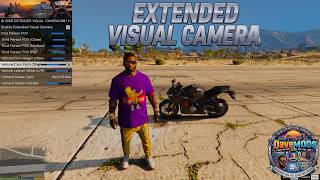
Extended Visual Camera is a camera control script for Grand Theft Auto V (compatible with both Legacy and Enhanced editions via Script Hook V .NET).
It allows complete customization of camera positioning, field of view (FOV), pitch, and lateral offsets without conflicts or camera bugs during gameplay.
Behind the Scenes & Fixes
During development, several technical issues were addressed to ensure stability:
Key Features:
Installation Guide
1. Prerequisites:
2. Mod Installation:
You have completed the installation, enjoy!
In-Game Controls
FEEDBACK & COMMUNITY
Give it a try and let me know what you think!
Your feedback is invaluable as we fine-tune future updates.
Thank you for your support!
https://www.patreon.com/DaveMods
https://www.youtube.com/@DaveMods76
https://discord.gg/qmtesc8MSV
MODS by DaveMods
Happy modding!
Notice / Copyright
All rights reserved. Unauthorized redistribution or reverse engineering without explicit prior permission is prohibited.
Extended Visual Camera is a camera control script for Grand Theft Auto V (compatible with both Legacy and Enhanced editions via Script Hook V .NET).
It allows complete customization of camera positioning, field of view (FOV), pitch, and lateral offsets without conflicts or camera bugs during gameplay.
Behind the Scenes & Fixes
During development, several technical issues were addressed to ensure stability:
- Separated On-Foot & In-Vehicle Logic: Camera values no longer overlap or "bounce" when switching between on-foot and driving modes. Each vehicle class has its own independent saved settings.
- Camera Shake Clean-Up: Fixed SHAKE_CAM conflicts and freezing by properly clearing previous camera shake effects before applying new ones.
- Motorcycle & First-Person Handling: Expanded slider ranges for pitch/height and added lateral offset (left/right) to prevent character models or helmets from blocking the view.
- Protected Config File: Clean custom file handling ensures settings and credits remain preserved inside the CameraSettings.ini file.
Key Features:
- Vehicle Category Profiles: Set dedicated heights, pitches, lateral offsets, and FOVs for Supercars, Motorcycles, Off-Roaders, SUVs, and more.
- Advanced FOV Management: Separate adjustments for first-person and third-person perspectives across distinct distances (Close, Medium, Far).
- Cinematic Shake Effects: Choose from multiple vibration types (Road Vibration, Hand Shake, Vehicle Jolt, Drunk Motion) with adjustable intensity.
- Water Lock Safety: Prevent accidental camera switching while swimming or in water.
- Clean INI File: An organized configuration file automatically generated in your scripts folder.
Installation Guide
1. Prerequisites:
- Script Hook V (by Alexander Blade)
- Script Hook V .NET (v3 for Legacy, or equivalent SHVDNE for Enhanced)
- LemonUI library placed in the main GTA V directory
2. Mod Installation:
- Copy ExtendedVisualCamera.dll into the scripts/ folder inside your main GTA V directory.
- Copy the extendedvisualcamera_menu folder into your dlcpacks/ folder and add this line to your dlclist.xml: dlcpacks:/extendedvisualcamera_menu/
- Launch the game. The configuration file CameraSettings.ini will automatically generate in your scripts folder.
- (For the Legacy version, OIV files are also available for automatic installation).
You have completed the installation, enjoy!
In-Game Controls
- F11 Key: Opens / Closes the mod configuration menu.
- V Key (while menu is open): Toggles native camera views to assist with testing.
FEEDBACK & COMMUNITY
Give it a try and let me know what you think!
Your feedback is invaluable as we fine-tune future updates.
Thank you for your support!
https://www.patreon.com/DaveMods
https://www.youtube.com/@DaveMods76
https://discord.gg/qmtesc8MSV
MODS by DaveMods
Happy modding!
Notice / Copyright
All rights reserved. Unauthorized redistribution or reverse engineering without explicit prior permission is prohibited.
First Uploaded: 1 day ago
Last Updated: 1 day ago
Last Downloaded: 17 minutes ago
2 Comments
Extended Visual Camera
Extended Visual Camera is a camera control script for Grand Theft Auto V (compatible with both Legacy and Enhanced editions via Script Hook V .NET).
It allows complete customization of camera positioning, field of view (FOV), pitch, and lateral offsets without conflicts or camera bugs during gameplay.
Behind the Scenes & Fixes
During development, several technical issues were addressed to ensure stability:
Key Features:
Installation Guide
1. Prerequisites:
2. Mod Installation:
You have completed the installation, enjoy!
In-Game Controls
FEEDBACK & COMMUNITY
Give it a try and let me know what you think!
Your feedback is invaluable as we fine-tune future updates.
Thank you for your support!
https://www.patreon.com/DaveMods
https://www.youtube.com/@DaveMods76
https://discord.gg/qmtesc8MSV
MODS by DaveMods
Happy modding!
Notice / Copyright
All rights reserved. Unauthorized redistribution or reverse engineering without explicit prior permission is prohibited.
Extended Visual Camera is a camera control script for Grand Theft Auto V (compatible with both Legacy and Enhanced editions via Script Hook V .NET).
It allows complete customization of camera positioning, field of view (FOV), pitch, and lateral offsets without conflicts or camera bugs during gameplay.
Behind the Scenes & Fixes
During development, several technical issues were addressed to ensure stability:
- Separated On-Foot & In-Vehicle Logic: Camera values no longer overlap or "bounce" when switching between on-foot and driving modes. Each vehicle class has its own independent saved settings.
- Camera Shake Clean-Up: Fixed SHAKE_CAM conflicts and freezing by properly clearing previous camera shake effects before applying new ones.
- Motorcycle & First-Person Handling: Expanded slider ranges for pitch/height and added lateral offset (left/right) to prevent character models or helmets from blocking the view.
- Protected Config File: Clean custom file handling ensures settings and credits remain preserved inside the CameraSettings.ini file.
Key Features:
- Vehicle Category Profiles: Set dedicated heights, pitches, lateral offsets, and FOVs for Supercars, Motorcycles, Off-Roaders, SUVs, and more.
- Advanced FOV Management: Separate adjustments for first-person and third-person perspectives across distinct distances (Close, Medium, Far).
- Cinematic Shake Effects: Choose from multiple vibration types (Road Vibration, Hand Shake, Vehicle Jolt, Drunk Motion) with adjustable intensity.
- Water Lock Safety: Prevent accidental camera switching while swimming or in water.
- Clean INI File: An organized configuration file automatically generated in your scripts folder.
Installation Guide
1. Prerequisites:
- Script Hook V (by Alexander Blade)
- Script Hook V .NET (v3 for Legacy, or equivalent SHVDNE for Enhanced)
- LemonUI library placed in the main GTA V directory
2. Mod Installation:
- Copy ExtendedVisualCamera.dll into the scripts/ folder inside your main GTA V directory.
- Copy the extendedvisualcamera_menu folder into your dlcpacks/ folder and add this line to your dlclist.xml: dlcpacks:/extendedvisualcamera_menu/
- Launch the game. The configuration file CameraSettings.ini will automatically generate in your scripts folder.
- (For the Legacy version, OIV files are also available for automatic installation).
You have completed the installation, enjoy!
In-Game Controls
- F11 Key: Opens / Closes the mod configuration menu.
- V Key (while menu is open): Toggles native camera views to assist with testing.
FEEDBACK & COMMUNITY
Give it a try and let me know what you think!
Your feedback is invaluable as we fine-tune future updates.
Thank you for your support!
https://www.patreon.com/DaveMods
https://www.youtube.com/@DaveMods76
https://discord.gg/qmtesc8MSV
MODS by DaveMods
Happy modding!
Notice / Copyright
All rights reserved. Unauthorized redistribution or reverse engineering without explicit prior permission is prohibited.
First Uploaded: 1 day ago
Last Updated: 1 day ago
Last Downloaded: 17 minutes ago
 5mods on Discord

Hi everyone! A quick update regarding version 1.1: I am currently working on it because I noticed a small issue with the DLC specifically tied to the Enhanced version of this mod.
In the meantime, you can safely install the scripts for the Enhanced version and simply bypass the DLC. Please note that the DLC was only used to generate the menu texture, so the menu will still open up and work just fine without it. Thank you for your patience and support!
This file has been approved automatically. If you think this file should not be here for any reason please report it.