Fast V: Bounty Hits 1.3 MOC Side Quest Edition


457
13
457
13
Fast V: Bounty Hits
Have you ever wanted to reverse out of a plane like Fast and Furious
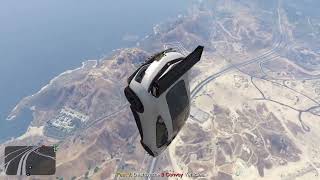
This mission is inspired by the iconic Furious 7 movie stunt. You are tasked with stopping Cipher from escaping FIB custody while she is being transported under heavy protection.
Your objective is to drop out of the cargo plane, intercept and destroy the 3 armored car transport convoy, eliminate the prison transport team, and destroy Cipher's escape tug boat before she slips away.
Landing Tech
If you don't initialize landing
NOTE: YOUR CAR MUST BE IN GOD MODE TO SURIVIVE THE DROP
If you Initialize landing
NOTE: YOU CAN EDIT THE LANDING TECH MAXSPEED IN YOUR INI
How To Play
1. Go to the Fast V: Bounty Blip located at LSIA.
2. Drive into the cargo plane, all the way to the front.
3. Read the mission briefing.
4. Drive your car out of the plane.
5. Destroy the 3 armored vehicle convoy.
6. Eliminate Cipher's transport team.
7. Destroy Cipher's tug boat.
MOC Side Quest
Get ready to take the fight inside the enemy convoy! Go beyond the chase and bring the heat straight to Cipher!
How It Works
1. Drive alongside the Mobile Operations Center (MOC), positioning your vehicle to the left or right of the trailer.
2. Press E or D-Pad Right to board the MOC and launch the optional side quest.
3. You'll be teleported inside, where Cipher and her armed guards are waiting. Take them out and clear the MOC!
4. Once the threat is eliminated, you'll be teleported back to your vehicle, ready to get back in the driver's seat and continue the hunt.
IMPORTANT NOTE
The convoy will temporarily freeze in place while you take on the MOC Side Quest. This prevents the chase from breaking while you're fighting inside the trailer.
The moment you're teleported back to your vehicle, the convoy springs back into action and the chase resumes!
This side quest is entirely optional. You can ignore the MOC and complete the main mission as normal, or risk stepping into Cipher's mobile fortress to settle things up close.
Features (Landing Tech Edition & MOC Side Quest Edition)
Includes a configurable INI file that allows you to customize the mod to your liking:
1. Minimum and Maximum Payouts - Set your own minimum and maximum bounty payments to receive a random payout each time you play.
2. Plane Altitude - Adjust the plane's flying altitude to your preference, allowing you to jump from as high as you want.
3. Landing System Max Fall Speed - Customize the landing system's maximum fall speed to control how soft or fast your landing is. Higher values allow for a slower, softer landing.
Vehicle Compatibility
Use whatever car you want in the mission as long as it can fit inside the cargo plane.
Fast and Furious Dodge Charger
The car featured in the screenshots is an Add On Mod created by Zeiko and Just Riko. Big credit to them for their amazing work on this vehicle: https://www.gta5-mods.com/vehicles/dodge-charger-off-road-fast-furious-7
Installation
Move the contents of the Mod folder into your GTA V scripts folder.
Must have GTA V Online Version 1.44 and above (After Hours DLC Update)
You need ScriptHookVDotNet3
Important Notes
1. Drive all the way to the back end of the cargo hold.
2. Wait for the mission briefing to finish completely before driving out of the plane.
3. Once the mission briefing ends, press accelerate instead of reverse to regain vehicle control smoothly.
4. This mission is best played naturally without using any teleport mods.
Known Issues (Work In Progress)
When placing your vehicle inside the cargo bay, a snap-to-position method is used to keep it secure inside the plane. After the mission briefing, your car may bounce as you accelerate. It is best to press the accelerator lightly to smoothly regain control of your vehicle.
Feel free to ask for assistance with the mod. I HOPE YOU ENJOY!
Creative Credit
This mod is a project created by XMikasa Studios.
Have you ever wanted to reverse out of a plane like Fast and Furious
This mission is inspired by the iconic Furious 7 movie stunt. You are tasked with stopping Cipher from escaping FIB custody while she is being transported under heavy protection.
Your objective is to drop out of the cargo plane, intercept and destroy the 3 armored car transport convoy, eliminate the prison transport team, and destroy Cipher's escape tug boat before she slips away.
Landing Tech
If you don't initialize landing
NOTE: YOUR CAR MUST BE IN GOD MODE TO SURIVIVE THE DROP
If you Initialize landing
NOTE: YOU CAN EDIT THE LANDING TECH MAXSPEED IN YOUR INI
How To Play
1. Go to the Fast V: Bounty Blip located at LSIA.
2. Drive into the cargo plane, all the way to the front.
3. Read the mission briefing.
4. Drive your car out of the plane.
5. Destroy the 3 armored vehicle convoy.
6. Eliminate Cipher's transport team.
7. Destroy Cipher's tug boat.
MOC Side Quest
Get ready to take the fight inside the enemy convoy! Go beyond the chase and bring the heat straight to Cipher!
How It Works
1. Drive alongside the Mobile Operations Center (MOC), positioning your vehicle to the left or right of the trailer.
2. Press E or D-Pad Right to board the MOC and launch the optional side quest.
3. You'll be teleported inside, where Cipher and her armed guards are waiting. Take them out and clear the MOC!
4. Once the threat is eliminated, you'll be teleported back to your vehicle, ready to get back in the driver's seat and continue the hunt.
IMPORTANT NOTE
The convoy will temporarily freeze in place while you take on the MOC Side Quest. This prevents the chase from breaking while you're fighting inside the trailer.
The moment you're teleported back to your vehicle, the convoy springs back into action and the chase resumes!
This side quest is entirely optional. You can ignore the MOC and complete the main mission as normal, or risk stepping into Cipher's mobile fortress to settle things up close.
Features (Landing Tech Edition & MOC Side Quest Edition)
Includes a configurable INI file that allows you to customize the mod to your liking:
1. Minimum and Maximum Payouts - Set your own minimum and maximum bounty payments to receive a random payout each time you play.
2. Plane Altitude - Adjust the plane's flying altitude to your preference, allowing you to jump from as high as you want.
3. Landing System Max Fall Speed - Customize the landing system's maximum fall speed to control how soft or fast your landing is. Higher values allow for a slower, softer landing.
Vehicle Compatibility
Use whatever car you want in the mission as long as it can fit inside the cargo plane.
Fast and Furious Dodge Charger
The car featured in the screenshots is an Add On Mod created by Zeiko and Just Riko. Big credit to them for their amazing work on this vehicle: https://www.gta5-mods.com/vehicles/dodge-charger-off-road-fast-furious-7
Installation
Move the contents of the Mod folder into your GTA V scripts folder.
Must have GTA V Online Version 1.44 and above (After Hours DLC Update)
You need ScriptHookVDotNet3
Important Notes
1. Drive all the way to the back end of the cargo hold.
2. Wait for the mission briefing to finish completely before driving out of the plane.
3. Once the mission briefing ends, press accelerate instead of reverse to regain vehicle control smoothly.
4. This mission is best played naturally without using any teleport mods.
Known Issues (Work In Progress)
When placing your vehicle inside the cargo bay, a snap-to-position method is used to keep it secure inside the plane. After the mission briefing, your car may bounce as you accelerate. It is best to press the accelerator lightly to smoothly regain control of your vehicle.
Feel free to ask for assistance with the mod. I HOPE YOU ENJOY!
Creative Credit
This mod is a project created by XMikasa Studios.
First Uploaded: 8 days ago
Last Updated: 7 days ago
Last Downloaded: 14 minutes ago
12 Comments
More mods by Mikasa:

- Mission
- Gameplay
- .Net
4.75
1,995
26
2.1.0 Menu + Hostage Mission
By nytoniaz

- Mission
- Gameplay
- .Net
4.5
1,236
21
3.0 Edit Payout + QOL Improvements
By nytoniaz

- Gameplay
- .Net
4.83
197
13
Trap Beats Theme
By nytoniaz

- Mission
- Gameplay
- .Net
5.0
296
13
1.0 DarkNet Edition
By nytoniaz
Fast V: Bounty Hits
Have you ever wanted to reverse out of a plane like Fast and Furious
This mission is inspired by the iconic Furious 7 movie stunt. You are tasked with stopping Cipher from escaping FIB custody while she is being transported under heavy protection.
Your objective is to drop out of the cargo plane, intercept and destroy the 3 armored car transport convoy, eliminate the prison transport team, and destroy Cipher's escape tug boat before she slips away.
Landing Tech
If you don't initialize landing
NOTE: YOUR CAR MUST BE IN GOD MODE TO SURIVIVE THE DROP
If you Initialize landing
NOTE: YOU CAN EDIT THE LANDING TECH MAXSPEED IN YOUR INI
How To Play
1. Go to the Fast V: Bounty Blip located at LSIA.
2. Drive into the cargo plane, all the way to the front.
3. Read the mission briefing.
4. Drive your car out of the plane.
5. Destroy the 3 armored vehicle convoy.
6. Eliminate Cipher's transport team.
7. Destroy Cipher's tug boat.
MOC Side Quest
Get ready to take the fight inside the enemy convoy! Go beyond the chase and bring the heat straight to Cipher!
How It Works
1. Drive alongside the Mobile Operations Center (MOC), positioning your vehicle to the left or right of the trailer.
2. Press E or D-Pad Right to board the MOC and launch the optional side quest.
3. You'll be teleported inside, where Cipher and her armed guards are waiting. Take them out and clear the MOC!
4. Once the threat is eliminated, you'll be teleported back to your vehicle, ready to get back in the driver's seat and continue the hunt.
IMPORTANT NOTE
The convoy will temporarily freeze in place while you take on the MOC Side Quest. This prevents the chase from breaking while you're fighting inside the trailer.
The moment you're teleported back to your vehicle, the convoy springs back into action and the chase resumes!
This side quest is entirely optional. You can ignore the MOC and complete the main mission as normal, or risk stepping into Cipher's mobile fortress to settle things up close.
Features (Landing Tech Edition & MOC Side Quest Edition)
Includes a configurable INI file that allows you to customize the mod to your liking:
1. Minimum and Maximum Payouts - Set your own minimum and maximum bounty payments to receive a random payout each time you play.
2. Plane Altitude - Adjust the plane's flying altitude to your preference, allowing you to jump from as high as you want.
3. Landing System Max Fall Speed - Customize the landing system's maximum fall speed to control how soft or fast your landing is. Higher values allow for a slower, softer landing.
Vehicle Compatibility
Use whatever car you want in the mission as long as it can fit inside the cargo plane.
Fast and Furious Dodge Charger
The car featured in the screenshots is an Add On Mod created by Zeiko and Just Riko. Big credit to them for their amazing work on this vehicle: https://www.gta5-mods.com/vehicles/dodge-charger-off-road-fast-furious-7
Installation
Move the contents of the Mod folder into your GTA V scripts folder.
Must have GTA V Online Version 1.44 and above (After Hours DLC Update)
You need ScriptHookVDotNet3
Important Notes
1. Drive all the way to the back end of the cargo hold.
2. Wait for the mission briefing to finish completely before driving out of the plane.
3. Once the mission briefing ends, press accelerate instead of reverse to regain vehicle control smoothly.
4. This mission is best played naturally without using any teleport mods.
Known Issues (Work In Progress)
When placing your vehicle inside the cargo bay, a snap-to-position method is used to keep it secure inside the plane. After the mission briefing, your car may bounce as you accelerate. It is best to press the accelerator lightly to smoothly regain control of your vehicle.
Feel free to ask for assistance with the mod. I HOPE YOU ENJOY!
Creative Credit
This mod is a project created by XMikasa Studios.
Have you ever wanted to reverse out of a plane like Fast and Furious
This mission is inspired by the iconic Furious 7 movie stunt. You are tasked with stopping Cipher from escaping FIB custody while she is being transported under heavy protection.
Your objective is to drop out of the cargo plane, intercept and destroy the 3 armored car transport convoy, eliminate the prison transport team, and destroy Cipher's escape tug boat before she slips away.
Landing Tech
If you don't initialize landing
NOTE: YOUR CAR MUST BE IN GOD MODE TO SURIVIVE THE DROP
If you Initialize landing
NOTE: YOU CAN EDIT THE LANDING TECH MAXSPEED IN YOUR INI
How To Play
1. Go to the Fast V: Bounty Blip located at LSIA.
2. Drive into the cargo plane, all the way to the front.
3. Read the mission briefing.
4. Drive your car out of the plane.
5. Destroy the 3 armored vehicle convoy.
6. Eliminate Cipher's transport team.
7. Destroy Cipher's tug boat.
MOC Side Quest
Get ready to take the fight inside the enemy convoy! Go beyond the chase and bring the heat straight to Cipher!
How It Works
1. Drive alongside the Mobile Operations Center (MOC), positioning your vehicle to the left or right of the trailer.
2. Press E or D-Pad Right to board the MOC and launch the optional side quest.
3. You'll be teleported inside, where Cipher and her armed guards are waiting. Take them out and clear the MOC!
4. Once the threat is eliminated, you'll be teleported back to your vehicle, ready to get back in the driver's seat and continue the hunt.
IMPORTANT NOTE
The convoy will temporarily freeze in place while you take on the MOC Side Quest. This prevents the chase from breaking while you're fighting inside the trailer.
The moment you're teleported back to your vehicle, the convoy springs back into action and the chase resumes!
This side quest is entirely optional. You can ignore the MOC and complete the main mission as normal, or risk stepping into Cipher's mobile fortress to settle things up close.
Features (Landing Tech Edition & MOC Side Quest Edition)
Includes a configurable INI file that allows you to customize the mod to your liking:
1. Minimum and Maximum Payouts - Set your own minimum and maximum bounty payments to receive a random payout each time you play.
2. Plane Altitude - Adjust the plane's flying altitude to your preference, allowing you to jump from as high as you want.
3. Landing System Max Fall Speed - Customize the landing system's maximum fall speed to control how soft or fast your landing is. Higher values allow for a slower, softer landing.
Vehicle Compatibility
Use whatever car you want in the mission as long as it can fit inside the cargo plane.
Fast and Furious Dodge Charger
The car featured in the screenshots is an Add On Mod created by Zeiko and Just Riko. Big credit to them for their amazing work on this vehicle: https://www.gta5-mods.com/vehicles/dodge-charger-off-road-fast-furious-7
Installation
Move the contents of the Mod folder into your GTA V scripts folder.
Must have GTA V Online Version 1.44 and above (After Hours DLC Update)
You need ScriptHookVDotNet3
Important Notes
1. Drive all the way to the back end of the cargo hold.
2. Wait for the mission briefing to finish completely before driving out of the plane.
3. Once the mission briefing ends, press accelerate instead of reverse to regain vehicle control smoothly.
4. This mission is best played naturally without using any teleport mods.
Known Issues (Work In Progress)
When placing your vehicle inside the cargo bay, a snap-to-position method is used to keep it secure inside the plane. After the mission briefing, your car may bounce as you accelerate. It is best to press the accelerator lightly to smoothly regain control of your vehicle.
Feel free to ask for assistance with the mod. I HOPE YOU ENJOY!
Creative Credit
This mod is a project created by XMikasa Studios.
First Uploaded: 8 days ago
Last Updated: 7 days ago
Last Downloaded: 14 minutes ago
 5mods on Discord

Best idea man🔥🔥
Thanks🌹
This file has been approved automatically. If you think this file should not be here for any reason please report it.
@GrandHaven Thanks for the rating, I've added Landing Tech in the mod in version 1.2. Getting better
@nytoniaz 🌹🙏🔥🔥
@Mikasa Your mod is really great! I was wondering—is it possible to have a parachute deploy for a vehicle when it’s dropped from a plane? Could you add a parachute feature?
@gtav-fan Thank U for the rating, I've added a Landing Feature in version 1.2 and 1.3, but without a parachute prop. Check for the Initialize Landing Prompt when the car is in the sky. I can't promise the prop, but I'll see what update I can do. If you'd like a parachute, try using the Imponte Ruiner 2000, its a GTA Vehicle with one.
MOC Side Quest Edition is the latest version of the mod, you can edit the landing feature in your INI file.
Thanks for playing!
when jentre dans lavion je narive pas a lancer la mission
@EL-PANTEROS Roule vers l'arrière de l'avion, la mission passera automatiquement à l'étape du briefing.
ok merci
hello is for legacy version ? bcs this dont work for me
@killer05061 Yes its for legacy, which scripthookvdotnet version are you using?
@nytoniaz https://github.com/scripthookvdotnet/scripthookvdotnet/releases this one