Muted Speech and Pain 2.0



12,804
127
12,804
127
Short summary
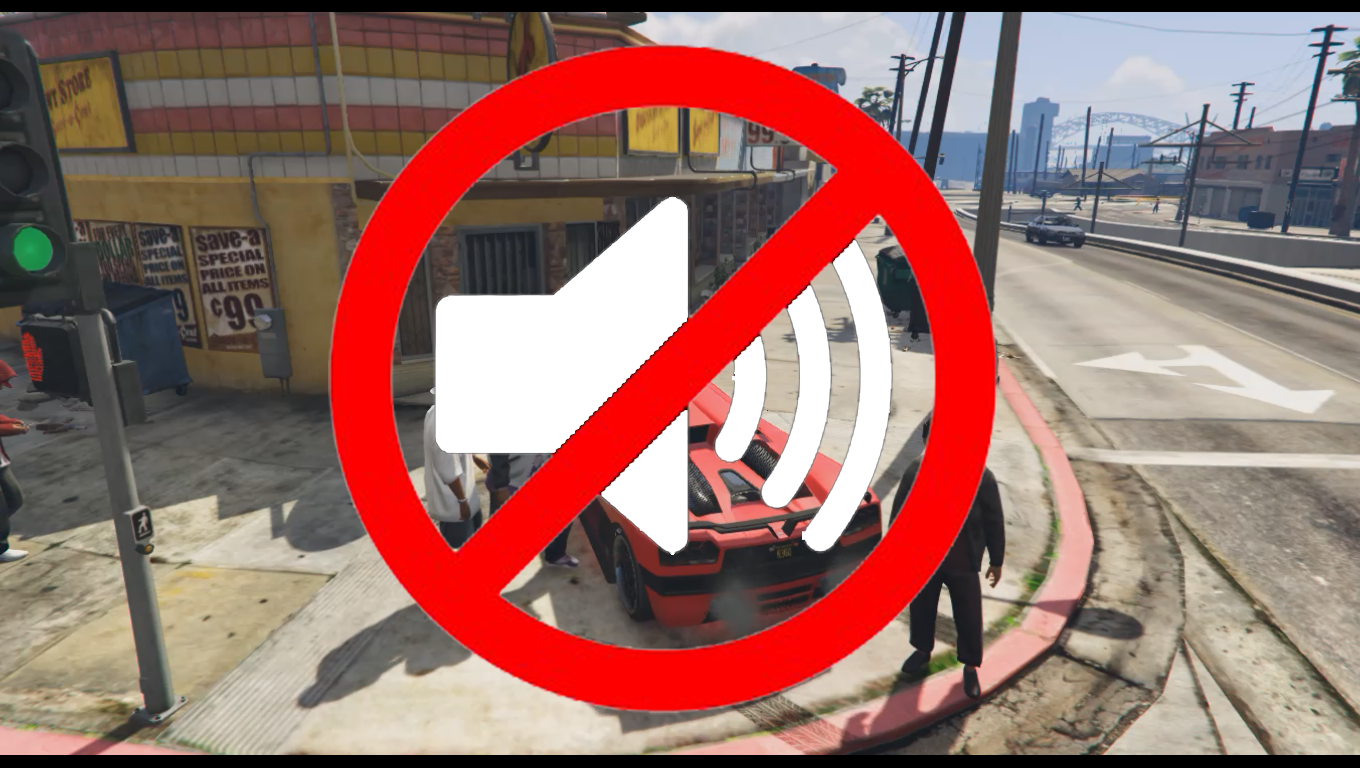
Let's respect that people want to play the game in different ways. This mod mutes by default all close and far away speech (including swearing) and pain sounds from pedestrians and the player. The audio from the world can be muted/unmuted using key(s)/button(s). Most cutscenes are muted by default. Ambient audio while in and outside of vehicles can be customized.
To remove only the swearing you need to replace game files with OpenIV and something like this: No swear mod
Installation
You need the lastest version of the tool Script Hook V by Alexander Blade in order for this mod to work.
Put MutedSpeechAndPain 2.x.asi and MutedSpeechAndPain.ini into your GTA5 folder where your GTA5.exe is located. Removing it will completely uninstall the mod.
Configuration
Open MutedSpeechAndPain.ini with notepad and edit. Values are set/updated directly.
You need to use the latest .ini file when downloading a new version of the mod.
Discord
https://discord.gg/x2Gy7RfrBe
Ambience modifiers
There are over 1000 known ambience modifiers in the game. The problem is that every one of those needs to be tested for us to know what they do. You can help test these audio modifying scene names with this mod and use them. There's more info about this in the configuration file that comes with the mod.
Changelog
-1.1
-- Configuration file added with speech and pain sounds on/off options.
-2.0
7 years later and here's an update.
-- Far away speech turned off (by default). No more speech at all.
-- "world audio" modifying feature added. The modifier/scene is connected to audio names from the game which can be chosen from a list. Each audio name modifies the world audio in a different way. One modifier is added for when on foot and another modifier when in a vehicle.
-- Settings added for muting the world when pressing keys/buttons (default CTRL+0). All audio except UI sounds is muted. Just like the modifiers for on foot and when in a vehicle, the modifying audio scene name can be changed to do something else than muting, by using another name.
-- Cutscenes muted by default (all audio). Note that an issue causes the audio of the first seconds of the prologue cutscene to still play when starting a new game.
-- Pedestrian speech and pain can be set to only be played when outside of vehicles.
-- The mod can be activated/deactivated with keys/buttons (default CTRL + NUMPAD 9).
-- The police scanner is off by default. It can be set to not be affected by the mod.
-- Settings for features, allowing for customization.
-- Minor features and settings.
Thanks to Jackson92 for finding the purpose of START_AUDIO_SCENE. (He's the author of
FiveM Kid Friendly Mod)
Let's respect that people want to play the game in different ways. This mod mutes by default all close and far away speech (including swearing) and pain sounds from pedestrians and the player. The audio from the world can be muted/unmuted using key(s)/button(s). Most cutscenes are muted by default. Ambient audio while in and outside of vehicles can be customized.
To remove only the swearing you need to replace game files with OpenIV and something like this: No swear mod
Installation
You need the lastest version of the tool Script Hook V by Alexander Blade in order for this mod to work.
Put MutedSpeechAndPain 2.x.asi and MutedSpeechAndPain.ini into your GTA5 folder where your GTA5.exe is located. Removing it will completely uninstall the mod.
Configuration
Open MutedSpeechAndPain.ini with notepad and edit. Values are set/updated directly.
You need to use the latest .ini file when downloading a new version of the mod.
Discord
https://discord.gg/x2Gy7RfrBe
Ambience modifiers
There are over 1000 known ambience modifiers in the game. The problem is that every one of those needs to be tested for us to know what they do. You can help test these audio modifying scene names with this mod and use them. There's more info about this in the configuration file that comes with the mod.
Changelog
-1.1
-- Configuration file added with speech and pain sounds on/off options.
-2.0
7 years later and here's an update.
-- Far away speech turned off (by default). No more speech at all.
-- "world audio" modifying feature added. The modifier/scene is connected to audio names from the game which can be chosen from a list. Each audio name modifies the world audio in a different way. One modifier is added for when on foot and another modifier when in a vehicle.
-- Settings added for muting the world when pressing keys/buttons (default CTRL+0). All audio except UI sounds is muted. Just like the modifiers for on foot and when in a vehicle, the modifying audio scene name can be changed to do something else than muting, by using another name.
-- Cutscenes muted by default (all audio). Note that an issue causes the audio of the first seconds of the prologue cutscene to still play when starting a new game.
-- Pedestrian speech and pain can be set to only be played when outside of vehicles.
-- The mod can be activated/deactivated with keys/buttons (default CTRL + NUMPAD 9).
-- The police scanner is off by default. It can be set to not be affected by the mod.
-- Settings for features, allowing for customization.
-- Minor features and settings.
Thanks to Jackson92 for finding the purpose of START_AUDIO_SCENE. (He's the author of
FiveM Kid Friendly Mod)
First Uploaded: July 03, 2015
Last Updated: December 01, 2022
Last Downloaded: 2 hours ago
109 Comments
More mods by R3QQ:
Short summary
Let's respect that people want to play the game in different ways. This mod mutes by default all close and far away speech (including swearing) and pain sounds from pedestrians and the player. The audio from the world can be muted/unmuted using key(s)/button(s). Most cutscenes are muted by default. Ambient audio while in and outside of vehicles can be customized.
To remove only the swearing you need to replace game files with OpenIV and something like this: No swear mod
Installation
You need the lastest version of the tool Script Hook V by Alexander Blade in order for this mod to work.
Put MutedSpeechAndPain 2.x.asi and MutedSpeechAndPain.ini into your GTA5 folder where your GTA5.exe is located. Removing it will completely uninstall the mod.
Configuration
Open MutedSpeechAndPain.ini with notepad and edit. Values are set/updated directly.
You need to use the latest .ini file when downloading a new version of the mod.
Discord
https://discord.gg/x2Gy7RfrBe
Ambience modifiers
There are over 1000 known ambience modifiers in the game. The problem is that every one of those needs to be tested for us to know what they do. You can help test these audio modifying scene names with this mod and use them. There's more info about this in the configuration file that comes with the mod.
Changelog
-1.1
-- Configuration file added with speech and pain sounds on/off options.
-2.0
7 years later and here's an update.
-- Far away speech turned off (by default). No more speech at all.
-- "world audio" modifying feature added. The modifier/scene is connected to audio names from the game which can be chosen from a list. Each audio name modifies the world audio in a different way. One modifier is added for when on foot and another modifier when in a vehicle.
-- Settings added for muting the world when pressing keys/buttons (default CTRL+0). All audio except UI sounds is muted. Just like the modifiers for on foot and when in a vehicle, the modifying audio scene name can be changed to do something else than muting, by using another name.
-- Cutscenes muted by default (all audio). Note that an issue causes the audio of the first seconds of the prologue cutscene to still play when starting a new game.
-- Pedestrian speech and pain can be set to only be played when outside of vehicles.
-- The mod can be activated/deactivated with keys/buttons (default CTRL + NUMPAD 9).
-- The police scanner is off by default. It can be set to not be affected by the mod.
-- Settings for features, allowing for customization.
-- Minor features and settings.
Thanks to Jackson92 for finding the purpose of START_AUDIO_SCENE. (He's the author of
FiveM Kid Friendly Mod)
Let's respect that people want to play the game in different ways. This mod mutes by default all close and far away speech (including swearing) and pain sounds from pedestrians and the player. The audio from the world can be muted/unmuted using key(s)/button(s). Most cutscenes are muted by default. Ambient audio while in and outside of vehicles can be customized.
To remove only the swearing you need to replace game files with OpenIV and something like this: No swear mod
Installation
You need the lastest version of the tool Script Hook V by Alexander Blade in order for this mod to work.
Put MutedSpeechAndPain 2.x.asi and MutedSpeechAndPain.ini into your GTA5 folder where your GTA5.exe is located. Removing it will completely uninstall the mod.
Configuration
Open MutedSpeechAndPain.ini with notepad and edit. Values are set/updated directly.
You need to use the latest .ini file when downloading a new version of the mod.
Discord
https://discord.gg/x2Gy7RfrBe
Ambience modifiers
There are over 1000 known ambience modifiers in the game. The problem is that every one of those needs to be tested for us to know what they do. You can help test these audio modifying scene names with this mod and use them. There's more info about this in the configuration file that comes with the mod.
Changelog
-1.1
-- Configuration file added with speech and pain sounds on/off options.
-2.0
7 years later and here's an update.
-- Far away speech turned off (by default). No more speech at all.
-- "world audio" modifying feature added. The modifier/scene is connected to audio names from the game which can be chosen from a list. Each audio name modifies the world audio in a different way. One modifier is added for when on foot and another modifier when in a vehicle.
-- Settings added for muting the world when pressing keys/buttons (default CTRL+0). All audio except UI sounds is muted. Just like the modifiers for on foot and when in a vehicle, the modifying audio scene name can be changed to do something else than muting, by using another name.
-- Cutscenes muted by default (all audio). Note that an issue causes the audio of the first seconds of the prologue cutscene to still play when starting a new game.
-- Pedestrian speech and pain can be set to only be played when outside of vehicles.
-- The mod can be activated/deactivated with keys/buttons (default CTRL + NUMPAD 9).
-- The police scanner is off by default. It can be set to not be affected by the mod.
-- Settings for features, allowing for customization.
-- Minor features and settings.
Thanks to Jackson92 for finding the purpose of START_AUDIO_SCENE. (He's the author of
FiveM Kid Friendly Mod)
First Uploaded: July 03, 2015
Last Updated: December 01, 2022
Last Downloaded: 2 hours ago
 5mods on Discord

thank you so much this is awesome
Great mod. Forget anyone saying it's useless. I use this solely to mute out annoying voices and pain noises while driving. That got old years ago, it's nice to drive around and not hear anyone talk.
@JojiTX Thanks, I'm glad you like it.
Thanks for the update, that's fantastic. But I have a question. How do I get the music back on in the Vanilla Unicorn?
@Eagle2020 Thanks!
I took a look at this. The mod can change the audio scene playing in different ways.
There is automatic detection for entering/leaving vehicles but not for when entering different interiors etc.
Stop auto play
name_used_for_ambience set to -1 will make the replacement of audio playing stop.
This will make the game play its normal audio.
Activate audio with key(s)
You can activate a choosen audio name on demand with key(s). You do this using changing name_used_for_mute
with a audio scene name of choice instead of the default name which mutes.
So what you could do is starting the audio manually by pressing the key(s) when inside the Vanilla Unicorn.
You will have to find out which audio scene name is played in Vanilla Unicorn
https://pastebin.com/jpg47w01
@R3QQ Hi Men This Is A Great Mod But Is There A Way To Only Disable Cursing From Peds Because The World Feels Dead With All The Sound Of Peds Muted And The Other Mod You Mentioned No Swear Mod It Only Disables Characters Not Peds Thanks
Does this work with FiveM?
@ChuckRaging Version 1.1 seems to work (somewhat) with older game builds. I still hear some screaming. Some natives are not allowed to run I guess from the client. For example with version build 2944 you'll get "Unable to load error" ("this ASI plugin does not claim to support game build 2944").
Inside server.cfg: You need to change sv_enforceGameBuild to a lower game build version or remove the line.
Don't forget to add sv_scriptHookAllowed 1
I might look into creating a server side mod.
@R3QQ Please please please create a server side addon. Since YouTube has changed monetization for videos with swearing, this could be helpful for fivem creators that want to play around AI peds. It's also nice for people that just don't want to hear the annoying repeated phrases from the same AI. I've tried unsuccessfully to get this to work as is, but it doesn't seem to, at least not on the server I play on. But a server side addon we could definitely put to good use. I would happily donate as well: almost paid a guy on Fiverr to try to write a script.
@theapproximtegray FiveM? There is a kid friendly mod for FiveM including muting. Go donate to him. It's easy to remove what you don't need from the code or simply change the config. He's got a discord too. Maybe he's accepting requests. https://github.com/92jackson/fivem-kid-friendly-mod
@R3QQ Oh yeah, we tried that one. It was incredibly frustrating. It has so many ridiculous settings, and it never seemed to do just the muting. It's designed to try to make overall gta more child friendly, and that was way too much. That's the reason I tried to hire someone on fiverr (to try to trim that script down to just muting speech). But that didn't work out. Yours works exactly as it should: silent AI, nothing more. Would love a server side version.
@theapproximtegray I agree that there is a need for such a mod. Make sure to check if it has not already been done though.
Jackson92 is a great dev. I will ask him if he's interested in making one since he already has the code.
He's using pretty much the same natives as mine does so it's no big difference in functionality apart from different game environments.
@R3QQ Ok, sounds great! Thanks for even considering!
Do you know how to add your own custom ambience music?
@R3QQ Sorry to bug/bump an old topic, but was curious if you ever found out anything? Thanks!
@theapproximtegray I'm not writing GTA scripts at the moment but I think you'll able to solve this problem yourself quite easily by using Claude or maybe Chat GPT. I pasted this into Claude and received a great answer.
You can start by doing that and then continue the conversation with Claude:
"Create a FiveM script that makes sure all peds in the world are muted at all times."
https://pastebin.com/PGXEBM5g
You can also copy paste the open source code from Jackson92 and ask for example Chat GPT or Claude to change it to only do the things you want it to or ask questions about the code.
@R3QQ Ok, brilliant! Thank you!
@R3QQ I love your mod. Is it possible to include an option "ped_speech_ButCops_sounds=1" so all PEDs (besides the player and the cops) will be muted?
@jrchaves Thanks! That's are great idea. If I ever make an update, I'll add something like that.
@R3QQ Great! Super appreciated that! :)
Thanks for an awesome mod!