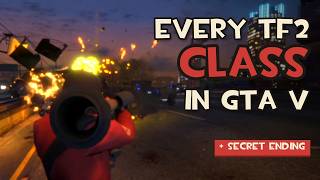
Team Fortress 2 in GTA V 1.1



![Fortnite Emotes Pack [OIV]](https://img.gta5-mods.com/q75-w500-h333-cfill/images/fortnite-emotes-pack-oiv/c29f75-1.jpeg "Fortnite Emotes Pack [OIV]")


120
7
120
7
==================================================================
TF2 CLASSES - a GTA V story mode mod
v1.0 by KBGAMEOVER also known as sniperkiller266
==================================================================
Play GTA V story mode as any of Team Fortress 2's nine classes:
TF2 player models and weapons, TF2's HUD, kill feed, voice lines,
weapon sounds, taunts, random crits, sentries/dispensers/teleporters,
Ubercharge, TF2-style respawns - and Mann vs. Machine.
------------------------------------------------------------------
WHAT YOU NEED (install these first)
------------------------------------------------------------------
1. GTA V Legacy (story mode), up to date - version 1.0.3889.
(The "Enhanced" edition is not supported.)
2. Script Hook V - dev-c.com/gtav/scripthookv
3. Script Hook V .NET (v3) - github.com/scripthookvdotnet/scripthookvdotnet
(latest nightly build recommended)
4. OpenIV, with its ASI loader and the "mods" folder set up
- openiv.com
5. Team Fortress 2 installed on Steam (it's free).
The mod reads TF2's HUD art, sounds and voices from YOUR copy of
TF2, so none of that is included in this download. The mod finds
TF2 by itself in your Steam libraries.
6. Microsoft .NET Framework 4.8 (already on most Windows 10/11 PCs).
------------------------------------------------------------------
EASY INSTALL (recommended - OpenIV package)
------------------------------------------------------------------
1. Unzip this download anywhere (e.g. your Desktop).
2. Open OpenIV and pick GTA V for Windows.
3. Go to Tools > Package Installer and choose TF2Classes.oiv
4. When it asks, choose "mods folder".
5. Done - start the game in story mode and press F7.
------------------------------------------------------------------
MANUAL INSTALL (if you'd rather do it yourself)
------------------------------------------------------------------
1. Copy everything inside the "scripts" folder into:
Grand Theft Auto V\scripts
(make the scripts folder if you don't have one)
2. Copy dlc\dlc.rpf to:
Grand Theft Auto V\mods\update\x64\dlcpacks\tf2peds\dlc.rpf
(make the tf2peds folder)
3. In OpenIV, turn on Edit mode and open
mods\update\update.rpf\common\data\
then:
- replace gameconfig.xml with data\gameconfig.xml
- replace ai\weapons.meta with data\weapons.meta
- open dlclist.xml and add this line before :
dlcpacks:/tf2peds/
4. Done - start story mode and press F7.
Note: gameconfig.xml and weapons.meta are full replacements. If
another mod also changes those files, back them up first.
------------------------------------------------------------------
CONTROLS
------------------------------------------------------------------
F7 Class menu (pick a class, Settings, Mann vs. Machine,
"Off" to go back to normal GTA)
B Class ability (Sandvich, detonate stickies, airblast,
Engineer build menu / upgrade, Ubercharge, cloak)
G / H Taunt / taunt menu (1-8)
Z / X / C Voice menus, then 1-8
V Switch first / third person
F8 TF2 crosshair on/off
F5 Mann vs. Machine Waves: ready up
F9 Hide all HUD (for videos/screenshots)
F10 Slow motion (50% / 25% / normal)
F11 Film camera: fly it (WASD, mouse, Q/E, Shift/Ctrl, mouse
wheel zoom) -> press again for a tripod that follows you
-> press again to turn off
All keys can be changed in scripts\TF2Classes.ini
------------------------------------------------------------------
GOOD TO KNOW
------------------------------------------------------------------
- Choose "Off" in the F7 menu before saving your game.
- Settings (F7 > Settings): damage, hit numbers, unlimited ammo,
god mode, police on/off, TF2 respawns, TF2 sounds/voices/
explosions on or off, and more.
- Mann vs. Machine: F7 > Mann vs. Machine. "Custom" = robots hunt
you anywhere; "Waves" = defend the hatch, buy upgrades between
waves.
- The first time you play, the TF2 HUD takes a minute to build from
your TF2 files. That only happens once.
------------------------------------------------------------------
PROBLEMS?
------------------------------------------------------------------
- Nothing happens on F7: check Script Hook V and Script Hook V .NET
are installed and up to date (GTA updates break Script Hook V
until it's updated).
- No TF2 HUD / sounds / voices: make sure TF2 is installed. If it's
somewhere unusual, open scripts\TF2Classes.ini and set TF2Folder
to your Team Fortress 2 folder.
- Missing models / invisible classes: the dlc.rpf isn't installed or
dlclist.xml is missing the tf2peds line (see manual install 2-3).
- The log file scripts\TF2Classes.log shows what the mod did.
------------------------------------------------------------------
UNINSTALL
------------------------------------------------------------------
Delete TF2Classes.dll, TF2Classes.ini, the TF2Classes folder and the
LemonUI / NAudio files from GTA V\scripts, and delete
mods\update\x64\dlcpacks\tf2peds. Remove the tf2peds line from
dlclist.xml.
See CREDITS.txt for credits.
TF2 CLASSES - a GTA V story mode mod
v1.0 by KBGAMEOVER also known as sniperkiller266
==================================================================
Play GTA V story mode as any of Team Fortress 2's nine classes:
TF2 player models and weapons, TF2's HUD, kill feed, voice lines,
weapon sounds, taunts, random crits, sentries/dispensers/teleporters,
Ubercharge, TF2-style respawns - and Mann vs. Machine.
------------------------------------------------------------------
WHAT YOU NEED (install these first)
------------------------------------------------------------------
1. GTA V Legacy (story mode), up to date - version 1.0.3889.
(The "Enhanced" edition is not supported.)
2. Script Hook V - dev-c.com/gtav/scripthookv
3. Script Hook V .NET (v3) - github.com/scripthookvdotnet/scripthookvdotnet
(latest nightly build recommended)
4. OpenIV, with its ASI loader and the "mods" folder set up
- openiv.com
5. Team Fortress 2 installed on Steam (it's free).
The mod reads TF2's HUD art, sounds and voices from YOUR copy of
TF2, so none of that is included in this download. The mod finds
TF2 by itself in your Steam libraries.
6. Microsoft .NET Framework 4.8 (already on most Windows 10/11 PCs).
------------------------------------------------------------------
EASY INSTALL (recommended - OpenIV package)
------------------------------------------------------------------
1. Unzip this download anywhere (e.g. your Desktop).
2. Open OpenIV and pick GTA V for Windows.
3. Go to Tools > Package Installer and choose TF2Classes.oiv
4. When it asks, choose "mods folder".
5. Done - start the game in story mode and press F7.
------------------------------------------------------------------
MANUAL INSTALL (if you'd rather do it yourself)
------------------------------------------------------------------
1. Copy everything inside the "scripts" folder into:
Grand Theft Auto V\scripts
(make the scripts folder if you don't have one)
2. Copy dlc\dlc.rpf to:
Grand Theft Auto V\mods\update\x64\dlcpacks\tf2peds\dlc.rpf
(make the tf2peds folder)
3. In OpenIV, turn on Edit mode and open
mods\update\update.rpf\common\data\
then:
- replace gameconfig.xml with data\gameconfig.xml
- replace ai\weapons.meta with data\weapons.meta
- open dlclist.xml and add this line before :
dlcpacks:/tf2peds/
4. Done - start story mode and press F7.
Note: gameconfig.xml and weapons.meta are full replacements. If
another mod also changes those files, back them up first.
------------------------------------------------------------------
CONTROLS
------------------------------------------------------------------
F7 Class menu (pick a class, Settings, Mann vs. Machine,
"Off" to go back to normal GTA)
B Class ability (Sandvich, detonate stickies, airblast,
Engineer build menu / upgrade, Ubercharge, cloak)
G / H Taunt / taunt menu (1-8)
Z / X / C Voice menus, then 1-8
V Switch first / third person
F8 TF2 crosshair on/off
F5 Mann vs. Machine Waves: ready up
F9 Hide all HUD (for videos/screenshots)
F10 Slow motion (50% / 25% / normal)
F11 Film camera: fly it (WASD, mouse, Q/E, Shift/Ctrl, mouse
wheel zoom) -> press again for a tripod that follows you
-> press again to turn off
All keys can be changed in scripts\TF2Classes.ini
------------------------------------------------------------------
GOOD TO KNOW
------------------------------------------------------------------
- Choose "Off" in the F7 menu before saving your game.
- Settings (F7 > Settings): damage, hit numbers, unlimited ammo,
god mode, police on/off, TF2 respawns, TF2 sounds/voices/
explosions on or off, and more.
- Mann vs. Machine: F7 > Mann vs. Machine. "Custom" = robots hunt
you anywhere; "Waves" = defend the hatch, buy upgrades between
waves.
- The first time you play, the TF2 HUD takes a minute to build from
your TF2 files. That only happens once.
------------------------------------------------------------------
PROBLEMS?
------------------------------------------------------------------
- Nothing happens on F7: check Script Hook V and Script Hook V .NET
are installed and up to date (GTA updates break Script Hook V
until it's updated).
- No TF2 HUD / sounds / voices: make sure TF2 is installed. If it's
somewhere unusual, open scripts\TF2Classes.ini and set TF2Folder
to your Team Fortress 2 folder.
- Missing models / invisible classes: the dlc.rpf isn't installed or
dlclist.xml is missing the tf2peds line (see manual install 2-3).
- The log file scripts\TF2Classes.log shows what the mod did.
------------------------------------------------------------------
UNINSTALL
------------------------------------------------------------------
Delete TF2Classes.dll, TF2Classes.ini, the TF2Classes folder and the
LemonUI / NAudio files from GTA V\scripts, and delete
mods\update\x64\dlcpacks\tf2peds. Remove the tf2peds line from
dlclist.xml.
See CREDITS.txt for credits.
First Uploaded: October 16, 2026
Last Updated: October 18, 2026
Last Downloaded: 4 days ago
3 Comments
==================================================================
TF2 CLASSES - a GTA V story mode mod
v1.0 by KBGAMEOVER also known as sniperkiller266
==================================================================
Play GTA V story mode as any of Team Fortress 2's nine classes:
TF2 player models and weapons, TF2's HUD, kill feed, voice lines,
weapon sounds, taunts, random crits, sentries/dispensers/teleporters,
Ubercharge, TF2-style respawns - and Mann vs. Machine.
------------------------------------------------------------------
WHAT YOU NEED (install these first)
------------------------------------------------------------------
1. GTA V Legacy (story mode), up to date - version 1.0.3889.
(The "Enhanced" edition is not supported.)
2. Script Hook V - dev-c.com/gtav/scripthookv
3. Script Hook V .NET (v3) - github.com/scripthookvdotnet/scripthookvdotnet
(latest nightly build recommended)
4. OpenIV, with its ASI loader and the "mods" folder set up
- openiv.com
5. Team Fortress 2 installed on Steam (it's free).
The mod reads TF2's HUD art, sounds and voices from YOUR copy of
TF2, so none of that is included in this download. The mod finds
TF2 by itself in your Steam libraries.
6. Microsoft .NET Framework 4.8 (already on most Windows 10/11 PCs).
------------------------------------------------------------------
EASY INSTALL (recommended - OpenIV package)
------------------------------------------------------------------
1. Unzip this download anywhere (e.g. your Desktop).
2. Open OpenIV and pick GTA V for Windows.
3. Go to Tools > Package Installer and choose TF2Classes.oiv
4. When it asks, choose "mods folder".
5. Done - start the game in story mode and press F7.
------------------------------------------------------------------
MANUAL INSTALL (if you'd rather do it yourself)
------------------------------------------------------------------
1. Copy everything inside the "scripts" folder into:
Grand Theft Auto V\scripts
(make the scripts folder if you don't have one)
2. Copy dlc\dlc.rpf to:
Grand Theft Auto V\mods\update\x64\dlcpacks\tf2peds\dlc.rpf
(make the tf2peds folder)
3. In OpenIV, turn on Edit mode and open
mods\update\update.rpf\common\data\
then:
- replace gameconfig.xml with data\gameconfig.xml
- replace ai\weapons.meta with data\weapons.meta
- open dlclist.xml and add this line before :
dlcpacks:/tf2peds/
4. Done - start story mode and press F7.
Note: gameconfig.xml and weapons.meta are full replacements. If
another mod also changes those files, back them up first.
------------------------------------------------------------------
CONTROLS
------------------------------------------------------------------
F7 Class menu (pick a class, Settings, Mann vs. Machine,
"Off" to go back to normal GTA)
B Class ability (Sandvich, detonate stickies, airblast,
Engineer build menu / upgrade, Ubercharge, cloak)
G / H Taunt / taunt menu (1-8)
Z / X / C Voice menus, then 1-8
V Switch first / third person
F8 TF2 crosshair on/off
F5 Mann vs. Machine Waves: ready up
F9 Hide all HUD (for videos/screenshots)
F10 Slow motion (50% / 25% / normal)
F11 Film camera: fly it (WASD, mouse, Q/E, Shift/Ctrl, mouse
wheel zoom) -> press again for a tripod that follows you
-> press again to turn off
All keys can be changed in scripts\TF2Classes.ini
------------------------------------------------------------------
GOOD TO KNOW
------------------------------------------------------------------
- Choose "Off" in the F7 menu before saving your game.
- Settings (F7 > Settings): damage, hit numbers, unlimited ammo,
god mode, police on/off, TF2 respawns, TF2 sounds/voices/
explosions on or off, and more.
- Mann vs. Machine: F7 > Mann vs. Machine. "Custom" = robots hunt
you anywhere; "Waves" = defend the hatch, buy upgrades between
waves.
- The first time you play, the TF2 HUD takes a minute to build from
your TF2 files. That only happens once.
------------------------------------------------------------------
PROBLEMS?
------------------------------------------------------------------
- Nothing happens on F7: check Script Hook V and Script Hook V .NET
are installed and up to date (GTA updates break Script Hook V
until it's updated).
- No TF2 HUD / sounds / voices: make sure TF2 is installed. If it's
somewhere unusual, open scripts\TF2Classes.ini and set TF2Folder
to your Team Fortress 2 folder.
- Missing models / invisible classes: the dlc.rpf isn't installed or
dlclist.xml is missing the tf2peds line (see manual install 2-3).
- The log file scripts\TF2Classes.log shows what the mod did.
------------------------------------------------------------------
UNINSTALL
------------------------------------------------------------------
Delete TF2Classes.dll, TF2Classes.ini, the TF2Classes folder and the
LemonUI / NAudio files from GTA V\scripts, and delete
mods\update\x64\dlcpacks\tf2peds. Remove the tf2peds line from
dlclist.xml.
See CREDITS.txt for credits.
TF2 CLASSES - a GTA V story mode mod
v1.0 by KBGAMEOVER also known as sniperkiller266
==================================================================
Play GTA V story mode as any of Team Fortress 2's nine classes:
TF2 player models and weapons, TF2's HUD, kill feed, voice lines,
weapon sounds, taunts, random crits, sentries/dispensers/teleporters,
Ubercharge, TF2-style respawns - and Mann vs. Machine.
------------------------------------------------------------------
WHAT YOU NEED (install these first)
------------------------------------------------------------------
1. GTA V Legacy (story mode), up to date - version 1.0.3889.
(The "Enhanced" edition is not supported.)
2. Script Hook V - dev-c.com/gtav/scripthookv
3. Script Hook V .NET (v3) - github.com/scripthookvdotnet/scripthookvdotnet
(latest nightly build recommended)
4. OpenIV, with its ASI loader and the "mods" folder set up
- openiv.com
5. Team Fortress 2 installed on Steam (it's free).
The mod reads TF2's HUD art, sounds and voices from YOUR copy of
TF2, so none of that is included in this download. The mod finds
TF2 by itself in your Steam libraries.
6. Microsoft .NET Framework 4.8 (already on most Windows 10/11 PCs).
------------------------------------------------------------------
EASY INSTALL (recommended - OpenIV package)
------------------------------------------------------------------
1. Unzip this download anywhere (e.g. your Desktop).
2. Open OpenIV and pick GTA V for Windows.
3. Go to Tools > Package Installer and choose TF2Classes.oiv
4. When it asks, choose "mods folder".
5. Done - start the game in story mode and press F7.
------------------------------------------------------------------
MANUAL INSTALL (if you'd rather do it yourself)
------------------------------------------------------------------
1. Copy everything inside the "scripts" folder into:
Grand Theft Auto V\scripts
(make the scripts folder if you don't have one)
2. Copy dlc\dlc.rpf to:
Grand Theft Auto V\mods\update\x64\dlcpacks\tf2peds\dlc.rpf
(make the tf2peds folder)
3. In OpenIV, turn on Edit mode and open
mods\update\update.rpf\common\data\
then:
- replace gameconfig.xml with data\gameconfig.xml
- replace ai\weapons.meta with data\weapons.meta
- open dlclist.xml and add this line before :
dlcpacks:/tf2peds/
4. Done - start story mode and press F7.
Note: gameconfig.xml and weapons.meta are full replacements. If
another mod also changes those files, back them up first.
------------------------------------------------------------------
CONTROLS
------------------------------------------------------------------
F7 Class menu (pick a class, Settings, Mann vs. Machine,
"Off" to go back to normal GTA)
B Class ability (Sandvich, detonate stickies, airblast,
Engineer build menu / upgrade, Ubercharge, cloak)
G / H Taunt / taunt menu (1-8)
Z / X / C Voice menus, then 1-8
V Switch first / third person
F8 TF2 crosshair on/off
F5 Mann vs. Machine Waves: ready up
F9 Hide all HUD (for videos/screenshots)
F10 Slow motion (50% / 25% / normal)
F11 Film camera: fly it (WASD, mouse, Q/E, Shift/Ctrl, mouse
wheel zoom) -> press again for a tripod that follows you
-> press again to turn off
All keys can be changed in scripts\TF2Classes.ini
------------------------------------------------------------------
GOOD TO KNOW
------------------------------------------------------------------
- Choose "Off" in the F7 menu before saving your game.
- Settings (F7 > Settings): damage, hit numbers, unlimited ammo,
god mode, police on/off, TF2 respawns, TF2 sounds/voices/
explosions on or off, and more.
- Mann vs. Machine: F7 > Mann vs. Machine. "Custom" = robots hunt
you anywhere; "Waves" = defend the hatch, buy upgrades between
waves.
- The first time you play, the TF2 HUD takes a minute to build from
your TF2 files. That only happens once.
------------------------------------------------------------------
PROBLEMS?
------------------------------------------------------------------
- Nothing happens on F7: check Script Hook V and Script Hook V .NET
are installed and up to date (GTA updates break Script Hook V
until it's updated).
- No TF2 HUD / sounds / voices: make sure TF2 is installed. If it's
somewhere unusual, open scripts\TF2Classes.ini and set TF2Folder
to your Team Fortress 2 folder.
- Missing models / invisible classes: the dlc.rpf isn't installed or
dlclist.xml is missing the tf2peds line (see manual install 2-3).
- The log file scripts\TF2Classes.log shows what the mod did.
------------------------------------------------------------------
UNINSTALL
------------------------------------------------------------------
Delete TF2Classes.dll, TF2Classes.ini, the TF2Classes folder and the
LemonUI / NAudio files from GTA V\scripts, and delete
mods\update\x64\dlcpacks\tf2peds. Remove the tf2peds line from
dlclist.xml.
See CREDITS.txt for credits.
First Uploaded: October 16, 2026
Last Updated: October 18, 2026
Last Downloaded: 4 days ago
 5mods on Discord

I was the guy who rigged those TF2 peds years ago. Its impressive to see someone make a tf2 themed script with all the weapons and stats. Good job!
@Fermit the Krog Thanks Fermit, I have just added you to credits, as I forgot to do this, very sorry for not having in the version before.
@sniperkiller266 its ok