TrafficX Custom [Legacy & Enhanced] 0.2.1


![Genshin Impact Weapon Pack [Add-On | FiveM | Replace]](https://img.gta5-mods.com/q75-w500-h333-cfill/images/genshin-impact-weapon-pack-add-on-fivem-replace/f7e55a-999.png "Genshin Impact Weapon Pack [Add-On | FiveM | Replace]")

![Addon To Road [Legacy & Enhanced]](https://img.gta5-mods.com/q75-w500-h333-cfill/images/addon-on-road/009424-32423e.jpeg "Addon To Road [Legacy & Enhanced]")


3,361
57
3,361
57
TrafficX Custom
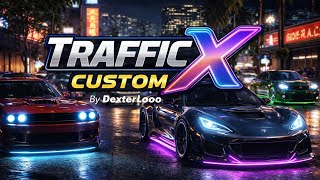
TrafficX Custom is a lightweight traffic enhancement script for GTA V. It randomly customizes NPC vehicles with visual modifications, traffic-safe wheels, realistic window tints, dynamic neon effects, and configurable random paint categories.
Built with performance in mind using distance-based processing, so only nearby vehicles receive full updates while distant vehicles use minimal processing.
Main Features
Configuration
Configuration file:
scripts/TrafficXCustom.ini
Automatically created after opening the menu.
Requirements
Legacy Version
Enhanced Version
Recommended Script
Addon To Road
Notes
Changelog
v0.2.1
v0.2
v0.1 – Initial Release
TrafficX Custom is a lightweight traffic enhancement script for GTA V. It randomly customizes NPC vehicles with visual modifications, traffic-safe wheels, realistic window tints, dynamic neon effects, and configurable random paint categories.
Built with performance in mind using distance-based processing, so only nearby vehicles receive full updates while distant vehicles use minimal processing.
Main Features
- Random NPC Vehicle Customization
- Front & Rear Bumpers
- Side Skirts
- Spoilers
- Hood
- Fenders
- Roof
- Grille
- Exhaust
- Frame
- Arch Cover
- Natural-looking random window tint
- Traffic-safe random wheel selection
- Random Paint Category [BETA]
- Metallic
- Classic
- Pearlescent
- Matte
- Metal
- Chrome
- Individual Chance (%)
- Primary / Secondary / Pearlescent configuration
- Automatically skips AddonToRoad vehicles
- Dynamic Neon System
- Static
- RGB Cycle
- Blink (On/Off)
- Blink (Color)
- MIX (Random per vehicle)
- Configurable Neon Chance
- Configurable Neon Speed
- Night Only / Day & Night
- Optional Far Neon OFF for better performance
- NPC Crash Protection
- Prevents NPCs from dying in minor vehicle collisions
- Does not block weapon or combat damage
- Distance-Based Processing
- Near vehicles receive full processing
- Far vehicles receive minimal processing
- Configurable Near Radius
- Configurable Far Radius
- Optional Far Neon OFF
- Automatic cleanup of cached vehicle and NPC states
Configuration
Configuration file:
scripts/TrafficXCustom.ini
Automatically created after opening the menu.
- Enable / Disable Script
- NPC Custom Chance
- Random Paint Category
- Neon Chance
- Neon Mode
- Neon Speed
- Neon Active Time
- NPC Crashproof
- Distance Settings
- Menu Hotkey
Requirements
Legacy Version
- GTA V (Legacy)
- ScriptHookV
- Latest ScriptHookVDotNet 3 Nightly Download here!
- LemonUI
Enhanced Version
- GTA V Enhanced
- ScriptHookV
- Latest ScriptHookVDotNet Enhanced Download here!
- LemonUI
Recommended Script
Addon To Road
- Makes traffic vehicles more diverse when used together.
- TrafficX Custom automatically skips AddonToRoad paint customization.
Notes
- NPC vehicles only (player vehicles are never modified)
- Neon state persists while the vehicle exists
- Distance-based processing minimizes CPU usage
- Random Paint Category is currently BETA
- Fully configurable through the INI file
Changelog
v0.2.1
- Fixed
- Fixed a crash on script load ("Failed to instantiate script... MissingMethodException") affecting some ScriptHookVDotNet versions/forks (both Legacy and Enhanced), caused by an unstable Notification.PostTicker method signature across SHVDN builds.
- The AddonToRoad handshake notification now uses reflection to detect the correct method signature at runtime, making it compatible across SHVDN versions instead of assuming a fixed one.
v0.2
- Added
- Random Paint Category [BETA]
- Six configurable paint categories
- Individual Chance (%)
- Primary / Secondary / Pearlescent settings
- Saved in TrafficXCustom.ini
- Automatically skips AddonToRoad vehicles
- New distance configuration
- NearRadius
- FarRadius
- FarNeonOff
- Random Paint Category [BETA]
- Changed
- Replaced ExcludedClasses with AllowedClasses (whitelist system).
- Refactored menu navigation into a stack-based system for unlimited submenu support.
- All source code comments translated to English.
- Distance settings now properly load from and save to the INI file.
v0.1 – Initial Release
First Uploaded: January 30, 2026
Last Updated: August 08, 2026
Last Downloaded: 1 hour ago
37 Comments
More mods by DexterLooo:
TrafficX Custom
TrafficX Custom is a lightweight traffic enhancement script for GTA V. It randomly customizes NPC vehicles with visual modifications, traffic-safe wheels, realistic window tints, dynamic neon effects, and configurable random paint categories.
Built with performance in mind using distance-based processing, so only nearby vehicles receive full updates while distant vehicles use minimal processing.
Main Features
Configuration
Configuration file:
scripts/TrafficXCustom.ini
Automatically created after opening the menu.
Requirements
Legacy Version
Enhanced Version
Recommended Script
Addon To Road
Notes
Changelog
v0.2.1
v0.2
v0.1 – Initial Release
TrafficX Custom is a lightweight traffic enhancement script for GTA V. It randomly customizes NPC vehicles with visual modifications, traffic-safe wheels, realistic window tints, dynamic neon effects, and configurable random paint categories.
Built with performance in mind using distance-based processing, so only nearby vehicles receive full updates while distant vehicles use minimal processing.
Main Features
- Random NPC Vehicle Customization
- Front & Rear Bumpers
- Side Skirts
- Spoilers
- Hood
- Fenders
- Roof
- Grille
- Exhaust
- Frame
- Arch Cover
- Natural-looking random window tint
- Traffic-safe random wheel selection
- Random Paint Category [BETA]
- Metallic
- Classic
- Pearlescent
- Matte
- Metal
- Chrome
- Individual Chance (%)
- Primary / Secondary / Pearlescent configuration
- Automatically skips AddonToRoad vehicles
- Dynamic Neon System
- Static
- RGB Cycle
- Blink (On/Off)
- Blink (Color)
- MIX (Random per vehicle)
- Configurable Neon Chance
- Configurable Neon Speed
- Night Only / Day & Night
- Optional Far Neon OFF for better performance
- NPC Crash Protection
- Prevents NPCs from dying in minor vehicle collisions
- Does not block weapon or combat damage
- Distance-Based Processing
- Near vehicles receive full processing
- Far vehicles receive minimal processing
- Configurable Near Radius
- Configurable Far Radius
- Optional Far Neon OFF
- Automatic cleanup of cached vehicle and NPC states
Configuration
Configuration file:
scripts/TrafficXCustom.ini
Automatically created after opening the menu.
- Enable / Disable Script
- NPC Custom Chance
- Random Paint Category
- Neon Chance
- Neon Mode
- Neon Speed
- Neon Active Time
- NPC Crashproof
- Distance Settings
- Menu Hotkey
Requirements
Legacy Version
- GTA V (Legacy)
- ScriptHookV
- Latest ScriptHookVDotNet 3 Nightly Download here!
- LemonUI
Enhanced Version
- GTA V Enhanced
- ScriptHookV
- Latest ScriptHookVDotNet Enhanced Download here!
- LemonUI
Recommended Script
Addon To Road
- Makes traffic vehicles more diverse when used together.
- TrafficX Custom automatically skips AddonToRoad paint customization.
Notes
- NPC vehicles only (player vehicles are never modified)
- Neon state persists while the vehicle exists
- Distance-based processing minimizes CPU usage
- Random Paint Category is currently BETA
- Fully configurable through the INI file
Changelog
v0.2.1
- Fixed
- Fixed a crash on script load ("Failed to instantiate script... MissingMethodException") affecting some ScriptHookVDotNet versions/forks (both Legacy and Enhanced), caused by an unstable Notification.PostTicker method signature across SHVDN builds.
- The AddonToRoad handshake notification now uses reflection to detect the correct method signature at runtime, making it compatible across SHVDN versions instead of assuming a fixed one.
v0.2
- Added
- Random Paint Category [BETA]
- Six configurable paint categories
- Individual Chance (%)
- Primary / Secondary / Pearlescent settings
- Saved in TrafficXCustom.ini
- Automatically skips AddonToRoad vehicles
- New distance configuration
- NearRadius
- FarRadius
- FarNeonOff
- Random Paint Category [BETA]
- Changed
- Replaced ExcludedClasses with AllowedClasses (whitelist system).
- Refactored menu navigation into a stack-based system for unlimited submenu support.
- All source code comments translated to English.
- Distance settings now properly load from and save to the INI file.
v0.1 – Initial Release
First Uploaded: January 30, 2026
Last Updated: August 08, 2026
Last Downloaded: 1 hour ago
 5mods on Discord

Is work in gta 5 build 3725?
@atagta5 Yes. I've tested it and works fine. But it doesn't work with Scripthook.Net Nightly version 177. If necessary use a previous install from GithuB
Sorry for the delayed update, everyone!
TrafficX Custom has finally been updated to v0.2. Thanks for your patience, and I hope you enjoy the new features. Feel free to report any bugs or issues in the comments!
la actualizacion de Addon To Road seguramente ya llega verdad?
Is it so damn hard for devs to put actual installation instructions on their mods? Im assuming this goes into the scripts folder. The download has an Enhanced folder with a single DLL in it. I put it in the scripts folder, F5 and nothing loads. Trash.
HI sir ,i hope u good, i try this mod and i thi,k this is not compatible w my game because all my car are replaced ,thx for ur job sir u make my game better everyday w ur mods
@DexterLooo Estoy utilizando ScriptHookVDotNet Enhanced v1.1.0.6 [Legacy + Enhanced] y me sale este error [09:17:27] [ERROR] Failed to instantiate script TrafficXCustomMenu because constructor threw an exception: System.MissingMethodException: Método no encontrado: 'GTA.UI.FeedPost GTA.UI.Notification.PostTicker(System.String, Boolean, Boolean)'.
en TrafficXCustomMenu..ctor()
@Spinestalker Hey, sorry about the confusion, I'll admit the install instructions could be clearer, my bad. Quick fix: the DLL from the Enhanced folder just needs to go straight into your scripts folder (no subfolder), same as any other SHVDN script. If it's still not loading after that, check your SHVDN console log (usually shows as an in-game notification or in ScriptHookVDotNet.log), that'll tell us exactly why it's not instantiating. Happy to help debug if you paste the error here. I'll update the description with clearer install steps too, thanks for the heads up.
@Bigsossa Thank you, glad it's making your game more fun! 🙏 Just to clarify, nothing is actually "replaced," but if you have Block Native Traffic enabled in the settings menu, it intentionally stops regular GTA traffic from spawning so only the addon vehicles show up (that's meant for people who want a fully custom traffic feel). If you turn that option off, your normal traffic will mix in alongside the addon vehicles again. Let me know if that's not what you're seeing though, happy to look into it further!
@Edwin Rosero ¡Hola Edwin! Sí, ya encontré el bug, era un problema de compatibilidad con PostTicker en algunas versiones de SHVDN (el número de parámetros cambia entre versiones/forks). Ya lo arreglé usando reflection para que funcione sin importar qué versión de SHVDN Legacy o Enhanced estés usando. Actualización subida, debería solucionarse por completo. ¡Gracias por reportarlo con el log de error, eso ayudó muchísimo a encontrar la causa exacta! 🙏
Sobre AddonToRoad, sí, hay actualización en camino, estoy trabajando en ella.
@DexterLooo Is there a way to disable customization for emergency vehicles and stuff.
Cause I keep seeing stuff like grey, blue colored taxis 😅
@DexterLooo Gracias a ti por arreglarlo lo probaré cuando regrese, gran trabajo.
@TheLabib Thanks for the report! I tested this across both SHVDN Legacy and Enhanced and can't reproduce it, taxis and emergency vehicles stay untouched on my end. A few questions so I can narrow it down:
Are the taxis/emergency vehicles you're seeing replacer/addon models, or the default vanilla ones?
Which ScriptHookVDotNet version are you running (Legacy or Enhanced, and which version number)?
Which GTA V version, Legacy or Enhanced Edition?
Could you share your [PaintCategory] section from TrafficXCustom.ini? Want to double check your Chance/Primary/Secondary/Pearlescent values aren't accidentally set in a way that's affecting more vehicles than expected.
That'll help me figure out if this is a class-metadata issue on a specific addon model, a version-specific bug, or a config thing on your end.
@Edwin Rosero ¡De nada! Avísame si sigues teniendo problemas cuando lo pruebes. ¡Gracias por tu paciencia!
@DexterLooo Thx for ur answer bro i dont find « block native trafic» in the setting menu
@DexterLooo my bad for not clarifying. Vanilla Texis are fine. I am on the Legacy Version and have LCPP Mod installed which comes with Addon Taxi Cars (Liberty City Texis). They are the ones that keep spawning grey and blue colored instead of Yellow.
I'm using the Latest version of ScripthookVdotnet Nightly Build from their GitHub page.
I have double checked the classes on those vehicles and they are categorized as Service vehicles. Hopefully this helps u narrow it down
@Bigsossa Ah my bad for the confusion, "Block Native Traffic" is actually a setting in AddonToRoad, not TrafficXCustom. If you have AddonToRoad installed, it's under: Main Menu > Settings > Block Native Traffic. If you don't see it there, make sure you're on the latest AddonToRoad version. If you're not using AddonToRoad at all, then that setting isn't relevant to you, sorry for the mix-up earlier!
@TheLabib Quick follow-up before the removal test, are you also running AddonToRoad alongside TrafficXCustom? That changes things, since AddonToRoad has its own random paint system, completely separate from TrafficXCustom, and it runs independently either way.
If yes: worth checking its menu under Settings > Block Vehicle Categories > Service. That setting doesn't just block coloring, it blocks the vehicle from spawning through AddonToRoad at all. It's ON by default, so if it's already ON and those taxis are still showing up grey/blue, that actually proves they're not coming from AddonToRoad, a blocked category literally can't spawn through it. If it happens to be OFF, turning it ON should stop AddonToRoad from touching those taxis entirely.
If you're not running AddonToRoad, here's a cleaner way to pin it down instead:
Temporarily remove TrafficXCustom (just take the DLL out of scripts for a bit) and drive around near those LCPP taxis. If they're still showing up grey/blue, that's just their actual pack color, nothing to do with my script, probably worth reporting to the LCPP page instead.
If you put TrafficXCustom back in and the taxis start showing different/random colors each time (not consistently grey/blue, but varying), that'd tell us the opposite, those LCPP taxis aren't really reporting as Service class like you checked, and something's letting them slip through the whitelist. Let me know if that's the case and I'll dig into why.
And if both checks come back clean either way (Service blocked in AddonToRoad + TrafficXCustom already skipping Service class), the recoloring is most likely coming from LCPP's own script/spawn system, something outside either of my mods. At that point it'd be worth checking if LCPP has its own random livery feature, or flagging it on their page instead.
Appreciate you sticking with this, this kind of back-and-forth really helps narrow things down properly instead of guessing!
@DexterLooo ahora funciona perfecto y sin error de carga, ademas utilizo el trafico modificado de 5Real y esta muy bien todo, gracias, ahora esperando tu otro complemento.
Why my GTA5 crash with Addon To Road?