![TwoPlayerMod [.NET] Beta](https://img.gta5-mods.com/q75-w500-h333-cfill/images/twoplayermod-net-beta/565a13-mod%20cover.jpg "TwoPlayerMod [.NET] Beta")


50,513
312
-
 August 30, 2017
If TwoPlayerMod 2.35 did not work for you
https://www.gta5-mods.com/scripts/twoplayermod-net-beta
DONT BOTHER TRYING THIS ONE. Comment on the regular version about your problems.
Requirements:
A monitor at least 1600 pixels wide. Or 2 monitors. If you have a different resolution, let me know so I can release an adjusted version with appropriate offsets. You basically need enough room to render the game twice side by side. So like at the lowest resolution, 800x600, side by side becomes 1600x600. If you have two monitors, you could request a version to fill both of them.
Only Tested on Win 10. May not work for other windows versions.
** Version 1703 Win 10 Creators Update seems to encounter a black screen problem. You can check your version by going into settings on the start menu, hit system, scroll down to about, and look at your version number.
PC Specs:
Intel Core i7-4770 3.4 GHz
NVIDIA GeForce GTX 1050 TI
7200 RPM HDD
I'm hoping someone with a much better pc than me can give me feedback on their performance results. If your pc specs are lower than mine, please don't complain about performance issues.
Changelog
1.2 Added 1600x900, 1680x1050, 2560x1080, 3840x2160 Monitor Support
1.0 Initial Experimental Release
First Uploaded: August 30, 2017
Last Updated: September 03, 2017
Last Downloaded: 2 hours ago
224 Comments
If TwoPlayerMod 2.35 did not work for you
https://www.gta5-mods.com/scripts/twoplayermod-net-beta
DONT BOTHER TRYING THIS ONE. Comment on the regular version about your problems.
Requirements:
A monitor at least 1600 pixels wide. Or 2 monitors. If you have a different resolution, let me know so I can release an adjusted version with appropriate offsets. You basically need enough room to render the game twice side by side. So like at the lowest resolution, 800x600, side by side becomes 1600x600. If you have two monitors, you could request a version to fill both of them.
Only Tested on Win 10. May not work for other windows versions.
** Version 1703 Win 10 Creators Update seems to encounter a black screen problem. You can check your version by going into settings on the start menu, hit system, scroll down to about, and look at your version number.
PC Specs:
Intel Core i7-4770 3.4 GHz
NVIDIA GeForce GTX 1050 TI
7200 RPM HDD
I'm hoping someone with a much better pc than me can give me feedback on their performance results. If your pc specs are lower than mine, please don't complain about performance issues.
Changelog
1.2 Added 1600x900, 1680x1050, 2560x1080, 3840x2160 Monitor Support
1.0 Initial Experimental Release
First Uploaded: August 30, 2017
Last Updated: September 03, 2017
Last Downloaded: 2 hours ago
-

-
It works but its literally not playable, fps is ultimate low and there are bugs on driving cars too, screen resolution is badly optimised etc. etc.
i dont recommend to install it for splitscreen but its working fine on "1 screen and 2 players" mode.
Working on; gta 5 version of 1.41 (1180.1), Community Script Hook V .NET 2.10.10, scripthook 1.0.2372.0, nativeui 1.7
Dont waste your time on this if you are looking for splitscreen because you will not enjoy it
In this situation i just prefer to play 1 screen 2 players mode (pressing 0/f11 only and not T) which this mode is including it.November 02, 2021 -
I tried low and high settings both but fps was still the same and not fluent. So its not about graphic settings i guess
November 02, 2021 -
-
hello guys how are you? I have a problem, I follow the steps, but I get a single blanket stretched and in black, and then the game I can not see it again, only the audio remains, what can I do please help
February 27, 2022 -

-
-
-
-
I have better specs but the menu wont open up when I hit f11 I would love to review this mod with my friend but Im not able to open it with f11
January 14, 2023 -

@IamtheLyfe Try with the regular 0 not numpad 0 beacuse the creator said that he upload with him own settings
March 06, 2023 -
-
-

-
This script is great, but it isn't compatible with other mods; because it uses an older version of ScriptHookVDotNet. Can you upgrade it to the latest SHVDN update, please?
January 02, 2025 -
-
@lizardking461 es perfecto,pero tienes razon:( nose puede apuntar ni disparar,ojala alguien tenga la solucion,aun asi,muchas graciass
April 11, 2025 -
It works on 1.0.34.11. But when I goes into split screen it creates 3 screen, one fully running fine with FPS high, and the two other ones with player 1 and player 2. Also have many scripts installed, no error on sidebar log, but yeah...
April 24, 2025 -

-
I tried to set this up but it keeps making my game crash as soon as i play it. Why does modding for GTA 5 have to be so annoying and a pain?
January 16, 2026
 5mods on Discord

EDIT: I realized i uploaded my own settings file. So to open the twoplayermod menu, you press 0, not the numpad 0, but the regular 0 key. You can change the mod menu hotkey back to F11, or whatever key in the settings file.
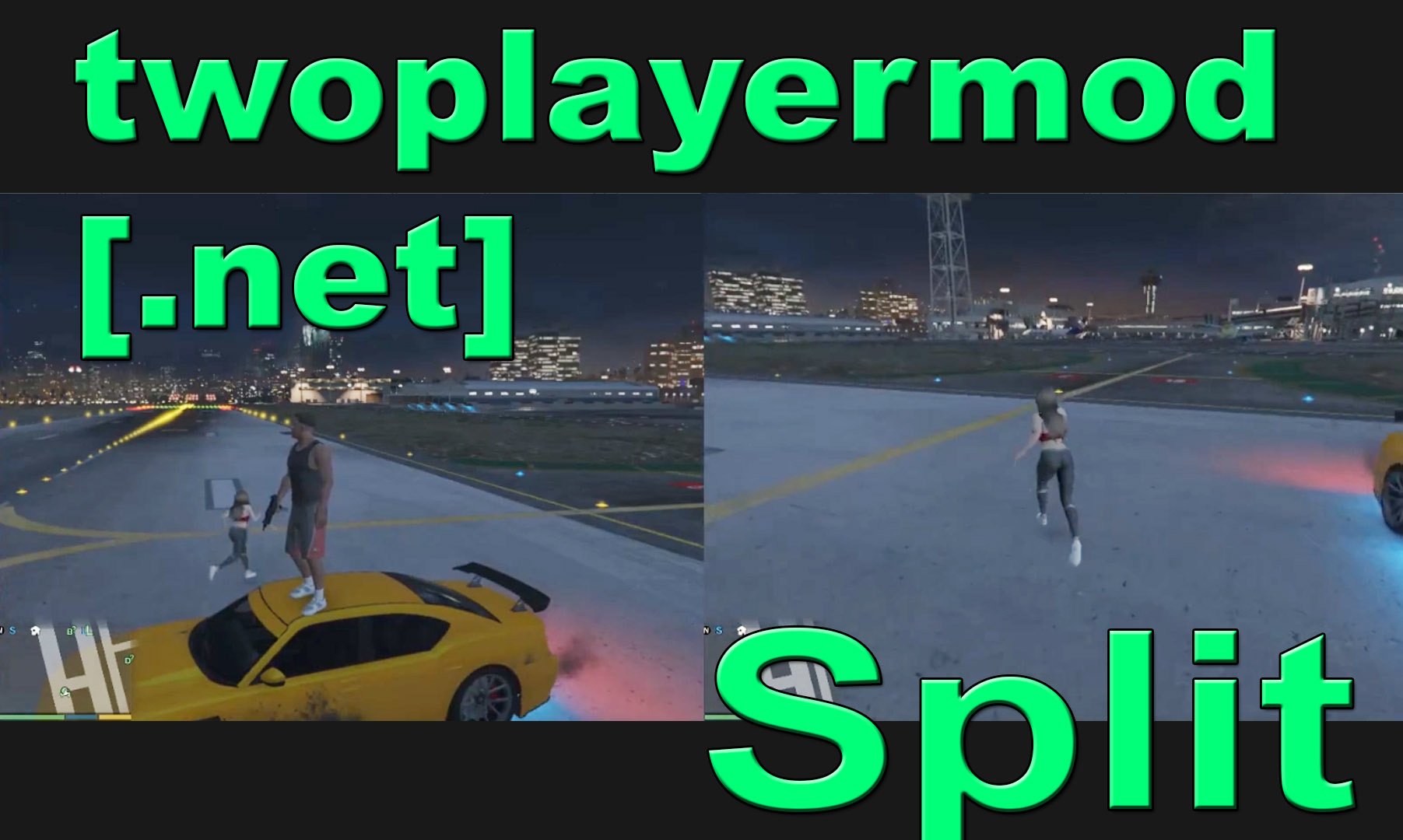
Currently, the split camera needs to hook onto an entity/object chosen by the player. If you get a black screen, or same screens, not split like the video, turn off split mode. Have the second player stand close to the main player, with no one else close, just like the video. Then Enable splitscreen.
If you die, you have to rehook the camera. So I recommend using god mode.
Note: If you are getting black rectangles or other problems, tell me what os/setup you are on. Might be a bug i have to fix. As said, its still experimental and may not work for everyone yet.
Note 2: Not meant to be used with GTA SA Camera when in split mode.
Note 3: Rendering it at different resolutions, even if your monitors are different is possible. Note that any additional upscaling/downscaling from whatever resolution you set the game to be at will result in performance drops. You need to custom request a monitor setup atm since i don't know how to detect monitors automatically.
Stuff i need to know to scale it:
Your monitor/tv resolutions. Whether you have the monitor on your left or right. What side you want the main player screen and second player screen to render on. If your monitor resolution is less than 1600 pixels wide, you need a bigger monitor. I could scale the game, but it would look off / run slower.
Test out the 800x600 version, which is the lowest resolution possible for the game first. If your fps isn't that bad, and you would like to request a higher resolution setup for your system let me know. The 1920x1080 version is if you have TWO monitors/tvs at that resolution.