
![3D Waypoint [Singleplayer/FiveM]](https://img.gta5-mods.com/q75-w500-h333-cfill/images/3d-waypoint/b7298a-2Fgg%281%29.png "3D Waypoint [Singleplayer/FiveM]")
![Custom Radio Stations [.NET]](https://img.gta5-mods.com/q75-w500-h333-cfill/images/custom-radio-stations-net/bcdb1c-Grand_Theft_Auto_V_Screenshot_2019.01.29_-_08.57.21.32-min.png "Custom Radio Stations [.NET]")
![Drive Modes & Custom Vehicle Cameras [Handling Editor]](https://img.gta5-mods.com/q75-w500-h333-cfill/images/drive-modes/5f0290-Screenshot%20%2861%29.png "Drive Modes & Custom Vehicle Cameras [Handling Editor]")
29,296
341
29,296
341
Idea and request by: Barak101
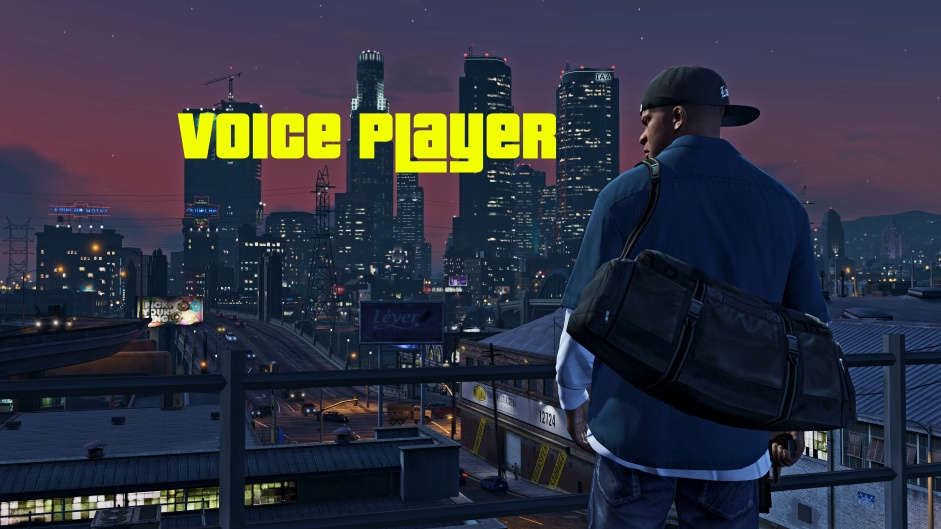
This is the standalone Voice Player script that is originally included in the CW The Flash DLC by OBE Studio
Click here to see in-game footage by evilmaginakuma.
--------------------
This script allows the user to play a random .mp3 and/or .wav file for any specific ped model at the press of a button.
Default controls: E on keyboard, Dpad-Right on controller (configurable in settings.ini).
Possible Control Names. The default is "Talk".
Volume is configurable; ranges from 0 to 1.
In the settings.ini, ALLOW SPEECH TO BE INTERRUPTED allows the ped to stop talking and forces the current-playing sound to stop when the ped goes into ragdoll or suffers any injury.
Requirements:
ScripthookV
ScripthookV.NET
Installation:
Extract the included "scripts" folder to your GTA V installation directory; merge folders if necessary.
How to add your own .mp3 and/or .wav voice clips:
I allow this mod to be re-uploaded or included with other mods on GTA5-Mods.
This is the standalone Voice Player script that is originally included in the CW The Flash DLC by OBE Studio
Click here to see in-game footage by evilmaginakuma.
--------------------
This script allows the user to play a random .mp3 and/or .wav file for any specific ped model at the press of a button.
Default controls: E on keyboard, Dpad-Right on controller (configurable in settings.ini).
Possible Control Names. The default is "Talk".
Volume is configurable; ranges from 0 to 1.
In the settings.ini, ALLOW SPEECH TO BE INTERRUPTED allows the ped to stop talking and forces the current-playing sound to stop when the ped goes into ragdoll or suffers any injury.
Requirements:
ScripthookV
ScripthookV.NET
Installation:
Extract the included "scripts" folder to your GTA V installation directory; merge folders if necessary.
How to add your own .mp3 and/or .wav voice clips:
- Navigate to the \scripts\Voice Player\ folder.
- Create a new folder with the same name as the ped model spawn name you would like to configure. Ex: Franklin's ped model spawn name is "player_one". There are sample folders and voice clips for Franklin and Michael already included.
- Inside the folder you created, add the .mp3 and/or .wav files you would like to use for that ped.
- In the game, change your player model to the model you just configured and press the voice button (default: E on keyboard, Dpad-Right on controller).
I allow this mod to be re-uploaded or included with other mods on GTA5-Mods.
First Uploaded: November 26, 2017
Last Updated: November 26, 2017
Last Downloaded: 6 hours ago
117 Comments
More mods by stillhere:
Idea and request by: Barak101
This is the standalone Voice Player script that is originally included in the CW The Flash DLC by OBE Studio
Click here to see in-game footage by evilmaginakuma.
--------------------
This script allows the user to play a random .mp3 and/or .wav file for any specific ped model at the press of a button.
Default controls: E on keyboard, Dpad-Right on controller (configurable in settings.ini).
Possible Control Names. The default is "Talk".
Volume is configurable; ranges from 0 to 1.
In the settings.ini, ALLOW SPEECH TO BE INTERRUPTED allows the ped to stop talking and forces the current-playing sound to stop when the ped goes into ragdoll or suffers any injury.
Requirements:
ScripthookV
ScripthookV.NET
Installation:
Extract the included "scripts" folder to your GTA V installation directory; merge folders if necessary.
How to add your own .mp3 and/or .wav voice clips:
I allow this mod to be re-uploaded or included with other mods on GTA5-Mods.
This is the standalone Voice Player script that is originally included in the CW The Flash DLC by OBE Studio
Click here to see in-game footage by evilmaginakuma.
--------------------
This script allows the user to play a random .mp3 and/or .wav file for any specific ped model at the press of a button.
Default controls: E on keyboard, Dpad-Right on controller (configurable in settings.ini).
Possible Control Names. The default is "Talk".
Volume is configurable; ranges from 0 to 1.
In the settings.ini, ALLOW SPEECH TO BE INTERRUPTED allows the ped to stop talking and forces the current-playing sound to stop when the ped goes into ragdoll or suffers any injury.
Requirements:
ScripthookV
ScripthookV.NET
Installation:
Extract the included "scripts" folder to your GTA V installation directory; merge folders if necessary.
How to add your own .mp3 and/or .wav voice clips:
- Navigate to the \scripts\Voice Player\ folder.
- Create a new folder with the same name as the ped model spawn name you would like to configure. Ex: Franklin's ped model spawn name is "player_one". There are sample folders and voice clips for Franklin and Michael already included.
- Inside the folder you created, add the .mp3 and/or .wav files you would like to use for that ped.
- In the game, change your player model to the model you just configured and press the voice button (default: E on keyboard, Dpad-Right on controller).
I allow this mod to be re-uploaded or included with other mods on GTA5-Mods.
First Uploaded: November 26, 2017
Last Updated: November 26, 2017
Last Downloaded: 6 hours ago
 5mods on Discord

@cjiscool hi friend, tell me how to change the E button to another one????
@stillhere It's a great mod! I use it every time. Works perfect even with custom characters, which is very nice! I just have one little thing that I don't like when I'm in Portrait Mode, and I press the Talk button (my button for talking is currently the Reload button) my characters speak with mouth closed and resets the Portrait Mode, just like when I reset an animation during PM... Is there any solution for this?
I know it's a kinda strange "problem" for me xD, but I'd really like to have this fixed out.
Thanks for advance!
Forgot to rate.
This mod is great but I've literally tried everything to try to get it to work, I'm using the names of the PEDs in my suit files, I believe they're correct I'm pressing E and nothing happens. I installed everything in scripts and the folders are named exactly to what is stated in the suit files for the mods i'm using. If anyone knows how to fix this please get in touch with me; meridius6087 ----- my discord
Found the problem, Guys, MAKE SURE YOU HAVE ALL THE REQUIREMENTS DOWNLOADED..
this is broken as hell
Amazing mod!!! Thank you
I dont understand how do I change the button for speaking
Was able to get it to work. I noticed in keybinds there is no "talk", only "context action" for E.
So I went to the settings config file. Under VOICE BUTTON, change "Talk" to "Context". To change it to another key, pick from the list in the description and make sure it matches your keybind ingame.
Game update of last month possibly damaged your mode it crashes very frequently :/
In 2025, with the latest version of GTA V, this VoicePlayer mod ABSOULTELY, 100% works!
Yes…it took me the entire night to figure out what I was doing wrong, but in the end, I was SO happy to hear my addon’s voice lines.
Okay, so I scoured the entire internet and read way too many descriptions/comments just to discover that the reason why this mod wasn’t working was because I had my “ScriptHookVDotNet2” files deleted. I added them back into my GTA’s directory and BOOM - the voice lines worked like a charm. This was my literal last option and if that didn’t work, then I was completely ready to throw in the towel.
Why did I have my ScriptHookVDotNet2 files deleted? Well, because every time I load into the game, I’m met with a scary message that tells me that ScripHookVDotNet2 is DEPRECATED and that running two of the same scripts at the same time may cause unexpected crashes…or however it goes. I don’t like the idea of my PC exploding, so I’ve developed the habit of deleting files that the game tells me to delete, including the ScriptHookVDotNet2 files. However, this mod DEFINITELY needs the ScriptHookVDotNet2 files, in order to work!
I’ve read a bunch of comments, here, that say so many different things; but if you are wondering how to get this mod running, don’t change ANYTHING in the settings.ini file. In fact, don’t change anything at all - you really, really, really don’t need to. Just download the mod and then place the “VoicePlayer.dll” file and the “Voice Player” folder inside of your “scripts” folder. After that, inside of the “Voice Player” folder, MAKE a new folder with your addon’s EXACT name. For example, I downloaded Leonardo the Ninja Turtle and his spawn/file name is “Leo”. So, I made a folder called “Leo” inside of the “Voice Player” folder and then placed all of his voice lines inside of the “Leo” folder. *REMEMBER, modding is very specific and case-sensitive, so make sure that you DO or DON’T capitalize letters.* Whatever your addon’s name is, just use logic and replace “Leo” with whatever your addon ped’s file/spawn name is. After that, load your game and it should work!
It’s truly simple. You don’t play around with the “player_one” or “player_zero” folders…unless you’ve replaced Michael or Franklin’s characters and must use their model names - but if you’re just looking to add voice lines for an addon ped, then don’t worry about any of that.
So, inside of your “scripts” folder, there should be the “VoicePlayer.dll” AND the “Voice Player” folder. Inside of the “Voice Player” folder, there should already be these 3 following files and folders: “player_one”, “player_zero”, and “settings.ini” - inside of the “Voice Player” folder with those 3 files and folders, simply make another folder and then rename it to your addon’s EXACT spawn/file name. Afterwards, place those voice lines in your newly created folder and that should be it.
To the struggling few, I wish you all the best of luck and remember to never give up! Sometimes, the exit you seek is right around the corner. When it comes to older mods, it’s tough to find the right answers, but you just need to put in a little bit of effort.
With that being said, I’d give this mod a 5/5 stars, if only there were better instructions attached to it. Anyways, I appreciate the individual who made this mod and God bless you all! :)
@SathewMosa Thanks for being the avenging angel with such amazing advice :D
@SathewMosa it depend on which ScriptHookVDotNet2 u use (stable one or nightly) and which game version u playing with offline or updated from R* 3586... cuz for me i wish to use this mod again 🥲
@elsanhoty I play on the updated and latest Steam version of GTA 5 - I use the most recent, Nightly build of ScriptHookVDotNet…so yes, this mod still works: offline internet version or with Rockstar’s version! You just need to make sure to install all of this mod’s dependencies (ScriptHookV, VDotNet…) and then place the Voice Player mod’s files within the correct locations - it’s meticulous, but functional.
It 100% works with the latest version of GTA 5. I haven’t noticed any major crashes while using it, either. It might even work BETTER on older versions of the game, considering that it’s an older mod.
@SathewMosa man i tried everything u mentioned above but when i press E (talk) key the game force crash to desktop ..are u using (UltimateASI Loader x64) or the one came with (Script Hook V) by AB Software Development ?? and i wanna let u know in my voice folder many folders for addons peds is that okay ? and i created a folder for player_two is that okay as well ?? i didnt touch .ini file .. 😳 wait a min .. maybe other script conflict with this mod ?!! but how to know this !?? o.O
hey i found this ?? https://gta5mod.net/gta-5-mods/scripts/voice-player-1-0/ <<< (V1.2) should i try it ??
@elsanhoty It sounds like you've made a bunch of a mistakes and then got lost, halfway through - no problem!
In my opinion, you should delete both your "VoicePlayer.dll" file and your "Voice Player" folder. Let's start from scratch.
Re-download this mod: THIS time, just place both the "VoicePlayer.dll" file and the "Voice Player" folder inside of your "scripts" folder - don't make a "player_two" folder and, like I said before, don't play around with the "settings.ini" folder.
I try to keep my GTA 5 modding as basic as possible, in order to avoid those random crashes. That's why the ONLY dependencies that I have downloaded are: "ScriptHookV" by AB Software Development (ScriptHookV.dll and dinput8.dll), and "ScriptHookVDotNet" (ScriptHookVDotNet.asi, ScriptHookVDotNet.ini, ScriptHookVDotNet.pdb, ScriptHookVDotNet2.dll, ScriptHookVDotNet2.pdb, ScriptHookVDotNet3.dll and ScriptHookVDotNet3.pdb).
If playing on an updated version of GTA 5, it's VERY important to use the latest releases of "ScriptHookV" and "ScriptHookVDotNet" - I use the most recent NIGHTLY build of "ScriptHookVDotNet", which you can find on its official GitHub page.
Bear with me for a little while longer: in order to avoid crashes, I use, "HeapAdjuster" (HeapAdjuster.asi and HeapAdjuster.ini), "PackfileLimitAdjuster" (PackfileLimitAdjuster.asi and PackfileLimitAdjuster.ini) and I use a "Gameconfig" file, (gameconfig.xml), for '5x Traffic and 5x Peds' - but I'm always experimenting with different Gameconfigs; so if I were you, I'd use a Gameconfig file that best suits your PC and mod-usage :)
To answer your final question, stick to THIS website for official mod releases. This is the best and safest place to download GTA 5 mods, in my opinion - this version of "Voice Player" works well. I understand your confusion about everything, though. That's not your fault. Older mods tend to have less information for how to actually install them with newer versions of the game.
So, with all that being said, inside of your "Voice Player" folder, there should already be THREE things: a "player_one" folder, a "player_zero" folder, and a "settings.ini" file. Just so that you know, "player_one" is Franklin and "player_zero" is Michael. Technically, "player_two" would be Trevor, but for whatever reason, the maker of this mod decided not to add a "player_two" folder - but that's not a big deal. Unless you want voice-lines for Trevor, then you don't need to add a "player_two" folder. The only reason why I would add a "player_two" folder would be if I had replaced Trevor for another character. At that point, then I'd use the "player_two" folder to place my new character's voice-lines into.
By the way, it's so important to note that this mod DOES NOT take away or change any of Franklin's or Michael's (or Trevor's) in-game voice-lines. It only ADDS more.
One thing that you can do to check if you've installed the mod correctly is spawn into the game, after placing the "Voice Player" folder and the "VoicePlayer.dll" file into your "scripts" folder. Choose either Franklin or Michael, in-game, and press "E" on your keyboard or "right" on the D-pad of your controller. If the mod works, then you should hear either of the two guys talking!
It's also important to understand that this mod is not 'interactive'. In other words, the voice lines are not activated when you walk up to a ped, or when you start a fight, or when you steal a car, for example. These "Voice Player" lines of dialogue can be spoken at ANY time; so even though Franklin and Michael already have their own in-game dialogue, when confronting a hostile ped or while crashing into somebody, these voice-lines are SEPARATE from those.
So, I use the example of Leonardo the Ninja Turtle. I downloaded him, as an Add-On ped, and his model name is "Leo" with a capital 'L' - capitalization is VERY important, please remember that. You can find him AND his voice lines right here on this very website!
From here on out, pretend that "Leo" is the name of YOUR Add-On ped and play along: in order to give Leonardo his voice lines, you must only create a new folder called "Leo" inside of the "Voice Player" folder. So now, you have FOUR things inside of the "Voice Player" folder: the "Leo" folder, the "player_one" folder, the "player_zero" folder, and the "settings.ini" file.
When you download a pack of voice-lines for a character, you should find a folder with a generic name of that character, not your actual Add-On ped's name. This is because there can be more than one mod of the same character, obviously :)
Inside of the character's 'voicepack' folder, there should be a list of .mp3 audio files. Now, you can do one of two things: just rename this 'voicepack' folder to "Leo", then drag & drop this folder into the "Voice Player" folder. OR, you can copy all of the .mp3 files and paste them into the "Leo" folder that you created earlier. Either method should work just fine.
In conclusion, this mod does work. If your game is crashing, it's possible that you might have a bunch of other mods installed that BARELY scrape the limit of what your GTA 5 can do - so, when you press "E" to activate a character's voice-lines, you surpass the limit of memory that the game can handle and it crashes. That's why it's important to use PackfileLimitAdjuster, HeapAdjuster, and a good Gameconfig file.
Remember: keep it simple! Let me know if you got it to work.
@SathewMosa okay i did everything u mentioned and im good now thank you its working good now and sounds like if i put more folders with a creepy names make the script crash .. brother .. thank you so much for your patience ❤️
@elsanhoty I'm VERY glad that it worked - seriously! I hope you have a great rest of your day and have fun with your mods :)
<3
I get the Mod working on my new computer what I am doing wrong
I can't get this work on custom built mp characters even though I followed instructions. Help?