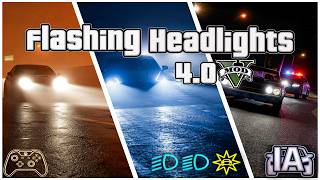
Flashing Headlights [LUA] 4.0



936
22
936
22
Flashing Headlights [V4.0 - Xbox Controller & Keyboard Version]
Author: RockstarTesterMod
This lightweight Lua script allows you to flash your headlights. Realistic high beams!
(fully compatible with custom Add-On cars and emergency vehicles)
Version 4.0 - What's New (Changelog)
- [NEW VEHICLE AI IMPROVEMENT] Smart Highway & City Overtaking (Motion Mode): While driving, flashing your high beams at a vehicle will now trigger an adaptive lane-splitting response. NPCs will dynamically read the road, activate their right turn indicator, and intelligently pull over or change lanes to let you pass smoothly.
- [NEW TRAFFIC AI IMPROVEMENT] The Ultimate 3-Way Traffic Probability Loop (Stationary Mode): When flashing vehicles stuck in heavy traffic or stopped at red lights, the script completely bypasses the predictable AI. You will now randomly encounter one of three highly realistic behavioral probabilities, bringing unparallelled chaos and realism to Los Santos:
1. The Road Rage Fighter (Aggressive Response): The NPC driver goes completely ballistic. They will jump out of their vehicle and immediately sprint towards you to settle the score with a fistfight.
2. The Law-Abiding Citizen (The Police Report): The driver refuses to fight but won't let you off easy. They will step out of their car, stand firmly on the asphalt, pull out their physical smartphone, and dial emergency services. Once the call ends, they will hop back in and speed away, leaving you with 1 Wanted Star as a dispatch unit is alerted to your vehicle.
3. The Panicked Runner (Speed Away): If the driver doesn't fall into the aggressive or calling loop, they will simply slam the gas in pure panic, maneuvering around traffic to get away from you.
- Fixed Radar Scan & Range Logic (0m - 12m Dynamic Target Locking): Completely overhauled the vehicle scanning algorithm. no dropped targets.
- Zero-Lag RAM & Performance Optimization: Completely stripped of heavy internal frame cycles and unoptimized native task sequences (OPEN SEQUENCE TASK & asynchronous loops). The mod runs fully localized, keeping your high-beam flash instant, reactive, and at maximum FPS.
Version: 1.0 (High beam only)
- Anti-Hibernation System: Bypassed the native RAGE Engine 40-second vehicle light sleep mode bug in GTA V.
- Controller Native Support: Added full integration for the RB/R1 button.
- Keyboard Binding: Implemented default high-beam flash on the Q key. (Full Control)
- Light Multiplier: Configured a sharp, highly visible 3.0x light intensity multiplier for realistic flashing headlights.
Keys buttons for Flashing Headlights [Customizable]
Keyboard= Q
Controller= R1/RB
IMPORTANT REQUIREMENTS:
This mod requires:
1. The LUA Plugin
2. Script Hook V to be installed in your game.
INSTALLATION INSTRUCTIONS:
1. Navigate to your main Grand Theft Auto V directory.
2. Locate the scripts folder and open the addins subfolder.
- Path layout: Grand Theft Auto V /scripts / addins /
3. Place your flashinghighlights.lua file directly inside that folder:
- scripts / addins / (put here flashinghighlights.lua)
4. Launch the game, step into your favorite vehicle, and enjoy realistic flashing headlights with (Q) or (RB/R1)!
How to Customize Controls (Keyboard & Controller)
If you want to change the binding keys, you can easily edit the flashinghighlights.lua file using any text editor like Notepad.
Open the file and look for this specific section:
-- Double Input Check: Triggered via 'Q' on Keyboard OR 'RB' (Control 44) on Controller:
"if(get key pressed(Keys.Q) or CONTROLS.IS CONTROL PRESSED(2, 44))then"
To change the Keyboard Key Replace
"(Keys.Q)" with your preferred letter (e.g., Keys.B, Keys.E, etc.).
To change the Controller Button replace the number 44 inside:
"(2, 44)" with any ID from the official GTA 5 Gamepad Control.
Xbox / PlayStation Controller Button ID Table:
Button Name Control ID
LB / L1 ----------> 68
RB / R1 ---------> 44 or 76
B / CIRCLE ----> 58 or 80
A / CROSS -----> 73
X / SQUARE ----> 22
Y / TRIANGLE --->75
L3 ------------------> 86
R3 -----------------> 79
D-PAD UP -------> 188
D-PAD DOWN ---> 187
D-PAD LEFT -----> 85
D-PAD RIGHT ---> 74
===============================================
IMPORTANT NOTE FOR CONTROLLER USERS (INPUT ID COMPATIBILITY)
===============================================
If the controller buttons (such as LB, D-Pad Up, or D-Pad Down) do not respond
or appear to be inverted/swapped, it is due to out-of-date script hooks.
To ensure correct button alignment, please verify:
1. ScriptHookV -> Must be updated to the latest version matching your GTA V game build.
2. ScriptHookVDotNet (SHVDN) -> Highly recommended to use SHVDN v3.6.0 (Nightly) or higher.
If you are running older versions of ScriptHookVDotNet (v2.x or older v3.x builds),
the game engine might invert the vertical D-Pad axes (mapping 188 to Up and 187 to Down).
Always update your hooks to the latest releases for similiar IDs of this list!
Enjoy your game!
Author: RockstarTesterMod
This lightweight Lua script allows you to flash your headlights. Realistic high beams!
(fully compatible with custom Add-On cars and emergency vehicles)
Version 4.0 - What's New (Changelog)
- [NEW VEHICLE AI IMPROVEMENT] Smart Highway & City Overtaking (Motion Mode): While driving, flashing your high beams at a vehicle will now trigger an adaptive lane-splitting response. NPCs will dynamically read the road, activate their right turn indicator, and intelligently pull over or change lanes to let you pass smoothly.
- [NEW TRAFFIC AI IMPROVEMENT] The Ultimate 3-Way Traffic Probability Loop (Stationary Mode): When flashing vehicles stuck in heavy traffic or stopped at red lights, the script completely bypasses the predictable AI. You will now randomly encounter one of three highly realistic behavioral probabilities, bringing unparallelled chaos and realism to Los Santos:
1. The Road Rage Fighter (Aggressive Response): The NPC driver goes completely ballistic. They will jump out of their vehicle and immediately sprint towards you to settle the score with a fistfight.
2. The Law-Abiding Citizen (The Police Report): The driver refuses to fight but won't let you off easy. They will step out of their car, stand firmly on the asphalt, pull out their physical smartphone, and dial emergency services. Once the call ends, they will hop back in and speed away, leaving you with 1 Wanted Star as a dispatch unit is alerted to your vehicle.
3. The Panicked Runner (Speed Away): If the driver doesn't fall into the aggressive or calling loop, they will simply slam the gas in pure panic, maneuvering around traffic to get away from you.
- Fixed Radar Scan & Range Logic (0m - 12m Dynamic Target Locking): Completely overhauled the vehicle scanning algorithm. no dropped targets.
- Zero-Lag RAM & Performance Optimization: Completely stripped of heavy internal frame cycles and unoptimized native task sequences (OPEN SEQUENCE TASK & asynchronous loops). The mod runs fully localized, keeping your high-beam flash instant, reactive, and at maximum FPS.
Version: 1.0 (High beam only)
- Anti-Hibernation System: Bypassed the native RAGE Engine 40-second vehicle light sleep mode bug in GTA V.
- Controller Native Support: Added full integration for the RB/R1 button.
- Keyboard Binding: Implemented default high-beam flash on the Q key. (Full Control)
- Light Multiplier: Configured a sharp, highly visible 3.0x light intensity multiplier for realistic flashing headlights.
Keys buttons for Flashing Headlights [Customizable]
Keyboard= Q
Controller= R1/RB
IMPORTANT REQUIREMENTS:
This mod requires:
1. The LUA Plugin
2. Script Hook V to be installed in your game.
INSTALLATION INSTRUCTIONS:
1. Navigate to your main Grand Theft Auto V directory.
2. Locate the scripts folder and open the addins subfolder.
- Path layout: Grand Theft Auto V /scripts / addins /
3. Place your flashinghighlights.lua file directly inside that folder:
- scripts / addins / (put here flashinghighlights.lua)
4. Launch the game, step into your favorite vehicle, and enjoy realistic flashing headlights with (Q) or (RB/R1)!
How to Customize Controls (Keyboard & Controller)
If you want to change the binding keys, you can easily edit the flashinghighlights.lua file using any text editor like Notepad.
Open the file and look for this specific section:
-- Double Input Check: Triggered via 'Q' on Keyboard OR 'RB' (Control 44) on Controller:
"if(get key pressed(Keys.Q) or CONTROLS.IS CONTROL PRESSED(2, 44))then"
To change the Keyboard Key Replace
"(Keys.Q)" with your preferred letter (e.g., Keys.B, Keys.E, etc.).
To change the Controller Button replace the number 44 inside:
"(2, 44)" with any ID from the official GTA 5 Gamepad Control.
Xbox / PlayStation Controller Button ID Table:
Button Name Control ID
LB / L1 ----------> 68
RB / R1 ---------> 44 or 76
B / CIRCLE ----> 58 or 80
A / CROSS -----> 73
X / SQUARE ----> 22
Y / TRIANGLE --->75
L3 ------------------> 86
R3 -----------------> 79
D-PAD UP -------> 188
D-PAD DOWN ---> 187
D-PAD LEFT -----> 85
D-PAD RIGHT ---> 74
===============================================
IMPORTANT NOTE FOR CONTROLLER USERS (INPUT ID COMPATIBILITY)
===============================================
If the controller buttons (such as LB, D-Pad Up, or D-Pad Down) do not respond
or appear to be inverted/swapped, it is due to out-of-date script hooks.
To ensure correct button alignment, please verify:
1. ScriptHookV -> Must be updated to the latest version matching your GTA V game build.
2. ScriptHookVDotNet (SHVDN) -> Highly recommended to use SHVDN v3.6.0 (Nightly) or higher.
If you are running older versions of ScriptHookVDotNet (v2.x or older v3.x builds),
the game engine might invert the vertical D-Pad axes (mapping 188 to Up and 187 to Down).
Always update your hooks to the latest releases for similiar IDs of this list!
Enjoy your game!
First Uploaded: September 29, 2026
Last Updated: October 05, 2026
Last Downloaded: 2 hours ago
10 Comments
More mods by RockstarTesterMod:

- Vehicles
- .Net
- Lua
5.0
2,256
32
3.1 (SHVDN Nightly)
Flashing Headlights [V4.0 - Xbox Controller & Keyboard Version]
Author: RockstarTesterMod
This lightweight Lua script allows you to flash your headlights. Realistic high beams!
(fully compatible with custom Add-On cars and emergency vehicles)
Version 4.0 - What's New (Changelog)
- [NEW VEHICLE AI IMPROVEMENT] Smart Highway & City Overtaking (Motion Mode): While driving, flashing your high beams at a vehicle will now trigger an adaptive lane-splitting response. NPCs will dynamically read the road, activate their right turn indicator, and intelligently pull over or change lanes to let you pass smoothly.
- [NEW TRAFFIC AI IMPROVEMENT] The Ultimate 3-Way Traffic Probability Loop (Stationary Mode): When flashing vehicles stuck in heavy traffic or stopped at red lights, the script completely bypasses the predictable AI. You will now randomly encounter one of three highly realistic behavioral probabilities, bringing unparallelled chaos and realism to Los Santos:
1. The Road Rage Fighter (Aggressive Response): The NPC driver goes completely ballistic. They will jump out of their vehicle and immediately sprint towards you to settle the score with a fistfight.
2. The Law-Abiding Citizen (The Police Report): The driver refuses to fight but won't let you off easy. They will step out of their car, stand firmly on the asphalt, pull out their physical smartphone, and dial emergency services. Once the call ends, they will hop back in and speed away, leaving you with 1 Wanted Star as a dispatch unit is alerted to your vehicle.
3. The Panicked Runner (Speed Away): If the driver doesn't fall into the aggressive or calling loop, they will simply slam the gas in pure panic, maneuvering around traffic to get away from you.
- Fixed Radar Scan & Range Logic (0m - 12m Dynamic Target Locking): Completely overhauled the vehicle scanning algorithm. no dropped targets.
- Zero-Lag RAM & Performance Optimization: Completely stripped of heavy internal frame cycles and unoptimized native task sequences (OPEN SEQUENCE TASK & asynchronous loops). The mod runs fully localized, keeping your high-beam flash instant, reactive, and at maximum FPS.
Version: 1.0 (High beam only)
- Anti-Hibernation System: Bypassed the native RAGE Engine 40-second vehicle light sleep mode bug in GTA V.
- Controller Native Support: Added full integration for the RB/R1 button.
- Keyboard Binding: Implemented default high-beam flash on the Q key. (Full Control)
- Light Multiplier: Configured a sharp, highly visible 3.0x light intensity multiplier for realistic flashing headlights.
Keys buttons for Flashing Headlights [Customizable]
Keyboard= Q
Controller= R1/RB
IMPORTANT REQUIREMENTS:
This mod requires:
1. The LUA Plugin
2. Script Hook V to be installed in your game.
INSTALLATION INSTRUCTIONS:
1. Navigate to your main Grand Theft Auto V directory.
2. Locate the scripts folder and open the addins subfolder.
- Path layout: Grand Theft Auto V /scripts / addins /
3. Place your flashinghighlights.lua file directly inside that folder:
- scripts / addins / (put here flashinghighlights.lua)
4. Launch the game, step into your favorite vehicle, and enjoy realistic flashing headlights with (Q) or (RB/R1)!
How to Customize Controls (Keyboard & Controller)
If you want to change the binding keys, you can easily edit the flashinghighlights.lua file using any text editor like Notepad.
Open the file and look for this specific section:
-- Double Input Check: Triggered via 'Q' on Keyboard OR 'RB' (Control 44) on Controller:
"if(get key pressed(Keys.Q) or CONTROLS.IS CONTROL PRESSED(2, 44))then"
To change the Keyboard Key Replace
"(Keys.Q)" with your preferred letter (e.g., Keys.B, Keys.E, etc.).
To change the Controller Button replace the number 44 inside:
"(2, 44)" with any ID from the official GTA 5 Gamepad Control.
Xbox / PlayStation Controller Button ID Table:
Button Name Control ID
LB / L1 ----------> 68
RB / R1 ---------> 44 or 76
B / CIRCLE ----> 58 or 80
A / CROSS -----> 73
X / SQUARE ----> 22
Y / TRIANGLE --->75
L3 ------------------> 86
R3 -----------------> 79
D-PAD UP -------> 188
D-PAD DOWN ---> 187
D-PAD LEFT -----> 85
D-PAD RIGHT ---> 74
===============================================
IMPORTANT NOTE FOR CONTROLLER USERS (INPUT ID COMPATIBILITY)
===============================================
If the controller buttons (such as LB, D-Pad Up, or D-Pad Down) do not respond
or appear to be inverted/swapped, it is due to out-of-date script hooks.
To ensure correct button alignment, please verify:
1. ScriptHookV -> Must be updated to the latest version matching your GTA V game build.
2. ScriptHookVDotNet (SHVDN) -> Highly recommended to use SHVDN v3.6.0 (Nightly) or higher.
If you are running older versions of ScriptHookVDotNet (v2.x or older v3.x builds),
the game engine might invert the vertical D-Pad axes (mapping 188 to Up and 187 to Down).
Always update your hooks to the latest releases for similiar IDs of this list!
Enjoy your game!
Author: RockstarTesterMod
This lightweight Lua script allows you to flash your headlights. Realistic high beams!
(fully compatible with custom Add-On cars and emergency vehicles)
Version 4.0 - What's New (Changelog)
- [NEW VEHICLE AI IMPROVEMENT] Smart Highway & City Overtaking (Motion Mode): While driving, flashing your high beams at a vehicle will now trigger an adaptive lane-splitting response. NPCs will dynamically read the road, activate their right turn indicator, and intelligently pull over or change lanes to let you pass smoothly.
- [NEW TRAFFIC AI IMPROVEMENT] The Ultimate 3-Way Traffic Probability Loop (Stationary Mode): When flashing vehicles stuck in heavy traffic or stopped at red lights, the script completely bypasses the predictable AI. You will now randomly encounter one of three highly realistic behavioral probabilities, bringing unparallelled chaos and realism to Los Santos:
1. The Road Rage Fighter (Aggressive Response): The NPC driver goes completely ballistic. They will jump out of their vehicle and immediately sprint towards you to settle the score with a fistfight.
2. The Law-Abiding Citizen (The Police Report): The driver refuses to fight but won't let you off easy. They will step out of their car, stand firmly on the asphalt, pull out their physical smartphone, and dial emergency services. Once the call ends, they will hop back in and speed away, leaving you with 1 Wanted Star as a dispatch unit is alerted to your vehicle.
3. The Panicked Runner (Speed Away): If the driver doesn't fall into the aggressive or calling loop, they will simply slam the gas in pure panic, maneuvering around traffic to get away from you.
- Fixed Radar Scan & Range Logic (0m - 12m Dynamic Target Locking): Completely overhauled the vehicle scanning algorithm. no dropped targets.
- Zero-Lag RAM & Performance Optimization: Completely stripped of heavy internal frame cycles and unoptimized native task sequences (OPEN SEQUENCE TASK & asynchronous loops). The mod runs fully localized, keeping your high-beam flash instant, reactive, and at maximum FPS.
Version: 1.0 (High beam only)
- Anti-Hibernation System: Bypassed the native RAGE Engine 40-second vehicle light sleep mode bug in GTA V.
- Controller Native Support: Added full integration for the RB/R1 button.
- Keyboard Binding: Implemented default high-beam flash on the Q key. (Full Control)
- Light Multiplier: Configured a sharp, highly visible 3.0x light intensity multiplier for realistic flashing headlights.
Keys buttons for Flashing Headlights [Customizable]
Keyboard= Q
Controller= R1/RB
IMPORTANT REQUIREMENTS:
This mod requires:
1. The LUA Plugin
2. Script Hook V to be installed in your game.
INSTALLATION INSTRUCTIONS:
1. Navigate to your main Grand Theft Auto V directory.
2. Locate the scripts folder and open the addins subfolder.
- Path layout: Grand Theft Auto V /scripts / addins /
3. Place your flashinghighlights.lua file directly inside that folder:
- scripts / addins / (put here flashinghighlights.lua)
4. Launch the game, step into your favorite vehicle, and enjoy realistic flashing headlights with (Q) or (RB/R1)!
How to Customize Controls (Keyboard & Controller)
If you want to change the binding keys, you can easily edit the flashinghighlights.lua file using any text editor like Notepad.
Open the file and look for this specific section:
-- Double Input Check: Triggered via 'Q' on Keyboard OR 'RB' (Control 44) on Controller:
"if(get key pressed(Keys.Q) or CONTROLS.IS CONTROL PRESSED(2, 44))then"
To change the Keyboard Key Replace
"(Keys.Q)" with your preferred letter (e.g., Keys.B, Keys.E, etc.).
To change the Controller Button replace the number 44 inside:
"(2, 44)" with any ID from the official GTA 5 Gamepad Control.
Xbox / PlayStation Controller Button ID Table:
Button Name Control ID
LB / L1 ----------> 68
RB / R1 ---------> 44 or 76
B / CIRCLE ----> 58 or 80
A / CROSS -----> 73
X / SQUARE ----> 22
Y / TRIANGLE --->75
L3 ------------------> 86
R3 -----------------> 79
D-PAD UP -------> 188
D-PAD DOWN ---> 187
D-PAD LEFT -----> 85
D-PAD RIGHT ---> 74
===============================================
IMPORTANT NOTE FOR CONTROLLER USERS (INPUT ID COMPATIBILITY)
===============================================
If the controller buttons (such as LB, D-Pad Up, or D-Pad Down) do not respond
or appear to be inverted/swapped, it is due to out-of-date script hooks.
To ensure correct button alignment, please verify:
1. ScriptHookV -> Must be updated to the latest version matching your GTA V game build.
2. ScriptHookVDotNet (SHVDN) -> Highly recommended to use SHVDN v3.6.0 (Nightly) or higher.
If you are running older versions of ScriptHookVDotNet (v2.x or older v3.x builds),
the game engine might invert the vertical D-Pad axes (mapping 188 to Up and 187 to Down).
Always update your hooks to the latest releases for similiar IDs of this list!
Enjoy your game!
First Uploaded: September 29, 2026
Last Updated: October 05, 2026
Last Downloaded: 2 hours ago
 5mods on Discord

Highlights?
@RockstarTesterMod cool mod, but don't you think the AI reacts weirdly? I was working on the same feature myself for my own mod—for the honk (if I'm done with it, my honk mod and your flash high beam mod to make NPCs react would make a perfect duo, haha!)—and I believe you should try to implement a lane change feature and only speed up when there's no barrier in front (a red light at a traffic stop can be considered as a barrier). It would make things much more realistic!
its good at night but when the morning comes when i flash it also brake or tail light flashes too
@Eoin Gaming thanks for the comment and your contribution to the platform! As for being able to change lanes, yes we can make them change lanes with the native function: AI.TASK_VEHICLE_LANE_CHANGE) you can already do it by modifying: targerVehicle, 8, 1000) in targerVehicle, 5, 1000). But I tested it and it doesn't do it smoothly and only works on the highway, so I'll improve it soon!
@F7YO Thanks for your comment, I'll check to fix it!
@RockstarTesterMod Yea, it's a hard job, I faced the same issue with my honk mod that I'm working on, but good luck!
@RockstarTesterMod Very Nice Mod Please Blinker Mod
@IreBurn Mod name corrected, thanks
@Armin262 Great idea! I'll write a Lua script for the turn signals for the controller and keyboard soon!
@RockstarTesterMod Yeaahhhhh