Last Survivors 2 [Legacy + Enhanced] BETA 4.3.4




1,484
29
1,484
29
Last Survivors
The Last Survivors is an immersive, total survival scripting mod for GTA V that plunges players into a
brutal, post-apocalyptic zombie outbreak across San Andreas. Take on the role of a lone survivor navigating a
decaying world where cities have collapsed, power grids have failed, and hordes of the undead roam the streets.
Every resource you find, decision you make, and shot you fire directly dictates your survival.
Players will experience a comprehensive suite of interconnected survival systems: full save & load game
persistence, modular base building and camp construction, interactive weapons workbench modification, item repair
and scrap salvage systems, persistent storage crates, a quick-access survival radial wheel, an atmospheric world
overhaul, dynamic zombie behaviors and threat tiers, an advanced grid-based inventory and carry-weight management
system, real-time scavenging and container stashing, modular clothing armor and durability, configurable death
penalties, realistic vehicle maintenance and repairs, extensive item crafting, sound-based distraction mechanics,
advanced survival vitals (Hunger, Thirst, Stamina, Sleep / Fatigue) with an RDR2-styled HUD, wilderness wildlife
hunting and animal skinning, real-time campfire cooking, and 24/7 convenience store looting.
FOR MORE DETAILS ON FUTURE PLANS, SCROLL TO THE BOTTOM OF THIS DESCRIPTION.
Features
Beta 4.3.4 (Working Radio Supply Drops, Zero-Stamina Jump Suppression, Store Inventory Capacity Safeguards, Zombie Spawning Overhaul & Vitals / Crate Fixes)
BETA 1.0.0 – 4.2.0 Changelog: For all previous features and older version changelogs, please check the Old version.txt file included in the download package.
Supply Crates & Scavenging Video Guide
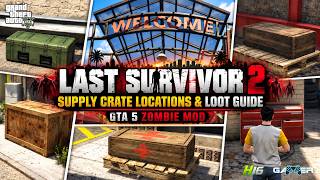
Looking for vital survival supplies or wanting to know where to find high-tier loot? Check out our official
community video guide detailing all supply crate types (Military, Police, Medical, Ammunition, Construction), their
contents, and their spawn locations across San Andreas:
▶ Watch the Supply Crates Guide & Locations on YouTube
Known Bugs
Please report any bugs or balance suggestions you encounter on Discord so they can be addressed in upcoming patches.
How to Use & Controls
Requirements
Installation Guide
1. Download and install ScriptHookV and ScriptHookVDotNet3 into your main GTA V root folder.
2. Extract LastSurvivors2.dll and the LastSurvivors-2 folder into your
Grand Theft Auto V\scripts\ directory.
3. Start the game, load into Story Mode, and press F12 to open the menu and start the apocalypse!
Report Issue OR Connect with me on Discord
Future Plans
Currently: Active development is focused on expanding survival depth, AI interactions, and camp management.
Your feedback and suggestions are highly appreciated!
Special Thanks
Special thanks to WolfFire23309 and the GTA V modding
community for their invaluable support and inspiration.
Stay tuned for more updates as I continue to develop and expand the Last Survivors experience. Thank you
for your support and happy surviving!
The Last Survivors is an immersive, total survival scripting mod for GTA V that plunges players into a
brutal, post-apocalyptic zombie outbreak across San Andreas. Take on the role of a lone survivor navigating a
decaying world where cities have collapsed, power grids have failed, and hordes of the undead roam the streets.
Every resource you find, decision you make, and shot you fire directly dictates your survival.
Players will experience a comprehensive suite of interconnected survival systems: full save & load game
persistence, modular base building and camp construction, interactive weapons workbench modification, item repair
and scrap salvage systems, persistent storage crates, a quick-access survival radial wheel, an atmospheric world
overhaul, dynamic zombie behaviors and threat tiers, an advanced grid-based inventory and carry-weight management
system, real-time scavenging and container stashing, modular clothing armor and durability, configurable death
penalties, realistic vehicle maintenance and repairs, extensive item crafting, sound-based distraction mechanics,
advanced survival vitals (Hunger, Thirst, Stamina, Sleep / Fatigue) with an RDR2-styled HUD, wilderness wildlife
hunting and animal skinning, real-time campfire cooking, and 24/7 convenience store looting.
FOR MORE DETAILS ON FUTURE PLANS, SCROLL TO THE BOTTOM OF THIS DESCRIPTION.
Features
Beta 4.3.4 (Working Radio Supply Drops, Zero-Stamina Jump Suppression, Store Inventory Capacity Safeguards, Zombie Spawning Overhaul & Vitals / Crate Fixes)
- Working Emergency Radio & Tactical Supply Drops:
- Emergency Radio Airdrop Requests: Tune your portable emergency radio (accessed via the Radial Survival Wheel or Inventory) to broadcast priority distress calls and request tactical emergency supply airdrops directly to nearby open roadways.
- Diverse Supply Drop Types: Request specialized airdrop crates tailored to your survival situation: Weapons & Munitions, Emergency Medical, Food & Rations, Construction Materials, Vehicle Repair Parts, and Survival Clothing & Gear.
- Dynamic Drop Zones & Retrieval: Airdrops deploy with live navigation blips, signal markers, and retrieval timers. Reaching the drop zone secures the crate, stopping the retrieval timer and allowing safe scavenging.
- Emergency Frequency Scans: Scan open radio frequencies to intercept SOS distress signals, locate wandering survivor groups, or pinpoint traveling merchant outposts.
- Zero-Stamina & Exhaustion Jump Suppression:
- Exhaustion Controls Enforcement: When the survivor's stamina drops to 0% and enters physical exhaustion, jumping (Space / Controller Square/X) and vaulting are strictly suppressed alongside sprinting until stamina recharges to at least 15%.
- Anti-Running Leap Exploit: Prevents survivors from executing running leaps or obstacle hops when stamina is depleted. Jumping while running now requires sufficient stamina exertion.
- Store & Looting Inventory Capacity Safeguards:
- Strict Capacity Pre-Check: Taking items from 24/7 store shelves or loot containers now strictly validates available slot space and carry-weight before executing pickups. Players with full inventories are cleanly blocked with an urgent Inventory Full! notification and error chime.
- Direct Shelf Consumption Protection: Pressing Enter on store shelves will no longer consume food or drink items when Hunger or Thirst is already fully satisfied, nor will it allow drinking water bottles if your inventory has no space for the returned empty bottle.
- Zombie Spawning, Density & Persistence Overhaul:
- Increased Global Zombie Population: Raised the maximum global zombie population cap to 40 (customizable via MaxGlobalZombies in LastSurvivors2.ini).
- Horde Pulse & Roaming Density: Ambient horde pulses now spawn clusters of 2 to 5 zombies (configurable via MinZombiesPerHorde and MaxZombiesPerHorde in LastSurvivors2.ini).
- Vehicle Site Anti-Starvation: Abandoned vehicle sites no longer choke the global zombie quota, reserving active capacity so ambient wandering zombies consistently populate the player's surroundings.
- Extended Despawn Persistence: Increased zombie despawn range to 220 meters (configurable via ZombieDespawnDistance in LastSurvivors2.ini), preventing zombies from despawning when survivors momentarily retreat.
- Terrain & Elevation Adaptation: Improved ground height detection and collision loading so zombies reliably spawn on solid ground across rough terrain, hills, and varying elevations.
- Active Roaming AI: All spawned zombies now actively roam and wander the world to cross paths with survivors instead of remaining static.
- Supply Crates Spawning Fix:
- Guaranteed Crate Spawning: Fixed an issue where world supply crates (Military, Police, Medical, Ammunition, Construction) failed to spawn or appear properly at designated locations across the map.
- Survival Vitals HUD Display Fix:
- Proper Vitals HUD Visibility: Fixed an issue where the circular survival vitals HUD (Hunger, Thirst, Stamina, and Sleep rings) was not displaying or rendering properly on screen beside the radar.
BETA 1.0.0 – 4.2.0 Changelog: For all previous features and older version changelogs, please check the Old version.txt file included in the download package.
Supply Crates & Scavenging Video Guide
Looking for vital survival supplies or wanting to know where to find high-tier loot? Check out our official
community video guide detailing all supply crate types (Military, Police, Medical, Ammunition, Construction), their
contents, and their spawn locations across San Andreas:
▶ Watch the Supply Crates Guide & Locations on YouTube
Known Bugs
Please report any bugs or balance suggestions you encounter on Discord so they can be addressed in upcoming patches.
How to Use & Controls
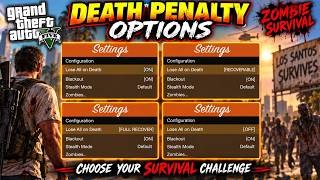
- Press F12 to open the Main Menu (Start Apocalypse / Continue, Save & Load Game, Quick Menus access, configure Blackout, Stealth Mode, Death Penalty, Zombie types, and Vitals HUD toggles).
- Press I to toggle the Inventory Menu.
- Press K to toggle the Crafting Menu.
- Press B to toggle the Camp Building Menu.
- Hold Tab (or Controller Weapon Wheel) to open the Radial Survival Wheel (select weapons, quick-use food/drink or medical items, tune emergency radio, track vehicles, or holster). While hovering Food, Meds, or Radio, press Q / E to cycle available items. Supports in-vehicle wheel access with automatic horn/radio suppression!
- Press H to holster your current weapon and switch to unarmed.
- Press E (Context Interaction key) near dead peds, dead wild animals (requires Knife to Skin & Harvest), 24/7 store shelves (to loot provisions), vehicle trunks, burst tires, open vehicle engines, or built camp structures (Campfire Cooking, Tents/Beds, Workbenches, Storage Crates) to interact.
- Camp Placement Controls:
- W / A / S / D: Move structure preview horizontally.
- Q / E: Rotate structure counter-clockwise / clockwise.
- Shift / Ctrl: Raise / Lower structure elevation.
- Z / X: Tilt structure pitch forward / backward.
- Space: Snap structure to ground surface.
- Enter or Left-Click: Confirm and place structure.
- Backspace / ESC or Right-Click: Cancel placement.
- Press T:
- While aiming/holding a compatible firearm: Attach or detach Suppressor.
- While inside Inventory: Select an item slot to move / swap positions.
- While inside Looting / Storage Menu: Open Stash mode to transfer items between your inventory and the
container. - While inside Campfire Cooking Menu: Place ingredients from inventory into the Placement Slot.
- Press Enter to use consumables, equip weapons, confirm item swaps, retrieve items from the Campfire Collect Slot, or craft selected recipes.
- Press F in the Looting Menu to take 1 item / drop 1 item onto the ground in inventory.
- Press Space in the Looting Menu to take all items / drop entire stack onto the ground in inventory.
- Press R while selecting a weapon in inventory to unload its loaded ammunition into your reserves.
- Press Backspace or ESC to close any open menu.
Requirements
Installation Guide
1. Download and install ScriptHookV and ScriptHookVDotNet3 into your main GTA V root folder.
2. Extract LastSurvivors2.dll and the LastSurvivors-2 folder into your
Grand Theft Auto V\scripts\ directory.
3. Start the game, load into Story Mode, and press F12 to open the menu and start the apocalypse!
Report Issue OR Connect with me on Discord
Future Plans
Currently: Active development is focused on expanding survival depth, AI interactions, and camp management.
Your feedback and suggestions are highly appreciated!
- Survivor camp defenses, auto-turrets, and dynamic camp siege events
- Dynamic Infection & Illness progression (treating bites, contamination, and disease)
- NPC Survivor factions, recruitment, companion AI, and camp survivor tasks
- Dynamic world events, roaming mega-hordes, and survivor distress calls
- Quests, scavenging missions, and narrative storylines
- New special infected mutations, behaviors, and boss encounters
- Expanded vehicle modifications (armor plating, plow bumpers, and roof racks)
Special Thanks
Special thanks to WolfFire23309 and the GTA V modding
community for their invaluable support and inspiration.
Stay tuned for more updates as I continue to develop and expand the Last Survivors experience. Thank you
for your support and happy surviving!
First Uploaded: September 02, 2026
Last Updated: October 16, 2026
Last Downloaded: 1 hour ago
All Versions
40 Comments
More mods by harshil:
- Gameplay
- .Net
5.0
6,114
54
BETA 1.2.9
By harshil
Last Survivors
The Last Survivors is an immersive, total survival scripting mod for GTA V that plunges players into a
brutal, post-apocalyptic zombie outbreak across San Andreas. Take on the role of a lone survivor navigating a
decaying world where cities have collapsed, power grids have failed, and hordes of the undead roam the streets.
Every resource you find, decision you make, and shot you fire directly dictates your survival.
Players will experience a comprehensive suite of interconnected survival systems: full save & load game
persistence, modular base building and camp construction, interactive weapons workbench modification, item repair
and scrap salvage systems, persistent storage crates, a quick-access survival radial wheel, an atmospheric world
overhaul, dynamic zombie behaviors and threat tiers, an advanced grid-based inventory and carry-weight management
system, real-time scavenging and container stashing, modular clothing armor and durability, configurable death
penalties, realistic vehicle maintenance and repairs, extensive item crafting, sound-based distraction mechanics,
advanced survival vitals (Hunger, Thirst, Stamina, Sleep / Fatigue) with an RDR2-styled HUD, wilderness wildlife
hunting and animal skinning, real-time campfire cooking, and 24/7 convenience store looting.
FOR MORE DETAILS ON FUTURE PLANS, SCROLL TO THE BOTTOM OF THIS DESCRIPTION.
Features
Beta 4.3.4 (Working Radio Supply Drops, Zero-Stamina Jump Suppression, Store Inventory Capacity Safeguards, Zombie Spawning Overhaul & Vitals / Crate Fixes)
BETA 1.0.0 – 4.2.0 Changelog: For all previous features and older version changelogs, please check the Old version.txt file included in the download package.
Supply Crates & Scavenging Video Guide
Looking for vital survival supplies or wanting to know where to find high-tier loot? Check out our official
community video guide detailing all supply crate types (Military, Police, Medical, Ammunition, Construction), their
contents, and their spawn locations across San Andreas:
▶ Watch the Supply Crates Guide & Locations on YouTube
Known Bugs
Please report any bugs or balance suggestions you encounter on Discord so they can be addressed in upcoming patches.
How to Use & Controls
Requirements
Installation Guide
1. Download and install ScriptHookV and ScriptHookVDotNet3 into your main GTA V root folder.
2. Extract LastSurvivors2.dll and the LastSurvivors-2 folder into your
Grand Theft Auto V\scripts\ directory.
3. Start the game, load into Story Mode, and press F12 to open the menu and start the apocalypse!
Report Issue OR Connect with me on Discord
Future Plans
Currently: Active development is focused on expanding survival depth, AI interactions, and camp management.
Your feedback and suggestions are highly appreciated!
Special Thanks
Special thanks to WolfFire23309 and the GTA V modding
community for their invaluable support and inspiration.
Stay tuned for more updates as I continue to develop and expand the Last Survivors experience. Thank you
for your support and happy surviving!
The Last Survivors is an immersive, total survival scripting mod for GTA V that plunges players into a
brutal, post-apocalyptic zombie outbreak across San Andreas. Take on the role of a lone survivor navigating a
decaying world where cities have collapsed, power grids have failed, and hordes of the undead roam the streets.
Every resource you find, decision you make, and shot you fire directly dictates your survival.
Players will experience a comprehensive suite of interconnected survival systems: full save & load game
persistence, modular base building and camp construction, interactive weapons workbench modification, item repair
and scrap salvage systems, persistent storage crates, a quick-access survival radial wheel, an atmospheric world
overhaul, dynamic zombie behaviors and threat tiers, an advanced grid-based inventory and carry-weight management
system, real-time scavenging and container stashing, modular clothing armor and durability, configurable death
penalties, realistic vehicle maintenance and repairs, extensive item crafting, sound-based distraction mechanics,
advanced survival vitals (Hunger, Thirst, Stamina, Sleep / Fatigue) with an RDR2-styled HUD, wilderness wildlife
hunting and animal skinning, real-time campfire cooking, and 24/7 convenience store looting.
FOR MORE DETAILS ON FUTURE PLANS, SCROLL TO THE BOTTOM OF THIS DESCRIPTION.
Features
Beta 4.3.4 (Working Radio Supply Drops, Zero-Stamina Jump Suppression, Store Inventory Capacity Safeguards, Zombie Spawning Overhaul & Vitals / Crate Fixes)
- Working Emergency Radio & Tactical Supply Drops:
- Emergency Radio Airdrop Requests: Tune your portable emergency radio (accessed via the Radial Survival Wheel or Inventory) to broadcast priority distress calls and request tactical emergency supply airdrops directly to nearby open roadways.
- Diverse Supply Drop Types: Request specialized airdrop crates tailored to your survival situation: Weapons & Munitions, Emergency Medical, Food & Rations, Construction Materials, Vehicle Repair Parts, and Survival Clothing & Gear.
- Dynamic Drop Zones & Retrieval: Airdrops deploy with live navigation blips, signal markers, and retrieval timers. Reaching the drop zone secures the crate, stopping the retrieval timer and allowing safe scavenging.
- Emergency Frequency Scans: Scan open radio frequencies to intercept SOS distress signals, locate wandering survivor groups, or pinpoint traveling merchant outposts.
- Zero-Stamina & Exhaustion Jump Suppression:
- Exhaustion Controls Enforcement: When the survivor's stamina drops to 0% and enters physical exhaustion, jumping (Space / Controller Square/X) and vaulting are strictly suppressed alongside sprinting until stamina recharges to at least 15%.
- Anti-Running Leap Exploit: Prevents survivors from executing running leaps or obstacle hops when stamina is depleted. Jumping while running now requires sufficient stamina exertion.
- Store & Looting Inventory Capacity Safeguards:
- Strict Capacity Pre-Check: Taking items from 24/7 store shelves or loot containers now strictly validates available slot space and carry-weight before executing pickups. Players with full inventories are cleanly blocked with an urgent Inventory Full! notification and error chime.
- Direct Shelf Consumption Protection: Pressing Enter on store shelves will no longer consume food or drink items when Hunger or Thirst is already fully satisfied, nor will it allow drinking water bottles if your inventory has no space for the returned empty bottle.
- Zombie Spawning, Density & Persistence Overhaul:
- Increased Global Zombie Population: Raised the maximum global zombie population cap to 40 (customizable via MaxGlobalZombies in LastSurvivors2.ini).
- Horde Pulse & Roaming Density: Ambient horde pulses now spawn clusters of 2 to 5 zombies (configurable via MinZombiesPerHorde and MaxZombiesPerHorde in LastSurvivors2.ini).
- Vehicle Site Anti-Starvation: Abandoned vehicle sites no longer choke the global zombie quota, reserving active capacity so ambient wandering zombies consistently populate the player's surroundings.
- Extended Despawn Persistence: Increased zombie despawn range to 220 meters (configurable via ZombieDespawnDistance in LastSurvivors2.ini), preventing zombies from despawning when survivors momentarily retreat.
- Terrain & Elevation Adaptation: Improved ground height detection and collision loading so zombies reliably spawn on solid ground across rough terrain, hills, and varying elevations.
- Active Roaming AI: All spawned zombies now actively roam and wander the world to cross paths with survivors instead of remaining static.
- Supply Crates Spawning Fix:
- Guaranteed Crate Spawning: Fixed an issue where world supply crates (Military, Police, Medical, Ammunition, Construction) failed to spawn or appear properly at designated locations across the map.
- Survival Vitals HUD Display Fix:
- Proper Vitals HUD Visibility: Fixed an issue where the circular survival vitals HUD (Hunger, Thirst, Stamina, and Sleep rings) was not displaying or rendering properly on screen beside the radar.
BETA 1.0.0 – 4.2.0 Changelog: For all previous features and older version changelogs, please check the Old version.txt file included in the download package.
Supply Crates & Scavenging Video Guide
Looking for vital survival supplies or wanting to know where to find high-tier loot? Check out our official
community video guide detailing all supply crate types (Military, Police, Medical, Ammunition, Construction), their
contents, and their spawn locations across San Andreas:
▶ Watch the Supply Crates Guide & Locations on YouTube
Known Bugs
Please report any bugs or balance suggestions you encounter on Discord so they can be addressed in upcoming patches.
How to Use & Controls
- Press F12 to open the Main Menu (Start Apocalypse / Continue, Save & Load Game, Quick Menus access, configure Blackout, Stealth Mode, Death Penalty, Zombie types, and Vitals HUD toggles).
- Press I to toggle the Inventory Menu.
- Press K to toggle the Crafting Menu.
- Press B to toggle the Camp Building Menu.
- Hold Tab (or Controller Weapon Wheel) to open the Radial Survival Wheel (select weapons, quick-use food/drink or medical items, tune emergency radio, track vehicles, or holster). While hovering Food, Meds, or Radio, press Q / E to cycle available items. Supports in-vehicle wheel access with automatic horn/radio suppression!
- Press H to holster your current weapon and switch to unarmed.
- Press E (Context Interaction key) near dead peds, dead wild animals (requires Knife to Skin & Harvest), 24/7 store shelves (to loot provisions), vehicle trunks, burst tires, open vehicle engines, or built camp structures (Campfire Cooking, Tents/Beds, Workbenches, Storage Crates) to interact.
- Camp Placement Controls:
- W / A / S / D: Move structure preview horizontally.
- Q / E: Rotate structure counter-clockwise / clockwise.
- Shift / Ctrl: Raise / Lower structure elevation.
- Z / X: Tilt structure pitch forward / backward.
- Space: Snap structure to ground surface.
- Enter or Left-Click: Confirm and place structure.
- Backspace / ESC or Right-Click: Cancel placement.
- Press T:
- While aiming/holding a compatible firearm: Attach or detach Suppressor.
- While inside Inventory: Select an item slot to move / swap positions.
- While inside Looting / Storage Menu: Open Stash mode to transfer items between your inventory and the
container. - While inside Campfire Cooking Menu: Place ingredients from inventory into the Placement Slot.
- Press Enter to use consumables, equip weapons, confirm item swaps, retrieve items from the Campfire Collect Slot, or craft selected recipes.
- Press F in the Looting Menu to take 1 item / drop 1 item onto the ground in inventory.
- Press Space in the Looting Menu to take all items / drop entire stack onto the ground in inventory.
- Press R while selecting a weapon in inventory to unload its loaded ammunition into your reserves.
- Press Backspace or ESC to close any open menu.
Requirements
Installation Guide
1. Download and install ScriptHookV and ScriptHookVDotNet3 into your main GTA V root folder.
2. Extract LastSurvivors2.dll and the LastSurvivors-2 folder into your
Grand Theft Auto V\scripts\ directory.
3. Start the game, load into Story Mode, and press F12 to open the menu and start the apocalypse!
Report Issue OR Connect with me on Discord
Future Plans
Currently: Active development is focused on expanding survival depth, AI interactions, and camp management.
Your feedback and suggestions are highly appreciated!
- Survivor camp defenses, auto-turrets, and dynamic camp siege events
- Dynamic Infection & Illness progression (treating bites, contamination, and disease)
- NPC Survivor factions, recruitment, companion AI, and camp survivor tasks
- Dynamic world events, roaming mega-hordes, and survivor distress calls
- Quests, scavenging missions, and narrative storylines
- New special infected mutations, behaviors, and boss encounters
- Expanded vehicle modifications (armor plating, plow bumpers, and roof racks)
Special Thanks
Special thanks to WolfFire23309 and the GTA V modding
community for their invaluable support and inspiration.
Stay tuned for more updates as I continue to develop and expand the Last Survivors experience. Thank you
for your support and happy surviving!
First Uploaded: September 02, 2026
Last Updated: October 16, 2026
Last Downloaded: 1 hour ago
 5mods on Discord

If you are using the Nightly version of SCRIPTHOOKVDOTNET then change it to enhanced as this mode does not support nightly anymore. even if you are using it in Legacy version of the game use ScripthookVDotNet Enhanced the link is in the discription.
@Melz, Enhanced Support has been uploaded. Wait for the Admin to approve.
@harshil ohh thats fantastic
@IreBurn i just told why i plan to only play on enhanced above... enhanced performance wise are just better... base game looks much better too
Bro, I’m pressing F12 in the legacy version, and nothing happens. What should I do?
Did you install the right versions of things like ScriptHook and ScriptHook v dot net nightly version?
Is beta 2.0 only for Enchanced?
@Melz I didn't see much difference when I installed and played it for a little while over how Legacy looks.
@likegemplay yes beta 2.0 is supported to enhanced and legacy both
@IreBurn you prolly play on low settings then... there is a clear difference between the two if you pay attention just look at the comparison video
@Melz I do not.
hands down the best zombie mods available out there right now
cool
good
Last Survivors 2 is a very promising mod; create something similar to The Black Market's "Roaming Bosses" mods to include with it.
Also, add a counter for how many infected we've killed, a counter for days survived, and similar things, if possible.
fire mod but i seem to not find any crates in the game, I followed the video that was posted for the crate locations, went to every location and nothing, the guns you find in the world are not added to your inventory, but overall very realistic gameplay and fire mod for it being in the beta!! 5 stars!!
add like broken buildings, running people, killing people too, just like the last of us, THE BEST MOD I'VE EVER USE!
@jamillion2369, join my Discord server. I can help you better there.
Bro definitely put the time and effort in this new update!!! looks amazing bro!!! and for sure just drop a link!! I'm sure other people would like to participate on your discord as well! but dude this mod is fire!! GTA needs to hire you !!!!