Manual Controls V2 (Enhanced & Legacy) 2.0






1,465
21
1,465
21
About Manual Controls
More features are coming in future updates!
Keybindings:
What's New in Update 2.0:
Installation:
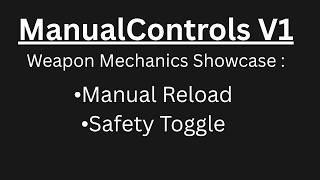
- Manual Reload: No more automatic weapon reloading.
- Weapon Safety Toggle: Enable safety to prevent firing for a more realistic weapon interaction.
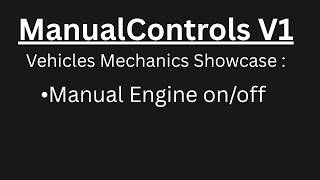
- Manual Engine Toggle: Engines won't start or turn off automatically.
- Gear System (New): control your vehicle's speed limits.
- No Auto-Run: Stops the player from automatically running in combat.
- Surrender: Now you can Surrender anytime.
More features are coming in future updates!
Keybindings:
- Open menu: [F2]
- Safety toggle: [T]
- Engine toggle: [G]
- Surrender: [Y]
- Gear Up: [3]
- Gear Down: [1]
What's New in Update 2.0:
- Improved Engine Toggle: Now it feels alot better just watch the video i made (v1 vs v2).
- Gear System: Added a manual transmission feature to control your vehicle's speed limits.
- Bug Fixes: Fixed the sneaking issue.
- Controller Support: (not perfect).
- Mouse Side Buttons: Added support for assigning actions to your mouse side buttons.
Installation:
- ScriptHookV is required.
- Simply move the ManualControls.asi file to your GTA 5 folder.
- If you can't save the keybindings, make sure to give your GTA 5 folder full control.
First Uploaded: May 19, 2026
Last Updated: May 23, 2026
Last Downloaded: 5 hours ago
49 Comments
More mods by EhssanDev:

- Gameplay
- Vehicles
- Player
- Asi
- Enhanced
4.75
9,877
90
2.8 [Early Access]
By ehssandev
About Manual Controls
More features are coming in future updates!
Keybindings:
What's New in Update 2.0:
Installation:
- Manual Reload: No more automatic weapon reloading.
- Weapon Safety Toggle: Enable safety to prevent firing for a more realistic weapon interaction.
- Manual Engine Toggle: Engines won't start or turn off automatically.
- Gear System (New): control your vehicle's speed limits.
- No Auto-Run: Stops the player from automatically running in combat.
- Surrender: Now you can Surrender anytime.
More features are coming in future updates!
Keybindings:
- Open menu: [F2]
- Safety toggle: [T]
- Engine toggle: [G]
- Surrender: [Y]
- Gear Up: [3]
- Gear Down: [1]
What's New in Update 2.0:
- Improved Engine Toggle: Now it feels alot better just watch the video i made (v1 vs v2).
- Gear System: Added a manual transmission feature to control your vehicle's speed limits.
- Bug Fixes: Fixed the sneaking issue.
- Controller Support: (not perfect).
- Mouse Side Buttons: Added support for assigning actions to your mouse side buttons.
Installation:
- ScriptHookV is required.
- Simply move the ManualControls.asi file to your GTA 5 folder.
- If you can't save the keybindings, make sure to give your GTA 5 folder full control.
First Uploaded: May 19, 2026
Last Updated: May 23, 2026
Last Downloaded: 5 hours ago
 5mods on Discord
everything works perfect, hey im greatful you even got the slide to go back when the reload animation plays also tossed us a hideammo setting which replaced another mod i used. amazing bro
@blkzero I am really sorry but it's going to take some time because Currently I am working on my Alternate First Person mod, I'll try my best to update this mod asap.
@ehssandev its alright that mod is good anyways its good to see you working on it just dont rush it
@blkzero thank you.
@ehssandev i also wanted to report a bug in alternate fp is it cool if i say it here or in that mod page
@blkzero you can report it here if you want thats okey.
@ehssandev alright when i switch to using alternate fp all shadows get all blurry and pixelated and lower quality and ambient occlusion goes away like it got turned off idk why this is happening for my visual mods im using nve lite and california roads and easy no post fx
@blkzero Thanks for reporting! It’s likely a conflict with your visual mods. I'll try to fix it in the next update. In the meantime, you can try removing them one by one to see which one causes it.
I've tried this mod and it's well-polished with few issues!
However, I noticed the jogging function (triggered by tapping Shift on keyboard) has been completely removed, and sprinting no longer works with controllers. Would you please restore the jogging feature in the next update instead of disabling it entirely? Thank you very much!
could you add a way to turn off individual features? i just want the manual reloading part without the other stuff
@AllisVanity sure
@duckinsleeve thanks for the rating, and I ll fix it in the next update
its a great mod but it kinda has problems with the seatbelt mod by Ty6377 since i can still exit the vehicle but overall a 5
@Skazesadw21 thanks, I'll see what can I do to fix these problems In the next update.
@AllisVanity +1
does this work with controller
@zayy12 it does but its not perfect.
@ehssandev ok
I hope manual seatbelt can be a feature in the next update of this mod, that'd be cool
@TJM08 sure.
yoo that transmission gear HUD is EXACTLY what I need for the manual transmission mod, is there a way to make it compatible???