NPC Livestream 1.1





279
6
279
6
NpcLivestream - NPCs Livestream Your Crimes in GTA V
NpcLivestream turns your GTA V Single Player gameplay into a simulated live-streaming event.
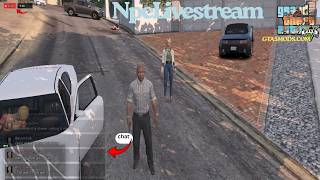
When you start fighting, shooting, committing a robbery, or receive a wanted level, a nearby civilian NPC can become your live camera operator. The NPC follows you on foot while holding a phone and filming the action.
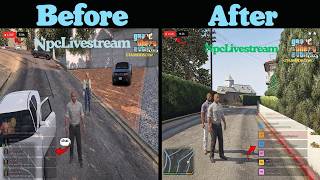
A live-stream overlay appears on screen with a LIVE indicator, viewer count, scrolling chat, reactions, NPC avatars, vehicle information, clothing information, and special character interactions.
Everything is simulated inside GTA V. NpcLivestream does not connect to any real streaming service.
NPC LIVESTREAM - NEW UPDATE
This update makes NpcLivestream more realistic, reactive, and immersive.
NEW FEATURES
* New action-based livestream chat reactions
* New bus stop and taxi reactions
* New stolen police vehicle reaction
* New individual reactions when a cop is killed
* New high wanted-level commentary
* Viewer count now receives boosts during major events
* Priority chat makes important reactions appear immediately
* Cameraman automatically changes if the current cameraman dies or disappears
* New full player-death livestream sequence
* Cameraman reacts to the player's death
* EMS and police-related death reactions
* Stream automatically ends after the death sequence
* Improved custom player name support
* Chat panel remains on the right side of the screen
CHANGES AND FIXES
* Improved cameraman follow behavior
* Improved NPC and phone cleanup
* Better livestream stability
* Fixed SHVDN3 compatibility issues
* Updated deprecated hash code
* Fixed cop-kill detection
* Improved overall performance and reliability
This update makes the livestream react more naturally to what is actually happening around the player instead of using only generic chat messages.
Enjoy the new NpcLivestream experience.
CHANGELOG
Version 1.0
ADDED
* Automatic livestream activation
* NPC camera operator system
* Real nearby NPC headshot avatars
* Dynamic livestream chat
* Dynamic viewer counter
* Floating livestream reactions
* Combat detection
* Shooting detection
* Wanted level detection
* Robbery support
* F9 manual livestream toggle
* Vehicle name detection
* Vehicle license plate detection
* Vehicle color detection
* Player clothing commentary
* Denise Clinton chat event
* Lamar Davis chat response
* Optional Denise Clinton custom avatar
* Camera NPC protection
* Camera NPC replacement system
* Phone prop cleanup
* Death and respawn protection
* Wanted level cleanup protection
* Non-blocking phone model loading
* Public robbery integration hook
* Custom player name support
* Foot-only camera following
* ScriptHookVDotNet 3 support
WHAT DOES NpcLivestream DO?
NpcLivestream automatically detects criminal activity and starts the simulated livestream when certain conditions are met.
The livestream can activate when you:
* Start shooting
* Enter combat
* Receive a wanted level
* Trigger a compatible robbery system
* Manually activate the livestream with F9
Once the livestream starts, the script searches for a nearby civilian NPC to become the camera operator.
NPC CAMERA OPERATOR
The camera NPC:
* Holds a phone while filming
* Follows the player on foot
* Attempts to remain near the player
* Is protected from normal population cleanup
* Does not intentionally flee from normal ambient events
* Is not intentionally selected from police NPCs
* Is replaced if the NPC dies or disappears
The current version uses foot-only following.
The camera NPC does not spawn or use a vehicle to chase the player.
If no suitable NPC is available nearby, the script safely waits until another NPC becomes available.
LIVE STREAM OVERLAY
When the livestream is active, an on-screen streaming interface appears.
The overlay includes:
* LIVE indicator
* Viewer counter
* Live chat
* NPC avatars
* Floating reactions
* Camera commentary
* Vehicle information
* Clothing information
* Special character chat events
The chat panel remains on the right side of the screen.
VIEWER COUNT
The viewer count is completely simulated for gameplay immersion.
During the livestream, the viewer count can:
* Increase
* Decrease
* Drop very low
* Build back up
* Increase during combat
* Receive boosts during major events
* Reach approximately 50000 viewers
* Occasionally fall close to 1 viewer
The viewer count does not represent real viewers.
NpcLivestream does not connect to YouTube, Twitch, Kick, TikTok, or any other streaming platform.
LIVE CHAT
NpcLivestream includes a dynamic simulated livestream chat.
Viewers can react to different situations happening in the game.
Combat can generate messages such as:
* "dayum"
* "RUN RUN RUN"
* "he's not surviving this"
* "bro thinks he's John Wick"
* "cops pulling up fast"
Robbery situations can generate messages about the robbery, police, store owners, escaping, and whether the player successfully gets away.
Wanted levels can generate messages about police chases and increasing wanted levels.
The new update also adds action-based reactions, bus stop reactions, taxi reactions, stolen police vehicle reactions, cop-kill reactions, and high wanted-level commentary.
Priority chat messages can appear immediately when an important event happens.
The chat can also mention the player's current character name.
REAL NPC AVATARS
NpcLivestream uses GTA V's built-in ped headshot system for nearby NPC chat avatars.
The mod can display real nearby NPC faces instead of using only fictional profile images.
Police officers are filtered out when selecting suitable NPCs for the camera and avatar system.
IMPORTANT: GTA V does not provide a simple circular avatar mask through the system used by this mod. Because of this, NPC avatars appear as small square images.
VEHICLE INFORMATION
When the player is inside a vehicle, NpcLivestream can read vehicle information directly from GTA V.
The livestream can display:
* Vehicle model name
* License plate
* Primary vehicle color
Example:
[CAM] NPC_CAM
driving a Black vehicle, plate ABC123
Vehicle replacement and add-on mods may also provide their own vehicle display names. When GTA V provides the registered vehicle name, NpcLivestream can use that information.
The new update also adds reactions when the player is using a stolen police vehicle.
PLAYER CLOTHING INFORMATION
NpcLivestream can comment on the player's current clothing.
GTA V's native API provides clothing component slots, drawable numbers, and texture numbers rather than readable names for every individual clothing item.
Because of this, the livestream reports the actual clothing slot and variation information.
Example:
[CAM] NPC_CAM
rocking Torso variation 12-2
The information is based on the player's actual GTA V clothing data.
FLOATING REACTIONS
While the livestream is active, floating reactions can appear on screen.
Possible reactions include:
* <3
* !!
* XD
* OMG
* FIRE
* LOL
* WOW
The reactions appear temporarily and move upward on the screen.
The new update adds more action-based reactions based on what is happening around the player.
DENISE CLINTON AND LAMAR DAVIS CHAT EVENT
When playing as Franklin, NpcLivestream includes a special scripted chat event involving Denise Clinton and Lamar Davis.
Denise Clinton can occasionally appear in the livestream chat and comment about Franklin getting into trouble with the police.
A few seconds later, Lamar Davis can respond to her message.
This special event only works when playing as Franklin.
It does not trigger when playing as Michael, Trevor, or another custom character.
DENISE CLINTON CUSTOM AVATAR
NpcLivestream supports an optional custom Denise Clinton image for her livestream chat avatar.
Optional file location:
scripts\NpcLivestream\denise_clinton.png
If the PNG is not installed, the mod continues working and uses the normal avatar fallback.
The Denise PNG is optional.
STABILITY FEATURES
NpcLivestream includes several safeguards designed to reduce freezes, crashes, and leftover entities.
Death and Respawn Protection
The new update includes a full player-death livestream sequence.
When the player dies, the cameraman can react to the player's death.
EMS and police-related death reactions can also appear during the death sequence.
The stream automatically ends after the death sequence is completed.
When GTA V enters the WASTED and respawn sequence, the livestream shuts down its active camera NPC and phone systems.
The script waits until player control has been restored before allowing the livestream system to become active again.
Wanted Level Cleanup Protection
When the wanted level changes from above 0 back to 0, the mod temporarily reduces some native-heavy operations while GTA V cleans up police NPCs and vehicles.
Camera NPC Protection
The camera NPC is protected from normal population cleanup and unwanted ambient behavior.
Camera NPC Recovery
If the camera NPC dies or disappears, the phone is cleaned up and another suitable NPC can be selected.
The cameraman can now automatically change when the current cameraman dies or disappears.
Phone Cleanup
The phone prop attached to the camera NPC is removed when the livestream ends or the camera NPC becomes invalid.
Non-Blocking Model Loading
The phone model is requested without using a long blocking wait.
Error Protection
The main update system uses error handling so a single bad frame does not intentionally cascade into repeated script errors.
HOW TO PLAY
NpcLivestream is designed to work automatically.
1. Start GTA V Single Player.
2. Load your save.
3. Make sure NpcLivestream is installed correctly.
4. Play normally.
5. Start shooting, enter combat, commit a robbery, or receive a wanted level.
6. NpcLivestream detects the activity.
7. A nearby civilian NPC becomes the camera operator.
8. The LIVE overlay appears.
9. Viewer messages and reactions begin appearing.
10. Continue playing while the NPC livestreams your actions.
After the criminal activity ends, the livestream remains active for approximately 6 seconds.
If no new criminal activity is detected during that time, the livestream automatically stops.
KEYBOARD CONTROLS
F9 - Toggle Livestream
Press F9 to manually turn the livestream on or off.
F9 is mainly intended for testing.
AUTOMATIC MODE
No keyboard input is required during normal gameplay.
The livestream can automatically activate when it detects:
* Combat
* Shooting
* Wanted level
* Robbery
REQUIREMENTS
Grand Theft Auto V
NpcLivestream is a GTA V Single Player script.
Script Hook V
Script Hook V is required to run the script.
ScriptHookVDotNet 3
NpcLivestream is designed for ScriptHookVDotNet 3.
.NET Framework 4.8
The compiled script targets .NET Framework 4.8.
INSTALLATION
Step 1 - Install Script Hook V
Install Script Hook V into your GTA V main directory.
Your GTA V main directory is the folder containing:
GTA5.exe
Make sure Script Hook V is installed correctly before installing NpcLivestream.
Step 2 - Install ScriptHookVDotNet 3
Install the required ScriptHookVDotNet 3 files into your GTA V main directory.
Step 3 - Create the Scripts Folder
If you do not already have a scripts folder, create one next to GTA5.exe:
GTA V\scripts
Step 4 - Install NpcLivestream
Place:
NpcLivestream.dll
inside:
GTA V\scripts
Your installation should look like:
GTA V\scripts\NpcLivestream.dll
Step 5 - Optional Denise Avatar
If you want to use the optional Denise Clinton avatar, create:
GTA V\scripts\NpcLivestream
Then place:
denise_clinton.png
inside that folder.
Final optional path:
GTA V\scripts\NpcLivestream\denise_clinton.png
Step 6 - Start GTA V
Launch GTA V in Single Player and load your save.
NpcLivestream will automatically begin working when the required gameplay conditions are detected.
OPTIONAL SCRIPT INTEGRATION
NpcLivestream includes a public robbery hook that other compatible ScriptHookVDotNet scripts can use.
Another script can call:
NpcLivestream.SetRobbing(true);
when a robbery starts.
When the robbery ends:
NpcLivestream.SetRobbing(false);
This allows compatible robbery mods to trigger the NpcLivestream system.
CUSTOM PLAYER NAME
Other compatible scripts can set a custom player display name using:
NpcLivestream.CustomPlayerName = "YourName";
This can be useful with custom player models or multiplayer-style characters that GTA V does not automatically identify as Michael, Franklin, or Trevor.
The new update also improves custom player name support.
FEATURES
NpcLivestream includes:
* Automatic livestream activation
* NPC camera operator
* Real nearby NPC headshot avatars
* Dynamic livestream chat
* Action-based livestream chat reactions
* Dynamic viewer counter
* Major event viewer boosts
* Priority chat reactions
* Combat detection
* Shooting detection
* Wanted level detection
* High wanted-level commentary
* Robbery support
* Bus stop reactions
* Taxi reactions
* Stolen police vehicle reactions
* Individual cop-kill reactions
* Full player-death livestream sequence
* Cameraman death reaction
* EMS and police death reactions
* Automatic stream ending after death sequence
* F9 manual livestream toggle
* Floating livestream reactions
* Vehicle name detection
* Vehicle plate detection
* Vehicle color detection
* Player clothing commentary
* Denise Clinton chat event
* Lamar Davis chat response
* Optional Denise Clinton avatar
* Camera NPC protection
* Phone prop cleanup
* Death and respawn protection
* Wanted level cleanup protection
* Camera NPC replacement
* Automatic cameraman recovery
* Non-blocking phone model loading
* Public robbery integration hook
* Custom player name support
* Foot-only camera following
* ScriptHookVDotNet 3 support
IMPORTANT NOTES
NpcLivestream is a Single Player immersion script.
The viewer count, chat, reactions, NPC avatars, and livestream are simulated entirely inside GTA V.
NpcLivestream does not connect to:
* YouTube
* Twitch
* Kick
* TikTok
* Other streaming platforms
The viewer count is fictional and exists only for gameplay immersion.
The camera NPC currently follows the player on foot only.
The current version does not spawn a chase vehicle for the camera NPC.
KNOWN LIMITATIONS
NPC Avatars
NPC headshot avatars appear as square images because of the limitations of the GTA V native drawing system used by the mod.
Clothing Names
GTA V provides clothing component IDs, drawable IDs, and texture IDs instead of readable names for every garment.
Because of this, clothing commentary uses the available component and variation information.
Custom Vehicle Colors
Some custom vehicle colors may not match the built-in color lookup table.
In those cases, the livestream may display:
Custom Color N
instead of a readable color name.
Denise Avatar
The custom Denise Clinton avatar requires:
denise_clinton.png
If the PNG is missing, the livestream continues working normally using the fallback avatar.
QUICK START
Install the required files.
Launch GTA V Single Player.
Load your save.
Start shooting, enter combat, commit a robbery, or receive a wanted level.
A nearby NPC can become your camera operator and start livestreaming your actions.
Watch the viewer count, chat, NPC avatars, and reactions appear on screen.
Try the new action-based reactions, bus stop and taxi reactions, police vehicle reactions, cop-kill reactions, high wanted-level commentary, and player-death sequence.
Press F9 if you want to manually test the livestream.
Enjoy turning your GTA V chaos into a simulated live-stream event!
NpcLivestream turns your GTA V Single Player gameplay into a simulated live-streaming event.
When you start fighting, shooting, committing a robbery, or receive a wanted level, a nearby civilian NPC can become your live camera operator. The NPC follows you on foot while holding a phone and filming the action.
A live-stream overlay appears on screen with a LIVE indicator, viewer count, scrolling chat, reactions, NPC avatars, vehicle information, clothing information, and special character interactions.
Everything is simulated inside GTA V. NpcLivestream does not connect to any real streaming service.
NPC LIVESTREAM - NEW UPDATE
This update makes NpcLivestream more realistic, reactive, and immersive.
NEW FEATURES
* New action-based livestream chat reactions
* New bus stop and taxi reactions
* New stolen police vehicle reaction
* New individual reactions when a cop is killed
* New high wanted-level commentary
* Viewer count now receives boosts during major events
* Priority chat makes important reactions appear immediately
* Cameraman automatically changes if the current cameraman dies or disappears
* New full player-death livestream sequence
* Cameraman reacts to the player's death
* EMS and police-related death reactions
* Stream automatically ends after the death sequence
* Improved custom player name support
* Chat panel remains on the right side of the screen
CHANGES AND FIXES
* Improved cameraman follow behavior
* Improved NPC and phone cleanup
* Better livestream stability
* Fixed SHVDN3 compatibility issues
* Updated deprecated hash code
* Fixed cop-kill detection
* Improved overall performance and reliability
This update makes the livestream react more naturally to what is actually happening around the player instead of using only generic chat messages.
Enjoy the new NpcLivestream experience.
CHANGELOG
Version 1.0
ADDED
* Automatic livestream activation
* NPC camera operator system
* Real nearby NPC headshot avatars
* Dynamic livestream chat
* Dynamic viewer counter
* Floating livestream reactions
* Combat detection
* Shooting detection
* Wanted level detection
* Robbery support
* F9 manual livestream toggle
* Vehicle name detection
* Vehicle license plate detection
* Vehicle color detection
* Player clothing commentary
* Denise Clinton chat event
* Lamar Davis chat response
* Optional Denise Clinton custom avatar
* Camera NPC protection
* Camera NPC replacement system
* Phone prop cleanup
* Death and respawn protection
* Wanted level cleanup protection
* Non-blocking phone model loading
* Public robbery integration hook
* Custom player name support
* Foot-only camera following
* ScriptHookVDotNet 3 support
WHAT DOES NpcLivestream DO?
NpcLivestream automatically detects criminal activity and starts the simulated livestream when certain conditions are met.
The livestream can activate when you:
* Start shooting
* Enter combat
* Receive a wanted level
* Trigger a compatible robbery system
* Manually activate the livestream with F9
Once the livestream starts, the script searches for a nearby civilian NPC to become the camera operator.
NPC CAMERA OPERATOR
The camera NPC:
* Holds a phone while filming
* Follows the player on foot
* Attempts to remain near the player
* Is protected from normal population cleanup
* Does not intentionally flee from normal ambient events
* Is not intentionally selected from police NPCs
* Is replaced if the NPC dies or disappears
The current version uses foot-only following.
The camera NPC does not spawn or use a vehicle to chase the player.
If no suitable NPC is available nearby, the script safely waits until another NPC becomes available.
LIVE STREAM OVERLAY
When the livestream is active, an on-screen streaming interface appears.
The overlay includes:
* LIVE indicator
* Viewer counter
* Live chat
* NPC avatars
* Floating reactions
* Camera commentary
* Vehicle information
* Clothing information
* Special character chat events
The chat panel remains on the right side of the screen.
VIEWER COUNT
The viewer count is completely simulated for gameplay immersion.
During the livestream, the viewer count can:
* Increase
* Decrease
* Drop very low
* Build back up
* Increase during combat
* Receive boosts during major events
* Reach approximately 50000 viewers
* Occasionally fall close to 1 viewer
The viewer count does not represent real viewers.
NpcLivestream does not connect to YouTube, Twitch, Kick, TikTok, or any other streaming platform.
LIVE CHAT
NpcLivestream includes a dynamic simulated livestream chat.
Viewers can react to different situations happening in the game.
Combat can generate messages such as:
* "dayum"
* "RUN RUN RUN"
* "he's not surviving this"
* "bro thinks he's John Wick"
* "cops pulling up fast"
Robbery situations can generate messages about the robbery, police, store owners, escaping, and whether the player successfully gets away.
Wanted levels can generate messages about police chases and increasing wanted levels.
The new update also adds action-based reactions, bus stop reactions, taxi reactions, stolen police vehicle reactions, cop-kill reactions, and high wanted-level commentary.
Priority chat messages can appear immediately when an important event happens.
The chat can also mention the player's current character name.
REAL NPC AVATARS
NpcLivestream uses GTA V's built-in ped headshot system for nearby NPC chat avatars.
The mod can display real nearby NPC faces instead of using only fictional profile images.
Police officers are filtered out when selecting suitable NPCs for the camera and avatar system.
IMPORTANT: GTA V does not provide a simple circular avatar mask through the system used by this mod. Because of this, NPC avatars appear as small square images.
VEHICLE INFORMATION
When the player is inside a vehicle, NpcLivestream can read vehicle information directly from GTA V.
The livestream can display:
* Vehicle model name
* License plate
* Primary vehicle color
Example:
[CAM] NPC_CAM
driving a Black vehicle, plate ABC123
Vehicle replacement and add-on mods may also provide their own vehicle display names. When GTA V provides the registered vehicle name, NpcLivestream can use that information.
The new update also adds reactions when the player is using a stolen police vehicle.
PLAYER CLOTHING INFORMATION
NpcLivestream can comment on the player's current clothing.
GTA V's native API provides clothing component slots, drawable numbers, and texture numbers rather than readable names for every individual clothing item.
Because of this, the livestream reports the actual clothing slot and variation information.
Example:
[CAM] NPC_CAM
rocking Torso variation 12-2
The information is based on the player's actual GTA V clothing data.
FLOATING REACTIONS
While the livestream is active, floating reactions can appear on screen.
Possible reactions include:
* <3
* !!
* XD
* OMG
* FIRE
* LOL
* WOW
The reactions appear temporarily and move upward on the screen.
The new update adds more action-based reactions based on what is happening around the player.
DENISE CLINTON AND LAMAR DAVIS CHAT EVENT
When playing as Franklin, NpcLivestream includes a special scripted chat event involving Denise Clinton and Lamar Davis.
Denise Clinton can occasionally appear in the livestream chat and comment about Franklin getting into trouble with the police.
A few seconds later, Lamar Davis can respond to her message.
This special event only works when playing as Franklin.
It does not trigger when playing as Michael, Trevor, or another custom character.
DENISE CLINTON CUSTOM AVATAR
NpcLivestream supports an optional custom Denise Clinton image for her livestream chat avatar.
Optional file location:
scripts\NpcLivestream\denise_clinton.png
If the PNG is not installed, the mod continues working and uses the normal avatar fallback.
The Denise PNG is optional.
STABILITY FEATURES
NpcLivestream includes several safeguards designed to reduce freezes, crashes, and leftover entities.
Death and Respawn Protection
The new update includes a full player-death livestream sequence.
When the player dies, the cameraman can react to the player's death.
EMS and police-related death reactions can also appear during the death sequence.
The stream automatically ends after the death sequence is completed.
When GTA V enters the WASTED and respawn sequence, the livestream shuts down its active camera NPC and phone systems.
The script waits until player control has been restored before allowing the livestream system to become active again.
Wanted Level Cleanup Protection
When the wanted level changes from above 0 back to 0, the mod temporarily reduces some native-heavy operations while GTA V cleans up police NPCs and vehicles.
Camera NPC Protection
The camera NPC is protected from normal population cleanup and unwanted ambient behavior.
Camera NPC Recovery
If the camera NPC dies or disappears, the phone is cleaned up and another suitable NPC can be selected.
The cameraman can now automatically change when the current cameraman dies or disappears.
Phone Cleanup
The phone prop attached to the camera NPC is removed when the livestream ends or the camera NPC becomes invalid.
Non-Blocking Model Loading
The phone model is requested without using a long blocking wait.
Error Protection
The main update system uses error handling so a single bad frame does not intentionally cascade into repeated script errors.
HOW TO PLAY
NpcLivestream is designed to work automatically.
1. Start GTA V Single Player.
2. Load your save.
3. Make sure NpcLivestream is installed correctly.
4. Play normally.
5. Start shooting, enter combat, commit a robbery, or receive a wanted level.
6. NpcLivestream detects the activity.
7. A nearby civilian NPC becomes the camera operator.
8. The LIVE overlay appears.
9. Viewer messages and reactions begin appearing.
10. Continue playing while the NPC livestreams your actions.
After the criminal activity ends, the livestream remains active for approximately 6 seconds.
If no new criminal activity is detected during that time, the livestream automatically stops.
KEYBOARD CONTROLS
F9 - Toggle Livestream
Press F9 to manually turn the livestream on or off.
F9 is mainly intended for testing.
AUTOMATIC MODE
No keyboard input is required during normal gameplay.
The livestream can automatically activate when it detects:
* Combat
* Shooting
* Wanted level
* Robbery
REQUIREMENTS
Grand Theft Auto V
NpcLivestream is a GTA V Single Player script.
Script Hook V
Script Hook V is required to run the script.
ScriptHookVDotNet 3
NpcLivestream is designed for ScriptHookVDotNet 3.
.NET Framework 4.8
The compiled script targets .NET Framework 4.8.
INSTALLATION
Step 1 - Install Script Hook V
Install Script Hook V into your GTA V main directory.
Your GTA V main directory is the folder containing:
GTA5.exe
Make sure Script Hook V is installed correctly before installing NpcLivestream.
Step 2 - Install ScriptHookVDotNet 3
Install the required ScriptHookVDotNet 3 files into your GTA V main directory.
Step 3 - Create the Scripts Folder
If you do not already have a scripts folder, create one next to GTA5.exe:
GTA V\scripts
Step 4 - Install NpcLivestream
Place:
NpcLivestream.dll
inside:
GTA V\scripts
Your installation should look like:
GTA V\scripts\NpcLivestream.dll
Step 5 - Optional Denise Avatar
If you want to use the optional Denise Clinton avatar, create:
GTA V\scripts\NpcLivestream
Then place:
denise_clinton.png
inside that folder.
Final optional path:
GTA V\scripts\NpcLivestream\denise_clinton.png
Step 6 - Start GTA V
Launch GTA V in Single Player and load your save.
NpcLivestream will automatically begin working when the required gameplay conditions are detected.
OPTIONAL SCRIPT INTEGRATION
NpcLivestream includes a public robbery hook that other compatible ScriptHookVDotNet scripts can use.
Another script can call:
NpcLivestream.SetRobbing(true);
when a robbery starts.
When the robbery ends:
NpcLivestream.SetRobbing(false);
This allows compatible robbery mods to trigger the NpcLivestream system.
CUSTOM PLAYER NAME
Other compatible scripts can set a custom player display name using:
NpcLivestream.CustomPlayerName = "YourName";
This can be useful with custom player models or multiplayer-style characters that GTA V does not automatically identify as Michael, Franklin, or Trevor.
The new update also improves custom player name support.
FEATURES
NpcLivestream includes:
* Automatic livestream activation
* NPC camera operator
* Real nearby NPC headshot avatars
* Dynamic livestream chat
* Action-based livestream chat reactions
* Dynamic viewer counter
* Major event viewer boosts
* Priority chat reactions
* Combat detection
* Shooting detection
* Wanted level detection
* High wanted-level commentary
* Robbery support
* Bus stop reactions
* Taxi reactions
* Stolen police vehicle reactions
* Individual cop-kill reactions
* Full player-death livestream sequence
* Cameraman death reaction
* EMS and police death reactions
* Automatic stream ending after death sequence
* F9 manual livestream toggle
* Floating livestream reactions
* Vehicle name detection
* Vehicle plate detection
* Vehicle color detection
* Player clothing commentary
* Denise Clinton chat event
* Lamar Davis chat response
* Optional Denise Clinton avatar
* Camera NPC protection
* Phone prop cleanup
* Death and respawn protection
* Wanted level cleanup protection
* Camera NPC replacement
* Automatic cameraman recovery
* Non-blocking phone model loading
* Public robbery integration hook
* Custom player name support
* Foot-only camera following
* ScriptHookVDotNet 3 support
IMPORTANT NOTES
NpcLivestream is a Single Player immersion script.
The viewer count, chat, reactions, NPC avatars, and livestream are simulated entirely inside GTA V.
NpcLivestream does not connect to:
* YouTube
* Twitch
* Kick
* TikTok
* Other streaming platforms
The viewer count is fictional and exists only for gameplay immersion.
The camera NPC currently follows the player on foot only.
The current version does not spawn a chase vehicle for the camera NPC.
KNOWN LIMITATIONS
NPC Avatars
NPC headshot avatars appear as square images because of the limitations of the GTA V native drawing system used by the mod.
Clothing Names
GTA V provides clothing component IDs, drawable IDs, and texture IDs instead of readable names for every garment.
Because of this, clothing commentary uses the available component and variation information.
Custom Vehicle Colors
Some custom vehicle colors may not match the built-in color lookup table.
In those cases, the livestream may display:
Custom Color N
instead of a readable color name.
Denise Avatar
The custom Denise Clinton avatar requires:
denise_clinton.png
If the PNG is missing, the livestream continues working normally using the fallback avatar.
QUICK START
Install the required files.
Launch GTA V Single Player.
Load your save.
Start shooting, enter combat, commit a robbery, or receive a wanted level.
A nearby NPC can become your camera operator and start livestreaming your actions.
Watch the viewer count, chat, NPC avatars, and reactions appear on screen.
Try the new action-based reactions, bus stop and taxi reactions, police vehicle reactions, cop-kill reactions, high wanted-level commentary, and player-death sequence.
Press F9 if you want to manually test the livestream.
Enjoy turning your GTA V chaos into a simulated live-stream event!
First Uploaded: September 04, 2026
Last Updated: September 07, 2026
Last Downloaded: 24 hours ago
13 Comments
More mods by jamalrodney77:
NpcLivestream - NPCs Livestream Your Crimes in GTA V
NpcLivestream turns your GTA V Single Player gameplay into a simulated live-streaming event.
When you start fighting, shooting, committing a robbery, or receive a wanted level, a nearby civilian NPC can become your live camera operator. The NPC follows you on foot while holding a phone and filming the action.
A live-stream overlay appears on screen with a LIVE indicator, viewer count, scrolling chat, reactions, NPC avatars, vehicle information, clothing information, and special character interactions.
Everything is simulated inside GTA V. NpcLivestream does not connect to any real streaming service.
NPC LIVESTREAM - NEW UPDATE
This update makes NpcLivestream more realistic, reactive, and immersive.
NEW FEATURES
* New action-based livestream chat reactions
* New bus stop and taxi reactions
* New stolen police vehicle reaction
* New individual reactions when a cop is killed
* New high wanted-level commentary
* Viewer count now receives boosts during major events
* Priority chat makes important reactions appear immediately
* Cameraman automatically changes if the current cameraman dies or disappears
* New full player-death livestream sequence
* Cameraman reacts to the player's death
* EMS and police-related death reactions
* Stream automatically ends after the death sequence
* Improved custom player name support
* Chat panel remains on the right side of the screen
CHANGES AND FIXES
* Improved cameraman follow behavior
* Improved NPC and phone cleanup
* Better livestream stability
* Fixed SHVDN3 compatibility issues
* Updated deprecated hash code
* Fixed cop-kill detection
* Improved overall performance and reliability
This update makes the livestream react more naturally to what is actually happening around the player instead of using only generic chat messages.
Enjoy the new NpcLivestream experience.
CHANGELOG
Version 1.0
ADDED
* Automatic livestream activation
* NPC camera operator system
* Real nearby NPC headshot avatars
* Dynamic livestream chat
* Dynamic viewer counter
* Floating livestream reactions
* Combat detection
* Shooting detection
* Wanted level detection
* Robbery support
* F9 manual livestream toggle
* Vehicle name detection
* Vehicle license plate detection
* Vehicle color detection
* Player clothing commentary
* Denise Clinton chat event
* Lamar Davis chat response
* Optional Denise Clinton custom avatar
* Camera NPC protection
* Camera NPC replacement system
* Phone prop cleanup
* Death and respawn protection
* Wanted level cleanup protection
* Non-blocking phone model loading
* Public robbery integration hook
* Custom player name support
* Foot-only camera following
* ScriptHookVDotNet 3 support
WHAT DOES NpcLivestream DO?
NpcLivestream automatically detects criminal activity and starts the simulated livestream when certain conditions are met.
The livestream can activate when you:
* Start shooting
* Enter combat
* Receive a wanted level
* Trigger a compatible robbery system
* Manually activate the livestream with F9
Once the livestream starts, the script searches for a nearby civilian NPC to become the camera operator.
NPC CAMERA OPERATOR
The camera NPC:
* Holds a phone while filming
* Follows the player on foot
* Attempts to remain near the player
* Is protected from normal population cleanup
* Does not intentionally flee from normal ambient events
* Is not intentionally selected from police NPCs
* Is replaced if the NPC dies or disappears
The current version uses foot-only following.
The camera NPC does not spawn or use a vehicle to chase the player.
If no suitable NPC is available nearby, the script safely waits until another NPC becomes available.
LIVE STREAM OVERLAY
When the livestream is active, an on-screen streaming interface appears.
The overlay includes:
* LIVE indicator
* Viewer counter
* Live chat
* NPC avatars
* Floating reactions
* Camera commentary
* Vehicle information
* Clothing information
* Special character chat events
The chat panel remains on the right side of the screen.
VIEWER COUNT
The viewer count is completely simulated for gameplay immersion.
During the livestream, the viewer count can:
* Increase
* Decrease
* Drop very low
* Build back up
* Increase during combat
* Receive boosts during major events
* Reach approximately 50000 viewers
* Occasionally fall close to 1 viewer
The viewer count does not represent real viewers.
NpcLivestream does not connect to YouTube, Twitch, Kick, TikTok, or any other streaming platform.
LIVE CHAT
NpcLivestream includes a dynamic simulated livestream chat.
Viewers can react to different situations happening in the game.
Combat can generate messages such as:
* "dayum"
* "RUN RUN RUN"
* "he's not surviving this"
* "bro thinks he's John Wick"
* "cops pulling up fast"
Robbery situations can generate messages about the robbery, police, store owners, escaping, and whether the player successfully gets away.
Wanted levels can generate messages about police chases and increasing wanted levels.
The new update also adds action-based reactions, bus stop reactions, taxi reactions, stolen police vehicle reactions, cop-kill reactions, and high wanted-level commentary.
Priority chat messages can appear immediately when an important event happens.
The chat can also mention the player's current character name.
REAL NPC AVATARS
NpcLivestream uses GTA V's built-in ped headshot system for nearby NPC chat avatars.
The mod can display real nearby NPC faces instead of using only fictional profile images.
Police officers are filtered out when selecting suitable NPCs for the camera and avatar system.
IMPORTANT: GTA V does not provide a simple circular avatar mask through the system used by this mod. Because of this, NPC avatars appear as small square images.
VEHICLE INFORMATION
When the player is inside a vehicle, NpcLivestream can read vehicle information directly from GTA V.
The livestream can display:
* Vehicle model name
* License plate
* Primary vehicle color
Example:
[CAM] NPC_CAM
driving a Black vehicle, plate ABC123
Vehicle replacement and add-on mods may also provide their own vehicle display names. When GTA V provides the registered vehicle name, NpcLivestream can use that information.
The new update also adds reactions when the player is using a stolen police vehicle.
PLAYER CLOTHING INFORMATION
NpcLivestream can comment on the player's current clothing.
GTA V's native API provides clothing component slots, drawable numbers, and texture numbers rather than readable names for every individual clothing item.
Because of this, the livestream reports the actual clothing slot and variation information.
Example:
[CAM] NPC_CAM
rocking Torso variation 12-2
The information is based on the player's actual GTA V clothing data.
FLOATING REACTIONS
While the livestream is active, floating reactions can appear on screen.
Possible reactions include:
* <3
* !!
* XD
* OMG
* FIRE
* LOL
* WOW
The reactions appear temporarily and move upward on the screen.
The new update adds more action-based reactions based on what is happening around the player.
DENISE CLINTON AND LAMAR DAVIS CHAT EVENT
When playing as Franklin, NpcLivestream includes a special scripted chat event involving Denise Clinton and Lamar Davis.
Denise Clinton can occasionally appear in the livestream chat and comment about Franklin getting into trouble with the police.
A few seconds later, Lamar Davis can respond to her message.
This special event only works when playing as Franklin.
It does not trigger when playing as Michael, Trevor, or another custom character.
DENISE CLINTON CUSTOM AVATAR
NpcLivestream supports an optional custom Denise Clinton image for her livestream chat avatar.
Optional file location:
scripts\NpcLivestream\denise_clinton.png
If the PNG is not installed, the mod continues working and uses the normal avatar fallback.
The Denise PNG is optional.
STABILITY FEATURES
NpcLivestream includes several safeguards designed to reduce freezes, crashes, and leftover entities.
Death and Respawn Protection
The new update includes a full player-death livestream sequence.
When the player dies, the cameraman can react to the player's death.
EMS and police-related death reactions can also appear during the death sequence.
The stream automatically ends after the death sequence is completed.
When GTA V enters the WASTED and respawn sequence, the livestream shuts down its active camera NPC and phone systems.
The script waits until player control has been restored before allowing the livestream system to become active again.
Wanted Level Cleanup Protection
When the wanted level changes from above 0 back to 0, the mod temporarily reduces some native-heavy operations while GTA V cleans up police NPCs and vehicles.
Camera NPC Protection
The camera NPC is protected from normal population cleanup and unwanted ambient behavior.
Camera NPC Recovery
If the camera NPC dies or disappears, the phone is cleaned up and another suitable NPC can be selected.
The cameraman can now automatically change when the current cameraman dies or disappears.
Phone Cleanup
The phone prop attached to the camera NPC is removed when the livestream ends or the camera NPC becomes invalid.
Non-Blocking Model Loading
The phone model is requested without using a long blocking wait.
Error Protection
The main update system uses error handling so a single bad frame does not intentionally cascade into repeated script errors.
HOW TO PLAY
NpcLivestream is designed to work automatically.
1. Start GTA V Single Player.
2. Load your save.
3. Make sure NpcLivestream is installed correctly.
4. Play normally.
5. Start shooting, enter combat, commit a robbery, or receive a wanted level.
6. NpcLivestream detects the activity.
7. A nearby civilian NPC becomes the camera operator.
8. The LIVE overlay appears.
9. Viewer messages and reactions begin appearing.
10. Continue playing while the NPC livestreams your actions.
After the criminal activity ends, the livestream remains active for approximately 6 seconds.
If no new criminal activity is detected during that time, the livestream automatically stops.
KEYBOARD CONTROLS
F9 - Toggle Livestream
Press F9 to manually turn the livestream on or off.
F9 is mainly intended for testing.
AUTOMATIC MODE
No keyboard input is required during normal gameplay.
The livestream can automatically activate when it detects:
* Combat
* Shooting
* Wanted level
* Robbery
REQUIREMENTS
Grand Theft Auto V
NpcLivestream is a GTA V Single Player script.
Script Hook V
Script Hook V is required to run the script.
ScriptHookVDotNet 3
NpcLivestream is designed for ScriptHookVDotNet 3.
.NET Framework 4.8
The compiled script targets .NET Framework 4.8.
INSTALLATION
Step 1 - Install Script Hook V
Install Script Hook V into your GTA V main directory.
Your GTA V main directory is the folder containing:
GTA5.exe
Make sure Script Hook V is installed correctly before installing NpcLivestream.
Step 2 - Install ScriptHookVDotNet 3
Install the required ScriptHookVDotNet 3 files into your GTA V main directory.
Step 3 - Create the Scripts Folder
If you do not already have a scripts folder, create one next to GTA5.exe:
GTA V\scripts
Step 4 - Install NpcLivestream
Place:
NpcLivestream.dll
inside:
GTA V\scripts
Your installation should look like:
GTA V\scripts\NpcLivestream.dll
Step 5 - Optional Denise Avatar
If you want to use the optional Denise Clinton avatar, create:
GTA V\scripts\NpcLivestream
Then place:
denise_clinton.png
inside that folder.
Final optional path:
GTA V\scripts\NpcLivestream\denise_clinton.png
Step 6 - Start GTA V
Launch GTA V in Single Player and load your save.
NpcLivestream will automatically begin working when the required gameplay conditions are detected.
OPTIONAL SCRIPT INTEGRATION
NpcLivestream includes a public robbery hook that other compatible ScriptHookVDotNet scripts can use.
Another script can call:
NpcLivestream.SetRobbing(true);
when a robbery starts.
When the robbery ends:
NpcLivestream.SetRobbing(false);
This allows compatible robbery mods to trigger the NpcLivestream system.
CUSTOM PLAYER NAME
Other compatible scripts can set a custom player display name using:
NpcLivestream.CustomPlayerName = "YourName";
This can be useful with custom player models or multiplayer-style characters that GTA V does not automatically identify as Michael, Franklin, or Trevor.
The new update also improves custom player name support.
FEATURES
NpcLivestream includes:
* Automatic livestream activation
* NPC camera operator
* Real nearby NPC headshot avatars
* Dynamic livestream chat
* Action-based livestream chat reactions
* Dynamic viewer counter
* Major event viewer boosts
* Priority chat reactions
* Combat detection
* Shooting detection
* Wanted level detection
* High wanted-level commentary
* Robbery support
* Bus stop reactions
* Taxi reactions
* Stolen police vehicle reactions
* Individual cop-kill reactions
* Full player-death livestream sequence
* Cameraman death reaction
* EMS and police death reactions
* Automatic stream ending after death sequence
* F9 manual livestream toggle
* Floating livestream reactions
* Vehicle name detection
* Vehicle plate detection
* Vehicle color detection
* Player clothing commentary
* Denise Clinton chat event
* Lamar Davis chat response
* Optional Denise Clinton avatar
* Camera NPC protection
* Phone prop cleanup
* Death and respawn protection
* Wanted level cleanup protection
* Camera NPC replacement
* Automatic cameraman recovery
* Non-blocking phone model loading
* Public robbery integration hook
* Custom player name support
* Foot-only camera following
* ScriptHookVDotNet 3 support
IMPORTANT NOTES
NpcLivestream is a Single Player immersion script.
The viewer count, chat, reactions, NPC avatars, and livestream are simulated entirely inside GTA V.
NpcLivestream does not connect to:
* YouTube
* Twitch
* Kick
* TikTok
* Other streaming platforms
The viewer count is fictional and exists only for gameplay immersion.
The camera NPC currently follows the player on foot only.
The current version does not spawn a chase vehicle for the camera NPC.
KNOWN LIMITATIONS
NPC Avatars
NPC headshot avatars appear as square images because of the limitations of the GTA V native drawing system used by the mod.
Clothing Names
GTA V provides clothing component IDs, drawable IDs, and texture IDs instead of readable names for every garment.
Because of this, clothing commentary uses the available component and variation information.
Custom Vehicle Colors
Some custom vehicle colors may not match the built-in color lookup table.
In those cases, the livestream may display:
Custom Color N
instead of a readable color name.
Denise Avatar
The custom Denise Clinton avatar requires:
denise_clinton.png
If the PNG is missing, the livestream continues working normally using the fallback avatar.
QUICK START
Install the required files.
Launch GTA V Single Player.
Load your save.
Start shooting, enter combat, commit a robbery, or receive a wanted level.
A nearby NPC can become your camera operator and start livestreaming your actions.
Watch the viewer count, chat, NPC avatars, and reactions appear on screen.
Try the new action-based reactions, bus stop and taxi reactions, police vehicle reactions, cop-kill reactions, high wanted-level commentary, and player-death sequence.
Press F9 if you want to manually test the livestream.
Enjoy turning your GTA V chaos into a simulated live-stream event!
NpcLivestream turns your GTA V Single Player gameplay into a simulated live-streaming event.
When you start fighting, shooting, committing a robbery, or receive a wanted level, a nearby civilian NPC can become your live camera operator. The NPC follows you on foot while holding a phone and filming the action.
A live-stream overlay appears on screen with a LIVE indicator, viewer count, scrolling chat, reactions, NPC avatars, vehicle information, clothing information, and special character interactions.
Everything is simulated inside GTA V. NpcLivestream does not connect to any real streaming service.
NPC LIVESTREAM - NEW UPDATE
This update makes NpcLivestream more realistic, reactive, and immersive.
NEW FEATURES
* New action-based livestream chat reactions
* New bus stop and taxi reactions
* New stolen police vehicle reaction
* New individual reactions when a cop is killed
* New high wanted-level commentary
* Viewer count now receives boosts during major events
* Priority chat makes important reactions appear immediately
* Cameraman automatically changes if the current cameraman dies or disappears
* New full player-death livestream sequence
* Cameraman reacts to the player's death
* EMS and police-related death reactions
* Stream automatically ends after the death sequence
* Improved custom player name support
* Chat panel remains on the right side of the screen
CHANGES AND FIXES
* Improved cameraman follow behavior
* Improved NPC and phone cleanup
* Better livestream stability
* Fixed SHVDN3 compatibility issues
* Updated deprecated hash code
* Fixed cop-kill detection
* Improved overall performance and reliability
This update makes the livestream react more naturally to what is actually happening around the player instead of using only generic chat messages.
Enjoy the new NpcLivestream experience.
CHANGELOG
Version 1.0
ADDED
* Automatic livestream activation
* NPC camera operator system
* Real nearby NPC headshot avatars
* Dynamic livestream chat
* Dynamic viewer counter
* Floating livestream reactions
* Combat detection
* Shooting detection
* Wanted level detection
* Robbery support
* F9 manual livestream toggle
* Vehicle name detection
* Vehicle license plate detection
* Vehicle color detection
* Player clothing commentary
* Denise Clinton chat event
* Lamar Davis chat response
* Optional Denise Clinton custom avatar
* Camera NPC protection
* Camera NPC replacement system
* Phone prop cleanup
* Death and respawn protection
* Wanted level cleanup protection
* Non-blocking phone model loading
* Public robbery integration hook
* Custom player name support
* Foot-only camera following
* ScriptHookVDotNet 3 support
WHAT DOES NpcLivestream DO?
NpcLivestream automatically detects criminal activity and starts the simulated livestream when certain conditions are met.
The livestream can activate when you:
* Start shooting
* Enter combat
* Receive a wanted level
* Trigger a compatible robbery system
* Manually activate the livestream with F9
Once the livestream starts, the script searches for a nearby civilian NPC to become the camera operator.
NPC CAMERA OPERATOR
The camera NPC:
* Holds a phone while filming
* Follows the player on foot
* Attempts to remain near the player
* Is protected from normal population cleanup
* Does not intentionally flee from normal ambient events
* Is not intentionally selected from police NPCs
* Is replaced if the NPC dies or disappears
The current version uses foot-only following.
The camera NPC does not spawn or use a vehicle to chase the player.
If no suitable NPC is available nearby, the script safely waits until another NPC becomes available.
LIVE STREAM OVERLAY
When the livestream is active, an on-screen streaming interface appears.
The overlay includes:
* LIVE indicator
* Viewer counter
* Live chat
* NPC avatars
* Floating reactions
* Camera commentary
* Vehicle information
* Clothing information
* Special character chat events
The chat panel remains on the right side of the screen.
VIEWER COUNT
The viewer count is completely simulated for gameplay immersion.
During the livestream, the viewer count can:
* Increase
* Decrease
* Drop very low
* Build back up
* Increase during combat
* Receive boosts during major events
* Reach approximately 50000 viewers
* Occasionally fall close to 1 viewer
The viewer count does not represent real viewers.
NpcLivestream does not connect to YouTube, Twitch, Kick, TikTok, or any other streaming platform.
LIVE CHAT
NpcLivestream includes a dynamic simulated livestream chat.
Viewers can react to different situations happening in the game.
Combat can generate messages such as:
* "dayum"
* "RUN RUN RUN"
* "he's not surviving this"
* "bro thinks he's John Wick"
* "cops pulling up fast"
Robbery situations can generate messages about the robbery, police, store owners, escaping, and whether the player successfully gets away.
Wanted levels can generate messages about police chases and increasing wanted levels.
The new update also adds action-based reactions, bus stop reactions, taxi reactions, stolen police vehicle reactions, cop-kill reactions, and high wanted-level commentary.
Priority chat messages can appear immediately when an important event happens.
The chat can also mention the player's current character name.
REAL NPC AVATARS
NpcLivestream uses GTA V's built-in ped headshot system for nearby NPC chat avatars.
The mod can display real nearby NPC faces instead of using only fictional profile images.
Police officers are filtered out when selecting suitable NPCs for the camera and avatar system.
IMPORTANT: GTA V does not provide a simple circular avatar mask through the system used by this mod. Because of this, NPC avatars appear as small square images.
VEHICLE INFORMATION
When the player is inside a vehicle, NpcLivestream can read vehicle information directly from GTA V.
The livestream can display:
* Vehicle model name
* License plate
* Primary vehicle color
Example:
[CAM] NPC_CAM
driving a Black vehicle, plate ABC123
Vehicle replacement and add-on mods may also provide their own vehicle display names. When GTA V provides the registered vehicle name, NpcLivestream can use that information.
The new update also adds reactions when the player is using a stolen police vehicle.
PLAYER CLOTHING INFORMATION
NpcLivestream can comment on the player's current clothing.
GTA V's native API provides clothing component slots, drawable numbers, and texture numbers rather than readable names for every individual clothing item.
Because of this, the livestream reports the actual clothing slot and variation information.
Example:
[CAM] NPC_CAM
rocking Torso variation 12-2
The information is based on the player's actual GTA V clothing data.
FLOATING REACTIONS
While the livestream is active, floating reactions can appear on screen.
Possible reactions include:
* <3
* !!
* XD
* OMG
* FIRE
* LOL
* WOW
The reactions appear temporarily and move upward on the screen.
The new update adds more action-based reactions based on what is happening around the player.
DENISE CLINTON AND LAMAR DAVIS CHAT EVENT
When playing as Franklin, NpcLivestream includes a special scripted chat event involving Denise Clinton and Lamar Davis.
Denise Clinton can occasionally appear in the livestream chat and comment about Franklin getting into trouble with the police.
A few seconds later, Lamar Davis can respond to her message.
This special event only works when playing as Franklin.
It does not trigger when playing as Michael, Trevor, or another custom character.
DENISE CLINTON CUSTOM AVATAR
NpcLivestream supports an optional custom Denise Clinton image for her livestream chat avatar.
Optional file location:
scripts\NpcLivestream\denise_clinton.png
If the PNG is not installed, the mod continues working and uses the normal avatar fallback.
The Denise PNG is optional.
STABILITY FEATURES
NpcLivestream includes several safeguards designed to reduce freezes, crashes, and leftover entities.
Death and Respawn Protection
The new update includes a full player-death livestream sequence.
When the player dies, the cameraman can react to the player's death.
EMS and police-related death reactions can also appear during the death sequence.
The stream automatically ends after the death sequence is completed.
When GTA V enters the WASTED and respawn sequence, the livestream shuts down its active camera NPC and phone systems.
The script waits until player control has been restored before allowing the livestream system to become active again.
Wanted Level Cleanup Protection
When the wanted level changes from above 0 back to 0, the mod temporarily reduces some native-heavy operations while GTA V cleans up police NPCs and vehicles.
Camera NPC Protection
The camera NPC is protected from normal population cleanup and unwanted ambient behavior.
Camera NPC Recovery
If the camera NPC dies or disappears, the phone is cleaned up and another suitable NPC can be selected.
The cameraman can now automatically change when the current cameraman dies or disappears.
Phone Cleanup
The phone prop attached to the camera NPC is removed when the livestream ends or the camera NPC becomes invalid.
Non-Blocking Model Loading
The phone model is requested without using a long blocking wait.
Error Protection
The main update system uses error handling so a single bad frame does not intentionally cascade into repeated script errors.
HOW TO PLAY
NpcLivestream is designed to work automatically.
1. Start GTA V Single Player.
2. Load your save.
3. Make sure NpcLivestream is installed correctly.
4. Play normally.
5. Start shooting, enter combat, commit a robbery, or receive a wanted level.
6. NpcLivestream detects the activity.
7. A nearby civilian NPC becomes the camera operator.
8. The LIVE overlay appears.
9. Viewer messages and reactions begin appearing.
10. Continue playing while the NPC livestreams your actions.
After the criminal activity ends, the livestream remains active for approximately 6 seconds.
If no new criminal activity is detected during that time, the livestream automatically stops.
KEYBOARD CONTROLS
F9 - Toggle Livestream
Press F9 to manually turn the livestream on or off.
F9 is mainly intended for testing.
AUTOMATIC MODE
No keyboard input is required during normal gameplay.
The livestream can automatically activate when it detects:
* Combat
* Shooting
* Wanted level
* Robbery
REQUIREMENTS
Grand Theft Auto V
NpcLivestream is a GTA V Single Player script.
Script Hook V
Script Hook V is required to run the script.
ScriptHookVDotNet 3
NpcLivestream is designed for ScriptHookVDotNet 3.
.NET Framework 4.8
The compiled script targets .NET Framework 4.8.
INSTALLATION
Step 1 - Install Script Hook V
Install Script Hook V into your GTA V main directory.
Your GTA V main directory is the folder containing:
GTA5.exe
Make sure Script Hook V is installed correctly before installing NpcLivestream.
Step 2 - Install ScriptHookVDotNet 3
Install the required ScriptHookVDotNet 3 files into your GTA V main directory.
Step 3 - Create the Scripts Folder
If you do not already have a scripts folder, create one next to GTA5.exe:
GTA V\scripts
Step 4 - Install NpcLivestream
Place:
NpcLivestream.dll
inside:
GTA V\scripts
Your installation should look like:
GTA V\scripts\NpcLivestream.dll
Step 5 - Optional Denise Avatar
If you want to use the optional Denise Clinton avatar, create:
GTA V\scripts\NpcLivestream
Then place:
denise_clinton.png
inside that folder.
Final optional path:
GTA V\scripts\NpcLivestream\denise_clinton.png
Step 6 - Start GTA V
Launch GTA V in Single Player and load your save.
NpcLivestream will automatically begin working when the required gameplay conditions are detected.
OPTIONAL SCRIPT INTEGRATION
NpcLivestream includes a public robbery hook that other compatible ScriptHookVDotNet scripts can use.
Another script can call:
NpcLivestream.SetRobbing(true);
when a robbery starts.
When the robbery ends:
NpcLivestream.SetRobbing(false);
This allows compatible robbery mods to trigger the NpcLivestream system.
CUSTOM PLAYER NAME
Other compatible scripts can set a custom player display name using:
NpcLivestream.CustomPlayerName = "YourName";
This can be useful with custom player models or multiplayer-style characters that GTA V does not automatically identify as Michael, Franklin, or Trevor.
The new update also improves custom player name support.
FEATURES
NpcLivestream includes:
* Automatic livestream activation
* NPC camera operator
* Real nearby NPC headshot avatars
* Dynamic livestream chat
* Action-based livestream chat reactions
* Dynamic viewer counter
* Major event viewer boosts
* Priority chat reactions
* Combat detection
* Shooting detection
* Wanted level detection
* High wanted-level commentary
* Robbery support
* Bus stop reactions
* Taxi reactions
* Stolen police vehicle reactions
* Individual cop-kill reactions
* Full player-death livestream sequence
* Cameraman death reaction
* EMS and police death reactions
* Automatic stream ending after death sequence
* F9 manual livestream toggle
* Floating livestream reactions
* Vehicle name detection
* Vehicle plate detection
* Vehicle color detection
* Player clothing commentary
* Denise Clinton chat event
* Lamar Davis chat response
* Optional Denise Clinton avatar
* Camera NPC protection
* Phone prop cleanup
* Death and respawn protection
* Wanted level cleanup protection
* Camera NPC replacement
* Automatic cameraman recovery
* Non-blocking phone model loading
* Public robbery integration hook
* Custom player name support
* Foot-only camera following
* ScriptHookVDotNet 3 support
IMPORTANT NOTES
NpcLivestream is a Single Player immersion script.
The viewer count, chat, reactions, NPC avatars, and livestream are simulated entirely inside GTA V.
NpcLivestream does not connect to:
* YouTube
* Twitch
* Kick
* TikTok
* Other streaming platforms
The viewer count is fictional and exists only for gameplay immersion.
The camera NPC currently follows the player on foot only.
The current version does not spawn a chase vehicle for the camera NPC.
KNOWN LIMITATIONS
NPC Avatars
NPC headshot avatars appear as square images because of the limitations of the GTA V native drawing system used by the mod.
Clothing Names
GTA V provides clothing component IDs, drawable IDs, and texture IDs instead of readable names for every garment.
Because of this, clothing commentary uses the available component and variation information.
Custom Vehicle Colors
Some custom vehicle colors may not match the built-in color lookup table.
In those cases, the livestream may display:
Custom Color N
instead of a readable color name.
Denise Avatar
The custom Denise Clinton avatar requires:
denise_clinton.png
If the PNG is missing, the livestream continues working normally using the fallback avatar.
QUICK START
Install the required files.
Launch GTA V Single Player.
Load your save.
Start shooting, enter combat, commit a robbery, or receive a wanted level.
A nearby NPC can become your camera operator and start livestreaming your actions.
Watch the viewer count, chat, NPC avatars, and reactions appear on screen.
Try the new action-based reactions, bus stop and taxi reactions, police vehicle reactions, cop-kill reactions, high wanted-level commentary, and player-death sequence.
Press F9 if you want to manually test the livestream.
Enjoy turning your GTA V chaos into a simulated live-stream event!
First Uploaded: September 04, 2026
Last Updated: September 07, 2026
Last Downloaded: 24 hours ago
 5mods on Discord

it's an awesome mod, great work jamal.
can you also move the chat to the right side of the screen? that way, it won't cover the minimap. lots of love.
@gtawood Agreed
Very promising, but it goes over the minimap and debug text appears (NPC_CAM). Also would like to be able to add custom text for the chat
@gtawood ok np will see can do ok move it to right side of the screen ok np
@siegebreakeriii i waill see if put add custom text for the chat ok you want to talk back to the chat that you want right siegebreakeriii
ok thank for you all feedback an lock the right side of the screen ok will see can get add custom text for the chat ok this gta gta5 not gta6 ok custom text for the chat will work for gta5 ok will see ok will have the fix up soon just fixing the part move the move the chat to the right side of the screen ok v1.1 for the fix ok look ad my youtuber channel ok to
@jamalrodney77 Hi, I have created a Simplified‑Chinese localization for your mod. Would you grant me permission to publish this Chinese translation?
I will fully credit you as the original author, and place a direct link to your original mod page in my release post.
@12345ghlg Yes, you have my permission to publish the Simplified-Chinese translation of my mod.
Thank you for translating my mod. Please give full credit to me as the original author and include a direct link to my original mod page in your release post.
Thank you!
— @jamalrodney77
@jamalrodney77 ok
@12345ghlg np safe
Awesome
"Filming the action" with a device that doesn't even use film. 😜