Stay Parked - Persistent Vehicle Saving V2.0


![Looter Shooter V [Enhanced]](https://img.gta5-mods.com/q75-w500-h333-cfill/images/looter-shooter-v-beta/767860-LSV.0.80.jpg "Looter Shooter V [Enhanced]")


1,123
22
-
 September 03, 2026
Ever parked your favourite vehicle somewhere and returned later only to find that it had despawned
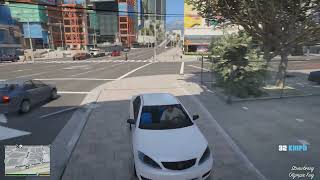
Stay Parked solves that problem by allowing you to save vehicles directly at their current location. Saved vehicles are automatically restored when you restart GTA V, so your vehicles stay where you left them.
Simply enter a vehicle, exit it, stand nearby, and press the configured key to save it.
FEATURES
- Save up to 50 vehicles
- Automatically restore saved vehicles after restarting GTA V
- Save vehicles anywhere in the game world
- Simple save and remove interaction
- You must enter a vehicle before it can be saved
- Configurable save/remove key
- Optional saved vehicle blips
- GTA-style vehicle blip icons
- Saves vehicle position and heading
- Saves vehicle colours
- Saves vehicle modifications
- Saves wheel type and custom tyres
- Saves vehicle extras
- Saves window tint
- Saves engine health
- Saves body health
- Saves petrol tank health
- Saves dirt level
- JSON-based persistent save system
- No external JSON DLL dependency
HOW TO USE
1. Enter a vehicle.
2. Exit the vehicle.
3. Stand near the vehicle.
4. Press the configured key to save it.
To remove a saved vehicle, stand near it and press the same key again.
IMPORTANT:
You must have entered the vehicle at least once before it becomes eligible for saving.
CONFIGURATION
Default configuration:
[Settings]
SaveKey=Y
Blips=True
SaveKey:
Change the key used to save and remove vehicles.
Supported keys: A to Z
Blips:
True = Show saved vehicle blips
False = Disable saved vehicle blips
REQUIREMENTS
- Script Hook V
- ScriptHookVDotNet v3
INSTALLATION
Copy the following files into your GTA V scripts folder:
SaveVehicleAnywhere.dll
SaveVehicleAnywhere.ini
Example:
Grand Theft Auto V/scripts/
SavedVehicles.json will be created automatically after saving your first vehicle.
VERSION
1.0 - Initial Release
VERSION 1.1.0
Stay Parked - Changelog
Version 1.1.0 - Persistence Fix Update
Fixed:
Fixed an issue where saved vehicles were not being written to SavedVehicles.json.
Fixed vehicle data serialization errors caused by vehicle modification dictionaries using unsupported integer keys.
Updated vehicle modification, toggle modification, and extra data to use JSON-compatible string keys.
Fixed false "vehicle saved" success messages when the save operation failed.
Added proper save validation before confirming that a vehicle has been saved.
Improved persistent vehicle data handling for vehicle modifications and extras.
Improved:
Improved JSON save reliability.
Improved error handling during vehicle data saving.
Improved vehicle modification restoration compatibility.
Added better persistence debugging support through logging.
Result:
Saved vehicles are now correctly stored in SavedVehicles.json, allowing them to persist between game sessions.
Created by Shreyas
Park your vehicle.
Leave the game.
Come back.
Stay Parked.
First Uploaded: August 30, 2026
Last Updated: September 03, 2026
Last Downloaded: 1 hour ago
20 Comments
More mods by Shreonmods:
Ever parked your favourite vehicle somewhere and returned later only to find that it had despawned
Stay Parked solves that problem by allowing you to save vehicles directly at their current location. Saved vehicles are automatically restored when you restart GTA V, so your vehicles stay where you left them.
Simply enter a vehicle, exit it, stand nearby, and press the configured key to save it.
FEATURES
- Save up to 50 vehicles
- Automatically restore saved vehicles after restarting GTA V
- Save vehicles anywhere in the game world
- Simple save and remove interaction
- You must enter a vehicle before it can be saved
- Configurable save/remove key
- Optional saved vehicle blips
- GTA-style vehicle blip icons
- Saves vehicle position and heading
- Saves vehicle colours
- Saves vehicle modifications
- Saves wheel type and custom tyres
- Saves vehicle extras
- Saves window tint
- Saves engine health
- Saves body health
- Saves petrol tank health
- Saves dirt level
- JSON-based persistent save system
- No external JSON DLL dependency
HOW TO USE
1. Enter a vehicle.
2. Exit the vehicle.
3. Stand near the vehicle.
4. Press the configured key to save it.
To remove a saved vehicle, stand near it and press the same key again.
IMPORTANT:
You must have entered the vehicle at least once before it becomes eligible for saving.
CONFIGURATION
Default configuration:
[Settings]
SaveKey=Y
Blips=True
SaveKey:
Change the key used to save and remove vehicles.
Supported keys: A to Z
Blips:
True = Show saved vehicle blips
False = Disable saved vehicle blips
REQUIREMENTS
- Script Hook V
- ScriptHookVDotNet v3
INSTALLATION
Copy the following files into your GTA V scripts folder:
SaveVehicleAnywhere.dll
SaveVehicleAnywhere.ini
Example:
Grand Theft Auto V/scripts/
SavedVehicles.json will be created automatically after saving your first vehicle.
VERSION
1.0 - Initial Release
VERSION 1.1.0
Stay Parked - Changelog
Version 1.1.0 - Persistence Fix Update
Fixed:
Fixed an issue where saved vehicles were not being written to SavedVehicles.json.
Fixed vehicle data serialization errors caused by vehicle modification dictionaries using unsupported integer keys.
Updated vehicle modification, toggle modification, and extra data to use JSON-compatible string keys.
Fixed false "vehicle saved" success messages when the save operation failed.
Added proper save validation before confirming that a vehicle has been saved.
Improved persistent vehicle data handling for vehicle modifications and extras.
Improved:
Improved JSON save reliability.
Improved error handling during vehicle data saving.
Improved vehicle modification restoration compatibility.
Added better persistence debugging support through logging.
Result:
Saved vehicles are now correctly stored in SavedVehicles.json, allowing them to persist between game sessions.
Created by Shreyas
Park your vehicle.
Leave the game.
Come back.
Stay Parked.
First Uploaded: August 30, 2026
Last Updated: September 03, 2026
Last Downloaded: 1 hour ago
-

-
@ComeFlyWithMe Coloured Satellite 4k By Ezio Mods, but I think the mod got deleted from here because when I searched for it again, it didn't show up, but I have a backup in my pendrive, if you need, can contact me because it works with every latest game updates the kortz center hiest and really a perfect map mod one click install from .oiv no unwanted stuf
August 30, 2026 -

-
-
-
@JCash let me check and update once it's done. Thank you for reporting the problem
August 30, 2026 -
Stay Parked - Changelog
Version 1.1.0 - Persistence Fix UpdateFixed:
Fixed an issue where saved vehicles were not being written to SavedVehicles.json.
Fixed vehicle data serialization errors caused by vehicle modification dictionaries using unsupported integer keys.
Updated vehicle modification, toggle modification, and extra data to use JSON-compatible string keys.
Fixed false "vehicle saved" success messages when the save operation failed.
Added proper save validation before confirming that a vehicle has been saved.
Improved persistent vehicle data handling for vehicle modifications and extras.Improved:
Improved JSON save reliability.
Improved error handling during vehicle data saving.
Improved vehicle modification restoration compatibility.
Added better persistence debugging support through logging.Result:
Saved vehicles are now correctly stored in SavedVehicles.json, allowing them to persist between game sessions.
August 30, 2026 -
@JCash Thank you, bro. I have solved the issue. It was nothing big just forgot to uncomment the line of the saving process during testing 😂 , but anyway, it's now perfectly fine and tested
August 30, 2026 -
-

@Shreonmods This mod is great and super simple. I was curious if it would be possible to have the color of the car blip match the character you used to save the car? Like green for Franklin and orange for Trevor instead of having them all be blue. I think it would be a nice touch to help distinguish between some of the cars saved by the player.
September 03, 2026 -
-
@shreonmods cool concept for a mod. Just what I was looking for. But unfortunately it does not work for me. Once I restart the game the saved cars are not loading even though the log file is saying they are. The SavedVehicles.json is populated with saved car data. Playing Enhanced version with NVE.
September 03, 2026 -
@shreonmods above maybe caused by SavedVehicles.json and StayParked.log files being written to a child scripts folder ..\Grand Theft Auto V Enhanced\scripts\scripts
September 03, 2026 -
-
-
-

-
@Shreonmods
Hey mate sorry to bug you!
Is there a chance for an update that could allow us to Disable the Save vehicle Sound Prompt from your Mod?
I use "Fumes" to be able to Refill cars, but when Refilling, the Save vehicle Sound prompt from your mod constantly Rings out Until I stop refuelling.
Sorry it's a bit of a niche issue, but I'd really appreciate if this would be possible perhaps as an Option in the .ini
Thanks again mate :)September 28, 2026 -
@MattyReady Maybe you should check I have .ini file for key binding so that it doesn't conflict with any other mod menu but may be let me try one time if , I could do it
September 30, 2026
 5mods on Discord

Version 2.0
- Added character-based vehicle blip colors.
Michael: Blue
Franklin: Green
Trevor: Orange
- Added protagonist switching support.
- Saved vehicles removed during character switching are automatically restored.
- Vehicle blips are automatically restored after character switching.
- Prevented duplicate vehicles during restoration.
- Improved saved vehicle tracking and recovery.
- Added a dedicated scripts/Saved Vehicles folder.
- Added SavedVehicles.json for vehicle data.
- Added StayParked.log for debugging and save/load information.
- Improved save path handling and persistence reliability.
- Various stability and restoration improvements.
Thanks to @ALDAVCAR and @Myles12N for sharing suggestions and feedback for Stay Parked.