


26,284
161
26,284
161
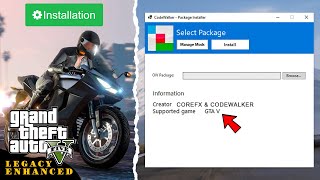
OIV Package Installer is a lightweight alternative to the OpenIV Package Installer. Built on the CodeWalker core, it offers a clean, reliable interface for installing mod packages for Grand Theft Auto V Legacy and Enhanced — classic .oiv packages, .oivs installation wizards, and standalone DLC add-ons (dlc.rpf).
Source Code: https://github.com/crxhvrd/CodeWalkerProjects
CoreFX Modding Discord Server: https://discord.com/invite/jK4SRmBqYt
Features:
- Full Compatibility: Works with all existing OIV mods and packages.
- OIVS Wizard Packages: Exclusive .oivs format — one package with a base mod, optional modules and single-choice options, presented as a Vortex-style installation wizard with before/after previews. Build your own with the included OIVS Packer.
- Uninstall mods & addons via Manage Mods: Safely remove installed mods or addons using the built-in manager.
- DLC Add-on Support: Drag & drop a dlc.rpf (or a folder containing one) to install it and register it in dlclist.xml automatically; enable/disable add-ons from Manage Mods.
- Clean Interface: A familiar UI inspired by OpenIV, providing a clear summary of package metadata.
- Game Support: Fully supports both GTA V Legacy and GTA V Enhanced versions.
- Smart Validation: Automatically validates your game version against the mod's requirements to prevent compatibility issues.
- Safe & Secure: Properly handles file placement logic, ensuring DLC packs and RPF modifications are correctly installed to your mods folder.
Requirements:
To ensure your mods folder works correctly, you must have the appropriate mods loader installed:
- GTA V Legacy: Requires OpenIV.asi
- GTA V Enhanced: Requires OpenRPF.asi
Important Note:
Please ensure the mod you are installing is compatible with your game version. Legacy mods cannot be installed on GTA V Enhanced, and Enhanced mods cannot be installed on GTA V Legacy. Installing incompatible mods will cause your game to crash.
How to Use:
1. Launch CodeWalker.OIVInstaller.exe.
2. Drop a mod package onto the window (.oiv, .oivs or .rpf), or select it via Browse.
3. Select your GTA V game folder.
4. Click Install and wait for the process to complete.
5. Use the Manage Mods tab to uninstall mods if needed.
For Mod Creators:
The installer validates the <gameversion> tag in assembly.xml to ensure your mod is installed on the correct game version.
To enforce game version validation, add the <gameversion> tag to your assembly.xml file inside the <package> element.
Example for Enhanced Edition:
<gameversion>enhanced</gameversion>
Example for Legacy Edition:
<gameversion>legacy</gameversion>
Changelog:
1.0 - Initial release
1.1 - Added Manage Mods (now you can safely remove what you're installed), full OpenIV Format 2.2 Metadata support, Documentation and lots of fixes
1.2 - Added complete support for OpenIV Package Format 2.2 (Text, XML, PSO, Archive editing). Introduced Smart Uninstall to revert specific lines/nodes instead of restoring full files. Added full support for Add-on DLCs with clean uninstallation. Check "Docs" inside the app to see all supported features and todo list.
1.3 - Fixed .ytd file corruption after uninstalling mods via Manage Mods, added install/uninstall log files inside game folder, added better theme support & better stylized installation terminal output.
1.4 - Added CLI version of the app, supports automated .bat scripted mod installations & uninstallations. Batch examples can be found inside our Github source code project
All commands available in Docs -> User Guide.
1.5 - Improved CLI version of the app, advanced logic of install & uninstall mods via CLI with much more safety checks. Added Batch Examples into an archive so you can create your own CLI mod installer based on OIV Package Installer.
1.6 - Added FiveM Mods Auto Install (Experimental), improved PSO/META file editing, added more flags to CLI version of the app.
1.6.1 - Fixed metadata file parsing by trimming UTF-8 BOM.
1.6.2 - OIV Package Installer now ships as a self-contained single .exe file, without need to have net8 installed on your PC. Also fixed duplication ApplyXmlAddOperatio skips for meta files.
1.7 - New animations, skip backup UI option, RageOpenV.asi support and other small fixes.
1.8 - Updated UI, animations, assembly.xml install instructions preview feature and other small fixes.
1.9 - You are now able to install DLC Addons that comes without .oiv package, just drag and drop either a folder that contain dlc.rpf, or dlc.rpf itself inside OIV Package Installer and it will be automatically installed and added into dlclist.xml. Added a new "DLC Add-ons" Tab inside "Manage Mods" menu, allowing you to disable/enabled DLC addons without editing dlclist.xml manually, and other small changes to the app.
2.0 - Added new OIVS installer format that is exclusive to OIV Package Installer. It allows to create installation wizards with optional packages (Vortex Style installation). Added OIVS Packer - an app that builds OIVS packages & minor bug fixes.
2.1 - Package Installer now runs on a modified CodeWalker Core with critical fixes regarding PSO/META files decompile&recompile and now follows install operations generally safer and more accurate. Also fixed a 2GB install cap & other fixes.
2.1.1 - Minor fixes.
Source Code: https://github.com/crxhvrd/CodeWalkerProjects
CoreFX Modding Discord Server: https://discord.com/invite/jK4SRmBqYt
Features:
- Full Compatibility: Works with all existing OIV mods and packages.
- OIVS Wizard Packages: Exclusive .oivs format — one package with a base mod, optional modules and single-choice options, presented as a Vortex-style installation wizard with before/after previews. Build your own with the included OIVS Packer.
- Uninstall mods & addons via Manage Mods: Safely remove installed mods or addons using the built-in manager.
- DLC Add-on Support: Drag & drop a dlc.rpf (or a folder containing one) to install it and register it in dlclist.xml automatically; enable/disable add-ons from Manage Mods.
- Clean Interface: A familiar UI inspired by OpenIV, providing a clear summary of package metadata.
- Game Support: Fully supports both GTA V Legacy and GTA V Enhanced versions.
- Smart Validation: Automatically validates your game version against the mod's requirements to prevent compatibility issues.
- Safe & Secure: Properly handles file placement logic, ensuring DLC packs and RPF modifications are correctly installed to your mods folder.
Requirements:
To ensure your mods folder works correctly, you must have the appropriate mods loader installed:
- GTA V Legacy: Requires OpenIV.asi
- GTA V Enhanced: Requires OpenRPF.asi
Important Note:
Please ensure the mod you are installing is compatible with your game version. Legacy mods cannot be installed on GTA V Enhanced, and Enhanced mods cannot be installed on GTA V Legacy. Installing incompatible mods will cause your game to crash.
How to Use:
1. Launch CodeWalker.OIVInstaller.exe.
2. Drop a mod package onto the window (.oiv, .oivs or .rpf), or select it via Browse.
3. Select your GTA V game folder.
4. Click Install and wait for the process to complete.
5. Use the Manage Mods tab to uninstall mods if needed.
For Mod Creators:
The installer validates the <gameversion> tag in assembly.xml to ensure your mod is installed on the correct game version.
To enforce game version validation, add the <gameversion> tag to your assembly.xml file inside the <package> element.
Example for Enhanced Edition:
<gameversion>enhanced</gameversion>
Example for Legacy Edition:
<gameversion>legacy</gameversion>
Changelog:
1.0 - Initial release
1.1 - Added Manage Mods (now you can safely remove what you're installed), full OpenIV Format 2.2 Metadata support, Documentation and lots of fixes
1.2 - Added complete support for OpenIV Package Format 2.2 (Text, XML, PSO, Archive editing). Introduced Smart Uninstall to revert specific lines/nodes instead of restoring full files. Added full support for Add-on DLCs with clean uninstallation. Check "Docs" inside the app to see all supported features and todo list.
1.3 - Fixed .ytd file corruption after uninstalling mods via Manage Mods, added install/uninstall log files inside game folder, added better theme support & better stylized installation terminal output.
1.4 - Added CLI version of the app, supports automated .bat scripted mod installations & uninstallations. Batch examples can be found inside our Github source code project
All commands available in Docs -> User Guide.
1.5 - Improved CLI version of the app, advanced logic of install & uninstall mods via CLI with much more safety checks. Added Batch Examples into an archive so you can create your own CLI mod installer based on OIV Package Installer.
1.6 - Added FiveM Mods Auto Install (Experimental), improved PSO/META file editing, added more flags to CLI version of the app.
1.6.1 - Fixed metadata file parsing by trimming UTF-8 BOM.
1.6.2 - OIV Package Installer now ships as a self-contained single .exe file, without need to have net8 installed on your PC. Also fixed duplication ApplyXmlAddOperatio skips for meta files.
1.7 - New animations, skip backup UI option, RageOpenV.asi support and other small fixes.
1.8 - Updated UI, animations, assembly.xml install instructions preview feature and other small fixes.
1.9 - You are now able to install DLC Addons that comes without .oiv package, just drag and drop either a folder that contain dlc.rpf, or dlc.rpf itself inside OIV Package Installer and it will be automatically installed and added into dlclist.xml. Added a new "DLC Add-ons" Tab inside "Manage Mods" menu, allowing you to disable/enabled DLC addons without editing dlclist.xml manually, and other small changes to the app.
2.0 - Added new OIVS installer format that is exclusive to OIV Package Installer. It allows to create installation wizards with optional packages (Vortex Style installation). Added OIVS Packer - an app that builds OIVS packages & minor bug fixes.
2.1 - Package Installer now runs on a modified CodeWalker Core with critical fixes regarding PSO/META files decompile&recompile and now follows install operations generally safer and more accurate. Also fixed a 2GB install cap & other fixes.
2.1.1 - Minor fixes.
First Uploaded: January 19, 2026
Last Updated: August 01, 2026
Last Downloaded: 11 minutes ago
93 Comments
OIV Package Installer is a lightweight alternative to the OpenIV Package Installer. Built on the CodeWalker core, it offers a clean, reliable interface for installing mod packages for Grand Theft Auto V Legacy and Enhanced — classic .oiv packages, .oivs installation wizards, and standalone DLC add-ons (dlc.rpf).
Source Code: https://github.com/crxhvrd/CodeWalkerProjects
CoreFX Modding Discord Server: https://discord.com/invite/jK4SRmBqYt
Features:
- Full Compatibility: Works with all existing OIV mods and packages.
- OIVS Wizard Packages: Exclusive .oivs format — one package with a base mod, optional modules and single-choice options, presented as a Vortex-style installation wizard with before/after previews. Build your own with the included OIVS Packer.
- Uninstall mods & addons via Manage Mods: Safely remove installed mods or addons using the built-in manager.
- DLC Add-on Support: Drag & drop a dlc.rpf (or a folder containing one) to install it and register it in dlclist.xml automatically; enable/disable add-ons from Manage Mods.
- Clean Interface: A familiar UI inspired by OpenIV, providing a clear summary of package metadata.
- Game Support: Fully supports both GTA V Legacy and GTA V Enhanced versions.
- Smart Validation: Automatically validates your game version against the mod's requirements to prevent compatibility issues.
- Safe & Secure: Properly handles file placement logic, ensuring DLC packs and RPF modifications are correctly installed to your mods folder.
Requirements:
To ensure your mods folder works correctly, you must have the appropriate mods loader installed:
- GTA V Legacy: Requires OpenIV.asi
- GTA V Enhanced: Requires OpenRPF.asi
Important Note:
Please ensure the mod you are installing is compatible with your game version. Legacy mods cannot be installed on GTA V Enhanced, and Enhanced mods cannot be installed on GTA V Legacy. Installing incompatible mods will cause your game to crash.
How to Use:
1. Launch CodeWalker.OIVInstaller.exe.
2. Drop a mod package onto the window (.oiv, .oivs or .rpf), or select it via Browse.
3. Select your GTA V game folder.
4. Click Install and wait for the process to complete.
5. Use the Manage Mods tab to uninstall mods if needed.
For Mod Creators:
The installer validates the <gameversion> tag in assembly.xml to ensure your mod is installed on the correct game version.
To enforce game version validation, add the <gameversion> tag to your assembly.xml file inside the <package> element.
Example for Enhanced Edition:
<gameversion>enhanced</gameversion>
Example for Legacy Edition:
<gameversion>legacy</gameversion>
Changelog:
1.0 - Initial release
1.1 - Added Manage Mods (now you can safely remove what you're installed), full OpenIV Format 2.2 Metadata support, Documentation and lots of fixes
1.2 - Added complete support for OpenIV Package Format 2.2 (Text, XML, PSO, Archive editing). Introduced Smart Uninstall to revert specific lines/nodes instead of restoring full files. Added full support for Add-on DLCs with clean uninstallation. Check "Docs" inside the app to see all supported features and todo list.
1.3 - Fixed .ytd file corruption after uninstalling mods via Manage Mods, added install/uninstall log files inside game folder, added better theme support & better stylized installation terminal output.
1.4 - Added CLI version of the app, supports automated .bat scripted mod installations & uninstallations. Batch examples can be found inside our Github source code project
All commands available in Docs -> User Guide.
1.5 - Improved CLI version of the app, advanced logic of install & uninstall mods via CLI with much more safety checks. Added Batch Examples into an archive so you can create your own CLI mod installer based on OIV Package Installer.
1.6 - Added FiveM Mods Auto Install (Experimental), improved PSO/META file editing, added more flags to CLI version of the app.
1.6.1 - Fixed metadata file parsing by trimming UTF-8 BOM.
1.6.2 - OIV Package Installer now ships as a self-contained single .exe file, without need to have net8 installed on your PC. Also fixed duplication ApplyXmlAddOperatio skips for meta files.
1.7 - New animations, skip backup UI option, RageOpenV.asi support and other small fixes.
1.8 - Updated UI, animations, assembly.xml install instructions preview feature and other small fixes.
1.9 - You are now able to install DLC Addons that comes without .oiv package, just drag and drop either a folder that contain dlc.rpf, or dlc.rpf itself inside OIV Package Installer and it will be automatically installed and added into dlclist.xml. Added a new "DLC Add-ons" Tab inside "Manage Mods" menu, allowing you to disable/enabled DLC addons without editing dlclist.xml manually, and other small changes to the app.
2.0 - Added new OIVS installer format that is exclusive to OIV Package Installer. It allows to create installation wizards with optional packages (Vortex Style installation). Added OIVS Packer - an app that builds OIVS packages & minor bug fixes.
2.1 - Package Installer now runs on a modified CodeWalker Core with critical fixes regarding PSO/META files decompile&recompile and now follows install operations generally safer and more accurate. Also fixed a 2GB install cap & other fixes.
2.1.1 - Minor fixes.
Source Code: https://github.com/crxhvrd/CodeWalkerProjects
CoreFX Modding Discord Server: https://discord.com/invite/jK4SRmBqYt
Features:
- Full Compatibility: Works with all existing OIV mods and packages.
- OIVS Wizard Packages: Exclusive .oivs format — one package with a base mod, optional modules and single-choice options, presented as a Vortex-style installation wizard with before/after previews. Build your own with the included OIVS Packer.
- Uninstall mods & addons via Manage Mods: Safely remove installed mods or addons using the built-in manager.
- DLC Add-on Support: Drag & drop a dlc.rpf (or a folder containing one) to install it and register it in dlclist.xml automatically; enable/disable add-ons from Manage Mods.
- Clean Interface: A familiar UI inspired by OpenIV, providing a clear summary of package metadata.
- Game Support: Fully supports both GTA V Legacy and GTA V Enhanced versions.
- Smart Validation: Automatically validates your game version against the mod's requirements to prevent compatibility issues.
- Safe & Secure: Properly handles file placement logic, ensuring DLC packs and RPF modifications are correctly installed to your mods folder.
Requirements:
To ensure your mods folder works correctly, you must have the appropriate mods loader installed:
- GTA V Legacy: Requires OpenIV.asi
- GTA V Enhanced: Requires OpenRPF.asi
Important Note:
Please ensure the mod you are installing is compatible with your game version. Legacy mods cannot be installed on GTA V Enhanced, and Enhanced mods cannot be installed on GTA V Legacy. Installing incompatible mods will cause your game to crash.
How to Use:
1. Launch CodeWalker.OIVInstaller.exe.
2. Drop a mod package onto the window (.oiv, .oivs or .rpf), or select it via Browse.
3. Select your GTA V game folder.
4. Click Install and wait for the process to complete.
5. Use the Manage Mods tab to uninstall mods if needed.
For Mod Creators:
The installer validates the <gameversion> tag in assembly.xml to ensure your mod is installed on the correct game version.
To enforce game version validation, add the <gameversion> tag to your assembly.xml file inside the <package> element.
Example for Enhanced Edition:
<gameversion>enhanced</gameversion>
Example for Legacy Edition:
<gameversion>legacy</gameversion>
Changelog:
1.0 - Initial release
1.1 - Added Manage Mods (now you can safely remove what you're installed), full OpenIV Format 2.2 Metadata support, Documentation and lots of fixes
1.2 - Added complete support for OpenIV Package Format 2.2 (Text, XML, PSO, Archive editing). Introduced Smart Uninstall to revert specific lines/nodes instead of restoring full files. Added full support for Add-on DLCs with clean uninstallation. Check "Docs" inside the app to see all supported features and todo list.
1.3 - Fixed .ytd file corruption after uninstalling mods via Manage Mods, added install/uninstall log files inside game folder, added better theme support & better stylized installation terminal output.
1.4 - Added CLI version of the app, supports automated .bat scripted mod installations & uninstallations. Batch examples can be found inside our Github source code project
All commands available in Docs -> User Guide.
1.5 - Improved CLI version of the app, advanced logic of install & uninstall mods via CLI with much more safety checks. Added Batch Examples into an archive so you can create your own CLI mod installer based on OIV Package Installer.
1.6 - Added FiveM Mods Auto Install (Experimental), improved PSO/META file editing, added more flags to CLI version of the app.
1.6.1 - Fixed metadata file parsing by trimming UTF-8 BOM.
1.6.2 - OIV Package Installer now ships as a self-contained single .exe file, without need to have net8 installed on your PC. Also fixed duplication ApplyXmlAddOperatio skips for meta files.
1.7 - New animations, skip backup UI option, RageOpenV.asi support and other small fixes.
1.8 - Updated UI, animations, assembly.xml install instructions preview feature and other small fixes.
1.9 - You are now able to install DLC Addons that comes without .oiv package, just drag and drop either a folder that contain dlc.rpf, or dlc.rpf itself inside OIV Package Installer and it will be automatically installed and added into dlclist.xml. Added a new "DLC Add-ons" Tab inside "Manage Mods" menu, allowing you to disable/enabled DLC addons without editing dlclist.xml manually, and other small changes to the app.
2.0 - Added new OIVS installer format that is exclusive to OIV Package Installer. It allows to create installation wizards with optional packages (Vortex Style installation). Added OIVS Packer - an app that builds OIVS packages & minor bug fixes.
2.1 - Package Installer now runs on a modified CodeWalker Core with critical fixes regarding PSO/META files decompile&recompile and now follows install operations generally safer and more accurate. Also fixed a 2GB install cap & other fixes.
2.1.1 - Minor fixes.
First Uploaded: January 19, 2026
Last Updated: August 01, 2026
Last Downloaded: 11 minutes ago
 5mods on Discord

does this mod edit dlclist as well?
@jazzysoggy12 yes, it installs the same way as OpenIV
@safari4831 weird, it doesn't seem to be editing it for me, any idea of what may be causing it?
@jazzysoggy12 check if your assembly.xml is correct
I think you shouldn‘t package all the dependencies into one program; it's too large. After decompression, it's already like software built with Electron. Many are Microsoft's built-in runtime libraries; if they're not present at runtime, it will prompt to download and install them, so don't worry about beginners not knowing how to use it.
@JoyLucien source code is available, you can build oiv package installer the old way if you want. But for gta5mods release, its better to have everythings packed up.
@safari4831 Hey, looks like a great thing, but I must ask: Is this mod an official part of CodeWalker? Is the CoreFX Discord server ('Beta') the official server of this tool?
@Michael21107 its a separate tool that is bases on CodeWalker core, yes it is an official discord server
In a future version, would it be possible for OIV Installer to automatically merge data files if there are mods editing the same files in update.rpf? For example, installing DriveV, VanillaWorks, as well as mods that are installed to update.rpf instead of DLC packs have dozens of .meta files that conflict with one another.
@Infidel_GTA5Mods mod creators need to edit parts of the code instead of replacing the whole file in assembly.xml, OIV Package Installer does not alter OIV Package Format instructions because it can break something
Can i Install RDE using this? cause i checked the install steps of RDE and it shows nothing...
used this tool to download an enhanced compatible mod with oiv and now the game wont open anymore
<archive path="x64c.rpf" createIfNotExist="True" type="RPF7">
<archive path="levels\gta5\destruction\interior\des_vaultdoor.rpf" createIfNotExist="True" type="RPF7">
<pso path = "des_vaultdoor.ytyp">
<add xpath="/CMapTypes/archetypes" append="Last">
<Item type="CBaseArchetypeDef">
<lodDist value="500.00"/>
<flags value="536870912"/>
<specialAttribute value="0"/>
<bbMin x="-0.5646117" y="-0.7445618" z="-0.0049033"/>
<bbMax x="1.4377360" y="0.7407178" z="48.8361100"/>
<bsCentre x="0.4365621" y="-0.0019220" z="24.4156000"/>
<bsRadius value="24.45"/>
<hdTextureDist value="500.00"/>
<name>nibthor_beam</name>
<textureDictionary>nibthor_beam</textureDictionary>
<clipDictionary></clipDictionary>
<drawableDictionary/>
<physicsDictionary>nibthor_beam</physicsDictionary>
<assetType>ASSET_TYPE_DRAWABLE</assetType>
<assetName>nibthor_beam</assetName>
<extensions/>
</Item>
</add>
This format cannot be written properly (ignore the missing closing tags; I am just giving an example)
@JoyLucien send install logs in our discord server, we are not providing support in the comments
@safari4831 Your server requires phone number verification, and I don't want to disclose mine.
I compiled using the latest code you posted on GitHub. Additionally, the command for writing to dlclist fails to input data.:
<archive path="update\update.rpf" createIfNotExist="True" type="RPF7">
<xml path="common\data\dlclist.xml">
<add xpath="/SMandatoryPacksData/Paths" append="Last">
<Item>dlcpacks:\nib_mods_anims\</Item>
</add>
</xml>
</archive>
@JoyLucien no logs whatsoever, get yourself on our discord server and explain the issue, because here we cant help with anything
@RyzenCore I don't think you can, i'm having the same issue unfortunately :-(
Pls add the ability to install mods bigger than 2 gigabytes
If anyone's wondering how to install RDE using CodeWalker OIV Installer, you just have to open the RDE archive installer using a file archiver like 7zip, then open assembly.xml using notepad.
Inside assembly.xml, look for <Content> and </Content>
You just need to replace their first letters with the lowercase ones like so:
<content> and </content>
After appending them, save it and update the RDE archive installer using the newly edited assembly.xml
There you go, you can now install RDE using CodeWalker OIV Installer!
Just asking. So Open IV isn't necessary anymore right? I can uninstall it?