
602 files liked
318 comments
4 videos
5 uploads
39 followers
67,399 downloads


![Proper Third Person Shooter Controls [FOR GAMEPAD ONLY]](https://img.gta5-mods.com/q75-w500-h333-cfill/images/proper-third-person-shooter-controls-for-gamepad-only/9192b8-ProperTPS_N_V1.1.png "Proper Third Person Shooter Controls [FOR GAMEPAD ONLY]")
![Submersible Dock Mod [For Patoche's Secret Base MLO]](https://img.gta5-mods.com/q75-w500-h333-cfill/images/submersible-dock-mod-for-patoche-s-secret-base-mlo/85dda6-SubDockMod_Cover.png "Submersible Dock Mod [For Patoche's Secret Base MLO]")
 5mods on Discord

I wonder if it can merge the .xml files for the mods that suppose to change the same .xml file. Or the conflicting mods are still need to be installed manually with hand merging the .xml files?
I don't have GTAV installed anymore so I can't try your mod myself but according to what I've seen on your showcase video the mod looks pretty cool. I really like the liquid and bubbles animation and the hose implementation. Great work!
@MattyReady unfortunately I don't have GTAV installed on my PC so I can't check if the mod works on the latest builds of the game just to be 100% sure the problem is not on your side. But if there's a problem with compatibility, SHVDN should tell you the reason in its log. So what SHVDN tells you in the log? Just copy/paste the exception warning here.
@LucidKrai Probably R* changed the name for the language variable over time. There's nothing to fix in the code, the only thing you need is to do what you already did (rename your language file). I'll simply mention this issue in "KNOWN ISSUES" section of the description. Is it with caps like you typed "SimplifiedChinese.cfg" or "simplifiedchinese.cfg"? I don't have GTAV installed to check that myself.
@bumpercars The only way you can get the result you want is to use "dnSpy" app, decompile the INMDealershipCustom.dll file and do this:
1) Delete "Warstock" class completely from "INM_Dealership_Custom" namespace (This will completely remove the Warstock shop from the code)
2) Delete "AAA.NoRestAreas();" line from "OnTick()" method in "AAA" class (also in INM_Dealership_Custom namespace) - this will re-enable the restricted areas again.
3) Save the edited .dll (File -> Save Module)
@jayrea When you enter "Davin Weston" hangar go to the left and there you'll see the door and the bouncing arrow marker. That's the entry trigger for this shop.
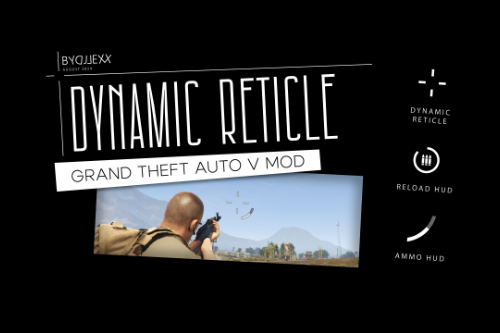
@MattyReady Sup! Do you mean the custom dot enabled but without the dynamic crosshair? If so, then it was already implemented in v1.1 of the mod (just use the latest v1.1.1) - simply uncheck "Dynamic reticle enabled" option while keeping the "Custom dot enabled" option checked and that's it.
@LZNostalgia Hi. The reticle of the mod won't work with the vehicles with a built-in weapons. This issue is mentioned in the "KNOWN ISSUES" section of the mod description. It's not gonna be fixed ¯\_(ツ)_/¯
Nice!
@CJislit Oh I see where it comes from then. Well the modding guide is wrong in this case. LemonUI is just a library and it doesn't make your game unstable on it's own. SHVDN2 and SHVDN3 versions of LemonUI are a separate libraries that can coexist together and do not conflict with each other. I use SHVDN2 version of LemonUI only because it is the last version of LemonUI that supports ScriptHookVDotNet 2 which I prefer to use when I make my mods. As a user you should not bother about choosing what libraries to install for a mods to work - always install libs that author of the mod mentioned as a requirement for his mod. The only exception is when the author of the mod is requiring you to install the library version that conflicts with the newer builds of this library - here you'll have to decide what to choose or ask the author to update his mod in favor of the newer library version.