Minimap Control 2.0




983
25
983
25
MINIMAP CONTROL (Rebuilt 2026: Controller Support & Health Bar Preservation)
Want complete control over your in-game radar for maximum immersion?
Originally released in 2023, Minimap Control has been completely rebuilt from the ground up for modern GTA V and ScriptHookVDotNet v3. It gives you seamless, on-demand control over the visibility and size of your minimap using your keyboard or controller!
Whether you want a clean HUD-free screen for scenic cruising, an automatic dynamic radar that only shows up when driving, or the ability to hide the map while still keeping your health and armor bars visible, Minimap Control has you covered.
FEATURES
CONFIGURATION (MinimapControl.ini)
Customize every feature easily in scripts\MinimapControl.ini:
[Settings]
Enabled=true (Master toggle for the mod)
ToggleKey=B (Keyboard key to toggle minimap visibility)
ToggleModifier=None (Optional modifier: None, Shift, Control, Alt)
ExpandKey=None (Optional hotkey to toggle expanded/large minimap)
[Controller]
EnableController=true (Enable controller / gamepad support)
ControllerToggleControl=MultiplayerInfo (Control button: default D-Pad Down)
ControllerHoldTimeMs=450 (Hold duration in milliseconds to toggle)
[Modes]
VehicleOnlyMode=false (Automatically hide on foot, show in vehicles)
[Display]
KeepHealthArmorVisible=true (Keep Health & Armor bars visible when map is hidden)
ShowNotification=true (Show on-screen subtitle notification)
PlaySoundEffect=true (Play audio click when toggling)
REQUIREMENTS
INSTALLATION
CHANGELOG
Want complete control over your in-game radar for maximum immersion?
Originally released in 2023, Minimap Control has been completely rebuilt from the ground up for modern GTA V and ScriptHookVDotNet v3. It gives you seamless, on-demand control over the visibility and size of your minimap using your keyboard or controller!
Whether you want a clean HUD-free screen for scenic cruising, an automatic dynamic radar that only shows up when driving, or the ability to hide the map while still keeping your health and armor bars visible, Minimap Control has you covered.
FEATURES
- Instant Keyboard Toggle: Press B (fully configurable) to toggle the minimap ON / OFF at any time.
- Full Controller / Gamepad Support: Hold D-Pad Down (~450ms) on your controller to toggle the minimap ON / OFF. Quick taps are preserved for vanilla radar expansion and multiplayer info!
- Keep Health & Armor Visible: Unlike basic scripts that completely black out the entire radar frame, you can choose to hide only the map view while keeping your Health and Armor bars visible on screen.
- Dynamic Vehicle-Only Mode: Optional immersion mode that automatically hides the radar while on foot and smoothly reveals it whenever you enter any vehicle.
- Expanded Radar Hotkey: Option to bind a dedicated hotkey to toggle the enlarged/big minimap view.
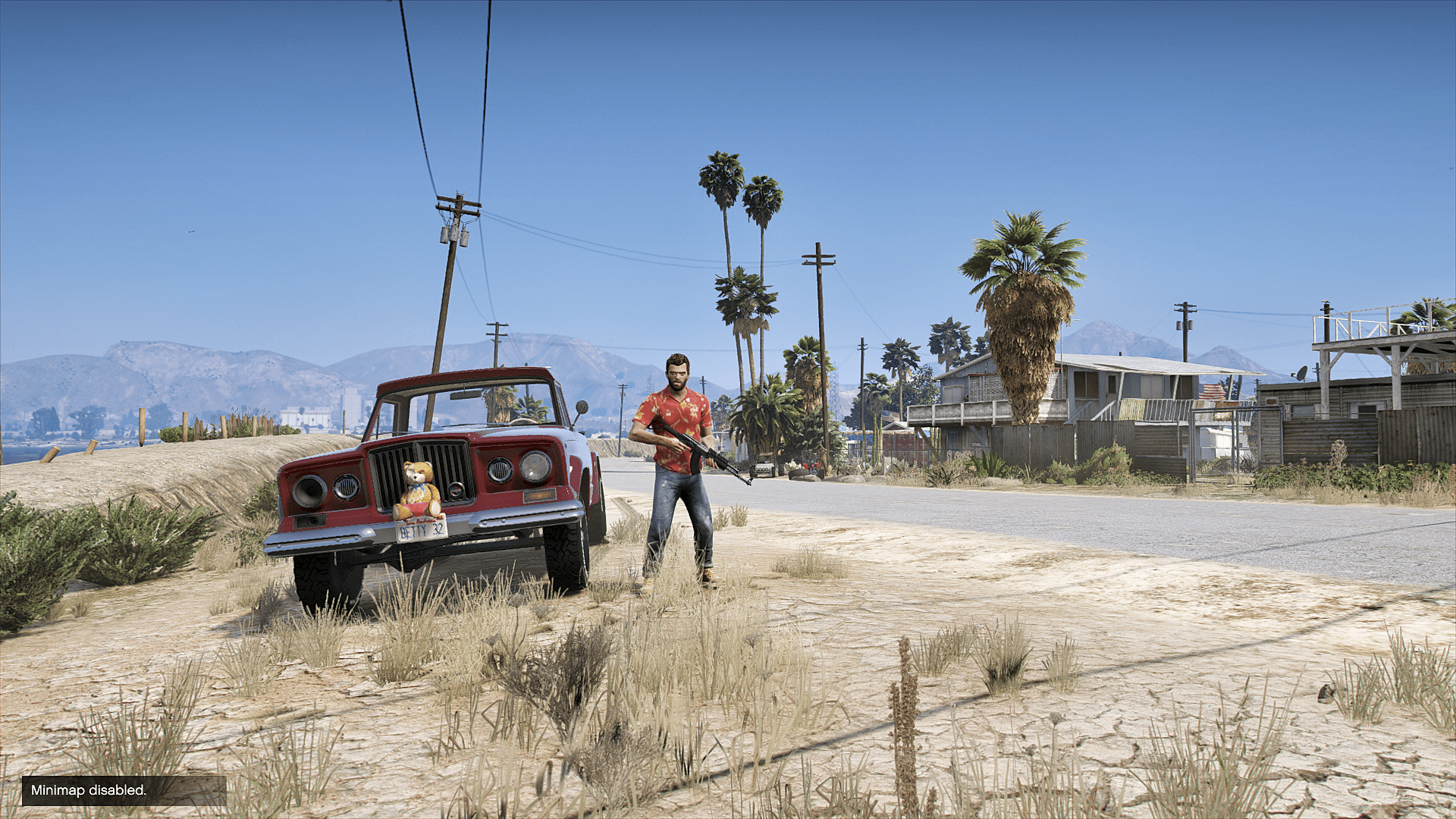
- Audio & Visual Feedback: Plays a subtle frontend click sound and displays clean on-screen subtitle notifications (Minimap: ON / Minimap: OFF / Minimap: EXPANDED).
- Modifier Key Support: Bind keyboard hotkeys with Shift, Ctrl, or Alt to prevent accidental triggers.
- Zero Performance Impact: Highly optimized code with 0% FPS impact, zero stuttering, and safe pause menu/cutscene guards.
CONFIGURATION (MinimapControl.ini)
Customize every feature easily in scripts\MinimapControl.ini:
[Settings]
Enabled=true (Master toggle for the mod)
ToggleKey=B (Keyboard key to toggle minimap visibility)
ToggleModifier=None (Optional modifier: None, Shift, Control, Alt)
ExpandKey=None (Optional hotkey to toggle expanded/large minimap)
[Controller]
EnableController=true (Enable controller / gamepad support)
ControllerToggleControl=MultiplayerInfo (Control button: default D-Pad Down)
ControllerHoldTimeMs=450 (Hold duration in milliseconds to toggle)
[Modes]
VehicleOnlyMode=false (Automatically hide on foot, show in vehicles)
[Display]
KeepHealthArmorVisible=true (Keep Health & Armor bars visible when map is hidden)
ShowNotification=true (Show on-screen subtitle notification)
PlaySoundEffect=true (Play audio click when toggling)
REQUIREMENTS
INSTALLATION
- Make sure you have both Script Hook V and ScriptHookVDotNet installed in your main GTA V folder.
- Extract the downloaded archive.
- Drag and drop MinimapControl.dll and MinimapControl.ini into your Grand Theft Auto V\scripts\ folder.
- (Optional) Open MinimapControl.ini with Notepad to customize your keybindings, controller hold duration, or display modes.
- Launch the game and enjoy total HUD control!
CHANGELOG
- v2.0 (Complete Ground-Up Rebuild):
- Rebuilt from scratch for ScriptHookVDotNet v3, fixing obsolete API crashes
- Added native controller / gamepad hold support (D-Pad Down)
- Added KeepHealthArmorVisible option to preserve health and armor meters while hiding the map
- Added dynamic VehicleOnlyMode
- Added expanded radar toggle support
- Added on-screen notifications and frontend audio feedback
- Added comprehensive INI configuration file
- v1.0 (2024):
- Original release
First Uploaded: February 11, 2024
Last Updated: September 09, 2026
Last Downloaded: 6 hours ago
12 Comments
MINIMAP CONTROL (Rebuilt 2026: Controller Support & Health Bar Preservation)
Want complete control over your in-game radar for maximum immersion?
Originally released in 2023, Minimap Control has been completely rebuilt from the ground up for modern GTA V and ScriptHookVDotNet v3. It gives you seamless, on-demand control over the visibility and size of your minimap using your keyboard or controller!
Whether you want a clean HUD-free screen for scenic cruising, an automatic dynamic radar that only shows up when driving, or the ability to hide the map while still keeping your health and armor bars visible, Minimap Control has you covered.
FEATURES
CONFIGURATION (MinimapControl.ini)
Customize every feature easily in scripts\MinimapControl.ini:
[Settings]
Enabled=true (Master toggle for the mod)
ToggleKey=B (Keyboard key to toggle minimap visibility)
ToggleModifier=None (Optional modifier: None, Shift, Control, Alt)
ExpandKey=None (Optional hotkey to toggle expanded/large minimap)
[Controller]
EnableController=true (Enable controller / gamepad support)
ControllerToggleControl=MultiplayerInfo (Control button: default D-Pad Down)
ControllerHoldTimeMs=450 (Hold duration in milliseconds to toggle)
[Modes]
VehicleOnlyMode=false (Automatically hide on foot, show in vehicles)
[Display]
KeepHealthArmorVisible=true (Keep Health & Armor bars visible when map is hidden)
ShowNotification=true (Show on-screen subtitle notification)
PlaySoundEffect=true (Play audio click when toggling)
REQUIREMENTS
INSTALLATION
CHANGELOG
Want complete control over your in-game radar for maximum immersion?
Originally released in 2023, Minimap Control has been completely rebuilt from the ground up for modern GTA V and ScriptHookVDotNet v3. It gives you seamless, on-demand control over the visibility and size of your minimap using your keyboard or controller!
Whether you want a clean HUD-free screen for scenic cruising, an automatic dynamic radar that only shows up when driving, or the ability to hide the map while still keeping your health and armor bars visible, Minimap Control has you covered.
FEATURES
- Instant Keyboard Toggle: Press B (fully configurable) to toggle the minimap ON / OFF at any time.
- Full Controller / Gamepad Support: Hold D-Pad Down (~450ms) on your controller to toggle the minimap ON / OFF. Quick taps are preserved for vanilla radar expansion and multiplayer info!
- Keep Health & Armor Visible: Unlike basic scripts that completely black out the entire radar frame, you can choose to hide only the map view while keeping your Health and Armor bars visible on screen.
- Dynamic Vehicle-Only Mode: Optional immersion mode that automatically hides the radar while on foot and smoothly reveals it whenever you enter any vehicle.
- Expanded Radar Hotkey: Option to bind a dedicated hotkey to toggle the enlarged/big minimap view.
- Audio & Visual Feedback: Plays a subtle frontend click sound and displays clean on-screen subtitle notifications (Minimap: ON / Minimap: OFF / Minimap: EXPANDED).
- Modifier Key Support: Bind keyboard hotkeys with Shift, Ctrl, or Alt to prevent accidental triggers.
- Zero Performance Impact: Highly optimized code with 0% FPS impact, zero stuttering, and safe pause menu/cutscene guards.
CONFIGURATION (MinimapControl.ini)
Customize every feature easily in scripts\MinimapControl.ini:
[Settings]
Enabled=true (Master toggle for the mod)
ToggleKey=B (Keyboard key to toggle minimap visibility)
ToggleModifier=None (Optional modifier: None, Shift, Control, Alt)
ExpandKey=None (Optional hotkey to toggle expanded/large minimap)
[Controller]
EnableController=true (Enable controller / gamepad support)
ControllerToggleControl=MultiplayerInfo (Control button: default D-Pad Down)
ControllerHoldTimeMs=450 (Hold duration in milliseconds to toggle)
[Modes]
VehicleOnlyMode=false (Automatically hide on foot, show in vehicles)
[Display]
KeepHealthArmorVisible=true (Keep Health & Armor bars visible when map is hidden)
ShowNotification=true (Show on-screen subtitle notification)
PlaySoundEffect=true (Play audio click when toggling)
REQUIREMENTS
INSTALLATION
- Make sure you have both Script Hook V and ScriptHookVDotNet installed in your main GTA V folder.
- Extract the downloaded archive.
- Drag and drop MinimapControl.dll and MinimapControl.ini into your Grand Theft Auto V\scripts\ folder.
- (Optional) Open MinimapControl.ini with Notepad to customize your keybindings, controller hold duration, or display modes.
- Launch the game and enjoy total HUD control!
CHANGELOG
- v2.0 (Complete Ground-Up Rebuild):
- Rebuilt from scratch for ScriptHookVDotNet v3, fixing obsolete API crashes
- Added native controller / gamepad hold support (D-Pad Down)
- Added KeepHealthArmorVisible option to preserve health and armor meters while hiding the map
- Added dynamic VehicleOnlyMode
- Added expanded radar toggle support
- Added on-screen notifications and frontend audio feedback
- Added comprehensive INI configuration file
- v1.0 (2024):
- Original release
First Uploaded: February 11, 2024
Last Updated: September 09, 2026
Last Downloaded: 6 hours ago
 5mods on Discord

Nice mod :)
Thank you! Appreciate it <3
awesome! is there a way to make it so the minimap comes out every time you take out your phone?
doesn't work
Made an account just to say this. To anyone that can't get this to work, open the cs file in notepad and remove the line "UI.Notify(minimapMessage);" it should now work. Love the mod btw, very immersive.
Need to be able to change it from B if possible. I'd love to have this mod so I can switch it off when I get out the car
Could you please update this to work with enhanced...?
StoicBliss are you able to make it work/compatible with then Remove Original GTA Health Bar mod please
aww its mr rasberry jam what his he doing on a different vehicle
@Revrevr1111 it is compatible with Enhanced. just follow the requirements.
Map works fantastic (this mod was really needed and very much appreciated) along with the notification sounds, but the health/armor bar disappears when disabling the map and there's nothing for it in the ini. file. Maybe it was forgotten to be added in? :)
@Wolverine75 I'll implement it in next update. 😊