Omni-Man Voice Pack 2.0


![Gang Mod [Respect System]](https://img.gta5-mods.com/q75-w500-h333-cfill/images/gang-territory-mod-respect-system/b515bd-dwfwfwfwfwww.jpg "Gang Mod [Respect System]")


137
3
137
3
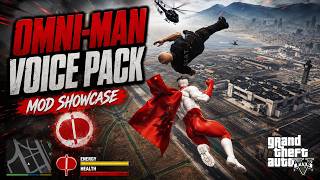
Omni-Man Voice Pack V2!
Bring Omni-Man into Los Santos with a full dynamic dialogue system designed to make playing as the character feel much more alive.
This voice pack includes over 150 audio files across multiple gameplay situations. Dialogue is triggered dynamically based on what you're actually doing in-game rather than simply playing sounds at random intervals.
The pack is primarily built around the more ruthless, intimidating side of Omni-Man, making it a great companion for Omni-Man character models and superhero script mods.
This mod is truly unique and you won't find it anywhere else!
After I made the video that you're probably watching, I edited the script and added a randomized sound shuffle system. Read MORE about it below!
-----------------------------------------------------------------------------------------------------------------------------
NEW UPDATE V2 / HOW TO USE:
The Omni-Man Voice Pack now features model detection! The voice pack will only activate while you're actually playing as the Omni-Man model you've added to the included .ini file, preventing his dialogue from triggering while using other characters or add-on peds.
I've also added support for multiple Omni-Man models and variations through the included OmniManVoicePack.ini file.
To add your Omni-Man model, simply open the INI located in the OmniManVoicePack folder and enter the actual ped spawn/model name — NOT necessarily the friendly name displayed by your trainer or ped selector. You can add multiple spawn names if you use more than one version of Omni-Man.
Once your model is added, the rest is completely automatic. Play as one of your configured Omni-Man models or "suits", which call the model, and the voice pack activates. Switch to another character who isn't an Omni-Man you've configured and it becomes inactive.
Make sure you enter the actual spawn name of the ped you're using and restart GTA V or reload your scripts after making changes to the INI.
-----------------------------------------------------------------------------------------------------------------------------
FEATURES:
Omni-Man can dynamically react to:
Combat – Dialogue while attacking and fighting enemies.
Taking Damage – Reactions when Omni-Man takes damage.
Pedestrian Bumps – Dialogue when someone bumps into or collides with you.
Getting Honked At – Reactions when nearby drivers honk at you.
Entering Vehicles – Dialogue when entering a vehicle.
Vehicle Crashes – Reactions to collisions while driving.
Idle Moments – Random dialogue while standing around or slowly walking outside of combat.
Wanted Level Increase – Dialogue as police attention and your wanted level increase.
Wanted Level Decrease – Dialogue as your wanted level drops.
-----------------------------------------------------------------------------------------------------------------------------
NEW SOUND SHUFFLE SYSTEM:
There are over 150 audio files in total, spread across the different dialogue categories.
After I made the video, I edited the script and added a randomized sound shuffle system.
Every dialogue clip within a category is placed into a randomized queue. Once a clip has been played, it won't be selected again until every other clip in that category has had its turn. Once the entire category has been played, the queue reshuffles and starts again.
This means you'll actually hear the full voice pack instead of the same handful of lines constantly repeating.
Each dialogue category maintains its own independent queue.
-----------------------------------------------------------------------------------------------------------------------------
DYNAMIC DIALOGUE:
The voice pack isn't designed to make Omni-Man constantly talk.
Dialogue uses individual trigger chances and cooldowns depending on the action, helping
prevent lines from constantly interrupting each other or becoming repetitive.
For example, taking damage doesn't guarantee dialogue every single time you're hit, and attacking doesn't trigger a voice line with every punch.
The goal is for dialogue to happen naturally during gameplay.
-----------------------------------------------------------------------------------------------------------------------------
INSTALLATION:
This mod requires:
Grand Theft Auto V Legacy v3988 (not sure if it works for Enhanced, will update ASAP)
ScriptHookV v3788.0/1013.33
ScriptHookVDotNet 3 v3.7.0
1. Make sure ScriptHookV and ScriptHookVDotNet 3 are properly installed.
2. Open your GTA V main directory.
3. Locate your scripts folder. If you don't have one, create it.
4. Copy the included OmniManVoicePack.dll into the scripts folder.
5. Copy the included OmniManVoicePack folder into the same scripts folder.
6. Launch GTA V.
Your structure should look similar to:
GTA V
└── scripts
├── OmniManVoicePack.dll
└── OmniManVoicePack
The mod automatically creates its required folders if any are missing.
-----------------------------------------------------------------------------------------------------------------------------
BUGS / KNOWN LIMITATIONS:
Dialogue detection is based on GTA V gameplay events and conditions, so certain unusual situations may occasionally trigger dialogue differently than expected.
Dialogue uses cooldowns and randomized trigger chances. If Omni-Man doesn't respond to an action, this does not necessarily mean the mod isn't working.
This is a voice pack and does not include an Omni-Man character model, powers, animations, or superhero gameplay script.
Other scripts or mods that heavily modify GTA V's combat, vehicle, player, or wanted systems may potentially affect certain dialogue triggers.
If you discover a consistent bug, feel free to report what happened and what you were doing when it occurred.
-----------------------------------------------------------------------------------------------------------------------------
CREDITS:
Mod/Script: WillisMods
Please do not re-upload, redistribute, modify, repack, or include this
voice pack or its files in another public release without permission.
-----------------------------------------------------------------------------------------------------------------------------
FEEDBACK:
This is the initial release, and I'm open to expanding it based on community feedback.
If you have ideas for additional dialogue triggers, music that plays when an enemy or ally is spawned in, improvements, or other characters you'd like to see receive a voice pack, leave a comment!
-----------------------------------------------------------------------------------------------------------------------------
Donations are appreciated:
PayPal: https://paypal.me/ryanwillisofficial
Venmo: ryanwillisofficial
Cashapp: ryanwillisofficial
Bring Omni-Man into Los Santos with a full dynamic dialogue system designed to make playing as the character feel much more alive.
This voice pack includes over 150 audio files across multiple gameplay situations. Dialogue is triggered dynamically based on what you're actually doing in-game rather than simply playing sounds at random intervals.
The pack is primarily built around the more ruthless, intimidating side of Omni-Man, making it a great companion for Omni-Man character models and superhero script mods.
This mod is truly unique and you won't find it anywhere else!
After I made the video that you're probably watching, I edited the script and added a randomized sound shuffle system. Read MORE about it below!
-----------------------------------------------------------------------------------------------------------------------------
NEW UPDATE V2 / HOW TO USE:
The Omni-Man Voice Pack now features model detection! The voice pack will only activate while you're actually playing as the Omni-Man model you've added to the included .ini file, preventing his dialogue from triggering while using other characters or add-on peds.
I've also added support for multiple Omni-Man models and variations through the included OmniManVoicePack.ini file.
To add your Omni-Man model, simply open the INI located in the OmniManVoicePack folder and enter the actual ped spawn/model name — NOT necessarily the friendly name displayed by your trainer or ped selector. You can add multiple spawn names if you use more than one version of Omni-Man.
Once your model is added, the rest is completely automatic. Play as one of your configured Omni-Man models or "suits", which call the model, and the voice pack activates. Switch to another character who isn't an Omni-Man you've configured and it becomes inactive.
Make sure you enter the actual spawn name of the ped you're using and restart GTA V or reload your scripts after making changes to the INI.
-----------------------------------------------------------------------------------------------------------------------------
FEATURES:
Omni-Man can dynamically react to:
Combat – Dialogue while attacking and fighting enemies.
Taking Damage – Reactions when Omni-Man takes damage.
Pedestrian Bumps – Dialogue when someone bumps into or collides with you.
Getting Honked At – Reactions when nearby drivers honk at you.
Entering Vehicles – Dialogue when entering a vehicle.
Vehicle Crashes – Reactions to collisions while driving.
Idle Moments – Random dialogue while standing around or slowly walking outside of combat.
Wanted Level Increase – Dialogue as police attention and your wanted level increase.
Wanted Level Decrease – Dialogue as your wanted level drops.
-----------------------------------------------------------------------------------------------------------------------------
NEW SOUND SHUFFLE SYSTEM:
There are over 150 audio files in total, spread across the different dialogue categories.
After I made the video, I edited the script and added a randomized sound shuffle system.
Every dialogue clip within a category is placed into a randomized queue. Once a clip has been played, it won't be selected again until every other clip in that category has had its turn. Once the entire category has been played, the queue reshuffles and starts again.
This means you'll actually hear the full voice pack instead of the same handful of lines constantly repeating.
Each dialogue category maintains its own independent queue.
-----------------------------------------------------------------------------------------------------------------------------
DYNAMIC DIALOGUE:
The voice pack isn't designed to make Omni-Man constantly talk.
Dialogue uses individual trigger chances and cooldowns depending on the action, helping
prevent lines from constantly interrupting each other or becoming repetitive.
For example, taking damage doesn't guarantee dialogue every single time you're hit, and attacking doesn't trigger a voice line with every punch.
The goal is for dialogue to happen naturally during gameplay.
-----------------------------------------------------------------------------------------------------------------------------
INSTALLATION:
This mod requires:
Grand Theft Auto V Legacy v3988 (not sure if it works for Enhanced, will update ASAP)
ScriptHookV v3788.0/1013.33
ScriptHookVDotNet 3 v3.7.0
1. Make sure ScriptHookV and ScriptHookVDotNet 3 are properly installed.
2. Open your GTA V main directory.
3. Locate your scripts folder. If you don't have one, create it.
4. Copy the included OmniManVoicePack.dll into the scripts folder.
5. Copy the included OmniManVoicePack folder into the same scripts folder.
6. Launch GTA V.
Your structure should look similar to:
GTA V
└── scripts
├── OmniManVoicePack.dll
└── OmniManVoicePack
The mod automatically creates its required folders if any are missing.
-----------------------------------------------------------------------------------------------------------------------------
BUGS / KNOWN LIMITATIONS:
Dialogue detection is based on GTA V gameplay events and conditions, so certain unusual situations may occasionally trigger dialogue differently than expected.
Dialogue uses cooldowns and randomized trigger chances. If Omni-Man doesn't respond to an action, this does not necessarily mean the mod isn't working.
This is a voice pack and does not include an Omni-Man character model, powers, animations, or superhero gameplay script.
Other scripts or mods that heavily modify GTA V's combat, vehicle, player, or wanted systems may potentially affect certain dialogue triggers.
If you discover a consistent bug, feel free to report what happened and what you were doing when it occurred.
-----------------------------------------------------------------------------------------------------------------------------
CREDITS:
Mod/Script: WillisMods
Please do not re-upload, redistribute, modify, repack, or include this
voice pack or its files in another public release without permission.
-----------------------------------------------------------------------------------------------------------------------------
FEEDBACK:
This is the initial release, and I'm open to expanding it based on community feedback.
If you have ideas for additional dialogue triggers, music that plays when an enemy or ally is spawned in, improvements, or other characters you'd like to see receive a voice pack, leave a comment!
-----------------------------------------------------------------------------------------------------------------------------
Donations are appreciated:
PayPal: https://paypal.me/ryanwillisofficial
Venmo: ryanwillisofficial
Cashapp: ryanwillisofficial
First Uploaded: 2 days ago
Last Updated: 17 hours ago
Last Downloaded: 10 minutes ago
16 Comments
More mods by WillisMods:
Omni-Man Voice Pack V2!
Bring Omni-Man into Los Santos with a full dynamic dialogue system designed to make playing as the character feel much more alive.
This voice pack includes over 150 audio files across multiple gameplay situations. Dialogue is triggered dynamically based on what you're actually doing in-game rather than simply playing sounds at random intervals.
The pack is primarily built around the more ruthless, intimidating side of Omni-Man, making it a great companion for Omni-Man character models and superhero script mods.
This mod is truly unique and you won't find it anywhere else!
After I made the video that you're probably watching, I edited the script and added a randomized sound shuffle system. Read MORE about it below!
-----------------------------------------------------------------------------------------------------------------------------
NEW UPDATE V2 / HOW TO USE:
The Omni-Man Voice Pack now features model detection! The voice pack will only activate while you're actually playing as the Omni-Man model you've added to the included .ini file, preventing his dialogue from triggering while using other characters or add-on peds.
I've also added support for multiple Omni-Man models and variations through the included OmniManVoicePack.ini file.
To add your Omni-Man model, simply open the INI located in the OmniManVoicePack folder and enter the actual ped spawn/model name — NOT necessarily the friendly name displayed by your trainer or ped selector. You can add multiple spawn names if you use more than one version of Omni-Man.
Once your model is added, the rest is completely automatic. Play as one of your configured Omni-Man models or "suits", which call the model, and the voice pack activates. Switch to another character who isn't an Omni-Man you've configured and it becomes inactive.
Make sure you enter the actual spawn name of the ped you're using and restart GTA V or reload your scripts after making changes to the INI.
-----------------------------------------------------------------------------------------------------------------------------
FEATURES:
Omni-Man can dynamically react to:
Combat – Dialogue while attacking and fighting enemies.
Taking Damage – Reactions when Omni-Man takes damage.
Pedestrian Bumps – Dialogue when someone bumps into or collides with you.
Getting Honked At – Reactions when nearby drivers honk at you.
Entering Vehicles – Dialogue when entering a vehicle.
Vehicle Crashes – Reactions to collisions while driving.
Idle Moments – Random dialogue while standing around or slowly walking outside of combat.
Wanted Level Increase – Dialogue as police attention and your wanted level increase.
Wanted Level Decrease – Dialogue as your wanted level drops.
-----------------------------------------------------------------------------------------------------------------------------
NEW SOUND SHUFFLE SYSTEM:
There are over 150 audio files in total, spread across the different dialogue categories.
After I made the video, I edited the script and added a randomized sound shuffle system.
Every dialogue clip within a category is placed into a randomized queue. Once a clip has been played, it won't be selected again until every other clip in that category has had its turn. Once the entire category has been played, the queue reshuffles and starts again.
This means you'll actually hear the full voice pack instead of the same handful of lines constantly repeating.
Each dialogue category maintains its own independent queue.
-----------------------------------------------------------------------------------------------------------------------------
DYNAMIC DIALOGUE:
The voice pack isn't designed to make Omni-Man constantly talk.
Dialogue uses individual trigger chances and cooldowns depending on the action, helping
prevent lines from constantly interrupting each other or becoming repetitive.
For example, taking damage doesn't guarantee dialogue every single time you're hit, and attacking doesn't trigger a voice line with every punch.
The goal is for dialogue to happen naturally during gameplay.
-----------------------------------------------------------------------------------------------------------------------------
INSTALLATION:
This mod requires:
Grand Theft Auto V Legacy v3988 (not sure if it works for Enhanced, will update ASAP)
ScriptHookV v3788.0/1013.33
ScriptHookVDotNet 3 v3.7.0
1. Make sure ScriptHookV and ScriptHookVDotNet 3 are properly installed.
2. Open your GTA V main directory.
3. Locate your scripts folder. If you don't have one, create it.
4. Copy the included OmniManVoicePack.dll into the scripts folder.
5. Copy the included OmniManVoicePack folder into the same scripts folder.
6. Launch GTA V.
Your structure should look similar to:
GTA V
└── scripts
├── OmniManVoicePack.dll
└── OmniManVoicePack
The mod automatically creates its required folders if any are missing.
-----------------------------------------------------------------------------------------------------------------------------
BUGS / KNOWN LIMITATIONS:
Dialogue detection is based on GTA V gameplay events and conditions, so certain unusual situations may occasionally trigger dialogue differently than expected.
Dialogue uses cooldowns and randomized trigger chances. If Omni-Man doesn't respond to an action, this does not necessarily mean the mod isn't working.
This is a voice pack and does not include an Omni-Man character model, powers, animations, or superhero gameplay script.
Other scripts or mods that heavily modify GTA V's combat, vehicle, player, or wanted systems may potentially affect certain dialogue triggers.
If you discover a consistent bug, feel free to report what happened and what you were doing when it occurred.
-----------------------------------------------------------------------------------------------------------------------------
CREDITS:
Mod/Script: WillisMods
Please do not re-upload, redistribute, modify, repack, or include this
voice pack or its files in another public release without permission.
-----------------------------------------------------------------------------------------------------------------------------
FEEDBACK:
This is the initial release, and I'm open to expanding it based on community feedback.
If you have ideas for additional dialogue triggers, music that plays when an enemy or ally is spawned in, improvements, or other characters you'd like to see receive a voice pack, leave a comment!
-----------------------------------------------------------------------------------------------------------------------------
Donations are appreciated:
PayPal: https://paypal.me/ryanwillisofficial
Venmo: ryanwillisofficial
Cashapp: ryanwillisofficial
Bring Omni-Man into Los Santos with a full dynamic dialogue system designed to make playing as the character feel much more alive.
This voice pack includes over 150 audio files across multiple gameplay situations. Dialogue is triggered dynamically based on what you're actually doing in-game rather than simply playing sounds at random intervals.
The pack is primarily built around the more ruthless, intimidating side of Omni-Man, making it a great companion for Omni-Man character models and superhero script mods.
This mod is truly unique and you won't find it anywhere else!
After I made the video that you're probably watching, I edited the script and added a randomized sound shuffle system. Read MORE about it below!
-----------------------------------------------------------------------------------------------------------------------------
NEW UPDATE V2 / HOW TO USE:
The Omni-Man Voice Pack now features model detection! The voice pack will only activate while you're actually playing as the Omni-Man model you've added to the included .ini file, preventing his dialogue from triggering while using other characters or add-on peds.
I've also added support for multiple Omni-Man models and variations through the included OmniManVoicePack.ini file.
To add your Omni-Man model, simply open the INI located in the OmniManVoicePack folder and enter the actual ped spawn/model name — NOT necessarily the friendly name displayed by your trainer or ped selector. You can add multiple spawn names if you use more than one version of Omni-Man.
Once your model is added, the rest is completely automatic. Play as one of your configured Omni-Man models or "suits", which call the model, and the voice pack activates. Switch to another character who isn't an Omni-Man you've configured and it becomes inactive.
Make sure you enter the actual spawn name of the ped you're using and restart GTA V or reload your scripts after making changes to the INI.
-----------------------------------------------------------------------------------------------------------------------------
FEATURES:
Omni-Man can dynamically react to:
Combat – Dialogue while attacking and fighting enemies.
Taking Damage – Reactions when Omni-Man takes damage.
Pedestrian Bumps – Dialogue when someone bumps into or collides with you.
Getting Honked At – Reactions when nearby drivers honk at you.
Entering Vehicles – Dialogue when entering a vehicle.
Vehicle Crashes – Reactions to collisions while driving.
Idle Moments – Random dialogue while standing around or slowly walking outside of combat.
Wanted Level Increase – Dialogue as police attention and your wanted level increase.
Wanted Level Decrease – Dialogue as your wanted level drops.
-----------------------------------------------------------------------------------------------------------------------------
NEW SOUND SHUFFLE SYSTEM:
There are over 150 audio files in total, spread across the different dialogue categories.
After I made the video, I edited the script and added a randomized sound shuffle system.
Every dialogue clip within a category is placed into a randomized queue. Once a clip has been played, it won't be selected again until every other clip in that category has had its turn. Once the entire category has been played, the queue reshuffles and starts again.
This means you'll actually hear the full voice pack instead of the same handful of lines constantly repeating.
Each dialogue category maintains its own independent queue.
-----------------------------------------------------------------------------------------------------------------------------
DYNAMIC DIALOGUE:
The voice pack isn't designed to make Omni-Man constantly talk.
Dialogue uses individual trigger chances and cooldowns depending on the action, helping
prevent lines from constantly interrupting each other or becoming repetitive.
For example, taking damage doesn't guarantee dialogue every single time you're hit, and attacking doesn't trigger a voice line with every punch.
The goal is for dialogue to happen naturally during gameplay.
-----------------------------------------------------------------------------------------------------------------------------
INSTALLATION:
This mod requires:
Grand Theft Auto V Legacy v3988 (not sure if it works for Enhanced, will update ASAP)
ScriptHookV v3788.0/1013.33
ScriptHookVDotNet 3 v3.7.0
1. Make sure ScriptHookV and ScriptHookVDotNet 3 are properly installed.
2. Open your GTA V main directory.
3. Locate your scripts folder. If you don't have one, create it.
4. Copy the included OmniManVoicePack.dll into the scripts folder.
5. Copy the included OmniManVoicePack folder into the same scripts folder.
6. Launch GTA V.
Your structure should look similar to:
GTA V
└── scripts
├── OmniManVoicePack.dll
└── OmniManVoicePack
The mod automatically creates its required folders if any are missing.
-----------------------------------------------------------------------------------------------------------------------------
BUGS / KNOWN LIMITATIONS:
Dialogue detection is based on GTA V gameplay events and conditions, so certain unusual situations may occasionally trigger dialogue differently than expected.
Dialogue uses cooldowns and randomized trigger chances. If Omni-Man doesn't respond to an action, this does not necessarily mean the mod isn't working.
This is a voice pack and does not include an Omni-Man character model, powers, animations, or superhero gameplay script.
Other scripts or mods that heavily modify GTA V's combat, vehicle, player, or wanted systems may potentially affect certain dialogue triggers.
If you discover a consistent bug, feel free to report what happened and what you were doing when it occurred.
-----------------------------------------------------------------------------------------------------------------------------
CREDITS:
Mod/Script: WillisMods
Please do not re-upload, redistribute, modify, repack, or include this
voice pack or its files in another public release without permission.
-----------------------------------------------------------------------------------------------------------------------------
FEEDBACK:
This is the initial release, and I'm open to expanding it based on community feedback.
If you have ideas for additional dialogue triggers, music that plays when an enemy or ally is spawned in, improvements, or other characters you'd like to see receive a voice pack, leave a comment!
-----------------------------------------------------------------------------------------------------------------------------
Donations are appreciated:
PayPal: https://paypal.me/ryanwillisofficial
Venmo: ryanwillisofficial
Cashapp: ryanwillisofficial
First Uploaded: 2 days ago
Last Updated: 17 hours ago
Last Downloaded: 10 minutes ago
 5mods on Discord

What's 17 more years?
Ion think this belongs in script tab
man if this working i fucking love you as much as i can
this so cool man but i wish it was only for Omni man peds. it just gets in the way of conversation when playing story missions or playing as other peds. i tried renaming the main voice pack folder to my install Omni man ped model to make it just for it but it didn.t work. maybe you add that feature? so it can only meant for Omniman and not to any peds.
@Nezelexity Just follow the installation guide and you'll be just peachy!
@W1ESZ3K It does indeed work haha!
@Raizen_Flare32 Yeah, that would be awesome for sure! Don't know how I didn't think of that! But that's what your feedback is for! Your feedback will be helping to shape this mod! I could definitely see what I can do! If able to do so, I'll add it to a very near update and let you know when it's released! :)
@Default_Username LOVE IT!
@WillisMods thanks man. i will be waiting on that update. oh also i got another idea, make some of the voices to a customizable(so you can pick which voice you want to toggle)toggable packs like when press E or dpad right to speak but i think this will be somehow hard.
We need a Superman voice pack immediately!!! Love the voice packs tho!!!!!!!
This is really impressive!
The only thing left to make it epic, would be seeing a voice sync mouth moving animation to go along with it
@Raizen_Flare32 Definitely sounds interesting, but let’s take this one step at a time haha! By the way, I updated the mod by editing the script to only be active when a configured model of Omni-Man is selected! A .ini file will be associated so you can add the model and other variants of Omni-Man! It’s still pending approval by admins on here, so just waiting so I can edit the mod description and let everyone else know! :)
@zaytay Now is on my to-do list! :)
@nj5050 Noted! Now on my to-do list!
Great work once again, great to see how the concept is developing, being able to choose your own model input is a very nice inclusion regardless if its technically an Omni-Man ped or not, well done!
Slightly off-topic, but I had a thought, as you have cracked the code on injecting audio as a reaction to gamestate and such, are you potentially the person to one day look into a reactive music mod where we can add our own soundtrack files? Dynamically changing with a short crossfade for various situations, example might be: idle/general states, combat states, music when in a vehicle, and perhaps music in a vehicle after a collision to imply switching to a high octane music choice until exiting vehicle. The ability for users to add their own tracks would be the ultimate goal or something like replacing temp "track1.wav, track2.wav" files in a folder structure perhaps. Just a thought, its just very exciting to see someone after a decade get in to the nuts and bolts of reactive audio implementation :)
@WillisMods amazing wow just purely amazing it is worthy of the Grand Regent attention. This is how we suppose to play omni man. epic