GigarazorLp Story Mode Menu [Legacy & Enhanced] 4.2


![Ped Selector [Legacy Only]](https://img.gta5-mods.com/q75-w500-h333-cfill/images/addon-pedselector/d97791-20260711132417_1.jpg "Ped Selector [Legacy Only]")


3,825
21
3,825
21
GIGARAZORLP STORY MODE MENU V4.2
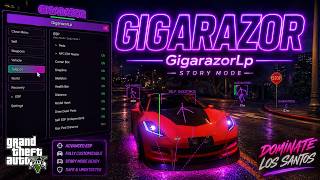
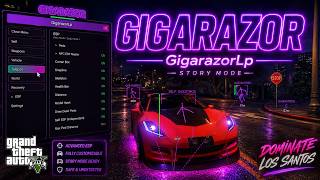
GTA V Singleplayer and Story Mode ASI menu for Script Hook V.
Legacy and Enhanced supported.
FEATURES
Player, Weapon and Vehicle Options
Vehicle Spawner and Customization
Aimbot, ESP and Skeleton ESP
Triggerbot and Hit Viewer
Hash Aim and Target Bounding Boxes
One Shot One Kill
Super Punch and Weapon Launch
Walk On Air and Water
Drive On Water
Air Dash and Magnetic Road
Vehicle Noclip Steering
Peaceful World
Teleport, Weather and Time
NPC and Bodyguard Options
Freecam
Black Hole Freecam
White Hole and White Hole Freecam
Weapon Freecam
Kill Cam
Camera Aimbot
Freecam Spotlight Controls
Tiny Ped Scaling
Weapon Scale
Tire Effects
Vehicle Restore Stock
Cruise Control
MK2 Weapon Ped-Switch Restore
Lua Script Loader
XML Loader
Themes and Custom GUI
Anime Theme Support
Hotkey Manager and Hotkey Viewer
LAN Co-op V2 via UDP
Player and Vehicle Sync
Vehicle Colors, Mods and Passenger Sync
Entity, Scene and Ped Director Tools
Director Camera
Weapon Presets
Fuel System
Traffic and Ocean Controls
Vehicle Special Controls
Player FX, Aura and Electric Effects
Keyboard, Mouse and Controller Support
CHANGELOG
Version 4.2
Bugfixes Freecam
Version 4.1
Add World Ped Freecam
Add World Vehicle Freecam
Add World Ped Freecam shot
Add World Vehicle Freecam shot
Adjustable light color on Freecam
Add Vehicle wallshot
Add Engine wallshot
Add Tire wallshot
Bypass Patch
Version 4.0
Add Lua ESP
Add Skeletton
Version 3.9
Blackhole , White Hole
FIX Header
VERSION 3.8
Added White Hole and White Hole Freecam
Added standalone World Freecam with Spotlight controls
Added Spotlight Brightness, Range and Size controls
Added Tiny Ped support for Own Player and All Peds
Added visible Weapon Scale with Reset
Added Tire Effects with Fire, Smoke, Sparks and Clown effects
Added persistent Tire Effects and dedicated Tire Effects menu
Added Vehicle Restore Stock / Downgrade function
Added MK2 Weapon Ped-Switch Restore
Added MK2 ammo, tint and component restoration
Added Anime GUI theme support for GigarazorLP
Added smoother animated GIF header playback
Improved Cruise Control with smooth speed handling
Improved Cruise Control brake, handbrake and reverse cancellation
Improved White Hole performance and entity handling
Improved Tiny Ped tracking and reset safety
Improved Story Mode cleanup and feature reset logic
Improved mouse wheel menu navigation
Improved Legacy and Enhanced consistency
Improved overall Story Mode stability
VERSION 3.7
Added Triggerbot and Hit Viewer
Added Hash Aim and Target Bounding Boxes
Added Black Hole Freecam, Weapon Freecam and Kill Cam
Added Camera Aimbot and Freecam Grab Controls
Added Hotkey Manager and Hotkey Viewer
Added Vehicle Noclip Steering
Added ESP Health Bar Color Mode
Added Reset All Settings
Improved Triggerbot, ESP and No Recoil
Improved Freecam, Renderer and Story Mode stability
INSTALLATION
1. Download Script Hook V by Alexander Blade.
2. Open the Script Hook V archive.
3. Copy these files from the bin folder into your GTA V main directory:
ScriptHookV.dll
dinput8.dll
4. Copy the correct GigarazorLP ASI into the same GTA V directory.
Legacy GTA V - use Legacy ASI
Enhanced GTA V - use Enhanced ASI
Do not install both ASI versions at the same time.
5. Start GTA V and enter Story Mode.
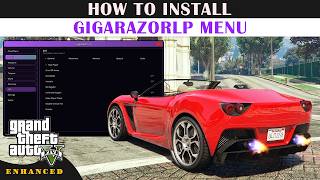
6. Press F5 or INSERT to open the menu.
STORY MODE AND SINGLEPLAYER ONLY
Not intended for GTA Online.
Developer: GigarazorLP
GTA V Singleplayer and Story Mode ASI menu for Script Hook V.
Legacy and Enhanced supported.
FEATURES
Player, Weapon and Vehicle Options
Vehicle Spawner and Customization
Aimbot, ESP and Skeleton ESP
Triggerbot and Hit Viewer
Hash Aim and Target Bounding Boxes
One Shot One Kill
Super Punch and Weapon Launch
Walk On Air and Water
Drive On Water
Air Dash and Magnetic Road
Vehicle Noclip Steering
Peaceful World
Teleport, Weather and Time
NPC and Bodyguard Options
Freecam
Black Hole Freecam
White Hole and White Hole Freecam
Weapon Freecam
Kill Cam
Camera Aimbot
Freecam Spotlight Controls
Tiny Ped Scaling
Weapon Scale
Tire Effects
Vehicle Restore Stock
Cruise Control
MK2 Weapon Ped-Switch Restore
Lua Script Loader
XML Loader
Themes and Custom GUI
Anime Theme Support
Hotkey Manager and Hotkey Viewer
LAN Co-op V2 via UDP
Player and Vehicle Sync
Vehicle Colors, Mods and Passenger Sync
Entity, Scene and Ped Director Tools
Director Camera
Weapon Presets
Fuel System
Traffic and Ocean Controls
Vehicle Special Controls
Player FX, Aura and Electric Effects
Keyboard, Mouse and Controller Support
CHANGELOG
Version 4.2
Bugfixes Freecam
Version 4.1
Add World Ped Freecam
Add World Vehicle Freecam
Add World Ped Freecam shot
Add World Vehicle Freecam shot
Adjustable light color on Freecam
Add Vehicle wallshot
Add Engine wallshot
Add Tire wallshot
Bypass Patch
Version 4.0
Add Lua ESP
Add Skeletton
Version 3.9
Blackhole , White Hole
FIX Header
VERSION 3.8
Added White Hole and White Hole Freecam
Added standalone World Freecam with Spotlight controls
Added Spotlight Brightness, Range and Size controls
Added Tiny Ped support for Own Player and All Peds
Added visible Weapon Scale with Reset
Added Tire Effects with Fire, Smoke, Sparks and Clown effects
Added persistent Tire Effects and dedicated Tire Effects menu
Added Vehicle Restore Stock / Downgrade function
Added MK2 Weapon Ped-Switch Restore
Added MK2 ammo, tint and component restoration
Added Anime GUI theme support for GigarazorLP
Added smoother animated GIF header playback
Improved Cruise Control with smooth speed handling
Improved Cruise Control brake, handbrake and reverse cancellation
Improved White Hole performance and entity handling
Improved Tiny Ped tracking and reset safety
Improved Story Mode cleanup and feature reset logic
Improved mouse wheel menu navigation
Improved Legacy and Enhanced consistency
Improved overall Story Mode stability
VERSION 3.7
Added Triggerbot and Hit Viewer
Added Hash Aim and Target Bounding Boxes
Added Black Hole Freecam, Weapon Freecam and Kill Cam
Added Camera Aimbot and Freecam Grab Controls
Added Hotkey Manager and Hotkey Viewer
Added Vehicle Noclip Steering
Added ESP Health Bar Color Mode
Added Reset All Settings
Improved Triggerbot, ESP and No Recoil
Improved Freecam, Renderer and Story Mode stability
INSTALLATION
1. Download Script Hook V by Alexander Blade.
2. Open the Script Hook V archive.
3. Copy these files from the bin folder into your GTA V main directory:
ScriptHookV.dll
dinput8.dll
4. Copy the correct GigarazorLP ASI into the same GTA V directory.
Legacy GTA V - use Legacy ASI
Enhanced GTA V - use Enhanced ASI
Do not install both ASI versions at the same time.
5. Start GTA V and enter Story Mode.
6. Press F5 or INSERT to open the menu.
STORY MODE AND SINGLEPLAYER ONLY
Not intended for GTA Online.
Developer: GigarazorLP
First Uploaded: August 15, 2026
Last Updated: 4 days ago
Last Downloaded: 2 minutes ago
93 Comments
GIGARAZORLP STORY MODE MENU V4.2
GTA V Singleplayer and Story Mode ASI menu for Script Hook V.
Legacy and Enhanced supported.
FEATURES
Player, Weapon and Vehicle Options
Vehicle Spawner and Customization
Aimbot, ESP and Skeleton ESP
Triggerbot and Hit Viewer
Hash Aim and Target Bounding Boxes
One Shot One Kill
Super Punch and Weapon Launch
Walk On Air and Water
Drive On Water
Air Dash and Magnetic Road
Vehicle Noclip Steering
Peaceful World
Teleport, Weather and Time
NPC and Bodyguard Options
Freecam
Black Hole Freecam
White Hole and White Hole Freecam
Weapon Freecam
Kill Cam
Camera Aimbot
Freecam Spotlight Controls
Tiny Ped Scaling
Weapon Scale
Tire Effects
Vehicle Restore Stock
Cruise Control
MK2 Weapon Ped-Switch Restore
Lua Script Loader
XML Loader
Themes and Custom GUI
Anime Theme Support
Hotkey Manager and Hotkey Viewer
LAN Co-op V2 via UDP
Player and Vehicle Sync
Vehicle Colors, Mods and Passenger Sync
Entity, Scene and Ped Director Tools
Director Camera
Weapon Presets
Fuel System
Traffic and Ocean Controls
Vehicle Special Controls
Player FX, Aura and Electric Effects
Keyboard, Mouse and Controller Support
CHANGELOG
Version 4.2
Bugfixes Freecam
Version 4.1
Add World Ped Freecam
Add World Vehicle Freecam
Add World Ped Freecam shot
Add World Vehicle Freecam shot
Adjustable light color on Freecam
Add Vehicle wallshot
Add Engine wallshot
Add Tire wallshot
Bypass Patch
Version 4.0
Add Lua ESP
Add Skeletton
Version 3.9
Blackhole , White Hole
FIX Header
VERSION 3.8
Added White Hole and White Hole Freecam
Added standalone World Freecam with Spotlight controls
Added Spotlight Brightness, Range and Size controls
Added Tiny Ped support for Own Player and All Peds
Added visible Weapon Scale with Reset
Added Tire Effects with Fire, Smoke, Sparks and Clown effects
Added persistent Tire Effects and dedicated Tire Effects menu
Added Vehicle Restore Stock / Downgrade function
Added MK2 Weapon Ped-Switch Restore
Added MK2 ammo, tint and component restoration
Added Anime GUI theme support for GigarazorLP
Added smoother animated GIF header playback
Improved Cruise Control with smooth speed handling
Improved Cruise Control brake, handbrake and reverse cancellation
Improved White Hole performance and entity handling
Improved Tiny Ped tracking and reset safety
Improved Story Mode cleanup and feature reset logic
Improved mouse wheel menu navigation
Improved Legacy and Enhanced consistency
Improved overall Story Mode stability
VERSION 3.7
Added Triggerbot and Hit Viewer
Added Hash Aim and Target Bounding Boxes
Added Black Hole Freecam, Weapon Freecam and Kill Cam
Added Camera Aimbot and Freecam Grab Controls
Added Hotkey Manager and Hotkey Viewer
Added Vehicle Noclip Steering
Added ESP Health Bar Color Mode
Added Reset All Settings
Improved Triggerbot, ESP and No Recoil
Improved Freecam, Renderer and Story Mode stability
INSTALLATION
1. Download Script Hook V by Alexander Blade.
2. Open the Script Hook V archive.
3. Copy these files from the bin folder into your GTA V main directory:
ScriptHookV.dll
dinput8.dll
4. Copy the correct GigarazorLP ASI into the same GTA V directory.
Legacy GTA V - use Legacy ASI
Enhanced GTA V - use Enhanced ASI
Do not install both ASI versions at the same time.
5. Start GTA V and enter Story Mode.
6. Press F5 or INSERT to open the menu.
STORY MODE AND SINGLEPLAYER ONLY
Not intended for GTA Online.
Developer: GigarazorLP
GTA V Singleplayer and Story Mode ASI menu for Script Hook V.
Legacy and Enhanced supported.
FEATURES
Player, Weapon and Vehicle Options
Vehicle Spawner and Customization
Aimbot, ESP and Skeleton ESP
Triggerbot and Hit Viewer
Hash Aim and Target Bounding Boxes
One Shot One Kill
Super Punch and Weapon Launch
Walk On Air and Water
Drive On Water
Air Dash and Magnetic Road
Vehicle Noclip Steering
Peaceful World
Teleport, Weather and Time
NPC and Bodyguard Options
Freecam
Black Hole Freecam
White Hole and White Hole Freecam
Weapon Freecam
Kill Cam
Camera Aimbot
Freecam Spotlight Controls
Tiny Ped Scaling
Weapon Scale
Tire Effects
Vehicle Restore Stock
Cruise Control
MK2 Weapon Ped-Switch Restore
Lua Script Loader
XML Loader
Themes and Custom GUI
Anime Theme Support
Hotkey Manager and Hotkey Viewer
LAN Co-op V2 via UDP
Player and Vehicle Sync
Vehicle Colors, Mods and Passenger Sync
Entity, Scene and Ped Director Tools
Director Camera
Weapon Presets
Fuel System
Traffic and Ocean Controls
Vehicle Special Controls
Player FX, Aura and Electric Effects
Keyboard, Mouse and Controller Support
CHANGELOG
Version 4.2
Bugfixes Freecam
Version 4.1
Add World Ped Freecam
Add World Vehicle Freecam
Add World Ped Freecam shot
Add World Vehicle Freecam shot
Adjustable light color on Freecam
Add Vehicle wallshot
Add Engine wallshot
Add Tire wallshot
Bypass Patch
Version 4.0
Add Lua ESP
Add Skeletton
Version 3.9
Blackhole , White Hole
FIX Header
VERSION 3.8
Added White Hole and White Hole Freecam
Added standalone World Freecam with Spotlight controls
Added Spotlight Brightness, Range and Size controls
Added Tiny Ped support for Own Player and All Peds
Added visible Weapon Scale with Reset
Added Tire Effects with Fire, Smoke, Sparks and Clown effects
Added persistent Tire Effects and dedicated Tire Effects menu
Added Vehicle Restore Stock / Downgrade function
Added MK2 Weapon Ped-Switch Restore
Added MK2 ammo, tint and component restoration
Added Anime GUI theme support for GigarazorLP
Added smoother animated GIF header playback
Improved Cruise Control with smooth speed handling
Improved Cruise Control brake, handbrake and reverse cancellation
Improved White Hole performance and entity handling
Improved Tiny Ped tracking and reset safety
Improved Story Mode cleanup and feature reset logic
Improved mouse wheel menu navigation
Improved Legacy and Enhanced consistency
Improved overall Story Mode stability
VERSION 3.7
Added Triggerbot and Hit Viewer
Added Hash Aim and Target Bounding Boxes
Added Black Hole Freecam, Weapon Freecam and Kill Cam
Added Camera Aimbot and Freecam Grab Controls
Added Hotkey Manager and Hotkey Viewer
Added Vehicle Noclip Steering
Added ESP Health Bar Color Mode
Added Reset All Settings
Improved Triggerbot, ESP and No Recoil
Improved Freecam, Renderer and Story Mode stability
INSTALLATION
1. Download Script Hook V by Alexander Blade.
2. Open the Script Hook V archive.
3. Copy these files from the bin folder into your GTA V main directory:
ScriptHookV.dll
dinput8.dll
4. Copy the correct GigarazorLP ASI into the same GTA V directory.
Legacy GTA V - use Legacy ASI
Enhanced GTA V - use Enhanced ASI
Do not install both ASI versions at the same time.
5. Start GTA V and enter Story Mode.
6. Press F5 or INSERT to open the menu.
STORY MODE AND SINGLEPLAYER ONLY
Not intended for GTA Online.
Developer: GigarazorLP
First Uploaded: August 15, 2026
Last Updated: 4 days ago
Last Downloaded: 2 minutes ago
 5mods on Discord

ou can find my other mods through the website linked on my profile. All downloads are checked before release, and you can of course scan the files yourself as well. I’ll continue to keep this menu updated here too.
Vehicle Bypass is disabled by default. You can enable it in Settings!
If you have any problems or questions, feel free to message me on Discord. You can find both my website and Discord directly on my profile — just click the house icon or the Discord icon.
Best regards,
GigarazorLP
@fcwasd yes the problem triggerbot have 120ms better menyoo logic
After each game startup, this mod takes some time to initialize and load within the game, and generates new redundant animation files in a temporary folder on the system disk. This will cause the total volume of temporary files in this temporary folder to increase. Most GTAV mod menus, including Menyoo, do not encounter this issue.
Every time I try to open GTA V it just says, "SCRIPT HOOK V CRITICAL ERROR" and "FATAL: can't load required directx libraries".
@ToxicMaster Please try updating your graphics card driver. The menu is behaving very strangely on our end.
@ToxicMaster Could you please try the new update? :)
I updated my graphics card but nothing changed the same error appears
@ToxicMaster Do other mods work?
@ToxicMaster https://www.dev-c.com/gtav/scripthookv/
@ToxicMaster Sorry about the Chinese, but the SDK doesn't support the character encoding. My apologies.
@ToxicMaster Very rare problem, everything works fine for us 😕 GTA checked or strange mods installed?
If you want a better skeleton for the ESP, you currently have to run it on the Enhanced version, since there doesn't seem to be another solution. It's built the same way and specifically adjusted for GTA V — the issue simply comes down to the renderer.
I've been thinking about running the whole thing through Lua instead, since that would be much easier. I still need to test it first, though. If it ends up looking the same, I probably won't release the update.
Otherwise, we'll just have to live with it. On the Enhanced version, it looks the way it's supposed to.
Best regards
only for story mode?
@miles83679475 yes
just want to find an offline GTAV mod menu that has the functions of ESP, AIMBOT and Triggerbot. However, the functions of this mod menu have become increasingly diverse, with more and more fancy animations.
@fcwasd hanks for the feedback! ESP, Aimbot and Triggerbot will stay core features. The extra features and animations are optional, so you can still use it as a simple offline menu.
@fcwasd Sure, you could develop a universal tool like that. It’s definitely possible — maybe it would even be better than the menu option, since you could tailor it exactly to your own needs. I think something like that would be really useful for a lot of people.
Wall Shot - Peds (Visibility OFF)
I will later implement Fire Strike Gun with a toggle switch between several options.
Fire Strike animated from left to right towards the target point