Grand Theft Auto V Platform Switcher 1.1.0.3323.0



83,126
209
83,126
209
Description
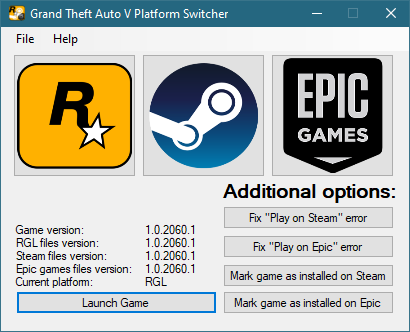
A tiny utility for easy switching between Rockstar Games Launcher, Steam, Epic Games Launcher with just only one game installation.
You don't have to install this pretty big game for each launcher and consume so much disk space by duplicating game files.
You can just manage all launcher editions by using one game installation and just switching platform-specific files. It saves so much time you'd spend by downloading and fighting stupid issues.
Guide
It's complain to give a text here, just watch entirely one of these tutorials if you have game installed from:
Steam - https://youtu.be/12D6Dzm94Ns
Rockstar Games Launcher - https://youtu.be/be6NTGniXjM
Epic Games Launcher - https://youtu.be/eU_xPIpNRgw
Requirements
- 64-bit Windows 10 (Windows 7 wasn't tested)
- .NET Framework 4.8.1
FAQ
Q. Why are these tutorials so difficult?
A. There is needed to force all platforms using same game folder and making Rockstar Games Launcher determine all of them as installed. I recommend you to watch the tutorial entirely without any actions, and start doing all at second watch, or if you’re not so fast, set speed to 0,75x or 0,5x.
Note: «Move» in tutorials is NOT copy+paste (Ctrl+C, then Ctrl+V), it’s cut+paste (Ctrl+X, then Ctrl+V)
Q. How to determine what’s my current version of Switcher and files?
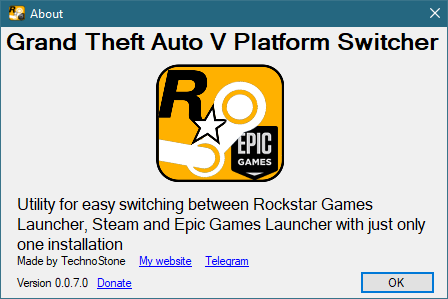
A. Switcher version can be seen in Help — About at bottom left, files versions are shown in main window
Q. Is it open source?
A. Since 1.1.0 - yes, at https://github.com/TechnoStone/PlatformSwitcherLegacy
0.0.7 can be restored from commit history, older versions are lost forever, but you won't need them
Changelog
Can be found in About - How to use
GTA5-Mods special changelog:
• 1.1.0.3323.0 - Contains Switcher executable version 1.1.0 with game files version 1.0.3323.0 (update with BattlEye Anti-Cheat, GTA5_BE.exe is shared between all platforms so no need for Switcher to have it)
• 1.1.0.3274.0 - Contains Switcher executable version 1.1.0 with game files version 1.0.3274.0
• 1.1.0.3258.0 - Contains Switcher executable version 1.1.0 with game files version 1.0.3258.0
• 1.1.0.3179.0 - Contains Switcher executable version 1.1.0 with game files version 1.0.3179.0
• 1.1.0.3095.0 with Jan30 updated Launcher .exe's: updated GTAVLanguageSelect.exe, GTAVLauncher.exe, PlayGTAV.exe to v1.0.0.66 and title.rgl to reflect Jan 30's minor game update to prevent very rare conflict during installation and usage
• 1.1.0.3095.0 - Switcher executable version 1.1.0: fixed issues of switching to and from Epic, updated registry paths to reflect new installation flags; added title.rgl file for every platform to prevent RGL's monkeycoded behavior
• 1.0.0.3095.0 - Contains Switcher executable version 0.0.7 with game files version 1.0.3095.0
• Many versions below down to oldest with the same executable as the one above, but with different base game executables
A tiny utility for easy switching between Rockstar Games Launcher, Steam, Epic Games Launcher with just only one game installation.
You don't have to install this pretty big game for each launcher and consume so much disk space by duplicating game files.
You can just manage all launcher editions by using one game installation and just switching platform-specific files. It saves so much time you'd spend by downloading and fighting stupid issues.
Guide
It's complain to give a text here, just watch entirely one of these tutorials if you have game installed from:
Steam - https://youtu.be/12D6Dzm94Ns
Rockstar Games Launcher - https://youtu.be/be6NTGniXjM
Epic Games Launcher - https://youtu.be/eU_xPIpNRgw
Requirements
- 64-bit Windows 10 (Windows 7 wasn't tested)
- .NET Framework 4.8.1
FAQ
Q. Why are these tutorials so difficult?
A. There is needed to force all platforms using same game folder and making Rockstar Games Launcher determine all of them as installed. I recommend you to watch the tutorial entirely without any actions, and start doing all at second watch, or if you’re not so fast, set speed to 0,75x or 0,5x.
Note: «Move» in tutorials is NOT copy+paste (Ctrl+C, then Ctrl+V), it’s cut+paste (Ctrl+X, then Ctrl+V)
Q. How to determine what’s my current version of Switcher and files?
A. Switcher version can be seen in Help — About at bottom left, files versions are shown in main window
Q. Is it open source?
A. Since 1.1.0 - yes, at https://github.com/TechnoStone/PlatformSwitcherLegacy
0.0.7 can be restored from commit history, older versions are lost forever, but you won't need them
Changelog
Can be found in About - How to use
GTA5-Mods special changelog:
• 1.1.0.3323.0 - Contains Switcher executable version 1.1.0 with game files version 1.0.3323.0 (update with BattlEye Anti-Cheat, GTA5_BE.exe is shared between all platforms so no need for Switcher to have it)
• 1.1.0.3274.0 - Contains Switcher executable version 1.1.0 with game files version 1.0.3274.0
• 1.1.0.3258.0 - Contains Switcher executable version 1.1.0 with game files version 1.0.3258.0
• 1.1.0.3179.0 - Contains Switcher executable version 1.1.0 with game files version 1.0.3179.0
• 1.1.0.3095.0 with Jan30 updated Launcher .exe's: updated GTAVLanguageSelect.exe, GTAVLauncher.exe, PlayGTAV.exe to v1.0.0.66 and title.rgl to reflect Jan 30's minor game update to prevent very rare conflict during installation and usage
• 1.1.0.3095.0 - Switcher executable version 1.1.0: fixed issues of switching to and from Epic, updated registry paths to reflect new installation flags; added title.rgl file for every platform to prevent RGL's monkeycoded behavior
• 1.0.0.3095.0 - Contains Switcher executable version 0.0.7 with game files version 1.0.3095.0
• Many versions below down to oldest with the same executable as the one above, but with different base game executables
First Uploaded: October 11, 2020
Last Updated: September 18, 2024
Last Downloaded: 1 hour ago
All Versions
63 Comments
Description
A tiny utility for easy switching between Rockstar Games Launcher, Steam, Epic Games Launcher with just only one game installation.
You don't have to install this pretty big game for each launcher and consume so much disk space by duplicating game files.
You can just manage all launcher editions by using one game installation and just switching platform-specific files. It saves so much time you'd spend by downloading and fighting stupid issues.
Guide
It's complain to give a text here, just watch entirely one of these tutorials if you have game installed from:
Steam - https://youtu.be/12D6Dzm94Ns
Rockstar Games Launcher - https://youtu.be/be6NTGniXjM
Epic Games Launcher - https://youtu.be/eU_xPIpNRgw
Requirements
- 64-bit Windows 10 (Windows 7 wasn't tested)
- .NET Framework 4.8.1
FAQ
Q. Why are these tutorials so difficult?
A. There is needed to force all platforms using same game folder and making Rockstar Games Launcher determine all of them as installed. I recommend you to watch the tutorial entirely without any actions, and start doing all at second watch, or if you’re not so fast, set speed to 0,75x or 0,5x.
Note: «Move» in tutorials is NOT copy+paste (Ctrl+C, then Ctrl+V), it’s cut+paste (Ctrl+X, then Ctrl+V)
Q. How to determine what’s my current version of Switcher and files?
A. Switcher version can be seen in Help — About at bottom left, files versions are shown in main window
Q. Is it open source?
A. Since 1.1.0 - yes, at https://github.com/TechnoStone/PlatformSwitcherLegacy
0.0.7 can be restored from commit history, older versions are lost forever, but you won't need them
Changelog
Can be found in About - How to use
GTA5-Mods special changelog:
• 1.1.0.3323.0 - Contains Switcher executable version 1.1.0 with game files version 1.0.3323.0 (update with BattlEye Anti-Cheat, GTA5_BE.exe is shared between all platforms so no need for Switcher to have it)
• 1.1.0.3274.0 - Contains Switcher executable version 1.1.0 with game files version 1.0.3274.0
• 1.1.0.3258.0 - Contains Switcher executable version 1.1.0 with game files version 1.0.3258.0
• 1.1.0.3179.0 - Contains Switcher executable version 1.1.0 with game files version 1.0.3179.0
• 1.1.0.3095.0 with Jan30 updated Launcher .exe's: updated GTAVLanguageSelect.exe, GTAVLauncher.exe, PlayGTAV.exe to v1.0.0.66 and title.rgl to reflect Jan 30's minor game update to prevent very rare conflict during installation and usage
• 1.1.0.3095.0 - Switcher executable version 1.1.0: fixed issues of switching to and from Epic, updated registry paths to reflect new installation flags; added title.rgl file for every platform to prevent RGL's monkeycoded behavior
• 1.0.0.3095.0 - Contains Switcher executable version 0.0.7 with game files version 1.0.3095.0
• Many versions below down to oldest with the same executable as the one above, but with different base game executables
A tiny utility for easy switching between Rockstar Games Launcher, Steam, Epic Games Launcher with just only one game installation.
You don't have to install this pretty big game for each launcher and consume so much disk space by duplicating game files.
You can just manage all launcher editions by using one game installation and just switching platform-specific files. It saves so much time you'd spend by downloading and fighting stupid issues.
Guide
It's complain to give a text here, just watch entirely one of these tutorials if you have game installed from:
Steam - https://youtu.be/12D6Dzm94Ns
Rockstar Games Launcher - https://youtu.be/be6NTGniXjM
Epic Games Launcher - https://youtu.be/eU_xPIpNRgw
Requirements
- 64-bit Windows 10 (Windows 7 wasn't tested)
- .NET Framework 4.8.1
FAQ
Q. Why are these tutorials so difficult?
A. There is needed to force all platforms using same game folder and making Rockstar Games Launcher determine all of them as installed. I recommend you to watch the tutorial entirely without any actions, and start doing all at second watch, or if you’re not so fast, set speed to 0,75x or 0,5x.
Note: «Move» in tutorials is NOT copy+paste (Ctrl+C, then Ctrl+V), it’s cut+paste (Ctrl+X, then Ctrl+V)
Q. How to determine what’s my current version of Switcher and files?
A. Switcher version can be seen in Help — About at bottom left, files versions are shown in main window
Q. Is it open source?
A. Since 1.1.0 - yes, at https://github.com/TechnoStone/PlatformSwitcherLegacy
0.0.7 can be restored from commit history, older versions are lost forever, but you won't need them
Changelog
Can be found in About - How to use
GTA5-Mods special changelog:
• 1.1.0.3323.0 - Contains Switcher executable version 1.1.0 with game files version 1.0.3323.0 (update with BattlEye Anti-Cheat, GTA5_BE.exe is shared between all platforms so no need for Switcher to have it)
• 1.1.0.3274.0 - Contains Switcher executable version 1.1.0 with game files version 1.0.3274.0
• 1.1.0.3258.0 - Contains Switcher executable version 1.1.0 with game files version 1.0.3258.0
• 1.1.0.3179.0 - Contains Switcher executable version 1.1.0 with game files version 1.0.3179.0
• 1.1.0.3095.0 with Jan30 updated Launcher .exe's: updated GTAVLanguageSelect.exe, GTAVLauncher.exe, PlayGTAV.exe to v1.0.0.66 and title.rgl to reflect Jan 30's minor game update to prevent very rare conflict during installation and usage
• 1.1.0.3095.0 - Switcher executable version 1.1.0: fixed issues of switching to and from Epic, updated registry paths to reflect new installation flags; added title.rgl file for every platform to prevent RGL's monkeycoded behavior
• 1.0.0.3095.0 - Contains Switcher executable version 0.0.7 with game files version 1.0.3095.0
• Many versions below down to oldest with the same executable as the one above, but with different base game executables
First Uploaded: October 11, 2020
Last Updated: September 18, 2024
Last Downloaded: 1 hour ago
 5mods on Discord

Can this work with IOS, Android, Linux, and N64 versions too. I like to have 20 copies of each game so this mod is exactly what I needed.
is this really legit?
I transferred the game from Rockstars launcher to steam, but I don't see it in steam
I highly doubt that this is legal.
Your video from steam has been taken down... definitely needs a new one!
@EnderWinner can you reupload the steam version, it says its been removed because of ToS and i cant find it anywhere else
Sadly, it can't be reuploaded. I'm in process of re-writing whole switcher (will call it 2.0 thou) with new ideas to make more friendly UX and much easier setup that won't require so complex guide, while having something like "select where do you have a game installed, specify which edition is it, and click install for other editions to make launchers just verify installed game, and then switcher works as select-apply-play". Also plan to expand it to RDR2 if I could find proper info about how it works with its "RDR2" and "RDO" having separate pages on Steam and Epic.
Is it safe will I get banned
what can this be used for?
bro this shit doesnt work "failure, no licenses"
How can I bypass the "Free up some space or select a different location" error? (EGL to RGL)
@cimon sherif idk
This used to work fine for me when switching from EGL to RGL, now when trying to launch GTA via the tool with EGL selected and clicking "Launch Game" it closes and then I get a "Rockstar Game Launcher failed to initialise" error. I'm not sure how to fix this.
@Snowblake @WmLokz @ThatLadLegend do i need for this mod
gta v on steam or in epic to switch?
super
I think Rockstar, Steam, ETC won't approve of this since they want you to buy from each Inc.
WARNING: This will sign you out of your ROCKSTAR games launcher account.
What can you do with it?
Update for GTA V Enhanced?
requires an update to the latest version of the game.