
![Stockless Assault Rifle [Replace]](https://img.gta5-mods.com/q75-w500-h333-cfill/images/stockless-assault-rifle/0889cc-GTA5_2022_11_26_22_57_43_463.png "Stockless Assault Rifle [Replace]")




79,857
921
79,857
921
Important:
All the content included in this mod was made with assets from the final game and remade from scratch, using the promotional material (screens, trailers, etc.) and other game content (such as tv shows and commercials) as reference and doesn't include nothing from any beta/leaked build
Information:
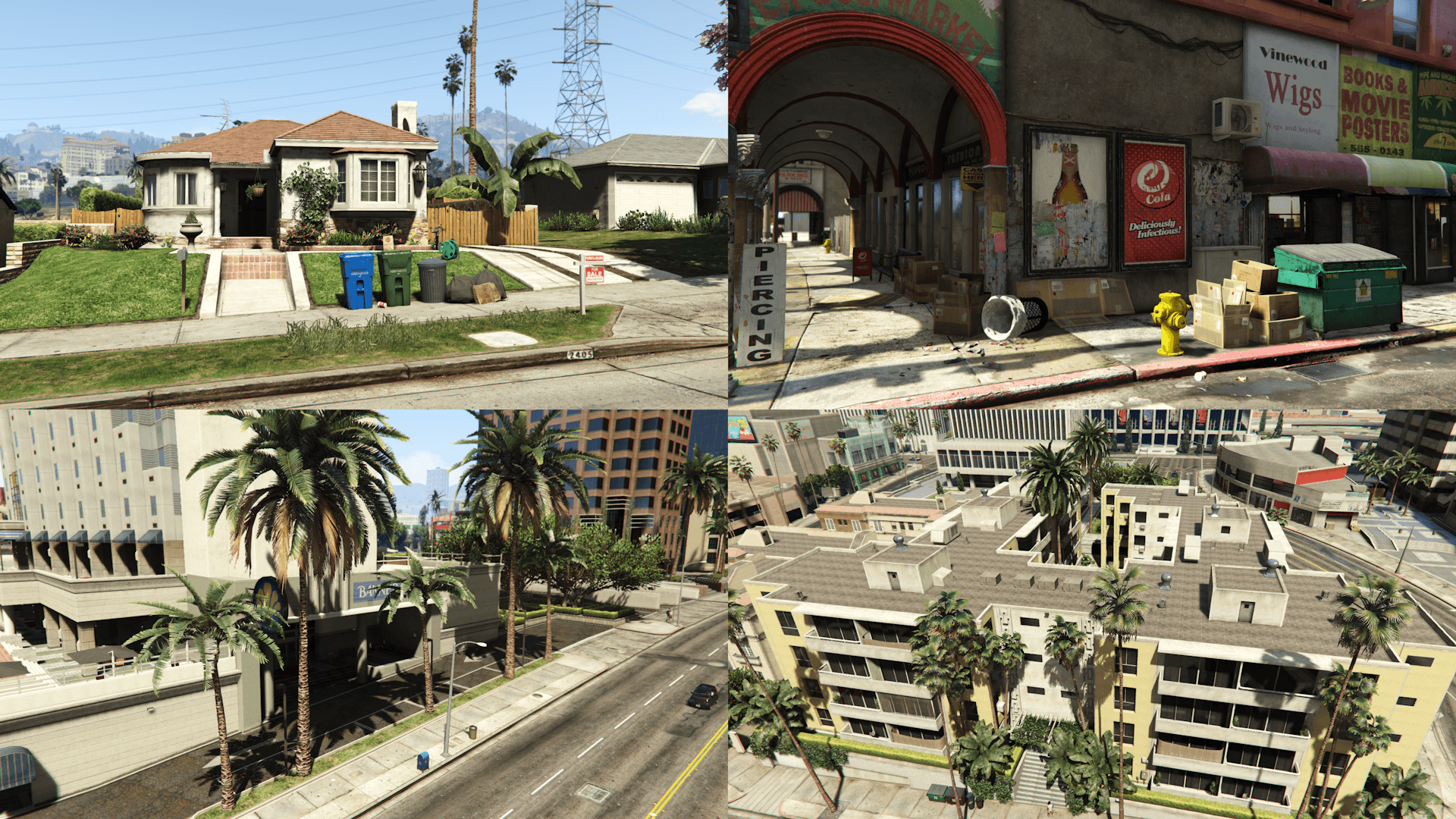
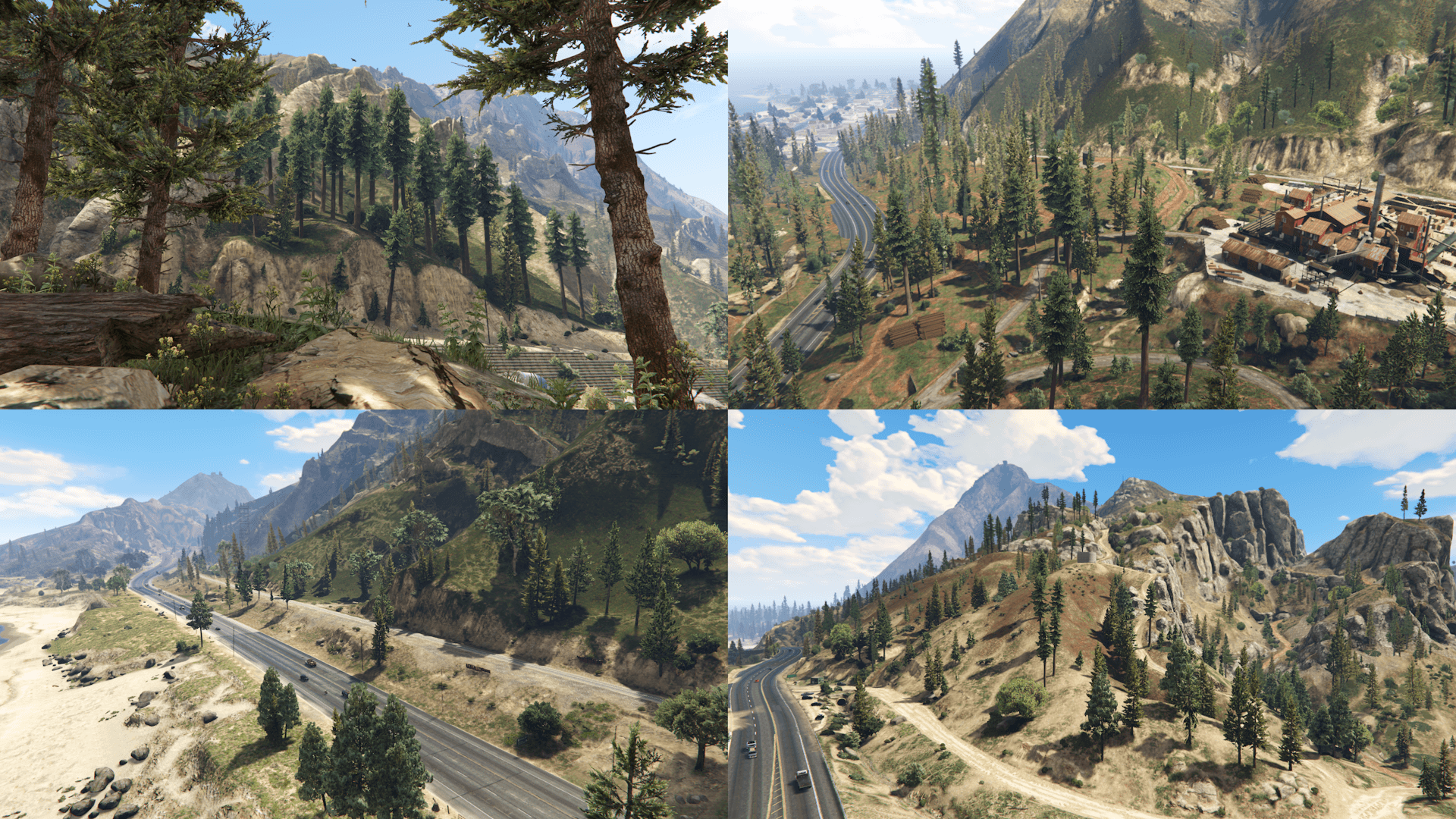
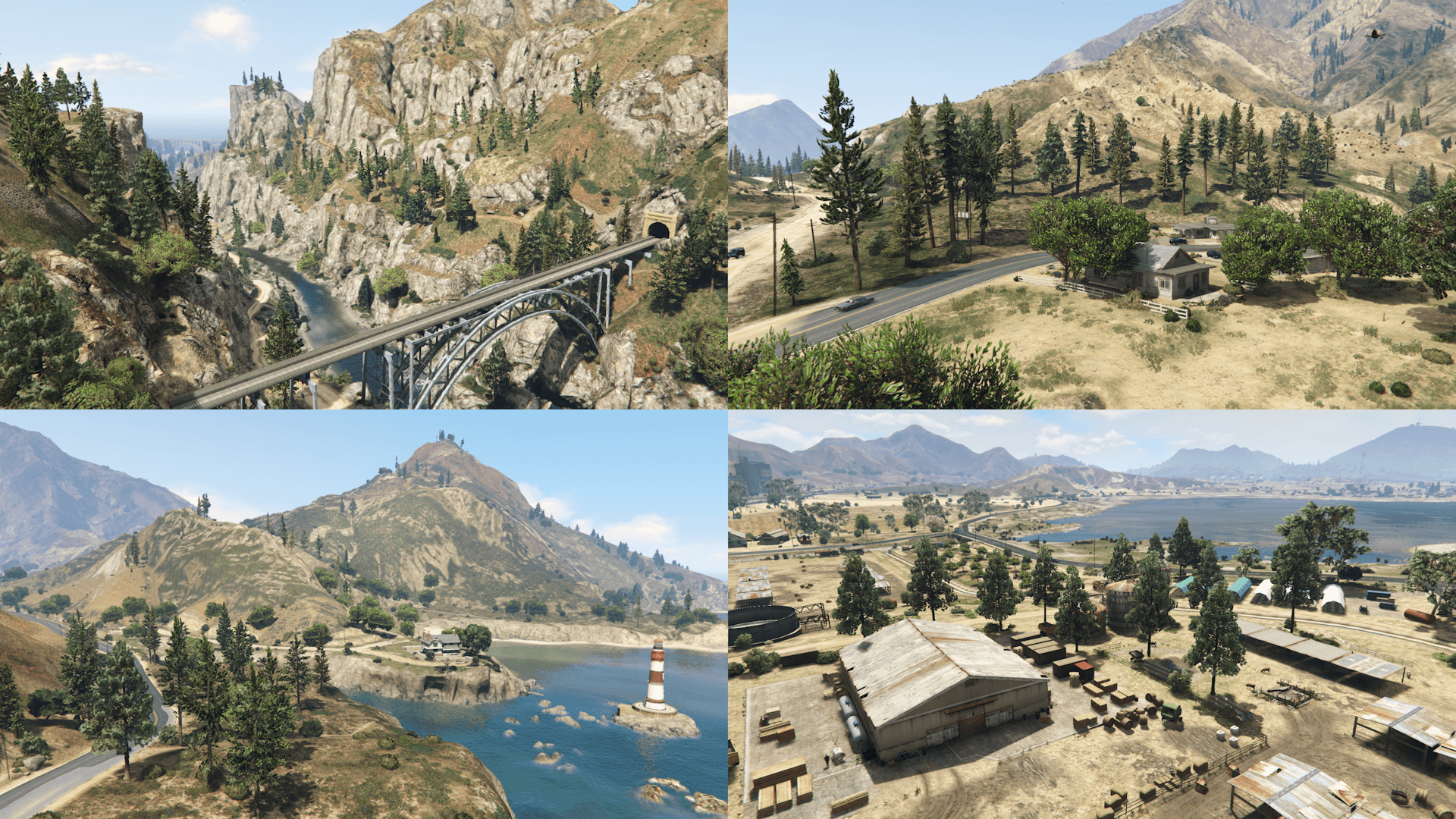
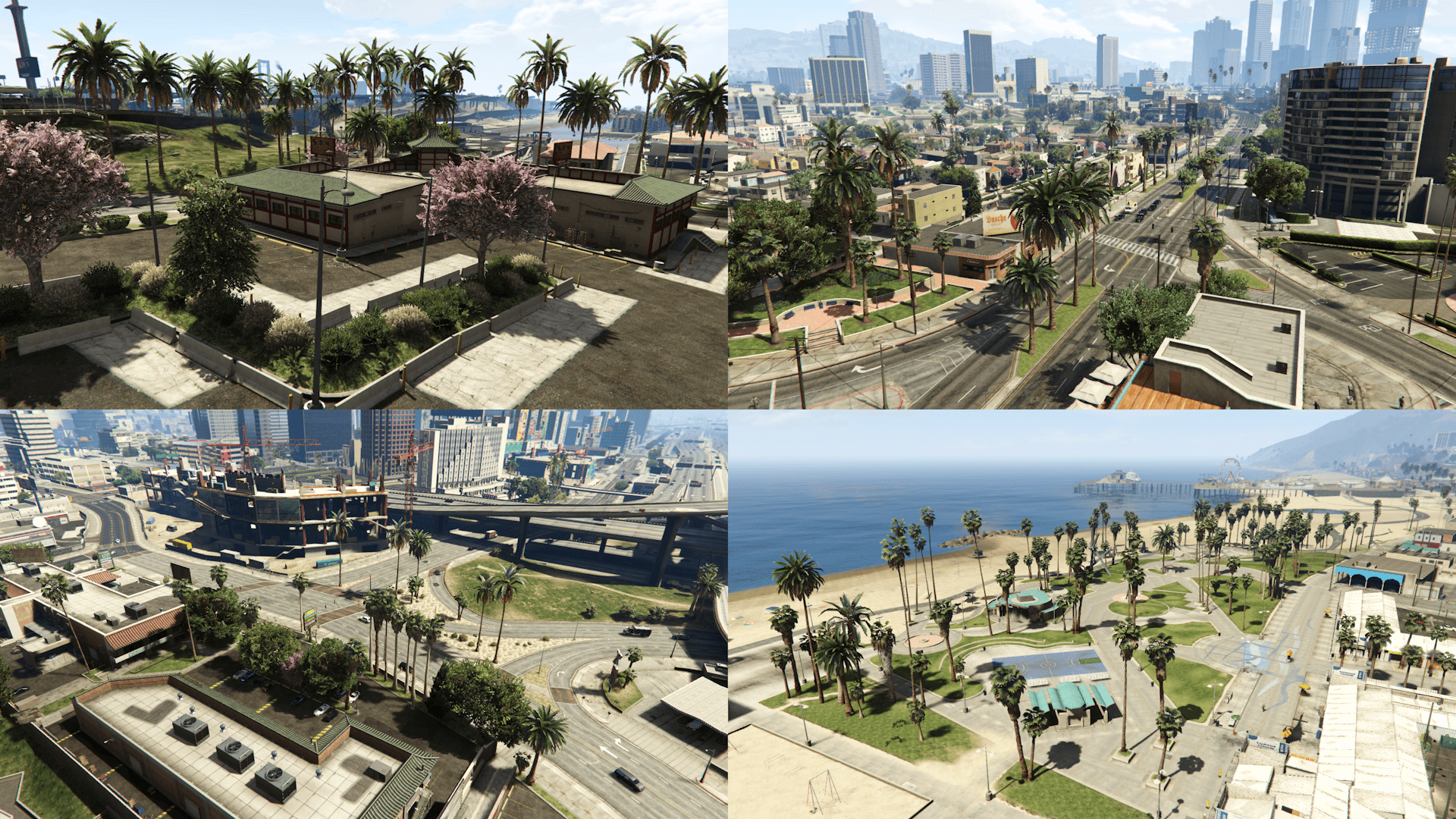
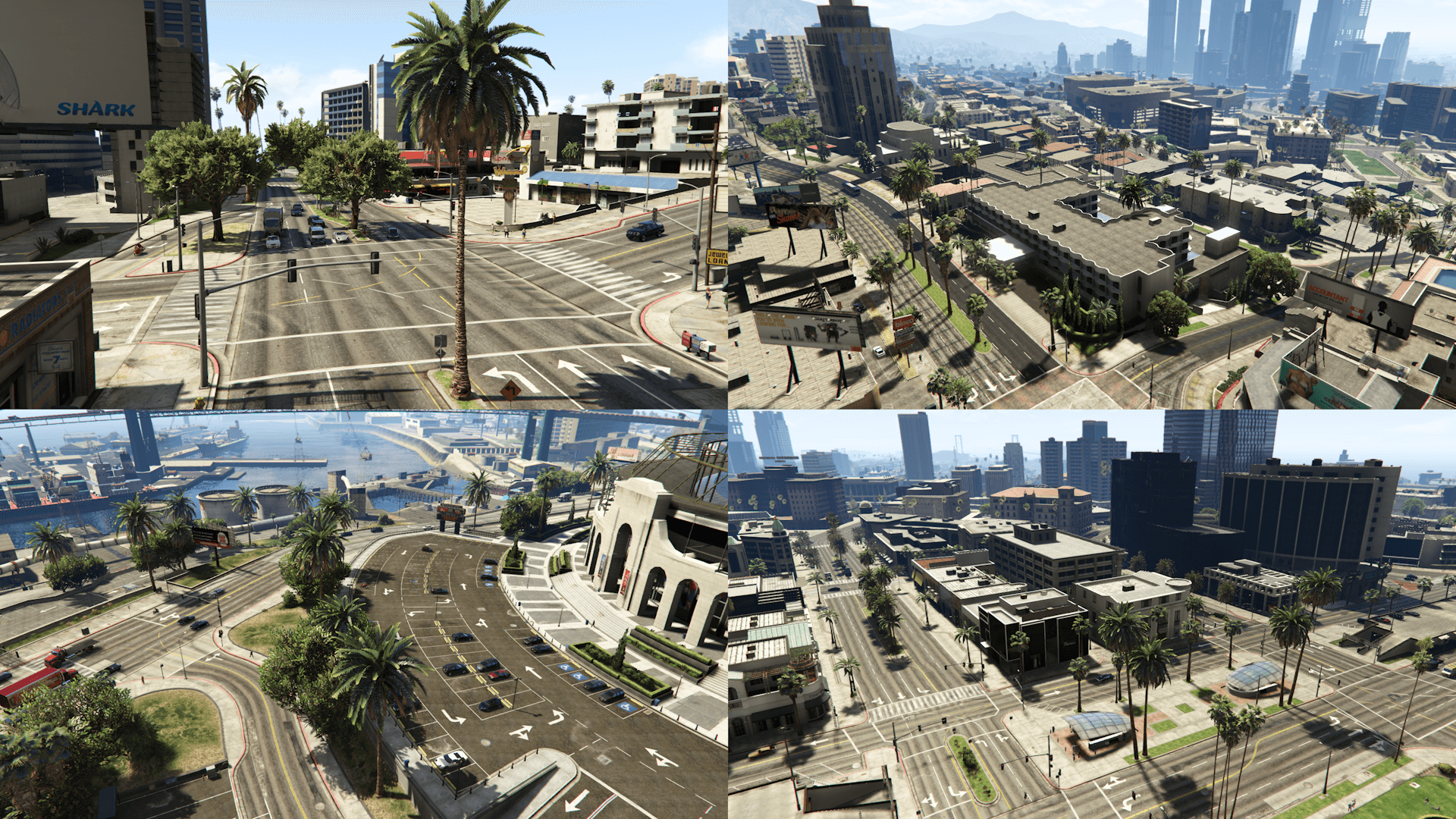
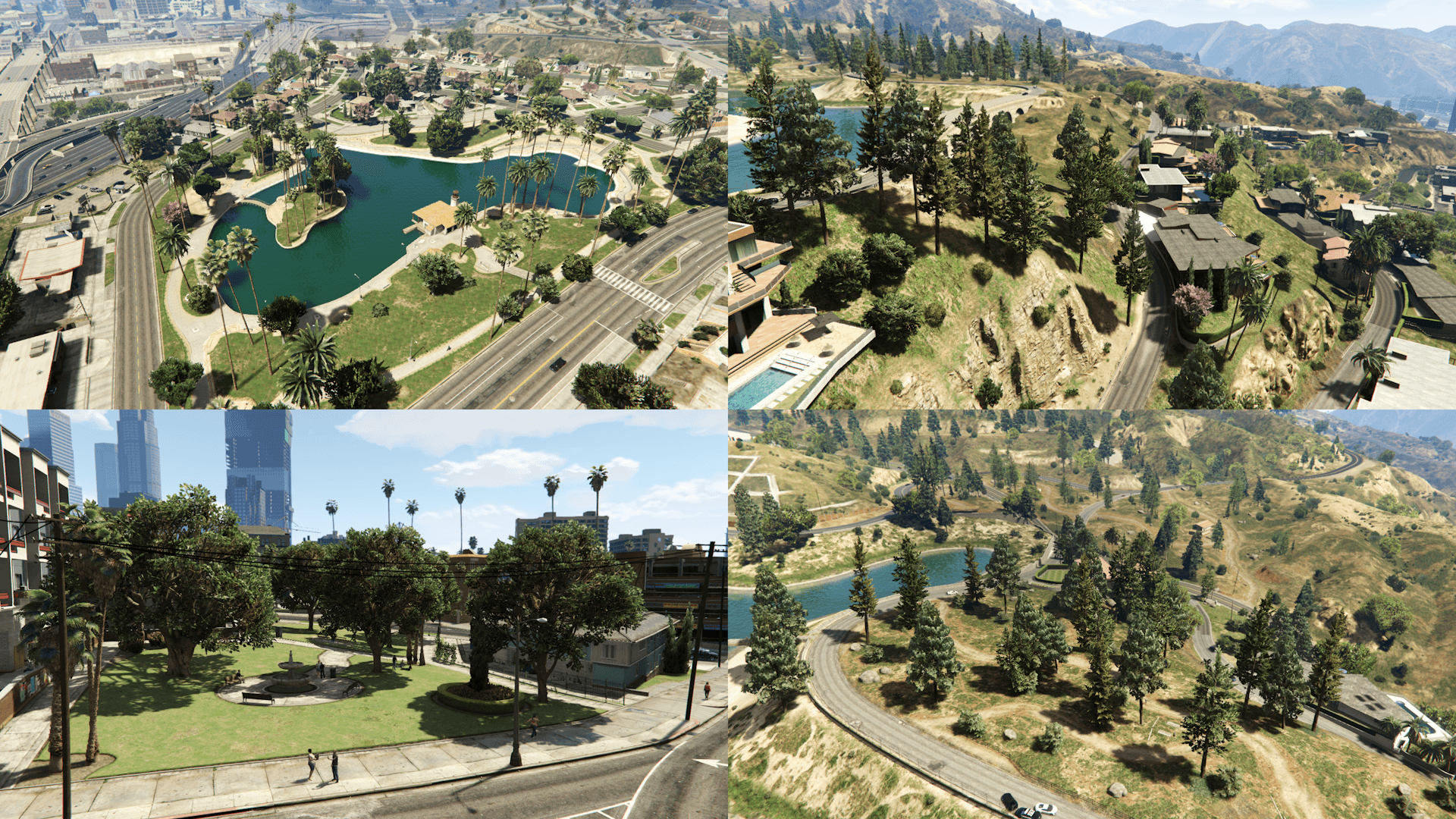
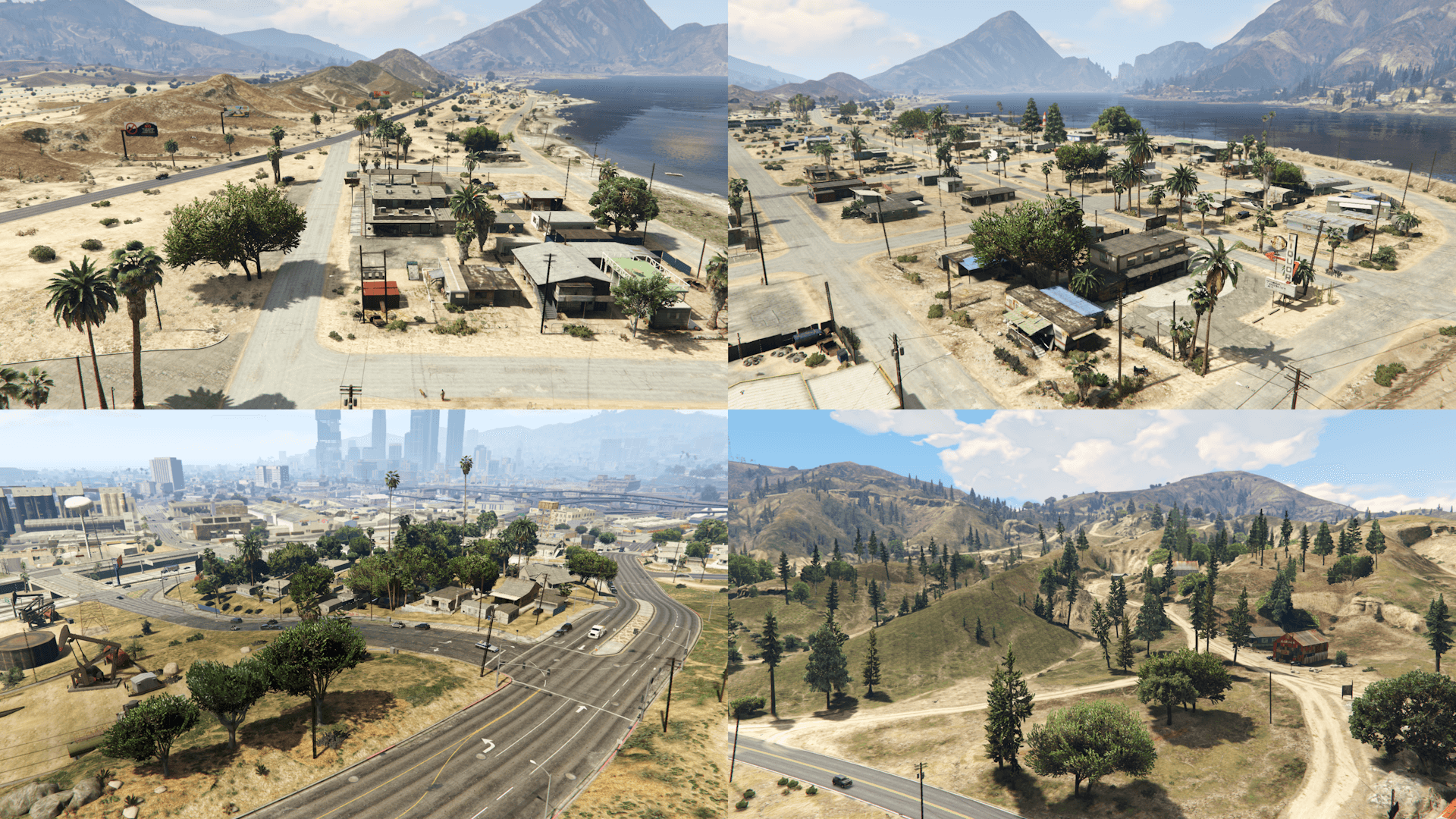
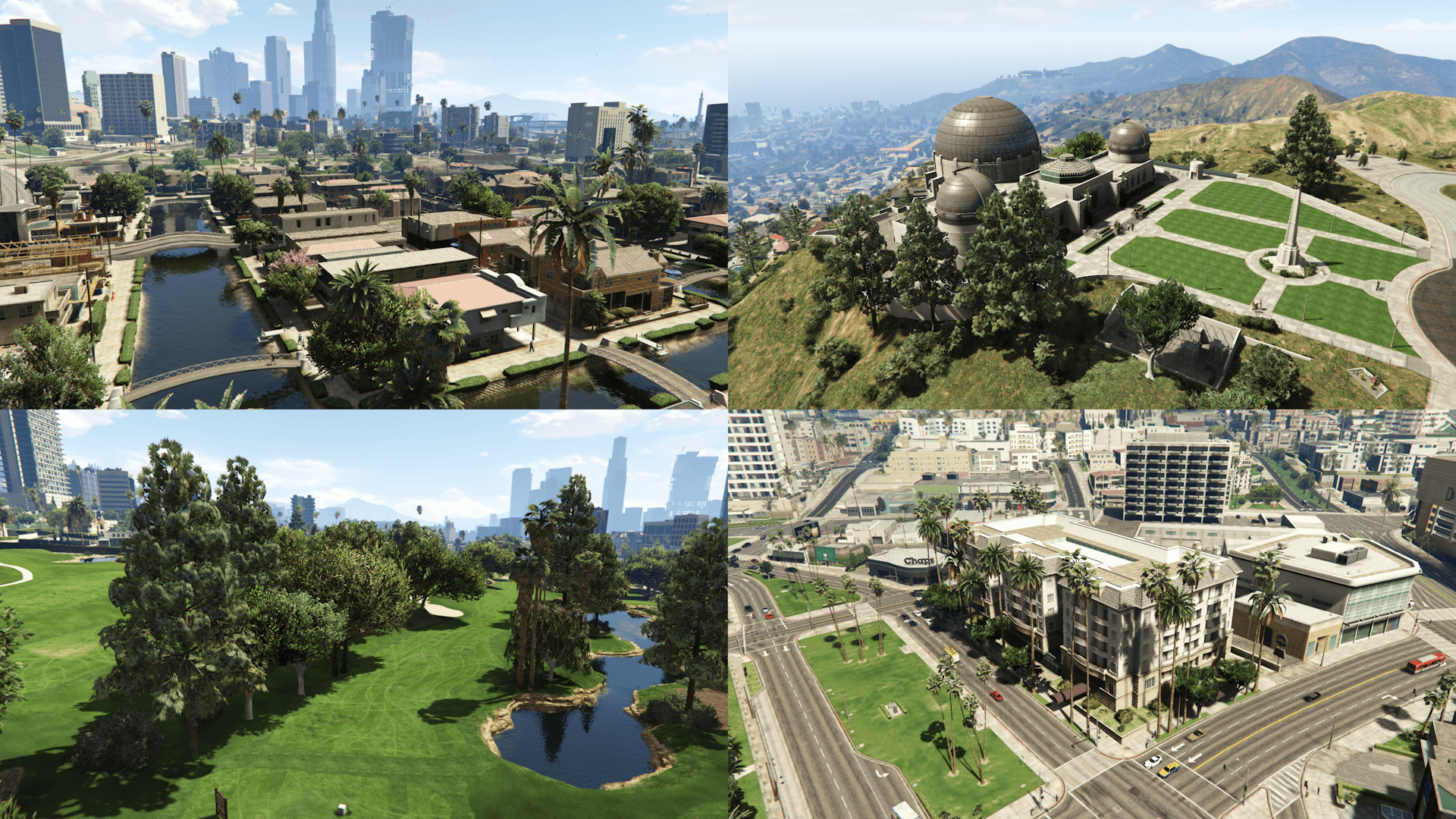
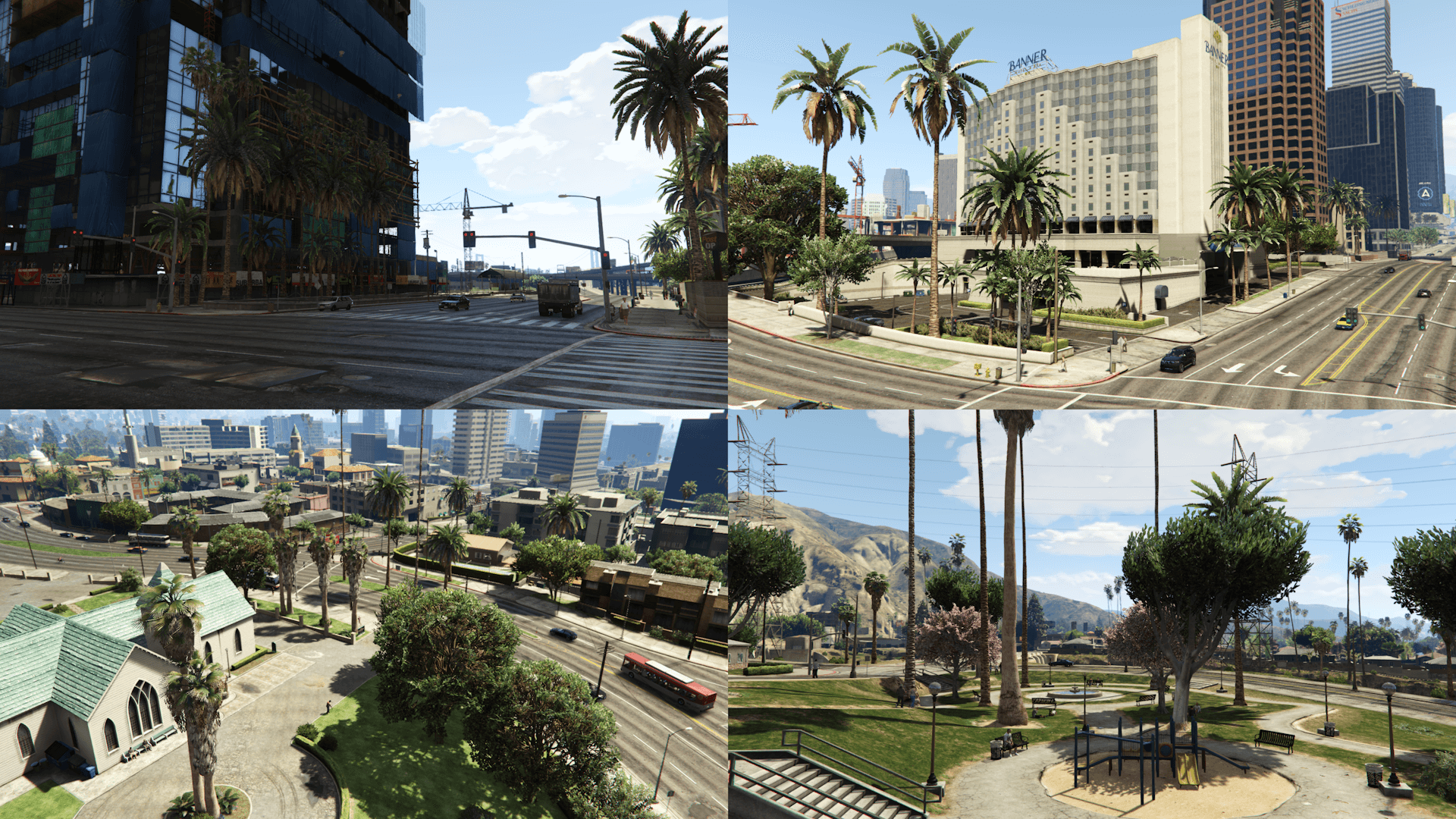
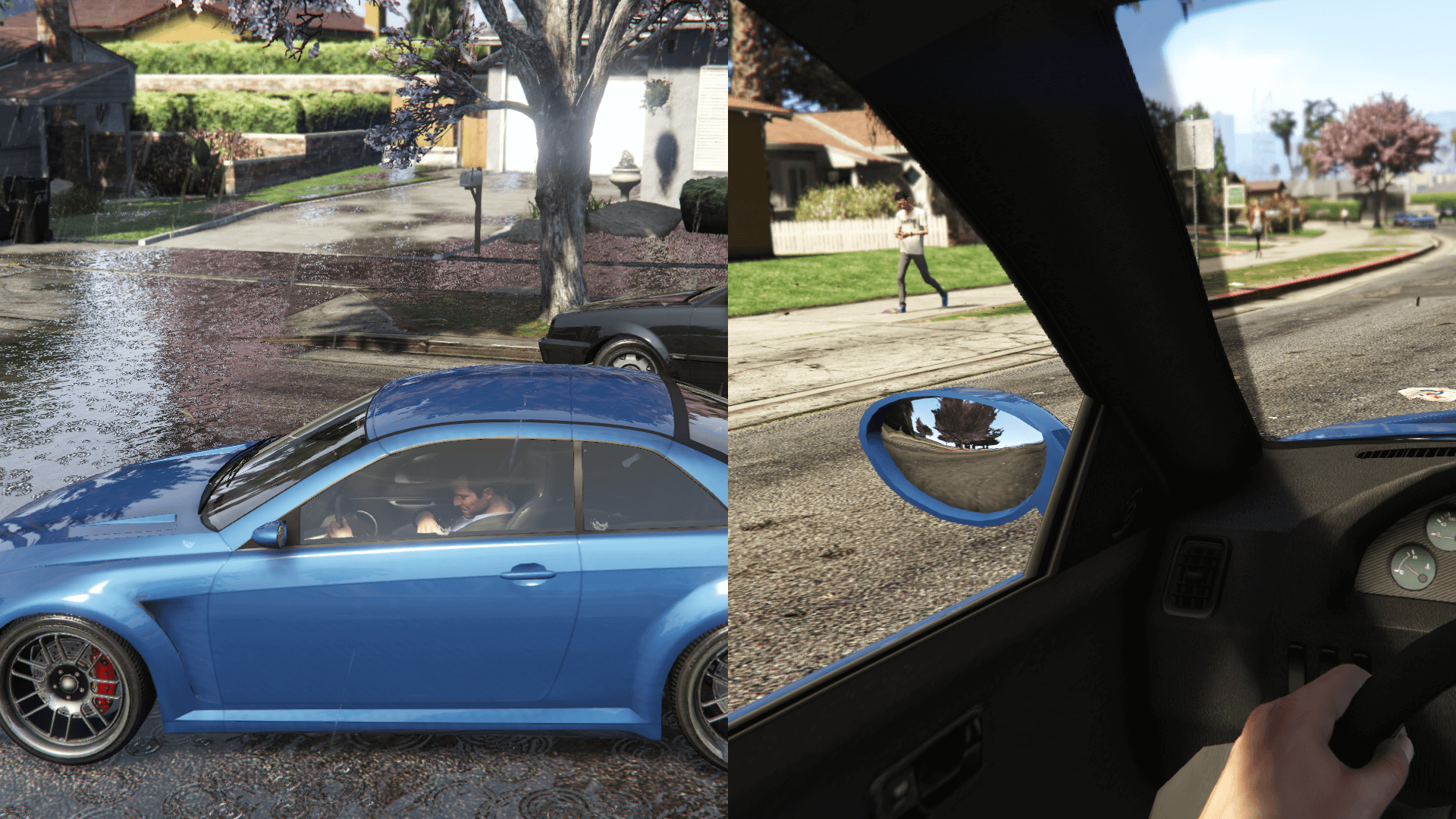
This mod restores, as faithfully as possible, cut vegetation and props placements as well as making various changes to the map and interiors based on the various stages of development
Requirements (Legacy):
- CodeWalker or OpenIV
- RageOpenV or OpenIV.asi (included with OpenIV)
- OIV Package Installer
- HeapAdjuster
- Packfile Limit Adjuster
- fwBoxStreamerVariable Patch
- Static Bounds Limit Adjuster
- Custom Gameconfig
Requirements (Enhanced):
- CodeWalker. Note: download the latest version from the Discord server
- RageOpenV or OpenRPF
- OIV Package Installer
- Resource Extensions
Installation (Legacy):
- Move the spbmr and spbmr_patch folders in mods\update\x64\dlcpacks
- Add <Item>dlcpacks:/spBMR/</Item> and <Item>dlcpacks:/spBMR_Patch/</Item> to the dlclist.xml
- Install the MP Map Files.oiv package with the OIV Package Installer
- Optionals: check the installation instructions included in the folder of each optional
Installation (Enhanced):
- Move the spBMR_Gen9 and spBMR_Patch_Gen9 folders in mods\update\x64\dlcpacks
- Add <Item>dlcpacks:/spBMR_Gen9/</Item> and <Item>dlcpacks:/spBMR_Patch_Gen9/</Item> to the dlclist.xml
- Install the MP Map Files.oiv package with the OIV Package Installer
- Optionals: check the installation instructions included in the folder of each optional
Special Thanks:
- All the people that contributed to the GTA V Beta Hunt topic on GTAForums for all the findings
- dexyfex for Codewalker
- Skylumz for Sollumz
- Larcius for the gta5-modding-utils script
- The OpenIV Team for OpenIV
- 3Doomer for GIMS Evo
- Neos7 for the GTA V Map Helper scriptt
- Dekurwinator for info about flags and other map related stuff
- Stryfaar for the modified Mirror Park lake
Changelog:
v3.9
- Removed some bushes, two ferns and a joshua tree next to the parking lot of the S. Ho Korean Noodle House in Little Seoul
- Updated only the "spbmr" (Legacy) and "spBMR_Gen9" (Enhanced) DLC packs
v3.9.1
- Updated the "spBMR_Gen9" DLC pack (fixed the updated files not being included in the previous update)
All the content included in this mod was made with assets from the final game and remade from scratch, using the promotional material (screens, trailers, etc.) and other game content (such as tv shows and commercials) as reference and doesn't include nothing from any beta/leaked build
Information:
This mod restores, as faithfully as possible, cut vegetation and props placements as well as making various changes to the map and interiors based on the various stages of development
Requirements (Legacy):
- CodeWalker or OpenIV
- RageOpenV or OpenIV.asi (included with OpenIV)
- OIV Package Installer
- HeapAdjuster
- Packfile Limit Adjuster
- fwBoxStreamerVariable Patch
- Static Bounds Limit Adjuster
- Custom Gameconfig
Requirements (Enhanced):
- CodeWalker. Note: download the latest version from the Discord server
- RageOpenV or OpenRPF
- OIV Package Installer
- Resource Extensions
Installation (Legacy):
- Move the spbmr and spbmr_patch folders in mods\update\x64\dlcpacks
- Add <Item>dlcpacks:/spBMR/</Item> and <Item>dlcpacks:/spBMR_Patch/</Item> to the dlclist.xml
- Install the MP Map Files.oiv package with the OIV Package Installer
- Optionals: check the installation instructions included in the folder of each optional
Installation (Enhanced):
- Move the spBMR_Gen9 and spBMR_Patch_Gen9 folders in mods\update\x64\dlcpacks
- Add <Item>dlcpacks:/spBMR_Gen9/</Item> and <Item>dlcpacks:/spBMR_Patch_Gen9/</Item> to the dlclist.xml
- Install the MP Map Files.oiv package with the OIV Package Installer
- Optionals: check the installation instructions included in the folder of each optional
Special Thanks:
- All the people that contributed to the GTA V Beta Hunt topic on GTAForums for all the findings
- dexyfex for Codewalker
- Skylumz for Sollumz
- Larcius for the gta5-modding-utils script
- The OpenIV Team for OpenIV
- 3Doomer for GIMS Evo
- Neos7 for the GTA V Map Helper scriptt
- Dekurwinator for info about flags and other map related stuff
- Stryfaar for the modified Mirror Park lake
Changelog:
v3.9
- Removed some bushes, two ferns and a joshua tree next to the parking lot of the S. Ho Korean Noodle House in Little Seoul
- Updated only the "spbmr" (Legacy) and "spBMR_Gen9" (Enhanced) DLC packs
v3.9.1
- Updated the "spBMR_Gen9" DLC pack (fixed the updated files not being included in the previous update)
First Uploaded: August 14, 2017
Last Updated: September 12, 2026
Last Downloaded: 21 minutes ago
1,000 Comments
More mods by Alex106:

- Clothing
- Enhanced
4.9
11,665
166
2.4 Legacy
By Alex106
Important:
All the content included in this mod was made with assets from the final game and remade from scratch, using the promotional material (screens, trailers, etc.) and other game content (such as tv shows and commercials) as reference and doesn't include nothing from any beta/leaked build
Information:
This mod restores, as faithfully as possible, cut vegetation and props placements as well as making various changes to the map and interiors based on the various stages of development
Requirements (Legacy):
- CodeWalker or OpenIV
- RageOpenV or OpenIV.asi (included with OpenIV)
- OIV Package Installer
- HeapAdjuster
- Packfile Limit Adjuster
- fwBoxStreamerVariable Patch
- Static Bounds Limit Adjuster
- Custom Gameconfig
Requirements (Enhanced):
- CodeWalker. Note: download the latest version from the Discord server
- RageOpenV or OpenRPF
- OIV Package Installer
- Resource Extensions
Installation (Legacy):
- Move the spbmr and spbmr_patch folders in mods\update\x64\dlcpacks
- Add <Item>dlcpacks:/spBMR/</Item> and <Item>dlcpacks:/spBMR_Patch/</Item> to the dlclist.xml
- Install the MP Map Files.oiv package with the OIV Package Installer
- Optionals: check the installation instructions included in the folder of each optional
Installation (Enhanced):
- Move the spBMR_Gen9 and spBMR_Patch_Gen9 folders in mods\update\x64\dlcpacks
- Add <Item>dlcpacks:/spBMR_Gen9/</Item> and <Item>dlcpacks:/spBMR_Patch_Gen9/</Item> to the dlclist.xml
- Install the MP Map Files.oiv package with the OIV Package Installer
- Optionals: check the installation instructions included in the folder of each optional
Special Thanks:
- All the people that contributed to the GTA V Beta Hunt topic on GTAForums for all the findings
- dexyfex for Codewalker
- Skylumz for Sollumz
- Larcius for the gta5-modding-utils script
- The OpenIV Team for OpenIV
- 3Doomer for GIMS Evo
- Neos7 for the GTA V Map Helper scriptt
- Dekurwinator for info about flags and other map related stuff
- Stryfaar for the modified Mirror Park lake
Changelog:
v3.9
- Removed some bushes, two ferns and a joshua tree next to the parking lot of the S. Ho Korean Noodle House in Little Seoul
- Updated only the "spbmr" (Legacy) and "spBMR_Gen9" (Enhanced) DLC packs
v3.9.1
- Updated the "spBMR_Gen9" DLC pack (fixed the updated files not being included in the previous update)
All the content included in this mod was made with assets from the final game and remade from scratch, using the promotional material (screens, trailers, etc.) and other game content (such as tv shows and commercials) as reference and doesn't include nothing from any beta/leaked build
Information:
This mod restores, as faithfully as possible, cut vegetation and props placements as well as making various changes to the map and interiors based on the various stages of development
Requirements (Legacy):
- CodeWalker or OpenIV
- RageOpenV or OpenIV.asi (included with OpenIV)
- OIV Package Installer
- HeapAdjuster
- Packfile Limit Adjuster
- fwBoxStreamerVariable Patch
- Static Bounds Limit Adjuster
- Custom Gameconfig
Requirements (Enhanced):
- CodeWalker. Note: download the latest version from the Discord server
- RageOpenV or OpenRPF
- OIV Package Installer
- Resource Extensions
Installation (Legacy):
- Move the spbmr and spbmr_patch folders in mods\update\x64\dlcpacks
- Add <Item>dlcpacks:/spBMR/</Item> and <Item>dlcpacks:/spBMR_Patch/</Item> to the dlclist.xml
- Install the MP Map Files.oiv package with the OIV Package Installer
- Optionals: check the installation instructions included in the folder of each optional
Installation (Enhanced):
- Move the spBMR_Gen9 and spBMR_Patch_Gen9 folders in mods\update\x64\dlcpacks
- Add <Item>dlcpacks:/spBMR_Gen9/</Item> and <Item>dlcpacks:/spBMR_Patch_Gen9/</Item> to the dlclist.xml
- Install the MP Map Files.oiv package with the OIV Package Installer
- Optionals: check the installation instructions included in the folder of each optional
Special Thanks:
- All the people that contributed to the GTA V Beta Hunt topic on GTAForums for all the findings
- dexyfex for Codewalker
- Skylumz for Sollumz
- Larcius for the gta5-modding-utils script
- The OpenIV Team for OpenIV
- 3Doomer for GIMS Evo
- Neos7 for the GTA V Map Helper scriptt
- Dekurwinator for info about flags and other map related stuff
- Stryfaar for the modified Mirror Park lake
Changelog:
v3.9
- Removed some bushes, two ferns and a joshua tree next to the parking lot of the S. Ho Korean Noodle House in Little Seoul
- Updated only the "spbmr" (Legacy) and "spBMR_Gen9" (Enhanced) DLC packs
v3.9.1
- Updated the "spBMR_Gen9" DLC pack (fixed the updated files not being included in the previous update)
First Uploaded: August 14, 2017
Last Updated: September 12, 2026
Last Downloaded: 21 minutes ago
 5mods on Discord

@Ninocobretti I use Paint.NET
que mierda les cuesta poner un desinstalador hijos de puta
is there a link for your discord anywhere, very much could just be blind?
also when I download the File in the content folder I only see 4 files
hei_bh1_39
hei_dt1_20
hei_hw1_blimp
hei_kt1_08
Hey Alex, the previous versions of this MOD aren't available for download, and the v3.8(current) only has 4 files as SBB_BB mentioned
I stand corrected, just had to use a different extraction tool
@SBB_BB Try using a different program to extract the files from the archive
anyone having problems needs to use extract here option from 7zip. that gives u the correct folders
@Alex106 Hey I have an simple question? I have the GTA 5: Remastered and Enhanced mod that adds a bunch more vegtation of trees for the game, I was wondering if ANY of your mods including this are compatible with the mod? Not sure if anyone asked you yet though feel that be very useful to know!
@JaxTheRabbit With this mod, the only issue is vegetation (and maybe some other props) being placed in the same spots as GTA 5 Remastered, but it should otherwise work fine.
My other mods should also work fine with no issues
@Alex106 ahh, Grazie for the information! I think ill download your Map Fixes mod instead so I dont get any issues with trees and vegegation noclipping. Though another new question I have is, when I read your instructions for your mods to download. It says after moving the file into the DLC folder to "- Add "<Item>dlcpacks:/spBMR/</Item>" and "<Item>dlcpacks:/spBMR_Patch/</Item>" to the "dlclist.xml" " Im not sure if it meant to exact the dlc.rpf file from your map fixes folder to the dlc games folder or what exactly. I have an hard time reading and understanding so some explanation would be very helpful for all your mods needing to do that step as well lol. Would love to hear your answer!
@JaxTheRabbit
1) Move the "spbmr" and "spbmr_patch" folders in "mods\update\x64\dlcpacks" (if you don't have these folder, create them first)
2) With CodeWalker or OpenIV, navigate to "mods\update\update.rpf\common\data"
3) Open the dlclist.xml (or extract it and open it with a text editor) and add the lines (<Item>dlcpacks:/spBMR/</Item> and <Item>dlcpacks:/spBMR_Patch/</Item>) before "</Paths>" and save (and import back if youu have extracted it before)
Repeat the same process for the other mods
@Alex106 uh, so I tried to find the dlclist.xml though I dont seem to have it, nor the spbmr_patch folder you mentioned as well. The only things that are included with your mod is the spmapfixes folder that has the dlc.rpf file, and MP Ma fixes part 1 & 2. I usually dont have problems with downloading other mods, but your mods making me stumped (or im just dumb and not good at understanding it lol) If I have to make a guess on what to do: Take the spmapfixes folder into dlcpacks with the other 2 folders, extract the dlc.rpf file with the open package installer, as well as the map fixes part 1 & 2 files. Not sure if thats completely right or not, but I hope you could reply once again and help with my confusion and my dumbness xd
@JaxTheRabbit The dlclist isn't included with the mod but in "mods\update\update.rpf\common\data".
For Map Fixes, you first copy the "spmapfixes" folder in "mods\update\x64\dlcpacks". After that, open the dlclist.xml and add the string mentioned in the read me/description.
For the OIV packages, use the installer linked in the description and select first "MP Map Fixes Part 1.oiv" and then part 2 with it.
Hei Alex!
I know, I know you will get mad with these questions but I really need to know before download:
Works with GTA ENHANCED AND NVE ENHANCED?
@Alex106 Hey again! thank you for that useful info of where the dlclist.xml is. I copied the string in the read me that being <Item>dlcpacks:/spMapFixes/</Item> and tried pasting the string of words into the dlclist.xml. Though it wouldnt let me paste the words into it, nor could I type anything in it at all. I tried turning on edit mode for OpenVI thinking it was that but that didnt work as well. Im not sure how to enable a way to be able to type in it, so be nice if you could tell me how to be able to do that. The rest I know what to do for, this just being the road block for it. Hope you find time replying to this, thanks!
@ShakeZone It works on Enhanced and should work with NVE
@JaxTheRabbit I'm not sure why it does that, but you can export the file, modify it with a text editor and then import it back
I would pay you for an ONIGIRI installation for NVE.I dont know what I'm doing with these files, lol
Great mod, but I got a question. If I want to install all of your map mods, I only need to install one MP Map Files.oiv, right?
@chrislourenco92 No, each mod has it's own specific files and they all need to be installed (in this order, from first to last): Map Fixes > Map Updates > Beta Map Restoration
If you also plan on installing the improved grass dithering and restored sculpture as well, these can be done after the ones mentioned above