Meta Toolkit


![Community Script Hook V .NET Core for Legacy & Enhanced [.NET Core]](https://img.gta5-mods.com/q75-w500-h333-cfill/images/community-script-hook-v-net-core-legacy-enhanced/b29ffa-workshop.jpg "Community Script Hook V .NET Core for Legacy & Enhanced [.NET Core]")


33,480
150
33,480
150
Meta Toolkit is a tool for GTAV that allows you to edit:
- definition files (*.ytyp)
- placement files (*.ymap)
- manifest files (*.ymf)
- meta files (*.ymt, only resource files, no PSO files)
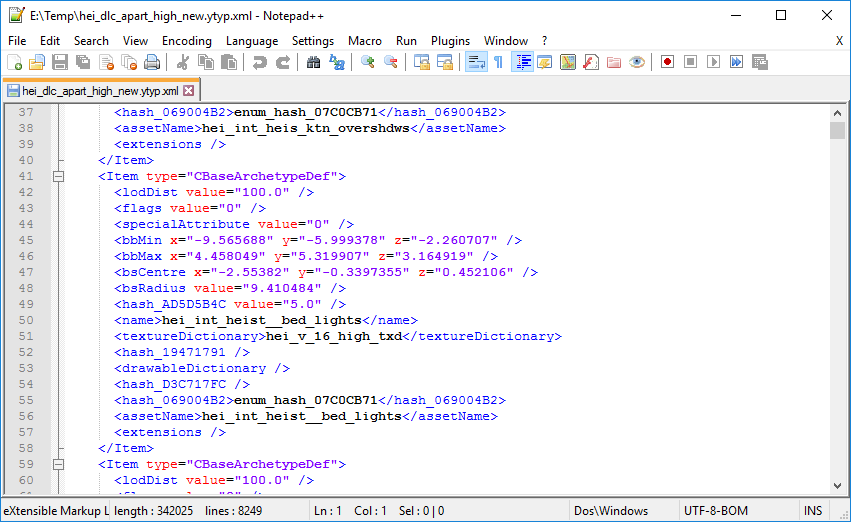
Just drag and drop the file onto the executable for converting it to xml. Drag and drop the xml again onto the executable to convert it back. There are a lot of unknown fields in the xml. If you experiment with them, feel free to discuss you result in the GTAForums thread.
Remember to backup your GTAV files before u use this tool!
Do NOT use GTA Online if you edited files. I do not take responsibilities for possible bans.
Prerequisites:
.NET Framework 4.6
- definition files (*.ytyp)
- placement files (*.ymap)
- manifest files (*.ymf)
- meta files (*.ymt, only resource files, no PSO files)
Just drag and drop the file onto the executable for converting it to xml. Drag and drop the xml again onto the executable to convert it back. There are a lot of unknown fields in the xml. If you experiment with them, feel free to discuss you result in the GTAForums thread.
Remember to backup your GTAV files before u use this tool!
Do NOT use GTA Online if you edited files. I do not take responsibilities for possible bans.
Prerequisites:
.NET Framework 4.6
First Uploaded: September 19, 2016
Last Updated: September 19, 2016
Last Downloaded: 6 hours ago
76 Comments
More mods by Neodymium:
Meta Toolkit is a tool for GTAV that allows you to edit:
- definition files (*.ytyp)
- placement files (*.ymap)
- manifest files (*.ymf)
- meta files (*.ymt, only resource files, no PSO files)
Just drag and drop the file onto the executable for converting it to xml. Drag and drop the xml again onto the executable to convert it back. There are a lot of unknown fields in the xml. If you experiment with them, feel free to discuss you result in the GTAForums thread.
Remember to backup your GTAV files before u use this tool!
Do NOT use GTA Online if you edited files. I do not take responsibilities for possible bans.
Prerequisites:
.NET Framework 4.6
- definition files (*.ytyp)
- placement files (*.ymap)
- manifest files (*.ymf)
- meta files (*.ymt, only resource files, no PSO files)
Just drag and drop the file onto the executable for converting it to xml. Drag and drop the xml again onto the executable to convert it back. There are a lot of unknown fields in the xml. If you experiment with them, feel free to discuss you result in the GTAForums thread.
Remember to backup your GTAV files before u use this tool!
Do NOT use GTA Online if you edited files. I do not take responsibilities for possible bans.
Prerequisites:
.NET Framework 4.6
First Uploaded: September 19, 2016
Last Updated: September 19, 2016
Last Downloaded: 6 hours ago
 5mods on Discord

Nice, good job for doing absolutely nothing!!! here's five stars, jk, really mod creator? really?
How are you guys having problems with this program? Just move all the files and read the read me properly! It works for me.
Good job on the mod, the people that cant use this cant read or something..
@wantyourntuslicked This works, do you not understand the read me? Drag the 3 files(exe,dll,dll) into somewhere like your desktop.Then get the ymt or the other file into your desktop and drag the ymt file to the exe and wait a few seconds and it should turn into a XML, then from there do the same process but drag the XML to the exe to make it again into a ymt. Its not that hard to read.
@BrandonYeets I did that, why did you assume I did not read the readme?
@wantyourntuslicked I mean its not hard to use, idk why you gave him 1 star. Its literally a YMT to XML converter
@BrandonYeets I did what it said, didn't work, so therefore it cannot be given a proper/good rating. I can't give it an above one star rating because if it doesn't work at ALL, then it does not deserve anything more. It doesn't matter how simple/complex it is, if it doesn't work, nothing shall be given.
@wantyourntuslicked I mean it worked for me? Maybe you did something wrong but i doubt it since its pretty straightforward.
@wantyourntuslicked Works like a charm. Might be your computer.
I don't know why y'all are having issues but it does in fact work
It doesn't work
Just gave this a try, works no problem for me.
@BrandonYeets For once someone is saying the correct thing thank you so much!
am i doing something wrong? it says sum with blocks. wanna edit the playerinfo.ymt
Nice job bro.
great bro!!
Is there an update for this tool? Mine keeps crashing when trying to convert a ymt to xml
Doesn't work. unhandled exception when dragging YMT to exe. Invalid extension when dragging XML to exe. I really wish this DID work...
Sadly this does not work. I dragged .ymt file on the exe and cmd window poped out for a bit and no xml was created anywhere. Watched some dude on YT and his xml file showed up on desktop. In my case it does not create .xml file :(
Your tool doesn't work, what the hell?
@movohou @nenlee How did you get it to work. If possible, can either of you give me the current update/update.rpf/x64/data/anim/clip_sets/clip_sets.ymt decompiled? I can't get this to work.